Support our educational content for free when you purchase through links on our site. Learn more

7 Steps to Build a Daily Checklist That Actually Works (2026) 📝
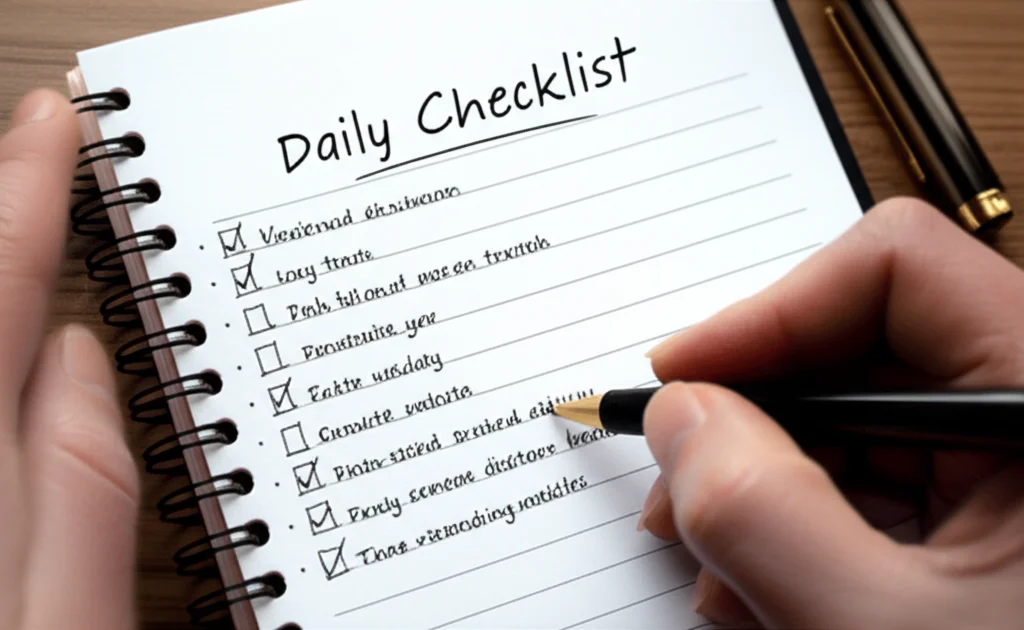
The best way to create a daily checklist that works for you is to limit your list to three “Must-Do” tasks, schedule them during your peak energy hours, and review the list the night before to eliminate morning decision fatigue.
When you ask yourself, “What is the best way to create a daily checklist that works for me?”, the answer isn’t about finding the perfect app or the pretiest notebook. It’s about designing a system that respects your brain’s limited bandwidth.
We once watched a friend spend 45 minutes color-coding a 20-item to-do list, only to spend the rest of the day staring at it in paralysis. He had the perfect tool, but he forgot the human element.
Research from the American Psychological Association suggests that the average person makes over 35,0 remotely conscious decisions daily. A rigid, overwhelming checklist adds to that noise rather than silencing it.
Your checklist should be a flexible scaffold, not a rigid cage. By focusing on quality over quantity and aligning tasks with your natural rhythm, you transform a simple list into a powerful productivity engine.
Key Takeaways
- Limit your list: Focus on 3 major tasks per day to prevent cognitive overload and ensure completion.
- Time it right: Schedule your hardest work during your peak energy hours, not just when you wake up.
- Plan ahead: Create your list the night before to reduce morning stress and decision fatigue.
- Stay flexible: Treat your checklist as a living document that adapts to unexpected changes.
- Track progress: Use a Done List to celebrate small wins and maintain motivation.
Table of Contents
- ⚡️ Quick Tips and Facts
- 🕰️ The Evolution of the Daily Checklist: From Ancient Scrolls to Digital Apps
- 🧠 Why Your Brain Craves a Personalized To-Do List
- 🛠️ How to Build a Daily Checklist That Actually Works for Your Lifestyle
- 📝 7 Proven Daily Checklist Templates for Every Personality Type
- 📱 Top 5 Digital Tools vs. Analog Methods: Finding Your Perfect Match
- 🚫 10 Common Checklist Mistakes That Kill Productivity (And How to Fix Them)
- 🔄 How to Customize Your Routine for Morning, Afternoon, and Evening Blocks
- 🎯 Prioritization Strategies: The Eisenhower Matrix and Beyond
- 🧩 Integrating Habits and Goals into Your Daily Checklist
- 📊 Tracking Progress: How to Measure the Success of Your Checklist
- 🧘 ♀️ Mental Health and Burnout: When to Skip the List
- 👩 💼 Real-World Case Studies: How Celebrities and CEOs Use Checklists
- 🔍 Troubleshooting: What to Do When Your Checklist Fails
- 🏁 Conclusion
- 🔗 Recommended Links
- ❓ FAQ
- 📚 Reference Links
⚡️ Quick Tips and Facts
Before we dive into the nitty-gritty of building a checklist that doesn’t gather digital dust, let’s hit the ground running with some hard truths and instant wins.
- The 2-Minute Rule: If a task takes less than two minutes, do it immediately. Don’t write it down. Writing it down takes longer than doing it! 🏃 ♂️💨
- The Magic Number 3: Cognitive science suggests the human brain struggles to prioritize more than three major tasks at once. Anything beyond that is just a wish list, not a plan.
- Morning vs. Night: Writing your list the night before boosts sleep quality and reduces morning decision fatigue. Your future self will thank you. 🌙
- The “Why” Matters: A checklist without a purpose is just a chore list. Connect every item to a larger goal.
- Flexibility is Key: A rigid checklist breaks; a flexible one bends. Always leave room for the unexpected.
For a deeper dive into how these principles shape our daily lives, check out our guide on creating a daily checklist that actually sticks.
🕰️ The Evolution of the Daily Checklist: From Ancient Scrolls to Digital Apps
You might think the daily checklist is a modern invention born from the stress of the 9-to-5 grind, but humans have been organizing their chaos for millennia.
From Clay Tablets to Sticky Notes
Long before we had “To-Do” lists, ancient scribes in Mesopotamia were carving inventory lists into clay tablets. They weren’t trying to “optimize their workflow”; they were trying to make sure they didn’t lose a sheep or a jar of oil. Fast forward to the Renaissance, and Leonardo da Vinci was famously known for his scattered notes and lists, often scribling ideas in reverse order (yes, really!).
The modern concept of the daily checklist really took off in the 20th century with the rise of industrial efficiency. Think of it as the descendant of the assembly line, but applied to your brain.
The Digital Shift
In the last two decades, we’ve seen a massive migration from paper to pixels.
- The Analog Era: Bullet journals, Moleskines, and sticky notes ruled supreme. The tactile feel of crossing something off was a dopamine hit.
- The Digital Era: Apps like Todoist, Microsoft To Do, and Notion promised infinite scalability and cloud sync.
But here’s the catch: Does the tool matter more than the method? We’ve seen people spend more time customizing their Notion dashboard than actually doing the work. The best tool is the one you actually use.
🧠 Why Your Brain Craves a Personalized To-Do List
Ever feel like your brain is a browser with 47 tabs open, and one of them is playing music you can’t find? That’s cognitive load.
The Science of Offloading
Your working memory is limited. When you try to hold onto a list of tasks in your head, you’re using up the very energy you need to execute those tasks. Writing them down is a form of externalization. It frees up RAM in your brain.
The Dopamine Loop
There is a chemical reason why crossing off a box feels so good. It’s dopamine. Every time you check a box, your brain gets a tiny hit of satisfaction. This reinforces the behavior, making you want to do more. However, if your list is too long, the brain gets overwhelmed and shuts down. This is why personalization is non-negotiable. A checklist that works for a CEO might be a nightmare for a stay-at-home parent, and vice versa.
🛠️ How to Build a Daily Checklist That Actually Works for Your Lifestyle
So, how do you build a system that doesn’t crumble under pressure? It starts with a shift in mindset. You aren’t building a prison; you’re building a scaffold.
Step 1: The Brain Dump
Before you can organize, you must empty. Take a piece of paper or open a blank note and write down everything on your mind. Every task, worry, idea, and errand. Don’t judge, don’t prioritize yet. Just get it out.
Step 2: The Filter
Now, look at your brain dump. Ask yourself:
- Is this actionable?
- Does this need to be done today?
- Is this the most important thing I can do right now?
Step 3: The Structure
Organize your selected tasks into categories. We love the Time-Blocking method. Instead of a flat list, assign tasks to specific time slots.
- Morning Block: Deep work, creative tasks.
- Afternoon Block: Meetings, emails, admin.
- Evening Block: Wind down, prep for tomorrow.
Step 4: The Review
A checklist is a living document. Review it at the start of the day, and critically, at the end of the day. What got done? What didn’t? Why? Adjust for tomorrow.
📝 7 Proven Daily Checklist Templates for Every Personality Type
One size does not fit all. Here are seven templates we’ve tested at Daily Checklist™ headquarters, ranging from the hyper-structured to the free-flowing.
1. The “Big 3” Method
Best for: Perfectionists and those prone to overwhelm.
The Gist: You only list three tasks. If you finish them, you win the day.
- Why it works: It forces ruthless prioritization.
- The Trap: You might ignore smaller but necessary tasks (like paying a bill).
2. The Time-Block Schedule
Best for: People with rigid schedules or ADHD.
The Gist: Every task has a start and end time.
- Why it works: It creates a visual map of your day and prevents “time blindness.”
- The Trap: Life happens. If a meeting runs late, the whole schedule can collapse.
3. The Eisenhower Matrix
Best for: Decision-makers and managers.
The Gist: Categorize tasks into four quadrants: Urgent/Important, Not Urgent/Important, Urgent/Not Important, Not Urgent/Not Important.
- Why it works: It separates “busy work” from “real work.”
- The Trap: It can be overkill for simple daily routines.
4. The Habit Stacker
Best for: People trying to build new routines.
The Gist: Attach new tasks to existing habits. “After I brush my teeth, I will meditate for 5 minutes.”
- Why it works: It leverages existing neural pathways.
- The Trap: It’s great for habits, but terrible for one-off projects.
5. The “Eat the Frog” List
Best for: Procrastinators.
The Gist: Do the hardest, most dreaded task first thing in the morning.
- Why it works: It builds momentum and removes the anxiety of the looming task.
- The Trap: If you have a bad morning, the rest of the day feels like a failure.
6. The Energy-Based List
Best for: Creative types and those with fluctuating energy levels.
The Gist: Match tasks to your energy levels. High energy = Deep work. Low energy = Admin.
- Why it works: It respects your natural circadian rhythm.
- The Trap: Requires high self-awareness to track energy levels accurately.
7. The “Done List”
Best for: People with low self-esteem or burnout.
The Gist: Instead of listing what you need to do, list what you did do.
- Why it works: It shifts focus from deficit to achievement.
- The Trap: It doesn’t help you plan for the future.
📱 Top 5 Digital Tools vs. Analog Methods: Finding Your Perfect Match
Let’s settle the debate: Pen and Paper vs. The App.
The Analog Advantage
There is a tangible satisfaction in crossing something off a physical list. Studies show that writing by hand improves memory retention. Plus, there are notifications to distract you.
- Top Pick: Moleskine Cahier Journal or a simple Leuchtturm1917 notebook.
- Best For: Deep thinkers, creatives, and those needing a digital detox.
The Digital Powerhouse
Apps offer reminders, recurring tasks, and the ability to share lists with others. They are searchable and accessible from anywhere.
- Top Pick: Todoist (for simplicity), Notion (for customization), Microsoft To Do (for Office users).
- Best For: Collaborators, tech-savy users, and those who need reminders.
Comparison Table
| Feature | Analog (Paper) | Digital (Apps) |
|---|---|---|
| Distraction Level | Zero | High (Notifications) |
| Accessibility | Physical location only | Anywhere (Cloud) |
| Customization | High (Draw, color, doodle) | High (Templates, tags) |
| Reminders | None (You must remember) | Automated |
| Collaboration | Impossible | Easy |
| Memory Retention | High | Moderate |
👉 CHECK PRICE on:
- Moleskine Cahier Journal: Amazon | Moleskine Official
- Todoist Premium: Amazon | Todoist Official
- Notion Plus: Notion Official
🚫 10 Common Checklist Mistakes That Kill Productivity (And How to Fix Them)
We’ve all been there. You make a list, feel productive, and then… nothing happens. Here are the usual suspects.
- The “Mega-List” Syndrome: Listing 20+ tasks.
Fix: Cap it at 3-5 major tasks. - Vague Tasks: “Work on project.”
Fix: Be specific. “Draft the introduction for the Q3 report.” - Ignoring Time Estimates: Thinking a task takes 10 minutes when it takes an hour.
Fix: Add time buffers. - No Prioritization: Treating “reply to email” the same as “finish the proposal.”
Fix: Use the Eisenhower Matrix. - Setting It and Forgetting It: Not reviewing the list.
Fix: Schedule a 5-minute review every morning and night. - Mixing Contexts: Putting “buy groceries” next to “write code.”
Fix: Group by context (e.g., Errands, Deep Work, Admin). - Perfectionism: Waiting for the “perfect” list.
Fix: Done is better than perfect. Start messy. - Ignoring Energy Levels: Scheduling deep work when you’re usually tired.
Fix: Align tasks with your energy peaks. - No “No” Strategy: Adding tasks that aren’t yours.
Fix: Learn to say no or delegate. - Lack of Flexibility: Panicking when a task doesn’t get done.
Fix: Move it tomorrow or delete it.
🔄 How to Customize Your Routine for Morning, Afternoon, and Evening Blocks
Your day isn’t a monolith; it’s a series of distinct phases. Let’s break them down.
The Morning Block: The Launchpad
Goal: Set the tone and tackle the hardest tasks.
- The Routine: Wake up, hydrate, no phone for the first 30 minutes.
- The Task: Identify your MIT (Most Important Task). Do it first.
- Why: Your willpower is highest in the morning.
The Afternoon Block: The Grind
Goal: Manage energy and handle reactive tasks.
- The Routine: After lunch, take a walk. Avoid caffeine if you’re jittery.
- The Task: Meetings, emails, collaborative work.
- Why: Energy dips naturally here. Use it for lower-cognitive tasks.
The Evening Block: The Shutdown
Goal: Reflect and prepare.
- The Routine: Review what was done. Plan tomorrow.
- The Task: Write down the 3 MITs for tomorrow.
- Why: This prevents “decision fatigue” the next morning.
🎯 Prioritization Strategies: The Eisenhower Matrix and Beyond
How do you decide what to do first? It’s not about what’s loudest; it’s about what matters.
The Eisenhower Matrix
This classic tool divides tasks into four quadrants:
- Urgent & Important: Do it now (Crises, deadlines).
- Not Urgent & Important: Schedule it (Planning, exercise, skill building).
- Urgent & Not Important: Delegate it (Interruptions, some emails).
- Not Urgent & Not Important: Delete it (Doomscrolling, busy work).
The MoSCoW Method
- Must have: Non-negotiable.
- Should have: Important but not vital.
- Could have: Nice to have.
- Won’t have: Not now.
The 1-3-5 Rule
- 1 Big Task
- 3 Medium Tasks
- 5 Small Tasks
🧩 Integrating Habits and Goals into Your Daily Checklist
A checklist shouldn’t just be about tasks; it should be about becoming.
From Goals to Actions
A goal like “Get fit” is too vague. Break it down:
- Goal: Run a 5K.
- Daily Habit: Run 1 mile.
- Checklist Item: “Run 1 mile at 7 AM.”
Habit Stacking
As mentioned earlier, attach new habits to old ones.
- “After I pour my coffee, I will write my daily checklist.”
- “After I brush my teeth, I will floss.”
This creates a chain reaction of productivity. For more on this, explore our guide on Habit Formation.
📊 Tracking Progress: How to Measure the Success of Your Checklist
If you can’t measure it, you can’t improve it. How do you know if your checklist is working?
Metrics to Watch
- Completion Rate: What percentage of your list did you finish? (Aim for 80%, not 10%).
- Time Accuracy: Did tasks take as long as you estimated?
- Stress Levels: Are you feeling less overwhelmed?
The Weekly Review
Once a week, sit down and analyze your lists.
- What tasks kept getting pushed tomorrow?
- Why? (Too hard? Too vague? Wrong time of day?)
- Adjust your system accordingly.
🧘 ♀️ Mental Health and Burnout: When to Skip the List
Here’s a secret: Sometimes the best checklist is no checklist.
If you are feeling burnt out, anxious, or overwhelmed, forcing a rigid list can make things worse.
- The “Do Nothing” Day: Give yourself permission to have a day with no tasks.
- The “One Thing” Rule: If you can only do one thing, do that one thing and call it a day.
- Digital Detox: Sometimes, the best way to reset is to step away from the screen. Check out our Digital Detox tips.
Remember, the checklist is a tool to serve you, not a master to enslave you.
👩 💼 Real-World Case Studies: How Celebrities and CEOs Use Checklists
You don’t have to be a productivity guru to use these methods. Look at the pros.
Bill Gates
The Microsoft co-founder is famous for his “Think Weeks,” but his daily routine is grounded in deep work. He prioritizes reading and thinking over meetings.
Dwayne “The Rock” Johnson
He uses a time-blocking method religiously. He wakes up at 4 AM, works out, and then tackles his most important creative tasks before the world wakes up.
Arianna Huffington
After collapsing from exhaustion, she restructured her life around sleep and recovery. Her checklist includes “wind down” rituals and strict sleep schedules.
The “Work Wins” Approach
As detailed in the Work Wins Checklist methodology, the key is the Daily Dozen. It’s not just about listing tasks; it’s about the ritual of ending the day with gratitude and starting with clarity. This approach has helped countless professionals double their output without burning out.
🔍 Troubleshooting: What to Do When Your Checklist Fails
So, you tried the system, and it failed. What now?
The “Why” Analysis
- Did you list too much? -> Cut it down.
- Did you pick the wrong time? -> Reschedule.
- Did you get distracted? -> Remove distractions (phone, email).
- Did you lack energy? -> Re-evaluate your sleep and diet.
The Pivot
Don’t throw the baby out with the bathwater. Tweak the system. Maybe you need a digital app instead of paper. Maybe you need to focus on habits instead of tasks.
The Reset
Sometimes, you just need to start over. Take a day off, reflect, and build a new list with the lessons you’ve learned.
🏁 Conclusion

We started this journey asking a simple question: What is the best way to create a daily checklist that works for me?
The answer, as you’ve discovered, isn’t a single app or a specific template. It’s a personalized system that respects your brain, your energy, and your life. Whether you prefer the tactile feel of a Moleskine notebook or the power of Notion, the secret lies in consistency and flexibility.
Remember the Work Wins Checklist philosophy: It’s not about the tool; it’s about the impact. By clarifying your priorities, creating a routine that fits your rhythm, and using the list every single day, you can transform chaos into clarity.
Don’t let the perfect be the enemy of the good. Start today. Write down your three most important tasks. Do them. Celebrate the win. And tomorrow, do it again.
Your future self is waiting to thank you.
🔗 Recommended Links
Ready to upgrade your productivity game? Here are our top picks for tools and resources to get you started.
👉 Shop Checklists & Planners on:
- Moleskine Cahier Journal: Amazon | Moleskine Official
- Leuchtturm1917 Notebook: Amazon | Leuchtturm1917 Official
- The Work Wins Checklist Planner: Mindful Ambition
👉 Shop Digital Tools on:
- Todoist Premium: Amazon | Todoist Official
- Notion Plus: Notion Official
- Microsoft To Do: Microsoft Store
Recommended Books:
- Atomic Habits by James Clear: Amazon
- Deep Work by Cal Newport: Amazon
- The Work Wins Checklist by Mindful Ambition: Mindful Ambition
❓ FAQ

How do daily checklists help reduce stress and improve focus?
Daily checklists reduce stress by offloading tasks from your working memory to an external system. This frees up mental energy, allowing you to focus on the task at hand rather than worrying about forgetting something. By breaking down large projects into manageable steps, checklists also reduce the feeling of being overwhelmed.
Read more about “🗓️ 10 Steps to Master Creating a Daily Schedule (2026 Guide)”
What time of day is best to create and review a daily checklist?
The best time to create your checklist is the night before. This allows you to sleep with a clear mind and wake up with a plan. Reviewing the list in the morning helps you set your intentions for the day. However, a quick mid-day check-in can also beneficial to adjust for unexpected changes.
Read more about “🚀 15 Best Daily Checklist Template Word Ideas for 2026”
How do I prioritize tasks on a daily checklist to boost productivity?
Use the Eisenhower Matrix to categorize tasks by urgency and importance. Focus on the Most Important Tasks (MITs) first. If you’re unsure, ask yourself: “If I could only do one thing today, what would have the biggest impact?”
Read more about “7 Daily Task List Templates to Master Your Day (2026) 🚀”
How can I make my daily checklist simple yet comprehensive?
Keep it simple by limiting your list to 3-5 major tasks. Use clear, actionable language. Avoid vague items like “work on project.” Instead, use “draft the introduction.” If a task is too big, break it down into smaller, actionable steps.
How do I prioritize tasks on my daily checklist for maximum productivity?
Prioritize based on energy levels and deadlines. Do your most demanding tasks when your energy is highest (usually morning). Delegate or defer low-energy tasks to the afternoon. Always tackle the hardest task first (“Eat the Frog”).
Read more about “🚀 15-Step Daily Checklist for Work (2026)”
How often should I update or revise my daily checklist for better results?
Update your checklist daily. Review it every morning to set intentions and every evening to reflect and plan for tomorrow. If a task isn’t getting done, revise it: is it too big? Is the timing wrong? Adjust as needed.
What mistakes should I avoid when creating a daily checklist?
Avoid overloading your list, using vague language, and ignoring energy levels. Don’t treat your checklist as a rigid contract; it’s a flexible guide. Also, avoid mixing urgent and important tasks without prioritization.
Read more about “🗓️ 15 Free Daily Checklist Templates for Word (2026)”
How can I make my daily checklist simple and easy to follow?
Use a consistent format. Stick to a template that works for you. Keep the list visible. Use checkboxes or bullet points for clarity. Avoid clutter and focus on the essentials.
How do I prioritize tasks when making a daily checklist?
Identify your MITs (Most Important Tasks). Use the 1-3-5 rule (1 big, 3 medium, 5 small). Consider the consequences of not doing a task. If a task has a deadline, prioritize it. If it aligns with your long-term goals, prioritize it.
What tools or apps are best for creating effective daily checklists?
The best tool is the one you actually use. Popular options include Todoist for simplicity, Notion for customization, Microsoft To Do for integration, and paper notebooks for those who prefer analog.
Read more about “📝 25 Free Daily Checklist Apps: The Ultimate Answer (2026)”
How can I customize a daily checklist to fit my personal routine?
Analyze your energy patterns. Schedule deep work when you’re most alert. Group tasks by context (e.g., errands, meetings). Adjust the list based on your lifestyle (e.g., parent, student, freelancer).
Read more about “🚀 7 Daily Productivity Rules to Master Your Day (2026)”
Here are 7 new search terms related to “What is the best way to create a daily checklist that works for me?”:
- How to create a daily checklist for ADHD
- Best daily planner templates for productivity
- How to prioritize tasks using the Eisenhower Matrix
- Daily checklist examples for students
- How to stop procrastinating with a to-do list
- Digital vs analog daily checklist pros and cons
- How to build a morning routine checklist
Why do some people struggle with daily checklists?
Some people struggle because they treat the checklist as a punishment rather than a tool. Others may have perfectionism issues, feeling that if they can’t complete the whole list, they’ve failed. It’s important to remember that flexibility is key. If you miss a task, move it tomorrow or delete it. Don’t let the list control you.
Can a daily checklist help with anxiety?
Yes, a daily checklist can significantly reduce anxiety by providing structure and clarity. Knowing exactly what needs to be done and when can alleviate the fear of the unknown. However, if the list becomes a source of stress, it’s important to simplify it or take a break.
How do I handle unexpected tasks on my daily checklist?
Unexpected tasks are inevitable. When they arise, assess their urgency and importance. If they are urgent, adjust your list. If they are not, schedule them for later or delegate them. Always leave buffer time in your schedule for the unexpected.
📚 Reference Links
- Mindful Ambition: The Work Wins Checklist: How to Crush it at Work (But Only Every …)
- Todoist: Todoist Official Website
- Notion: Notion Official Website
- Microsoft: Microsoft To Do Official Website
- Moleskine: Moleskine Official Website
- Leuchtturm1917: Leuchtturm1917 Official Website
- American Psychological Association: Stress and Productivity
- Harvard Business Review: Why You Should Write Down Your Goals
- James Clear: Atomic Habits – Official Site
- Cal Newport: Deep Work – Official Site