Support our educational content for free when you purchase through links on our site. Learn more

🚀 15-Step Daily Checklist for Work (2026)
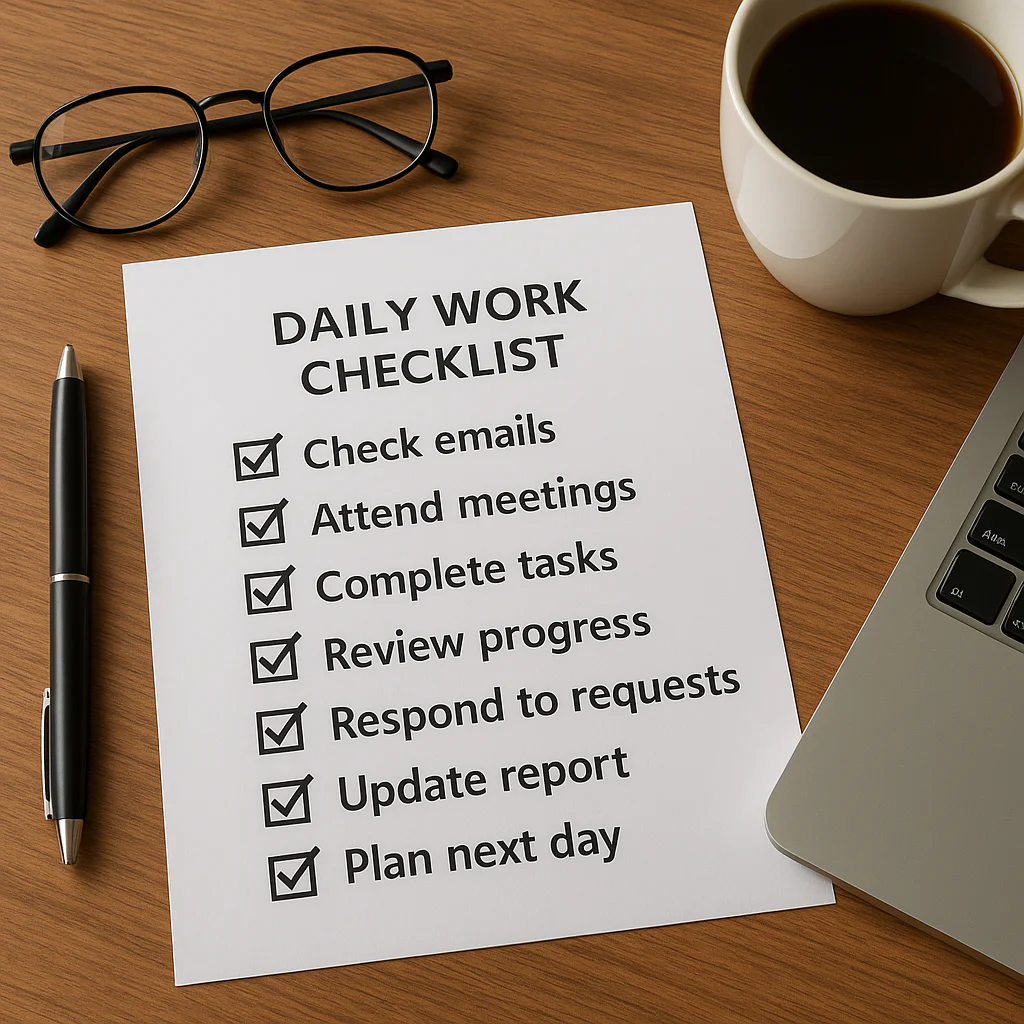
Your daily work checklist must prioritize three core elements: defining your “Big Three” Most Important Tasks (MITs), time-blocking deep work sessions, and scheduling a deliberate shutdown ritual to prevent burnout. If you are wondering what should be on your daily checklist for work to stop the chaos, the answer lies in shifting from a reactive “to-do” list to a proactive battle plan that protects your focus.
Most professionals waste 2.5 hours a day just switching contexts between emails, Slack messages, and meetings. That’s nearly a full work week lost to distraction every single month. We’ve seen it happen in our own planning sessions: a brilliant strategist derailed because they tried to “check email” as a task instead of batching it.
The difference between a productive day and a frantic one often comes down to one simple habit. By structuring your day around your top priorities rather than your inbox, you reclaim control.
Key Takeaways
- Focus on the “Big Three”: Identify and complete your three Most Important Tasks (MITs) before tackling anything else.
- Time-Block Everything: Assign specific time slots to tasks to combat Parkinson’s Law and prevent work from expanding unnecessarily.
- Schedule Strategic Breaks: Intentional pauses are not laziness; they are essential for maintaining high-level cognitive performance.
- Implement a Shutdown Ritual: End your day by reviewing progress and planning tomorrow to ensure a clear mental separation between work and rest.
- Adapt to Your Environment: Customize your checklist for remote or in-office settings to address unique distractions and collaboration needs.
Table of Contents
- ⚡️ Quick Tips and Facts
- 🕰️ The Evolution of the Daily Work Checklist: From Paper to Pixel
- 🧠 Why Your Brain Craves a Daily Work Routine Checklist
- 📝 How to Build a Bulletproof Daily Checklist for Work
- 🚀 The Ultimate 15-Step Daily Checklist for Maximum Productivity
- 1. 🌅 The Pre-Game Warm-Up: Setting the Tone Before You Start
- 2. 🎯 Defining Your “Big Three” Priorities for the Day
- 3. 🗓️ Time-Blocking Your Calendar Like a Pro
- 4. 📧 Taming the Email Beast: Inbox Zero or Bust?
- 5. 🤝 Scheduling Deep Work Sessions for Complex Tasks
- 6. 🗣️ Aligning with Your Team: Stand-ups and Syncs
- 7. 🍎 Fueling Your Body: The Mid-Morning Snack Check
- 8. 🧘 The Power of the Strategic Break: Avoiding Burnout
- 9. 📊 Progress Tracking: Are You Moving the Needle?
- 10. 🔄 Handling the Unexpected: The “Fire Drill” Protocol
- 1. 📱 Digital Detox: Managing Notifications and Distractions
- 12. 📚 Learning and Development: The 15-Minute Skill Boost
- 13. 🧹 The Afternoon Slump Buster: Re-energizing Your Workflow
- 14. 🏁 The Shutdown Ritual: Closing Lops Before You Leave
- 15. 🌙 Preparing Tomorrow’s Checklist While Today is Fresh
- 🛠️ Top Tools and Apps to Automate Your Daily Work Checklist
- 🚫 Common Pitfalls: What to Leave Off Your Work Checklist
- 🏢 Tailoring Your Checklist for Remote vs. In-Office Work
- 📈 Measuring Success: How to Optimize Your Daily Routine
- ❓ Frequently Asked Questions About Daily Work Checklists
- 🔗 Recommended Links and Resources
- 📚 Reference Links
- 🏁 Conclusion: Your Checklist is Your Compass
⚡️ Quick Tips and Facts
Before we dive into the nitty-gritty of building a checklist that won’t gather digital dust, let’s hit the rewind button on some common misconceptions. You might think a checklist is just a glorified to-do list, but it’s not. A to-do list is a graveyard of “someday” tasks; a checklist is a battle plan.
Here are a few facts that might surprise you:
- The Brain on Lists: Writing things down reduces cognitive load. A study published in the Journal of Experimental Psychology suggests that offloading tasks to a list frees up your brain’s RAM for actual problem-solving.
- The 2-Minute Rule: If a task takes less than two minutes, do it immediately. Don’t write it down. This keeps your list for the heavy lifting.
- The MIT Myth: Most people think “Most Important Task” means the hardest thing. Nope. It means the task that, if completed, makes everything else easier or unnecessary.
- The Burnout Stat: According to Akiflow’s research, 68% of workers feel overwhelmed because they are juggling too many tools and reacting to every ping. A solid checklist anchors you.
If you’re wondering exactly what should be on your daily checklist for work to avoid that 68% statistic, you’re in the right place. We’ve got the blueprint right here: What should be on your daily checklist?.
🕰️ The Evolution of the Daily Work Checklist: From Paper to Pixel
Remember the days of the spiral-bound notebook and the satisfying click of a ballpoint pen? We do. There was a time when a checklist was a physical object you could hold, crumple, and tape to your monitor. It was analog, tactile, and surprisingly effective.
But then came the digital revolution. Suddenly, our lists lived in the cloud, synced across devices, and turned into color-coded notifications. We traded the scratch of pen on paper for the ding of a Slack message.
Why the shift matters:
- Portability: Your paper list stays at the office. Your digital list travels with you, whether you’re in a coffee shop or a home office.
- Collaboration: You can’t easily share a napkin sketch with your remote team. Digital tools like Trello or Asana allow real-time collaboration.
- Recurrence: Setting up a daily recurring task on paper requires you to rewrite it every morning. Digital tools do this for you.
However, don’t toss the paper just yet. Some studies suggest that handwriting tasks improves memory retention. The key isn’t the medium; it’s the method. Whether you use a Moleskine or Notion, the goal is the same: clarity.
🧠 Why Your Brain Craves a Daily Work Routine Checklist
Let’s be honest: your brain is a lazy, energy-conserving machine. It loves patterns. When you wake up and immediately start reacting to emails, you are putting your brain in survival mode. You are the mouse in the maze, running from one cheese crumb to the next.
A daily checklist acts as your external prefrontal cortex. It takes the decision-making fatigue out of the equation.
The Psychology of “Done”
Every time you check a box, your brain releases a tiny hit of dopamine. It’s the chemical of satisfaction. Without a checklist, you might work for eight hours and feel like you accomplished nothing because you didn’t see the progress. With a checklist, you get a visual representation of your wins.
“A well-designed checklist anchors your day with clarity. You begin with your MITs (most important tasks), carve out intentional breaks, and balance personal and professional priorities while staying adaptable.” — Akiflow
The Cost of Context Switching
Without a plan, you are constantly switching contexts. You write an email, then answer a Slack message, then jump on a call, then try to write a report. This “task-switching” can cost you up to 40% of your productive time. A checklist forces you to batch similar tasks, keeping your brain in the same “gear” for longer periods.
📝 How to Build a Bulletproof Daily Checklist for Work
So, how do you actually build one? It’s not about listing “Brush teeth” and “Drink coffee” (unless you’re a robot). It’s about strategic sequencing.
Step 1: The Brain Dump
Start by writing down everything on your mind. Don’t filter. Don’t prioritize. Just get it out of your head and onto the page. This is the “Brain Dump” technique.
Step 2: The Filter
Now, look at that mess.
- Delete: Things that don’t need to be done.
- Delegate: Things someone else can do.
- Defer: Things that can wait until next week.
- Do: The things that need to happen today.
Step 3: The Prioritization
This is where the magic happens. Use the Eisenhower Matrix or the ABC Method.
- A Tasks: Critical. Must be done today.
- B Tasks: Important, but can wait until tomorrow.
- C Tasks: Nice to do, but low impact.
For a deeper dive into habit formation and how these lists stick, check out our guide on Habit Formation.
🚀 The Ultimate 15-Step Daily Checklist for Maximum Productivity
We’ve seen lists with 3 items and lists with 50. The sweet spot? 15 steps. Why 15? Because it covers your entire day from the moment your feet hit the floor to the moment you close your laptop, without overwhelming you.
This isn’t just a list; it’s a narrative of your day. Let’s walk through it.
1. 🌅 The Pre-Game Warm-Up: Setting the Tone Before You Start
Before you even think about work, you need to wake up your body and mind.
- Action: Hydrate, stretch, or meditate.
- Why: Jumping straight into emails spikes cortisol. A warm-up lowers stress and primes your brain for focus.
- Pro Tip: Avoid your phone for the first 20 minutes. Let your brain wake up naturally.
2. 🎯 Defining Your “Big Three” Priorities for the Day
This is the heart of your checklist. What are the three things that, if completed, would make today a success?
- Action: Write down your top 3 MITs (Most Important Tasks).
- Why: If you try to do everything, you do nothing. Focus on the vital few.
- Insight: As noted in the “first YouTube video” perspective, focus on essential tasks rather than listing every small item.
3. 🗓️ Time-Blocking Your Calendar Like a Pro
A task without a time slot is just a wish.
- Action: Assign specific time blocks to your Big Three.
- Why: Parkinson’s Law states that “work expands to fill the time available.” By limiting the time, you increase efficiency.
- Tool: Use Google Calendar or Calendly to visualize your day.
4. 📧 Taming the Email Beast: Inbox Zero or Bust?
Do not start your day by clearing your inbox. That is a recipe for a reactive day.
- Action: Scan for urgent items only. Flag them. Do not reply yet.
- Why: You want to be the master of your day, not a servant to your inbox.
- Strategy: Check email at 1:0 AM and 4:0 PM only.
5. 🤝 Scheduling Deep Work Sessions for Complex Tasks
Deep work is where the magic happens.
- Action: Block 90-minute chunks for your hardest MIT.
- Why: It takes about 20 minutes to get into a flow state. Interruptions kill it.
- Tip: Turn off notifications. Use Focusmate for accountability.
6. 🗣️ Aligning with Your Team: Stand-ups and Syncs
Collaboration is key, but it shouldn’t derail your focus.
- Action: Schedule team syncs for mid-morning or early afternoon.
- Why: Aligning early prevents misunderstandings later.
- Best Practice: Keep meetings short and agenda-driven.
7. 🍎 Fueling Your Body: The Mid-Morning Snack Check
Your brain runs on glucose. Don’t let it crash.
- Action: Eat a healthy snack (nuts, fruit, yogurt).
- Why: Blood sugar dips lead to brain fog and irritability.
- Tip: Avoid sugary snacks that cause a crash later.
8. 🧘 The Power of the Strategic Break: Avoiding Burnout
You are not a machine. You need to reset.
- Action: Take a 10-15 minute break away from the screen.
- Why: The Pomodoro Technique suggests working for 25 minutes, then breaking for 5.
- Activity: Walk, stretch, or look out a window.
9. 📊 Progress Tracking: Are You Moving the Needle?
Mid-day check-in.
- Action: Review your checklist. Did you hit your first MIT?
- Why: If you’re off track, you can adjust before the day is lost.
- Mindset: Be honest with yourself. If you didn’t do it, why?
10. 🔄 Handling the Unexpected: The “Fire Drill” Protocol
Something will go wrong. A server crashes, a client cancels, a kid gets sick.
- Action: Have a “Buffer Zone” in your schedule.
- Why: This absorbs the shock of the unexpected without derailing your entire day.
- Strategy: If a fire drill happens, reschedule a lower-priority task, not your MIT.
1. 📱 Digital Detox: Managing Notifications and Distractions
We mentioned this earlier, but it bears repeating.
- Action: Turn off non-essential notifications.
- Why: Every ping is a demand on your attention.
- Resource: Learn more about Digital Detox strategies on our site.
12. 📚 Learning and Development: The 15-Minute Skill Boost
Growth shouldn’t stop when you clock in.
- Action: Read an article, watch a tutorial, or listen to a podcast.
- Why: Continuous learning keeps you sharp and marketable.
- Tip: Do this during your lunch break or right after a meeting.
13. 🧹 The Afternoon Slump Buster: Re-energizing Your Workflow
That 3:0 PM slump is real.
- Action: Change your environment or activity.
- Why: A change of scenery can reset your focus.
- Idea: Stand up, walk around, or switch to a different type of task (e.g., admin work).
14. 🏁 The Shutdown Ritual: Closing Lops Before You Leave
This is crucial for work-life balance.
- Action: Review completed tasks, reschedule unfinished ones, and close all tabs.
- Why: It signals to your brain that work is over.
- Quote: “Mastering how to make a daily checklist is an ongoing journey of refinement and reflection.” — Miro
15. 🌙 Preparing Tomorrow’s Checklist While Today is Fresh
Don’t wait until tomorrow morning to plan.
- Action: Write down your Big Three for tomorrow.
- Why: You start the next day with momentum, not confusion.
- Benefit: You sleep better knowing you have a plan.
🛠️ Top Tools and Apps to Automate Your Daily Work Checklist
You can do this on a napkin, but why not leverage technology? Here are the top contenders in the checklist arena.
| Feature | Todoist | Microsoft To Do | Notion | Trello |
|---|---|---|---|---|
| Best For | Power Users | Office 365 Users | All-in-One Workspace | Visual Project Mgmt |
| Recurring Tasks | ✅ Excellent | ✅ Good | ✅ Flexible | ✅ Basic |
| Time Blocking | ⚠️ Limited | ❌ No | ✅ Yes (via Calendar) | ✅ Yes (via Timeline) |
| Collaboration | ✅ Strong | ✅ Good | ✅ Excellent | ✅ Excellent |
| Platform | Web, Mobile, Desktop | Web, Mobile, Desktop | Web, Mobile, Desktop | Web, Mobile, Desktop |
Deep Dive: Why We Love These Tools
Todoist:
If you love the “Quick Add” feature, Todoist is your jam. You can type “Call client every Monday at 10am #work” and it sets it up instantly. It’s clean, fast, and integrates with almost everything.
- Pros: Natural language processing, karma system for gamification.
- Cons: Advanced features require a premium subscription.
Microsoft To Do:
Perfect if you live in the Microsoft ecosystem. It syncs with Outlook tasks and has a great “My Day” feature that wipes the slate clean every morning, forcing you to choose what matters today.
- Pros: Free, seamless Outlook integration.
- Cons: Lacks some advanced project management features.
Notion:
The Swiss Army Knife. You can build a checklist, a wiki, a database, and a calendar all in one. It’s incredibly flexible but has a steeper learning curve.
- Pros: Highly customizable, great for documentation.
- Cons: Can be slow, overkill for simple lists.
Trello:
For the visual thinkers. If you like moving cards from “To Do” to “Doing” to “Done,” Trello is the king of Kanban boards.
- Pros: Visual, intuitive, great for teams.
- Cons: Not ideal for daily personal checklists with time blocking.
👉 CHECK PRICE on:
- Todoist: Amazon | Todoist Official
- Microsoft To Do: Microsoft Store
- Notion: Notion Official
- Trello: Amazon | Trello Official
🚫 Common Pitfalls: What to Leave Off Your Work Checklist
Even the best planners make mistakes. Here’s what you should never put on your daily checklist.
1. Vague Tasks
❌ “Work on project.”
✅ “Draft the introduction for the Q3 report.”
Why: Ambiguity leads to procrastination. Your brain hates vague instructions.
2. Overloading the List
❌ Listing 20+ tasks.
✅ Limiting to 3-5 critical tasks.
Why: If everything is a priority, nothing is. A long list is demotivating.
3. Personal Errands (Unless Critical)
❌ “Buy groceries,” “Call mom,” “Pay bills.”
Why: These should be in a separate “Life Admin” list. Mixing them with work tasks dilutes your focus.
4. Tasks You Can Delegate
❌ “Format the slides.”
Why: If someone else can do it, let them. Your time is valuable.
5. “Check Email” as a Task
❌ “Check email.”
Why: This is a habit, not a task. Schedule specific times for it, don’t list it as a to-do item.
🏢 Tailoring Your Checklist for Remote vs. In-Office Work
The medium changes the message. Your checklist needs to adapt to your environment.
Remote Work Checklist Adjustments
- Add: “Set up workspace,” “Check internet connection,” “Log into VPN.”
- Add: “Schedule a virtual coffee break with a colleague.”
- Why: Remote work blurs the lines between home and office. You need explicit rituals to start and end the day.
- Tip: Use Life Hacks to create a dedicated workspace.
In-Office Checklist Adjustments
- Add: “Commute time buffer,” “Lunch with team,” “Print materials.”
- Why: In-office work involves more physical movement and spontaneous interactions.
- Tip: Use your commute as a transition ritual. Listen to a podcast or audiobook to mentally prepare.
📈 Measuring Success: How to Optimize Your Daily Routine
How do you know if your checklist is working? You need to measure.
The Weekly Review
Every Friday, spend 15 minutes reviewing your week.
- What went well?
- What didn’t?
- Why?
- How can I improve next week?
The Metrics
- Completion Rate: What percentage of your MITs did you finish?
- Time Spent: Did you spend more time on deep work or shallow work?
- Energy Levels: How did you feel at the end of the day?
If you find yourself consistently missing tasks, it’s not a failure of willpower; it’s a failure of planning. Adjust your estimates, break tasks down further, or delegate more.
❓ Frequently Asked Questions About Daily Work Checklists
What is a work checklist?
A work checklist is a structured list of tasks and activities designed to guide your daily workflow. Unlike a simple to-do list, a checklist often includes specific steps, time allocations, and priorities to ensure efficiency and consistency. It serves as a roadmap for your day, helping you stay focused on your Most Important Tasks (MITs) while managing distractions.
What is a daily task list?
A daily task list is a subset of a work checklist, specifically focusing on the tasks to be completed within a 24-hour period. It is often more granular and time-sensitive. While a checklist might be a recurring template (e.g., “Morning Routine”), a daily task list is unique to that specific day’s goals and deadlines.
What are the top 5 items for a productive work checklist?
Based on our research and expert insights, the top 5 items are:
- Identify MITs: Define your 1-3 Most Important Tasks.
- Time Blocking: Assign specific time slots to your tasks.
- Communication Triage: Schedule specific times to check email and messages.
- Strategic Breaks: Plan for rest to prevent burnout.
- Shutdown Ritual: A clear end-of-day process to close loops and prepare for tomorrow.
How do I create a daily checklist that actually gets used?
The secret is simplicity and relevance.
- Start Small: Don’t try to overhaul your life overnight. Start with 3 tasks.
- Be Specific: Use action verbs. “Write report” is better than “Work on report.”
- Review Daily: Adjust your list every morning based on new information.
- Use the Right Tool: Whether it’s paper or an app, choose a tool you enjoy using.
- Celebrate Wins: Acknowledge your progress to build momentum.
What should be included in a morning routine checklist for work?
A morning routine checklist should focus on preparation and mindset:
- Hydrate and stretch.
- Review your calendar and MITs.
- Scan for urgent communications (without replying).
- Set up your workspace.
- Engage in a brief mindfulness or focus exercise.
How often should I review and update my daily work checklist?
You should review your checklist daily (morning and evening) and weekly (for broader planning).
- Daily: Adjust for new tasks, reschedule unfinished items, and plan for tomorrow.
- Weekly: Reflect on what worked, what didn’t, and refine your process for the upcoming week.
🔗 Recommended Links and Resources
Ready to take your productivity to the next level? Here are some tools and resources we swear by.
👉 CHECK PRICE on:
- Planner & Notebook: Amazon | Etsy
- Focus Timer (Physical): Amazon
- Noise Cancelling Headphones: Amazon | Sony Official | Bose Official
Books to Read:
- Deep Work by Cal Newport – Amazon
- Atomic Habits by James Clear – Amazon
- The 4-Hour Workweek by Tim Ferriss – Amazon
📚 Reference Links
- Akiflow: Daily Checklist Ideas – Insights on MITs and workflow balance.
- Miro: How to Make a Daily Checklist – Step-by-step guide and templates.
- Journal of Experimental Psychology: Cognitive Load and Offloading – Research on the benefits of writing things down.
- Trello: Kanban Methodology – Understanding visual task management.
- Notion: Productivity Templates – Customizable checklist templates.
🏁 Conclusion: Your Checklist is Your Compass

So, there you have it. The ultimate guide to crafting a daily checklist that doesn’t just sit there gathering digital dust but actually drives your day.
We started by asking: What should be on your daily checklist for work? The answer isn’t a rigid list of 50 chores. It’s a flexible, strategic framework that prioritizes your Most Important Tasks, protects your focus time, and ensures you don’t burn out by 3:0 PM.
Remember the story of the mouse in the maze? Without a checklist, you’re the mouse, running frantically from one crumb to the next. With a checklist, you’re the architect, designing the maze yourself. You decide where the cheese is, and you decide how to get there.
The Verdict:
- Positives: Increased focus, reduced stress, better work-life balance, and a tangible sense of accomplishment.
- Negatives: Requires discipline to stick to, and the initial setup can feel overwhelming if you try to do too much at once.
Our Recommendation:
Start small. Pick one method (paper or digital), identify your top 3 MITs tomorrow, and give it a shot. Don’t aim for perfection; aim for progress. As the experts at Miro said, “Mastering how to make a daily checklist is an ongoing journey of refinement and reflection.”
You’ve got the tools. You’ve got the plan. Now, go build a day you’re proud of. And hey, if you find yourself slipping back into old habits, remember to check out our Life Hacks section for more tips on staying on track.
Your checklist is your compass. Make sure it points North. 🧭