Support our educational content for free when you purchase through links on our site. Learn more

12-Step ADHD Daily Routine Visual Schedule Guide (2026) 🗓️
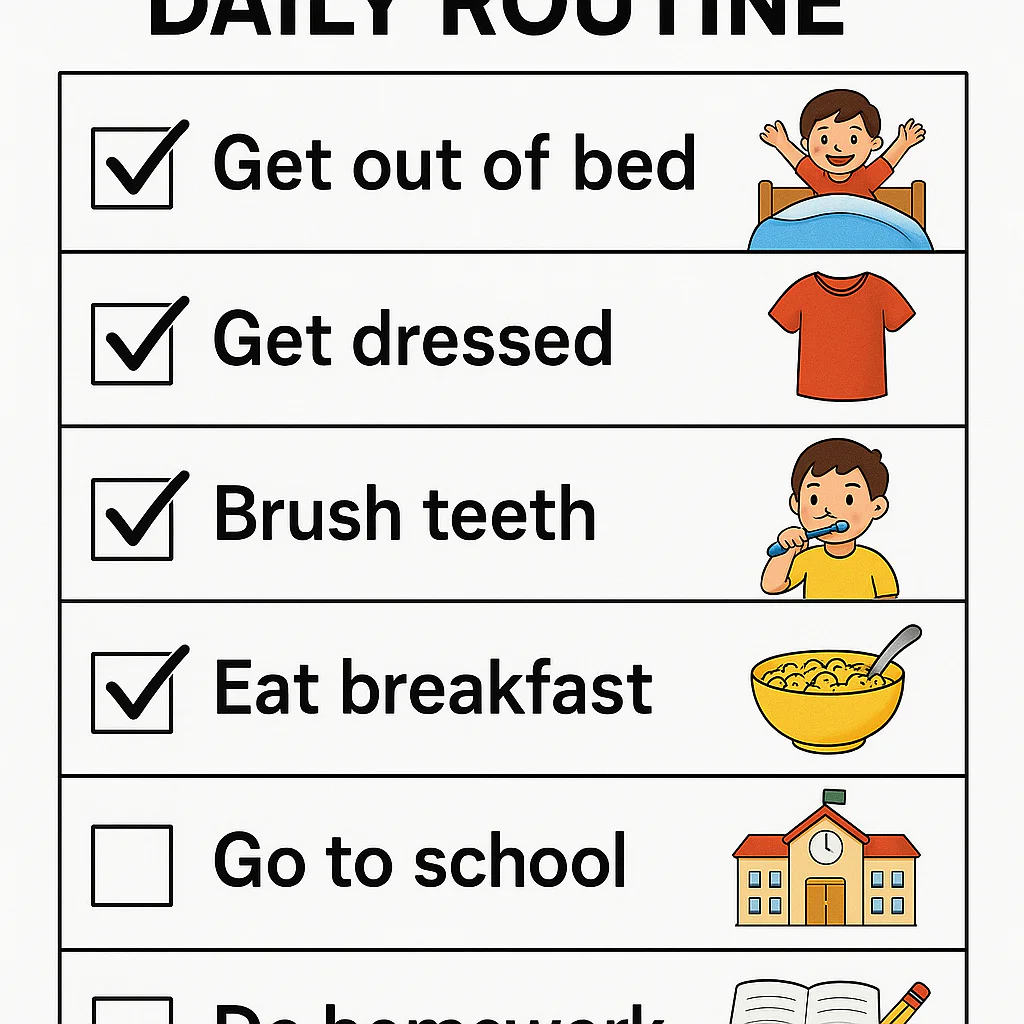

Does your brain feel like a browser with 47 tabs open, none of which are playing music? You aren’t alone. For those of us navigating life with ADHD, the concept of a “routine” often feels less like a helpful structure and more like a rigid cage that snaps shut the moment we try to enter it. But what if the problem wasn’t your discipline, but the format of your plan? Enter the ADHD daily routine visual schedule: a game-changing tool that transforms abstract, overwhelming time into concrete, manageable steps.
At Daily Checklist™, we’ve seen countless clients go from morning meltdowns to smooth launches simply by swapping text-heavy to-do lists for visual roadmaps. Unlike traditional planners that rely on working memory—a known weak spot for the ADHD brain—visual schedules offload the mental burden, acting as an external hard drive for your day. Whether you are a parent trying to tame the morning chaos, a teen seeking autonomy, or an adult managing the invisible load of a career, this guide reveals the 12 actionable steps to build a system that actually sticks. We’ll even dive into the surprising psychology of color coding and the specific “First-Then” hack that stops procrastination in its tracks.
Ready to stop fighting your brain and start working with it? Let’s turn that chaos into clarity.
Key Takeaways
- Visuals Beat Text: The ADHD brain processes images faster than words; a visual schedule reduces cognitive load by making time and tasks concrete.
- Start Small: Success lies in micro-steps. Begin with just 2–3 non-negotiable tasks per routine before expanding.
- Flexibility is Strength: A rigid schedule breaks; a flexible visual system with buffer zones and “Plan B” cards adapts to life’s curveballs.
- Context Matters: Place your schedule where the action happens (e.g., bathroom mirror, desk) and use First-Then structures to bridge difficult transitions.
- Customize for You: Whether it’s a velcro board for tactile learners or a sleek digital app for tech-savy adults, the best tool is the one you will actually use.
Table of Contents
- ⚡️ Quick Tips and Facts
- 🧠 The Brainy Backstory: Why Your ADHD Brain Craves a Visual Routine
- 🚀 12 Actionable Steps to Build the Ultimate ADHD Daily Routine Visual Schedule
- 1. Audit Your Current Chaos: Identifying the Friction Points
- 2. Define Your Non-Negotiables vs. The “Nice-to-Haves”
- 3. Choose Your Visual Language: Icons, Photos, or Text?
- 4. Master the Art of Chunking: Breaking Down Overwhelming Tasks
- 5. Designing the “First-Then” Bridge for Stuborn Transitions
- 6. Selecting the Right Format: Digital Apps vs. Analog Boards
- 7. Strategic Placement: Where to Hang It for Maximum Visibility
- 8. The “Check-Off” Ritual: Gamifying Your Progress
- 9. Building in Buffer Zones for the “Time Blindness” Trap
- 10. Preparing for the Curveball: Handling Unexpected Changes
- 1. The Morning Launch Pad: Setting Up for Success Before You Wake
- 12. The Evening Wind-Down: Reseting for Tomorrow’s Victory
- 🎨 Beyond the Basics: Advanced Visual Schedule Components That Actually Work
- The Psychology of Color Coding for Focus and Calm
- Using Timers and Visual Clocks to Combat Time Blindness
- Incorporating Sensory Breaks and Dopamine Detours
- 🛠️ Top Tools and Resources: From Choiceworks to Teachers Pay Teachers
- 📱 Best Digital Apps for ADHD Visual Scheduling
- 🖨️ Printable Templates and DIY Kits from Teachers Pay Teachers
- 🧩 Physical Boards and Velcro Systems for Tactile Learners
- 👨 👩 👧 👦 Tailoring the Schedule: Kids, Teens, and Adults with ADHD
- 👶 Visual Routines for Little Ones: Making Mornings Less Melty
- 🧑 🎓 Teenagers and the Struggle for Autonomy
- 👩 💼 Adult ADHD: Managing Work, Home, and the “Invisible Load”
- 🚫 Common Pitfalls: Why Some Visual Schedules Fail (And How to Fix Them)
- 🌟 Real-Life Success Stories: How Visual Schedules Transformed Our Days
- 🏁 Conclusion: Your New Best Friend is a Piece of Paper (or an App)
- 🔗 Recommended Links
- 📚 Reference Links
⚡️ Quick Tips and Facts
Before we dive into the nitty-gritty of building your masterpiece, let’s hit the fast lane with some game-changing truths about ADHD and visual schedules. If you’re feeling overwhelmed just thinking about “routine,” take a deep breath. You aren’t broken; your brain just needs a different operating system.
- The “Time Blindness” Fix: People with ADHD often struggle to perceive the passage of time. A visual schedule acts as an external clock, making the abstract concept of “later” concrete and visible.
- Working Memory Rescue: Did you know the average ADHD working memory capacity is significantly lower than neurotypical peers? Visual schedules offload the mental burden of remembering “what’s next,” freeing up brainpower for executive function tasks.
- The 2-Step Rule: When starting, never overwhelm your brain. Begin with just 2-3 steps per routine. Success breeds motivation; failure breeds avoidance.
- Consistency is King: A visual schedule is only as good as its usage. It must be checked every single day to rewire neural pathways.
- It’s Not Just for Kids: While often associated with children, visual schedules are a superpower for adults managing careers, households, and social lives.
Pro Tip from the Daily Checklist™ Team: If you’ve tried a planner before and abandoned it after three days, don’t blame yourself. You likely tried to force a neurotypical system onto an ADHD brain. We’re here to fix that. For more on how to stick to your new system, check out our guide on Habit Formation.
🧠 The Brainy Backstory: Why Your ADHD Brain Craves a Visual Routine
Why does a simple list on a whiteboard sometimes feel like a lifeline, while a digital calendar feels like a source of pure anxiety? It comes down to neurobiology.
The ADHD brain is often described as having a “deficit of interest” rather than a deficit of attention. It craves dopamine. When a task is vague, boring, or distant in the future, the ADHD brain simply doesn’t fire the “get moving” signal.
The Externalization of Executive Function
Executive functions are the brain’s management system: planning, organizing, prioritizing, and time management. In the ADHD brain, this system is often glitchy.
- Internal vs. External: Neurotypical brains can often hold a to-do list in their “mind’s eye.” The ADHD brain struggles to keep these items active. A visual schedule externalizes this process, turning invisible thoughts into visible reality.
- The “Now” vs. “Next” Problem: As one expert noted, “There is no possible way I would be able to focus on ‘now’ if I didn’t know what’s coming ‘next.'” Without a visual cue, the future is a terrifying void. A schedule fills that void with predictability.
Reducing the Cognitive Load
Imagine trying to run a marathon while carrying a backpack full of bricks. That’s what an ADHD brain feels like when trying to remember every step of a morning routine.
- Bricks = Mental Energy: Every time you have to ask, “What do I do next?” or “Did I brush my teeth?”, you lose energy.
- The Schedule = Removing the Bricks: By seeing the steps, you stop wasting energy on remembering and start using it on doing.
Wait, isn’t this just a to-do list?
Not quite. A to-do list is often a source of guilt. A visual schedule is a roadmap. It includes when things happen, how long they take, and what comes after. It’s the difference between a grocery list and a GPS.
🚀 12 Actionable Steps to Build the Ultimate ADHD Daily Routine Visual Schedule
Ready to build your command center? We’ve broken this down into 12 actionable steps. Don’t try to do them all in one hour. Pick one routine (like your morning) and master it first.
1. Audit Your Current Chaos: Identifying the Friction Points
Before you draw a single line, you need to know where the train is derailing.
- The “Where do I lose time?” Audit: Track your day for 24 hours. Note exactly where you get stuck. Is it finding your keys? Deciding what to wear? The “shower paralysis”?
- Identify the Triggers: Is the friction caused by sensory overload, decision fatigue, or time blindness?
- Daily Checklist™ Insight: We’ve found that most people lose 30+ minutes a day just on “transition time” (moving from one task to another).
2. Define Your Non-Negotiables vs. The “Nice-to-Haves”
Not everything needs to be on the schedule. In fact, too many items will kill your motivation.
- Non-Negotiables: These are the survival tasks (e.g., take meds, eat breakfast, leave for work).
- Nice-to-Haves: These are the “would be nice if I had time” tasks (e.g., read 20 pages, fold laundry).
- Strategy: Start your schedule with only the non-negotiables. Once that feels automatic, add one “nice-to-have.”
3. Choose Your Visual Language: Icons, Photos, or Text?
This is where personalization matters most. What works for a 6-year-old might annoy a 30-year-old professional.
- Icons/Symbols: Best for quick recognition and low reading load. Great for kids or those with processing delays.
- Photos: Taking a photo of your actual shoes, your specific coffee mug, or your workspace creates a powerful contextual cue.
- Text: For adults who prefer minimalism, simple text with bold headers can work wonders.
- Hybrid Approach: Use an icon + a short text label. “☕ Coffee” is faster to process than just “Coffee.”
4. Master the Art of Chunking: Breaking Down Overwhelming Tasks
“Get Ready” is not a task. It’s a nightmare. It’s too big.
- The Micro-Step Method: Break “Get Ready” into:
- Put on socks.
- Put on pants.
- Put on shirt.
- Brush teeth.
- Why it works: Completing a micro-step gives a tiny dopamine hit, propelling you to the next one.
5. Designing the “First-Then” Bridge for Stuborn Transitions
Transitions are the enemy of the ADHD brain. The “First-Then” strategy is a psychological hack to smooth them out.
- The Formula: First [Unpleasant Task], Then [Preferred Activity].
- Example: “First: Clean the kitchen. Then: Watch 15 mins of YouTube.”
- The Logic: It creates a promise of reward, making the unpleasant task feel temporary and manageable.
6. Selecting the Right Format: Digital Apps vs. Analog Boards
This is the great debate. Which one wins?
- Analog (Whiteboards, Velcro, Paper):
Pros: Tactile satisfaction, no battery required, notifications, highly customizable.
Cons: Hard to update remotely, can get messy. - Digital (Apps, Tablets):
Pros: Reminders, timers built-in, easy to edit, accessible from anywhere.
Cons: Screen time, notifications can be distracting, requires charging. - Our Verdict: If you are easily distracted by your phone, go Analog. If you need timers and alarms, go Digital. Many of our clients use a hybrid: a physical board for the day, and a phone for specific timers.
7. Strategic Placement: Where to Hang It for Maximum Visibility
If you can’t see it, it doesn’t exist.
- The “Eye-Level” Rule: Place the schedule at eye level in the room where the routine happens.
- Contextual Placement:
- Morning routine? Hang it next to the bed or on the bathroom mirror.
- Work routine? Put it on your monitor bezel or desk.
- Avoid: The fridge (too far from the action) or a drawer (out of sight, out of mind).
8. The “Check-Off” Ritual: Gamifying Your Progress
The act of checking something off is a dopamine generator. Make it count.
- Physical Interaction: Use a dry-erase marker, a piece of velcro, or a sticker. The physical act of marking completion is crucial.
- The “Done” Pile: For physical schedules, have a “Done” pocket where you move the completed cards. Seeing the pile grow is incredibly satisfying.
9. Building in Buffer Zones for the “Time Blindness” Trap
ADHD brains are notoriously bad at estimating time.
- The 1.5x Rule: If you think a task takes 10 minutes, schedule it for 15.
- Buffer Blocks: Insert 10-15 minute “Buffer Zones” between major tasks. This absorbs the time you lose looking for your keys or getting distracted by a cat.
- Visual Timers: Use a Time Timer or a visual countdown app to make the buffer visible.
10. Preparing for the Curveball: Handling Unexpected Changes
Life happens. A meeting runs late, the car won’t start, or you just feel “off.”
- The “Plan B” Card: Have a generic “Flex Time” or “Reset” card on your schedule. When things go wrong, move to the Flex Time card instead of panicking.
- Flexibility is Strength: A rigid schedule that breaks is useless. A flexible schedule that adapts is resilient.
1. The Morning Launch Pad: Setting Up for Success Before You Wake
The battle for the day is often won the night before.
- Prep the Night Before: Lay out clothes, pack the bag, and set the coffee maker.
- Visual Cue: Place your “Morning Launch Pad” checklist right next to your bed.
- Why: This reduces decision fatigue in the morning when your willpower is lowest.
12. The Evening Wind-Down: Reseting for Tomorrow’s Victory
Don’t end the day in chaos.
- The Shutdown Ritual: A visual checklist for the evening that includes:
- Review tomorrow’s schedule.
- Prep the Launch Pad.
- Hydrate.
- Relax.
- The Benefit: This signals to your brain that “work is done,” reducing anxiety and improving sleep quality.
Curious about how to actually start using these steps without feeling overwhelmed? We’ll dive deeper into the specific tools and resources in the next section, but remember: Start small. One routine at a time.
🎨 Beyond the Basics: Advanced Visual Schedule Components That Actually Work
Once you have the basics down, it’s time to level up. These advanced components address the specific nuances of the ADHD experience.
The Psychology of Color Coding for Focus and Calm
Color isn’t just decoration; it’s a cognitive shortcut.
- Red: Urgent/Stop/High Energy (e.g., “Leave the house NOW”).
- Green: Go/Flow/Positive (e.g., “Break time,” “Fun activity”).
- Blue: Calm/Focus (e.g., “Work,” “Study”).
- Yellow: Warning/Transition (e.g., “5 minutes left”).
- Tip: Use color consistently. If “Medication” is always a Red card, your brain will instantly recognize the urgency without reading the text.
Using Timers and Visual Clocks to Combat Time Blindness
Standard clocks are abstract. Visual timers show the passage of time as a shrinking disk or bar.
- Time Timer: The gold standard. You see the red disk disappear as time passes.
- Sand Timers: Great for short bursts (e.g., “Brush teeth for 2 minutes”).
- Integration: Place the timer next to the visual schedule step. “Do X until the red is gone.”
Incorporating Sensory Breaks and Dopamine Detours
ADHD brains need sensory regulation to function.
- Sensory Check-ins: Add a “Sensory Check” step. “Do I need a hug? A stretch? A quiet corner?”
- Dopamine Detours: Schedule short, high-dopamine activities (e.g., “Dance to one song,” “Pet the dog”) between low-dopamine tasks to keep the brain engaged.
🛠️ Top Tools and Resources: From Choiceworks to Teachers Pay Teachers
You don’t have to reinvent the wheel. Here are the best tools we’ve tested at Daily Checklist™.
📱 Best Digital Apps for ADHD Visual Scheduling
| App Name | Best For | Key Features | Pros | Cons |
|---|---|---|---|---|
| Choiceworks | Kids & Visual Learners | Customizable boards, First-Then, visual timers | Highly visual, easy to drag-and-drop, great for transitions | Subscription based, limited text customization |
| Todoist | Adults & Professionals | Natural language input, recurring tasks, sub-tasks | Powerful, integrates with calendars, clean UI | Can feel “text-heavy” for some, lacks visual icons |
| Trello | Visual Project Management | Kanban boards, drag-and-drop, checklists | Highly flexible, great for complex routines | Can be overkill for simple daily routines |
| Time Timer | Time Blindness | Visual countdown, multiple timers | Simple, effective, no distractions | Limited to timing, not a full schedule |
👉 Shop Choiceworks on:
- App Store: Choiceworks on Apple App Store
- Google Play: Choiceworks on Google Play
- Official Website: Choiceworks Official Site
👉 Shop Timer on:
- Amazon: Time Timer Visual Timer
- Official Website: Time Timer Official Site
🖨️ Printable Templates and DIY Kits from Teachers Pay Teachers
For those who love the tactile feel of paper and velcro.
- Why TPT? Teachers Pay Teachers (TPT) has thousands of pre-made, professionally designed visual schedule templates created by special education teachers.
- Search Terms: “ADHD visual schedule,” “First Then board,” “Morning routine checklist.”
- DIY Tip: Buy a pack of double-sided velcro tabs (like the ones mentioned by the Institute of Child Psychology) to make your printed cards movable.
👉 Shop Printable Templates on:
- Teachers Pay Teachers: Visual Schedules on TPT
- Etsy: ADHD Planner Printables on Etsy
🧩 Physical Boards and Velcro Systems for Tactile Learners
Sometimes, you just need a board.
- Magnetic Whiteboards: Great for the fridge or wall. Use magnetic icons.
- Velcro Boards: The classic “move the card” system.
- Laminators: Essential for durability.
👉 Shop Physical Boards on:
- Amazon: Velcro Boards and Icons
- Walmart: Whiteboards and Organizers
👨 👩 👧 👦 Tailoring the Schedule: Kids, Teens, and Adults with ADHD
One size does not fit all. Here’s how to adapt the visual schedule for different life stages.
👶 Visual Routines for Little Ones: Making Mornings Less Melty
- Focus: Independence and reducing power struggles.
- Format: Heavy use of photos of the child doing the activity.
- Strategy: Let the child move the cards. “You get to decide when we move the ‘Brush Teeth’ card to the ‘Done’ pile!”
- Tip: Keep it simple. 3-5 steps max for a routine.
🧑 🎓 Teenagers and the Struggle for Autonomy
- Focus: Self-regulation and responsibility.
- Format: More text, less “cute” icons. Use apps or sleek whiteboards.
- Strategy: Co-create the schedule. If the teen feels it’s imposed, they will reject it. Ask, “What would make your morning easier?”
- Tip: Include “Social Time” and “Gaming Time” explicitly. If it’s not on the schedule, it feels like “stealing” time.
👩 💼 Adult ADHD: Managing Work, Home, and the “Invisible Load”
- Focus: Executive function and time management.
- Format: Digital apps (for portability) or a large desk planner.
- Strategy: Break down “Work” into specific tasks. “Write report” is too vague. “Draft intro paragraph” is actionable.
- Tip: Use the schedule to manage the “Invisible Load” (mental tasks like “remember to call mom”). Make these visible!
🚫 Common Pitfalls: Why Some Visual Schedules Fail (And How to Fix Them)
Even the best-laid plans can go sideways. Here’s why schedules fail and how to fix them.
1. The “Too Much, Too Soon” Trap
- The Problem: Trying to schedule every minute of the day.
- The Fix: Start with one routine (e.g., Morning). Master it. Then add the Evening routine.
- Quote: “While using a Visual Schedule appears simple, there are multiple elements to this skilled intervention that, when systematically considered, will make or break its effectiveness.”
2. The “Set It and Forget It” Error
- The Problem: Putting the schedule up and never checking it.
- The Fix: Make checking the schedule a non-negotiable step in the routine itself. “Step 1: Look at schedule.”
3. The “Rigid Robot” Approach
- The Problem: Getting angry when the schedule changes.
- The Fix: Build in flexibility. Use a “Plan B” card. Teach that “changes happen, and that’s okay.”
4. The “Wrong Location” Mistake
- The Problem: Hiding the schedule in a drawer or on a high shelf.
- The Fix: Place it where the action happens. If it’s a morning routine, it must be visible before you leave the bedroom.
🌟 Real-Life Success Stories: How Visual Schedules Transformed Our Days
We’ve seen it work time and time again. Here are two stories from our community.
Story 1: The Morning Meltdown
Sarah, a mom of two with ADHD, used to spend 45 minutes every morning yelling at her kids to get dressed. She was exhausted and late.
- The Fix: She created a photo-based visual schedule for each child, placed at their eye level.
- The Result: Within a week, the kids were moving the cards themselves. The yelling stopped. Sarah was out the door 20 minutes earlier. “It’s like I hired a magical assistant,” she said.
Story 2: The Adult Procrastinator
Mark, a software developer, struggled to start his workday. He’d scroll on his phone for hours.
- The Fix: He used a digital app with a “First-Then” structure: “First: Open laptop and write one sentence. Then: Coffee.”
- The Result: The “one sentence” rule broke the paralysis. He now starts his day with momentum. “It’s not about the whole project,” Mark explained. “It’s just about the first step.”
Still wondering if this will work for you? The answer is yes, but only if you customize it. Your brain is unique, and your schedule should be too.
🏁 Conclusion: Your New Best Friend is a Piece of Paper (or an App)

So, is a visual schedule a magic wand? No. But it is a powerful tool that bridges the gap between your intentions and your actions.
We started this article by asking: Why does your ADHD brain struggle with routine? The answer lies in the need for external structure to support internal chaos. By visualizing your day, you reduce anxiety, save mental energy, and reclaim your time.
The Verdict:
- For Kids: It’s a game-changer for independence.
- For Teens: It’s a lifeline for autonomy.
- For Adults: It’s a strategic advantage for productivity.
Don’t aim for perfection. Aim for progress. Start with one routine, use one tool, and be kind to yourself when things go wrong. Remember, as the video we discussed earlier said: “Building and maintaining routines is a journey of continuous improvement.”
Your new best friend isn’t a person; it’s that little piece of paper (or app) that tells you exactly what to do next. Go make it happen!
🔗 Recommended Links
Ready to get started? Here are our top picks for tools and resources to build your visual schedule.
For Digital Scheduling:
- 👉 Shop Choiceworks on: Apple App Store | Google Play | Official Site
- 👉 Shop Timer on: Amazon | Official Site
For Physical & DIY Tools:
- 👉 Shop Velcro Tabs on: Amazon | Walmart
- 👉 Shop Printable Templates on: Teachers Pay Teachers | Etsy
Books for Deep Dives:
- Driven to Distraction: Amazon Link
- Taking Charge of Adult ADHD: Amazon Link
📚 Reference Links
- LifeStance Health: How to Implement Routines for Your Child with ADHD
- OT4ADHD: Effective Visual Schedules for ADHD
- Institute of Child Psychology: Visual Schedules Tips and Tricks
- Daily Checklist™: Daily Checklist Guide
- Daily Checklist™: Habit Formation
- Daily Checklist™: Life Hacks
- Daily Checklist™: Digital Detox
FAQ

How to create a visual schedule for ADHD adults?
Creating a visual schedule for adults requires a shift from “cute” to “functional.”
- Identify the Pain Point: Start with the routine that causes the most stress (e.g., morning or work start).
- Choose Your Medium: Adults often prefer digital apps (like Todoist or Trello) for flexibility, or a sleek whiteboard for visibility.
- Break it Down: Use micro-steps. Instead of “Work,” use “Check email,” “Draft report,” “Call client.”
- Add Buffers: Intentionally schedule 10-15 minute gaps between tasks to account for time blindness.
- Review and Adapt: Check your schedule daily and adjust as needed. It’s a living document, not a stone tablet.
Read more about “📝 15 Printable Daily Checklist Templates to Master Your Day (2026)”
What are the best apps for ADHD daily routines?
The “best” app depends on your specific needs:
- Choiceworks: Best for visual learners and those who need First-Then structures.
- Todoist: Best for text-based users who need powerful task management and recurring tasks.
- Trello: Best for visual project management and those who like Kanban boards.
- Time Timer: Essential for time blindness, providing a visual countdown.
- Google Calendar: Great for scheduling and integrating with other tools, though less “visual” for step-by-step routines.
Read more about “Can a Daily Checklist Boost Your Time Management & Goals? (2026) ✅”
How to make a visual schedule for kids with ADHD?
- Use Photos: Take pictures of your child doing the activity. This creates a strong contextual link.
- Keep it Short: Start with 2-3 steps per routine.
- Make it Interactive: Use velcro so the child can move the card to a “Done” pile. The physical action reinforces completion.
- Place it Wisely: Hang it at the child’s eye level in the room where the routine happens.
- Praise Effort: Focus on the process (“You tried really hard!”) rather than just the result.
Read more about “🗓️ 15 Best Daily Planner Printables to Master Your Day (2026)”
Why is a visual schedule helpful for ADHD?
Visual schedules help ADHD brains by:
- Reducing Cognitive Load: They offload the need to remember steps, freeing up working memory.
- Combating Time Blindness: They make the passage of time and the sequence of events visible.
- Lowering Anxiety: Predictability reduces the fear of the unknown.
- Improving Transitions: They provide a clear “next step,” making it easier to switch tasks.
- Increasing Independence: They allow individuals to self-regulate without constant adult prompting.
Read more about “How Do I Create a Daily Routine Checklist? 8 Steps That Work (2026) ✅”
Can a visual schedule reduce ADHD anxiety?
Absolutely. Anxiety in ADHD often stems from uncertainty and the fear of forgetting. A visual schedule acts as a neutral authority, removing the emotional weight of “being told what to do.” By providing a clear roadmap, it reduces the mental chaos that fuels anxiety. As one expert noted, it provides “predictability to the day,” which is a powerful antidote to stress.
Read more about “🚀 15 Ways Daily Checklists Simplify Your Routine (2026)”
How often should I update my ADHD visual schedule?
- Daily: Check and update the schedule every day to reflect any changes in the routine.
- Weekly: Review the schedule once a week to see what’s working and what isn’t.
- As Needed: If a routine consistently fails, tweak it immediately. Don’t wait for a “perfect” time. Flexibility is key to long-term success.
Read more about “27 Daily Routine Templates to Transform Your Day in 2026 🚀”
What colors work best for ADHD visual schedules?
Color coding can enhance understanding, but there’s no single “best” color.
- Consistency is Key: Use the same color for the same type of task (e.g., Red for urgent, Blue for calm).
- High Contrast: Ensure the text/icons stand out against the background.
- Personal Preference: Some people find cool colors (blue, green) calming, while others prefer warm colors (orange, yellow) for energy. Test what works for you!
- Avoid Overstimulation: Don’t use too many colors. Stick to a limited palette (3-4 colors) to avoid visual clutter.
Read more about “What Is the 1 2 3 To-Do List? Master Your Day in 6 Tasks! 🚀 (2026)”