Support our educational content for free when you purchase through links on our site. Learn more

📋 What Should Be on Your Daily Checklist? 75 Essential Samples (2026)
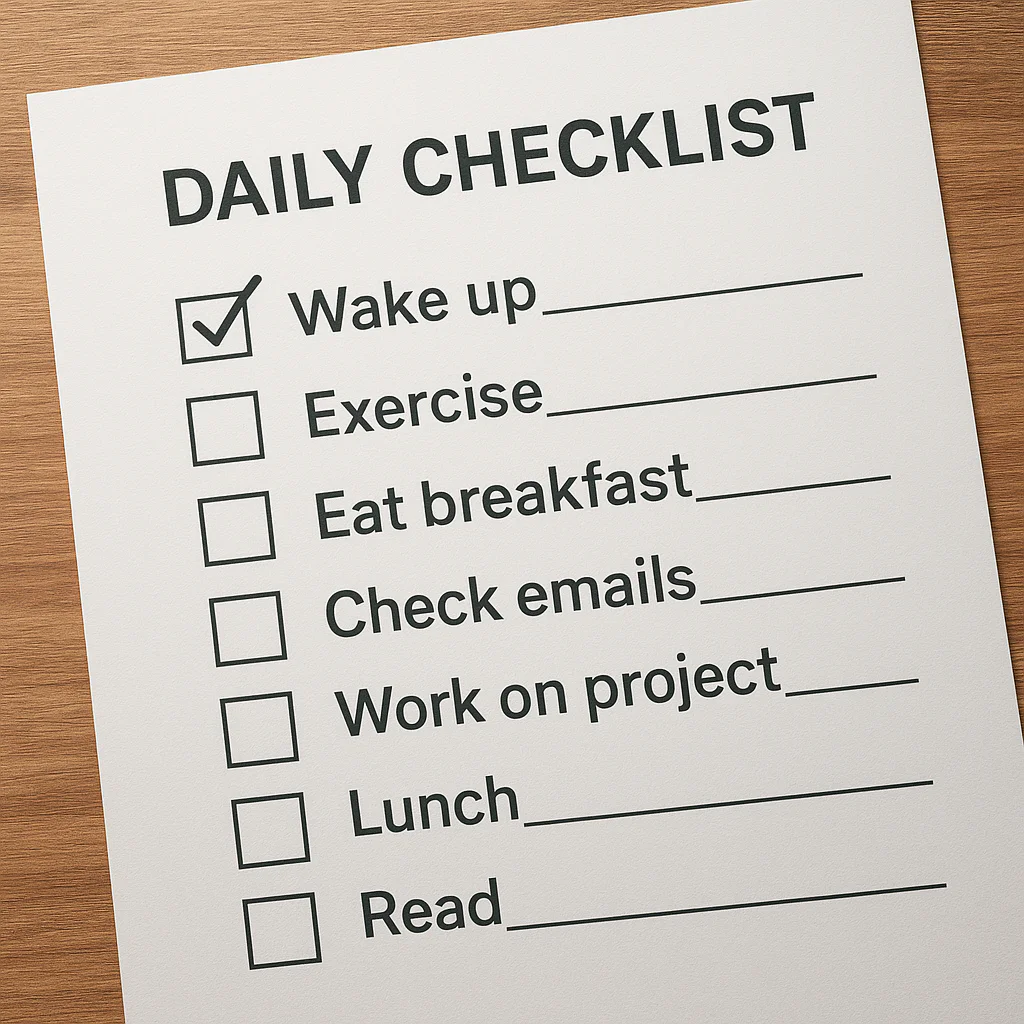
Ever feel like your day is a chaotic jumble of “I should have done that” and “I forgot to do this”? You’re not alone. We’ve all been there, staring at a blank page or a cluttered screen, paralyzed by the sheer volume of life’s demands. But here’s a secret: the difference between a day of frantic scrambling and a day of effortless flow often comes down to one simple tool. It’s not a magic app or a secret productivity hack; it’s a well-crafted daily checklist.
In this comprehensive guide, we’re not just giving you a generic list of 10 boring tasks. We’ve dug deep to curate a 75-item master list covering everything from morning hydration rituals to evening wind-down strategies. Whether you’re a busy parent, a relentless entrepreneur, or a student trying to balance it all, you’ll find the perfect sample to build your own routine. We’ll reveal exactly what should be on your daily checklist sample to maximize your energy, minimize stress, and actually get things done.
Ready to stop guessing and start crushing your day? Keep reading to discover the ultimate 75-item checklist that will transform your routine, plus a step-by-step guide on how to customize it for your unique lifestyle.
Key Takeaways
- Customization is Critical: A one-size-fits-all list rarely works; the most effective checklists are tailored to your specific energy levels and lifestyle.
- The Power of 3 MITs: Focus on 3 Most Important Tasks daily to prevent overwhelm and ensure high-impact progress.
- Science-Backed Structure: Incorporate morning rituals, deep work blocks, and evening reflections to align with your brain’s natural rhythms.
- Flexibility Over Perfection: A good checklist adapts to life’s surprises, not a rigid script that breaks at the first sign of chaos.
- 75-Item Master Menu: Use our extensive list as a menu to pick and choose the 10–15 tasks that truly matter to you today.
Table of Contents
- ⚡️ Quick Tips and Facts
- 🕰️ The Evolution of the Daily Checklist: From Ancient Scrolls to Digital Apps
- 🧠 Why Your Brain Craves a Daily Checklist: The Science of Productivity
- 📋 What Should Be on Your Daily Checklist? The Ultimate 75-Item Master List
- 1. Morning Rituals to Kickstart Your Day
- 2. Hydration and Nutrition Essentials
- 3. Deep Work and High-Priority Tasks
- 4. Administrative and Email Management
- 5. Physical Movement and Health Checks
- 6. Mental Health and Mindfulness Breaks
- 7. Financial and Budgeting Tasks
- 8. Household Chores and Maintenance
- 9. Learning and Skill Development
- 10. Social Connection and Networking
- 1. Evening Wind-Down and Reflection
- 12. Sleep Hygiene and Preparation
- 📝 A Detailed Daily Routine Checklist Example: From 6 AM to 10 PM
- 🛠️ How to Build a Bulletproof Daily Checklist Using Boardmix and Other Tools
- 🚀 Advanced Strategies: Customizing Your Checklist for Different Lifestyles
- 🚫 Common Pitfalls: Why Your Checklist Might Be Failing You
- 💡 Pro Tips and Tricks for Maximizing Your Everyday Checklist
- 📚 Read Also: Further Reading on Productivity Systems
- 🏁 Conclusion
- 🔗 Recommended Links
- ❓ FAQ: Frequently Asked Questions About Daily Checklists
- 📖 Reference Links
⚡️ Quick Tips and Facts
Before we dive into the nitty-gritty of building a checklist that actually works (and doesn’t just gather digital dust), let’s hit the ground running with some high-impact truths about daily planning.
- The Dopamine Hit: Did you know that checking a box releases a small burst of dopamine? It’s the same chemical your brain craves when you eat chocolate or win a game. This isn’t just satisfaction; it’s biological fuel for your next task.
- The “MIT” Rule: Most productivity experts agree: you should never have more than 3 Most Important Tasks (MITs) for the day. If you try to do everything, you end up doing nothing.
- Decision Fatigue: The average person makes about 35,0 remotely conscious decisions a day. A checklist automates the trivial ones, saving your brainpower for the big stuff.
- Sleep is Non-Negotiable: A solid checklist includes a wind-down routine. Studies show that 7–9 hours of sleep is the sweet spot for cognitive function. Skimping on sleep is like trying to drive a car with no gas.
- Customization is King: A checklist that works for a CEO might be a nightmare for a stay-at-home parent. The secret sauce is tailoring the list to your life, not copying someone else’s.
If you’re wondering exactly what those 75 items should look like for your specific life, you’re in the right place. We’ve broken down the ultimate list later in this article, but first, let’s look at how we got here.
For a deeper dive into the specific items that should be on your list, check out our comprehensive guide: What should be on your daily checklist?.
🕰️ The Evolution of the Daily Checklist: From Ancient Scrolls to Digital Apps
You might think the daily checklist is a modern invention born from the Silicon Valley hustle, but humans have been organizing their days since the dawn of civilization.
The Ancient Origins
Long before we had apps like Todoist or Notion, the Babylonians were carving clay tablets to track grain shipments. The Greeks used hypomnemata—personal notebooks for recording thoughts and daily tasks. Even Leonardo da Vinci was known to keep lists of things to buy and things to do, often scribling them in the margins of his sketches.
The Industrial Revolution Shift
The real explosion of the “to-do list” happened during the Industrial Revolution. As work moved from farms to factories, time became money. Workers needed to track shifts, output, and maintenance schedules. The pencil and paper method became the standard for the 20th-century office worker.
The Digital Revolution
Fast forward to the 90s and 20s. We got Palm Pilots, then Microsoft Outlook, and eventually, the cloud-based revolution. Today, we have tools that sync across devices, send push notifications, and even use AI to suggest tasks.
“One solution to this problem is the daily checklist. This tool, simple yet powerful, can transform your day, making you more organized, efficient, and productive.” — Boardmix
But here’s the kicker: despite all this tech, 70% of people still feel overwhelmed. Why? Because having a tool isn’t the same as having a system. We’ll get to that in a bit.
🧠 Why Your Brain Craves a Daily Checklist: The Science of Productivity
Let’s get nerdy for a second. Why does a simple list of tasks make us feel so much better? It’s not just magic; it’s neuroscience.
The Zeigarnik Effect
Psychologist Bluma Zeigarnik discovered that our brains hate unfinished tasks. They linger in our memory, creating a low-level hum of anxiety. This is the Zeigarnik Effect. When you write a task down, your brain feels it has “offloaded” the memory, allowing you to focus on the present.
Reducing Cognitive Load
Imagine your brain is a computer with 16GB of RAM. If you have 15 tabs open (wories, errands, ideas), you start to lag. A checklist closes those tabs, freeing up cognitive load for deep work.
The Power of Visual Progress
There is something deeply satisfying about the visual act of crossing something off. It provides imediate feedback. As noted by Akiflow, “Checking items off a checklist provides a sense of accomplishment. This small win can boost motivation and create positive momentum to tackle more tasks.”
However, there is a trap. If your list is too long, the visual feedback turns into a visual reminder of failure. This is why we advocate for a realistic number of items, which we will detail in our 75-item master list (don’t worry, we’ll show you how to filter them down).
📋 What Should Be on Your Daily Checklist? The Ultimate 75-Item Master List
Okay, here is the moment you’ve been waiting for. We’ve compiled a massive 75-item master list covering every aspect of a balanced life.
Wait, 75 items? Don’t panic! You aren’t supposed to do all 75 every single day. That’s a recipe for burnout. Think of this as your menu. You pick the dishes that fit your appetite for the day. Some days you need the full banquet; other days, just a light snack.
We’ve categorized these into 12 essential pillars of daily life.
1. Morning Rituals to Kickstart Your Day
How you start your day sets the tone for the next 16 hours.
- Wake up at a consistent time (no snoze button!).
- Drink a large glass of water immediately.
- Make your bed (instant win).
- Get sunlight exposure within 30 minutes of waking.
- Perform a 5-minute stretch or yoga flow.
- Review your top 3 MITs (Most Important Tasks).
- Avoid checking social media or email for the first hour.
- Practice 2 minutes of gratitude journaling.
- Set a specific intention for the day.
- Dress in clothes that make you feel confident.
2. Hydration and Nutrition Essentials
Fuel your brain and body correctly.
- Track water intake (aim for 8 glasses).
- Eat a high-protein breakfast.
- Prepare a healthy lunch the night before.
- Schedule a specific time for lunch (away from screens).
- Snack on nuts or fruit instead of processed sugar.
- Limit caffeine intake after 2 PM.
- Eat a colorful vegetable with dinner.
- Take any necessary vitamins or supplements.
- Practice mindful eating (chew slowly, no distractions).
- Plan your grocery list for the week.
3. Deep Work and High-Priority Tasks
The engine of your productivity.
21. Tackle your hardest task first (Eat the Frog).
2. Use the Pomodoro technique (25 min work, 5 min break).
23. Turn off all non-essential notifications.
24. Work in a dedicated, clutter-free space.
25. Focus one task at a time (no multitasking).
26. Review progress on long-term projects.
27. Create a draft or outline for a new project.
28. Solve a complex problem that’s been stalling you.
29. Write a report or complete a major deliverable.
30. Review and update your project timeline.
4. Administrative and Email Management
Clear the clutter so you can breathe.
31. Check email only at designated times (e.g., 10 AM, 2 PM, 4 PM).
32. Unsubscribe from 3 unwanted newsletters.
3. File or archive old emails.
34. Respond to urgent messages immediately.
35. Schedule meetings for the next day.
36. Pay a bill or manage a subscription.
37. Update your calendar with new appointments.
38. Clear your physical desk of paper clutter.
39. Backup important files to the cloud.
40. Review your to-do list and reschedule unfinished items.
5. Physical Movement and Health Checks
Move your body, boost your mood.
41. Complete a 30-minute workout (gym, run, or home).
42. Take a 10-minute walk after lunch.
43. Perform posture checks every hour.
4. Stretch your neck and shoulders.
45. Check your blood pressure or heart rate (if applicable).
46. Schedule a doctor or dentist appointment if needed.
47. Take the stairs instead of the elevator.
48. Do a quick eye exam (20-20-20 rule).
49. Wash your hands thoroughly.
50. Change into comfortable clothes for the evening.
6. Mental Health and Mindfulness Breaks
Protect your peace.
51. Meditate for 10 minutes.
52. Practice deep breathing exercises.
53. Take a digital detox break (no screens for 30 mins).
54. Listen to calming music or a podcast.
5. Step outside for fresh air.
56. Write down any worries in a “brain dump” journal.
57. Call a friend just to chat (no agenda).
58. Read a few pages of a fiction book.
59. Practice a hobby (painting, gardening, playing an instrument).
60. Acknowledge and celebrate a small win.
7. Financial and Budgeting Tasks
Keep your money in check.
61. Review your daily spending.
62. Update your budget tracker.
63. Check your bank account balance.
64. Plan your meals to save money.
65. Look for a coupon or deal for an upcoming purchase.
6. Review investment portfolio (weekly/monthly, but check in).
67. Pay off a small debt.
68. Set a savings goal for the month.
69. Cancel a subscription you don’t use.
70. Review insurance policies.
8. Household Chores and Maintenance
Keep your sanctuary clean.
71. Wash the dishes immediately after eating.
72. Load or unload the dishwasher.
73. Do one load of laundry.
74. Vacuum or sweep one room.
75. Take out the trash.
76. Water the plants.
7. Clean the bathroom sink.
78. Tidy up the living room.
79. Organize the mail.
80. Check for any home maintenance issues (leaks, lights).
9. Learning and Skill Development
Grow every day.
81. Read 10 pages of a non-fiction book.
82. Watch an educational video or TED talk.
83. Practice a new language for 15 minutes.
84. Listen to an industry podcast.
85. Take an online course module.
86. Write a blog post or article.
87. Research a new topic of interest.
8. Teach someone else something you learned.
89. Review your professional goals.
90. Network with a peer in your field.
10. Social Connection and Networking
Don’t forget the humans.
91. Call a family member.
92. Send a text to a friend you haven’t spoken to.
93. Have a meaningful conversation with your partner.
94. Play with your kids or pets.
95. Attend a social event or meetup.
96. Send a thank-you note (digital or physical).
97. Connect with a mentor.
98. Join a community group.
9. Share a meal with someone.
10. Offer help to a neighbor or colleague.
1. Evening Wind-Down and Reflection
Prepare for tomorrow.
101. Review what you accomplished today.
102. Write down 3 things you are grateful for.
103. Plan your top 3 tasks for tomorrow.
104. Prepare your outfit for the next day.
105. Pack your bag/lunch for tomorrow.
106. Clean your workspace.
107. Turn off electronic devices 1 hour before bed.
108. Read a book (no screens).
109. Take a warm bath or shower.
10. Reflect on what went well and what could improve.
12. Sleep Hygiene and Preparation
The foundation of tomorrow.
- Set a consistent bedtime.
- Ensure your room is dark and cool.
- Avoid heavy meals 2 hours before bed.
- Limit fluid intake before sleep to avoid waking up.
- Use a white noise machine or earplugs if needed.
- Practice a relaxation technique before sleep.
- Avoid caffeine after 2 PM.
- Avoid alcohol before bed.
- Keep a consistent sleep schedule on weekends.
- Get 7-9 hours of sleep.
Pro Tip: If you try to do all 120 items, you’ll fail. Pick 10-15 that are non-negotiable for you and build your daily checklist from there. For more on building habits, visit our Habit Formation category.
📝 A Detailed Daily Routine Checklist Example: From 6 AM to 10 PM
Still feeling a bit lost? Let’s put it all together. Here is a real-world example of how a balanced day might look, integrating the items from our master list. This is the “Goldilocks” routine—not too hard, not too easy.
| Time | Activity | Checklist Items |
|---|---|---|
| 06:0 AM | Wake Up & Hydrate | ☑️ Wake up, ☑️ Drink water, ☑️ Make bed |
| 06:15 AM | Movement & Mindfulness | ☑️ Stretch/Yoga, ☑️ Sunlight, ☑️ Gratitude Journal |
| 06:45 AM | Hygiene & Fuel | ☑️ Shower, ☑️ High-protein breakfast, ☑️ Vitamins |
| 07:30 AM | Planning | ☑️ Review MITs, ☑️ Check calendar, ☑️ No social media yet |
| 08:0 AM | Deep Work Block 1 | ☑️ Tackle hardest task (Eat the Frog), ☑️ Pomodoro timer |
| 10:0 AM | Break & Admin | ☑️ Coffee break, ☑️ Check email (batch), ☑️ Water refill |
| 10:30 AM | Deep Work Block 2 | ☑️ Continue project, ☑️ Focus mode on |
| 12:30 PM | Lunch & Reset | ☑️ Eat lunch away from desk, ☑️ 10-min walk, ☑️ No screens |
| 01:30 PM | Admin & Meetings | ☑️ Respond to emails, ☑️ Team meetings, ☑️ File paperwork |
| 03:0 PM | Energy Boost | ☑️ Green tea, ☑️ Stretch, ☑️ 5-min breathing exercise |
| 03:30 PM | Shallow Work | ☑️ Clear inbox, ☑️ Schedule tomorrow, ☑️ Quick calls |
| 05:30 PM | Shutdown Ritual | ☑️ Review day, ☑️ Plan tomorrow, ☑️ Clean desk |
| 06:0 PM | Personal Time | ☑️ Cook dinner, ☑️ Family time, ☑️ No work talk |
| 08:0 PM | Wind Down | ☑️ Read fiction, ☑️ Warm shower, ☑️ Digital detox |
| 09:30 PM | Sleep Prep | ☑️ Lights out, ☑️ Room dark/cool, ☑️ Sleep |
Notice the pattern? We alternate between high-focus work, administrative tasks, and restorative breaks. This prevents burnout and keeps your energy levels stable.
🛠️ How to Build a Bulletproof Daily Checklist Using Boardmix and Other Tools
You have the list; now you need the vehicle. While a piece of paper works, digital tools offer reminders, syncing, and analytics.
Why Boardmix?
Boardmix is a fantastic choice for visual thinkers. It combines a whiteboard with task management.
- Templates: They have a specific “Daily To-do List” template.
- Customization: You can create columns for “Morning,” “Afternoon,” and “Evening.”
- Collaboration: Great for families or teams sharing a checklist.
- Visual Progress: You can drag tasks between columns (To Do -> Doing -> Done).
👉 CHECK PRICE on:
- Boardmix: Boardmix Official Website | Search Boardmix on Amazon
Other Top Contenders
- Todoist: Best for text-based lists and recurring tasks.
- Akiflow: The ultimate time-blocking tool. It combines your calendar and tasks into one view.
- Notion: The all-in-one workspace. Great if you want to build a custom database of habits.
- Microsoft Excel: Don’t underestimate the power of a simple spreadsheet. As seen in many tutorials, you can create a template with checkboxes and save it as an
.xltxfile to reuse daily.
Comparison Table: Top Checklist Tools
| Feature | Boardmix | Todoist | Akiflow | Notion | Excel |
|---|---|---|---|---|---|
| Best For | Visual Planning | Simple Lists | Time Blocking | Custom Databases | Budget/Offline |
| Collaboration | ⭐ | ⭐ | ⭐ | ⭐ | ⭐ |
| Mobile App | Yes | Yes | Yes | Yes | Yes |
| Recurring Tasks | Yes | Yes | Yes | Yes | Manual |
| Time Blocking | Yes | No | Yes | Yes | No |
| Price | Freemium | Freemium | Paid | Freemium | Free |
Pro Tip: If you are a visual learner, Boardmix is your best bet. If you live by your calendar, Akiflow is the way to go.
🚀 Advanced Strategies: Customizing Your Checklist for Different Lifestyles
One size does not fit all. A checklist for a CEO looks different from one for a student or a new parent.
The “Busy Parent” Checklist
- Focus: Logistics, family connection, and self-care.
- Key Additions: School run, meal prep, playtime, bedtime routine.
- Tip: Involve the kids! Make a checklist for them too.
The “Frelancer/Entrepreneur” Checklist
- Focus: Deep work, client communication, and business growth.
- Key Additions: Invoicing, marketing, skill learning, networking.
- Tip: Strictly separate “work hours” from “life hours” to avoid burnout.
The “Student” Checklist
- Focus: Study, assignments, and social balance.
- Key Additions: Lecture review, study blocks, library time, group project coordination.
- Tip: Use the Pomodoro technique religiously to maintain focus during long study sessions.
The “Digital Detox” Checklist
- Focus: Reducing screen time and increasing presence.
- Key Additions: No-phone zones, analog hobbies, outdoor time.
- Tip: Check out our guide on Digital Detox for more strategies.
🚫 Common Pitfalls: Why Your Checklist Might Be Failing You
So you made a list, but you still feel stressed. Why? Here are the most common traps:
- The “Mega-List” Syndrome: Trying to do 50 things a day. Result: You do 5 things and feel like a failure. Fix: Limit your daily list to 3-5 MITs and a few small tasks.
- Vague Tasks: Writing “Work on project” instead of “Draft introduction for project X.” Result: Procrastination. Fix: Be specific.
- No Flexibility: Life happens. If you miss one item, you abandon the whole list. Fix: Build in “buffer time” and allow yourself to reschedule.
- Ignoring Energy Levels: Scheduling deep work when you are naturally tired. Fix: Map your tasks to your energy peaks (e.g., morning for deep work, afternoon for admin).
- Lack of Review: Never looking back at what you did. Fix: Spend 5 minutes at the end of the day reviewing and planning.
“While it might be tempting to fill your checklist with numerous tasks, it’s essential to be realistic about what you can accomplish in a day.” — Boardmix
💡 Pro Tips and Tricks for Maximizing Your Everyday Checklist
Ready to take your checklist game to the next level? Here are some Daily Checklist™ insider secrets:
- The “Night Before” Rule: Always write your list the night before. This allows your subconscious to work on the tasks while you sleep.
- The “Two-Minute” Rule: If a task takes less than two minutes, do it immediately. Don’t write it down.
- Color Coding: Use colors to categorize tasks (e.g., Red = Urgent, Green = Health, Blue = Work).
- Batching: Group similar tasks (e.g., all phone calls, all emails) to reduce context switching.
- The “Not-To-Do” List: Write down things you won’t do today (e.g., “No social media before noon”). This is just as important as the to-do list.
- Celebrate Wins: When you finish a list, reward yourself. A coffee, a walk, or a favorite episode of your show.
For more life hacks, visit our Life Hacks section.
📚 Read Also: Further Reading on Productivity Systems
If you found this guide helpful, you’ll love these deep dives:
- How to Build a Morning Routine That Actually Works
- The Ultimate Guide to Digital Detox
- 10 Life Hacks to Save 2 Hours a Day
🏁 Conclusion

So, what should be on your daily checklist? The answer is whatever helps you live your best life. Whether it’s the 75-item master list we provided or a simple 3-item list, the goal is clarity, focus, and balance.
We started this journey by asking why we feel overwhelmed. The answer lies in the chaos of unmanaged tasks. By implementing a customized daily checklist, you reclaim control. You transform from a reactive firefighter to a proactive architect of your day.
Remember:
- Start small. Don’t try to do everything at once.
- Be realistic. Your list should challenge you, not crush you.
- Review and adjust. Your life changes, so should your checklist.
The perfect checklist isn’t the one with the most items; it’s the one you actually use. So, grab your pen, open your app, and start building your path to a more productive, balanced, and happy life today.
🔗 Recommended Links
Ready to get started? Here are the tools and resources we recommend:
- Boardmix: Boardmix Official Website | Search on Amazon
- Akiflow: Akiflow Official Website | Search on Amazon
- Todoist: Todoist Official Website | Search on Amazon
- Notion: Notion Official Website | Search on Amazon
- Book: Atomic Habits by James Clear – Find on Amazon
- Book: The 7 Habits of Highly Effective People by Stephen Covey – Find on Amazon
❓ FAQ: Frequently Asked Questions About Daily Checklists

How do I make a personal checklist?
Creating a personal checklist is simple. Start by listing everything you do in a typical day. Then, group them into categories (Morning, Work, Evening). Identify your Most Important Tasks (MITs) and prioritize them. Finally, choose a format (paper or digital) that suits your style. Remember to keep it flexible and review it regularly.
Read more about “📝 What is a Daily List? 15 Secrets to Master Your Day (2026)”
What is a routine checklist?
A routine checklist is a list of tasks that you perform repeatedly at specific times, such as a morning or evening routine. Unlike a daily to-do list which changes every day, a routine checklist remains consistent, helping to build habits and reduce decision fatigue.
Read more about “🚀 What Should I Put in My Daily Routine? The Ultimate 2026 Guide”
What are the essential items for a daily productivity checklist?
The essentials include:
- Hydration: Drink water.
- Movement: Exercise or stretch.
- Focus: Tackle your top 3 MITs.
- Admin: Check email and schedule.
- Rest: Take breaks and sleep well.
- Reflection: Review the day and plan for tomorrow.
Read more about “12-Step ADHD Daily Routine Visual Schedule Guide (2026) 🗓️”
How do I create a personalized daily routine checklist?
To personalize your checklist, analyze your energy levels throughout the day. Schedule deep work when you are most alert. Consider your lifestyle (e.g., parent, student, freelancer) and add tasks relevant to your role. Don’t forget to include self-care and social connection.
Read more about “🚀 15 Ultimate Daily Checklist Templates to Master Your Day (2026)”
What should a morning checklist include for maximum efficiency?
A maximum efficiency morning checklist should include:
- Waking up at a consistent time.
- Drinking water immediately.
- Getting sunlight exposure.
- Doing a quick workout or stretch.
- Reviewing your top 3 goals for the day.
- Avoiding social media and email for the first hour.
Read more about “🚀 Why Your Daily Checklist is a Life-Changer (2026)”
Can you provide a printable daily checklist template for beginners?
Yes! While we can’t attach a file here, you can easily create one in Excel or Google Sheets.
- Open a new sheet.
- Create columns for “Time,” “Task,” and “Done” (checkbox).
- List your morning, work, and evening tasks.
- Save it as a template.
- Print it out or duplicate it daily.
For a visual guide on creating this in Excel, check out the video summary in the article or search for “Daily Task List Excel Template” on YouTube.
Read more about “🗓️ 15 Best Daily Planner Printables to Master Your Day (2026)”
📖 Reference Links
- Boardmix: Daily Checklist Guide
- Akiflow: Daily Checklist Ideas
- Checklist.com: Daily To-Do List: 65 Essential Tasks
- Sleep Foundation: How Much Sleep Do You Need?
- American Psychological Association: The Zeigarnik Effect
- Harvard Business Review: Why You Should Stop Multitasking