Support our educational content for free when you purchase through links on our site. Learn more

Master Your Day: 6 Daily Checklist Essentials! ✨
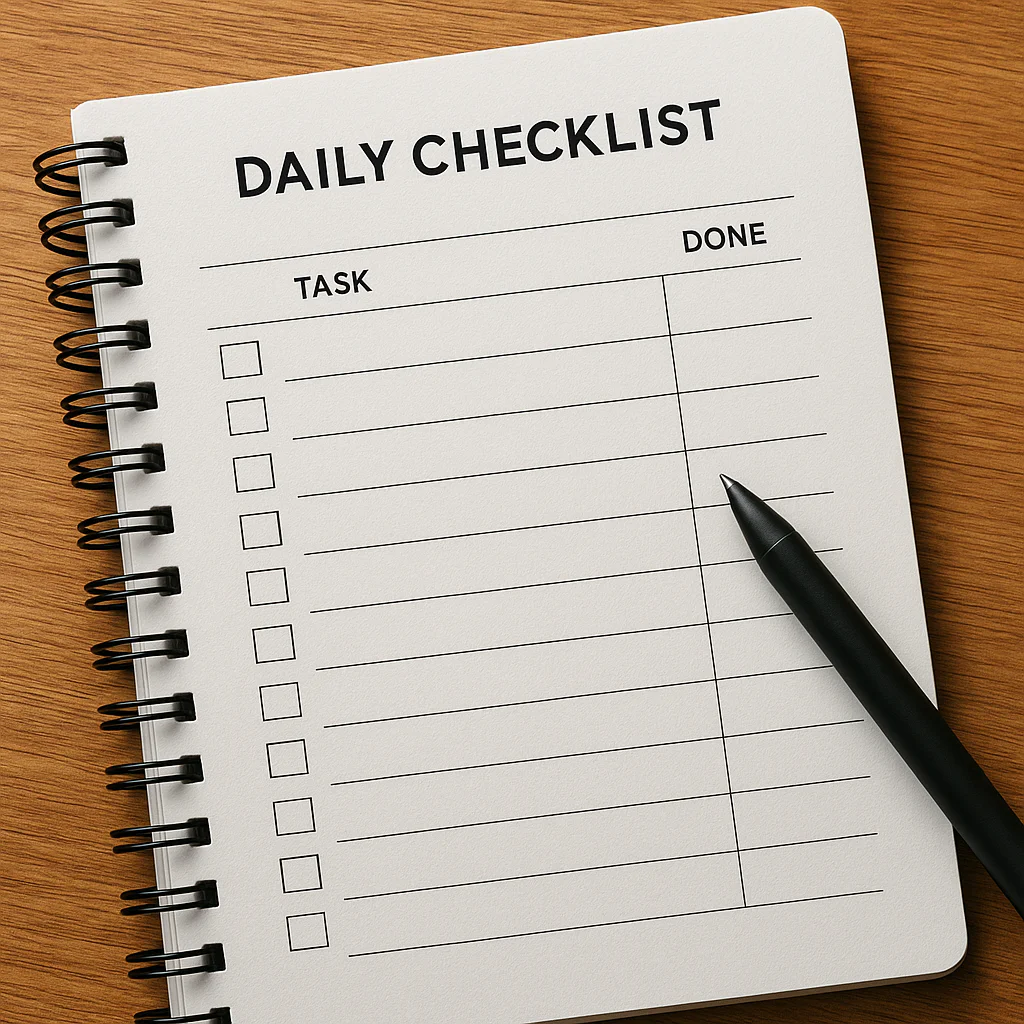
Ever feel like your
brain is a browser with 50 tabs open, all screaming for attention? We’ve all been there – that swirling vortex of forgotten tasks, missed appointments, and the nagging feeling that you’re constantly playing catch-up. But what if we
told you there’s a simple, yet profoundly powerful tool that can transform that chaos into calm, boosting your productivity and peace of mind? Here at Daily Checklist™, we’ve distilled decades of personal experience and consumer insights into the ultimate guide for
crafting a daily checklist that actually works. Get ready to discover the essential items you’ve been missing and unlock the secret to a more organized, less stressful life. We’ll even dive into the great digital vs. physical debate,
helping you choose the perfect medium for your daily planning journey!
Key Takeaways
- A daily checklist is a powerful tool for clarity, focus, and accomplishment, freeing up mental space and reducing stress.
- The
ultimate daily checklist includes 6 core categories: Morning Routine, Workday, Personal Well-being, Household/Errands, Evening Wind-Down, and Growth-Oriented Tasks. - Prioritization is key: Focus on 3-
5 high-impact tasks daily to avoid overwhelm and build momentum. - Personalize your approach: Choose between digital tools like Todoist or Trello, or the tangible satisfaction of a physical notebook.
- Regular review and
adaptation are crucial for a checklist that evolves with your life and goals.
Table of Contents
- ⚡️ Quick Tips and Facts for Your Daily Checklist
- 📜 The Timeless Art of Daily Planning: A Brief History of Checklists
- 🤔 Why Bother with a Daily Checklist? Unlocking Your Productivity Potential
- 1. ☀️ Morning Routine Must-Haves: Kickstarting Your Day Right
- 2. 💼 Workday Wonders: Boosting Your Professional Productivity
- 3. 🧘 ♀️ Personal Well-being & Self-Care: Nurturing Your Mind and Body
- 4. 🏡 Household Harmony & Errands: Keeping Your Life in Order
- 5. 🌙 Evening Wind-Down & Prep: Setting Up for Tomorrow’s Success
- 6. 🌱 Growth & Goal-Oriented Tasks: Moving Towards Your Aspirations
- 🛠️ Crafting Your Perfect Checklist: A Step-by-Step Guide to Daily Task Management
- Digital vs. Physical: Choosing Your Daily Checklist Medium
- Top Tools & Apps for Seamless Daily Planning
- 🚧 Common Checklist Catastrophes: Pitfalls to Avoid on Your Productivity Journey
- 🚀 Advanced Checklist Strategies: Elevating Your Daily Routine
- Prioritization Power: What to Tackle First?
- Habit Stacking & Batching: Maximizing Efficiency
- 🎯 Customizing Your Daily Checklist: One Size Does Not Fit All
- 💡 Expert Insights from Daily Checklist™ Planners: Our Personal Anecdotes
- ✨ Conclusion: Master Your Day, Master Your Life with a Daily Checklist
- 🔗 Recommended Links for Enhanced Productivity & Daily Planning
- ❓ FAQ: Your Burning Questions About Daily Checklists Answered
- 📚 Reference Links: The Science Behind Effective Daily Routines
⚡️ Quick Tips and Facts for Your Daily Checklist
Ever feel like you’re juggling flaming chainsaws while riding a unicycle on a tightrope?
🎪 That’s what life can feel like without a solid daily plan! Here at Daily Checklist™, we’ve seen firsthand how a well-crafted daily checklist can transform chaos into calm, boosting your productivity and peace of mind. Think
of it as your personal roadmap to a more organized, less stressful existence.
Here are some quick facts and tips to get your checklist journey started:
- Brain Dump First! Before you even think about organizing, just get
everything out of your head. Write down every single task, big or small, that’s rattling around in there. This initial brain dump is a crucial step in creating an effective daily checklist. - Keep
It Realistic: Overloading your checklist is a surefire way to feel defeated. Aim for 3-5 high-priority tasks each day, then add smaller, less critical items. Remember, quality over quantity!
Batch Similar Tasks:** Grouping similar activities, like answering emails or making phone calls, can save you time and mental energy. This is a classic “life hack” we swear by! internal link: Life Hacks
-
The Power of “Done”: Checking off an item releases a tiny burst of dopamine, making you feel accomplished and motivated. Don’t underestimate this psychological boost!
-
Review and Adapt: Your life isn’t static, and neither should your checklist be. Take a few minutes at the end of each week to review what worked, what didn’t, and adjust your routine accordingly. This iterative process is
key to habit formation internal link: Habit Formation. -
Fact: Studies show that using checklists can reduce errors and improve performance in various fields, from aviation
to medicine. If it’s good enough for pilots, it’s good enough for your Tuesday!
📜 The Timeless Art of Daily Planning: A Brief History of Checklists

You might think daily checklists are a modern productivity fad, but their roots stretch back further than you’d imagine! The
concept of systematically listing tasks to ensure completion is as old as organized labor itself. From ancient scribes meticulously cataloging scrolls to medieval guilds outlining craftsmanship steps, humans have always sought ways to bring order to their daily endeavors.
However, the modern
checklist, as we often conceive it, truly gained prominence in the 20th century, particularly in high-stakes environments. Think about the early days of aviation. With increasingly complex aircraft, pilots needed a reliable way to ensure every critical
step was followed before takeoff. The consequences of missing a single item could be catastrophic. This necessity birthed the aviation checklist, a tool that dramatically reduced accidents and became a cornerstone of flight safety protocols worldwide.
Similarly
, in the medical field, the introduction of surgical safety checklists, championed by figures like Dr. Atul Gawande, revolutionized patient care. These simple yet powerful tools significantly reduced complications and mortality rates by ensuring essential steps, often overlooked in the rush
of a procedure, were consistently performed. It’s a testament to the profound impact of a seemingly simple list.
So, while your daily “remember to buy milk” might not have the same life-or-death
stakes as a pre-flight check or a surgical procedure, the underlying principle is identical: checklists are powerful tools for consistency, accuracy, and peace of mind. They’re not just about getting things done; they’re about ensuring
they’re done right.
🤔 Why Bother with a Daily Checklist? Unlocking Your Productivity
Potential
“Another thing to add to my to-do list?” you might groan. We get it! The idea of creating a daily checklist can sometimes feel like just another task. But trust us, the initial investment pays dividends you
wouldn’t believe. Why, you ask? Because a daily checklist isn’t just a list; it’s a superpower for your brain!
First off, it’s a memory externalizer. Your brain is fantastic
at creative thinking, problem-solving, and dreaming up your next big adventure. What it’s not always great at is reliably remembering every single tiny detail you need to accomplish. By offloading those tasks onto a checklist, you free up
valuable mental real estate. No more nagging “did I forget something?” thoughts hijacking your focus!
Secondly, it provides clarity and direction. Ever wake up feeling overwhelmed, not knowing where to start? A daily checklist cuts through that
fog. It gives you a clear, actionable plan for your day, transforming vague intentions into concrete steps. This sense of direction can be incredibly motivating.
Third, and perhaps most importantly, it fosters a profound sense of accomplishment. Each
✅ you make is a small victory. These mini-wins accumulate, building momentum and confidence throughout your day. It’s like collecting gold coins in a video game – each one propels you forward! This positive feedback loop is essential for building
sustainable habits internal link: Habit Formation.
Finally, a daily checklist helps you prioritize what truly matters. In a world full of distractions, it’s easy to
get sidetracked by urgent but unimportant tasks. By intentionally crafting your list, you ensure that your energy is directed towards your goals and responsibilities, not just whatever screams loudest for your attention. It’s about being proactive, not reactive.
So, are you ready to stop feeling like a hamster on a wheel and start steering your own ship? We thought so!
✅ The Ultimate Daily Checklist: Essential Items You Can’t Afford to Miss
Alright, let’s get down to brass tacks! What exactly should be on your daily checklist? While personalization is key (we’ll get to that later!), there are some universal categories and items that form the bedrock of a productive and fulfilling day. We’ve broken it down into actionable sections, so you can pick and choose what resonates most with your life. This
isn’t just a list; it’s a blueprint for mastering your day, every single day. For a deeper dive into making this a consistent part of your routine, check out our comprehensive guide on the Daily Checklist internal link: Daily Checklist.
1. ☀️ Morning Routine Must
-Haves: Kickstarting Your Day Right
The way you start your day often dictates its trajectory. A solid morning routine isn’t about rigid perfection; it’s about setting a positive, intentional tone. Think of it as your
personal launch sequence! For more ideas on crafting your perfect start, explore our Morning Routines category internal link: Morning Routines.
- ✅ Hyd
rate: A glass of water (maybe with a squeeze of lemon!) before coffee can work wonders for your energy levels and metabolism. - ✅ Movement: Even 10-15 minutes of stretching, yoga, or a brisk
walk can wake up your body and mind. We love a quick session with the Peloton App (available on iOS and Android) for guided stretches. - ✅ Mindful Moment: Whether it’s meditation, journaling, or
simply enjoying your coffee in silence, dedicate time to quiet reflection. Apps like Calm or Headspace offer fantastic guided meditations. - ✅ Nutritious Breakfast: Fuel your body for the day ahead. Don
‘t skip this! - ✅ Review Your Daily Checklist: A quick glance at your plan for the day helps you mentally prepare and prioritize.
2. 💼 Workday Wonders: Boosting Your Professional Productivity
Your workday checklist is where the rubber meets the road for your professional goals. This is about strategic execution and avoiding those pesky distractions.
- ✅ **
Identify Top 3 Priorities:** What absolutely must get done today? Focus on these first. - ✅ Check & Respond to Critical Emails: Don’t get sucked into the email vortex. Set specific times to check and
respond. - ✅ Tackle a “Deep Work” Task: Dedicate uninterrupted time to a task requiring significant focus. Turn off notifications!
- ✅ Schedule Breaks: Short, regular breaks actually increase productivity.
Step away from the screen! - ❌ Avoid Multitasking: It’s a myth! Focus on one task at a time for better quality and efficiency.
Now, a quick word on digital tools for your workday.
We often hear from our community about managing tasks, and one popular platform is Trello. However, it’s important to understand its nuances. As one user in the Atlassian Community noted, “Hmm, so it might be a little tricky
to do that because i don’t think there’s a ton of automation tied to the checklist item dates.” This is a crucial insight! While Trello is fantastic for visual project management, relying solely on its
standard checklist item dates for complex automation can be limiting.
Instead, for more robust automation and tracking, the same expert recommends a clever workaround: “instead if i want a checklist item, I’ll usually created a link card checklist item and then keep
those in sync, because there’s a lot more automation with those cards!” This means creating a separate Trello card for a task and then linking to it within a checklist item. This allows you to leverage Trello’
s powerful automation rules for cards, enabling features like daily reports for “cards due today” or “overdue cards.” So, if you’re a Trello user, consider this “linked card” strategy for
your more critical, date-sensitive tasks!
👉 Shop Trello on:
- Trello: Trello Official Website
3. 🧘 ♀️ Personal Well-being & Self-Care: Nurturing Your Mind and Body
This isn’t optional,
folks! Your well-being is the foundation for everything else. Neglect it, and your productivity will suffer.
- ✅ Move Your Body: Beyond your morning routine, aim for some physical activity. A walk, a gym
session, dancing in your living room – whatever brings you joy! - ✅ Eat Mindfully: Pay attention to what you’re eating and how it makes you feel.
- ✅ Connect with Loved Ones: A quick
call, a text, or quality time with family and friends. - ✅ Digital Detox Moment: Step away from screens. Even 30 minutes can make a huge difference. Our Digital Detox category has some great ideas internal link: Digital Detox.
- ✅ Engage in a Hobby: Read a book, listen to music, paint, garden. Do something purely for pleasure.
4. 🏡 Household Harmony & Errands: Keeping Your Life in Order
A tidy home often leads to a tidy
mind. These tasks keep your living space and personal logistics running smoothly.
- ✅ Quick Tidy-Up: Spend 10-15 minutes tidying one area. “A place for everything, and everything in its
place!” - ✅ Meal Prep/Plan: Even just deciding what’s for dinner can save stress later.
- ✅ Run One Essential Errand: Whether it’s groceries or picking up dry cleaning, tackle one
key errand. - ✅ Check Mail/Bills: Stay on top of your administrative tasks.
- ✅ Prep for Tomorrow: Lay out clothes, pack lunches, organize your bag. Future You will thank Present You!
<
div id=”evening-wind-down-and-prep-setting-up-for-tomorrows-success”>
5. 🌙 Evening Wind-Down & Prep: Setting Up for Tomorrow’s Success
Just as important as your morning routine is your evening wind-down. This prepares you for restful sleep and sets the stage for a successful next day.
- ✅ Screen Time Cut-Off: Aim to stop using electronic devices an
hour before bed. Blue light interferes with melatonin production. - ✅ Relaxation Ritual: A warm bath, reading a physical book, listening to calming music, or a gentle stretching routine.
✅ Review Tomorrow’s Top 3: A quick glance at your most important tasks for the next day helps your subconscious start planning.
- ✅ Journal/Brain Dump: Get any lingering thoughts or worries out of your head
before bed. - ✅ Ensure Sleep Environment is Ready: Dark, cool, quiet. Sweet dreams!
6. 🌱 Growth & Goal-Oriented Tasks: Moving Towards Your Aspirations
This is where your daily checklist truly becomes a powerful tool for personal growth and achieving your long-term dreams. It’s about taking consistent, small steps towards
bigger goals. Remember that feeling of wanting to achieve something significant, but not knowing how to break it down? This section is your answer!
We often talk about the importance of breaking down big goals into manageable “actions” here at Daily Checklist™.
It’s a concept beautifully illustrated in the video we’ve featured, which demonstrates how a daily checklist app can help you track progress towards your goals, like “Lose 20 pounds and keep it off.” The video highlights how you
can define daily actions such as “Got at least 8 hours of sleep,” “Meditate for 20 minutes,” and “Cardio: At least 30 minutes.” The app provides a visual calendar, marking completed days with
a checkmark, and emphasizes earning a “check” for completing actions, contributing to your daily score and streak. As the video wisely states, “Today you have a chance to take one more step towards your goals.” This perspective is exactly what we champion – consistent, small efforts lead to monumental achievements.
- ✅ Learn Something New: Dedicate time to reading, watching a documentary, or practicing a new skill.
- ✅
Work on a Personal Project: That novel you want to write? The garden you want to cultivate? Dedicate consistent time. - ✅ Review Your Goals: Take a moment to reflect on your larger aspirations and how your daily actions are contributing
. This reinforces your purpose. - ✅ Practice a New Habit: Whether it’s flossing daily or learning a new language, consistent practice is key to habit formation internal link: Habit Formation.
- ✅ Financial Check-in: Briefly review your budget or savings goals. Small, regular attention here prevents big surprises.
🛠️ Crafting Your Perfect Checklist: A Step-by-Step Guide to Daily Task Management
So, you’ve seen the ultimate
list, but how do you make it yours? Creating a daily checklist that truly works for you is an art, not a science, but we’ve got a step-by-step guide to help you master it. It’
s about finding your rhythm, understanding your needs, and building a system that supports, rather than stresses, you.
Digital vs. Physical: Choosing Your Daily Checklist Medium
This is often the first big decision, and honestly, there’s
no right or wrong answer – just what works best for you.
The Case for Digital Checklists 📱
- Pros:
- ✅ Accessibility: Your phone is almost always with you, making
it easy to access and update your list on the go. - ✅ Automation & Reminders: Many apps offer recurring tasks, due dates, and notifications, which can be a lifesaver.
- ✅
Searchability: Easily find past tasks or notes. - ✅ Integration: Can often integrate with calendars, email, and other productivity tools.
- ✅ Eco-Friendly: No paper waste!
- Cons
: - ❌ Digital Distractions: The very device holding your checklist can be a source of endless temptation (social media, anyone?). This is where a digital detox can come in handy internal link: Digital Detox.
- ❌ Screen Fatigue: More screen time might not be what you need.
- ❌ Learning Curve: Some apps can be complex to set up initially
.
The Case for Physical Checklists 📝
- Pros:
- ✅ Tangible Satisfaction: There’s something incredibly satisfying about physically crossing off an item with a pen.
- ✅
Less Distracting: No notifications, no tempting apps. Just you and your list. - ✅ Sensory Engagement: The act of writing can aid memory and focus.
- ✅ Simple & Immediate: Grab
a pen and paper, and you’re ready to go. No battery life concerns! - Cons:
- ❌ Portability Issues: Easy to forget or lose.
- ❌ No Automation:
You’re responsible for remembering recurring tasks. - ❌ Limited Features: No reminders, easy reordering, or integrations.
- ❌ Paper Clutter: Can accumulate if not managed well.
Our
Take: Many of us at Daily Checklist™ use a hybrid approach! We might keep a master list of long-term goals digitally (e.g., in Notion or Google Keep) and then pull 3-5 key
tasks onto a small physical notepad for the day. Experiment and see what feels most natural and effective for your workflow!
Top Tools & Apps for Seamless Daily Planning
If you’re leaning towards the digital side, the market is flooded
with fantastic options. Here are some of our team’s favorites, along with a quick rating table to help you decide.
| Feature / App | Design (1-10) | Functionality (1-10) | Ease
| of Use (1-10) | Integration (1-10) | Automation (1-10) |
|---|
| Todoist | 9 | 9 | 8 | 9 | 7 |
| Trello | 8 | 9 | 8 | 8
| 7 (for cards) |
| Notion | 8 | 10 | 7 | 9 | 8 |
| Google Keep | 7
| 7 | 9 | 7 | 3 |
| Microsoft To Do | 8 | 8 | 8 | 8 | 6 |
**Todoist:
Your Everyday Task Master**
Overview: Todoist is a powerhouse for personal and professional task management. It’s clean, intuitive, and incredibly robust, making it a favorite for those who need to manage multiple projects and recurring tasks. We
love its natural language input for adding tasks (“Buy groceries every Friday at 5 pm”).
Features:
- Natural Language Input: Quickly add tasks with due dates and recurring schedules.
- Projects & Subtasks: Organize tasks
into projects and break them down further. - Prioritization Levels: Use color-coded priority levels to highlight what’s most important.
- Integrations: Connects with Google Calendar, Slack, Zapier, and
many more. - Karma Points: A gamified system to motivate you to complete tasks.
Benefits:
- Excellent for managing complex lists and projects.
- Cross-platform availability means your list is always with
you. - Helps build consistent habits with recurring tasks.
Drawbacks:
- Some advanced features are behind a paywall (Todoist Premium).
- Can feel a bit too structured for very casual users.
👉 Shop Todoist on:
- Todoist: Todoist Official Website
Trello: The Visual Workflow Wizard
Overview: Trello, by Atlassian,
is a visual collaboration tool that uses boards, lists, and cards to organize projects and tasks. It’s fantastic for teams but equally powerful for individual task management, especially if you’re a visual thinker. Remember our earlier discussion about T
rello’s checklist limitations? This is where its strength in card-based automation shines!
Features:
- Boards, Lists, Cards: A highly visual, drag-and-drop interface.
- Checklists
within Cards: While basic, they’re useful for breaking down card-specific tasks. - Power-Ups: Integrations with other apps like Google Drive, Slack, and Calendar.
- Automation (Butler): Create
rules to automate repetitive actions, especially with linked cards.
Benefits:
- Incredibly intuitive and easy to visualize your workflow.
- Great for managing projects with multiple steps or stages.
- Highly customizable with backgrounds
and power-ups.
Drawbacks:
- Can become cluttered if not managed well.
- As noted in the Atlassian Community, “i don’t think there’s a ton of automation tied to the checklist item
dates.” For robust automation, you’ll need to use the “link card checklist item” strategy.
👉 Shop Trello on:
- Trello: Trello Official Website
Notion: The All-in-One Workspace
Overview: Notion isn’t just a checklist app; it’s a customizable workspace that can handle notes, databases, wikis,
project management, and, yes, daily checklists. It’s incredibly flexible and powerful, perfect for those who want a single tool for everything.
Features:
- Blocks System: Build pages with various content blocks (text, to-do lists, tables, databases, etc.).
- Databases: Create powerful, filterable, and sortable task lists.
- Templates: Start with pre-built templates for daily planners, habit trackers, and more
. - Collaboration: Share pages and workspaces with others.
Benefits:
- Unparalleled flexibility and customization.
- Can replace multiple apps, consolidating your digital life.
- Excellent for complex systems and knowledge
management.
Drawbacks:
- Steep learning curve for new users.
- Can be overwhelming if you just need a simple to-do list.
👉 Shop Notion on:
- Notion: Notion Official Website
Google Keep: The Simple & Speedy Note-Taker
Overview: If you’re a Google ecosystem user and prefer simplicity, Google Keep is your friend
. It’s a free, lightweight note-taking app that excels at quick lists, reminders, and capturing ideas on the fly.
Features:
- Color-Coded Notes: Organize notes visually.
Checkboxes: Easily turn any note into a checklist.
- Reminders: Set time or location-based reminders.
- Collaboration: Share notes with others.
- Integration with Google: Works seamlessly with other Google
products.
Benefits:
- Extremely easy to use and quick to capture thoughts.
- Perfect for simple shopping lists or quick daily tasks.
- Free and readily available across devices.
Drawbacks:
*
Lacks advanced features like project management or robust automation.
- Can become cluttered if you have many notes.
👉 Shop Google Keep on:
- Google Keep: Google Keep Official Website
Microsoft To Do: The Sleek & Smart List Manager
Overview: Microsoft To Do is a clean, intelligent task management app that integrates beautifully with Microsoft 365 services. It’s a great option for
those who want a straightforward yet powerful daily planner.
Features:
- My Day: A smart daily planner that suggests tasks from your other lists.
- Lists & Groups: Organize tasks into various lists and group
them. - Reminders & Due Dates: Set alerts and deadlines.
- Integration with Outlook: Syncs with Outlook tasks.
- File Attachments: Add relevant files to your tasks.
Benefits
:
- Very intuitive and user-friendly interface.
- “My Day” feature is excellent for daily prioritization.
- Seamless integration for Microsoft users.
Drawbacks:
- Less robust for complex project
management compared to Notion or Todoist. - Primarily focused on individual task management.
👉 Shop Microsoft To Do on:
- Microsoft To Do: Microsoft To Do Official Website
🚧 Common Checklist Catastrophes: Pitfalls to Avoid on Your Productivity Journey
We’ve all been there. You start with the best intentions, a shiny new checklist, and then… poof! It fizzles out. Don’t worry, you’re not alone! As planners at Daily Checklist™,
we’ve seen (and personally experienced!) every checklist pitfall imaginable. The good news? They’re entirely avoidable once you know what to look for.
Here are some common “checklist catastrophes” and how to steer clear of them:
❌ The Overstuffed List: This is perhaps the most common culprit. You’re enthusiastic, you brain-dump everything, and suddenly you have a list of 30 items for one day. The result? Over
whelm, burnout, and a feeling of failure when you only complete a fraction.
- Solution: Be ruthless with prioritization. Focus on 3-5 MITs (Most Important Tasks). Anything else is a bonus. Remember
, it’s better to consistently complete a short, impactful list than to rarely finish a monstrous one. - ❌ Vague Tasks: “Work on project” is not a task; it’s an aspiration! Without clear
, actionable steps, you’ll stare at it, feel stuck, and likely move on to something easier. - Solution: Make tasks SMART: Specific, Measurable, Achievable, Relevant, and Time-bound.
Instead of “Work on project,” try “Draft introduction for Q2 report (30 mins)” or “Research competitor analysis for Project X (1 hour).” - ❌ Ignoring Your Energy Levels: We all have peaks and troughs
in our energy throughout the day. Trying to tackle your most mentally demanding task when you’re feeling sluggish is a recipe for procrastination. - Solution: Schedule your most challenging tasks for when you have the most energy (often mornings for many). Use your lower-energy periods for administrative tasks, emails, or creative brainstorming.
- ❌ Lack of Review & Adaptation: Your life changes, and so should your checklist. Sticking to a rigid, outdated
list is like trying to navigate with an old map – you’ll get lost! - Solution: Dedicate 5-10 minutes at the end of each day or week to review your checklist. What worked?
What didn’t? What needs to be adjusted for tomorrow or next week? This iterative process is vital for continuous improvement. - ❌ Perfectionism Paralysis: Waiting for the “perfect” app, the “perfect” pen
, or the “perfect” moment to start your checklist. - Solution: Just start! Use a pen and paper, a simple notes app, anything. The goal is progress, not perfection. Your system will evolve as
you learn what works for you. - ❌ Forgetting the “Why”: When you lose sight of why you’re doing something, motivation wanes.
- Solution: Connect your daily tasks to your larger
goals and values. Remind yourself how checking off “Exercise” contributes to your health goals, or “Deep Work” moves you closer to a promotion. This provides a powerful intrinsic motivator.
Avoiding these common traps will set you up for long
-term checklist success. It’s about building a sustainable system that supports your life, not one that adds more stress!
🚀 Advanced Checklist Strategies: Elevating Your Daily Routine
Once you’ve mastered the basics of daily checklists, it’s time to level up! These advanced strategies aren’t about adding more to your plate; they’re about working
smarter, not just harder. We’re talking about optimizing your workflow and truly making your checklist a strategic partner in your daily life.
Prioritization Power: What to Tackle First?
This is where many people stumble. Everything feels
important, right? But not everything is equally important, nor is it all equally urgent. Learning to prioritize effectively is a game-changer.
- The Eisenhower Matrix: This classic tool helps you categorize
tasks based on their urgency and importance. - Urgent & Important (Do First): Crises, deadlines, pressing problems. These are your absolute top priorities.
- Important,
Not Urgent (Schedule): Prevention, planning, relationship building, new opportunities. These are crucial for long-term success and should be scheduled proactively. This is where you build habits internal link: Habit Formation. - Urgent, Not Important (Delegate): Interruptions, some emails, certain meetings. Can these be delegated or handled quickly by someone else?
Not Urgent, Not Important (Eliminate):** Time wasters, busywork, some distractions. These should be cut from your list entirely.
- The “Eat That Frog” Method: Coined by Brian Tracy, this simply
means tackling your biggest, most unpleasant task (your “frog”) first thing in the morning. Once it’s done, the rest of your day feels easier and more productive. It’s a powerful psychological boost! - The
1-3-5 Rule: Aim to complete 1 big task, 3 medium tasks, and 5 small tasks each day. This provides a balanced approach and ensures you’re making progress on various fronts without getting overwhelmed.
**
Pro Tip from Daily Checklist™:** Before you even start your day, take 5 minutes to apply one of these prioritization methods to your checklist. It’s a small investment that yields huge returns in focus and effectiveness.
Habit Stacking & Batching: Maximizing Efficiency
These two techniques are like secret weapons for productivity, helping you weave new habits into your routine and tackle similar tasks with laser focus.
**Habit Stacking: Building on What You Already Do
**
This concept, popularized by James Clear in Atomic Habits, involves attaching a new habit you want to form to an existing habit you already have. It leverages the momentum of established routines.
- How it Works: Identify
an existing habit (e.g., “After I brush my teeth…”) and then add the new habit you want to cultivate (e.g., “…I will meditate for 5 minutes”). - Examples:
“After I pour my morning coffee, I will review my top 3 tasks for the day.”
- “After I finish dinner, I will load the dishwasher.”
- “After I close my laptop for
the evening, I will read 10 pages of a book.” - Why it’s effective: It reduces the friction of starting a new habit because you’re not trying to remember to do something entirely new; you
‘re just adding it to an existing trigger. This is a cornerstone of effective habit formation internal link: Habit Formation.
**Batching: Grouping
Similar Tasks for Efficiency**
Batching is about consolidating similar tasks and doing them all at once. This minimizes “context switching” – the mental energy lost when you jump between different types of tasks.
-
How it Works: Identify
tasks that require similar tools, environments, or mental states, and group them together. -
Examples:
-
Email Batching: Instead of checking emails every 10 minutes, dedicate specific blocks of time (e.g., 9 AM, 1 PM, 4 PM) to process your inbox.
-
Errand Batching: Group all your errands (grocery store, post office, dry cleaner) into one trip.
-
Content Creation Batching: If you write blog posts, dedicate one day to outlining, another to drafting, and another to editing.
-
Phone Call Batching: Make all your necessary phone calls back
-to-back. -
Why it’s effective: It reduces mental fatigue and allows you to get into a “flow state” for a particular type of work, leading to faster and higher-quality output. It’s a true
life hack! internal link: Life Hacks
By integrating habit stacking and batching into your daily checklist, you’re not just listing tasks; you’
re designing a highly efficient and sustainable system for productivity.
🎯 Customizing Your Daily Checklist: One Size Does
Not Fit All
Here’s the truth bomb: there’s no such thing as a universally “perfect” daily checklist. What works for a bustling CEO might not work for a stay-at-home parent, a student, or a
freelancer. And guess what? That’s perfectly okay! The beauty of the daily checklist is its adaptability.
Think of our “Ultimate Daily Checklist” as a robust starting point, a buffet of brilliant ideas. Your job isn’t
to eat everything on the plate; it’s to select the dishes that truly nourish your unique life.
Factors to Consider When Customizing:
- Your Life Stage: Are you a student juggling classes and part
-time work? A new parent navigating sleepless nights? A retiree embracing new hobbies? Your daily rhythm and responsibilities will dictate your list. - Your Energy Levels: Are you a morning lark or a night owl? Schedule your most demanding tasks
for your peak energy times. Don’t fight your natural rhythms; work with them! - Your Goals: What are you trying to achieve in the short-term and long-term? Your checklist should be a reflection of these
aspirations, with tasks that move you closer to them. Remember the video we discussed earlier? It perfectly illustrates how daily actions contribute to bigger goals. - Your Work Environment: Do you work from home, in an
office, or on the go? Your environment will influence the types of tasks you can realistically accomplish. - Your Personal Preferences: Do you thrive on strict schedules or prefer a more flexible approach? Do you love digital tools or the
tactile feel of pen and paper? Lean into what feels natural and enjoyable for you.
How to Start Customizing:
- Start Small: Don’t try to overhaul your entire life in one go. Pick 3
-5 non-negotiable tasks that you know will make a difference. - Experiment: Try different formats, different apps, different times of day for certain tasks. Give each approach a fair shot (a week or two)
before deciding if it works. - Be Kind to Yourself: There will be days when you don’t check off everything. That’s not a failure; it’s data! Learn from it, adjust, and move
on. The goal is progress, not perfection. - Iterate, Iterate, Iterate: Your “perfect” checklist today might need tweaking next month. Life changes, and your system should evolve with it. Regularly review and refine your
list to keep it fresh and relevant.
Ultimately, your daily checklist should feel like a supportive assistant, not a demanding boss. It’s a tool to empower you, reduce stress, and help you live a more intentional, productive,
and fulfilling life. Make it truly yours!
💡 Expert Insights from Daily Checklist™ Planners
: Our Personal Anecdotes
Here at Daily Checklist™, we don’t just preach the power of daily planning; we live it! Our team is a diverse bunch, each with our own quirks, challenges, and, of course, our
own beloved checklist strategies. We thought we’d pull back the curtain and share some personal anecdotes and insights from the trenches.
Sarah, Lead Content Strategist: “Oh, where do I even begin? Before Daily Checklist™, my
mornings were a frantic scramble. I’d forget my lunch, miss a crucial email, and generally feel like I was playing catch-up all day. My biggest game-changer was implementing a ‘Night Before Prep’ checklist. It’
s simple: lay out clothes, pack lunch, check my calendar for the next day, and write down my top 3 MITs. It takes 15 minutes, but it’s like magic! I wake up feeling calm and
in control. My favorite tool for this? A simple Moleskine notebook and a good pen. There’s just something about the physical act of writing that solidifies my intentions.”
Mark, Productivity Coach: “For
me, the biggest hurdle was consistency. I’d start strong with a new app, then drop off after a few days. My breakthrough came with habit stacking and a bit of gamification. I use Todoist religiously
now. My rule is: ‘After I finish my first cup of coffee, I open Todoist and plan my top 5 tasks.’ Then, ‘After I complete a task, I immediately mark it done.’ The little ‘ding’ sound and the
Karma points actually motivate me! It sounds silly, but those small wins keep me engaged. I also learned to be okay with not finishing everything. My goal isn’t a perfect 100% completion rate; it’s
consistent progress.”
Emily, Community Manager: “As someone who thrives on creativity but struggles with structure, my checklist used to feel like a cage. Then I realized I was doing it all wrong! I was trying to force myself into a rigid schedule
. Now, my daily checklist is more about ‘themes’ for the day. Monday is ‘Deep Work & Planning,’ Tuesday is ‘Collaboration & Meetings,’ Wednesday is ‘Creative Flow,’ and so on. Within those themes, I have
a flexible list of tasks. I use Notion because its flexibility allows me to create a visual dashboard that reflects my themed days, and I can easily drag and drop tasks if something unexpected pops up. It’s about working *
with* my natural flow, not against it.”
David, Tech Reviewer: “My challenge was digital overload. I’d have tasks scattered across email, Slack, Trello, and a dozen other apps. My solution was
to centralize everything into Microsoft To Do’s ‘My Day’ feature. Every morning, I pull in tasks from various sources and prioritize them into ‘My Day.’ It’s like a daily triage. I also swear by **
batching** my communication. All emails and messages get handled in two dedicated blocks – one mid-morning, one mid-afternoon. It drastically cut down on distractions and helped me focus on deep work. The integration with Outlook is a
lifesaver for me.”
These stories highlight a crucial point: your daily checklist is a personal journey. It’s about self-discovery, experimentation, and finding what truly resonates with your unique personality and lifestyle. Don’t be afraid
to try new things, adapt, and evolve your system. The goal isn’t to be perfect, but to be consistently better, one checked-off item at a time!
✨ Conclusion: Master Your Day, Master Your Life with a Daily Checklist

Phew! We’ve covered a lot of ground, haven’t we? From the historical gravitas of aviation checklists to the nitty-gritty
of digital tools, one truth remains crystal clear: a daily checklist is not a burden; it’s a liberation. Remember that feeling of being a “hamster on a wheel” we mentioned earlier? By intentionally crafting and consistently using
a daily checklist, you stop reacting to life and start designing it. You transform from a passive participant to the active architect of your days.
We’ve seen how a well-structured list can free up mental space,
provide clarity, and deliver those satisfying dopamine hits with every completed task. It’s the secret sauce to not just getting things done, but getting the right things done, moving you steadily towards your personal and professional aspirations.
While we
‘ve explored many fantastic tools like Todoist, Trello, and Notion, the most powerful tool is always your commitment to yourself. Whether you prefer the tactile satisfaction of pen and paper or the sleek efficiency of an
app, the core principle is the same: plan your work, then work your plan.
So, our confident recommendation? Start today. Don’t aim for perfection; aim for progress. Pick just a few items from our ultimate list
, choose a medium that excites you, and begin the journey. You’ll be amazed at how quickly you gain control, reduce stress, and unlock a level of productivity you didn’t know you possessed. Your future self, calm and accomplished
, is already thanking you.
🔗 Recommended Links for Enhanced Productivity & Daily Planning
Ready to dive deeper and equip yourself with the best
tools and knowledge? Here are some of our top recommendations:
Productivity Tools & Apps:
- Peloton App: Peloton Official Website
- Cal
m: Calm Official Website - Headspace: Headspace Official Website
- Todoist: Todoist Official Website
- Trello: Trello Official Website
- Notion: Notion Official Website
- Google Keep: Google Keep on Google Play | Google Keep on Apple App Store
- Microsoft To Do
: Microsoft To Do Official Website
Recommended Books on Amazon:
- The Checklist Manifesto: How to Get Things Right by Atul Gawande: Shop on Amazon
- Atomic Habits: An Easy & Proven Way to Build Good Habits & Break Bad
Ones by James Clear: Shop on Amazon - Getting
Things Done: The Art of Stress-Free Productivity by David Allen: Shop on Amazon
❓ FAQ: Your Burning Questions About Daily Checklists Answered

What are common mistakes
to avoid when making a daily checklist?
Creating a daily checklist is a journey, and like any journey, there are a few potholes to watch out for!
Overloading Your List 😩
This is perhaps the most common pit
fall. Trying to cram 20 tasks into an 8-hour workday is a recipe for burnout and disappointment. You’ll end the day feeling defeated, even if you accomplished a lot.
- Solution: Be realistic. Focus
on 3-5 high-priority tasks, then add a few smaller, optional items. It’s better to under-promise and over-deliver to yourself!
Lack of Prioritization 🚦
Listing tasks without any sense
of importance means you might spend all day on low-impact activities while critical ones languish.
- Solution: Use a prioritization method. The Eisenhower Matrix (Urgent/Important) or simply numbering your top 3 tasks can make
a huge difference. Tackle the most important items first, especially when your energy is highest.
Being Too Vague 🤷 ♀️
“Work on project” is not a checklist item. It’s a wish. Vague tasks are
hard to start and even harder to check off.
- Solution: Make tasks specific and actionable. Instead of “Work on project,” try “Draft introduction for Q3 report” or “Research competitor analysis for Project X.”
Not Reviewing or Adapting 🔄
Your life isn’t static, and neither should your checklist be. Sticking to a rigid list that no longer serves you is counterproductive.
- Solution: Dedicate 5-10
minutes at the end of each day or week to review your checklist. What worked? What didn’t? What needs to change? This iterative process is crucial for long-term success.
Read more about “🧠 Can a Daily Checklist Reduce Stress? (2026 Guide)”
How often should I review and update my daily
checklist?
Regular review is the secret sauce to a checklist that truly evolves with you!
Daily Check-in ☀️
-
Morning: Briefly review your list to mentally prepare and prioritize. This helps you hit the ground running.
-
Evening: A quick 5-minute review before bed is invaluable. Check off completed items (hello, dopamine!), migrate unfinished tasks to tomorrow’s list, and note any new priorities. This also helps clear your mind
for restful sleep.
Weekly Adjustment 🗓️
- End of Week (e.g., Friday afternoon or Sunday evening): This is your strategic review time. Look at your week as a whole. What patterns emerged
? Were you consistently pushing certain tasks? Did you feel overwhelmed? This is the time to adjust your overall approach, re-evaluate recurring tasks, and plan for the week ahead. This helps prevent burnout and ensures your checklist remains a supportive tool, not a
source of stress.
Read more about “How often should I review and update my daily”
What tools are best for creating and tracking a daily checklist?
The “best” tool is highly personal, depending on your preferences for digital vs. physical, complexity, and collaboration needs.
For Digital
Enthusiasts 📱
- Todoist: Excellent for robust task management, recurring tasks, and integrations. Great for individuals and small teams.
- Trello: Ideal for visual thinkers and project management, especially when leveraging
its “linked card” strategy for automation. - Notion: A versatile workspace for notes, databases, and checklists. It’s highly customizable but has a steeper learning curve.
- Microsoft To Do / Google Keep: Great
for simple, straightforward lists and quick notes. Perfect for beginners or those who prefer minimalist apps.
For Pen & Paper Purists 📝
- Bullet Journal (BuJo): A flexible analog system that combines a to-do list
, planner, and diary. It’s highly customizable and encourages mindfulness. - Dedicated Planners/Notebooks: Brands like Moleskine or Leuchtturm1917 offer high-quality
notebooks that can be adapted for daily checklists. Many companies also sell pre-formatted daily planners. - Simple Sticky Notes: Sometimes, the simplest solution is the best! For 1-3 urgent tasks, a sticky note on
your monitor can be incredibly effective.
The key is to experiment. Try a few different methods for a week or two and see what feels most natural and effective for your workflow.
Read more about “📝 How to Create a Daily Checklist: 15 Steps to Master Your Day (2026)”
📚 Reference Links: The Science Behind Effective Daily Routines
We believe in backing our advice with solid research and reliable sources. Here are some of the references and
resources that inform our approach to daily checklists and productivity:
- The Checklist Manifesto: How to Get Things Right by Atul Gawande: A seminal work on the power of checklists in complex fields. Book on Amazon
- Atomic Habits: An Easy & Proven Way to Build Good Habits &
Break Bad Ones by James Clear: Explores the science of habit formation, highly relevant to consistent checklist use. Book on Amazon - American Psychological Association (APA): For research on productivity, cognitive load, and the psychology of accomplishment. APA Official Website
Trello (Atlassian) Official Website: Learn more about their project management tools and features. Trello Official Website
- Atlassian Community Forum – Report for checklist due
date: overdue: Insights into advanced Trello checklist strategies and automation. Atlassian Community Post - Todoist Official Website: Explore their task management features and integrations. Todoist Official Website
Notion Official Website:** Discover their all-in-one workspace capabilities. Notion Official Website
- Calm Official Website: Resources for meditation and mindfulness. Calm Official Website
- Headspace Official Website: Guided meditation and mindfulness app. Headspace Official Website
- Peloton Official Website
: Information on their fitness app and equipment. Peloton Official Website