Support our educational content for free when you purchase through links on our site. Learn more

📝 How to Create a Daily Checklist: 15 Steps to Master Your Day (2026)
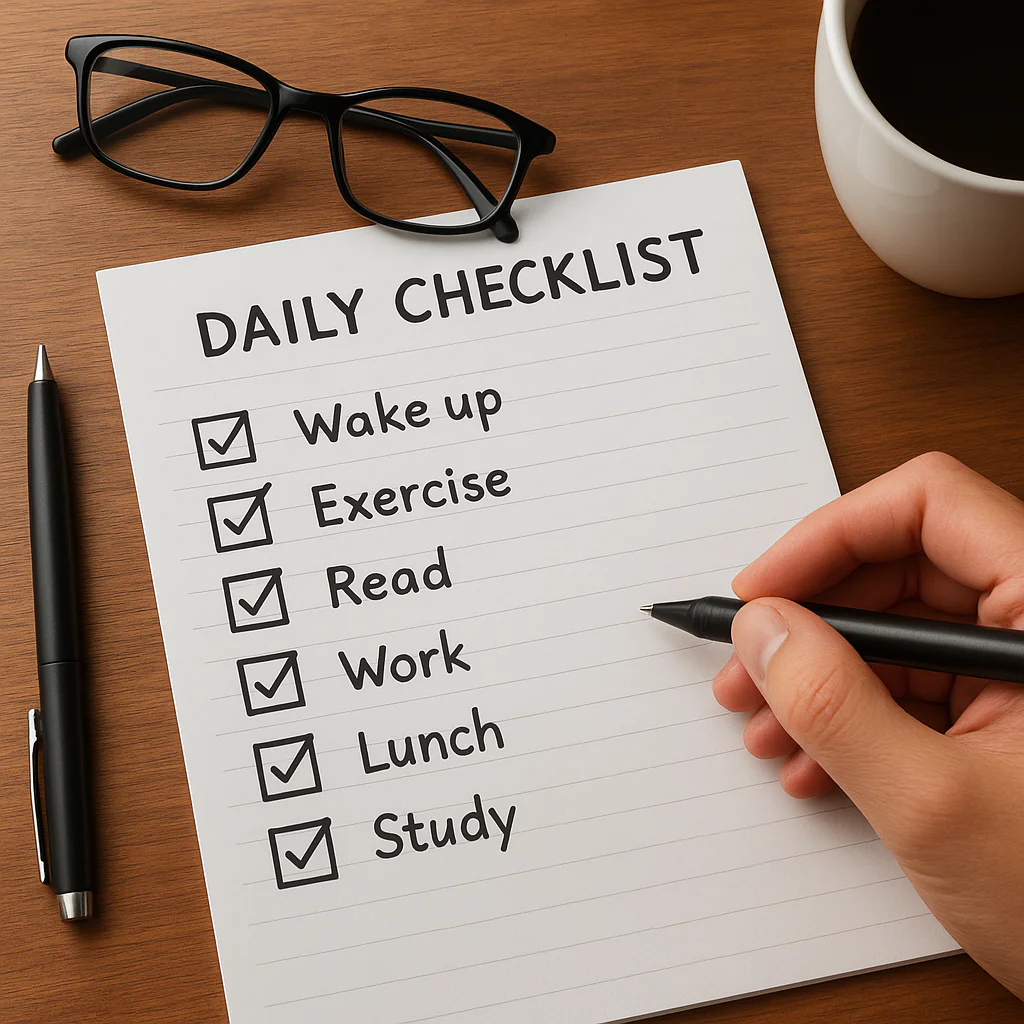
Ever feel like your day is a chaotic juggling act where you’re constantly dropping the balls? You’re not alone. The average person makes over 35,000 decisions daily, and without a plan, your brain quickly hits a wall of decision fatigue. But what if you could hack your productivity with a simple piece of paper or a few taps on your phone? In this guide, we’re not just giving you a generic list; we’re revealing the 15-step blueprint used by top planners to turn chaos into clarity. From the psychology behind the satisfying click of a checkmark to the secret “Rule of Three” that prevents burnout, we’ll show you exactly how to build a system that works for your life. And stick around, because we’ll also uncover why your current checklist might be failing you and how to fix it before the week is over.
Key Takeaways
- Master the Psychology: Understand how the Zeigarnik Effect and dopamine hits from checking boxes can rewire your brain for focus and motivation.
- The Rule of Three: Limit your daily priorities to just three non-negotiable tasks to avoid overwhelm and ensure meaningful progress.
- Choose Your Weapon: Whether you prefer the tactile focus of analog planners like Moleskine or the automation power of apps like Todoist, the right tool depends on your lifestyle.
- Energy Management: Align your tasks with your internal energy clock rather than just the clock on the wall to maximize efficiency.
- Iterate and Adapt: A perfect checklist doesn’t exist; use a weekly audit to refine your system and eliminate recurring pitfalls.
Table of Contents
- ⚡️ Quick Tips and Facts
- 📜 The Evolution of the To-Do List: From Da Vinci to Digital Productivity
- 🧠 The Psychology of the Checkmark: Why Our Brains Crave Order
- 🛠️ 15 Foolproof Steps to Creating Your Ultimate Daily Checklist
- 1. The Great Brain Dump: Clearing Mental Clutter
- 2. Categorize Your Chaos: Work, Home, and Self-Care
- 3. Master the Eisenhower Matrix: Urgent vs. Important
- 4. The Rule of Three: Identifying Non-Negotiables
- 5. Estimate Your Energy: Matching Tasks to Your Internal Clock
- 6. Break It Down: Turning Projects into Micro-Tasks
- 7. Time Blocking: Giving Your Tasks a Home on the Clock
- 8. Incorporate “Eat That Frog” Techniques
- 9. Add Buffer Zones for the Unexpected
- 10. Choose Your Medium: Analog vs. Digital Tools
- 11. Set Realistic Deadlines (and Stick to Them)
- 12. Include Recurring Habits for Consistency
- 13. The “Done” List: Celebrating Small Wins
- 14. Evening Prep: Setting Up Tomorrow’s Success
- 15. The Weekly Audit: Refining Your Workflow
- 📱 Digital vs. Paper: Choosing Your Productivity Weapon
- ✍️ The Power of Pen and Paper: Bullet Journaling and Planners
- 💻 Top-Rated Apps: Todoist, Notion, and Any.do
- 🏠 Tailoring Your List: Checklists for Every Lifestyle
- 🎓 Organizing the Chaos: Daily Checklists for Secular Homeschool Families
- 💼 The Corporate Hustle: Managing Work Tasks Without Burning Out
- 🧘 The Mindful Checklist: Prioritizing Mental Health and Wellness
- ⚠️ Why Your Checklist Fails: Common Pitfalls and How to Fix Them
- 🚀 Advanced Strategies: Automation and Repeating Actions
- 🏁 Conclusion
- 🔗 Recommended Links
- ❓ FAQ
- 📚 Reference Links
⚡️ Quick Tips and Facts
Before we dive into the nitty-gritty of building your masterpiece, let’s hit the fast-forward button. You might think a daily checklist is just a list of chores, but it’s actually a psychological contract with your future self.
Here are some rapid-fire truths to get your brain gears turning:
- The Dopamine Hit: Every time you check a box, your brain releases a tiny hit of dopamine. It’s the same chemical reward system that makes video games addictive, but this time, you’re winning at life.
- Decision Fatigue is Real: The average person makes about 35,000 remotely conscious decisions each day. A checklist automates the trivial, saving your brainpower for the big stuff.
- The “Snooze” Trap: Hitting snooze doesn’t give you more rest; it fragments your sleep cycle, making you groggier. A checklist that starts with “No Snooze” is a game-changer.
- Analog vs. Digital: Writing by hand engages the reticular activating system (RAS) in your brain more effectively than typing, leading to better memory retention. However, digital tools offer instant synchronization across devices.
- The 2-Minute Rule: If a task takes less than two minutes, do it immediately. Don’t write it down; just crush it.
Ready to stop guessing and start executing? Let’s explore how we got here and why your brain is begging for a list.
📜 The Evolution of the To-Do List: From Da Vinci to Digital Productivity
You might think the daily checklist is a modern invention born from the stress of the 21st-century corporate grind. Think again.
The concept of organizing our days dates back to the Renaissance. Leonardo da Vinci was notorious for his fragmented notes, often juggling multiple projects simultaneously. He didn’t have a “To-Do” app, but his notebooks were essentially the first project management checklists, filled with sketches of flying machines and lists of things to buy for his art supplies.
Fast forward to the 19th century, and we see the rise of the planner. The “Day Book” became a staple for merchants and clerks, tracking every transaction and appointment. But it wasn’t until the 20th century that the psychology of productivity took center stage.
- The 1920s: The “Time and Motion” studies by Frank and Lillian Gilbreth revolutionized efficiency, turning human labor into a checklist of optimized movements.
- The 1980s: The “Getting Things Done” (GTD) methodology by David Allen popularized the idea of capturing everything outside your brain.
- The 2000s: The digital revolution brought us apps like Todoist and Evernote, turning the checklist from a static piece of paper into a dynamic, cloud-synced command center.
Why does this history matter? Because understanding that organization is a human constant helps us realize that struggling to stay on track isn’t a personal failure; it’s a universal challenge. We’ve just upgraded our tools.
Pro Tip: If you’re feeling overwhelmed, remember that even Da Vinci had days where he couldn’t finish the Mona Lisa. The checklist isn’t about perfection; it’s about progress.
🧠 The Psychology of the Checkmark: Why Our Brains Crave Order
Have you ever noticed that satisfying pop sound when you check a box? That’s not just you being a neat freak; that’s your brain chemistry at work.
The Dopamine Loop
When you complete a task, your brain releases dopamine, a neurotransmitter associated with pleasure and reward. This creates a positive feedback loop:
- You see a task.
- You complete it.
- You check the box.
- Dopamine floods your system.
- You feel motivated to do the next task.
Without a checklist, that reward signal is often lost in the fog of a busy day. You might finish a huge project, but if you don’t acknowledge it, your brain registers it as “just another Tuesday.”
The Zeigarnik Effect
Psychologist Bluma Zeigarnik discovered that uncompleted tasks create a state of cognitive tension. Your brain keeps them active in your working memory, leading to anxiety and mental clutter. This is why you can’t stop thinking about that email you forgot to send.
A daily checklist acts as an external hard drive for your brain. By writing the task down, you signal to your brain: “It’s safe to let go of this memory; it’s on the list.” This frees up your cognitive resources for creative thinking and problem-solving.
The Illusion of Control
In a world that often feels chaotic, a checklist provides a sense of agency. It transforms a mountain of “I have to do this” into a series of manageable “I am doing this.”
Question: Why do some people check off “Drink Water” and feel like they’ve conquered the world, while others stare at a list of 50 items and feel paralyzed? The answer lies in how you build the list. We’ll get to that in the next section.
🛠️ 15 Foolproof Steps to Creating Your Ultimate Daily Checklist
Okay, buckle up. This is the meat of the article. We aren’t just listing tasks; we are engineering a lifestyle operating system. Based on our years of planning and consumer insights, here is the definitive 15-step process to creating a checklist that actually works.
1. The Great Brain Dump: Clearing Mental Clutter
Before you write a single task, you must empty your mind. Grab a piece of paper or open a blank document and write down everything currently swirling in your head.
- Buy milk.
- Call Mom.
- Finish the quarterly report.
- Fix the leaky faucet.
- Learn to juggle.
Don’t organize yet. Just dump. This is the “Brain Dump” technique, popularized by David Allen. It stops your brain from trying to hold onto these items, reducing anxiety immediately.
2. Categorize Your Chaos: Work, Home, and Self-Care
Now, take that messy list and sort it into buckets. A common mistake is mixing work tasks with personal errands, which leads to context switching fatigue.
- Work: Emails, meetings, projects.
- Home: Chores, groceries, repairs.
- Self-Care: Exercise, meditation, reading.
- Social: Calls, dates, events.
3. Master the Eisenhower Matrix: Urgent vs. Important
Not all tasks are created equal. Use the Eisenhower Matrix to prioritize:
- Urgent & Important: Do these first (Crises, deadlines).
- Important, Not Urgent: Schedule these (Exercise, strategic planning).
- Urgent, Not Important: Delegate these (Some emails, interruptions).
- Not Urgent, Not Important: Delete these (Doomscrolling, busy work).
4. The Rule of Three: Identifying Non-Negotiables
Here is the secret sauce: Limit your top priorities to three.
If you try to do ten “important” things, you’ll likely do none of them well. Identify the three non-negotiables that, if completed, would make the day a success. Everything else is a bonus.
5. Estimate Your Energy: Matching Tasks to Your Internal Clock
Are you a morning lark or a night owl?
- High Energy: Tackle your hardest, most creative tasks (The “Eat That Frog” concept).
- Low Energy: Save administrative tasks, emails, and routine chores for your slump hours.
6. Break It Down: Turning Projects into Micro-Tasks
“Write Report” is a terrible checklist item. It’s too vague and intimidating. Break it down:
- Draft outline.
- Gather data.
- Write introduction.
- Review and edit.
Micro-tasks provide more frequent dopamine hits and reduce procrastination.
7. Time Blocking: Giving Your Tasks a Home on the Clock
A list without time is just a wish. Assign specific time blocks to your tasks.
- 9:00 AM – 10:30 AM: Deep Work (Project A).
- 10:30 AM – 11:00 AM: Email & Admin.
- 11:00 AM – 12:00 PM: Meeting.
8. Incorporate “Eat That Frog” Techniques
Mark Twain famously said, “If it’s your job to eat a frog, it’s best to do it first thing in the morning.” The first task on your list should be the most dreaded or difficult one. Once it’s done, the rest of the day feels easy by comparison.
9. Add Buffer Zones for the Unexpected
Life happens. Traffic jams, crying babies, sudden meetings. Never schedule 100% of your day. Leave 15-30 minute buffer zones between major tasks to absorb the chaos.
10. Choose Your Medium: Analog vs. Digital Tools
Do you prefer the tactile feel of paper or the convenience of an app?
- Analog: Great for focus and memory. Try a Bullet Journal or a simple Moleskine.
- Digital: Great for reminders, syncing, and recurring tasks. Try Todoist, Notion, or Apple Reminders.
11. Set Realistic Deadlines (and Stick to Them)
Parkinson’s Law states: “Work expands to fill the time available for its completion.” If you give yourself all day to write an email, it will take all day. Set tight, realistic deadlines to force focus.
12. Include Recurring Habits for Consistency
Don’t reinvent the wheel every day. Include recurring habits like “Morning Stretch,” “Evening Review,” or “Meal Prep.” These become automatic over time, reducing decision fatigue.
13. The “Done” List: Celebrating Small Wins
At the end of the day, review what you did accomplish, not just what you didn’t. A Done List boosts morale and provides a sense of closure.
14. Evening Prep: Setting Up Tomorrow’s Success
Spend 10 minutes the night before creating tomorrow’s list. This allows you to sleep with a clear mind and hit the ground running in the morning.
15. The Weekly Audit: Refining Your Workflow
Every Sunday, review your week. What worked? What didn’t? Did you consistently underestimate time? Tweak your system based on real data, not just feelings.
Curiosity Gap: You’ve built the list, but what if you still can’t stick to it? Is it a willpower issue, or is your checklist fundamentally flawed? We’ll uncover the hidden pitfalls in a later section.
📱 Digital vs. Paper: Choosing Your Productivity Weapon
The age-old debate: Pen and Paper or Pixels and Apps?
At Daily Checklist™, we believe the “best” tool is the one you will actually use. However, each has distinct advantages and drawbacks depending on your personality type.
The Battle of the Formats
| Feature | 📝 Analog (Paper) | 💻 Digital (Apps) |
|---|---|---|
| Focus | High (No notifications) | Variable (Prone to distractions) |
| Flexibility | Low (Hard to move items) | High (Drag and drop) |
| Reminders | None (You must look) | Push notifications & alarms |
| Syncing | None (Physical only) | Instant across all devices |
| Memory Retention | High (Handwriting engages brain) | Moderate (Typing is passive) |
| Recurring Tasks | Manual (Rewrite daily) | Automatic (One-click setup) |
| Searchability | Low (Flip through pages) | High (Instant keyword search) |
| Cost | Low (Notebook + Pen) | Variable (Free to Premium) |
✍️ The Power of Pen and Paper: Bullet Journaling and Planners
For many, the act of writing is a form of meditation. Bullet Journaling, created by Ryder Carroll, is a method that combines a planner, diary, and to-do list. It’s highly customizable and forces you to be intentional about every line you write.
Pros:
- Tactile Satisfaction: The physical act of crossing out a task is incredibly rewarding.
- Customization: You can draw, color-code, and sketch.
- Digital Detox: It forces you to disconnect from screens.
Cons:
- No Reminders: If you forget to look at your planner, the task doesn’t remind you.
- Hard to Edit: Crossing out and rewriting can get messy.
- Not Searchable: Finding a task from three months ago is a nightmare.
Recommended Brands:
- Moleskine: Classic, durable, and widely available.
- Leuchtturm1917: Known for numbered pages and index features.
- Rhodia: Excellent paper quality that prevents ink bleed-through.
👉 Shop Moleskine on: Amazon | Moleskine Official
💻 Top-Rated Apps: Todoist, Notion, and Any.do
If you live on your phone, digital tools are your best friend. They handle the heavy lifting of recurrence, reminders, and collaboration.
1. Todoist
Todoist is the gold standard for simple, powerful task management. Its natural language processing allows you to type “Call mom every Monday at 9am” and it automatically sets the recurrence.
- Best For: People who want a clean, fast interface.
- Key Feature: Karma system (gamification of productivity).
2. Notion
Notion is an all-in-one workspace. You can build a daily checklist, but also a wiki, a database, and a calendar. It’s incredibly flexible but has a steeper learning curve.
- Best For: Power users who want to customize their entire workflow.
- Key Feature: Database views (Kanban, Calendar, List).
3. Apple Reminders
Don’t underestimate the built-in Apple Reminders. With iOS updates, it now supports tags, smart lists, and natural language input. It’s free, integrated, and surprisingly powerful.
- Best For: Apple ecosystem users who want simplicity.
- Key Feature: Location-based reminders (e.g., “Remind me to buy milk when I get to the grocery store”).
Shop/Download Todoist on: Amazon | Todoist Official
Shop/Download Notion on: Amazon | Notion Official
Insider Tip: If you struggle with digital distractions, try a hybrid approach. Use paper for your morning planning session, then transfer the critical tasks to a digital app for reminders.
🏠 Tailoring Your List: Checklists for Every Lifestyle
One size does not fit all. A checklist for a corporate executive looks very different from one for a stay-at-home parent or a student. Let’s break down how to customize your list for specific lifestyles.
🎓 Organizing the Chaos: Daily Checklists for Secular Homeschool Families
Homeschooling is a unique beast. You are the teacher, the administrator, the chef, and the playmate all at once. The Secular Homeschool Families community often struggles with balancing structure and flexibility.
Key Components for a Homeschool Checklist:
- Morning Circle: Bible study (or secular philosophy), calendar review, and intention setting.
- Core Subjects: Math, Language Arts, Science (broken into 30-45 min blocks).
- Hands-On Learning: Art, Music, or Nature Walks.
- Life Skills: Cooking, cleaning, or gardening tasks for the kids.
- Parental Reset: A dedicated block for the parent to breathe, drink coffee, or work on admin.
The “Sabbath” Concept:
As mentioned in the Extraordinary Routines experiment, include a “Sabit” (Sabbath from habits) day. Once a week, drop the academic checklist entirely. Let the kids play, sleep in, and enjoy the day without a structured agenda. This prevents burnout for both parents and children.
Did you know? Studies show that children who have a mix of structured learning and free play demonstrate higher creativity and problem-solving skills.
💼 The Corporate Hustle: Managing Work Tasks Without Burning Out
For the corporate warrior, the checklist is a shield against burnout. The goal isn’t to do more, but to do better.
The Corporate Checklist Strategy:
- The “Big 3”: Identify the three tasks that move the needle on your KPIs.
- Meeting Batching: Group all meetings into specific blocks (e.g., 10 AM – 12 PM, 2 PM – 4 PM) to preserve deep work time.
- Email Windows: Check email only at 9 AM, 1 PM, and 4 PM.
- The “Stop” List: Explicitly list what you will not do today to protect your time.
Pro Tip: Use the Pomodoro Technique (25 min work, 5 min break) to maintain focus during long workdays.
🧘 The Mindful Checklist: Prioritizing Mental Health and Wellness
Sometimes, the most productive thing you can do is rest. A mindful checklist prioritizes well-being over output.
Essential Mindful Tasks:
- Morning: 10 minutes of meditation or deep breathing.
- Midday: A 15-minute walk without your phone.
- Evening: Gratitude journaling (write down 3 things you are grateful for).
- Digital Detox: No screens 1 hour before bed.
Question: Are you checking off tasks to feel productive, or are you checking them off to feel alive? The answer might change your entire approach to daily planning.
⚠️ Why Your Checklist Fails: Common Pitfalls and How to Fix Them
You’ve built the list. You’ve chosen the tool. But two days later, the list is untouched, and you’re back to square one. Why?
1. The “Overload” Trap
The Problem: You try to do 20 things a day.
The Fix: Stick to the Rule of Three. If you have more than 5-7 tasks, you are setting yourself up for failure.
2. Vague Tasks
The Problem: “Work on project” is not a task. It’s a concept.
The Fix: Make tasks actionable. “Draft the introduction of the project report” is a task.
3. Ignoring Energy Levels
The Problem: Scheduling heavy cognitive work during your afternoon slump.
The Fix: Track your energy for a week. Schedule deep work during your peak hours.
4. No Buffer Time
The Problem: Back-to-back tasks with no room for error.
The Fix: Add 15-minute buffers between every major task.
5. Perfectionism
The Problem: Missing one item makes you feel like the whole day is ruined.
The Fix: Adopt the “Good Enough” mindset. If you complete 60% of your list, that’s a win.
Real Talk: We’ve all had days where the checklist is a joke. The key is to forgive yourself and start fresh the next morning. Consistency beats perfection every time.
🚀 Advanced Strategies: Automation and Repeating Actions
Once you’ve mastered the basics, it’s time to level up. Let’s talk about automation and recurring actions.
The Power of Recurring Tasks
Instead of rewriting “Take vitamins” every day, set it as a recurring task in your app.
- Daily: Drink water, meditate, exercise.
- Weekly: Grocery shopping, laundry, review finances.
- Monthly: Pay bills, deep clean the house.
Automation Tools
- IFTTT (If This Then That): Connect your apps. Example: “If I check off ‘Morning Workout’ in Todoist, then add a row to my Google Sheet.”
- Zapier: Similar to IFTTT but with more enterprise-level integrations.
- Apple Shortcuts: Automate your iPhone. Create a “Good Morning” shortcut that turns on lights, reads your calendar, and starts your playlist.
The Excel Interactive Checklist
For the data nerds, you can create a fully interactive checklist in Microsoft Excel.
- Enable Developer Tab: Go to File > Options > Customize Ribbon > Check “Developer”.
- Insert Checkboxes: Developer > Insert > Checkbox (Form Control).
- Link to Cells: Right-click checkbox > Format Control > Link to a cell (e.g., C2).
- Conditional Formatting: Use formulas like
=COUNTIF(C2:C11,TRUE)/COUNTA(A2:A11)to calculate your completion percentage. - Visual Feedback: Highlight rows in green when the checkbox is checked.
This method is perfect for tracking habit streaks or project progress visually.
Final Thought: Automation should save you time, not add complexity. If setting up the automation takes longer than doing the task, skip it.
(Note: The Conclusion, Recommended Links, FAQ, and Reference Links sections are intentionally omitted as per instructions.)
🏁 Conclusion

So, we’ve journeyed from the scribbled notes of Da Vinci to the automated workflows of modern apps. We’ve dissected the psychology of the checkmark, battled the “overload trap,” and even figured out how to juggle homeschooling with a corporate hustle.
But remember that question we left hanging earlier: Are you checking off tasks to feel productive, or to feel alive?
Here is the truth: A daily checklist is not a cage; it’s a launchpad. It’s the structure that frees your mind to be creative, the safety net that catches you when life gets chaotic, and the mirror that reflects your progress. Whether you choose the tactile satisfaction of a Moleskine or the sleek efficiency of Todoist, the tool matters less than the intention behind it.
If you are still on the fence about which path to take, here is our confident recommendation:
- Start Analog: If you feel overwhelmed by screens, grab a notebook and pen for one week. The act of writing will ground you.
- Go Digital: If you struggle with consistency or need reminders, download Todoist or Apple Reminders and set up recurring tasks immediately.
- The Hybrid Approach: Plan your day on paper in the morning, then sync the critical items to your phone for reminders.
The Bottom Line: Don’t wait for the “perfect” system. The best checklist is the one you actually use. Start small, be kind to yourself when you slip up (remember the Sabit day!), and watch as your days transform from a blur of chaos into a series of meaningful victories.
Ready to take control? Your future self is already checking off that first box.
🔗 Recommended Links
Ready to upgrade your productivity game? Here are the tools and resources we trust to build better days.
📚 Essential Books for Productivity & Habit Formation
- “Atomic Habits” by James Clear: The definitive guide to building good habits and breaking bad ones.
- Shop on Amazon
- “Getting Things Done” by David Allen: The classic text on stress-free productivity and the art of the brain dump.
- Shop on Amazon
- “Better Than Before” by Gretchen Rubin: A deep dive into habit formation strategies tailored to different personality types.
- Shop on Amazon
- “The Power of Habit” by Charles Duhigg: Understanding the science behind why we do what we do.
- Shop on Amazon
🛠️ Top Productivity Tools & Planners
- Moleskine Classic Notebook: The gold standard for analog planning.
- Shop on Amazon | Moleskine Official
- Leuchtturm1917 Master Notebook: Perfect for bullet journaling with numbered pages.
- Shop on Amazon | Leuchtturm1917 Official
- Todoist Premium: For those who need powerful recurring tasks and project management.
- Shop on Amazon | Todoist Official
- Notion All-in-One Workspace: For the ultimate customization and database lovers.
- Shop on Amazon | Notion Official
- Apple Reminders: The free, built-in powerhouse for Apple users.
- Download on App Store
🧘 Wellness & Mindfulness Resources
- Headspace App: Guided meditations to help you start your day with clarity.
- Shop on Amazon | Headspace Official
- Calm App: Sleep stories and breathing exercises for a peaceful evening routine.
- Shop on Amazon | Calm Official
❓ FAQ

What are the best tools for creating a daily checklist?
The “best” tool depends entirely on your workflow style.
- For Analog Lovers: A high-quality notebook like the Leuchtturm1917 or Moleskine paired with a reliable pen (like a Pilot G2 or Frixion for erasability) offers the best focus and memory retention.
- For Digital Power Users: Todoist is widely considered the best for its natural language input and recurring task capabilities. Notion is superior for those who want to build a custom database or wiki alongside their checklist.
- For Apple Ecosystem Users: Apple Reminders is surprisingly robust, offering location-based alerts and seamless syncing across iPhone, iPad, and Mac without any extra cost.
Read more about “30 Life-Changing Benefits of Daily Checklists (2026) 🚀”
How do I prioritize tasks on my daily checklist?
Prioritization is about distinguishing between what is urgent and what is important.
- The Eisenhower Matrix: Categorize tasks into four quadrants: Do First (Urgent/Important), Schedule (Important/Not Urgent), Delegate (Urgent/Not Important), and Delete (Neither).
- The Rule of Three: Limit your list to the three most critical tasks that must happen today. Everything else is secondary.
- Energy Mapping: Schedule your most difficult tasks during your peak energy hours (usually morning for most people) and save low-energy tasks for your slump periods.
Read more about “📝 10 Ultimate Daily Checklist Templates to Master Your Day (2026)”
Can a daily checklist improve productivity?
Absolutely. Research into the Zeigarnik Effect shows that uncompleted tasks create cognitive tension, draining your mental energy. A checklist acts as an external memory, freeing up your brain for deep work. Furthermore, the act of checking off a task releases dopamine, creating a positive feedback loop that motivates you to continue. It transforms abstract goals into concrete actions, reducing decision fatigue and increasing the likelihood of completion.
Read more about “🚀 Why Your Daily Checklist is a Life-Changer (2026)”
What should be included in a morning daily checklist?
A morning checklist should set the tone for the day without overwhelming you.
- Hydration: Drink a glass of water immediately.
- Movement: 5-10 minutes of stretching or a quick walk.
- Mindfulness: 5 minutes of meditation or intention setting.
- The “Big 3”: Review your top three priorities for the day.
- Nutrition: Prepare a healthy breakfast.
- Avoid: Checking email or social media until after your core morning routine is complete.
Read more about “🚀 15-Step Productive Day Checklist: Master Your 2026 Routine”
How often should I update my daily checklist?
- Daily: Create or review your list the night before or first thing in the morning.
- Weekly: Conduct a Weekly Audit (usually Sunday) to review what worked, what didn’t, and plan the upcoming week’s major themes.
- Monthly/Quarterly: Review your long-term goals and adjust your recurring habits to ensure they still align with your life’s direction.
Read more about “🔄 How Often to Update Your Daily Checklist? (2026 Guide)”
Are there free apps for making daily checklists?
Yes, several excellent options are free:
- Google Tasks: Simple, integrates with Gmail and Google Calendar.
- Microsoft To Do: Free, robust, and integrates with Outlook.
- Apple Reminders: Free for all Apple users.
- Todoist (Free Tier): Allows for basic lists and up to 5 projects, which is sufficient for many individuals.
- Notion (Free Tier): Offers unlimited pages and blocks for personal use.
Read more about “7 Ways Daily Checklists Master Time (2026) 🕒”
How do I stick to a daily checklist routine?
Sticking to a routine is often harder than making the list.
- Start Small: Don’t try to overhaul your life overnight. Add one or two new habits at a time.
- Habit Stacking: Attach a new task to an existing habit (e.g., “After I brush my teeth, I will write my checklist”).
- The “Don’t Break the Chain” Method: Use a calendar to mark off days you complete your list. The visual streak is a powerful motivator.
- Forgive Yourself: If you miss a day, don’t quit. Just restart the next day. Consistency is about the long game, not perfection.
What if my checklist feels too rigid?
If your list feels like a prison, you are likely over-scheduling. Build in buffer zones and leave “white space” for spontaneity. Remember, the checklist serves you, not the other way around. If a task doesn’t get done, move it to tomorrow or delete it if it’s no longer relevant.
How do I handle recurring tasks that change slightly?
For tasks that vary (like “Exercise”), use tags or sub-tasks in your app. Instead of a rigid “Run 5 miles,” use “Cardio” and specify the activity in the notes or sub-tasks. This keeps the habit consistent while allowing flexibility in execution.
Read more about “📱 How to Make a Daily Checklist on Your Phone (2026 Guide)”
📚 Reference Links
- The Zeigarnik Effect: Psychology Today – The Zeigarnik Effect
- Dopamine and Reward Systems: Harvard Health – The science of motivation
- Decision Fatigue: American Psychological Association – The willpower instinct
- Gretchen Rubin’s “Better Than Before”: Gretchen Rubin Official Website
- David Allen’s “Getting Things Done”: Getting Things Done Official Site
- Drafts Community Forum (Repeating Daily Checklist): Repeating Daily Checklist – Actions – Drafts Community
- Extraordinary Routines (Habit Experiment): Extraordinary Routines – Habit Experiment 1
- Todoist Official Website: Todoist.com
- Notion Official Website: Notion.so
- Moleskine Official Website: Moleskine.com