Support our educational content for free when you purchase through links on our site. Learn more

🚀 12 Time Management Tips to Master Your Day (2026)
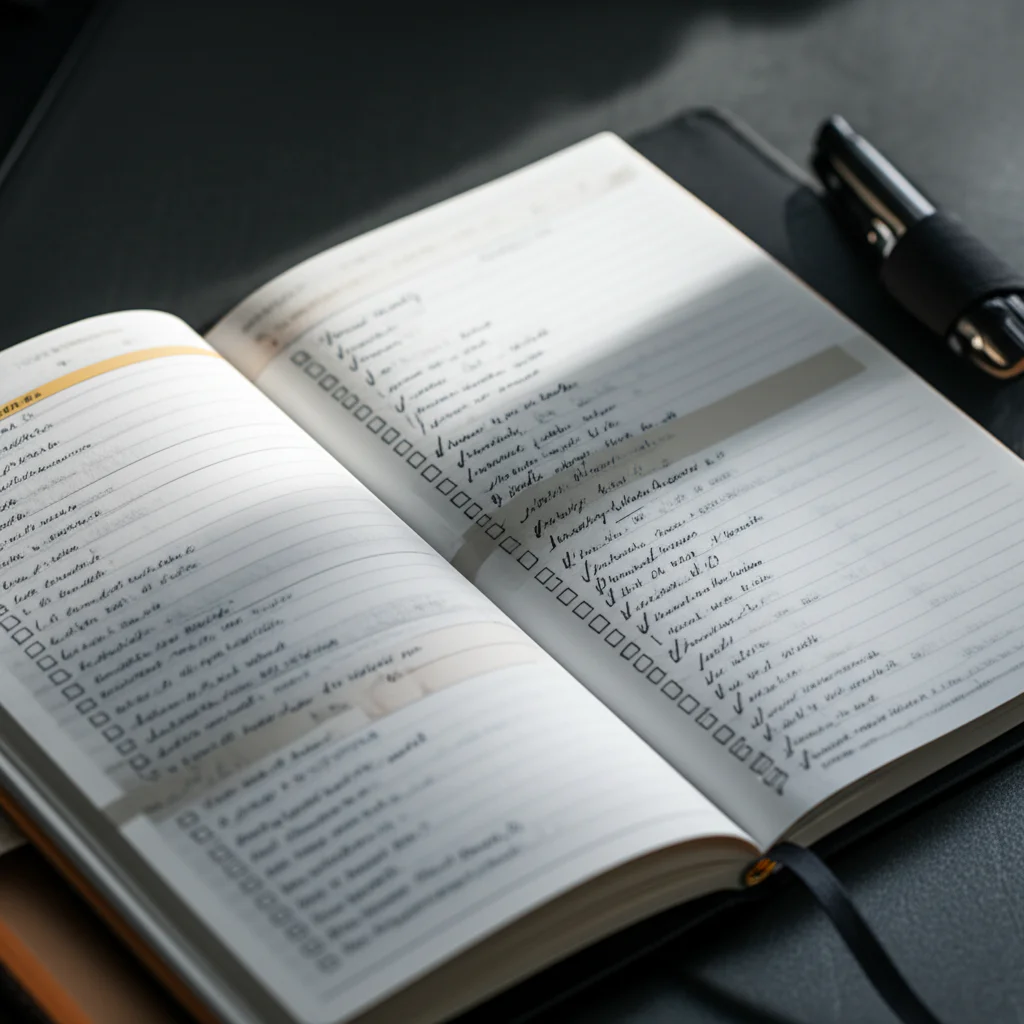

The single most effective Time Management Tips strategy is to stop trying to do everything at once and instead focus on single-tasking your top three priorities before checking a single email. Most of us waste hours juggling distractions, but research shows that multitasking can lower your effective IQ by up to 10 points, making you slower and more error-prone.
Imagine spending your entire morning frantically switching between a spreadsheet, a text message, and a coffee order, only to realize noon has arrived and you haven’t actually written a single sentence of your report. We’ve all been there, staring at a blinking cursor while our brains feel like a browser with 47 tabs open.
The good news is that reclaiming your time doesn’t require a personality transplant or a magical app. By applying proven frameworks like the Eisenhower Matrix and Time Blocking, you can transform chaos into a clear, actionable path.
Key Takeaways
- Prioritize Ruthlessly: Focus on the 20% of tasks that yield 80% of your results using the Pareto Principle.
- Single-Task to Win: Eliminate context switching; multitasking is a myth that destroys focus and increases stress.
- Schedule Everything: Use Time Blocking to assign specific slots for work, breaks, and even fun to prevent burnout.
- Start Small: Implement the 2-Minute Rule to clear mental clutter and build immediate momentum.
- Be Flexible: Accept that plans change; leave buffer time in your schedule to adapt when life happens.
Table of Contents
- ⚡️ Quick Tips and Facts
- 📜 The Evolution of Time Management: From Sundials to Digital Calendars
- 🧠 Mastering Your Mindset: Why Procrastination Happens and How to Stop It
- 📋 The Ultimate Guide to Prioritization Frameworks
- 1. The Eisenhower Matrix: Urgent vs. Important
- 2. The Pareto Principle (80/20 Rule) for Maximum Impact
- 3. The Ivy Lee Method for Focused Execution
- 4. The MoSCoW Method for Project Clarity
- 🕒 Proven Time Blocking and Scheduling Techniques
- 1. Time Blocking: The Secret Weapon of Elon Musk and Cal Newport
- 2. The Pomodoro Technique: Beating Burnout with Breaks
- 3. Task Batching: Grouping Similar Activities for Efficiency
- 4. The 2-Minute Rule to Crush Small Tasks Instantly
- 🛠️ Top Digital Tools and Apps for Productivity
- 1. Calendar Apps: Google Calendar vs. Outlook vs. Apple Calendar
- 2. Task Managers: Todoist, Tick, and Microsoft To Do Compared
- 3. Focus Tools: Forest, Freedom, and Cold Turkey
- 4. Note-Taking Systems: Notion, Evernote, and Obsidian
- 🚫 Overcoming Common Time Management Pitfalls
- 1. The Planning Fallacy: Why You Always Underestimate Time
- 2. Decision Fatigue: How to Save Mental Energy
- 3. Multitasking Myths: Why Doing Two Things at Once Kills Productivity
- 4. Dealing with Interruptions and Digital Distractions
- 🎓 Time Management Strategies for Students and High Schoolers
- 1. Balancing Homework, Exams, and Social Life
- 2. Managing Stress During Finals Week
- 3. Study Schedules That Actually Work
- 🏡 Work-Life Balance: Making Time for Fun and Self-Care
- 🤝 Building a Support System for Accountability
- 🔄 Staying Flexible: How to Adapt Your Schedule When Life Happens
- 📝 Conclusion
- 🔗 Recommended Links
- ❓ FAQ: Your Burning Questions Answered
- 📚 Reference Links
⚡️ Quick Tips and Facts
Before we dive into the deep end of productivity, let’s hit the pause button and grab a few life rafts. You don’t need a PhD in organizational psychology to get your act together, but you do need to know a few hard truths that most “gurus” skip over.
Here is the Daily Checklist™ reality check:
- Time isn’t money; it’s life. You can earn more money, but you can never earn more time. Every day, you get exactly 86,40 seconds. If you don’t use them, they vanish forever. Source: UGA Extension
- Multitasking is a myth. Your brain doesn’t actually do two things at once; it just switches tasks rapidly, which burns glucose and lowers IQ. Source: American Psychological Association
- The “Perfect Moment” is a trap. Waiting until you “feel like it” is the number one reason projects stall. Momentum creates motivation, not the other way around.
- Burnout isn’t a badge of honor. It’s a physiological response to chronic stress. If you’re running on caffeine and anxiety, you’re not productive; you’re just efficient at self-destruction.
Pro Tip: If you’re feeling overwhelmed right now, stop. Take a breath. Remember that progress beats perfection. You can do it all, just not all at once.
For a deeper dive into how a simple daily checklist can rewire your brain for success, check out our guide on How to Use a Daily Checklist.
📜 The Evolution of Time Management: From Sundials to Digital Calendars
We often think time management is a modern problem born of the 9-to-5 grind, but humans have been obsessed with tracking time since we first looked up at the sun.
The Ancient Roots
Long before the first alarm clock buzzed, the Egyptians were using sundials to divide the day into 12 hours of light and 12 of darkness. The Romans introduced the water clock (clepsydra) to measure time at night or on cloudy days. But here’s the kicker: they didn’t have “time management” in the way we do. They had rituals. If the sun was up, you worked. If it was down, you rested. Simple, right?
The Industrial Shift
Fast forward to the 19th century. The Industrial Revolution changed everything. Suddenly, time wasn’t dictated by the sun; it was dictated by the factory whistle. Henry Ford and others introduced the concept of the time-and-motion study, where every second of a worker’s day was measured and optimized. This birthed the modern corporate schedule, but it also created the first wave of “time poverty.”
The Digital Age
Today, we carry the world’s most powerful time management tools in our pockets. We have Google Calendar, Notion, and Todoist. Yet, paradoxically, we feel more rushed than ever. Why? Because we have infinite distractions competing for those 86,40 seconds.
The core challenge hasn’t changed: How do we align our actions with our values? Whether you’re using a clay tablet or an iPad, the goal is the same.
🧠 Mastering Your Mindset: Why Procrastination Happens and How to Stop It
Let’s be honest: you’re not lazy. You’re emotionally regulating.
Procrastination isn’t a time management issue; it’s an emotional regulation issue. When you face a task that feels boring, scary, or overwhelming, your brain’s amygdala (the fear center) screams, “Danger!” and your prefrontal cortex (the logic center) says, “Let’s check Instagram instead.”
The “Perfect Moment” Fallacy
One of the biggest traps we fall into is waiting for the “perfect moment” to start. We think, “I’ll start that project when I have a quiet house,” or “I’ll write that essay when I’m fully caffeinated.”
As the creators of the foundational video on this topic note, waiting to feel ready is often a form of procrastination. The video emphasizes that starting tasks before feeling fully prepared allows momentum to build naturally. You don’t need to be in the zone to get in the zone; you need to get in the zone to get in the zone.
The “Big Frog” Strategy
Mark Twain famously said, “If it’s your job to eat a frog today, it’s best to do it first thing in the morning.” This isn’t just a cute quote; it’s a psychological hack.
- Eat the Frog: Tackle your most dreaded task first. Once it’s done, the rest of the day feels like a victory lap.
- The Snowball Method: If the frog is too big, break it into tiny pieces. Just write one sentence. Just open the document. Just put on your running shoes.
Willpower is a Battery
Willpower is a limited resource. It depletes throughout the day. This is why you can focus on a report at 9:0 AM but can’t stop scrolling TikTok at 9:0 PM.
Strategy: Schedule your “deep work” (the hardest, most important tasks) for when your willpower is highest—usually early in the morning. Save the low-energy tasks (emails, admin, filing) for the afternoon slump.
Curiosity Check: But what if you don’t know which task is the “frog”? How do you decide what’s important and what’s just noise? That’s where the frameworks come in.
📋 The Ultimate Guide to Prioritization Frameworks
If you try to do everything, you’ll do nothing. The secret to time management isn’t doing more; it’s doing what matters.
1. The Eisenhower Matrix: Urgent vs. Important
Popularized by Dwight D. Eisenhower, this matrix divides tasks into four quadrants based on urgency and importance.
| Quadrant | Description | Action | Example |
|---|---|---|---|
| Urgent & Important | Crises, deadlines, emergencies | Do Immediately | Submiting a report due today, fixing a broken server. |
| Not Urgent & Important | Long-term goals, planning, self-care | Schedule It | Exercising, strategic planning, learning a new skill. |
| Urgent & Not Important | Interruptions, some emails, other people’s crises | Delegate It | Answering non-critical calls, attending unnecessary meetings. |
| Not Urgent & Not Important | Doomscrolling, busy work, time wasters | Delete It | Binge-watching TV, organizing your desk for the 10th time. |
The Trap: Most people live in Quadrant 1 (firefighting) or Quadrant 3 (dealing with other people’s emergencies). The key to success is spending more time in Quadrant 2. This is where you prevent fires from starting in the first place.
2. The Pareto Principle (80/20 Rule) for Maximum Impact
The 80/20 rule states that 80% of your results come from 20% of your efforts.
- Application: Identify the 20% of tasks that drive the most value in your life or business. Focus your energy there.
- Example: If you’re a student, 20% of the course material might be on 80% of the exam. If you’re a writer, 20% of your articles might get 80% of your traffic.
3. The Ivy Lee Method for Focused Execution
This is a simple, 10-year-old method that requires zero apps.
- At the end of each day, write down the six most important tasks for tomorrow.
- Prioritize them in order of true importance.
- The next day, focus only on the first task until it’s done.
- Move to the second task, and so on.
- If you don’t finish, move the leftovers to the next day’s list.
Why it works: It eliminates decision fatigue. You don’t wake up wondering, “What should I do?” You already know.
4. The MoSCoW Method for Project Clarity
Often used in software development but great for personal projects:
- Must have: Non-negotiable.
- Should have: Important but not vital.
- Could have: Desirable but not necessary.
- Won’t have: Agreed to leave out for now.
🕒 Proven Time Blocking and Scheduling Techniques
Now that you know what to do, let’s figure out when to do it.
1. Time Blocking: The Secret Weapon of Elon Musk and Cal Newport
Time blocking is the practice of dividing your day into blocks of time, where each block is dedicated to a specific task or group of tasks.
- How it works: Instead of a to-do list, you have a calendar. “9:0 AM – 1:0 AM: Write Article.” “1:0 AM – 1:30 AM: Email.”
- The Benefit: It forces you to be realistic about how long things take. It also creates a visual boundary against interruptions.
- Real-World Example: Elon Musk is famous for running his schedule in 5-minute increments. While you don’t need to be that granular, the principle holds: schedule everything, including breaks and lunch.
2. The Pomodoro Technique: Beating Burnout with Breaks
Developed by Francesco Cirillo, this technique uses a timer to break work into intervals.
- The Cycle: Work for 25 minutes, then take a 5-minute break. After four cycles, take a longer break (15-30 minutes).
- Why it works: It creates a sense of urgency (the timer is ticking!) and prevents mental fatigue.
- The Twist: The CU Denver article suggests a 24-minute work / 6-minute break ratio, which is slightly more forgiving. The key is consistency.
3. Task Batching: Grouping Similar Activities for Efficiency
Your brain hates context switching. Every time you switch from writing an email to designing a slide, you lose about 20 minutes of focus.
- Strategy: Group similar tasks. Do all your phone calls at 2:0 PM. Write all your emails at 10:0 AM. Pay all bills on the 1st of the month.
- Result: You stay in the “flow” state longer and get more done in less time.
4. The 2-Minute Rule to Crush Small Tasks Instantly
If a task takes less than two minutes, do it now.
- Examples: Replying to a short email, washing a dish, filing a document.
- Why: These small tasks pile up and create “mental clutter.” Clearing them instantly keeps your mind free for big work.
🛠️ Top Digital Tools and Apps for Productivity
You can do this with a pen and paper, but let’s be real: we live in the digital age. Here are the tools that actually work.
1. Calendar Apps: Google Calendar vs. Outlook vs. Apple Calendar
| Feature | Google Calendar | Microsoft Outlook | Apple Calendar |
|---|---|---|---|
| Best For | Collaboration & Integration | Corporate Environments | Apple Ecosystem Users |
| Sharing | Excellent (Real-time) | Good (Enterprise) | Good (Family Sharing) |
| Integration | Gmail, Zoom, Slack | Teams, Office 365 | Siri, iCloud, Mail |
| Price | Free (Premium for Workspace) | Free (Paid for Business) | Free |
- Google Calendar: The gold standard for most. It integrates with everything. Search Google Calendar on Amazon for physical planners that sync with it.
- Outlook: If your job uses Microsoft, stick with this. It’s robust for email and meeting management.
- Apple Calendar: Simple, clean, and deeply integrated into iOS.
2. Task Managers: Todoist, Tick, and Microsoft To Do Compared
| App | Strengths | Weaknesses | Best For |
|---|---|---|---|
| Todoist | Natural language input, powerful filters | Can get expensive for advanced features | Power users who love lists |
| Tick | Built-in Pomodoro timer, habit tracker | Interface can feel cluttered | All-in-one productivity |
| Microsoft To Do | Free, simple, integrates with Office | Lacks advanced features | Casual users, Office 365 fans |
- Todoist: Great for natural language. Type “Call mom every Monday at 5pm” and it sets the recurring task. Check Todoist on Amazon for their physical merchandise.
- Tick: A hidden gem. It combines a to-do list with a habit tracker and a Pomodoro timer.
- Microsoft To Do: If you want something free and simple, this is it.
3. Focus Tools: Forest, Freedom, and Cold Turkey
- Forest: Gamifies focus. You plant a virtual tree; if you leave the app, the tree dies. It’s surprisingly effective. Shop Forest App
- Freedom: Blocks distracting websites and apps across all your devices simultaneously. Great for deep work sessions.
- Cold Turkey: The nuclear option. Once you start a block, you literally cannot turn it off until the timer ends.
4. Note-Taking Systems: Notion, Evernote, and Obsidian
- Notion: The “all-in-one” workspace. You can build databases, wikis, and project boards. Step learning curve, but incredibly powerful.
- Evernote: The classic. Great for clipping web articles and handwriting notes.
- Obsidian: For the data nerds. It links your notes together like a personal Wikipedia.
Daily Checklist™ Insight: Don’t fall into “tool paralysis.” The best tool is the one you actually use. Pick one, stick with it for 30 days, and then decide if you need to switch.
🚫 Overcoming Common Time Management Pitfalls
Even with the best tools, we all stumble. Here are the traps to avoid.
1. The Planning Fallacy: Why You Always Underestimate Time
We are terrible at guessing how long things take. We think a project will take 2 hours, but it takes 5.
- Solution: Use the Multiplier Method. Take your best guess and multiply it by 1.5 or 2. If you think it takes 1 hour, schedule 2.
2. Decision Fatigue: How to Save Mental Energy
Every decision you make depletes your willpower. That’s why you make bad choices at the end of the day.
- Solution: Automate decisions. Wear the same style of clothes, eat the same breakfast, or use a daily checklist to remove the “what do I do next?” question.
3. Multitasking Myths: Why Doing Two Things at Once Kills Productivity
As mentioned earlier, multitasking is just rapid task-switching. It increases errors and stress.
- Solution: Single-tasking. Close all tabs except the one you’re working on. Put your phone in another room.
4. Dealing with Interruptions and Digital Distractions
- The “Do Not Disturb” Mode: Use it. Seriously.
- The “Office Hours” Rule: Tell your colleagues or family, “I’m working from 9 to 1. I’ll be available after that.”
- Digital Detox: Check out our guide on Digital Detox to learn how to reclaim your attention span.
🎓 Time Management Strategies for Students and High Schoolers
School is a unique beast. You have deadlines, exams, social lives, and extracuriculars all fighting for your time.
1. Balancing Homework, Exams, and Social Life
- The Calendar is King: As Harvard Summer School suggests, create a calendar and put everything in it. Exams, parties, laundry, sleep.
- Buffer Time: Don’t schedule every minute. Leave gaps for the unexpected.
2. Managing Stress During Finals Week
- Break It Down: Don’t say “Study for History.” Say “Read Chapter 4” or “Make flashcards for dates.”
- The Pomodoro Technique: Use the 24/6 split mentioned in the CU Denver article. It’s scientifically proven to help the brain retain information.
3. Study Schedules That Actually Work
- Active Recall: Don’t just re-read notes. Test yourself.
- Spaced Repetition: Review material at increasing intervals (1 day, 3 days, 1 week).
- Study Groups: Find a support system. But make sure they are accountability partners, not just chat buddies.
Pro Tip: If you’re feeling stuck, visit your school’s Learning Resource Center. They often offer free workshops on time management and stress reduction.
🏡 Work-Life Balance: Making Time for Fun and Self-Care
Here’s the secret no one tells you: You cannot manage time if you don’t manage energy.
If you grind 24/7, you’ll burn out. You need to schedule guilt-free fun.
- Schedule It: Put “Watch a movie,” “Go for a hike,” or “Nap” on your calendar just like a meeting.
- The “Non-Negotiables”: Identify 3 things you must do for your well-being each week (e.g., exercise, sleep 8 hours, see a friend). Protect these at all costs.
As the video summary notes, productivity doesn’t mean doing more; it means doing what matters most. If “matters most” includes having fun, then fun is a priority.
🤝 Building a Support System for Accountability
We are social creatures. We perform better when we know someone is watching.
- Accountability Partners: Find a friend who has similar goals. Check in daily. “Did you do the thing?”
- Communication: Tell your roomates or family, “I need quiet from 7-9 PM.”
- Professional Help: If you’re struggling with ADHD or severe procrastination, consider seeing a coach or therapist.
🔄 Staying Flexible: How to Adapt Your Schedule When Life Happens
Life is messy. Plans break.
- The 75% Rule: Only schedule 75% of your day. Leave 25% open for the unexpected.
- The “Reset” Ritual: If your day goes off the rails, don’t spiral. Take 5 minutes, breathe, and make a new plan for the rest of the day.
- Be Realistic: Accept that you can’t do everything. It’s okay to say “no.”
📝 Conclusion

Time management isn’t about squeezing every second out of the day until you’re a hollow shell. It’s about aligning your time with your values. It’s about knowing that progress beats perfection and that you can do it all, just not all at once.
We’ve covered a lot of ground: from the ancient sundials to the modern Pomodoro timer, from the Eisenhower Matrix to the 2-minute rule. But the most important takeaway is this: Start small.
Don’t try to implement every single tip we mentioned today. Pick one framework (maybe the Ivy Lee method) and one tool (maybe Google Calendar). Try it for a week. See how it feels.
Remember the words from the foundational video: “You can do it all, just not all at once.” Your time is your most precious resource. Guard it, spend it wisely, and don’t forget to have some fun along the way.
Ready to take the next step? Check out our Habit Formation guides to turn these tips into lasting routines.
🔗 Recommended Links
Here are some tools and resources to help you get started on your time management journey:
- Planners & Journals:
- Moleskine Planners – Classic, durable, and perfect for analog lovers.
- Paperless Planners – For those who prefer digital organization.
- Apps:
- Todoist – The ultimate task manager.
- Notion – All-in-one workspace.
- Forest App – Gamified focus.
- Books:
- Deep Work by Cal Newport – Essential reading for focus.
- Atomic Habits by James Clear – The bible of habit formation.
- The 7 Habits of Highly Effective People by Stephen Covey – The classic on prioritization.
❓ FAQ: Your Burning Questions Answered

How often should I update my daily checklist for better time management?
Daily. The most effective time to update your checklist is the night before. This allows your brain to process the tasks while you sleep, so you wake up ready to execute. However, a quick mid-day review is also helpful to adjust for unexpected changes.
Read more about “🚀 25 Best Daily Checklist Apps of 2026: Find Your Perfect Match”
What tools help with time management and daily checklists?
The best tools depend on your style.
- Analog: Bullet journals, Moleskine notebooks, and whiteboards.
- Digital: Google Calendar, Todoist, Tick, Notion, and Microsoft To Do.
- Focus: Forest, Freedom, and Cold Turkey.
- Time Tracking: Togl or RescueTime.
Read more about “🚀 7 Ways a Daily Checklist Transforms Your Life (2026)”
Can using a daily checklist reduce stress and save time?
Absolutely. A 2016 study published in the Journal of Experimental Psychology found that writing down unfinished tasks reduces cognitive load, allowing your brain to relax. By externalizing your tasks, you free up mental energy for actual work, reducing anxiety and saving time on “remembering” what to do.
Read more about “🚫 10 Deadly Daily Checklist Mistakes to Avoid (2026)”
How does prioritizing tasks on a checklist boost time management skills?
Prioritization forces you to distinguish between urgent and important. Without it, you might spend all day answering emails (urgent but not important) while ignoring your big project (important but not urgent). Prioritization ensures you spend your energy on high-impact activities.
Read more about “🚀 10 Best Time Management Tools for 2026: Stop Drowning in Chaos”
What are simple time management strategies for beginners?
Start with the 2-Minute Rule (do small tasks immediately) and the Pomodoro Technique (work in 25-minute bursts). These are low-barier methods that build momentum without overwhelming you.
Read more about “📋 What Should Be on Your Daily Checklist? 75 Essential Samples (2026)”
What are the best time management tips for busy professionals?
- Time Blocking: Schedule your day in blocks.
- Batching: Group similar tasks (emails, calls).
- Delegation: Don’t be afraid to hand off tasks that others can do.
- The “No” Muscle: Learn to decline meetings or tasks that don’t align with your goals.
How can daily checklists improve time management?
Checklists act as an external brain. They prevent you from forgetting steps, reduce decision fatigue, and provide a sense of accomplishment as you check items off. This positive reinforcement keeps you motivated.
Read more about “📱 What Is the App That Creates a Daily Checklist? (2026 Top 10)”
What are the best time management tips for busy professionals?
(Note: This question is a duplicate of the previous one, but here is a different angle.) Focus on energy management rather than just time management. Schedule your hardest tasks when your energy is highest (usually morning) and save low-energy tasks for the afternoon.
How do I create a daily checklist that saves time?
- Brain Dump: Write down everything.
- Prioritize: Pick the top 3-5 tasks.
- Estimate Time: Be realistic about how long they take.
- Schedule: Assign them to specific time blocks.
- Review: Check off as you go and adjust for tomorrow.
Read more about “🗓️ 15 Free Daily Checklist Templates for Word (2026)”
Why is time management difficult with a packed schedule?
A packed schedule leaves no room for buffer time. When one thing goes wrong, the whole day collapses. It also leads to decision fatigue and burnout. The solution is to intentionally leave gaps in your schedule.
What time management techniques work best with checklists?
The Eisenhower Matrix (for prioritization) and Time Blocking (for scheduling) work perfectly with checklists. The checklist tells you what to do, and time blocking tells you when to do it.
Read more about “🚀 15 Task Management Tools to Master Your Workflow (2026)”
How many items should be on a daily checklist for efficiency?
3 to 5 major items. If you have too many, you’ll feel overwhelmed and likely check nothing off. Focus on the “big rocks” first. You can always add smaller tasks if you finish early.
Read more about “🗓️ 10 Steps to Master Creating a Daily Schedule (2026 Guide)”
Can daily checklists reduce stress and save time?
Yes. By clarifying your priorities and reducing the mental load of remembering tasks, checklists lower cortisol levels and prevent the “panic” of forgetting something important.
Read more about “7 Steps to Build a Daily Checklist That Actually Works (2026) 📝”
📚 Reference Links
- Harvard Summer School: Time Management Tips for Students
- University of Georgia: Time Management: 10 Strategies for Better Time Management
- CU Denver News: Six Time Management Tips to Help You Succeed
- American Psychological Association: Multitasking: Switching costs
- Google: Digital Wellbeing Study
- Mark Twain: Eat the Frog Quote
- Francesco Cirillo: Pomodoro Technique Official Site
- Stephen Covey: The 7 Habits of Highly Effective People
- Cal Newport: Deep Work
- James Clear: Atomic Habits