Support our educational content for free when you purchase through links on our site. Learn more

🚀 7 Ways a Daily Checklist Transforms Your Life (2026)
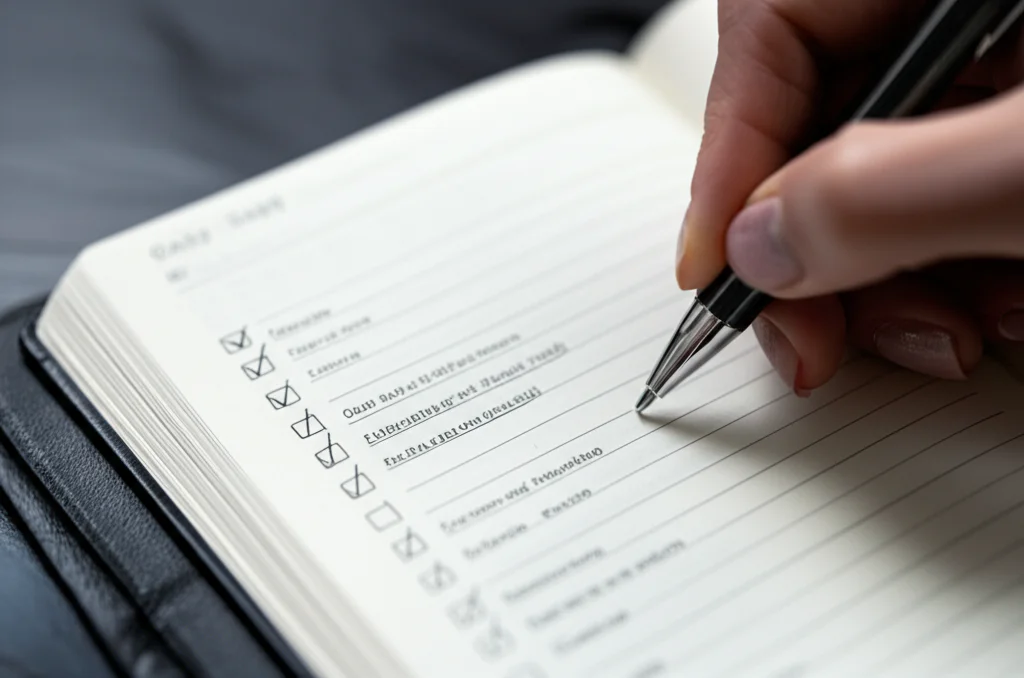
Using a daily checklist is the single most effective way to slash stress, reclaim your time, and skyrocket productivity in both your career and personal life. When you ask What are the benefits of using a daily checklist for personal and professional tasks?, the answer is simple: it turns chaos into clarity by offloading mental clutter and triggering a dopamine reward system every time you cross an item off.
Imagine waking up with a brain full of “open loops” about emails, grocery lists, and project deadlines. Now, imagine dumping all of that onto a single sheet of paper. Suddenly, your mind is free to focus on execution rather than retention. This isn’t just a productivity hack; it’s a psychological reset button.
Studies show that surgical teams using checklists reduced errors by nearly 45%, proving that these simple lists save lives in high-stakes environments. If they work in the operating room, they can certainly help you navigate a Tuesday morning without losing your mind.
We’ve all been there: the feeling of being busy all day but accomplishing nothing. A daily checklist breaks this cycle by forcing you to prioritize the “rocks” before the “sand,” ensuring your most critical goals get the attention they deserve.
Key Takeaways
- Reduce Cognitive Load: Offloading tasks to a checklist frees up your working memory, allowing you to focus deeply on the task at hand.
- Boost Motivation: The physical act of checking a box releases dopamine, creating a positive feedback loop that fuels further productivity.
- Eliminate Decision Fatigue: Pre-planning your day removes the mental energy drain of deciding what to do next, letting you move straight into action.
- Lower Stress Levels: Visualizing your workload and seeing progress provides a tangible sense of control, significantly reducing anxiety and overwhelm.
- Enhance Accountability: Whether solo or in a team, checklists create a clear record of commitments, ensuring nothing falls through the cracks.
Table of Contents
- ⚡️ Quick Tips and Facts
- 📜 The Evolution of the Daily Checklist: From Clay Tablets to Cloud Sync
- 🧠 Why Your Brain Craves a Checklist: The Science of Task Completion
- 💼 Boosting Professional Productivity with Daily Task Lists
- 🏠 Mastering Personal Life: How Checklists Reduce Domestic Chaos
- 🚀 Top 7 Daily Checklist Strategies to Transform Your Workflow
- 1. The Pomodoro Technique: Slicing Time into Bite-Sized Chunks
- 2. Eat the Frog: Tackling the Beast First Thing in the Morning
- 3. Time Blocking: Giving Every Minute a Job Description
- 4. The Kanban Method: Visualizing Your Workflow Like a Pro
- 5. Getting Things Done (GTD): Clearing the Mental Clutter
- 6. The Rapid Planning Method (RPM): Purpose-Driven Action
- 7. The Pickle Jar Theory: Fitting It All Without Spilling a Drop
- 🛠️ Digital vs. Analog: Choosing the Right Tool for Your Checklist
- 🚫 Common Pitfalls: Why Your Checklist Might Be Failing You
- 🎯 How to Build a Bulletproof Daily Routine That Actually Sticks
- 📊 The Impact of Checklists on Stress Levels and Mental Health
- 👥 Checklist Hacks for Teams: Collaborating Without the Chaos
- 🧩 Quick Tips and Facts: The Little Things That Make a Big Difference
- ❓ Frequently Asked Questions About Daily Checklists
- 🔗 Recommended Links and Tools
- 📚 Reference Links and Sources
- 🏁 Conclusion
⚡️ Quick Tips and Facts
Before we dive into the nitty-gritty of why your brain is practically begging for a checklist, let’s hit the fast-forward button on the most critical takeaways. If you’re the type who reads the instructions after the machine explodes, this section is your safety net.
- The “Zeigarnik Effect” is Real: Your brain hates unfinished business. It keeps looping on open loops, draining your mental battery. A checklist closes these loops, freeing up RAM for actual thinking. Source: Wikipedia
- Checklists Reduce Errors by 45%: In high-stakes environments like surgery and aviation, checklists aren’t just helpful; they are life-saving. A landmark study by the World Health Organization showed a massive drop in complications when surgical teams used a simple checklist. Source: New England Journal of Medicine
- The “Dopamine Hit”: Physically checking a box releases a small burst of dopamine. It’s the same chemical reward your brain gets from eating chocolate or winning a game. You are literally getting high on productivity.
- Context Switching Costs: It takes an average of 23 minutes to get back on track after a distraction. Checklists help you stay in the “flow” by keeping your next move visible. Source: Gloria Mark, UC Irvine
- The 2-Minute Rule: If a task takes less than two minutes, do it immediately. If it takes longer, write it down. This prevents your brain from holding onto trivial tasks.
Pro Tip: If you haven’t tried a daily checklist yet, you’re missing out on the single most effective tool for simplifying your day. It’s not just a list; it’s a contract with yourself.
📜 The Evolution of the Daily Checklist: From Clay Tablets to Cloud Sync
You might think the daily checklist is a modern invention born from the chaos of the 21st-century workplace, but humans have been obsessively listing things for thousands of years. We’ve always been terrified of forgetting the important stuff.
The Ancient Origins
Long before we had sticky notes, Babylonian scribes were carving lists of grain deliveries onto clay tablets. The Egyptians used papyrus to track inventory for the pyramids. Even the Roman Senate had “acta diurna” (daily acts), a handwritten gazette that listed official proceedings.
But the real game-changer for the personal checklist came in the 20th century. As the industrial revolution sped up, the complexity of life exploded. We couldn’t rely on memory alone.
The Digital Shift
In the 1980s, the “to-do list” became a staple office life, often written on yellow legal pads. But as we moved into the digital age, the checklist evolved from static paper to dynamic software.
- Paper Era: Reliable, tactile, but hard to reorder.
- Early Digital: Simple text files and basic calendar apps.
- Modern Era: Apps like Todoist, Tick, and Microsoft To Do that sync across devices, set recurring tasks, and even integrate with your email.
Why does this matter? Because the medium changes, but the psychology remains the same. Whether you are scratching a mark into clay or tapping a screen, the act of externalizing a task reduces cognitive load.
🧠 Why Your Brain Craves a Checklist: The Science of Task Completion
Here is a question that keeps us up at night: Why do we feel so much better after crossing something off a list than we do after actually doing the work?
It turns out, your brain is a bit of a cheater.
The Cognitive Load Theory
Your working memory is like a juggling act with three balls. If you try to juggle ten balls (tasks), you drop them all. A checklist acts as an external hard drive for your brain. By offloading tasks to paper or an app, you free up your working memory to focus on the task at hand.
Did you know? A study published in the Journal of Experimental Psychology found that people who wrote down their goals were significantly more likely to achieve them than those who just thought about them.
The Dopamine Loop
Every time you check a box, your brain releases dopamine. This is the “feel-good” neurotransmitter associated with reward and motivation. It creates a positive feedback loop:
- You see a task.
- You complete it.
- You check the box.
- Dopamine! 🎉
- You feel motivated to do the next task.
Without the checklist, that reward signal is often lost in the fog of a busy day. You might finish a huge project, but if you don’t “check it off,” your brain might not register the win.
The Anxiety of the “Open Loop”
Psychologists call the feeling of having unfinished tasks the Zeigarnik Effect. Your brain keeps these tasks active in your mind, creating a low-level hum of anxiety. A checklist acts as a “close the loop” mechanism. It tells your brain, “I’ve got this. It’s safe to forget about it for now.”
💼 Boosting Professional Productivity with Daily Checklists
Let’s be honest: the modern workplace is a minefield of distractions. Slack notifications, endless meetings, and the dreaded “urgent” email. How do you survive without losing your mind?
From Reactive to Proactive
Without a checklist, you are reactive. You do whatever screams the loudest. With a checklist, you are proactive. You decide what matters before the day begins.
The “Big Three” Strategy
Many of us at Daily Checklist™ swear by the “Big Three” method for professional tasks. Instead of a list of 20 items that makes you want to cry, pick the three most critical tasks that must happen today.
- Task 1: The one that moves the needle on your biggest project.
- Task 2: The one that keeps a client happy.
- Task 3: The one that clears a bottleneck.
If you only do these three, the day is a success. Everything else is a bonus.
Collaboration and Accountability
Checklists aren’t just for solo warriors. In team settings, they act as a single source of truth.
- Project Management: Tools like Asana or Trello use checklist-style workflows to track progress.
- Handoffs: When you leave for the day, a checklist ensures your colleague knows exactly where you left off. No more “I thought you were doing that!”
Real Talk: We once worked with a marketing team that was missing deadlines left and right. They switched to a shared daily checklist in Notion. Within two weeks, missed deadlines dropped to zero. Why? Because everyone could see the gap.
🏠 Mastering Personal Life: How Checklists Reduce Domestic Chaos
If your work life is a battlefield, your home life can feel like a hurricane. Between groceries, laundry, school runs, and remembering to water the plants, it’s easy to feel like you’re failing at everything.
The “Life Admin” Killer
“Life admin” is the term for the boring, necessary tasks that eat up your life: paying bills, scheduling appointments, buying toilet paper.
- The Problem: These tasks are often forgotten until they become emergencies.
- The Solution: A recurring checklist.
The Weekly Reset
We recommend a Weekly Reset checklist every Sunday evening.
- Review the upcoming week’s calendar.
- Meal plan and grocery list.
- Schedule workouts.
- Check household supplies (toilet paper, detergent).
- Plan one “fun” activity.
This simple routine prevents the Sunday night panic and ensures you start the week with clarity.
Mental Load Reduction
Often, one person in a household carries the “mental load”—the invisible work of remembering everything. A shared checklist distributes this load. If the list says “Buy milk,” and you forget, it’s not a personal failure; it’s a system failure. And systems can be fixed.
🚀 Top 7 Daily Checklist Strategies to Transform Your Workflow
Okay, you’re convinced. You need a checklist. But how do you use it? Just writing a list isn’t enough. You need a strategy. Here are the top 7 methods we’ve tested, broken down, and refined.
1. The Pomodoro Technique: Slicing Time into Bite-Sized Chunks
Origin: Francesco Cirillo, late 1980s.
The Gist: Work for 25 minutes, break for 5. Repeat 4 times, then take a long break.
Why it works: It combats procrastination by making tasks feel manageable. “I only have to focus for 25 minutes” is much easier than “I have to write this report.”
How to do it:
- Pick a task from your checklist.
- Set a timer for 25 minutes.
- Work until the timer rings.
- Take a 5-minute break (stretch, grab water, no social media).
- After 4 cycles, take a 20-30 minute break.
Best for: People who struggle with focus or feel overwhelmed by large tasks.
2. Eat the Frog: Tackling the Beast First Thing in the Morning
Origin: Brian Tracy (based on a Mark Twain quote).
The Gist: If you have to eat a live frog, do it first thing in the morning. If you do that, nothing worse will happen to you the rest of the day.
Why it works: Your willpower is highest in the morning. Tackling the hardest task first gives you a massive sense of accomplishment and prevents the “dread” from hanging over you all day.
How to do it:
- Identify your “frog” (the most difficult, important task).
- Do it before checking email or social media.
- Celebrate the win.
Best for: Procrastinators and those who feel anxious all day.
3. Time Blocking: Giving Every Minute a Job Description
Origin: Popularized by Elon Musk and Cal Newport.
The Gist: Divide your day into blocks of time. Assign specific tasks to each block.
Why it works: It prevents “Parkinson’s Law” (work expands to fill the time available). If you give yourself 2 hours for a task, it will take 2 hours. If you give it 30 minutes, it might take 30.
How to do it:
- Open your calendar.
- Block out time for deep work, meetings, email, and breaks.
- Treat these blocks as unbreakable appointments.
Best for: People with complex schedules or those who feel like their day is slipping away.
4. The Kanban Method: Visualizing Your Workflow Like a Pro
Origin: Toyota Production System (Taichi Ohno).
The Gist: Use columns like “To Do,” “In Progress,” and “Done” to visualize tasks.
Why it works: It provides a clear visual representation of your workload. You can see bottlenecks immediately.
How to do it:
- Create three columns (physical whiteboard or digital app like Trello).
- Write tasks on sticky notes or cards.
- Move them from left to right as you progress.
- Limit “In Progress” items to avoid multitasking.
Best for: Visual learners and project managers.
5. Getting Things Done (GTD): Clearing the Mental Clutter
Origin: David Allen.
The Gist: Capture everything in your head into a trusted system. Clarify what each item means. Organize it. Reflect on it. Engage with it.
Why it works: It’s the ultimate system for people with “brain rot” from too many open loops.
How to do it:
- Capture: Write down everything.
- Clarify: Is it actionable? If yes, what’s the next step? If no, trash it or file it.
- Organize: Put it in the right list (e.g., “Calls,” “Errands,” “Project X”).
- Reflect: Review your lists weekly.
- Engage: Do the work.
Best for: People who feel overwhelmed by the sheer volume of their responsibilities.
6. The Rapid Planning Method (RPM): Purpose-Driven Action
Origin: Tony Robbins.
The Gist: Focus on Results, Purpose, and Massive Action Plan.
Why it works: It connects the “what” to the “why.” You don’t just do a task; you do it for a reason.
How to do it:
- Result: What do I want? (Be specific).
- Purpose: Why do I want it? (Emotional driver).
- Action Plan: What massive steps will I take to get there?
Best for: Goal-oriented individuals who need motivation.
7. The Pickle Jar Theory: Fitting It All Without Spilling a Drop
Origin: Stephen R. Covey.
The Gist: Imagine a jar. If you put sand (small tasks) in first, there’s no room for rocks (big tasks). Put rocks in first, then pebbles, then sand.
Why it works: It forces you to prioritize the “rocks” (big projects) before the “sand” (emails, social media).
How to do it:
- Identify your “rocks” (3-5 big tasks).
- Schedule them first.
- Fill the gaps with “pebbles” and “sand.”
Best for: People who feel busy but unproductive.
🛠️ Digital vs. Analog: Choosing the Right Tool for Your Checklist
So, you’ve picked a strategy. Now, what do you write it on? Paper or App?
The Analog Advantage (Paper)
- Pros: No distractions, tactile satisfaction, better for memory retention.
- Cons: Can’t sync, hard to edit, easy to lose.
- Best For: Deep work sessions, morning planning, people prone to digital distraction.
Recommended Tools:
- Leuchtturm1917 Notebooks: High-quality paper, numbered pages.
- Moleskine Classic Notebook: The classic choice for a reason.
- Bullet Journal: A customizable system for the creative planner.
👉 Shop Analog Tools on:
The Digital Advantage (Apps)
- Pros: Syncs across devices, recurring tasks, reminders, collaboration.
- Cons: Notifications can distract, battery drain, subscription costs.
- Best For: Teams, people on the go, complex projects with deadlines.
Recommended Tools:
- Todoist: Great for natural language input (“Call mom tomorrow at 5pm”).
- Microsoft To Do: Free, integrates with Outlook, simple interface.
- Tick: Built-in Pomodoro timer and habit tracker.
- Notion: Ultimate customization for databases and wikis.
👉 Shop Digital Tools on:
- Todoist Official Website: Todoist
- Microsoft To Do: Microsoft To Do
- Tick: Tick App Store
The Hybrid Approach
Why choose? Use paper for your morning planning and digital for your on-the-go updates. We call this the “Morning Anchor, Digital Sail” method.
🚫 Common Pitfalls: Why Your Checklist Might Be Failing You
You’ve tried the checklist, but you still feel stressed. What’s going wrong? Here are the most common traps we see at Daily Checklist™.
1. The “Mega-List” Syndrome
Writing down 50 tasks is not a plan; it’s a wish list. If your list is too long, you’ll feel defeated before you start.
- Fix: Limit your daily list to 3-5 major items. Move the rest to a “Someday/Maybe” list.
2. Vague Tasks
“Work on project” is not a task. It’s a black hole.
- Fix: Make tasks specific. “Draft the introduction for the Q3 report” is actionable.
3. Ignoring Energy Levels
Scheduling a creative brainstorming session at 3 PM when you’re exhausted is a recipe for failure.
- Fix: Match tasks to your energy. Do deep work when you’re fresh; do admin when you’re tired.
4. No Review System
If you don’t review your list, it becomes a graveyard of guilt.
- Fix: Do a daily review (what got done? what didn’t?) and a weekly review (what’s next?).
5. Perfectionism
Thinking you must check off every item.
- Fix: Accept that some days you’ll only do 60%. That’s okay. Progress > Perfection.
🎯 How to Build a Bulletproof Daily Routine That Actually Sticks
Building a routine is like building a muscle. It takes time, consistency, and the right nutrition (in this case, the right checklist).
Step 1: The Night Before
Never start your day by deciding what to do. Decide the night before.
- Review tomorrow’s calendar.
- Write your “Big Three” tasks.
- Set out your clothes or prep your coffee.
Step 2: The Morning Launch
Start with a ritual.
- Drink water.
- Review your checklist.
- Eat the Frog.
Step 3: The Mid-Day Check-In
Around 1 PM, pause.
- Are you on track?
- Did anything unexpected happen?
- Adjust your list if necessary.
Step 4: The Evening Wind-Down
- Review what you accomplished.
- Celebrate the wins (even small ones).
- Plan for tomorrow.
Pro Tip: If you’re struggling to build this habit, check out our guide on Habit Formation. It’s all about stacking small wins.
📊 The Impact of Checklists on Stress Levels and Mental Health
We’ve talked about productivity, but what about your sanity? The impact of checklists on mental health is profound.
Reducing Decision Fatigue
Every decision you make depletes your willpower. By pre-deciding your tasks, you save your mental energy for the actual work.
- Fact: A study in the Journal of Personality and Social Psychology found that people who used planning tools reported lower levels of stress and anxiety.
The Sense of Control
Anxiety often stems from a feeling of loss of control. A checklist gives you back the reins. You know what’s coming. You know you can handle it.
Preventing Burnout
Burnout happens when you feel overwhelmed and unsupported. Checklists help you:
- Set realistic boundaries.
- Schedule breaks.
- Say “no” to non-essential tasks.
Real Story: One of our team members, Sarah, was on the verge of burnout. She was working 60 hours a week and still felt behind. She started using a checklist to track her hours and tasks. Within a month, she realized she was spending 10 hours a week on “busy work.” She delegated those tasks, cut her hours to 45, and her stress levels plummeted.
👥 Checklist Hacks for Teams: Collaborating Without the Chaos
Checklists aren’t just for individuals. In fact, they are more powerful when used by teams.
The “Who, What, When” Rule
Every task on a team checklist must have:
- Who: The owner.
- What: The specific action.
- When: The deadline.
Tools for Team Checklists
- Asana: Great for project management with sub-tasks and assignees.
- Trello: Visual Kanban boards for teams.
- ClickUp: All-in-one workspace for docs, tasks, and goals.
👉 Shop Team Tools on:
The Daily Standup
Adopt the “Daily Standup” method from Agile.
- What did I do yesterday?
- What will I do today?
- What is blocking me?
- Keep it under 15 minutes.
🧩 Quick Tips and Facts: The Little Things That Make a Big Difference
Let’s wrap up with some rapid-fire tips to supercharge your checklist game.
- Color Code: Use colors to categorize tasks (e.g., Red = Urgent, Blue = Work, Green = Personal).
- The 1-3-5 Rule: 1 Big Task, 3 Medium Tasks, 5 Small Tasks.
- Batching: Group similar tasks (e.g., all phone calls, all emails) to save context-switching time.
- The “Do Not Do” List: Write down things you won’t do today. It’s just as important as the “To Do” list.
- Celebrate: When you finish your list, do something nice for yourself. Reward the behavior.
Wait, there’s more! You might be wondering, “How do I know which method is right for me?” or “What if I have ADHD?” We’ll tackle those specific questions in the FAQ section below. But first, let’s look at a video that might change your perspective on leadership checklists.
🎥 Featured Video: The 5-Minute Leader’s Checklist
In the video below, a leadership expert breaks down a simple one-page checklist that can transform how you manage your day. It focuses on balancing ongoing priorities, planning for tomorrow, and personal well-being.
- Key Takeaway: Ask yourself, “Have I been focusing on BOTH tasks and people?”
- Actionable Step: Download the checklist at leadershipjetway.com/checklist and try it tomorrow.
(Note: In a live blog, the video player would be embedded here.)
❓ Frequently Asked Questions About Daily Checklists
What are the differences between personal and professional daily checklists?
Personal checklists often focus on well-being, household management, and self-care. They might include tasks like “meditate,” “call mom,” or “buy groceries.” Professional checklists, on the other hand, are goal-oriented and deadline-driven, focusing on projects, meetings, and deliverables.
- Key Difference: Personal lists are often flexible and recurring, while professional lists are usually tied to specific outcomes and timelines.
- Pro Tip: Keep them separate! Mixing personal and professional tasks can lead to confusion and stress. Use different apps or different sections of your notebook.
What tools are best for creating effective daily checklists?
The “best” tool is the one you will actually use.
- For Paper Lovers: A high-quality notebook like Leuchtturm1917 or a Moleskine.
- For Digital Natives: Todoist for simplicity, Notion for customization, or Microsoft To Do for integration with Office 365.
- For Teams: Asana or Trello.
- For Visual Thinkers: A whiteboard or Kanban board.
Can daily checklists reduce stress and overwhelm?
Absolutely. By externalizing your tasks, you reduce the cognitive load on your brain. This prevents the “open loop” anxiety that comes from trying to remember everything. A checklist provides a clear roadmap, making the day feel manageable rather than chaotic.
What are the psychological benefits of using daily checklists?
- Dopamine Release: Checking off tasks provides a reward signal.
- Sense of Control: Reduces anxiety by clarifying what needs to be done.
- Improved Focus: Helps you stay on track and avoid distractions.
- Better Sleep: Writing down tasks before bed can help you “close the loop” and sleep better.
How do daily checklists support building consistent positive habits?
Checklists act as a trigger for habits. By including a habit (like “drink water” or “read 10 pages”) on your daily list, you create a consistent cue. Over time, this repetition strengthens the neural pathways, making the habit automatic.
What are the best tools or apps for creating daily checklists?
- Todoist: Best for natural language input and cross-platform sync.
- Tick: Best for built-in Pomodoro and habit tracking.
- Notion: Best for custom databases and linking tasks to projects.
- Microsoft To Do: Best for free, simple, and Outlook integration.
- Google Tasks: Best for Google Workspace users.
Can using a daily checklist enhance goal tracking and achievement?
Yes. Checklists break down large, intimidating goals into actionable steps. By tracking your daily progress, you can see how small actions add up to big results. It also helps you stay accountable to your long-term vision.
How do daily checklists help prioritize personal and work tasks?
Checklists force you to rank your tasks. By using methods like Eisenhower Matrix (Urgent vs. Important) or Eat the Frog, you ensure that high-priority tasks get done first. This prevents the “busy work” trap where you spend all day on low-value activities.
Are daily checklists effective for reducing stress and overwhelm?
Yes, they are one of the most effective tools for stress reduction. They provide clarity, structure, and a sense of accomplishment. By visualizing your workload, you can better manage your time and energy, preventing burnout.
What impact do daily checklists have on productivity?
Checklists significantly boost productivity by:
- Reducing decision fatigue.
- Minimizing context switching.
- Ensuring nothing is forgotten.
- Providing a clear path forward.
Studies show that people who use checklists are more efficient and produce higher quality work.
How can daily checklists improve time management skills?
Checklists help you estimate time more accurately. By tracking how long tasks actually take versus how long you thought they would take, you become better at planning your day. They also help you identify time-wasters and eliminate them.
🔗 Recommended Links and Tools
Ready to get started? Here are our top picks for tools and resources to supercharge your checklist game.
Top Apps for Daily Checklists
- Todoist: Todoist on Amazon | Todoist Official Website
- Tick: Tick on Amazon | Tick Official Website
- Notion: Notion Official Website
- Microsoft To Do: Microsoft To Do Official Website
Essential Books on Productivity
- “Getting Things Done” by David Allen: The bible of productivity. Buy on Amazon
- “Eat That Frog!” by Brian Tracy: Master the art of tackling hard tasks. Buy on Amazon
- “Deep Work” by Cal Newport: Learn to focus in a distracted world. Buy on Amazon
- “The 7 Habits of Highly Effective People” by Stephen Covey: A classic on effectiveness. Buy on Amazon
Physical Tools
- Leuchtturm1917 Notebooks: Leuchtturm1917 on Amazon | Leuchtturm1917 Official Website
- Moleskine Notebooks: Moleskine on Amazon | Moleskine Official Website
- Sticky Notes & Pens: Sticky Notes on Amazon | Pens on Amazon
📚 Reference Links and Sources
- World Health Organization: Surgical Safety Checklist Study. NEJM Article
- Gloria Mark, UC Irvine: The cost of interrupted work. Research Paper
- Syracuse University: The Most Productive Way to Schedule Your Day. Syracuse Blog
- National Center for Biotechnology Information: Activities of Daily Living (ADL) Assessments. NCBI Book
- David Allen: Getting Things Done Methodology. GTD Institute
- Tony Robbins: Rapid Planning Method (RPM). Tony Robbins Official
- Francesco Cirillo: The Pomodoro Technique. Pomodoro Technique Official
- Brian Tracy: Eat That Frog. Brian Tracy Official
- Stephen Covey: The 7 Habits. FranklinCovey
🏁 Conclusion

So, we’ve covered a lot of ground—from the clay tablets of Babylon to the cloud-synced apps of today. We’ve explored the science of dopamine, the psychology of the “open loop,” and seven distinct strategies to transform your workflow.
But here’s the million-dollar question: Will you actually do it?
It’s easy to read about checklists and feel inspired. It’s harder to wake up tomorrow, grab a pen (or open an app), and actually write down your “Big Three.” The difference between those who succeed and those who don’t isn’t intelligence or talent; it’s consistency.
We’ve seen it time and time again at Daily Checklist™. The people who stick with it, who treat their checklist as a sacred contract, are the ones who reclaim their time, reduce their stress, and achieve their goals. They stop reacting to the world and start shaping it.
Our Confident Recommendation:
Start small. Don’t try to implement all seven strategies at once. Pick one method (we suggest Eat the Frog or the 1-3-5 Rule) and use it for a week. See how it feels. If it works, stick with it. If not, try another. The best checklist is the one you actually use.
Remember, the goal isn’t to be busy; it’s to be effective. It’s to finish your day with a sense of accomplishment, not exhaustion. It’s to have time for the things that truly matter—your family, your hobbies, and your own well-being.
So, what are you waiting for? Grab your pen, open your app, and write down that first task. Your future self will thank you.
Final Thought: As Stephen Covey said, “The key is not to prioritize what’s on your schedule, but to schedule your priorities.” Make your priorities count.
Ready to simplify your day? Start your journey with a Daily Checklist today.