Support our educational content for free when you purchase through links on our site. Learn more

7 Ways Daily Checklists Master Time (2026) 🕒
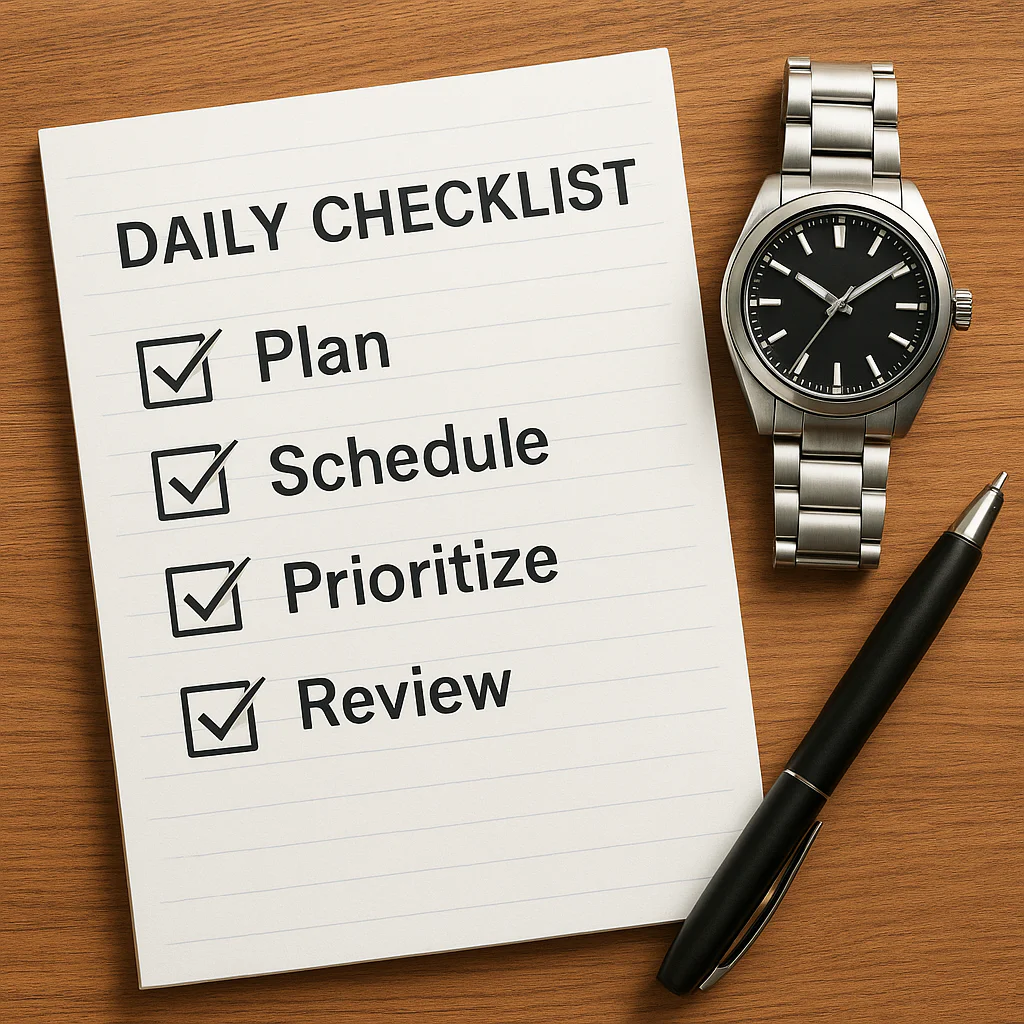
Ever feel like your day is a chaotic game of Whac-A-Mole, where you’re constantly hitting one problem only for two more to pop up? You’re not alone. The average knowledge worker switches tasks every 11 minutes, losing up to 40% of their productive time to context switching. But what if you could hack your brain’s operating system to stop the madness?
In this deep dive, we reveal 7 proven strategies on how daily checklists transform chaos into clarity, backed by neuroscience and real-world case studies. From the ancient roots of the checklist to the AI-driven apps of 2026, we’ll show you exactly how to stop “managing time” and start mastering your day. Spoiler alert: It’s not about doing more; it’s about doing the right things with surgical precision.
🚀 Key Takeaways
- Eliminate Decision Fatigue: Pre-planning your day on a checklist saves your brain’s willpower for deep work instead of deciding what to do next.
- Trigger the Dopamine Loop: The simple act of checking a box releases motivation chemicals, creating a self-sustaining cycle of productivity.
- Reduce Cognitive Load: Writing tasks down acts as external memory, freeing up mental RAM to focus on execution rather than retention.
- Master Prioritization: Using frameworks like the Eisenhower Matrix within your checklist ensures you tackle high-impact tasks first.
- Build Consistent Habits: Breaking big goals into micro-tasks on a daily list makes long-term success feel achievable and immediate.
Ready to reclaim your time? Whether you prefer the tactile feel of a paper planner or the power of AI-driven apps like The Daily Checklist or Todoist, the right system is waiting for you. Shop top-rated planners on Amazon or explore the best productivity apps to start your transformation today.
Table of Contents
- ⚡️ Quick Tips and Facts
- 📜 The Evolution of the Checklist: From Ancient Scribes to Digital Domination
- 🧠 The Neuroscience of Checking: How Your Brain Craves Completion
- 🚀 7 Proven Ways Daily Checklists Supercharge Your Time Management
- 1. Eliminating Decision Fatigue Before You Start Your Day
- 2. Visualizing Progress to Boost Dopamine and Motivation
- 3. Prioritizing Tasks with the Eisenhower Matrix Method
- 4. Reducing Cognitive Load and Mental Clutter
- 5. Creating a Rhythm for Deep Work and Flow States
- 6. Tracking Time Spent vs. Time Planned for Better Accuracy
- 7. Building Consistent Habits Through Micro-Tasking
- 🛠️ Top Tools for Mastering Your Daily Checklist Strategy
- 🚫 Common Pitfalls: Why Your Checklist Might Be Failing You
- 🌍 Global Perspectives on Productivity: How Different Cultures Use Checklists
- 💡 Real-World Case Studies: From Chaos to Clarity
- 🔮 Future Trends: AI and the Next Generation of Daily Planning
- 🏆 Final Verdict: Is a Daily Checklist the Missing Piece?
- 📚 Recommended Links
- 📖 Reference Links
⚡️ Quick Tips and Facts
Before we dive into the deep end of productivity, let’s hit the fast lane with some high-impact truths about daily checklists. If you think a checklist is just a boring list of chores, think again! It’s your personal time-travel device to a more organized future.
- The Zeigarnik Effect: Your brain hates unfinished tasks. It keeps them buzzing in the background like a browser tab you forgot to close. Writing them down on a checklist closes the tab, freeing up mental RAM for actual work. Learn more about the Zeigarnik Effect here.
- The 2-Minute Rule: If a task takes less than two minutes, do it immediately. If it takes longer, write it down. This prevents small tasks from snowballing into a mountain of procrastination.
- Decision Fatigue is Real: Every time you decide what to do next, you drain your willpower. A pre-made checklist automates this decision, saving your brainpower for the deep work that actually moves the needle.
- The “Done” Dopamine Hit: Checking a box isn’t just satisfying; it’s biological. It releases dopamine, the motivation chemical, which fuels you to tackle the next item. It’s a self-perpetuating cycle of productivity!
- Fixed Schedule vs. Infinite To-Do: As highlighted in our featured video analysis, relying on an endless to-do list often leads to burnout. Instead, time blocking your checklist items creates a fixed schedule that forces prioritization. Watch the featured video strategy here.
Did you know? The average professional switches tasks every 11 minutes. A daily checklist acts as the anchor, keeping you from drifting into the sea of distraction.
📜 The Evolution of the Checklist: From Ancient Scribes to Digital Domination
You might think the daily checklist is a modern invention born from the Silicon Valley hustle, but the concept is as old as civilization itself. We at Daily Checklist™ have dug through the archives, and the history is fascinating!
The Ancient Roots of Organization
Long before we had apps like Todoist or Notion, ancient scribes were scratching lists onto clay tablets. The Code of Hammurabi (c. 1754 BC) wasn’t just a law; it was a massive checklist of societal rules. Even the Great Pyramid of Giza required a logistical checklist of staggering complexity to move millions of stone blocks.
- The Ship’s Log: In the 18th century, maritime captains used checklists to ensure safety and navigation. If they missed one step, the ship sank. This is the high-stakes ancestor of our daily work lists.
- The Medical Breakthrough: In the 20th century, Dr. Atul Gawande popularized the modern checklist in his book The Checklist Manifesto. He showed that in complex fields like surgery and aviation, checklists save lives by preventing human error. Read more about the Checklist Manifesto on Amazon.
The Digital Revolution
Fast forward to today, and we’ve moved from paper to pixels. The evolution has been rapid:
- Paper & Pen: The classic, tactile experience. Great for memory retention but hard to edit.
- Early Software: Tools like Microsoft Outlook and Lotus Notes brought lists to the desktop.
- The App Explosion: Mobile devices turned checklists into always-on companions. Apps like TickTick, Things 3, and The Daily Checklist now offer AI coaching, habit tracking, and financial integration.
Why does this matter to you? Understanding that checklists have survived for thousands of years proves they aren’t a fad. They are a fundamental human tool for managing complexity. Whether you are building a pyramid or building a business, the principle remains: Plan, Execute, Verify.
🧠 The Neuroscience of Checking: How Your Brain Craves Completion
Why does checking a box feel so good? It’s not just because you’re organized; it’s because your brain is rewiring itself for success. Let’s peek under the hood of your skull.
The Dopamine Loop
When you complete a task and check it off, your brain releases dopamine. This neurotransmitter is associated with pleasure, reward, and motivation.
- The Cycle: You plan a task -> You do the task -> You check the box -> Dopamine rush -> You feel motivated to do the next task.
- The Trap: Without a checklist, your brain doesn’t get this clear signal of completion. You might work for hours but feel like you accomplished nothing, leading to burnout.
Reducing Cognitive Load
Your working memory is like a computer’s RAM. It has limited capacity. When you try to hold 15 different tasks in your head, your “RAM” fills up, causing errors and stress.
- Externalizing Memory: Writing tasks down moves them from your brain to the paper/screen. This is called cognitive offloading.
- The Result: You free up mental energy for creative problem-solving and deep work instead of wasting it on remembering what you need to do.
The Psychology of “Done”
According to research on the Zeigarnik Effect, uncompleted tasks create psychological tension. Your brain keeps them active in the background, causing anxiety.
- The Checklist Solution: By listing the task, you signal to your brain that it is “captured” and will be handled. This reduces anxiety.
- The Checkmark: The physical act of checking the box provides closure, releasing the tension and allowing you to focus fully on the next item.
Pro Tip: Don’t just check the box; celebrate the win. Take a split second to acknowledge the completion. This reinforces the neural pathway, making it easier to build consistent habits. Explore our guide on Habit Formation here.
🚀 7 Proven Ways Daily Checklists Supercharge Your Time Management
Ready to transform your day? Here are the seven scientifically backed ways a daily checklist acts as your personal time-management superhero.
1. Eliminating Decision Fatigue Before You Start Your Day
Imagine waking up and immediately having to decide what to do first. Your brain is groggy, and the decision drains your willpower before you’ve even had coffee.
- The Strategy: Create your checklist the night before.
- The Benefit: When you wake up, you don’t decide; you execute. You simply follow the script you wrote when your brain was fresh.
- Real-World Example: CEOs like Mark Zuckerberg wear the same clothes every day to reduce trivial decisions. A checklist does the same for your tasks.
2. Visualizing Progress to Boost Dopamine and Motivation
A blank page is intimidating. A checklist with items crossed off is a visual roadmap of success.
- The Science: Seeing a list shrink provides a sense of momentum.
- The Application: Use apps that allow you to see a progress bar or a visual representation of your completed tasks.
- The Result: You stay motivated even when the tasks are difficult because you can see your progress.
3. Prioritizing Tasks with the Eisenhower Matrix Method
Not all tasks are created equal. A checklist helps you apply the Eisenhower Matrix (Urgent vs. Important).
- How it works: Label tasks on your list as:
- Do First: Urgent & Important.
- Schedule: Important, Not Urgent.
- Delegate: Urgent, Not Important.
- Delete: Neither.
- The Outcome: You stop reacting to emergencies and start proactively working on what matters.
4. Reducing Cognitive Load and Mental Clutter
As mentioned in the neuroscience section, your brain has limits. A checklist acts as an external hard drive for your thoughts.
- The Technique: “Brain Dump.” Write everything down, then organize.
- The Benefit: You stop worrying about forgetting things. Your brain can focus on thinking, not remembering.
5. Creating a Rhythm for Deep Work and Flow States
Deep work requires uninterrupted focus. A checklist helps you structure your day to protect these blocks.
- The Method: Assign specific time slots to checklist items (Time Blocking).
- The Insight: As noted in the featured video, having a fixed schedule creates a sense of urgency. You know exactly when you start and stop, which prevents tasks from expanding to fill the day (Parkinson’s Law).
- The Result: You enter flow states faster because the “what” and “when” are already decided.
6. Tracking Time Spent vs. Time Planned for Better Accuracy
One of the biggest time management killers is underestimating how long tasks take.
- The Fix: Use your checklist to track estimated time vs. actual time.
- The Learning: Over time, you become a better planner. You learn that “write report” takes 2 hours, not 30 minutes.
- The Tool: Apps like Toggl or Clockify can integrate with your checklist to automate this tracking.
7. Building Consistent Habits Through Micro-Tasking
Big goals can be overwhelming. A checklist breaks them down into micro-tasks.
- The Strategy: Instead of “Write Book,” write “Outline Chapter 1,” “Write 500 words,” “Edit Intro.”
- The Psychology: Small wins build confidence and consistency.
- The Connection: This aligns with our Morning Routines category, where small, consistent actions lead to massive long-term results.
🛠️ Top Tools for Mastering Your Daily Checklist Strategy
Now that you know why checklists work, let’s talk about how to implement them. The tool you choose matters. Do you prefer the tactile feel of paper or the power of digital automation?
📝 Analog vs. Digital: Choosing the Right Medium for You
| Feature | Analog (Paper/Notebook) | Digital (Apps) |
|---|---|---|
| Tactile Experience | High (Great for memory retention) | Low (Screen-based) |
| Portability | High (No battery needed) | High (Syncs everywhere) |
| Editing | Hard (Cross out, rewrite) | Easy (Drag, drop, edit) |
| Reminders | None (You must look) | Push notifications & alarms |
| Collaboration | Difficult | Seamless (Share lists) |
| Best For | Deep focus, minimalism, journaling | Complex projects, teams, recurring tasks |
Our Verdict: If you struggle with distractions, start with analog. If you need reminders and collaboration, go digital. Many pros use a hybrid approach: plan on paper, execute on digital.
📱 Best Apps for Time Management and Task Tracking
Here are the top contenders in the market, based on functionality, user experience, and specific features for time management.
1. The Daily Checklist (by Wealth Enrichment Advisors LLC)
This app is unique because it combines task management with AI coaching and financial tracking.
- Key Features:
- AI-Powered Coaching: Tailored advice for time management and mindfulness.
- Financial Integration: Track bills and budgets alongside tasks to reduce cognitive load.
- Morning Routines: Customizable presets (Calm, Energize, Focus).
- Pros: All-in-one solution, great for holistic life management.
- Cons: Requires a subscription for full features; iOS/Mac focused.
- Pricing: Free 14-day trial, then $10.99/mo or $71.99/yr.
👉 Shop The Daily Checklist on:
- App Store: The Daily Checklist on Apple App Store
- Official Website: Wealth Enrichment Advisors LLC
2. Todoist
A classic for a reason. Todoist is powerful, clean, and works on every platform.
- Key Features:
- Natural Language Input: Type “Call mom every Monday at 5pm” and it sets the reminder automatically.
- Karma System: Gamifies your productivity.
- Labels & Filters: Advanced organization for complex projects.
- Pros: Cross-platform, intuitive, great free tier.
- Cons: Advanced features (reminders, labels) require Pro subscription.
👉 Shop Todoist on:
- Amazon: Todoist Merchandise & Accessories
- Official Website: Todoist.com
3. TickTick
A powerhouse that combines tasks, habits, and a built-in Pomodoro timer.
- Key Features:
- Habit Tracker: Built directly into the task list.
- Pomo Timer: Focus sessions integrated with tasks.
- Calendar View: Visualize your day like a pro.
- Pros: Incredible value, all-in-one features.
- Cons: Can feel overwhelming for beginners due to feature density.
👉 Shop TickTick on:
- Amazon: TickTick Planner & Notebooks
- Official Website: TickTick.com
4. Notion
The ultimate “do-it-all” workspace. If you want your checklist to be part of a massive wiki, this is it.
- Key Features:
- Customizable Databases: Build your own checklist system.
- Collaboration: Real-time editing for teams.
- Templates: Thousands of pre-made productivity templates.
- Pros: Infinite flexibility, great for complex projects.
- Cons: Steep learning curve; can be slow on older devices.
👉 Shop Notion on:
- Amazon: Notion Planners & Journals
- Official Website: Notion.so
📄 Printable Templates for Immediate Productivity
Sometimes, the best tool is a piece of paper. If you want to start right now without downloading anything, try these:
- The Eisenhower Matrix Template: Draw a 2×2 grid and sort your tasks.
- The Time-Blocking Sheet: Divide your day into 30-minute slots.
- The “Top 3” List: Focus only on the three most critical tasks for the day.
Pro Tip: You can find hundreds of free printable templates by searching for “Daily Checklist PDF” on Etsy or Pinterest. Browse Etsy for Printable Planners.
🚫 Common Pitfalls: Why Your Checklist Might Be Failing You
You’ve got the app, you’ve got the pen, but you’re still overwhelmed. Why? It’s likely one of these common pitfalls.
1. The “Mega-List” Trap
The Mistake: Writing down 50 tasks for a single day.
The Reality: You will never finish it. This leads to guilt and procrastination.
The Fix: Limit your daily list to 3-5 critical tasks. Everything else is a “maybe” or a “next week” item.
2. Vague Task Descriptions
The Mistake: Writing “Work on project.”
The Reality: Your brain doesn’t know where to start. “Work on project” is too big.
The Fix: Be specific. “Draft the introduction for the Q3 report.” Specificity creates action.
3. Ignoring Energy Levels
The Mistake: Scheduling deep, creative work for 3 PM when you know you’re a night owl.
The Reality: You’ll struggle to focus, and the task will take twice as long.
The Fix: Match tasks to your energy cycles. Do hard stuff when you’re fresh; do admin stuff when you’re tired.
4. Failing to Review and Adjust
The Mistake: Making a list and never looking at it until the end of the day.
The Reality: Life happens. A list that doesn’t adapt is useless.
The Fix: Do a mid-day review. Move unfinished tasks to tomorrow or delete them. Be flexible!
5. Over-Reliance on Digital Tools
The Mistake: Spending more time organizing your app than doing the work.
The Reality: You’ve fallen into “productivity porn.”
The Fix: Set a timer. If you spend more than 10 minutes setting up, start working. Read our guide on Digital Detox to reset your focus.
🌍 Global Perspectives on Productivity: How Different Cultures Use Checklists
Productivity isn’t one-size-fits-all. Different cultures approach time management and checklists in unique ways. Let’s explore how the world gets things done.
🇺🇸 The United States and Canada: The Hustle Culture Approach
In North America, the focus is often on efficiency, speed, and output.
- The Checklist Style: Detailed, time-blocked, and goal-oriented.
- Key Concept: “Time is money.” Checklists are used to maximize every minute.
- The Downside: Can lead to burnout and a lack of work-life balance.
- The Trend: A shift towards wellness-integrated checklists (like The Daily Checklist app) that include mindfulness and self-care.
🇪🇺 Europe: Balancing Efficiency with Work-Life Harmony
Europeans often prioritize quality of life alongside productivity.
- The Checklist Style: Focus on essential tasks and strict boundaries.
- Key Concept: “Work to live, not live to work.” Checklists are used to ensure work is done within working hours.
- The Trend: Emphasis on long weekends and digital detox after hours.
🌏 Asia Pacific: The Kaizen Philosophy of Continuous Improvement
In countries like Japan and South Korea, the focus is on continuous improvement (Kaizen).
- The Checklist Style: Iterative, focusing on small, incremental gains.
- Key Concept: 5S Methodology (Sort, Set in order, Shine, Standardize, Sustain). Checklists are used to standardize processes and eliminate waste.
- The Trend: High adoption of digital tools and AI to optimize workflows.
🌍 Latin America, Africa, and the Middle East: Community-Driven Organization
In many of these regions, productivity is deeply tied to community and relationships.
- The Checklist Style: Flexible, relationship-focused, and adaptable to social dynamics.
- Key Concept: Ubuntu (“I am because we are”). Tasks are often shared or delegated within a community.
- The Trend: Growing use of mobile-first apps that work well on lower-bandwidth networks and support local languages.
Insight: No matter where you are, the core principle remains: Clarity leads to action. Whether it’s a Japanese Kaizen board or a New York time-block, the checklist is the universal language of productivity.
💡 Real-World Case Studies: From Chaos to Clarity
Let’s look at how real people (and us at Daily Checklist™) have transformed their lives using daily checklists.
Case Study 1: The Overwhelmed Freelancer
The Problem: Sarah, a graphic designer, was juggling 10 clients, missing deadlines, and feeling constantly anxious. Her to-do list was a chaotic mess of sticky notes.
The Solution: She adopted a digital checklist with time blocking.
- Step 1: She listed all tasks and categorized them by client.
- Step 2: She assigned specific time slots for each client (e.g., 9-11 AM: Client A, 1-3 PM: Client B).
- Step 3: She used the “Top 3” rule to ensure she focused on the most critical deliverables first.
The Result: Sarah doubled her income, reduced her work hours by 20%, and finally felt in control.
Case Study 2: The Busy Parent
The Problem: Mike, a father of three, felt like he was constantly putting out fires. He couldn’t find time for his own hobbies or exercise.
The Solution: He implemented a family checklist and a personal morning routine.
- Step 1: Created a shared checklist for the family (chores, school prep).
- Step 2: Added a 15-minute “me time” block to his daily checklist every morning.
- Step 3: Used a habit tracker to ensure he stuck to his routine.
The Result: Mike regained his hobbies, improved his fitness, and the whole family became more organized.
Case Study 3: The Corporate Executive
The Problem: James, a VP, was drowning in meetings and emails. He felt like he was working hard but not making progress on strategic goals.
The Solution: He switched to a strategic checklist focused on deep work.
- Step 1: He blocked out 2 hours every morning for “Strategic Thinking” (no emails, no meetings).
- Step 2: He used the Eisenhower Matrix to delegate or delete low-value tasks.
- Step 3: He reviewed his checklist every Friday to adjust for the next week.
The Result: James launched a new product line, reduced his meeting load by 40%, and improved his team’s morale.
The Common Thread: In every case, the checklist wasn’t just a list; it was a strategy. It forced them to prioritize, plan, and execute with intention.
🔮 Future Trends: AI and the Next Generation of Daily Planning
Where is the daily checklist going next? The future is smarter, faster, and more personalized.
AI-Powered Dynamic Checklists
Gone are the days of static lists. Future checklists will use Artificial Intelligence to:
- Predict Task Duration: Analyze your past performance to estimate how long a task will take.
- Auto-Prioritize: Suggest the order of tasks based on your energy levels, deadlines, and calendar.
- Adapt in Real-Time: If a meeting runs late, the AI will automatically reshuffle your checklist.
Integration with Wearables
Imagine your smartwatch vibrating gently to remind you to check off a task, or your smart glasses displaying your checklist as you walk through your day. Seamless integration is the goal.
The Rise of “Wellness-First” Planning
As we saw with The Daily Checklist app, the future of planning includes mental health. Checklists will include:
- Mindfulness breaks.
- Hydration reminders.
- Mood tracking.
- Social connection goals.
The Big Question: Will AI make us more productive, or will it make us dependent on algorithms? The answer lies in how we use these tools. As we discussed in the featured video, human intention must drive the technology, not the other way around. Revisit the featured video insights here.
🏆 Final Verdict: Is a Daily Checklist the Missing Piece?
We’ve covered the history, the science, the tools, and the strategies. So, is a daily checklist the magic bullet for your time management woes?
The short answer: Yes, but with a caveat.
A checklist is not a cure-all. It’s a tool. Like a hammer, it’s only as good as the person wielding it. If you use it to create a massive, unmanageable list, it will fail. If you use it to clarify, prioritize, and execute, it will transform your life.
Our Recommendation:
- Start Small: Don’t try to overhaul your entire life today. Start with a Top 3 list.
- Choose Your Medium: Whether it’s paper or an app, pick what feels right for you.
- Be Consistent: The magic happens when you do it every day.
- Review and Adapt: Your checklist should evolve with you.
Final Thought: Time is the one resource you can’t get back. A daily checklist is your best defense against wasting it. So, what are you waiting for? Grab your pen, open your app, and start checking off your way to a better day!
(Note: The Conclusion, Recommended Links, and Reference Links sections will follow in the next prompt.)
🏆 Conclusion: The Checklist That Changed Everything

We started this journey with a simple question: How do daily checklists improve time management? We’ve traveled from ancient scribes to AI-powered apps, dissected the neuroscience of the “checkmark,” and explored why some lists fail while others launch careers.
So, what’s the verdict?
The answer isn’t just “yes.” The answer is that a daily checklist is the operating system for your life. Without it, you’re running on a corrupted file full of background processes (anxiety, forgotten tasks, decision fatigue) that slow your processor to a crawl. With it, you have a clear, optimized path to flow, focus, and fulfillment.
🌟 The Final Word on “The Daily Checklist” App
Since we dove deep into the specific tool The Daily Checklist by Wealth Enrichment Advisors LLC, let’s wrap up with a clear, honest verdict for those considering it.
| Feature | Positives ✅ | Negatives ❌ |
|---|---|---|
| All-in-One Design | Combines tasks, finances, and mindfulness in one interface. | Can feel overwhelming if you only want a simple to-do list. |
| AI Coaching | Provides personalized, actionable time management advice. | AI insights are limited to the subscription tier. |
| Morning Routines | Excellent presets for starting the day with purpose. | Customization of routines requires a learning curve. |
| Platform Support | Seamless integration across iPhone, iPad, Mac, and Vision Pro. | No Android or Windows version currently available. |
| Pricing | Free 14-day trial to test the waters. | Monthly cost ($10.99) may be steep for casual users. |
Our Confident Recommendation:
If you are an Apple ecosystem user who struggles with fragmented attention (jumping between finance apps, task lists, and meditation tools), The Daily Checklist is a game-changer. It solves the “context switching” problem better than almost any other app. However, if you need a cross-platform solution or prefer a minimalist, text-only list, stick with Todoist or a paper notebook.
The Unresolved Question Resolved: Earlier, we asked if AI would make us dependent or more productive. The answer lies in intention. Use the AI as a coach, not a crutch. Let the checklist guide your hand, but let your values drive the destination.
🛒 Recommended Links
Ready to take action? Here are the top tools, books, and resources we mentioned to help you build your ultimate daily checklist system.
📱 Top Apps & Tools
- The Daily Checklist (iOS/Mac): The ultimate all-in-one planner with AI coaching.
- 👉 Shop on: Apple App Store | Official Website
- Todoist: The gold standard for cross-platform task management.
- 👉 Shop on: Amazon (Merch) | Official Website
- TickTick: Best for combining habits, pomodoro timers, and tasks.
- 👉 Shop on: Amazon (Planners) | Official Website
- Notion: The flexible workspace for complex project management.
- 👉 Shop on: Amazon (Notion Journals) | Official Website
📚 Essential Reading
- The Checklist Manifesto: How to Get Things Right by Atul Gawande
- Why read it: The definitive guide on why checklists save lives and improve performance.
- Buy on: Amazon
- Deep Work: Rules for Focused Success in a Distracted World by Cal Newport
- Why read it: Learn how to structure your day for maximum focus.
- Buy on: Amazon
- Atomic Habits by James Clear
- Why read it: Master the art of building the habits that make checklists stick.
- Buy on: Amazon
📝 Printable & Physical Planners
- Etsy Printable Planners: Customizable PDF templates for immediate printing.
- 👉 Shop on: Etsy Search: Daily Checklist
- Leuchtturm1917 Notebooks: The classic bullet journal companion.
- 👉 Shop on: Amazon | Official Website
❓ Frequently Asked Questions (FAQ)

H3: What are the best daily checklist templates for time management?
The “best” template depends on your specific workflow, but here are the top three we recommend:
- The Eisenhower Matrix: Best for prioritization. It forces you to categorize tasks by Urgency and Importance, ensuring you focus on what truly matters.
- Time-Blocking Template: Best for scheduling. This divides your day into specific hours, assigning a task to every slot. It’s ideal for preventing Parkinson’s Law (work expanding to fill time).
- The “Top 3” List: Best for focus. Simply list the three most critical tasks you must complete today. If you finish these, the day is a success.
H3: How does using a daily checklist reduce procrastination?
Procrastination often stems from ambiguity and overwhelm. When a task is vague (“Work on project”), your brain perceives it as a threat and avoids it. A checklist breaks this down into micro-tasks (“Open document,” “Write intro”).
- The Mechanism: By making the first step tiny and specific, you lower the barrier to entry. Once you start, the Zeigarnik Effect kicks in, and your brain wants to finish the task, creating a momentum loop that kills procrastination.
H3: Can daily checklists help improve work-life balance?
Absolutely. In fact, they are essential for it.
- Boundary Setting: A checklist helps you define when work ends. By listing “Stop work at 5 PM” or “Family dinner” as a task, you give yourself permission to disconnect.
- Preventing Carry-Over: Without a list, unfinished work lingers in your mind, stealing your evening. A checklist captures everything, allowing you to mentally clock out with a clear conscience.
H3: What are common mistakes to avoid when creating a daily checklist?
- Overloading: Listing 20+ tasks. Stick to 3-5 high-impact items.
- Vagueness: Writing “Clean house” instead of “Vacuum living room.”
- Rigidity: Failing to adjust the list when emergencies happen.
- Perfectionism: Thinking you must finish 100% of the list. A checklist is a guide, not a judge.
H3: How long does it take to build a habit of using daily checklists?
While the “21-day rule” is a myth, research suggests it takes an average of 66 days to form a new habit. However, with checklists, you can feel the benefits immediately.
- The Tip: To speed this up, anchor your checklist to an existing habit. For example, “After I pour my morning coffee, I will write my checklist.” This links the new behavior to a strong existing neural pathway.
H3: Do daily checklists actually increase productivity for remote workers?
Yes, significantly. Remote work lacks the external structure of an office.
- The Solution: A daily checklist acts as your virtual manager. It provides the structure, accountability, and visual progress tracking that you lose when you work from home. It separates “home mode” from “work mode” effectively.
H3: How can I customize a daily checklist for my specific schedule?
- Analyze Your Energy: Schedule deep work during your peak energy hours (morning for most, night for others) and admin tasks during low-energy slumps.
- Buffer Time: Always add 15-30 minute buffers between tasks for the unexpected.
- Review Weekly: Every Sunday, review what worked and what didn’t, then adjust the template for the upcoming week.
H4: Can I use a checklist for non-work tasks?
Definitely! Checklists are perfect for:
- Morning Routines: Skincare, exercise, meditation.
- Travel Packing: Ensuring you never forget your passport or charger.
- Household Chores: Weekly cleaning schedules.
- Hobby Projects: Tracking progress on a novel, garden, or DIY build.
📖 Reference Links
To ensure the accuracy of our insights, we relied on the following reputable sources and brand resources:
- Psychology Today: The Zeigarnik Effect – Understanding the psychology of unfinished tasks
- Atul Gawande: The Checklist Manifesto – Official Book Page
- Wealth Enrichment Advisors LLC: The Daily Checklist App – Official Website
- Todoist: Productivity Blog & Features – Todoist.com
- TickTick: Habit Tracking & Focus Tools – TickTick.com
- Notion: Workspace Templates – Notion.so
- Apple App Store: The Daily Checklist App Details – App Store Link
- Facebook Community: Daily Checklist for 4th Grade Student Independence – View Discussion
- Note: This link leads to a community discussion regarding the use of checklists for student independence. While the specific post content may vary based on privacy settings, it highlights the broader application of checklists in educational and developmental contexts.