Support our educational content for free when you purchase through links on our site. Learn more

⚡ Energy-Aware Daily Scheduling: 15 Smarter Moves
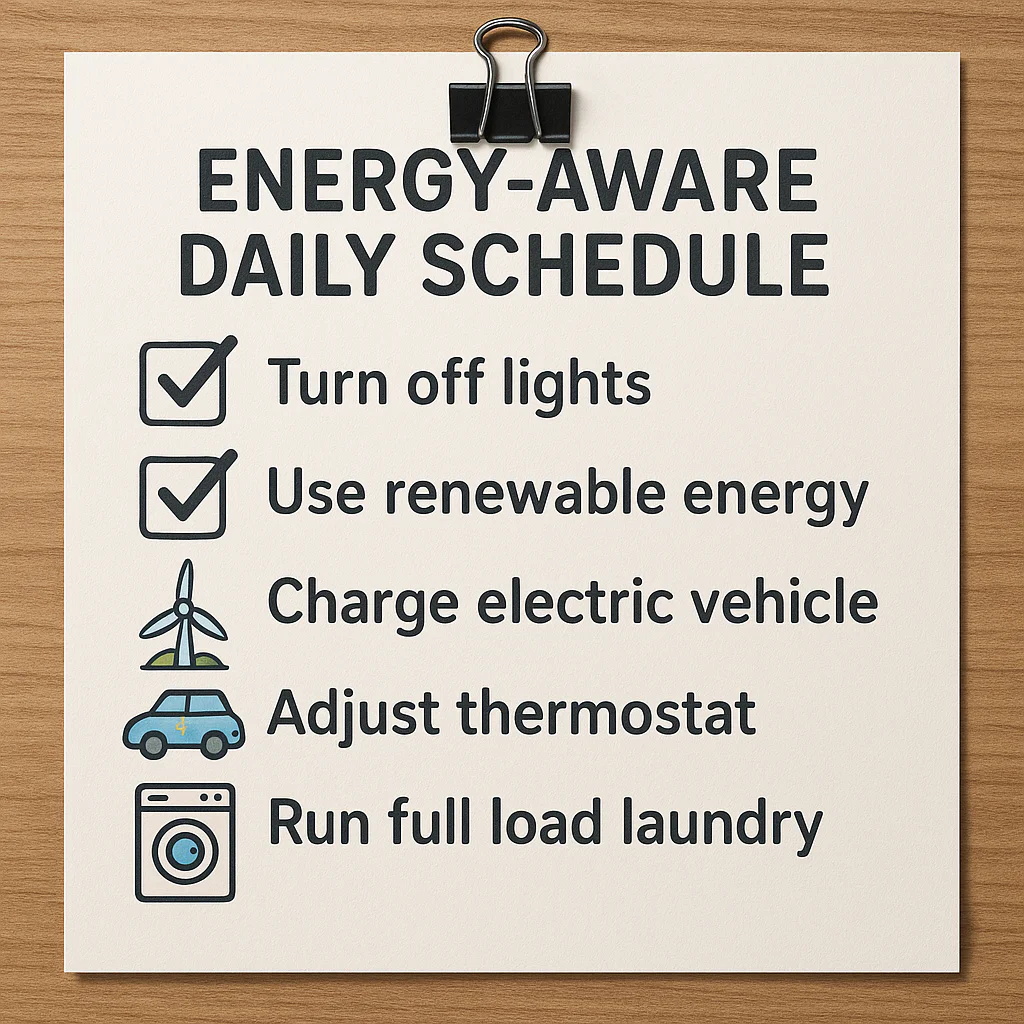
Energy-aware daily scheduling works best when you match demanding tasks to your peak focus, routine work to lower-energy periods, and recovery to the spaces your calendar usually steals. It is a more realistic approach than treating every hour as equally productive.
We learned this the slightly annoying way: one of our planning days looked beautifully organized, yet the most important writing task sat after three meetings and a heavy lunch. The calendar had time available. Our brains, rather less enthusiastically, did not.
Energy fluctuates with sleep, stress, meals, movement, workload, and circadian rhythms. The CDC recommends that most adults get at least seven hours of sleep, but even a well-rested person will not perform every type of task equally well at every hour.
The practical fix is simple: use your best energy for high-value thinking, reserve low-energy windows for maintenance, and leave enough breathing room for real life. Your checklist should guide your capacity, not scold you for having limits.
✅ Key Takeaways
- Match task difficulty to energy: Schedule writing, strategy, studying, and complex decisions during your strongest focus periods.
- Use low-energy windows intelligently: Reserve routine email, filing, errands, editing, and simple chores for predictable dips.
- Plan capacity, not just time: A calendar with empty space is not automatically a calendar with usable energy.
- Build recovery into the day: Breaks, meals, movement, buffers, and sleep are essential scheduling inputs.
- Track your personal patterns: Log sleep, focus, stress, and task quality for one to two weeks before changing your routine.
- Keep plans flexible: Use minimum, normal, and high-capacity versions of your daily checklist.
- Treat AI as an assistant, not an oracle: Tools such as Lifestack, Motion, and Reclaim AI can suggest schedules, but you should verify major changes.
- Protect your peak hours: Do not spend your clearest thinking time on tasks that could be completed while your brain is operating in “gentle potato” mode.
Table of Contents
- ⚡ Quick Tips and Facts for Energy-Aware Daily Scheduling
- 🧠 What Is Energy-Aware Daily Scheduling?
- How Personal Energy Levels Shape Your Best Work Hours
- Energy Management vs. Traditional Time Management
- The Science Behind Circadian Rhythms and Cognitive Performance
- 📊 How to Assess Your Daily Energy Patterns
- Physical, Mental, Emotional, and Social Energy
- Tracking Focus, Motivation, Stress, and Fatigue
- Recognizing Chronotypes: Lion, Bear, Wolf, and Dolphin
- Creating a Personal Energy Baseline
- 🗓️ 15 Practical Strategies for Energy-Aware Daily Scheduling
- 1. Match High-Energy Periods With Deep Work
- 2. Reserve Low-Energy Windows for Routine Tasks
- 3. Schedule Around Your Natural Ultradian Rhythms
- 4. Use Energy-Based Task Prioritization
- 5. Build Recovery Breaks Into Your Calendar
- 6. Create a Realistic Daily Capacity Limit
- 7. Batch Similar Tasks to Reduce Context Switching
- 8. Protect Your Peak Focus Hours
- 9. Plan Buffer Time for Interruptions and Delays
- 10. Use Flexible Time Blocking Instead of Rigid Scheduling
- 11. Plan Meals, Hydration, and Movement Around Energy Dips
- 12. Adjust Your Schedule for Sleep Debt and Stress
- 13. Coordinate Meetings With Your Lowest-Cost Energy Periods
- 14. Design an Energy-Aware Evening Wind-Down
- 15. Review and Refine Your Schedule Weekly
- 💼 Energy-Aware Scheduling for Work, Study, and Home Life
- Remote Work and Hybrid Office Scheduling
- Student Study Plans and Exam Preparation
- Household Chores, Errands, and Personal Admin
- Parenting, Caregiving, and Unpredictable Responsibilities
- Shift Work, Freelancing, and Iregular Schedules
- 🌅 How to Plan a High-Energy Morning
- Morning Routines That Support Focus and Alertness
- When to Schedule Creative Work, Exercise, and Communication
- Avoiding the Overpacked Morning Trap
- 🌤️ How to Handle the Afternoon Energy Slump
- Productive Low-Energy Activities
- Power Naps, Walks, Light Exposure, and Movement Breaks
- Caffeine Timing and Smarter Stimulant Use
- 🌙 Evening Scheduling, Sleep Quality, and Next-Day Energy
- The Connection Between Nightime Habits and Tomorrow’s Focus
- Digital Boundaries and Evening Screen Management
- Preparing Tomorrow Without Overplanning
- 📱 Best Apps and Tools for Energy-Aware Planning
- Calendar Apps for Time Blocking and Flexible Scheduling
- Task Managers With Priority and Energy Labels
- Habit Trackers, Mood Journals, and Wearable Data
- AI Planning Assistants and Adaptive Daily Schedules
- Privacy, Accessibility, and Data Security Considerations
- 🤖 How AI Can Personalize Your Daily Energy Plan
- Energy Forecasting From Calendar and Habit Data
- Automatic Task Rescheduling and Priority Recommendations
- Benefits, Limitations, and Human Oversight
- 🧩 Energy-Aware Scheduling Methods Compared
- Time Blocking
- Task Batching
- The Pomodoro Technique
- Eat the Frog and MIT Planning
- Adaptive Scheduling and Capacity-Based Planning
- Which Method Fits Which Energy Pattern?
- 🛠️ Building Your Personalized Energy-Aware Daily Schedule
- Step 1: List Your Fixed Commitments
- Step 2: Mark Your High-, Medium-, and Low-Energy Windows
- Step 3: Assign Tasks by Cognitive Demand
- Step 4: Add Breaks, Meals, Travel, and Recovery Time
- Step 5: Create a Minimum Viable Day Plan
- Step 6: Test, Measure, and Improve the Schedule
- 📋 Energy-Aware Daily Schedule Templates
- Template for a Traditional 9-to-5 Workday
- Template for Remote Knowledge Work
- Template for Students
- Template for Parents and Caregivers
- Template for Low-Energy or Recovery Days
- Template for Evening and Night Shift Workers
- 🚫 Common Energy Management Mistakes
- Overbooking Your Peak Energy Hours
- Confusing Busyness With Productive Energy Use
- Ignoring Sleep, Nutrition, and Physical Activity
- Treating Every Day as if It Has the Same Capacity
- Using Willpower Instead of Designing Better Systems
- 🩺 Health, Well-Being, and Accessibility Considerations
- Scheduling With ADHD, Autism, and Executive Function Differences
- Energy Planning With Chronic Illness and Long-Term Fatigue
- Managing Stress, Burnout Risk, and Emotional Exhaustion
- When Persistent Fatigue Deserves Medical Advice
- 📈 Measuring the Success of an Energy-Aware Schedule
- Useful Metrics: Focus, Completion, Recovery, and Stress
- Weekly Energy Reviews and Schedule Audits
- How to Iterate Without Chasing Perfect Productivity
- ❓ Frequently Asked Questions About Energy-Aware Daily Scheduling
- ✅ Conclusion: Plan Around Your Energy, Not Against It
- 🔗 Recommended Links for Better Energy and Time Management
- 📚 FAQ
- 🔎 Reference Links
⚡ Quick Tips and Facts for Energy-Aware Daily Scheduling
Energy-aware daily scheduling means assigning tasks according to your mental, physical, and emotional capacity, not merely to empty calendar slots. Our planners at Daily Checklist™ use it to simplify your day with Daily Checklists: first capture everything, then match each item to the kind of energy it actually needs.
For a practical starting point, see our guide to Daily Checklists, then try these quick rules:
- ✅ Schedule demanding thinking during your most reliable high-energy period.
- ✅ Place routine administration, filing, errands, and simple communication in lower-energy windows.
- ✅ Leave recovery space. A calendar packed edge-to-edge is not an efficient calendar; it is a tiny paper shreder for good intentions.
- ✅ Use a daily capacity limit. Three meaningful priorities often beat twelve “urgent” tasks.
- ✅ Treat sleep and recovery as scheduling data. The CDC recommends that most adults get at least seven hours of sleep per night; insufficient sleep can affect attention, decision-making, and safety (CDC).
- ✅ Review patterns for at least one to two weeks before deciding that your “best time” is permanently fixed.
- ❌ Do not confuse being awake with being ready for complex work.
- ❌ Do not force every day into the same template. A poor night’s sleep, illness, stress, or a demanding meeting can change your usable capacity.
A 60-second energy-aware planning check
Before finalizing your checklist, ask:
- What absolutely has to happen today?
- Which task needs my sharpest thinking?
- When am I usually clearest and least interrupted?
- What can I do when my energy dips?
- Where is the recovery space?
That last question is the one many productivity systems quietly dodge. We will return to it when we build a schedule that survives real life rather than merely looking attractive at 7:00 a.m.
Quick facts at a glance
| Planning question | Energy-aware answer |
|---|---|
| What should fill the first open slot? | The task that best matches your current capacity |
| What belongs in a peak-energy block? | Writing, analysis, studying, strategy, creative work |
| What belongs in a low-energy block? | Sorting email, filing, routine calls, light admin |
| How much should you schedule? | Less than your theoretical maximum |
| What should happen after a poor night? | Reduce cognitive demand, add buffers, protect essentials |
| What should guide adjustments? | Sleep, stress, workload, health, and observed performance |
Our rule of thumb: plan the day you are likely to have, not the superhero version of you who apparently never gets tired.
🧠 What Is Energy-Aware Daily Scheduling?
Energy-aware daily scheduling is a planning method that coordinates tasks, time, biological rhythms, recovery, and available attention. Instead of asking only, “When is there space?” it asks, “When am I most capable of doing this well?”
This distinction echoes Lifestack’s useful observation that “Scheduling available time is not the same as scheduling productive time.” Its comparison of AI planning tools argues that conventional assistants often fill open slots, while energy-aware systems attempt to schedule based on capacity, sleep, and recovery (Lifestack’s AI planning assistant comparison).
The idea applies at several scales:
- Personal planning: assigning deep work to high-focus periods.
- Study scheduling: placing difficult learning before attention collapses.
- Workplace planning: reducing unnecessary meetings during prime concentration windows.
- Fitness planning: matching training intensity to recovery.
- Industrial operations: coordinating production demand with energy availability and cost.
That final example sounds far removed from your Tuesday checklist, but the underlying principle is surprisingly similar: use the right resource at the right moment instead of pretending capacity is unlimited.
How Personal Energy Levels Shape Your Best Work Hours
Energy is not a single battery percentage. It includes several interacting forms:
| Energy type | What it influences | Example task |
|---|---|---|
| Mental | Reasoning, memory, problem-solving | Writing a report |
| Physical | Stamina, movement, coordination | Exercise, shopping |
| Emotional | Patience, resilience, motivation | Difficult conversation |
| Social | Communication and interpersonal effort | Team meeting |
| Creative | Idea generation and flexible thinking | Designing a presentation |
You may be mentally alert but socially depleted. You may have enough physical energy for a run but not enough emotional patience for a complicated negotiation. A good schedule recognizes these differences instead of labeling the entire day “productive” or “unproductive.”
A Harvard Business Review overview of energy management popularized the practical distinction between managing time and managing energy. The central lesson remains useful: time is fixed; usable energy fluctuates.
Energy Management vs. Traditional Time Management
Traditional time management asks you to:
- Estimate task duration.
- Find an available calendar slot.
- Assign a deadline.
- Protect the appointment.
Energy-aware planning adds another layer:
- Estimate cognitive demand.
- Estimate your capacity during the slot.
- Match task demand and capacity.
- Build recovery and fallback options.
| Traditional time planning | Energy-aware planning |
|---|---|
| “I have an hour at 2 p.m.” | “At 2 p.m. I usually have an hour but lower concentration.” |
| “Schedule the report anywhere.” | “Schedule the report before lunch; use 2 p.m. for editing.” |
| “Fill every opening.” | “Keep capacity for interruptions and recovery.” |
| “A task is late if unfinished.” | “A task may need rescheduling if capacity changed.” |
| “Same template every day.” | “Use a standard template with adjustable intensity.” |
Neither system makes deadlines disappear. Energy-aware scheduling simply reduces the fantasy that every available minute has equal value.
The Science Behind Circadian Rhythms and Cognitive Performance
Your circadian rhythm is an approximately 24-hour biological timing system influenced by light, sleep, meals, activity, and routine. It affects alertness, hormone release, body temperature, and sleepiness. The National Institute of General Medical Sciences provides a clear overview of how these rhythms coordinate daily biological functions.
Many people also experience shorter cycles of rising and falling alertness during the day. These are often discussed as ultradian rhythms, although individual timing varies and should not be treated as a stopwatch. The practical takeaway is modest but useful: sustained intense focus usually benefits from breaks before exhaustion arrives.
A few guardrails:
- Your chronotype matters, but it is not a personality diagnosis.
- Morning alertness does not automatically mean morning creativity.
- A regular schedule can shift your observed energy pattern.
- Caffeine, light exposure, sleep debt, medication, health conditions, and stress can all alter performance.
- The same person can have different capacity on Monday and Friday.
The first video’s discussion of Linux’s Energy Aware Scheduler offers an entertaining technical analogy. In big.LITTLE processors, the scheduler considers both capacity and power, rather than sending every task to the fastest core. Its reported YouTube playback test showed lower consumption for EAS/PELT than Qualcomm HMP, while bursty Chrome scrolling produced more frame drops. Human planning has a similar tension: the most energy-efficient choice is not always the fastest choice when performance quality matters. See the featured video for that perspective.
📊 How to Assess Your Daily Energy Patterns
You do not need a wearable, laboratory test, or a spreadsheet with 47 colors. A simple observation log can reveal useful patterns within two weeks.
Physical, Mental, Emotional, and Social Energy
Rate each category once in the morning, midday, and evening on a 1–5 scale:
| Score | Meaning |
|---|---|
| 1 | Barely available; choose essentials only |
| 2 | Limited; routine or short tasks |
| 3 | Usable; moderate-focus tasks |
| 4 | Strong; demanding work is realistic |
| 5 | Excellent; protect for high-value work |
Track context alongside the number:
- Hours slept and perceived sleep quality.
- Food and hydration.
- Exercise or movement.
- Stress level.
- Medication timing, if relevant.
- Number of meetings or social interactions.
- Environment and interruptions.
- Task type and whether it felt easier or harder than expected.
This is not about judging yourself. It is about finding repeatable conditions. If your energy drops after three consecutive meetings, your calendar has supplied useful evidence.
Tracking Focus, Motivation, Stress, and Fatigue
A compact daily log can look like this:
| Time | Energy | Focus | Stress | What happened? |
|---|---|---|---|---|
| 8:30 a.m. | 4 | 4 | 2 | Slept well; no messages |
| 11:30 a.m. | 3 | 3 | 3 | Two meetings |
| 2:30 p.m. | 2 | 2 | 4 | Heavy lunch; deadline pressure |
| 6:00 p.m. | 3 | 3 | 2 | Walked outside |
After seven to fourteen days, look for:
- Reliable peaks: times when difficult work repeatedly goes well.
- Predictable dips: periods suited to low-demand tasks.
- Recovery triggers: walks, food, sunlight, naps, quiet, or social contact.
- Energy thieves: multitasking, unclear tasks, notifications, or back-to-back calls.
- Mismatch patterns: tasks that are consistently placed at the wrong time.
Linking this with our Habit Formation category can help you turn observations into repeatable routines without making every action dependent on motivation.
Recognizing Chronotypes: Lion, Bear, Wolf, and Dolphin
The popular “lion, bear, wolf, and dolphin” labels can be a friendly conversation starter, but they simplify a complex subject. Research-backed chronotype questionnaires, such as the Morningness-Eveningness Questionnaire, are more defensible than assuming a quiz result explains your whole life.
Use chronotype ideas as hypotheses, not handcuffs:
- Morning-leaning: test analytical work earlier.
- Intermediate: align high-demand tasks with your observed peak, often late morning.
- Evening-leaning: protect later creative or analytical periods where possible.
- Iregular pattern: use flexible capacity bands rather than a rigid clock.
A chronotype is not permission to ignore sleep. If your “wolf” schedule requires sleeping four hours, the wolf may simply be tired.
Creating a Personal Energy Baseline
Create three categories:
High-energy tasks
- Strategic planning.
- Complex analysis.
- Studying new material.
- Writing from scratch.
- Difficult decisions.
- Creative design.
Medium-energy tasks
- Editing.
- Routine research.
- Project coordination.
- Standard meetings.
- Meal preparation.
- Moderate exercise.
Low-energy tasks
- Filing.
- Calendar maintenance.
- Basic email.
- Data entry.
- Laundry.
- Watching training videos you already understand.
Now label each task in your checklist with:
- Energy required: low, medium, high.
- Minimum viable duration: 10, 25, 45, or 90 minutes.
- Deadline flexibility: fixed, movable, or optional.
- Emotional cost: easy, neutral, or draining.
This converts a vague to-do list into a practical energy budget.
🗓️ 15 Practical Strategies for Energy-Aware Daily Scheduling
1. Match High-Energy Periods With Deep Work
Protect your best window for work that benefits most from attention. Do not spend your clearest hour deleting newsletters unless that genuinely prevents a larger problem.
Step by step:
- Identify the task’s required thinking level.
- Locate your most reliable high-energy window.
- Reserve that window as a calendar block.
- Remove notifications and unnecessary meetings.
- Define a visible finish line, such as “draft introduction,” not “work on project.”
A 45-minute deep-work block with a precise outcome often beats three hours of vaguely “being productive.”
2. Reserve Low-Energy Windows for Routine Tasks
Low-energy periods are not wasted time. They become useful when assigned appropriately.
Good candidates include:
- Inbox sorting.
- Expense recording.
- Calendar updates.
- Repetitive reports.
- Basic household chores.
- File naming and organization.
- Walking meetings or simple calls.
Do not use low-energy labeling as an excuse to avoid meaningful work. Some important tasks are simply less cognitively demanding. The objective is to reduce friction, not create a hierarchy where only deep work counts.
3. Schedule Around Your Natural Ultradian Rhythms
Try focus intervals such as:
- 25 minutes work + 5 minutes recovery.
- 50 minutes work + 10 minutes recovery.
- 75–90 minutes work + 15–20 minutes recovery.
Choose based on task difficulty and your current capacity. The National Institutes of Health hosts research discussing breaks, attention, and cognitive performance, though exact ideal intervals vary by person and task.
During breaks:
- Stand up.
- Look at a distant object.
- Drink water.
- Walk briefly.
- Avoid replacing work fatigue with an endless social-media scroll.
Our Digital Detox category offers practical ways to keep “break” from becoming “accidentally lost 38 minutes to videos of miniature cooking.”
4. Use Energy-Based Task Prioritization
A useful priority matrix combines importance and energy demand:
| Priority | Energy demand | Scheduling recommendation |
|---|---|---|
| High | High | Peak-energy block |
| High | Low | Protect a reliable low-energy slot |
| Low | High | Delegate, simplify, or defer |
| Low | Low | Batch or eliminate |
Add a third factor: emotional resistance. A short task can consume enormous energy if it involves conflict, uncertainty, or fear of failure.
5. Build Recovery Breaks Into Your Calendar
Recovery is not a reward you earn after finishing everything. If the schedule requires infinite output before allowing rest, it is mathematically defective.
Schedule:
- Meal breaks.
- Short walks.
- Transition time after meetings.
- Quiet time after socially intense work.
- A proper end-of-day shutdown.
- Buffer space before important appointments.
The World Health Organization links regular physical activity with broad health benefits, while brief movement also provides a practical reset between work blocks.
6. Create a Realistic Daily Capacity Limit
A capacity limit prevents the classic checklist disaster: six large tasks, nine tiny tasks, and the expectation that lunch will somehow occur through photosynthesis.
Try this structure:
- One major task.
- Two supporting tasks.
- Three quick wins.
- One recovery action.
On a strong day, you may complete more. Do not automatically promote the extra work into tomorrow’s minimum standard.
7. Batch Similar Tasks to Reduce Context Switching
Switching between unrelated tasks creates setup costs. Batch:
- Email and messaging.
- Phone calls.
- Errands by location.
- Creative review.
- Financial administration.
- Household maintenance.
Keep batches bounded. A two-hour “communication block” can easily become a swamp. Set a start and stop time, then record unfinished items for later rather than dragging them into every subsequent block.
8. Protect Your Peak Focus Hours
Treat a peak-energy block like an important appointment:
- Turn off nonessential notifications.
- Close unrelated tabs.
- Use website blockers if needed.
- Tell colleagues when you are unavailable.
- Put the desired document or materials within reach.
- Define what “done” means.
If your workplace uses shared calendars, mark the block as focused work without oversharing personal health information. You can protect capacity without announcing your sleep score to the entire department.
9. Plan Buffer Time for Interruptions and Delays
A schedule with no buffer assumes:
- Meetings end on time.
- Travel is instantaneous.
- Technology behaves.
- Nobody needs you.
- Your brain changes tasks without friction.
That is not a schedule; it is fan fiction.
Add:
- 5–15 minutes between meetings.
- Longer buffers for travel or high-stakes commitments.
- A daily catch-up block.
- A “parking lot” for tasks that appear unexpectedly.
10. Use Flexible Time Blocking Instead of Rigid Scheduling
Rigid planning says, “Write from 9:00 to 10:00.” Flexible planning says, “Write during the next high-capacity window before noon.”
Use three layers:
- Fixed commitments: appointments, meetings, deadlines.
- Energy anchors: likely high- and low-energy windows.
- Movable tasks: work that can shift without damaging the day.
This works particularly well for people with variable health, caregiving demands, creative work, or unpredictable customer requests.
11. Plan Meals, Hydration, and Movement Around Energy Dips
Do not treat food and movement as interruptions to productivity. They are inputs into capacity.
Helpful experiments:
- Drink water before interpreting fatigue as laziness.
- Avoid placing your most demanding task immediately after a heavy meal if you regularly feel sluggish.
- Take a short walk before afternoon analytical work.
- Keep a practical snack available during long work blocks.
- Schedule exercise at a time you can repeat, not merely the time that looks ideal.
Nutrition needs are individual. For medical or dietary concerns, use guidance from a qualified professional rather than turning a productivity blog into your personal clinic.
12. Adjust Your Schedule for Sleep Debt and Stress
When recovery is poor:
- Reduce the number of high-demand tasks.
- Move complex decisions away from your weakest period.
- Shorten focus blocks.
- Add more transition time.
- Preserve essential commitments.
- Choose maintenance over expansion.
Lifestack’s article describes this type of approach by moving demanding work when sleep and recovery data suggest lower cognitive capacity. That is a compelling concept, but treat app-generated predictions as decision support, not medical truth.
13. Coordinate Meetings With Your Lowest-Cost Energy Periods
Meetings can consume mental, social, and emotional energy even when you are not speaking.
Try:
- Grouping routine meetings together.
- Placing collaborative work before solo deep work if discussion creates useful momentum.
- Avoiding important negotiations at predictable fatigue points.
- Making agendas and decisions explicit.
- Converting status meetings into written updates when appropriate.
A meeting that could be an email is not always an email. Sometimes it is a three-line update and a blessed silence.
14. Design an Energy-Aware Evening Wind-Down
The evening determines more of tomorrow’s capacity than a heroic last-minute planning session.
A simple shutdown checklist:
- Record unfinished work.
- Select tomorrow’s top priority.
- Prepare materials.
- Close work applications.
- Dim stimulating environments.
- Set a realistic bedtime routine.
- Avoid scheduling emotionally demanding work immediately before sleep.
The Sleep Foundation provides evidence-informed guidance on sleep hygiene, including consistent schedules and a calming pre-sleep routine.
15. Review and Refine Your Schedule Weekly
Perform a 15-minute review:
- Which blocks produced good work?
- Which tasks repeatedly ran long?
- Where did interruptions occur?
- Did you overestimate capacity?
- What restored energy?
- What drained it?
- Which recurring commitment needs renegotiation?
Use observations, not self-criticism. The goal is a better system, not a more eloquent explanation of why you failed to obey an impossible plan.
💼 Energy-Aware Scheduling for Work, Study, and Home Life
Energy-aware planning becomes more useful when it leaves the tidy desk and meets actual life.
Remote Work and Hybrid Office Scheduling
Remote workers often gain flexibility but lose natural boundaries. Build visible transitions:
- Start with a short setup checklist.
- Reserve deep work before chat tools become noisy.
- Group calls into defined windows.
- Use a real lunch break.
- End with a shutdown ritual.
- Keep household chores outside focus blocks unless they are intentional recovery tasks.
Hybrid workers should also account for commuting energy. A day with 90 minutes of travel is not equivalent to a day at home, even if both show eight working hours.
Student Study Plans and Exam Preparation
Students should schedule learning by cognitive demand:
| Study activity | Best energy match |
|---|---|
| Learning difficult new material | High |
| Practice problems | Medium-high |
| Flashcard review | Medium or low |
| Organizing notes | Low |
| Writing an original essay | High |
| Proofreading | Medium |
| Planning the next study session | Low |
Use spaced practice rather than one enormous cram session. The Learning Scientists summarize evidence-informed study strategies, including retrieval practice and spacing.
Household Chores, Errands, and Personal Admin
Create chore menus by energy level:
- Low: fold laundry, unload dishwasher, sort mail.
- Medium: cook, vacuum, grocery shop.
- High: deep clean, repair, reorganize storage.
Pair unpleasant tasks with a natural transition. For example, do a ten-minute reset while waiting for dinner to cook. The trick is not to convert every spare second into labor; it is to make maintenance less intimidating.
Parenting, Caregiving, and Unpredictable Responsibilities
Caregiving requires minimum viable planning:
- Choose one essential personal task.
- Keep flexible task menus.
- Prepare supplies in advance.
- Use short work blocks.
- Keep a visible “resume point.”
- Plan recovery after high-demand care periods.
Avoid guilt-driven scheduling. If the day is interrupted, the plan should shrink gracefully rather than accuse you from a notebook.
Shift Work, Freelancing, and Iregular Schedules
For irregular work:
- Track energy relative to wake time, not only clock time.
- Protect a consistent sleep opportunity where possible.
- Use task categories rather than exact recurring hours.
- Keep a “high-focus fallback” block for unexpected good-energy windows.
- Avoid comparing your schedule to a standard 9-to-5 template.
People working nights should be especially careful with bright light, caffeine timing, and sleep protection. The CDC’s guidance for shift workers explains practical risks and mitigation strategies.
🌅 How to Plan a High-Energy Morning
A high-energy morning should not become a junk drawer for every ambition you have ever had.
Morning Routines That Support Focus and Alertness
A sustainable morning checklist might include:
- Wake at a reasonably consistent time.
- Hydrate and eat according to your needs.
- Get natural light where practical.
- Review fixed commitments.
- Select one primary outcome.
- Begin with a clearly defined work step.
- Delay nonessential notifications.
The National Sleep Foundation discusses environmental factors that support sleep and alertness. Morning light exposure can also help anchor circadian timing, though individual schedules and health conditions vary.
When to Schedule Creative Work, Exercise, and Communication
Test, rather than assume:
- Creative work may benefit from low-distraction peaks.
- Exercise may improve alertness for some people and drain it for others.
- Communication can create momentum but may fragment attention.
- Strategic work often benefits from a quiet start.
- Routine tasks can serve as a gentle warm-up.
We once moved a team’s weekly planning meeting from the first hour of the day to midmorning. The result was not magical, but the first hour stopped disappearing into status updates, and the team produced clearer project decisions. Tiny calendar changes can have suspiciously large effects.
Avoiding the Overpacked Morning Trap
Do not stack:
- Exercise.
- Meal preparation.
- Inbox zero.
- Deep work.
- Three meetings.
- A life-changing meditation practice.
…before 10:00 a.m. unless your morning genuinely supports it.
Choose a core morning, a good morning, and a minimum morning:
| Morning type | Plan |
|---|---|
| Minimum | Hygiene, essentials, one priority |
| Good | Routine, movement, one focused block |
| Core | Routine, movement, deep work, limited communication |
🌤️ How to Handle the Afternoon Energy Slump
The afternoon dip is common, but its timing and intensity vary. It may reflect circadian rhythm, sleep debt, food, dehydration, inactivity, stress, or a task that requires more concentration than expected.
Productive Low-Energy Activities
Keep a low-energy menu ready:
- Edit existing work.
- Review notes.
- Process routine email.
- Schedule appointments.
- Prepare tomorrow’s materials.
- Sort files.
- Complete a short walk.
- Do simple household maintenance.
A low-energy menu prevents the afternoon from becoming a battle between impossible focus and random internet browsing.
Power Naps, Walks, Light Exposure, and Movement Breaks
Potential tools include:
- A brief walk outdoors.
- Stretching or mobility work.
- A short nap, if it does not disrupt nighttime sleep.
- Bright daytime light.
- A quiet reset without a screen.
- A change of workspace.
The Mayo Clinic notes that short naps may improve alertness for some adults, while longer or late naps can interfere with nighttime sleep. Experiment carefully.
Caffeine Timing and Smarter Stimulant Use
Caffeine can help alertness, but it does not erase sleep debt. The U.S. Food and Drug Administration provides general information about caffeine intake and individual sensitivity.
Practical rules:
- Notice how late caffeine affects your sleep.
- Do not use escalating amounts to conceal persistent fatigue.
- Account for tea, energy drinks, chocolate, and supplements.
- Avoid making your schedule dependent on a stimulant spike.
If persistent tiredness continues despite adequate sleep opportunity, discuss it with a healthcare professional.
🌙 Evening Scheduling, Sleep Quality, and Next-Day Energy
Evening planning should reduce tomorrow’s friction, not launch a second workday.
The Connection Between Nightime Habits and Tomorrow’s Focus
A short evening reset can include:
- Clear the main workspace.
- Write down open loops.
- Choose tomorrow’s first task.
- Check travel and fixed commitments.
- Prepare clothing, food, or equipment.
- Set a realistic stopping time.
This reduces morning decision load. The goal is not to control every minute; it is to ensure tomorrow does not begin with a scavenger hunt for your charger.
Digital Boundaries and Evening Screen Management
Use practical boundaries:
- Disable nonessential notifications.
- Keep work chat closed after your stopping time.
- Charge your phone away from the bed if appropriate.
- Use night settings for comfort, while remembering they do not make late-night work biologically neutral.
- Replace scrolling with a low-stimulation activity.
Our Digital Detox guide category covers ways to make boundaries easier to maintain. A boundary that requires heroic willpower every night is a design problem.
Preparing Tomorrow Without Overplanning
Write:
- One must-do.
- Two should-dos.
- A low-energy fallback.
- The first physical action for the must-do.
For example, replace “finish presentation” with “open slide deck and draft the three headline slides.” Specific starts reduce activation energy.
📱 Best Apps and Tools for Energy-Aware Planning
No app can manufacture sleep, remove a difficult client, or convince your brain that a spreadsheet is a thrilling adventure. Tools can, however, reduce capture friction and make capacity visible.
Calendar Apps for Time Blocking and Flexible Scheduling
Useful choices include:
- Google Calendar: broad integrations and shared scheduling.
- Apple Calendar: convenient for Apple users and ecosystem integration.
- Fantastical: polished calendar and natural-language event entry.
- Motion: automatic deadline-oriented scheduling.
- Reclaim AI: protects habits, focus blocks, and buffers.
- Sunsama: guided daily planning and workload awareness.
These tools differ considerably. The Lifestack comparison states that Motion and Reclaim optimize deadlines, meetings, habits, or availability but do not use sleep or recovery data. That criticism is fair, although those tools may better for users whose main problem is meeting overload rather than fluctuating physiological capacity.
Task Managers With Priority and Energy Labels
Consider:
- Todoist: natural-language capture, priorities, labels, and recurring tasks.
- Tick: tasks, habits, calendar views, and Pomodoro tools.
- Things: focused Apple task management.
- Microsoft To Do: straightforward lists and Microsoft ecosystem integration.
- Notion: customizable databases and planning systems.
Add labels such as:
High-energyLow-energy15-minuteNeeds-quietCan-delegateEmotionally-draining
The best app is often the one you will open before the task becomes a crisis.
Habit Trackers, Mood Journals, and Wearable Data
Wearables can provide sleep duration, heart-rate trends, activity, and recovery estimates. Examples include:
- Apple Watch.
- Oura Ring.
- Garmin.
- Fitbit.
- WHOP.
These products measure proxies, not “motivation” or perfect cognitive performance. Treat readiness scores as one input among several:
| Data source | Useful for | Caution |
|---|---|---|
| Sleep duration | Identifying sleep patterns | Does not equal sleep quality |
| Resting heart rate | Trend observation | Affected by illness, training, stress |
| HRV | Recovery trend for some users | Highly individual; not a diagnosis |
| Activity | Movement patterns | More activity is not always better |
| Subjective rating | How you actually feel | Mood can distort perception, but remains relevant |
AI Planning Assistants and Adaptive Daily Schedules
The competitive landscape includes:
| Tool | Strongest use case | Energy-data capability |
|---|---|---|
| Lifestack | Scheduling around sleep and recovery | Strongest in the comparison |
| Motion | Deadline-driven auto-scheduling | No sleep/recovery integration cited |
| Reclaim AI | Protecting focus, habits, and buffers | No energy awareness cited |
| Akiflow | Consolidating tasks from many tools | No energy awareness cited |
| Sunsama | Guided, intentional daily planning | Manual rather than physiological |
| Todoist | Task capture and organization | No automatic energy scheduling cited |
| Exoplan | iPhone energy-aware calendar and AI assistant | Chronotype and Apple Watch calibration |
Exoplan describes itself as an energy-aware calendar for iPhone, with chronotype-based predictions for users without Apple Watch data and calibration for Apple Watch users. It also includes task-to-calendar conversion, Google Calendar support, widgets, and a Pathfinder assistant for voice input.
Its ambition is appealing: turn “messy plans into a clean schedule.” However, App Store user reports summarized in the competing material mention crashes, optimization concerns, and one case where a confirmed event did not appear. Those reports do not prove universal failure, but they are a reminder to verify calendar changes before trusting automation with a deadline.
👉 CHECK PRICE on:
- Lifestack: Official Website | Lifestack AI Planning Assistant
- Exoplan: Apple App Store
- Motion: Official Website
- Reclaim AI: Official Website
- Sunsama: Official Website
- Todoist: Official Website
Privacy, Accessibility, and Data Security Considerations
Energy-aware applications may process sensitive information:
- Sleep.
- Health and fitness metrics.
- Calendar events.
- Location or time-zone data.
- Identifiers.
- Usage and diagnostics.
Exoplan’s App Store disclosure says identifiers may be used to track users across other companies’ apps and websites, while health and fitness data, identifiers, usage data, diagnostics, and other data may be collected without being linked to identity. Review the current privacy label and policy before installation because disclosures can change.
Look for:
- Clear data retention policies.
- Export and deletion controls.
- Encryption statements.
- Permission-by-permission settings.
- Accessible contrast, text scaling, voice input, and screen-reader support.
- The ability to use the app without health data.
- A manual override for predictions.
Accessibility is not a premium add-on. A schedule that cannot be adjusted for fluctuating capacity, sensory load, ADHD, disability, or chronic illness is not truly adaptive.
🤖 How AI Can Personalize Your Daily Energy Plan
AI can help classify tasks, suggest time blocks, summarize calendars, and reschedule work. It cannot reliably infer your entire internal state from a watch or a full inbox.
Energy Forecasting From Calendar and Habit Data
An energy forecast may combine:
- Sleep duration.
- Recovery signals.
- Historical completion patterns.
- Calendar density.
- Time of day.
- Task type.
- User feedback.
The result should be phrased as a recommendation:
“You may better suited to routine work this morning.”
Not:
“Your brain is unavailable until 2:17 p.m.”
Forecast uncertainty matters. The Lifestack comparison makes a strong case for physiological inputs, while Exoplan’s approach combines chronotype with Apple Watch calibration. These approaches differ because one emphasizes continuous recovery data and the other emphasizes an accessible calendar experience. Trust the tool that shows its assumptions and lets you correct them.
Automatic Task Rescheduling and Priority Recommendations
A useful AI scheduler should:
- Identify fixed commitments.
- Detect deadlines and dependencies.
- Estimate task duration.
- Classify cognitive demand.
- Check predicted capacity.
- Place the task in a suitable window.
- Preserve buffers.
- Explain major changes.
- Ask before moving high-stakes commitments.
- Learn from your corrections.
Automatic rescheduling is valuable only when it does not create invisible chaos. Keep an audit trail or change log where possible.
Benefits, Limitations, and Human Oversight
Benefits:
- Less manual calendar rearranging.
- Better visibility of overloaded days.
- Faster task capture.
- Helpful suggestions during low-energy periods.
- More realistic workload distribution.
Limitations:
- Wearable data is imperfect.
- Calendar events rarely describe true cognitive demand.
- AI can misunderstand natural-language instructions.
- Auto-rescheduling can conflict with social expectations.
- Privacy trade-offs may be significant.
- Predictions can encourage overconfidence.
Best practice: allow AI to propose, but require human confirmation for major commitments, health decisions, deadline changes, or shared-calendar alterations.
🧩 Energy-Aware Scheduling Methods Compared
Time Blocking
Best for: people who need visible boundaries.
Strengths:
- Makes capacity visible.
- Protects focus.
- Clarifies transitions.
Drawbacks:
- Can become rigid.
- Fails when every block is overfilled.
- Requires regular adjustment.
Task Batching
Best for: repetitive communication, errands, and admin.
Strengths:
- Reduces context switching.
- Helps contain low-value work.
- Simplifies starting.
Drawbacks:
- Large batches become intimidating.
- Some tasks need immediate attention.
- Social batches can be draining.
The Pomodoro Technique
Best for: starting difficult tasks and maintaining short focus cycles.
Strengths:
- Low activation barrier.
- Built-in breaks.
- Useful for students and variable attention.
Drawbacks:
- Interrupts deep flow for some tasks.
- A fixed interval may not suit everyone.
- Breaks can become phone sessions.
Eat the Frog and MIT Planning
Best for: one important task that is easy to postpone.
Strengths:
- Reduces avoidance.
- Creates an early win.
- Keeps priorities visible.
Drawbacks:
- The hardest task may not fit your morning energy.
- “Most important” can become “most emotionally threatening.”
- Overuse can make every day feel like punishment.
Adaptive Scheduling and Capacity-Based Planning
Best for: fluctuating energy, caregiving, health conditions, creative work, and unpredictable calendars.
Strengths:
- Adjusts to real conditions.
- Supports minimum viable days.
- Reduces guilt from changing capacity.
Drawbacks:
- Requires observation.
- Can be misused as endless postponement.
- Needs clear rules for deadlines and essentials.
Which Method Fits Which Energy Pattern?
| Your pattern | Best starting method |
|---|---|
| Reliable morning focus | Time blocking with early deep work |
| Frequent interruptions | Flexible blocks and minimum viable tasks |
| Low motivation to start | Pomodoro or a tiny first action |
| Meeting-heavy day | Batch meetings and protect one focus block |
| Variable health or sleep | Capacity bands and adaptive scheduling |
| Too many small tasks | Batching and energy labels |
| Constant rescheduling | Reduce daily commitments before adding automation |
🛠️ Building Your Personalized Energy-Aware Daily Schedule
Step 1: List Your Fixed Commitments
Write down:
- Meetings.
- Appointments.
- School or caregiving duties.
- Travel.
- Medication or treatment routines, if relevant.
- Non-negotiable deadlines.
- Sleep opportunity.
Do not begin by listing every aspirational goal. First identify what the day has already claimed.
Step 2: Mark Your High-, Medium-, and Low-Energy Windows
Use your tracking data. If you have none, begin with an educated guess and revise it.
Example:
| Window | Expected capacity | Suitable work |
|---|---|---|
| 8:30–10:00 | High | Strategy and writing |
| 10:00–12:00 | Medium-high | Collaboration |
| 1:00–2:30 | Low | Admin and review |
| 3:00–4:30 | Medium | Editing and calls |
| Evening | Variable | Chores and recovery |
Step 3: Assign Tasks by Cognitive Demand
For each task, ask:
- Does it require original thinking?
- Does it involve emotional effort?
- Does it require uninterrupted attention?
- Can it be paused?
- What is the smallest useful version?
Write “draft two headings” instead of “complete article.” Smaller definitions improve accuracy and reduce avoidance.
Step 4: Add Breaks, Meals, Travel, and Recovery Time
Put these on the schedule before optional tasks. If recovery is left until the end, it will be eaten by overun meetings and “just one more thing.”
Step 5: Create a Minimum Viable Day Plan
Your minimum plan should protect:
- Health essentials.
- Work or study priority.
- One maintenance action.
- A recovery action.
- Tomorrow’s setup.
A minimum day is not failure. It is a safety mode, like a laptop reducing performance to preserve the battery.
Step 6: Test, Measure, and Improve the Schedule
Run the schedule for several days, then compare:
| Question | Evidence to collect |
|---|---|
| Did the peak block help? | Quality and completion |
| Were tasks correctly labeled? | Perceived effort |
| Were buffers sufficient? | Delays and stress |
| Did breaks restore energy? | Afternoon focus |
| Did the plan survive interruptions? | Number of abandoned tasks |
| What should change? | One or two adjustments |
Change one or two variables at a time. If you change bedtime, caffeine, meeting timing, task length, and exercise simultaneously, you will not know what helped.
📋 Energy-Aware Daily Schedule Templates
Template for a Traditional 9-to-5 Workday
| Time | Plan |
|---|---|
| 8:30–8:45 | Review checklist and choose priority |
| 8:45–10:15 | Deep work |
| 10:15–10:30 | Break |
| 10:30–12:00 | Collaboration or medium-demand tasks |
| 12:00–1:00 | Lunch and movement |
| 1:00–2:00 | Routine admin |
| 2:00–3:00 | Meetings or communication |
| 3:00–3:15 | Recovery break |
| 3:15–4:30 | Editing, follow-up, or medium-demand work |
| 4:30–5:00 | Shutdown and tomorrow’s setup |
Template for Remote Knowledge Work
- Start: check calendar, identify one outcome.
- Block 1: 60–90 minutes deep work.
- Block 2: messages and collaboration.
- Miday: lunch away from the desk.
- Block 3: lower-demand execution.
- Late afternoon: review, documentation, and shutdown.
- Fallback: if energy collapses, switch to a low-energy task menu rather than forcing complex analysis.
Template for Students
| Study block | Activity |
|---|---|
| Block 1 | Learn new material |
| Break | Walk, water, snack |
| Block 2 | Retrieval practice |
| Break | Non-screen reset |
| Block 3 | Practice problems |
| Low-energy block | Flashcards, notes, planning |
Use spacing and retrieval rather than simply increasing hours. A shorter session with active recall is often more useful than rereading while exhausted.
Template for Parents and Caregivers
- One essential personal or professional task.
- One flexible task that can pause.
- One household maintenance action.
- Short work blocks with visible resume points.
- A prepared low-energy list.
- Buffer around transitions.
- No assumption that the day will unfold politely.
Template for Low-Energy or Recovery Days
Must do:
- Health essentials.
- Time-sensitive obligation.
- Basic food and hydration.
- One tiny maintenance task.
Could do:
- Ten-minute tidy.
- Short walk.
- Reply to one important message.
- Prepare tomorrow’s first step.
Do not schedule:
- Major irreversible decisions.
- Nonessential marathons.
- A full backlog-clearing campaign.
Template for Evening and Night Shift Workers
Anchor the plan to your wake period:
- First hour awake: light routine and orientation.
- Early wake period: high-demand work if alert.
- Middle period: communication and execution.
- Late period: routine tasks and wind-down.
- Protect the sleep window from noise and notifications.
🚫 Common Energy Management Mistakes
Overbooking Your Peak Energy Hours
Your best hours are limited. If every important task is assigned there, none receives sufficient attention.
Choose:
- One primary deep-work task.
- One optional high-demand task.
- Routine work for the remainder.
Confusing Busyness With Productive Energy Use
A full calendar may indicate poor boundaries, not excellent performance. Measure:
- Useful output.
- Decision quality.
- Recovery.
- Progress on meaningful goals.
- Stress and sustainability.
Ignoring Sleep, Nutrition, and Physical Activity
A checklist cannot compensate indefinitely for inadequate recovery. The American Academy of Sleep Medicine and CDC both emphasize the importance of sufficient sleep for health and functioning.
Treating Every Day as if It Has the Same Capacity
Create at least three modes:
- High-capacity day: more demanding work, still with limits.
- Normal-capacity day: standard plan.
- Low-capacity day: essentials, maintenance, recovery.
This is more honest than pretending a difficult day is a moral failure.
Using Willpower Instead of Designing Better Systems
Make the desired behavior easier:
- Put the first document on screen.
- Remove distracting apps.
- Pre-sort low-energy tasks.
- Use recurring calendar blocks.
- Keep checklists visible.
- Prepare materials the night before.
Our Life Hacks category focuses on these small environmental changes. Good planning is often less about becoming stronger and more about making the right action less annoying.
🩺 Health, Well-Being, and Accessibility Considerations
Scheduling With ADHD, Autism, and Executive Function Differences
Helpful adaptations may include:
- Visible next actions.
- Shorter blocks.
- External reminders.
- Body doubling.
- Reduced sensory distractions.
- Transition warnings.
- Choice between two acceptable tasks.
- Time estimates with generous buffers.
- A “start here” checklist.
Do not treat productivity struggles as evidence of laziness. Executive function varies with sleep, stress, interest, medication, environment, and task clarity. A qualified clinician can provide individualized guidance.
Energy Planning With Chronic Illness and Long-Term Fatigue
For fluctuating health:
- Use pacing, not boom-and-bust cycles.
- Stop before symptoms sharply worsen.
- Keep essential and optional tasks separate.
- Schedule recovery after demanding activities.
- Track delayed effects, not only immediate energy.
- Build plans that work at reduced capacity.
The NHS guidance on managing fatigue offers general information, while persistent or worsening fatigue deserves medical evaluation.
Managing Stress, Burnout Risk, and Emotional Exhaustion
Warning signs include:
- Persistent exhaustion.
- Cynicism or detachment.
- Reduced effectiveness.
- Sleep disruption.
- Irritability.
- Loss of interest.
- Recovery that no longer restores you.
The World Health Organization describes burnout as an occupational phenomenon rather than a medical condition, but symptoms can overlap with depression, anxiety, sleep disorders, and other health concerns. Seek qualified support when needed.
When Persistent Fatigue Deserves Medical Advice
Consult a healthcare professional if fatigue is:
- New, severe, or worsening.
- Present despite sufficient sleep.
- Acompanied by breathlessness, chest pain, fainting, unexplained weight change, fever, or neurological symptoms.
- Interfering substantially with work, study, or daily living.
- Associated with medication changes or possible sleep disorders.
Energy-aware scheduling is a planning tool, not a substitute for diagnosis or treatment.
📈 Measuring the Success of an Energy-Aware Schedule
Useful Metrics: Focus, Completion, Recovery, and Stress
Track a small dashboard:
| Metric | Question |
|---|---|
| Focus quality | Did the task receive meaningful attention? |
| Completion | Did priority work move forward? |
| Accuracy | Did errors increase with fatigue? |
| Stress | Did the schedule feel manageable? |
| Recovery | Did breaks restore capacity? |
| Sustainability | Could you repeat this tomorrow? |
Avoid measuring only completed task counts. Ten tiny tasks can create a misleading victory while the important project remains untouched.
Weekly Energy Reviews and Schedule Audits
Ask:
- What time produced my best work?
- Which commitments drained more energy than expected?
- What did I schedule too tightly?
- What should be delegated or deleted?
- Did the checklist reduce decisions?
- Which task labels were wrong?
- What is one adjustment for next week?
Keep the review short enough to repeat. A 15-minute audit is more valuable than a three-hour planning ceremony performed once and abandoned.
How to Iterate Without Chasing Perfect Productivity
Use the one-change rule:
- Identify a recurring mismatch.
- Choose one adjustment.
- Test it for several days.
- Record the result.
- Keep, revise, or discard.
For example, move analytical work from 2 p.m. to 9 a.m. for one week. If quality improves, keep the change. If not, investigate sleep, interruptions, task clarity, or unrealistic expectations before blaming the clock.
❓ Frequently Asked Questions About Energy-Aware Daily Scheduling
How can energy-aware daily scheduling simplify your daily checklist?
It turns a flat list into a sequence based on task demand and available capacity. Instead of seeing ten equally urgent items, you identify:
- One high-value task for peak energy.
- Routine work for lower-energy periods.
- A small number of essentials.
- Recovery and buffer time.
- A fallback plan if capacity changes.
This reduces decision fatigue because the checklist tells you not only what to do, but also when it is most sensible to attempt it.
What is the best way to plan tasks around your energy levels?
Track your energy at several points during the day for one to two weeks. Rate energy and focus, then compare those ratings with task quality.
A practical method:
- Mark fixed commitments.
- Identify high-, medium-, and low-energy windows.
- Label tasks by cognitive demand.
- Match high-demand tasks to high-capacity windows.
- Place routine tasks in lower-capacity periods.
- Add recovery and buffers.
- Review weekly.
Your observed pattern is more useful than a generic “morning people are productive” rule.
How do daily checklists help manage energy and productivity?
Daily checklists reduce memory load and clarify the next action. They help you:
- Avoid repeatedly deciding what to do.
- Separate essential work from optional work.
- Keep low-energy alternatives visible.
- Record unfinished tasks without mentally carrying them.
- Create a consistent shutdown routine.
A checklist should be short, prioritized, and capacity-aware. An enormous list can increase stress rather than improve productivity.
What are the most effective high-energy and low-energy tasks to schedule?
High-energy tasks usually require original thinking, complex judgment, sustained concentration, or creativity:
- Writing from scratch.
- Strategy.
- Learning difficult material.
- Analysis.
- Important decisions.
Low-energy tasks generally require less novelty or sustained attention:
- Filing.
- Routine email.
- Calendar updates.
- Data entry.
- Editing familiar material.
- Simple chores.
The categories are personal. If filing drains you because it is emotionally loaded, it may not be low-energy for you.
How can I create an energy-based daily routine?
Begin with a flexible template:
- Morning or first wake period: one demanding task if alert.
- Middle period: collaboration and execution.
- Natural dip: admin, errands, or recovery.
- Later period: editing, routine work, and shutdown.
- Evening: prepare tomorrow and protect sleep.
Adjust based on your actual observations. Use minimum, normal, and high-capacity versions so the routine can bend without breaking.
Why is energy management better than time management for daily planning?
It is not always “better”; it answers a different question. Time management tells you where time exists. Energy management helps determine what quality of work is realistic within that time.
Combining them is strongest:
- Time protects the appointment.
- Energy matches the task.
- Capacity limits prevent overload.
- Buffers make the plan resilient.
The useful principle from Lifestack’s comparison is that available time and productive capacity are not identical.
How can I adjust my daily checklist when my energy levels change?
Use a three-step adjustment:
- Protect essentials: health, urgent deadlines, safety, and critical responsibilities.
- Downgrade task demand: switch from creation to editing, analysis to review, or a large task to its smallest useful step.
- Reschedule intentionally: move nonessential high-demand tasks to the next suitable window.
Do not simply carry every unfinished task forward. Revaluate its importance and expected energy cost.
Can wearables accurately predict my best work time?
Wearables can provide useful trends in sleep, activity, heart rate, and recovery, but they do not directly measure your ability to write, reason, or make decisions. Use wearable data alongside:
- Your subjective energy rating.
- Task performance.
- Sleep quality.
- Stress.
- Context and interruptions.
Predictions should inform your plan, not dictate it.
Is energy-aware scheduling useful for ADHD or chronic illness?
It can be, especially when paired with short tasks, visible prompts, flexible capacity, and recovery planning. However, the method must be individualized. For chronic illness, avoid pushing through symptoms and seek professional guidance. For ADHD, external structure can reduce executive-function demands, but no calendar app replaces appropriate clinical support.
What should I do if my high-energy window conflicts with meetings?
Try:
- Moving recurring meetings.
- Asking for an agenda or written update.
- Protecting a shorter focus block.
- Using the next-best energy window.
- Preparing the hardest thinking before the meeting.
- Delegating or simplifying the task.
If the conflict is unavoidable, lower the task’s scope rather than expecting perfect performance at a poor time.
How does energy-aware scheduling differ from energy-aware computing?
Human energy-aware scheduling matches tasks to mental and physical capacity. In computing, Energy Aware Scheduling assigns workloads across processor cores while balancing performance and power. The Linux EAS example shows that choosing the most power-efficient core can sometimes create performance trade-offs, especially with bursty workloads. The analogy is useful, but human health and work quality are more complex than processor demand curves.
✅ Conclusion: Plan Around Your Energy, Not Against It

Energy-aware daily scheduling is not an invitation to wait for perfect motivation. It is a practical way to match task demand, time, capacity, and recovery so your checklist reflects reality.
The strongest approach combines:
- A short prioritized checklist.
- Personal energy tracking.
- High-demand work during reliable focus windows.
- Low-demand work during predictable dips.
- Flexible time blocks.
- Recovery and buffer space.
- Weekly review and adjustment.
- Human oversight of AI recommendations.
For a simple system, start with one high-energy task, two supporting tasks, a low-energy fallback, and a genuine break. Add wearable data or an AI scheduler only after you understand your own patterns. Apps such as Lifestack and Exoplan may reduce manual planning, while Motion, Reclaim AI, Sunsama, Todoist, and Tick solve different parts of the scheduling puzzle.
The unfinished narrative from the beginning has a pleasantly unglamorous answer: the best schedule is not the one that fills every minute. It is the one that helps you finish the right work without spending tomorrow recovering from today.
🔗 Recommended Links for Better Energy and Time Management
Explore these tools and products mentioned in the guide:
- Energy-aware planning: Lifestack Official Website | Best AI Planning Assistant Apps
- Energy-aware calendar: Exoplan on the Apple App Store
- Automatic scheduling: Motion Official Website
- Focus and habit protection: Reclaim AI Official Website
- Guided daily planning: Sunsama Official Website
- Task capture: Todoist Official Website
- Flexible task and habit planning: Tick Official Website
- Calendar planning: Google Calendar | Apple Calendar
- Wearable recovery data: Apple Watch | Oura Ring | Garmin | Fitbit | WHOP
👉 CHECK PRICE on:
- Oura Ring: Amazon | Oura Official Website
- Apple Watch: Amazon | Apple Official Website
- Garmin Fitness Watches: Amazon | Garmin Official Website
- Fitbit Trackers: Amazon | Fitbit Official Website
- WHOP: WHOP Official Website
- Time-blocking planners: Amazon | Etsy
- Productivity and time-management books: Amazon
📚 FAQ

Is energy-aware scheduling only for office workers?
No. It works for students, parents, caregivers, freelancers, shift workers, household planning, creative projects, and anyone whose capacity changes during the day.
Should I schedule the hardest task first every day?
Only if your energy supports it. The best first task is the most valuable task that matches your current capacity. On a low-energy day, a smaller essential step may be wiser than forcing a complex project.
Read more about “🧠 The 5-Step Daily Ritual for Decision Fatigue (2026)”
How long should I track my energy?
Start with seven to fourteen days. Continue longer if your schedule varies by weekday, shift, menstrual cycle, training load, illness, or caregiving demands.
Read more about “7 Steps to Build a Daily Checklist That Actually Works (2026) 📝”
What if my energy pattern changes every day?
Use flexible energy bands rather than fixed times. Label tasks by demand, keep minimum and fallback plans, and decide each morning which version of the day is realistic.
Read more about “📋 Why the Importance of Checklist in Assessment Saves Lives (2026)”
Can an AI scheduler replace my calendar?
It can reduce manual work, but it should not replace judgment. Check permissions, privacy settings, shared-calendar effects, and whether the tool explains or logs its changes.
Read more about “🤖 10 Best AI-Powered Time Blocking Tools to Reclaim Your Day (2026)”
How many tasks should go on an energy-aware checklist?
Begin with one major task, two supporting tasks, and a few quick wins. Increase only when your completion and recovery data show that the workload is sustainable.
Is feeling tired always a productivity problem?
No. Fatigue may reflect sleep loss, stress, illness, medication, nutrition, emotional strain, or an unsuitable workload. Persistent or severe fatigue warrants professional advice.
🔎 Reference Links
- Centers for Disease Control and Prevention: How Much Sleep Do I Need?
- National Institute of General Medical Sciences: Circadian Rhythms
- Harvard Business Review: Manage Your Energy, Not Your Time
- National Institutes of Health: Attention, Breaks, and Cognitive Performance
- National Sleep Foundation: Sleep Hygiene
- Mayo Clinic: Napping
- U.S. Food and Drug Administration: Caffeine
- World Health Organization: Physical Activity
- World Health Organization: Mental Health and Burnout Information
- NHS: Tiredness and Fatigue
- CDC/NIOSH: Shift Work and Long Hours
- Apple App Store: Exoplan Energy-Aware Calendar
- University of Ghent: Towards Energy-Aware Daily Production Optimization
- Lifestack: Best AI Planning Assistant Apps in 2026
- Daily Checklist™: Daily Checklists
- Daily Checklist™: Habit Formation
- Daily Checklist™: Life Hacks
- Daily Checklist™: Digital Detox