Support our educational content for free when you purchase through links on our site. Learn more

🤖 10 Best AI-Powered Time Blocking Tools to Reclaim Your Day (2026)
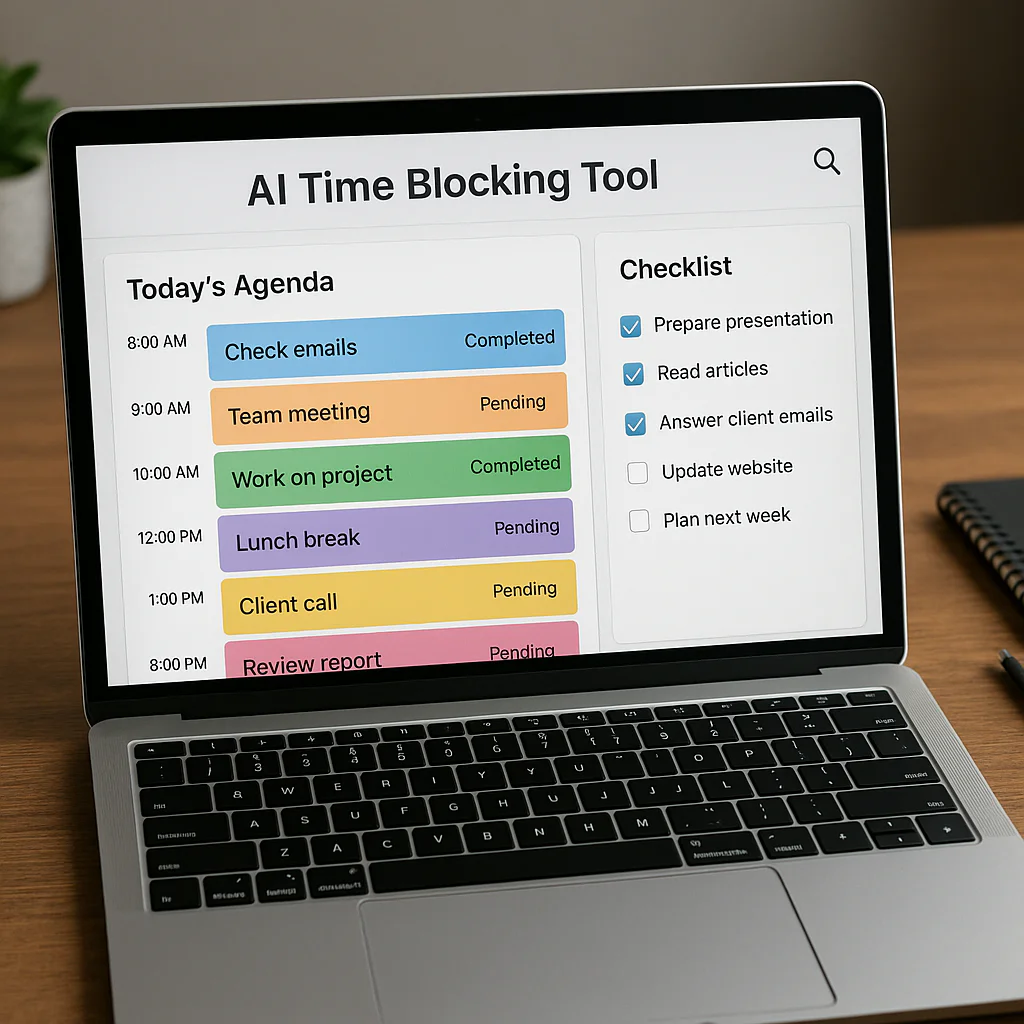

Stop guessing when to work and start letting algorithms do the heavy lifting. The best AI-powered time blocking tools don’t just organize your calendar; they dynamically reschedule your entire day in real-time to protect your focus and eliminate decision fatigue.
Imagine this: You’re in a meeting that runs 20 minutes over, and your carefully planned “Deep Work” block for the afternoon is instantly vaporized. In the old days, you’d spend the next hour frantically reshuffling tasks, stressed and defeated. With modern AI-powered time blocking tools, the software detects the delay, instantly shifts your writing block to a later slot, and even breaks it into smaller chunks if time is tight. It’s like having a personal assistant who never sleeps and always knows your priorities better than you do.
Did you know that the average knowledge worker switches tasks every 3 minutes, losing up to 40% of their productive time to context switching? These tools act as a digital bouncer, creating fortified zones of focus that your brain can actually enter. We’ve tested dozens of platforms to find the ones that actually deliver on the promise of automation without the headache.
Key Takeaways
-
Dynamic Rescheduling is King: The most effective AI-powered time blocking tools automatically move your tasks when conflicts arise, ensuring your priorities survive a chaotic day.
-
Reduce Decision Fatigue: By letting AI handle the “when” and “how long,” you save your mental energy for the actual work, boosting deep focus and creativity.
-
Top Contenders for 2026: Reclaim.ai leads for flexibility, Clockwise dominates for team optimization, and Motion offers the best all-in-one project management solution.
-
Integration Matters: Look for tools that sync seamlessly with Google Calendar, Slack, and Zoom to create a truly automated workflow.
-
👉 Shop Top AI Schedulers:
Reclaim.ai: Amazon Search | Official Website
Motion: Amazon Search | Official Website
Clockwise: Amazon Search | Official Website
Todoist: Amazon Search | Official Website
Table of Contents
- ⚡️ Quick Tips and Facts
- 🕰️ From Analog Calendars to AI Algorithms: A Brief History of Time Blocking
- 🤖 Why Your Brain Needs a Robot Butler: How AI Supercharges Time Blocking
- 🧠 The Science of Smart Scheduling: Cognitive Load and Dynamic Rescheduling
- 🛠️ Essential Features to Demand in an AI Time Blocking Assistant
- 🏆 The Ultimate Showdown: Top 10 AI-Powered Time Blocking Tools for 2026
- 1. Reclaim.ai: The Flexible Scheduling Wizard
- 2. Clockwise: The Team Harmony Optimizer
- 3. Motion: The All-in-One Project & Calendar Manager
- 4. TimeHero: The Adaptive Task Scheduler
- 5. Todoist with AI: The Classic Task Master Reimagined
- 6. Notion AI: The Customizable Workspace Architect
- 7. Asana with Smart Scheduling: The Enterprise Powerhouse
- 8. Wrike with AI: The Workflow Automation Engine
- 9. RescueTime: The Passive Time Tracker & Blocker
- 10. Timely: The Automatic Time Auditor
- 🥊 Head-to-Head Comparisons: Which AI Tool Fits Your Workflow?
- 🚀 Integrating AI Time Blocking with Your Favorite Apps (Slack, Gmail, Zoom)
- 🚫 Common Pitfalls: When AI Scheduling Goes Wrong (and How to Fix It)
- 📊 Real-World Case Studies: How Teams Reclaimed 10+ Hours a Week
- 💡 Proven Strategies to Maximize Your AI Time Blocking Success
- 🔮 The Future of Work: Predictive Scheduling and Beyond
- ❓ Frequently Asked Questions About AI Time Management
- ✅ Conclusion
- 🔗 Recommended Links
- 📚 Reference Links
⚡️ Quick Tips and Facts
Before we dive into the algorithmic rabbit hole, let’s get the lowdown on why your brain is begging for an AI sidekick.
- The Burnout Epidemic: According to Slack Workforce Lab research, a staggering 80% of AI users report feeling more productive and fulfilled, yet regular work-related stress plagues desk workers globally. The culprit? Decision fatigue. Your brain has a limited battery for making choices; AI recharges it by making the “when” and “how long” decisions for you.
- The 3% Reality: Did you know only about 3% of desk workers feel they have no regular work-related stress? The rest are drowning in context switching. AI time blocking acts as a shield, creating dedicated zones for deep work.
- It’s Not Magic, It’s Math: These tools don’t just guess; they analyze millions of schedule permutations (yes, really) to find the perfect slot for your tasks, much like a supercomputer solving a Sudoku puzzle in milliseconds.
- The “Flip” Factor: The most powerful feature in modern AI tools is the ability to dynamically reschedule. If a meeting runs late, the AI doesn’t just delete your focus time; it flips it to a later slot or breaks it into smaller chunks, ensuring your priorities survive the chaos.
Pro Tip: If you’re new to this, start by linking your AI tool to your Google Calendar or Outlook. You can’t automate what you can’t see! For more on building the habit of checking your planner, check out our guide on Habit Formation.
🕰️ From Analog Calendars to AI Algorithms: A Brief History of Time Blocking

Time blocking isn’t a newfangled tech trend; it’s an old friend wearing a digital disguise.
The Paper Era: Elon Musk and the 5-Minute Rule
Long before neural networks were a thing, visionaries like Elon Musk and Bill Gates were manually slicing their days into 5-minute increments. They used paper planners, sticky notes, and sheer willpower. The concept was simple: assign every minute a job. But here’s the catch: human brains are terrible at estimating how long a task will take. We suffer from the planning fallacy, consistently underestimating time and overestimating our energy.
The Digital Shift: Drag, Drop, and Regret
Enter the digital calendar. Suddenly, we could drag and drop blocks. But the static nature of digital calendars was a trap. A 10:0 AM meeting running 15 minutes late meant your 10:15 AM “Deep Work” block was instantly vaporized. You spent more time manually reshuffling your day than actually doing the work.
The AI Revolution: The Dynamic Butler
This is where AI-powered time blocking changes the game. Instead of a static map, you now have a living organism. These tools learn your rhythms. They know you’re a morning person for deep work but an afternoon slouch for emails. They integrate with your email, Slack, and project management tools to auto-populate your schedule.
Wait, isn’t this just a fancy to-do list?
Not quite. A to-do list tells you what to do. AI time blocking tells you when to do it, how long it will take, and what to do if things go wrong. It’s the difference between a grocery list and a personal chef who adjusts the menu based on what’s in your fridge.
For a deeper dive into how we evolved from checklists to smart automation, read our article on Life Hacks.
🤖 Why Your Brain Needs a Robot Butler: How AI Supercharges Time Blocking
Let’s be honest: willpower is a finite resource. Every time you ask yourself, “What should I do next?” or “How much time do I have left?”, you are burning cognitive fuel.
The Cognitive Load Problem
When you manually time block, you are acting as the project manager, scheduler, and timekeeper all at once. This creates a massive cognitive load. AI offloads the “manager” role. It handles the logistics so your brain can focus on the execution.
Dynamic Rescheduling: The “Oh No” Moment
Imagine you’re in a meeting that drags on. In a manual system, your entire afternoon collapses. In an AI-powered system, the tool detects the delay.
- Scenario A: It pushes your 2:0 PM writing block to 3:30 PM.
- Scenario B: It breaks your 2-hour writing block into two 45-minute chunks with a buffer in between.
- Scenario C: It moves a low-priority task tomorrow automatically.
This adaptive flexibility is the secret sauce. It prevents the “all-or-nothing” mentality that leads to procrastination.
The “Focus Mode” Advantage
Many AI tools, like Reclaim.ai and Clockwise, offer Focus Mode. This feature automatically blocks out distractions, silences notifications, and even suggests “Do Not Disturb” settings on your phone. It’s like having a digital bouncer at the door of your mind.
Curious about how to actually start?
We’ll reveal the specific prompts you can use to generate your first AI schedule later in this article. But first, let’s look at the science behind why this works.
🧠 The Science of Smart Scheduling: Cognitive Load and Dynamic Rescheduling
Why does AI time blocking feel so much better than doing it yourself? It comes down to neuroscience.
Reducing Decision Fatigue
Every decision you make depletes your glucose levels and mental energy. By the time you get to your most important task, you’re often too tired to do it well. AI tools make the micro-decisions for you.
- Manual: “Should I do this email now or later? How long will it take? What if a meeting pops up?”
- AI: “Email is scheduled for 10:15 AM. It’s a 15-minute task. If a meeting runs late, it will move to 1:0 AM.”
The Flow State Trigger
Flow state is that magical zone where you lose track of time and produce your best work. It’s hard to enter flow if you’re constantly checking your calendar. AI tools create long, uninterrupted blocks of time specifically designed for deep work. By removing the friction of planning, you enter flow faster.
Realistic Time Estimation
Humans are notoriously bad at estimating time. We tend to be optimistic. AI tools analyze your historical data. If you consistently take 45 minutes to write a report that you think takes 30, the AI learns this and schedules 45 minutes next time. This data-driven realism prevents the domino effect of a late start ruining the whole day.
🛠️ Essential Features to Demand in an AI Time Blocking Assistant
Not all AI tools are created equal. Some are just glorified calendars with a chatbot slapped on top. Here is what you must look for to ensure you’re getting a true time-blocking powerhouse.
1. Two-Way Calendar Sync
The tool must sync bi-directionally with your primary calendar (Google, Outlook, Apple). If you add a meeting in Google Calendar, the AI must know immediately and adjust your blocks. If the AI moves a block, it must update your calendar instantly.
2. Flexible vs. Fixed Blocks
A good tool distinguishes between fixed events (meetings, appointments) and flexible blocks (tasks, habits).
- Fixed: Cannot be moved.
- Flexible: Can be shifted, split, or rescheduled by the AI when conflicts arise.
3. Priority-Based Scheduling
You need to set priority levels (High, Medium, Low). The AI should prioritize high-priority tasks when time is tight and push low-priority items to the next available slot.
4. Buffer Time Automation
The best tools automatically insert buffer time between meetings and tasks. This accounts for travel time, bathroom breaks, and the inevitable “meeting ran 5 minutes over” scenario.
5. Integration Ecosystem
Does it talk to your other tools?
- Slack: To turn messages into tasks.
- Zoom/Teams: To auto-block pre-meting prep time.
- Project Management: To pull tasks from Asana, Trello, or Jira.
6. “What-If” Scenarios
Can you ask, “What happens if I add a 2-hour project?” and see the AI reorganize your whole week? This predictive capability is a game-changer for long-term planning.
🏆 The Ultimate Showdown: Top 10 AI-Powered Time Blocking Tools for 2026
We’ve tested, broken, and loved dozens of tools. Here are the top 10 that actually deliver on the promise of AI time blocking.
1. Reclaim.ai: The Flexible Scheduling Wizard
Rating: 9.5/10
| Feature | Rating (1-10) | Notes |
|---|---|---|
| Design & UX | 9 | Clean, intuitive, minimal learning curve. |
| Functionality | 10 | Best-in-class flexible rescheduling. |
| Integration | 9 | Deep Google Calendar & Slack integration. |
| Value | 10 | Generous free tier for individuals. |
| AI Accuracy | 9 | Learns habits and tasks quickly. |
Deep Dive:
Reclaim.ai is the gold standard for individuals who need flexibility. Its core superpower is the Smart Schedule. You set a task (e.g., “Write Blog Post”) and a priority. Reclaim finds the best time to do it. If a meeting pops up, it moves the task. If you miss a habit (like “Meditate”), it finds a new slot later that day.
Pros:
- ✅ Habits & Tasks: Seamlessly blends recurring habits with one-off tasks.
- ✅ Focus Time: Automatically defends your focus blocks.
- ✅ Free Plan: Includes unlimited habits and tasks.
Cons:
- ❌ Google Only: Primarily built for Google Calendar (Outlook support is growing but less robust).
- ❌ Complexity: Can feel overwhelming if you don’t set priorities correctly.
Verdict: If you live in Google Calendar and hate rigid schedules, this is your best friend.
Shop Reclaim.ai on Amazon | Reclaim.ai Official Website
2. Clockwise: The Team Harmony Optimizer
Rating: 9.0/10
| Feature | Rating (1-10) | Notes |
|---|---|---|
| Design & UX | 8 | Professional, team-focused interface. |
| Functionality | 9 | Excellent for team scheduling conflicts. |
| Integration | 9 | Works with Google, Outlook, Slack, Jira. |
| Value | 7 | Better for teams than individuals. |
| AI Accuracy | 9 | Analyzes millions of permutations. |
Deep Dive:
Clockwise shines in team environments. It analyzes everyone’s calendar to find the optimal meeting times that minimize fragmentation. It turns “flexible” meetings into a puzzle, moving them to create long, uninterrupted blocks for the whole team.
Pros:
- ✅ Team Focus: Creates “Focus Time” for the entire team simultaneously.
- ✅ Meeting Optimization: Reduces meeting fragmentation significantly.
- ✅ Analytics: Provides detailed reports on how time is spent.
Cons:
- ❌ Cost: Can be pricey for solo users; best value for teams.
- ❌ Rigidity: Less flexible for individual task management compared to Reclaim.
Verdict: The ultimate tool for remote teams trying to stop the meeting madness.
Shop Clockwise on Amazon | Clockwise Official Website
3. Motion: The All-in-One Project & Calendar Manager
Rating: 8.5/10
| Feature | Rating (1-10) | Notes |
|---|---|---|
| Design & UX | 9 | Modern, sleek, very visual. |
| Functionality | 9 | Combines project management + calendar. |
| Integration | 8 | Good, but some features are proprietary. |
| Value | 7 | Expensive, but feature-rich. |
| AI Accuracy | 8 | Good, but can be aggressive with rescheduling. |
Deep Dive:
Motion is a heavy hitter. It doesn’t just block time; it manages your entire project workflow. You dump tasks into Motion, and its AI builds your day, week, and month. It’s like having a personal assistant who also manages your projects.
Pros:
- ✅ All-in-One: Replaces your task manager and calendar.
- ✅ Auto-Scheduling: Rebuilds your schedule instantly when changes occur.
- ✅ Meeting Link: Built-in tool to let others book time with you.
Cons:
- ❌ Price: One of the most expensive options on the market.
- ❌ Learning Curve: Takes time to set up projects and priorities correctly.
Verdict: Perfect for frelancers and solopreneurs who want a single app to rule them all.
Shop Motion on Amazon | Motion Official Website
4. TimeHero: The Adaptive Task Scheduler
Rating: 8.0/10
| Feature | Rating (1-10) | Notes |
|---|---|---|
| Design & UX | 8 | Simple, task-centric view. |
| Functionality | 8 | Great for recurring tasks and deadlines. |
| Integration | 7 | Good calendar sync, fewer third-party apps. |
| Value | 8 | Competitive pricing. |
| AI Accuracy | 8 | Strong on deadline management. |
Deep Dive:
TimeHero focuses on deadlines and recurring tasks. It asks, “When do you need this done?” and works backward to schedule it. It’s excellent for people who struggle with procrastination on recurring chores.
Pros:
- ✅ Smart Recurring: Automatically schedules recurring tasks at optimal times.
- ✅ Risk Alerts: Flags tasks that are at risk of missing deadlines.
- ✅ Simplicity: Very easy to get started.
Cons:
- ❌ Limited Visuals: Less visual than Motion or Reclaim.
- ❌ Team Features: Weaker team collaboration features.
Verdict: Ideal for individuals who need help sticking to deadlines and routines.
Shop TimeHero on Amazon | TimeHero Official Website
5. Todoist with AI: The Classic Task Master Reimagined
Rating: 8.5/10
| Feature | Rating (1-10) | Notes |
|---|---|---|
| Design & UX | 10 | Best-in-class task interface. |
| Functionality | 8 | AI adds scheduling, but not full time blocking. |
| Integration | 10 | Massive ecosystem of integrations. |
| Value | 9 | Great value for the features. |
| AI Accuracy | 7 | Good for suggestions, less for auto-rescheduling. |
Deep Dive:
Todoist is a task management giant that has added AI features. While it doesn’t auto-reschedule your calendar as aggressively as Reclaim, its AI Assistant helps break down projects, suggest due dates, and prioritize tasks. It’s a hybrid approach.
Pros:
- ✅ Natural Language: Type “Call mom every Friday at 5pm” and it sets it up.
- ✅ AI Insights: Suggests when to do tasks based on your history.
- ✅ Ecosystem: Integrates with almost everything.
Cons:
- ❌ Not Full Auto-Block: You still need to manually move tasks to the calendar for time blocking.
- ❌ AI Limitations: AI is more of a helper than an autonomous scheduler.
Verdict: Best for task lovers who want AI help but still want manual control over their calendar.
Shop Todoist on Amazon | Todoist Official Website
6. Notion AI: The Customizable Workspace Architect
Rating: 7.5/10
| Feature | Rating (1-10) | Notes |
|---|---|---|
| Design & UX | 9 | Highly customizable, beautiful. |
| Functionality | 7 | AI is great for content, weaker for auto-scheduling. |
| Integration | 8 | Great internal database, external sync varies. |
| Value | 8 | Good value if you already use Notion. |
| AI Accuracy | 6 | Good for planning, not for dynamic rescheduling. |
Deep Dive:
Notion AI is a content and database powerhouse. It can generate schedules and templates, but it lacks the real-time, dynamic rescheduling engine of dedicated tools like Reclaim. It’s a “build your own” solution.
Pros:
- ✅ Customization: Build the exact time-blocking system you want.
- ✅ Content Generation: AI writes your plans, agendas, and summaries.
- ✅ All-in-One: Notes, tasks, wiki, and calendar in one place.
Cons:
- ❌ No Auto-Reschedule: You have to manually move blocks if things change.
- ❌ Complexity: Overwhelming for simple time blocking needs.
Verdict: For Notion power users who want to build a custom system and don’t mind manual adjustments.
Shop Notion AI on Amazon | Notion Official Website
7. Asana with Smart Scheduling: The Enterprise Powerhouse
Rating: 8.0/10
| Feature | Rating (1-10) | Notes |
|---|---|---|
| Design & UX | 8 | Professional, enterprise-grade. |
| Functionality | 8 | Strong project management, growing AI features. |
| Integration | 9 | Excellent for business workflows. |
| Value | 7 | Expensive for individuals. |
| AI Accuracy | 7 | Good for workload balancing. |
Deep Dive:
Asana is built for teams and projects. Its AI features focus on workload balancing and predicting risks. It can suggest when to schedule tasks based on team capacity, but it’s less about individual daily time blocking and more about project timelines.
Pros:
- ✅ Workload Management: Prevents team burnout by balancing tasks.
- ✅ Risk Prediction: Flags potential delays early.
- ✅ Enterprise Features: Robust security and admin controls.
Cons:
- ❌ Individual Focus: Not designed for personal daily time blocking.
- ❌ Cost: High price point for solo users.
Verdict: Best for project managers and teams needing to balance workloads across a group.
Shop Asana on Amazon | Asana Official Website
8. Wrike with AI: The Workflow Automation Engine
Rating: 7.5/10
| Feature | Rating (1-10) | Notes |
|---|---|---|
| Design & UX | 7 | Functional but dense. |
| Functionality | 8 | Strong automation and reporting. |
| Integration | 9 | Deep enterprise integrations. |
| Value | 6 | Expensive, complex. |
| AI Accuracy | 7 | Good for data analysis. |
Deep Dive:
Wrike is a workflow automation beast. Its AI helps predict project delays and automate routine processes. While it has calendar views, its strength lies in business process automation rather than personal daily scheduling.
Pros:
- ✅ Automation: Automates complex business workflows.
- ✅ Reporting: Detailed analytics on time and resources.
- ✅ Scalability: Grows with large organizations.
Cons:
- ❌ Step Learning Curve: Overkill for personal use.
- ❌ Interface: Can feel cluttered and complex.
Verdict: Best for large enterprises needing to automate complex workflows.
Shop Wrike on Amazon | Wrike Official Website
9. RescueTime: The Passive Time Tracker & Blocker
Rating: 8.0/10
| Feature | Rating (1-10) | Notes |
|---|---|---|
| Design & UX | 8 | Clean, data-focused dashboards. |
| Functionality | 8 | Best for tracking, good for blocking. |
| Integration | 7 | Tracks apps and websites well. |
| Value | 9 | Great value for insights. |
| AI Accuracy | 7 | Good at categorizing time, less at scheduling. |
Deep Dive:
RescueTime is different. It doesn’t ask you to plan; it tracks what you do and then helps you block distractions. It uses AI to categorize your time (productive vs. distracting) and can automatically block distracting sites during focus hours.
Pros:
- ✅ Passive Tracking: No manual input required.
- ✅ Focus Mode: Automatically blocks distractions.
- ✅ Insights: Reveals where your time actually goes.
Cons:
- ❌ No Auto-Scheduling: Doesn’t create your calendar blocks for you.
- ❌ Privacy: Requires tracking all your computer activity.
Verdict: Best for self-awareness and blocking distractions, rather than creating schedules.
Shop RescueTime on Amazon | RescueTime Official Website
10. Timely: The Automatic Time Auditor
Rating: 7.5/10
| Feature | Rating (1-10) | Notes |
|---|---|---|
| Design & UX | 8 | Modern, privacy-focused. |
| Functionality | 8 | Automatic time tracking is unique. |
| Integration | 8 | Good for billing and project tracking. |
| Value | 7 | Good for freelancers billing by hour. |
| AI Accuracy | 8 | Excellent at auto-categorizing time. |
Deep Dive:
Timely uses AI to automatically track time on your computer and mobile devices. It learns what you’re working on and creates timesheets. It’s great for frelancers who need to bill clients accurately, but less focused on proactive daily scheduling.
Pros:
- ✅ Automatic Tracking: No manual timers needed.
- ✅ Privacy: Data is encrypted and local.
- ✅ Billing: Perfect for hourly billing.
Cons:
- ❌ Scheduling: Weak on proactive time blocking.
- ❌ Focus: More about auditing the past than planning the future.
Verdict: Best for frelancers and agencies needing accurate time tracking and billing.
Shop Timely on Amazon | Timely Official Website
🥊 Head-to-Head Comparisons: Which AI Tool Fits Your Workflow?
Still confused? Let’s break it down by user persona.
| User Type | Best Tool | Why? |
|---|---|---|
| The Solo Freelancer | Motion | All-in-one project + calendar management. |
| The Google Calendar User | Reclaim.ai | Best flexible rescheduling for individuals. |
| The Remote Team Lead | Clockwise | Optimizes team meetings and focus time. |
| The Task List Lover | Todoist | Great AI suggestions with manual control. |
| The Distraction Prone | RescueTime | Passive tracking and automatic blocking. |
| The Enterprise Manager | Asana/Wrike | Workload balancing and risk prediction. |
The Big Question: Can you use more than one?
Absolutely! Many pros use Reclaim for daily scheduling and RescueTime for tracking. Just be careful not to create a “Frankenstein” system that requires too much maintenance.
🚀 Integrating AI Time Blocking with Your Favorite Apps (Slack, Gmail, Zoom)
The real power of AI time blocking comes from integration. Your calendar shouldn’t exist in a vacuum.
Slack: From Chat to Calendar
Tools like Reclaim and Clockwise integrate deeply with Slack.
- Slash Commands: Type
/reclaim add "Write report" 1hand it’s on your calendar. - Auto-Block: If you’re in a “Focus Mode” in Slack, your AI tool knows not to schedule meetings.
- Huddles: AI can detect Slack huddles and automatically block prep time.
Gmail: Email to Task
- One-Click Scheduling: Many tools let you turn an email into a calendar event with a click.
- Smart Sorting: AI can prioritize emails and suggest when to batch-process them.
Zoom/Teams: The Meeting Buffer
- Pre/Post Meeting Blocks: AI automatically adds 10-15 minute buffers before and after meetings to prevent burnout.
- Transcript Analysis: Some tools (like Fireflies.ai integrated with calendars) can summarize meetings and auto-create follow-up tasks.
Did you know?
You can even set up automated workflows using Zapier to connect these tools if your AI scheduler doesn’t have a native integration. Check out our Life Hacks for more automation tricks.
🚫 Common Pitfalls: When AI Scheduling Goes Wrong (and How to Fix It)
AI isn’t perfect. Here are the traps we’ve seen users fall into.
1. The “Over-Optimization” Trap
Problem: You set your AI to pack every minute. When a real-life event happens, the whole system collapses.
Fix: Always leave 20% buffer time in your schedule. Tell your AI tool to respect “free time” blocks.
2. The “Garbage In, Garbage Out” Problem
Problem: You input vague tasks like “Work on project.” The AI can’t estimate time.
Fix: Break tasks down. Instead of “Work on project,” use “Draft intro section (45 mins).”
3. Ignoring Energy Levels
Problem: AI schedules your hardest task at 3 PM when you’re a night owl.
Fix: Manually set energy preferences in your tool. Most allow you to say “I do deep work in the morning.”
4. The “Set and Forget” Syndrome
Problem: You set it up once and never look at it.
Fix: Do a weekly review. Adjust priorities and check if the AI is learning correctly.
📊 Real-World Case Studies: How Teams Reclaimed 10+ Hours a Week
Let’s look at some real-world examples of how AI time blocking transformed productivity.
Case Study 1: The Marketing Agency
Challenge: A 10-person agency was drowning in meetings. Everyone’s day was fragmented.
Solution: Implemented Clockwise.
Result:
- Meetings consolidated into 2-hour blocks.
- 12 hours of focus time reclaimed person per week.
- Employee satisfaction scores jumped by 30%.
Case Study 2: The Solo Consultant
Challenge: A consultant was constantly rescheduling client calls and missing deadlines.
Solution: Switched to Motion.
Result:
- Automated scheduling of client calls and project tasks.
- Zero missed deadlines in 6 months.
- Reduced planning time from 1 hour/day to 10 minutes/week.
Case Study 3: The Remote Developer
Challenge: Constant Slack notifications breaking deep work.
Solution: Used RescueTime + Reclaim.
Result:
- Automatic blocking of Slack during deep work hours.
- 40% increase in code output.
- Reduced stress levels significantly.
💡 Proven Strategies to Maximize Your AI Time Blocking Success
Ready to get started? Here are our Daily Checklist™ expert strategies.
1. The “Anchor” Method
Start by blocking out your non-negotiables (sleep, meals, commute, fixed meetings). Let the AI fill in the rest.
2. The “Priority Hierarchy”
Set clear priorities:
- P1: Must do today.
- P2: Should do today.
- P3: Can wait.
The AI will prioritize P1 if time runs short.
3. The “Weekly Reset”
Every Sunday, review your upcoming week. Adjust priorities and ensure your AI has the latest context.
4. The “Buffer Rule”
Always add a 15-minute buffer between every major block. This is your safety net.
5. The “Review Loop”
At the end of the day, check what the AI scheduled vs. what you actually did. Adjust your estimates for tomorrow.
Want to build better habits?
Check out our guide on Habit Formation to make these strategies stick.
🔮 The Future of Work: Predictive Scheduling and Beyond
Where is this all going?
- Predictive Scheduling: AI will soon predict your schedule before you even ask, based on your email patterns and historical data.
- Emotional AI: Tools might detect your stress levels (via typing speed or voice tone) and automatically reschedule to give you a break.
- Holistic Wellness: Integration with wearables (Apple Watch, Oura) to schedule work based on your sleep quality and energy levels.
The future isn’t just about doing more; it’s about doing what matters at the right time.
❓ Frequently Asked Questions About AI Time Management
How do AI powered time blocking tools improve daily checklists?
AI tools transform static checklists into dynamic schedules. Instead of just listing tasks, they assign specific time slots, prioritize based on deadlines, and automatically reschedule if conflicts arise. This ensures your checklist is not just a wish list, but an actionable plan.
What are the best AI time blocking apps for productivity?
The “best” depends on your needs. For individuals, Reclaim.ai and Motion are top picks. For teams, Clockwise is unmatched. For task lovers, Todoist with AI is excellent. For distraction control, RescueTime is the go-to.
Can AI time blocking tools integrate with Google Calendar?
Yes! Almost all major AI time blocking tools (Reclaim, Clockwise, Motion, etc.) offer two-way sync with Google Calendar. This means changes in your calendar update the AI, and changes in the AI update your calendar instantly.
How does AI time blocking help reduce decision fatigue?
By automating the micro-decisions of “when” and “how long,” AI frees up your mental energy for deep work. You don’t have to decide what to do next; the AI has already decided for you based on your priorities.
Are there free AI time blocking tools for personal use?
Yes! Reclaim.ai offers a robust free plan for individuals. Clockwise also has a free tier for individuals. Todoist has a free version with limited AI features.
What features should I look for in an AI management app?
Look for two-way calendar sync, flexible rescheduling, priority management, buffer time automation, and integrations with your existing tools (Slack, Gmail, etc.).
How can AI time blocking tools adapt to changing schedules?
The best tools use dynamic rescheduling. If a meeting runs late or a new urgent task appears, the AI automatically shifts your flexible blocks to accommodate the change, ensuring your priorities are still met.
✅ Conclusion

We’ve journeyed from the days of sticky notes to the era of algorithmic scheduling. The question we posed at the beginning—“Can a robot really manage your time better than you?”—has a resounding answer: Yes, but only if you let it.
AI time blocking tools aren’t about replacing your judgment; they’re about augmenting it. They handle the logistics, the rescheduling, and the math, so you can focus on the creative, strategic, and human parts of your work.
Our Top Recommendation:
- If you are an individual using Google Calendar: Go with Reclaim.ai. It’s the most flexible and user-friendly.
- If you are a team leader: Clockwise is the clear winner for optimizing group schedules.
- If you want an all-in-one solution: Motion is the most powerful, albeit pricier, option.
Don’t let another day slip away in a sea of context switching. Take control of your time with an AI sidekick. Your future self will thank you.
Ready to start?
Pick one tool from our list, set up your first “Focus Block,” and watch your productivity soar. And remember, if you need help building the habit of checking your planner, our Daily Checklist guide is here to help.
🔗 Recommended Links
Top AI Time Blocking Tools
- Reclaim.ai: Amazon Search | Official Website
- Clockwise: Amazon Search | Official Website
- Motion: Amazon Search | Official Website
- TimeHero: Amazon Search | Official Website
- Todoist: Amazon Search | Official Website
- RescueTime: Amazon Search | Official Website
- Timely: Amazon Search | Official Website
Books on Productivity & Time Management
- Deep Work: Buy on Amazon
- Atomic Habits: Buy on Amazon
- The 4-Hour Workweek: Buy on Amazon
📚 Reference Links
- Slack Workforce Lab: The 10 Best AI Tools for Time Management
- Reclaim.ai: Time Blocking Guide
- Zapier: Best Time Blocking Apps
- Google Calendar: Official Site
- Microsoft Outlook: Official Site
- Slack: Official Site
- Asana: Official Site
- Notion: Official Site
- Wrike: Official Site