Support our educational content for free when you purchase through links on our site. Learn more

📋 What Is a Checklist at Work? The 7-Step Blueprint for 2026
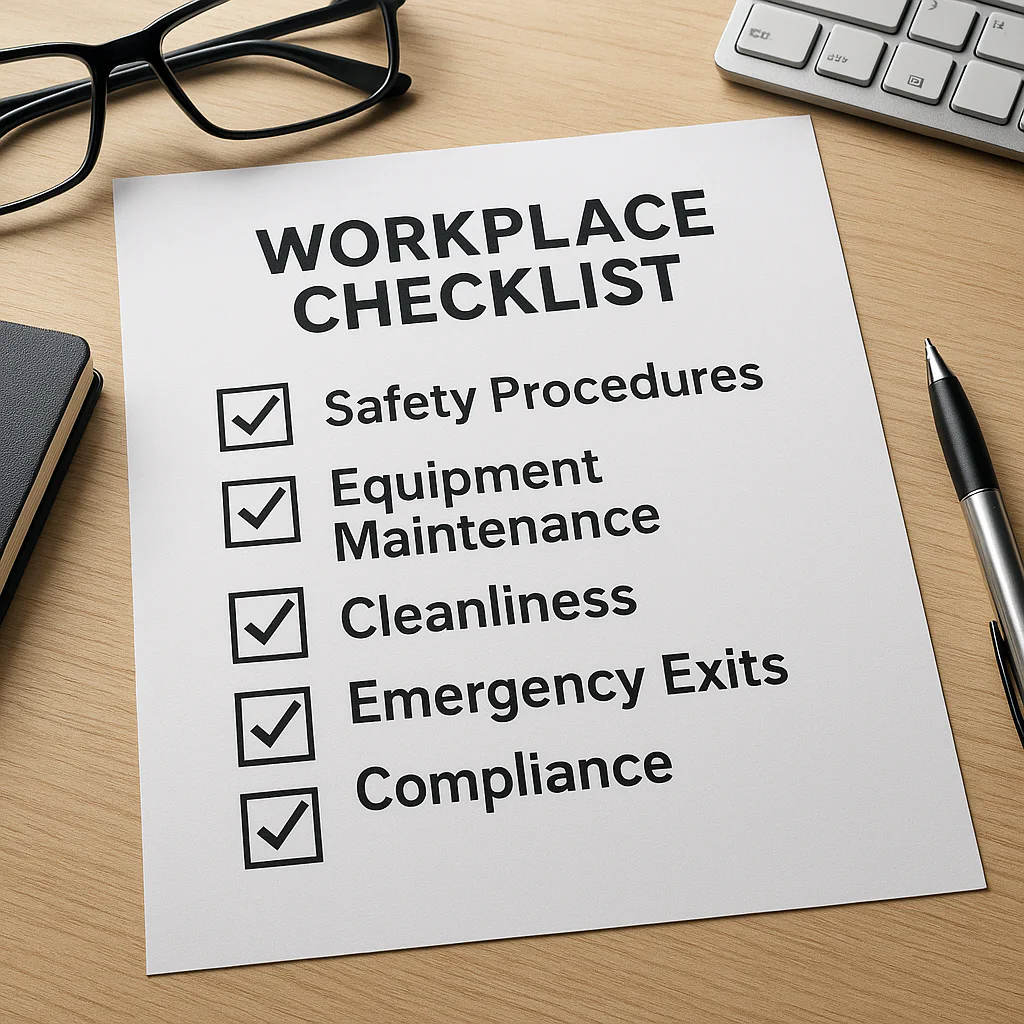
A work checklist is not just a to-do list; it is a procedural safety net designed to eliminate human error, ensure consistency, and free your brain for high-level thinking. When you ask, “What is a checklist at work?” you are really asking how to stop relying on fallible memory and start relying on a system that guarantees results every single time.
Imagine a surgeon forgetting to check if a patient is allergic to penicillin, or a pilot forgetting to lower the landing gear. In 206, the World Health Organization introduced a surgical checklist that reduced complications by 36% and deaths by 47% in some hospitals. If a simple list can save lives in an operating room, imagine what it can do for your quarterly reports or client onboarding.
We’ve all been there: the panic of realizing you forgot to attach the file, or the “Maurice” (the office plant) dying because no one knew who was responsible for watering it. These aren’t just annoying mistakes; they are symptoms of a brain overloaded with too many details to track.
A checklist acts as your cognitive offload, catching the small things so you can focus on the big picture. It transforms a chaotic day into a streamlined process, ensuring that even when you are tired or distracted, the critical steps get done.
Key Takeaways
- Definition: A work checklist is a verification tool for recurring processes, distinct from a flexible to-do list, ensuring tasks are completed correctly and consistently.
- Impact: Implementing checklists can reduce errors by up to 47% in high-stakes environments and significantly lower workplace anxiety.
- Structure: Effective checklists are short (under 10 items), use action-oriented language, and focus on specific “pause points” in a workflow.
- Application: From daily launchpads to crisis management protocols, checklists are essential for onboarding, quality assurance, and ensuring you can actually disconnect on vacation.
Table of Contents
- ⚡️ Quick Tips and Facts
- 📜 The Evolution of the Work Checklist: From Ancient Scribes to Modern Apps
- 🤔 What Exactly Is a Checklist at Work? Defining the Basics
- 🚀 Why Your Brain Craves a Checklist: The Psychology of Completion
- 🛠️ 7 Essential Types of Work Checklists for Every Professional
- 1. The Daily Launchpad Checklist
- 2. The Project Milestone Tracker
- 3. The Quality Assurance (QA) Safety Net
- 4. The Onboarding Roadmap for New Hires
- 5. The Meeting Efficiency Protocol
- 6. The End-of-Day Shutdown Routine
- 7. The Crisis Management Emergency List
- 📝 How to Build a Bulletproof Work Checklist That Actually Gets Used
- 🚫 Common Checklist Mistakes That Turn Your To-Do List into a To-Doom List
- 📱 Top Tools and Apps for Digital Checklists in 2024
- 🏖️ The Vacation Paradox: How Checklists Help You Actually Disconnect
- Setting Up Out-of-Office Replies Without the Guilt Trip
- Managing the Post-Vacation Email Avalanche
- Why Reducing Work Email is the Secret to Better Retention
- 👥 Checklist Etiquette: When to Share, When to Keep, and When to Delegate
- 📊 Real-World Case Studies: How Checklists Saved the Day (and the Company)
- 🧠 Frequently Asked Questions About Workplace Checklists
- 🏁 Conclusion
- 🔗 Recommended Links
- 📚 Reference Links
⚡️ Quick Tips and Facts
Before we dive into the nitty-gritty of why your brain is screaming for a list, let’s hit the rewind button on a few myths. You might think checklists are just forgetful interns or people who can’t remember to buy milk. Wrong.
- The Surgeon’s Secret: In 206, the World Health Organization introduced a surgical checklist that reduced complications by 36% and deaths by 47% in some hospitals. If a checklist can save lives in an operating room, imagine what it can do for your quarterly report. Read the WHO study here.
- The “Inbox Zero” Anxiety: As Amanda Roy noted in her vacation protocol, the thought of leaving unopened emails creates genuine anxiety. A pre-departure checklist isn’t just administrative; it’s psychological armor.
- The 10-Item Rule: Effective checklists usually have fewer than 10 items per pause point. Anything longer, and your brain treats it like a novel you have to read, not a tool you use.
- It’s Not About Memory: Checklists aren’t for remembering what to do; they are for remembering that you did it. They free up your brain’s RAM for creative problem-solving rather than rote recall.
Ready to stop guessing and start executing? Let’s build your bulletproof work checklist system.
📜 The Evolution of the Work Checklist: From Ancient Scribes to Modern Apps
You might think the checklist is a modern invention born from the sterile cubicles of the 20th century. Think again. The concept of “checking things off” is as old as civilization itself.
Ancient scribes in Mesopotamia used clay tablets to track grain shipments. If the clay didn’t match the inventory, heads rolled (metaphorically, usually). Fast forward to the 19th century, and the scientific management movement, led by Frederick Winslow Taylor, turned work into a series of optimized steps. But it wasn’t until the aviation industry stepped in that the checklist became a hero.
In the 1930s, the Boeing Model 29 (the precursor to the B-17 Flying Fortress) crashed during a test flight. The plane was too complex for a single pilot to manage manually. The solution? A pilot’s checklist. This simple piece of paper turned a “flying laboratory” into a reliable workhorse, saving the project and revolutionizing safety standards across industries.
Today, we’ve moved from paper to pixels. We’ve seen the rise of digital checklists that sync across devices, integrate with calendars, and even use AI to suggest tasks. But the core principle remains unchanged: human error is inevitable; systematic error is optional.
🤔 What Exactly Is a Checklist at Work? Defining the Basics
So, what is a checklist at work, really? Is it just a To-Do list with a fancy name? Absolutely not.
A To-Do list is a collection of tasks you want to do. It’s often unstructured, open-ended, and prone to “task creep.” A checklist, however, is a procedural tool designed to ensure a specific process is completed correctly, every single time.
| Feature | To-Do List | Work Checklist |
|---|---|---|
| Purpose | Brainstorming & prioritization | Verification & consistency |
| Structure | Flexible, often vague | Rigid, step-by-step |
| Outcome | “Did I do it?” | “Did I do it right?” |
| Usage | Daily, ad-hoc | Recurring, critical processes |
| Failure Mode | Procrastination | Catastrophic error |
A work checklist acts as a cognitive safety net. It catches the things you miss because you’re tired, distracted, or just assuming you know the drill. Whether it’s a daily launchpad to start your morning or a crisis management protocol for a PR disaster, the checklist is the script that keeps the show running.
If you’re still wondering how to transition from a chaotic To-Do list to a structured checklist system, check out our deep dive on 🚀 How to Make a Daily Checklist for Work: The 15-Step Blueprint (2026).
🚀 Why Your Brain Craves a Checklist: The Psychology of Completion
Why does checking a box feel so good? It’s not just the dopamine hit (though that’s a huge part of it). It’s about cognitive offloading.
Your brain has a limited amount of working memory. When you try to hold 15 different tasks in your head while simultaneously answering emails and attending a Zoom call, you’re overloading the system. This leads to decision fatigue and errors.
- The Zeigarnik Effect: This psychological phenomenon states that people remember uncompleted or interrupted tasks better than completed ones. An open loop in your brain creates tension. A checklist closes those loops, signaling to your brain, “We are done. You can relax now.”
- Reducing Anxiety: As Amanda Roy discovered, the anxiety of leaving work unfinished is real. A checklist provides closure. It proves that you haven’t forgotten the “Maurice” (the office plant) or the client report.
- Flow State: By automating the “what do I do next?” decision, you enter a state of flow faster. You don’t waste energy deciding; you just execute.
🛠️ 7 Essential Types of Work Checklists for Every Professional
Not all checklists are created equal. A checklist for a surgeon looks different from one for a marketing manager. Here are the 7 essential types you need in your arsenal.
1. The Daily Launchpad Checklist
This is your morning ritual. It’s not about doing everything; it’s about setting the tone.
- Focus: Prioritization and mental readiness.
- Key Items: Review calendar, check urgent emails, define the “One Big Thing” for the day, hydrate.
- Why it works: It prevents the “reactive mode” where you spend your whole day putting out fires started by others.
2. The Project Milestone Tracker
For long-term projects, you need a roadmap. This checklist breaks a massive goal into manageable chunks.
- Focus: Progress tracking and deadline adherence.
- Key Items: Draft completion, stakeholder review, final approval, launch.
- Pro Tip: Use tools like Asana or Monday.com to turn these into recurring templates.
3. The Quality Assurance (QA) Safety Net
Before you hit “send” on that critical email or ship that product, run this list.
- Focus: Error prevention and brand consistency.
- Key Items: Spelling check, link verification, attachment inclusion, tone review.
- Real World Example: In the aviation industry, the pre-flight checklist ensures the plane doesn’t take off with the landing gear locked. In marketing, it ensures you don’t send a campaign with a broken link.
4. The Onboarding Roadmap for New Hires
Bringing someone new on board is chaotic. A checklist ensures they don’t fall through the cracks.
- Focus: Integration and compliance.
- Key Items: IT setup, HR paperwork, team introductions, first-week goals.
- Impact: Reduces time-to-productivity and makes new hires feel welcomed, not lost.
5. The Meeting Efficiency Protocol
Meetings are the black hole of productivity. This checklist ensures they have a purpose.
- Focus: Time management and outcomes.
- Key Items: Agenda sent 24h prior, clear objective defined, decision-maker present, action items assigned.
- Result: No more “meeting about the meeting.”
6. The End-of-Day Shutdown Routine
This is the secret weapon for work-life balance. It signals to your brain that work is over.
- Focus: Mental separation and preparation for tomorrow.
- Key Items: Clear desk, update task list for tomorrow, close all tabs, send “goodbye” emails.
- Connection: This directly links to our Digital Detox category, helping you disconnect effectively.
7. The Crisis Management Emergency List
When the server crashes or the PR nightmare hits, you can’t think clearly. This list is your lifeline.
- Focus: Rapid response and containment.
- Key Items: Identify the issue, notify stakeholders, activate response team, document actions.
- Why it matters: In a crisis, panic is the enemy. A checklist brings order to chaos.
📝 How to Build a Bulletproof Work Checklist That Actually Gets Used
You have the types; now let’s build the thing. But beware: a bad checklist is worse than no checklist. It becomes “shelfware” that gathers digital dust.
Step 1: Identify the “Pause Points”
Where does the process naturally break? Where do people usually make mistakes? These are your pause points.
- Example: In a content creation workflow, the pause points might be “Before Drafting,” “After First Draft,” and “Before Publishing.”
Step 2: Keep it Simple (The 10-Item Rule)
As the video summary suggests, limit your list to fewer than 10 items per pause point. If you have 20 items, you’re writing a manual, not a checklist.
- Action: Group related tasks or split the list into two separate checklists.
Step 3: Use Action-Oriented Language
Don’t write “Review the document.” Write “Check for typos and broken links.”
- Why: Vague instructions lead to vague execution. Be specific.
Step 4: Test and Iterate
Your first draft will be wrong. That’s okay. Use it for a week, see what’s missing, and refine it.
- Feedback Loop: Ask your team, “Did this list help you? What was confusing?”
Step 5: Choose Your Medium
Paper is great for focus, but digital is great for collaboration.
- Paper: Use for personal daily routines or high-stakes, low-tech environments.
- Digital: Use for team projects, recurring tasks, and data tracking.
🚫 Common Checklist Mistakes That Turn Your To-Do List into a To-Doom List
Even the best intentions can go wrong. Here are the pitfalls to avoid:
- The “Kitchen Sink” Syndrome: Adding every possible task to one list. Result: Analysis paralysis.
- The “Set and Forget” Error: Creating a checklist once and never updating it. Result: The list becomes obsolete as processes change.
- The “Vague Verb” Trap: Using words like “Handle,” “Manage,” or “Review” without defining what that means. Result: Inconsistent execution.
- Ignoring the Human Element: Making the checklist so rigid it stifles creativity. Result: Employees feel like robots.
Pro Tip: A checklist should be a guide, not a cage. It should empower you to do your best work, not restrict your thinking.
📱 Top Tools and Apps for Digital Checklists in 2024
Gone are the days of sticky notes (unless you love the smell of adhesive). Here are the top tools to digitize your workflow.
| Tool | Best For | Key Features | Pros | Cons |
|---|---|---|---|---|
| Todoist | Personal daily checklists | Natural language input, Karma system, Cross-platform | Simple, intuitive, great for habits | Limited collaboration features |
| Asana | Project-based checklists | Templates, subtasks, timeline view | Powerful for teams, visual | Can be overwhelming for simple tasks |
| Notion | Custom workflows | Databases, wikis, flexible templates | Highly customizable, all-in-one | Step learning curve |
| Microsoft To Do | Office 365 users | Integration with Outlook, My Day feature | Seamless with Windows/Office | Basic features compared to competitors |
| Trello | Visual checklists | Kanban boards, cards, checklists within cards | Visual, easy to drag-and-drop | Can get messy with too many cards |
👉 CHECK PRICE on:
- Todoist: Amazon | Todoist Official
- Asana: Amazon | Asana Official
- Notion: Amazon | Notion Official
🏖️ The Vacation Paradox: How Checklists Help You Actually Disconnect
Here’s the irony: To truly disconnect, you need to be hyper-connected to your work before you leave. This is the Vacation Paradox.
If you leave without a plan, you’ll spend your entire vacation checking your phone, wondering if you forgot to water “Maurice” or send that invoice. A pre-departure checklist is the key to true relaxation.
Setting Up Out-of-Office Replies Without the Guilt Trip
Don’t just say “I’m away.” Use your checklist to ensure your OO message is effective:
- State your return date clearly.
- Provide an alternative contact for urgent matters.
- Link to resources (like a blog post or FAQ) so people don’t email you for basic info.
- Set expectations: “I will not be checking email until [Date].”
Managing the Post-Vacation Email Avalanche
The moment you return, the inbox is a monster.
- The Strategy: Before you even open your email, run your Post-Vacation Re-entry Checklist.
- The Steps:
- Scan for urgent flags only.
- Delete spam and newsletters.
- Triage the rest into folders.
- Do not reply immediately. Take 30 minutes to breathe and review your priority list.
Why Reducing Work Email is the Secret to Better Retention
Companies that enforce strict email boundaries during vacations see higher retention rates. Why? Because employees feel trusted and valued. They know they can actually rest. This ties into our Habit Formation category: building a culture of rest is a habit that pays dividends.
👥 Checklist Etiquette: When to Share, When to Keep, and When to Delegate
Checklists aren’t just for you. They are powerful tools for team alignment.
- Share: When the task requires collaboration or handoffs. A shared checklist in Asana or Trello ensures everyone knows their role.
- Keep: For personal habits or sensitive tasks (like performance reviews) where privacy is key.
- Delegate: When you need someone else to execute a process. Give them the checklist, not just the task. “Here is the checklist for the client onboarding. Please follow it step-by-step and check off each item.”
The Golden Rule: If you delegate a task, delegate the checklist. It ensures consistency and reduces the need for micromanagement.
📊 Real-World Case Studies: How Checklists Saved the Day (and the Company)
Let’s look at some real-world examples where checklists turned potential disasters into success stories.
Case Study 1: The Surgical Suite
As mentioned earlier, the WHO Surgical Safety Checklist reduced complications by 36%.
- The Problem: Surgeons were skipping steps due to fatigue or overconfidence.
- The Solution: A mandatory 3-minute pause before incision to check the checklist.
- The Result: Lives saved, costs reduced, and a culture of safety established.
Case Study 2: The Fire Protection Protocol
In the Asana forum discussion, a team struggled with fire protection documentation. They needed to check 4 times a year, but long-term tasks were getting lost.
- The Problem: Reusing the same project wiped out historical data.
- The Solution: They created a master checklist template and exported data before resetting.
- The Result: They maintained a clean, recurring process while preserving historical records for compliance.
Case Study 3: The “Maurice” Incident
Amanda Roy’s story of the office plant “Maurice” highlights a common issue: asset care.
- The Problem: Plants died because no one knew who was responsible.
- The Solution: A specific line item in the vacation checklist: “Water Maurice (bonsai).”
- The Result: Maurice survived, and the team felt more connected to the office environment.
🧠 Frequently Asked Questions About Workplace Checklists
How do you administer a checklist in the workplace?
Administering a checklist involves more than just handing out a piece of paper. It requires training, culture, and accountability.
- Training: Show your team why the checklist exists. Explain the consequences of skipping steps.
- Culture: Normalize the use of checklists. Make it okay to say, “I need to check the list before I proceed.”
- Accountability: Regularly review the checklists. Are they being used? Are they effective?
How do you write a checklist for work?
Start with the end goal. What does success look like? Then, work backward to identify the steps.
- Define the objective.
- List the steps in chronological order.
- Simplify the language (use action verbs).
- Test it with a colleague.
- Refine based on feedback.
How do I create an effective daily checklist for work?
An effective daily checklist is short, focused, and actionable.
- Limit it to 3-5 critical tasks.
- Include a “shutdown” routine to end the day.
- Review it every morning to adjust for new priorities.
- Use a tool that fits your workflow (paper or digital).
What are the benefits of using a checklist at work?
- Reduced Errors: Catch mistakes before they happen.
- Increased Efficiency: Spend less time remembering and more time doing.
- Better Team Alignment: Everyone is on the same page.
- Reduced Stress: Clear the mental clutter.
- Consistency: Ensure quality regardless of who is doing the task.
What should be included in a professional work checklist?
- Clear objectives.
- Step-by-step instructions.
- Deadlines or timeframes.
- Responsible parties (if team-based).
- Verification steps (how to know it’s done).
- Contingency plans (what to do if something goes wrong).
How can checklists improve productivity in the workplace?
Checklists improve productivity by reducing cognitive load. When your brain doesn’t have to remember every detail, it can focus on problem-solving and creativity. They also prevent rework by ensuring tasks are done right the first time.
🏁 Conclusion

So, what is a checklist at work? It’s not just a list of tasks. It’s a strategic tool that transforms chaos into clarity, anxiety into confidence, and guesswork into precision. From the ancient scribes to the modern digital apps, the checklist has evolved, but its purpose remains the same: to ensure we don’t miss the details that matter.
Whether you’re managing a complex project, preparing for a vacation, or just trying to get through your Tuesday, a well-crafted checklist is your best friend. It’s the difference between a day of frantic scrambling and a day of focused execution.
Our Recommendation: Start small. Pick one recurring process in your workday that feels chaotic. Build a simple checklist for it. Test it. Refine it. Once you see the difference, expand.
Don’t let the “Maurice” of your work life wither away. Give yourself the gift of a clear mind and a completed day.
Ready to transform your workflow?
- 👉 Shop Checklists & Planners on: Amazon | Etsy
- Get Digital Tools: Asana Official | Notion Official
🔗 Recommended Links
- Books on Productivity:
- The Checklist Manifesto: How to Get Things Right by Atul Gawande – The definitive guide on why checklists matter.
- Deep Work by Cal Newport – Learn how to focus in a distracted world.
- Tools:
- Asana Project Management
- Notion Workspace
- Todoist Task Manager
- Internal Resources:
- Habit Formation
- Life Hacks
- Digital Detox
📚 Reference Links
- World Health Organization: Surgical Safety Checklist
- Amanda Roy’s Vacation Protocol (LinkedIn)
- Asana Forum: Best Practice Using a Project as a Checklist
- Alliance for Justice: Coalition Checklist (Note: This page may require security verification to access the full content).
- Atul Gawande’s TED Talk: The Checklist