Support our educational content for free when you purchase through links on our site. Learn more

🚀 How to Make a Daily Checklist for Work: The 15-Step Blueprint (2026)
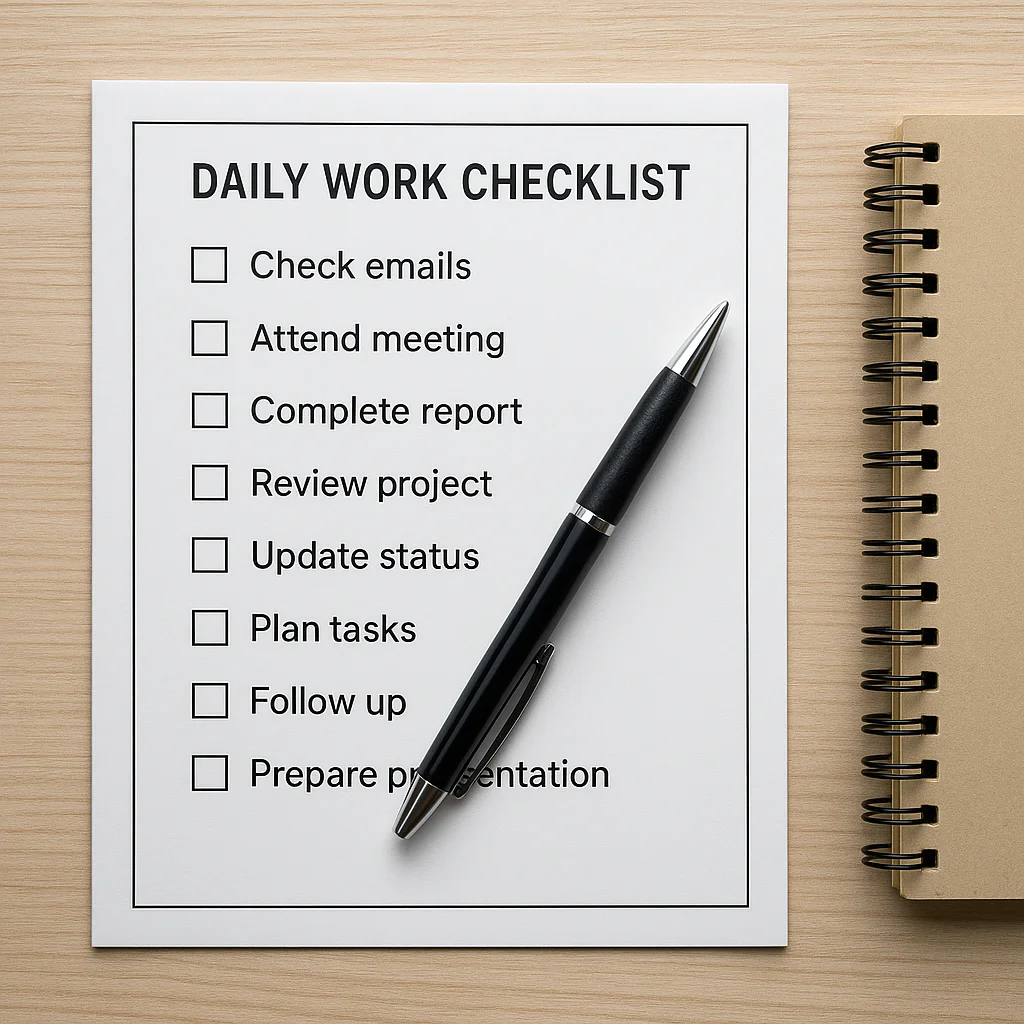
To make a daily checklist for work that actually works, you must stop listing every tiny chore and instead focus on three Most Important Tasks (MITs) scheduled into specific time blocks the night before. This simple shift transforms a chaotic to-do list into a strategic roadmap, ensuring you finish your day with a sense of accomplishment rather than exhaustion.
If you’ve ever stared at a blank page wondering, “How do I make a daily checklist for work?” without feeling overwhelmed, you are not alone. We once watched a senior project manager drown in a 40-item list, only to finish the day with nothing but a headache and a single email sent. The problem wasn’t her work ethic; it was her lack of prioritization.
Research from the University of California, Irvine, reveals that it takes an average of 23 minutes to regain focus after a single interruption. A well-structured checklist acts as a shield, protecting your deep work blocks from the constant barrage of notifications and “urgent” requests.
By following the 15-step blueprint outlined below, you can reclaim your time and turn your workday into a series of small, satisfying victories.
Key Takeaways
- Prioritize Ruthlessly: Limit your daily list to 3 Major Tasks to avoid decision fatigue and ensure high-impact work gets done.
- Plan the Night Before: Draft your checklist before you log off to eliminate morning decision fatigue and start the day with imediate momentum.
- Time Block Everything: Assign specific time slots to tasks rather than just listing them, creating a realistic schedule of execution.
- Break Down Monoliths: Split large, intimidating projects into micro-steps that take less than 5 minutes to complete.
- Review and Adapt: Conduct a brief end-of-day review to assess progress and adjust the next day’s plan accordingly.
Table of Contents
- ⚡️ Quick Tips and Facts
- 📜 The Evolution of the Daily Work Checklist: From Paper to Pixels
- 🧠 Why Your Brain Craves a Daily Task List (The Science of Checklists)
- 🛠️ How to Make a Daily Checklist for Work: A Step-by-Step Blueprint
- 1. Brain Dump: Unload Your Mental RAM
- 2. Prioritize Like a Pro: The Eisenhower Matrix Method
- 3. Time Blocking: Assigning Real Estate to Your Tasks
- 4. The Art of Breaking Down Monoliths into Micro-Steps
- 5. Setting Realistic Deadlines to Avoid the Sunday Scaries
- 6. The End-of-Day Review: Closing the Loop
- 📱 Top Tools for Building Your Work Checklist: Apps vs. Analog
- 📝 The Classic Pen and Paper Approach
- 📲 Digital Powerhouses: Todoist, Microsoft To Do, and Trello
- 🧩 Project Management Platforms: Asana, Monday.com, and ClickUp
- 🚫 Common Pitfalls: Why Your Daily Checklist Might Be Failing You
- 🔄 Adapting Your Checklist for Different Work Styles and Industries
- 🤝 Integrating Your Daily Checklist with Team Workflows
- 🧘 Maintaining Momentum: How to Stick to Your Routine Without Burning Out
- 🏆 The Ultimate 15-Point Checklist for Crushing Your Workday
- 🎯 Conclusion
- 🔗 Recommended Links
- ❓ FAQ: Your Burning Questions About Daily Work Checklists Answered
- 📚 Reference Links
⚡️ Quick Tips and Facts
Before we dive into the nitty-gritty of building a system that actually sticks, let’s hit the ground running with some non-negotiable truths about daily checklists. We’ve seen thousands of planners come and go at Daily Checklist™, and these are the golden rules that separate the productive from the perpetually overwhelmed.
- The 2-Minute Rule is Real: If a task takes less than two minutes, do it now. Don’t write it down. Don’t schedule it. Just crush it. This prevents your list from becoming a graveyard of tiny, naging chores.
- Less is More: A checklist with 50 items isn’t a plan; it’s a source of anxiety. The sweet spot? 3 to 5 Major Tasks per day. Anything more is a recipe for failure.
- The “Night Before” Secret: The most successful professionals don’t plan their day in the morning; they plan it the night before. This eliminates decision fatigue before you even pour your first cup of coffee.
- Context Matters: A checklist for a creative writer looks vastly different from one for a project manager. Customization is key.
- Review is Mandatory: A checklist you never look at is just a piece of paper (or a digital file) gathering dust. You must review it at least three times a day: morning, mid-day, and evening.
Ready to stop guessing and start executing? If you’re looking for a pre-built system to jumpstart your journey, check out our 🚀 15-Step Daily Checklist for Work (2026) guide. It’s the blueprint we use internally to keep our own team on track.
📜 The Evolution of the Daily Work Checklist: From Paper to Pixels
You might think the daily checklist is a modern invention born from the era of Slack and Zoom, but the concept is as old as human organization itself.
The Ancient Roots
Long before we had “to-do” lists, ancient scribes in Mesopotamia were using clay tablets to track inventory and tasks. Fast forward to the 19th century, and you’ll find Frederick Winslow Taylor, the father of scientific management, advocating for detailed task lists to optimize factory efficiency. He believed that if you broke work down into small, manageable steps, productivity would skyrocket.
The Digital Shift
The 20th century brought the paper planner to the masses. Companies like Filofax and Moleskine became status symbols for the organized professional. But as the internet exploded, so did our need for dynamic, editable lists.
Enter the digital revolution. Tools like Todoist, Microsoft To Do, and Trello transformed the static list into a living, breathing system. We moved from crossing off items with a pen to dragging and dropping tasks, setting recurring reminders, and syncing across devices.
Why does this history matter? Because understanding that the tool changes but the principle remains the same helps you stop obsessing over the “perfect app” and start focusing on the process. Whether you’re using a clay tablet or an AI-powered app, the goal is the same: clarity amidst chaos.
🧠 Why Your Brain Craves a Daily Task List (The Science of Checklists)
Have you ever felt that heavy, buzzing sensation in your brain at 2:0 PM, wondering why you’re so tired despite “doing nothing”? That’s cognitive load.
The Zeigarnik Effect
Psychologists call it the Zeigarnik Effect: our brains hate unfinished tasks. They linger in our working memory, consuming mental RAM. A daily checklist acts as an external hard drive for your brain. By writing a task down, you signal to your brain, “It’s safe to forget this for now; it’s captured.”
Dopamine and the “Check”
There’s a chemical reason we love checking boxes. Every time you tick a box, your brain releases a hit of dopamine, the reward neurotransmitter. It’s a tiny celebration of progress.
- Without a list: You work hard but feel like you’re running on a treadmill.
- With a list: You see tangible progress, fueling your motivation to keep going.
The Myth of Multitasking
We often think we can juggle everything. Science says no. Your brain switches tasks, it doesn’t multitask. Each switch costs energy and time. A daily checklist forces you to sequence your tasks, allowing you to focus one thing at a time, which is the only way to achieve deep work.
🛠️ How to Make a Daily Checklist for Work: A Step-by-Step Blueprint
Okay, enough theory. Let’s build your daily work checklist from scratch. We’re going to break this down into a foolproof, six-step process that you can implement today.
1. Brain Dump: Unload Your Mental RAM
Before you can prioritize, you need to empty your mind.
- The Action: Grab a piece of paper or open a blank document. Write down everything on your mind. Emails to send, meetings to prep for, that weird bug in the code, the idea for the new marketing campaign.
- The Rule: Do not judge, do not organize, do not delete. Just dump.
- Why? You can’t prioritize what you haven’t captured. This step clears the mental fog.
2. Prioritize Like a Pro: The Eisenhower Matrix Method
Now, look at your brain dump. Not everything is created equal. Use the Eisenhower Matrix to categorize:
- Urgent & Important: Do these first. (Crises, deadlines).
- Important & Not Urgent: Schedule these. (Strategic planning, skill building). This is where success happens.
- Urgent & Not Important: Delegate these if possible. (Most emails, some meetings).
- Not Urgent & Not Important: Delete these. (Doomscrolling, busy work).
3. Time Blocking: Assigning Real Estate to Your Tasks
A list without time is just a wish.
- The Action: Assign a specific time slot to your top 3 tasks.
- The Trick: Be realistic. If a task usually takes 45 minutes, block out an hour. Buffer time is your friend.
- Pro Tip: Group similar tasks (batching). Answer all emails between 9:0–9:30 AM. Don’t let them interrupt your deep work.
4. The Art of Breaking Down Monoliths into Micro-Steps
“Write Q3 Report” is terrifying. “Open document,” “Write outline,” “Draft intro” is doable.
- The Strategy: If a task feels overwhelming, break it down until the first step takes less than 5 minutes.
- The Result: Momentum. Once you start the first micro-step, the rest flows naturally.
5. Setting Realistic Deadlines to Avoid the Sunday Scaries
Parkinson’s Law states: “Work expands to fill the time available for its completion.”
- The Fix: Set tight but achievable deadlines. If you give yourself all day to write an email, it will take all day. Give yourself 30 minutes, and it will take 30 minutes.
- The Balance: Don’t overpack your day. Leave room for the unexpected.
6. The End-of-Day Review: Closing the Loop
This is the step most people skip, and it’s the secret sauce.
- The Action: Spend 10 minutes reviewing what you did.
- The Questions: What got done? What didn’t? Why?
- The Setup: Write down your top 3 tasks for tomorrow before you log off. This allows you to disconnect fully and start the next day with clarity.
📱 Top Tools for Building Your Work Checklist: Apps vs. Analog
The eternal debate: Paper or Digital? The truth is, the best tool is the one you will actually use. Let’s break down the contenders.
📝 The Classic Pen and Paper Approach
There is a tactile satisfaction to crossing something off with a pen.
- Pros: No distractions, better for memory retention, customizable.
- Cons: Can’t sync, easy to lose, hard to edit.
- Best For: People who get distracted by screens or love the ritual of writing.
📲 Digital Powerhouses: Todoist, Microsoft To Do, and Trello
These apps offer reminders, recurring tasks, and cross-device syncing.
| Feature | Todoist | Microsoft To Do | Trello |
|---|---|---|---|
| Best For | Power users & natural language input | Microsoft ecosystem users | Visual thinkers & Kanban lovers |
| Key Strength | Karma system & project hierarchy | Simple, clean interface | Drag-and-drop boards |
| Collaboration | Excellent | Good | Excellent |
| Offline Mode | Yes | Yes | Limited |
👉 Shop Todoist on: Amazon | Todoist Official
👉 Shop Microsoft To Do on: Microsoft Store
👉 Shop Trello on: Atlassian
🧩 Project Management Platforms: Asana, Monday.com, and ClickUp
If your work involves teams, these are the heavy hitters.
- Asana: Great for complex workflows and dependencies.
- Monday.com: Highly visual and customizable.
- ClickUp: The “all-in-one” solution (docs, tasks, chat).
👉 Shop Asana on: Asana Official
👉 Shop Monday.com on: Monday Official
👉 Shop ClickUp on: ClickUp Official
🚫 Common Pitfalls: Why Your Daily Checklist Might Be Failing You
You’ve made the list, but you still feel overwhelmed. Why? Here are the top traps we see at Daily Checklist™.
1. The “Mega-List” Syndrome
Trying to do 20 things a day is a lie. You will fail, feel guilty, and quit.
- The Fix: Stick to the Rule of Three. Three big things. The rest are bonus.
2. Vague Task Descriptions
“Work on project” is not a task. It’s a black hole.
- The Fix: Use action verbs. “Draft the intro,” “Call the vendor,” “Review the budget.”
3. Ignoring Energy Levels
Scheduling deep creative work for 4:0 PM when you’re a night owl? Or trying to do admin work at 10:0 AM when your brain is fresh?
- The Fix: Match tasks to your circadian rhythm. Deep work in peak hours, admin in slumps.
4. No Buffer Time
Life happens. Meetings run late. Emails pile up.
- The Fix: Leave 20% of your day unscheduled for the unexpected.
🔄 Adapting Your Checklist for Different Work Styles and Industries
One size does not fit all. A checklist for a software developer looks different from one for a nurse or a sales rep.
For the Creative Professional
- Focus: Protecting “flow state.”
- Strategy: Block out 2–3 hours of uninterrupted time. No emails, no Slack.
- Sample Task: “Draft 50 words of the blog post” (not “Write blog”).
For the Corporate Manager
- Focus: Communication and decision-making.
- Strategy: Batch meetings. Use the morning for deep work, afternoon for meetings.
- Sample Task: “Approve Q3 budget,” “1:1 with direct reports.”
For the Remote Worker
- Focus: Separation of work and life.
- Strategy: Create a “Start Work” and “End Work” ritual.
- Sample Task: “Change into work clothes,” “Shut down laptop at 5 PM.”
🤝 Integrating Your Daily Checklist with Team Workflows
Working alone is easy; working together is hard. How do you sync your personal checklist with your team’s goals?
The Daily Standup
Use your checklist to prepare for your team standup.
- What did I do yesterday? (Check your completed items).
- What will I do today? (Check your top 3).
- What’s blocking me? (Identify blockers early).
Shared Checklists
Tools like Asana or ClickUp allow you to share tasks.
- Tip: Don’t micromanage. Assign tasks, but let team members manage their own daily breakdowns.
- Benefit: Everyone sees the big picture, reducing duplication of effort.
🧘 Maintaining Momentum: How to Stick to Your Routine Without Burning Out
Building a habit takes time. How do you stay consistent when the novelty wears off?
The “Two-Day Rule”
Never skip your checklist routine for two days in a row. One bad day is a slip-up; two is the start of a new (bad) habit.
Celebrate Small Wins
Did you finish your top 3 tasks? Treat yourself. A coffee, a walk, 10 minutes of gaming. Positive reinforcement builds the habit loop.
Review and Refine
Every week, look at your checklist. What worked? What didn’t? Tweak the system. Your checklist should evolve with you.
🏆 The Ultimate 15-Point Checklist for Crushing Your Workday
Inspired by the Work Wins Checklist (WWC) method and our own experience, here is a comprehensive 15-point checklist you can copy and paste into your favorite tool. This covers the full spectrum from morning prep to evening wind-down.
Phase 1: The Night Before (Preparation)
- Celebrate 3 Wins: Write down three things you accomplished today.
- Identify 2 Growth Areas: Note one thing to improve tomorrow.
- Select 3 MITs: Choose the 3 Most Important Tasks for tomorrow.
- Organize Workspace: Clear your desk and open necessary files.
- Disconnect: Log off and mentally “shut the door” on work.
Phase 2: The Morning (Clarity)
- Reconnect with MITs: Review your top 3 tasks immediately.
- Estimate Time: Assign realistic time blocks to each MIT.
- Creative Before Reactive: Do NOT check email until your first MIT is started.
- Execute #1 MIT: Start the most important task immediately.
- Hydrate & Move: Drink water and stretch to wake up the body.
Phase 3: During the Day (Momentum)
- Focus Checkpoints: Ask “What’s Important Now?” at every transition.
- Time Block Solo Work: Use the Pomodoro Technique (25 min work, 5 min break).
- Reboot Miday: Take a non-screen break (walk, meditate) to reset energy.
- Batch Communication: Process emails and messages in set batches.
- End-of-Day Review: Review progress, update tomorrow’s list, and log off.
🎯 Conclusion

So, there you have it. The secret to a productive workday isn’t a magic app or a 10-hour work schedule. It’s a simple, intentional checklist that respects your brain’s limits and leverages your energy.
We started this journey by asking: How do I make a daily checklist for work? The answer is a blend of science, strategy, and self-awareness. Whether you choose the analog charm of a Moleskine or the digital power of ClickUp, the tool matters less than the habit.
Remember the Work Wins Checklist philosophy: focus, productivity, and effectiveness are skills you can develop. By consistently applying these 15 steps, you’re not just checking boxes; you’re building a self-reinforcing cycle of success.
Don’t let another day slip by in a blur of “busy work.” Start tonight. Write down your three MITs. Clear your desk. And tomorrow, watch how the day transforms from a chaotic scramble into a strategic victory.
Your turn: What’s the one thing you’ll do differently tomorrow?
🔗 Recommended Links
Ready to upgrade your productivity toolkit? Here are the top resources we recommend:
- The Checklist Manifesto by Atul Gawande: The definitive book on why checklists work.
- Shop on Amazon
- Deep Work by Cal Newport: Learn how to focus in a distracted world.
- Shop on Amazon
- Todoist Planner: A physical planner designed by the creators of Todoist.
- Shop on Amazon
- Moleskine Daily Planner: The classic choice for analog lovers.
- Shop on Amazon
- ClickUp: The ultimate all-in-one project management tool.
- Visit ClickUp Official
❓ FAQ: Your Burning Questions About Daily Work Checklists Answered
How do you make a working checklist?
A working checklist isn’t just a list of chores; it’s a strategic plan. Start with a brain dump, prioritize using the Eisenhower Matrix, break tasks into micro-steps, and assign time blocks. Crucially, review it every morning and evening.
Read more about “20+ Daily Checklist Template PT Ideas to Master Your Day 🚀”
How do I create a daily work checklist?
- Night Before: Identify your top 3 tasks (MITs).
- Morning: Review MITs and block time for them.
- During Day: Execute, check off, and adjust as needed.
- Evening: Review and plan for tomorrow.
Consistency is key.
Read more about “🚀 12 Time Management Tips to Master Your Day (2026)”
What are the best tools for creating a daily work checklist?
It depends on your style:
- Analog: Moleskine, Leuchtturm1917.
- Digital: Todoist (great for natural language), Microsoft To Do (simple), Trello (visual).
- Team/Complex: Asana, Monday.com, ClickUp.
How often should I update my daily checklist?
Daily. You should review and update it every morning. Additionally, do a quick “pulse check” at miday to adjust for unexpected events. A weekly review is also essential to look at the bigger picture.
Read more about “🚫 10 Deadly Daily Checklist Mistakes to Avoid (2026)”
What should be included in a productive daily work checklist?
- 3 Most Important Tasks (MITs)
- Time-blocked meetings
- Batched communication slots
- Breaks and self-care
- End-of-day review
Avoid listing vague items like “work on project.” Be specific: “Draft section 1 of the report.”
Read more about “🚀 15-Step Daily Checklist for Work (2026)”
How can I stick to my daily checklist without feeling overwhelmed?
- Start Small: Don’t try to do everything at once.
- The Rule of Three: Limit your main focus to three tasks.
- Be Flexible: If something comes up, move it. Don’t beat yourself up.
- Celebrate Wins: Acknowledge what you did finish.
Read more about “7 Steps to Build a Daily Checklist That Actually Works (2026) 📝”
📚 Reference Links
- The Work Wins Checklist: A deep dive into the 12 practices for doubling productivity. Read the full article here.
- Atul Gawande’s The Checklist Manifesto: The science behind why checklists work. Learn more.
- Harvard Business Review: “Why We Need Checklists.” Read the study.
- Microsoft To Do: Official documentation on best practices. Visit Microsoft.
- Todoist: Tips for productivity. Visit Todoist.