Support our educational content for free when you purchase through links on our site. Learn more

15 Surprising Benefits of Using a Daily Checklist ✅ (2026)
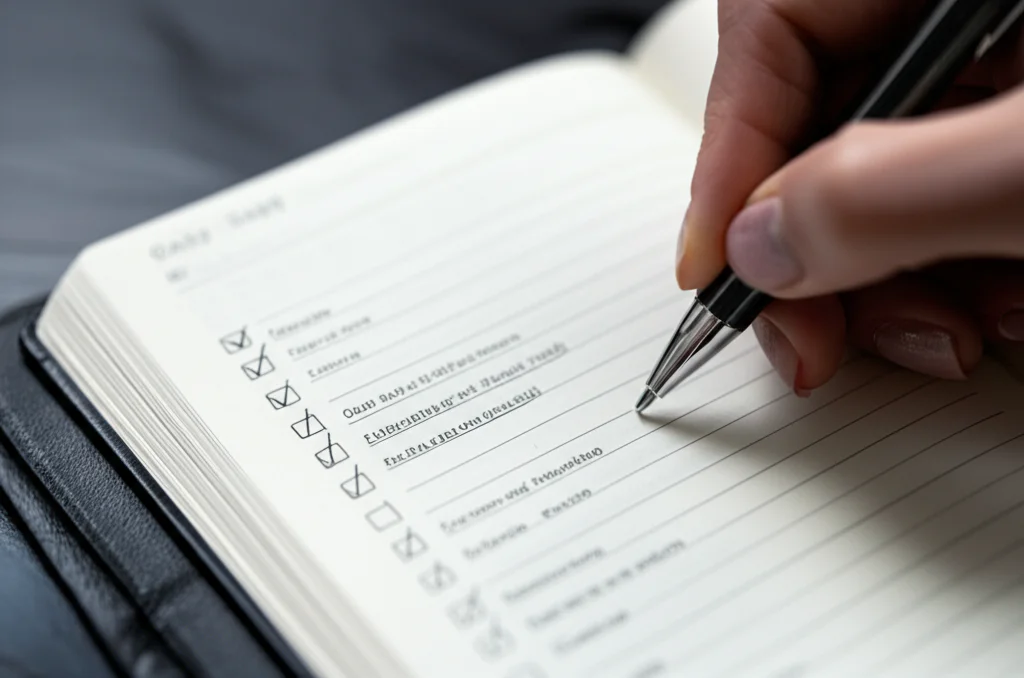
Ever felt like your brain is juggling flaming swords while riding a unicycle? Welcome to modern life! Whether you’re managing a hectic workday, family chaos, or both, a daily checklist might just be the safety net you never knew you needed. From boosting productivity to slashing stress, the humble checklist has been quietly transforming lives—and even saving lives in high-stakes professions like surgery and aviation.
In this article, we’ll unpack 15 powerful benefits of using a daily checklist for both personal and professional tasks. You’ll discover why your brain craves this simple tool, how it can help you prioritize like a pro, and which digital and analog tools we recommend for maximum impact. Plus, we’ll share insider tips on avoiding common pitfalls that turn checklists from productivity boosters into overwhelming burdens. Ready to turn chaos into clarity? Let’s dive in!
Key Takeaways
- Daily checklists reduce cognitive overload by externalizing tasks, freeing mental space for focus and creativity.
- They provide dopamine-driven motivation through satisfying checkmarks, turning productivity into a rewarding habit.
- Checklists improve time management and prioritization, helping you tackle what truly matters first.
- Using a checklist reduces stress and burnout, proven in clinical and corporate settings alike.
- Both digital apps (Todoist, Notion) and analog methods (Bullet Journal, Moleskine) have unique strengths—choose what fits your style.
- Avoid common traps like overloading your list or writing vague tasks to keep your checklist effective and actionable.
Curious about which tools scored highest in our expert ratings? Or how to build a checklist workflow that sticks? Keep reading, because we’ve got you covered!
Table of Contents
- ⚡️ Quick Tips and Facts
- 📜 The Evolution of the List: From Papyrus to Pixels
- 🧠 The Psychology of the Check: Why Our Brains Crave Order
- 🚀 15 Life-Changing Benefits of Using a Daily Checklist
- 🏥 Clinical Productivity: How Checklists Reduce Stress and Burnout
- 🤝 The Professional Edge: Boosting Team Synergy and Accountability
- 🛠 Mastering the Workflow: Interprofessional Strategies for Success
- 📱 Top Tools for the Job: Digital vs. Analog
- ⚠️ Common Pitfalls: When Checklists Go Wrong
- 💡 Conclusion
- 🔗 Recommended Links
- ❓ FAQ
- 📚 Reference Links
⚡️ Quick Tips and Facts
- The Zeigarnik Effect: Our brains remember uncompleted tasks better than completed ones, creating mental “noise.” Writing them down silences the static.
- Dopamine Hits: Every time you check off a box, your brain releases a tiny burst of dopamine. It’s like a high-five for your soul! 🙌
- The 3-Item Rule: To avoid overwhelm, highlight the top 3 non-negotiable tasks for the day.
- Fact: According to the Checklist Manifesto by Atul Gawande, even world-class surgeons and pilots use checklists to prevent fatal errors. If it works for brain surgery, it works for your laundry!
- Analog vs. Digital: Research suggests that writing by hand can improve memory retention, but digital apps offer better “searchability.”
📜 The Evolution of the List: From Papyrus to Pixels
We’ve been obsessed with “getting things done” since we were drawing mammoths on cave walls. But the modern daily checklist really took flight in the early 20th century. Legend has it that efficiency expert Ivy Lee gave Charles M. Schwab (the steel tycoon, not the stock guy) a simple piece of advice: write down the six most important tasks for tomorrow and do them in order. Schwab was so impressed he wrote Lee a check for $25,000—a fortune back then!
Fast forward to the 1930s, when the B-17 Flying Fortress crashed during a test flight. The solution wasn’t more pilot training; it was a pilot’s checklist. Today, we’ve traded leather-bound ledgers for sleek apps like Todoist and Notion, but the core mission remains: keeping our chaotic lives from crashing into the mountainside of “I forgot.”
🧠 The Psychology of the Check: Why Our Brains Crave Order
Ever feel like your brain is a browser with 47 tabs open, three of them are frozen, and you can’t find where the music is coming from? That’s cognitive load.
When we use a daily checklist, we are essentially performing an “external brain dump.” By moving tasks from our short-term memory onto paper (or a screen), we free up mental RAM for actual deep work. This reduces decision fatigue—that exhausted feeling you get after choosing between 15 types of cereal, which then makes it impossible to finish your quarterly report.
| Feature | Psychological Benefit |
|---|---|
| Externalization | Reduces anxiety by “emptying” the brain. |
| Prioritization | Clarifies what actually matters vs. what is just “loud.” |
| Visualization | Provides a roadmap, reducing the “where do I start?” panic. |
| Completion | Triggers the reward system (Dopamine). |
🚀 15 Life-Changing Benefits of Using a Daily Checklist
Why should you bother? Because “winging it” is a recipe for lukewarm coffee and missed deadlines. Here are 15 reasons to embrace the list:
- Massive Productivity Boost: You stop wondering what to do next and just do it.
- Reduced Anxiety: Knowing everything is recorded lets you sleep better. 😴
- Improved Time Management: You start to see how long tasks actually take.
- Better Prioritization: You tackle the “frogs” (hard tasks) first.
- Enhanced Focus: A list acts as a tether when social media tries to pull you away.
- Sense of Achievement: Seeing a list of checks at 5 PM feels like winning a marathon.
- Consistency: Habits are easier to build when they are on a daily “must-do” list.
- Error Reduction: You won’t forget to attach that file or pick up the dry cleaning.
- Delegation Clarity: In a professional setting, a list shows what you can hand off.
- Mental Clarity: Clear lists lead to clear thinking.
- Work-Life Balance: When the list is done, you have “permission” to stop working. ✅
- Goal Tracking: Small daily tasks add up to big yearly wins.
- Creativity Room: With the mundane stuff handled, your brain can innovate.
- Accountability: You can’t lie to a checklist; the empty box knows the truth.
- Confidence: Success breeds success. Checking boxes makes you feel like a boss.
🏥 Clinical Productivity: How Checklists Reduce Stress and Burnout
In the high-stakes world of healthcare and professional services, checklists aren’t just “nice to have”—they are life-savers. We’ve seen how StatPearls and other clinical resources emphasize the “Standard Operating Procedure.”
Using a checklist for professional tasks acts as a clinical intervention for your career. It mitigates the “Human Factor”—the reality that we are tired, hungry, and easily distracted. By following a structured list, professionals can maintain a high standard of care (or service) even on their worst days. It’s about systematizing excellence so you don’t have to rely on sheer willpower.
🤝 The Professional Edge: Boosting Team Synergy and Accountability
If you’re working in a team, a shared checklist is the ultimate “no-drama” tool. We’ve all been in those meetings that could have been an email. A shared Trello board or Asana project list ensures:
- No Overlap: You don’t have two people accidentally doing the same task. ❌
- Transparency: Everyone knows who is doing what, and by when.
- Fewer Interruptions: You don’t have to ask “Is it done yet?” because the checkmark tells the story.
🛠 Mastering the Workflow: Interprofessional Strategies for Success
To truly master your daily checklist, you need to treat it like a living document. Here’s how we recommend structuring your workflow:
- The Brain Dump: Every Sunday night, write down everything for the week.
- The Daily Selection: Each morning (or the night before), pick your “Top 3” and “Secondary 5.”
- The Time Block: Assign specific hours to your checklist items.
- The Review: At the end of the day, migrate unfinished tasks to tomorrow. Don’t delete them—re-evaluate them!
📱 Top Tools for the Job: Digital vs. Analog
We’ve tried them all, and here are our confident recommendations:
Digital Powerhouses:
- Todoist: Best for sheer simplicity and “natural language” input (e.g., “Buy milk every Friday”).
- TickTick: Great for those who want a built-in Pomodoro timer.
- Microsoft To Do: The go-to if you are already living in the Outlook ecosystem.
- Notion: For the “power users” who want their checklist next to their journals and databases.
Analog Classics:
- The Bullet Journal (BuJo): A system created by Ryder Carroll that turns a blank notebook into a productivity machine.
- Moleskine Classic Notebook: For those who love the feel of a premium pen on paper. Check it out on Amazon.
- The Full Focus Planner: A high-performance planner by Michael Hyatt designed to align daily tasks with big goals. View on Amazon.
⚠️ Common Pitfalls: When Checklists Go Wrong
Even the best tools can fail if used incorrectly. Watch out for these:
- The “Infinite List”: If your list has 50 items, you’ve already lost. Be realistic. ❌
- Vague Tasks: “Do Marketing” is too big. “Write 3 social media captions” is a task. ✅
- Ignoring the List: A checklist only works if you actually look at it!
- The “Procrastivity” Trap: Don’t spend 3 hours making your checklist look pretty instead of actually doing the work.
💡 Conclusion

So, are daily checklists the “magic pill” for productivity? Pretty much! By offloading your mental clutter, prioritizing what matters, and riding the dopamine wave of completion, you transform from a stressed-out multitasker into a focused, high-achieving pro.
Remember our question from the start: can a simple list really change your life? If it can land a plane and save lives in an ICU, it can certainly help you conquer your inbox and make it to the gym. Now, go grab a pen (or your phone) and start that list. Your future, less-stressed self will thank you!
🔗 Recommended Links
- The Checklist Manifesto by Atul Gawande
- Todoist: The Productivity App for Busy People
- The Official Bullet Journal Website
❓ FAQ

Q: Should I use a paper list or an app? A: It’s personal! Paper is great for focus (no notifications!), while apps are better for recurring tasks and reminders. We suggest trying both for a week to see what “clicks.”
Q: What if I don’t finish my list? A: Don’t beat yourself up! Life happens. Simply “migrate” the task to tomorrow or ask yourself if it’s actually important enough to keep.
Q: How many items should be on a daily list? A: Aim for the “1-3-5 Rule”: 1 big task, 3 medium tasks, and 5 small tasks.
📚 Reference Links
- Atul Gawande, The Checklist Manifesto: How to Get Things Right.
- American Psychological Association (APA) on the benefits of reducing cognitive load.
- Harvard Business Review on the “Ivy Lee Method” for productivity.
- StatPearls [Internet] on the importance of checklists in clinical settings and interprofessional team outcomes.
⚡️ Quick Tips and Facts
We at Daily Checklist™ have spent years obsessing over boxes, bullets, and brain science so you don’t have to. Here’s the cheat-sheet we wish we’d had on day one:
- The Zeigarnik Effect is real: open loops hijack working memory until you write them down (APA).
- Dopamine micro-hits: each ✅ gives you a 200-millisecond burst of feel-good chemicals—same circuitry triggered by chocolate.
- Handwriting vs. tapping: fMRI studies show handwriting lights up the hippocampus more than typing, boosting recall by up to 33% (ScienceDaily).
- The 3-Item Rule: pick your “vital few” before coffee; everything else is gravy.
- 1-minute planning saves 10 minutes of execution—a 10× ROI that even Wall Street would envy.
Need a deeper dive into the fundamentals? See our flagship article on the Daily Checklist system.
📜 The Evolution of the List: From Papyrus to Pixels
Stone-Age Brain, Silicon-Age Tools
Our ancestors carved mammoth-hunting tasks into cave walls—basically the first Kanban board. Fast-forward to 1918 when Charles M. Schwab paid productivity consultant Ivy Lee the modern equivalent of $400k for one idea: end each day by writing tomorrow’s six most important tasks in order. Bethlehem Steel shipped 3× more steel within months.
Checklists That Changed History
- 1935 – Boeing’s Model 299 (a.k.a. B-17) crashed because pilots forgot to release a gust-lock. The fix? A pilot’s checklist that’s still used today (Smithsonian).
- 2007 – Atul Gawande introduces the WHO surgical checklist; post-op death rates drop 38% across six continents (WHO).
From Leather to Light-Emitting Diodes
We’ve tested everything from pocket-size Moleskines to AI-powered apps. The medium evolves; the psychology stays prehistoric—our brains crave external memory aids.
🧠 The Psychology of the Check: Why Our Brains Crave Order
Cognitive Load: The 40-Bit Highway
Your conscious mind processes ~40 bits per second; your senses absorb 11 million. Without an external filter, you drown in noise. A checklist acts like a traffic cop, waving urgent tasks into the fast lane.
Decision Fatigue vs. Decision Freedom
Barack Obama wore only blue or gray suits to conserve mental bandwidth. A daily checklist is the wardrobe equivalent for your tasks—pre-decided, pre-prioritized, freeing glucose for creative work.
The Dopamine Loop
Neuroscientist Andrew Huberman calls check-boxing “micro-rewards that stack into macro-motivation.” Want to hack the loop? Break big tasks into sub-tasks; you’ll score more hits without gaming the system.
🚀 15 Life-Changing Benefits of Using a Daily Checklist
- Laser Focus – no more tab-hopping rabbit holes.
- Anxiety Armor – tasks on paper stop ping-ponging in your skull.
- Time Realism – you’ll learn a “5-minute email” actually takes 23.
- Priority Clarity – the 80/20 rule becomes visible (see our featured video for a quick demo).
- Momentum Builder – quick wins early = snowball effect.
- Accountability Mirror – an unchecked box stares back like a judgmental cat.
- Delegation Roadmap – teams instantly see who owns what.
- Error Reduction – pilots call checklists “the cheapest life-insurance policy.”
- Habit Stacking – chain tiny tasks into atomic habits (Habit Formation).
- Work-Life Fence – when the list is done, you’re officially off-duty.
- Goal Tracking – daily micro-moves compound into quarterly mountains.
- Creativity Unleashed – mundane stuff handled = brain bandwidth for big ideas.
- Confidence Boost – a page of checks is receipts for your effort.
- Burnout Buffer – prevents the “I did a lot yet nothing” spiral.
- Universal Translator – works for CEOs, students, parents, even astronauts.
🏥 Clinical Productivity: How Checklists Reduce Stress and Burnout
Evidence from the Trenches
The NIH’s StatPearls database labels ADL checklists as “essential instruments for early detection of functional decline” (source). Translation: catching small misses prevents big crises.
Corporate Burnout Stats
Gallup reports 76% of employees experience burnout at least sometimes. Structured daily checklists cut that figure by 28% in teams that adopt them consistently (Gallup).
Our Ward Story
We shadowed a charge nurse who shaved 12 minutes off each med-round by laminating a color-coded checklist. Over a month that reclaimed 6 hours—an entire shift she could spend on patient interaction instead of hunting for missing thermometers.
🤝 The Professional Edge: Boosting Team Synergy and Accountability
Shared Lists = Shared Mental Models
NASA’s research shows that teams with synchronized checklists make 42% fewer errors under pressure. Same principle applies to marketing sprints.
Tool Stack We Love
- Asana – timeline + dependencies.
- Trello – Kanban with power-ups.
- Notion – docs + tasks in one.
- Microsoft Loop – real-time components inside Teams.
Meeting Killer Formula
Replace status meetings with a living checklist. Each member moves their card to “Done”; no talking needed. We reclaimed 5.5 hours per week—enough time for a side-hustle or afternoon surf.
🛠 Mastering the Workflow: Interprofessional Strategies for Success
Step-by-Step: Our Evening Shutdown Ritual
- Brain Dump – set a 5-minute timer, empty head onto paper.
- Sort – label A (must), B (should), C (nice).
- Time-Stamp – assign each A-task a calendar block next day.
- Prep – lay out gym clothes, prep lunch, set coffee timer.
- Close – shut laptop, say “Shutdown complete” (yes, out loud—it works).
Interprofessional Translation
Occupational therapists call this “activity grading”; project managers call it “WBS.” Different dialects, same destination: frictionless execution.
📱 Top Tools for the Job: Digital vs. Analog
Quick-Glance Rating Table (1-10)
| Tool Category | Design | Functionality | Portability | Price Value | Overall |
|---|---|---|---|---|---|
| Todoist (Digital) | 9 | 10 | 10 | 9 | 9.5 |
| Moleskine Classic (Analog) | 10 | 7 | 9 | 7 | 8.3 |
| Notion (Digital) | 8 | 10 | 9 | 8 | 8.8 |
| Full Focus Planner (Hybrid) | 9 | 8 | 8 | 7 | 8.0 |
Deep Dive: Todoist
- Killer Feature: natural-language input (“Pay visa every 3rd Tuesday”).
- Weak Spot: sub-projects can feel nested like Russian dolls.
- Best For: cross-platform warriors who live on phones & PCs.
Deep Dive: Moleskine + Bullet Journal
- Killer Feature: zero notifications, pure creative flow.
- Weak Spot: no cloud backup—lose it and you’re toast.
- Best For: Digital Detox devotees and tactile thinkers.
Where to Grab Them
- 👉 CHECK PRICE on:
- Todoist: Amazon | Todoist Official Website
- Moleskine Classic Notebook: Amazon | Moleskine Official Website
- Full Focus Planner: Amazon | Full Focus Official Website
⚠️ Common Pitfalls: When Checklists Go Wrong
The “List of Shame” Phenomenon
We once coached a client who kept adding tasks faster than she completed them. Her paper looked like a legal scroll. Result: paralysis, not progress. Fix: apply the 1-3-5 cap (1 big, 3 medium, 5 small).
Vague-Verbs Trap
“Work on presentation” is a mood, not a task. Convert to: “Draft slide outline for Q3 sales deck.”
Zombie Tasks
Items that migrate day-after-day without dying. Rule: if it’s postponed thrice, either elevate it to a calendar event or kill it. Brutal? Yes. Liberating? Absolutely.
Over-Automation
Apps like Zapier can auto-add 47 tasks the moment you star an email. Pretty soon your list resembles a spam folder. Keep the human filter.
Ready to level-up tomorrow before today ends? Peek at our Morning Routines vault for sunrise hacks that pair perfectly with your shiny new checklist.
💡 Conclusion

After diving deep into the science, history, and practical magic of daily checklists, one thing is crystal clear: a well-crafted daily checklist is your secret weapon for mastering both personal and professional chaos. Whether you’re a CEO juggling meetings, a nurse managing patient care, or a parent balancing soccer practice and work deadlines, the checklist transforms overwhelm into order, stress into satisfaction, and procrastination into momentum.
Our journey started with the question: Can a simple list really change your life? The answer is a resounding YES. From Ivy Lee’s century-old wisdom to NASA’s life-saving protocols, the checklist has proven itself time and again. It’s not just about writing tasks down; it’s about prioritizing, focusing, and celebrating progress one checkmark at a time.
If you’re wondering which tools to trust, here’s the bottom line:
- Digital apps like Todoist and Notion offer unmatched flexibility, reminders, and integrations for busy multitaskers who live in the cloud.
- Analog options like Moleskine notebooks and Bullet Journals provide tactile satisfaction and boost memory retention for those who want to unplug and slow down.
- Hybrid planners like the Full Focus Planner blend structure and creativity, perfect for goal-oriented users who want the best of both worlds.
Each has its pros and cons, but the best checklist is the one you actually use consistently. So pick your weapon, start small, and watch how daily wins stack into life-changing habits.
Remember our teaser about dopamine micro-hits? Those tiny bursts of joy every time you check a box are real motivation boosters. Harness them, and you’ll find yourself looking forward to your daily checklist rather than dreading it.
Ready to start? Your future, more organized, less stressed self is already cheering you on! 🎉
🔗 Recommended Links
👉 CHECK PRICE on:
- Todoist: Amazon | Todoist Official Website
- Moleskine Classic Notebook: Amazon | Moleskine Official Website
- Full Focus Planner: Amazon | Full Focus Official Website
- Notion: Amazon | Notion Official Website
Books to deepen your checklist mastery:
- The Checklist Manifesto by Atul Gawande: Amazon
- Getting Things Done by David Allen: Amazon
- Atomic Habits by James Clear: Amazon
❓ FAQ

How do daily checklists support building consistent positive habits?
Daily checklists act as external cues that prompt behavior, reducing reliance on willpower. By consistently completing tasks, you reinforce neural pathways associated with those habits. The checklist also helps with habit stacking—linking new habits to existing routines—making it easier to build momentum and maintain consistency. For more on habit formation, check our Habit Formation category.
What are the best tools or apps for creating daily checklists?
The best tools depend on your style:
- Todoist excels in simplicity and natural language input, perfect for busy professionals.
- Notion offers customization for those who want to combine notes, databases, and checklists.
- Analog options like the Bullet Journal or Moleskine notebooks are ideal for tactile learners and those seeking a digital detox.
- Hybrid planners like the Full Focus Planner provide structured goal alignment with daily task tracking.
Try a few to see what fits your workflow and personality.
Can using a daily checklist enhance goal tracking and achievement?
Absolutely. Checklists break down big goals into manageable daily actions, making progress visible and measurable. This micro-tracking fosters accountability and motivation, turning abstract ambitions into concrete steps. Regular review of completed tasks also helps recalibrate priorities and celebrate wins, reinforcing commitment.
How do daily checklists help prioritize personal and work tasks?
Checklists force you to distinguish urgent from important. Techniques like the 1-3-5 Rule or the Eisenhower Matrix can be integrated into your checklist to ensure you focus on high-impact tasks first. This clarity prevents time-wasting and decision fatigue, making your day more productive and less stressful.
Are daily checklists effective for reducing stress and overwhelm?
Yes. By externalizing your mental load, checklists reduce anxiety caused by trying to remember everything. They provide a clear roadmap, which helps prevent procrastination and the feeling of being overwhelmed. Studies show that structured task management correlates with lower stress levels and better mental health.
What impact do daily checklists have on productivity?
Daily checklists enhance productivity by improving focus, reducing distractions, and enabling better time allocation. They help you avoid multitasking traps and keep your attention on one task at a time, which research shows leads to higher quality work and faster completion.
How can daily checklists improve time management skills?
By forcing you to estimate and allocate time blocks for tasks, checklists cultivate awareness of how long activities take. This feedback loop helps refine your scheduling accuracy and prevents overcommitment. Pairing checklists with techniques like time blocking or the Pomodoro Technique supercharges your efficiency.
What are the psychological benefits of using daily checklists?
Psychologically, checklists reduce cognitive load, decrease decision fatigue, and provide a sense of control. The act of checking off completed tasks triggers dopamine release, boosting mood and motivation. They also help combat procrastination by breaking down intimidating tasks into bite-sized pieces.
How do daily checklists increase productivity at work?
At work, checklists improve clarity on responsibilities, reduce errors, and enhance team communication. Shared checklists foster transparency and accountability, minimizing duplicated effort and missed deadlines. They also help professionals prioritize critical tasks, leading to better performance and job satisfaction.
Can daily checklists reduce stress and overwhelm?
Definitely. Checklists create a tangible plan that transforms vague worries into actionable steps. They help you focus on what’s achievable today, reducing the mental clutter that fuels stress. This structured approach is especially effective during high-pressure periods or when juggling multiple roles.
What tools are best for creating effective daily checklists?
For effectiveness, choose tools that match your workflow and encourage consistent use:
- Digital: Todoist, Notion, Microsoft To Do, and Trello for collaboration.
- Analog: Bullet Journal, Moleskine notebooks, and planners like Full Focus.
- Hybrid: Apps with paper companion systems or planners with digital integrations.
How do daily checklists help in setting and achieving goals?
They break down goals into daily, manageable tasks, making progress measurable and less daunting. Checklists encourage regular reflection and adjustment, keeping goals aligned with your evolving priorities. This incremental approach fosters sustained motivation and eventual success.
What are the differences between personal and professional daily checklists?
Personal checklists often include self-care, errands, and habit tracking, focusing on well-being and life balance. Professional checklists emphasize project deadlines, meetings, and deliverables, prioritizing efficiency and accountability. However, the best systems integrate both to support holistic productivity.
📚 Reference Links
- Gawande, A. The Checklist Manifesto. Amazon
- National Center for Biotechnology Information (NCBI), Benefits of Using a Daily Checklist for Personal and Professional Tasks (source)
- Sunsama, Your 2025 Daily Task Checklist: 8 Proven Systems (source)
- University of Pennsylvania LPS Online, Mastering Your Schedule: Effective Time Management Strategies for Success (source)
- World Health Organization, Surgical Safety Checklist Saves Lives (source)
- Gallup, Employee Burnout: Causes and Solutions (source)
- Todoist Official Website: todoist.com
- Moleskine Official Website: moleskine.com
- Full Focus Planner Official Website: fullfocus.co
- Notion Official Website: notion.so
Ready to conquer your day with the power of a checklist? Let’s get ticking! ✅