Support our educational content for free when you purchase through links on our site. Learn more

12 Time Management Strategies to Master Your Day (2026) 🚀
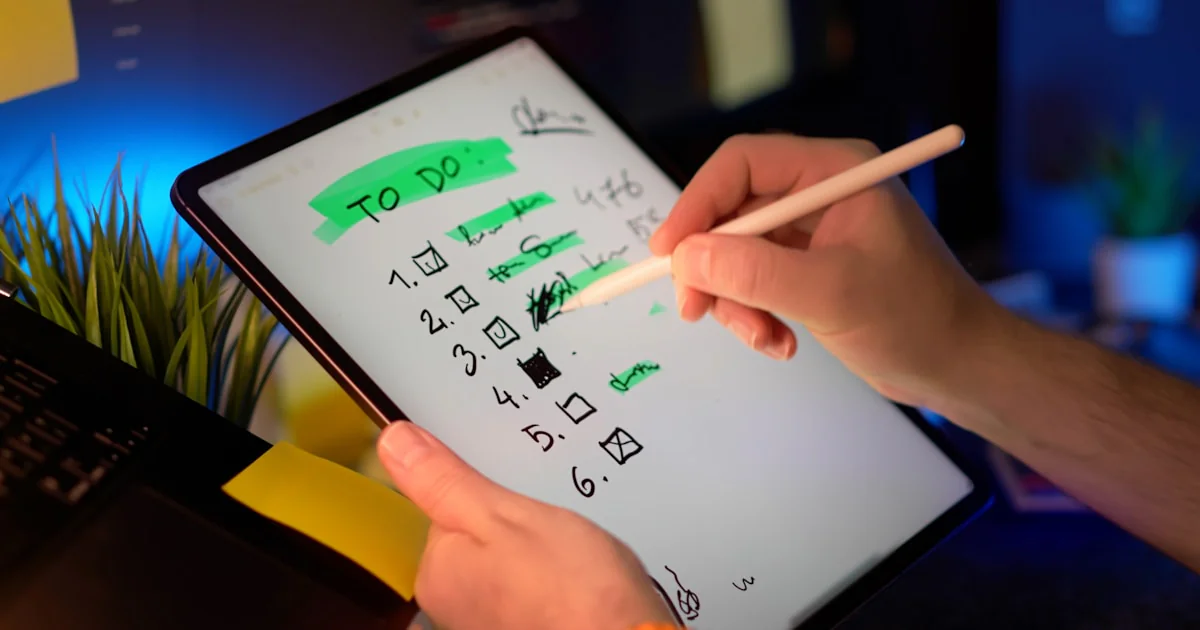
Ever feel like you’re running a marathon on a treadmill that keeps speeding up, yet you’re nowhere near the finish line? You’re not alone. In a world that glorifies “hustle culture,” we often mistake motion for progress, juggling a dozen tasks only to realize we’ve accomplished very little of what truly matters. At Daily Checklist™, we’ve seen brilliant minds crumble under the weight of their own to-do lists, not because they lacked talent, but because they lacked a strategic framework for their time.
That’s why we’ve compiled the ultimate guide to 12 time management strategies that go far beyond simple to-do lists. From the rhythmic sprints of the Pomodoro Technique to the purpose-driven clarity of the RPM Method, we’re diving deep into the tactics that actually work for real humans, not just productivity robots. We’ll reveal why your brain hates multitasking (spoiler: it’s a myth), how to “eat the frog” without actually tasting anything gross, and the surprising reason why working less can help you achieve more.
Ready to stop drowning in chaos and start sailing toward your goals? By the end of this article, you’ll have a personalized toolkit to reclaim your hours, reduce your stress, and finally find that elusive work-life balance. Let’s turn your time from your biggest enemy into your most powerful ally.
Key Takeaways
- Time management is about managing attention, not just minutes: The most effective strategies focus on prioritizing high-impact tasks over simply filling every slot on a calendar.
- One size does not fit all: Whether you thrive on the structure of Time Blocking or the organic flow of the Flowtime Technique, the best strategy is the one you can consistently stick to.
- Rest is a productivity superpower: Contrary to popular belief, strategic breaks and adequate sleep are essential for maintaining high cognitive performance and preventing burnout.
- Action beats motivation: Techniques like the 2-Minute Rule and Eat the Frog prove that starting a task is often the hardest part, and momentum builds once you begin.
- Tools support, they don’t solve: Apps like Todoist, Trello, and Google Calendar are powerful, but they require a solid underlying strategy to be truly effective.
Table of Contents
- ⚡️ Quick Tips and Facts
- 🕰️ The Evolution of Time Management: From Sundials to Digital Calendars
- 🧠 Why Your Brain Hates Multitasking: The Science of Focus
- 🚨 The High Cost of Chaos: Effects of Poor Time Management
- 🚀 The Power of Prioritization: Advantages of Effective Time Control
- 🏆 The Ultimate Guide to 12 Proven Time Management Strategies
- 1. The Pomodoro Technique: Mastering Intervals of Focus
- 2. Eat the Frog: Tackling Your Toughest Task First
- 3. Time Blocking: Designing Your Perfect Day
- 4. The Kanban Method: Visualizing Workflow Efficiency
- 5. Getting Things Done (GTD): Clearing the Mental Clutter
- 6. The Rapid Planning Method (RPM): Purpose-Driven Productivity
- 7. The Pickle Jar Theory: Filling Your Day with the Right Stuff
- 8. The Eisenhower Matrix: Distinguishing Urgent from Important
- 9. The 2-Minute Rule: Beating Procrastination in Real-Time
- 10. The Pareto Principle (80/20 Rule): Working Smarter, Not Harder
- 1. Time Boxing: Setting Hard Limits for Soft Tasks
- 12. The Flowtime Technique: Adapting to Your Natural Rhythm
- 🛠️ Essential Tools and Apps for Modern Time Management
- 🧘 Overcoming Burnout: The Role of Rest in Productivity
- 👩 💻 Time Management for Remote Workers and Digital Nomads
- 🎓 Academic and Student Time Management Hacks
- 🤔 Common Myths and Misconceptions About Productivity
- 📝 Conclusion
- 🔗 Recommended Links
- ❓ FAQ: Frequently Asked Questions
- 📚 Reference Links
⚡️ Quick Tips and Facts
Ever feel like time slips through your fingers like sand, no matter how tightly
you clench your fist? You’re not alone! Here at Daily Checklist™, we believe that mastering your schedule isn’t about finding more hours in the day (we wish!), but about simplifying your day with daily checklists and
managing the hours you already have with intention and a sprinkle of savvy. This isn’t just about getting more done; it’s about getting the right things done, with less stress and more joy. Ready to transform your relationship
with time? Let’s dive into some quick, mind-bending facts and essential tips that will kickstart your journey to becoming a time-management maestro!
Did you know that time management is actually a misnomer? You can
‘t truly manage time itself; it’s an unyielding constant. What you can manage are the events in relation to time. Every single one of us gets the same 24 hours,
1,440 minutes, or 86,400 seconds each day. The real magic lies in how you choose to protect, use wisely, and budget those precious moments.
- ✅
The 80/20 Rule (Pareto Principle): Roughly 80% of your results come from 20% of your efforts. Identify those high-impact tasks and give them your prime
attention! - ❌ Multitasking is a Myth: Our brains aren’t wired for true multitasking. What we perceive as multitasking is actually rapid context switching, which can decrease productivity by up to 40%. Focus on one thing at a time for optimal results!
- ⏰ The Power of Breaks: Regular, short breaks aren’t a luxury; they’re a necessity. They help prevent burnout, refresh
your focus, and can even boost creativity. The Pomodoro Technique, for instance, bakes breaks right into your workflow. - 🧠 Your Peak Productivity Window: Everyone has a time of day when
they’re most alert and productive. Identifying and scheduling your most challenging tasks during this window can dramatically improve efficiency. Are you a morning lark or a night owl? - 📝 Write It Down: The
simple act of writing down tasks, goals, or even time-wasters helps you remember information more effectively than typing. Grab a pen and paper, or better yet, start a Daily Checklist!
🕰️ The Evolution of Time
Management: From Sundials to Digital Calendars
Imagine a world without clocks, where your day was dictated by the sun’s arc across the sky. That was the reality for millennia! From ancient sundials and water clocks to the intricate
mechanical marvels of the Middle Ages, humanity has always been obsessed with tracking and, eventually, trying to control time. Early forms of “time management” were less about productivity hacks and more about basic survival and societal order – knowing when to plant,
when to harvest, or when to gather for communal events.
Fast forward to the Industrial Revolution, and suddenly, time became a commodity. Factories needed schedules, workers needed shifts, and efficiency became the golden word. This era saw the rise of the
modern clock and, with it, the nascent ideas of personal productivity and organizational systems. Think of early ledger books and meticulous record-keeping – the ancestors of our modern to-do lists!
Then came the 20th century, bringing
with it the personal planner, the diary, and the humble calendar. We started to schedule our lives, not just observe them. But let’s be honest, those paper planners could get pretty messy, couldn’t they?
Now, in the 21st century, we’re living in the age of digital organization and smart planning tools. Our smartphones are veritable command centers for our lives, packed with apps for everything from task management to habit
tracking. We’ve moved from carving shadows on stone to syncing cloud-based calendars across multiple devices. The tools have changed dramatically, but the core challenge remains: how do we make the most of our finite time? The quest for optimal
personal organization continues, now with the help of powerful technology that would make our sundial-wielding ancestors gasp!
🧠 Why Your Brain Hates Multitasking: The Science of Focus
We’ve all been there: juggling emails, answering a call, and trying to draft a report all at once. It feels productive
, right? Like you’re a superhero of efficiency, conquering multiple tasks simultaneously! But here’s the cold, hard truth: your brain absolutely despises multitasking. And frankly, it’s not very good at it.
What we commonly refer to as multitasking is actually rapid task switching. Our brains are designed to focus on one complex cognitive task at a time. When you try to do several things at once, your brain
isn’t processing them in parallel; it’s frantically jumping between them. This constant switching comes with a hefty price tag in terms of cognitive load and efficiency. Each time you switch, there’s a small but significant cost
:
- Reduced Productivity: Studies show that switching between tasks can lead to a 40% drop in productivity. That’s like working for 10 hours but only getting 6
hours’ worth of actual work done! - Increased Errors: When your focus is fragmented, you’re far more prone to making mistakes. Details get missed, and quality suffers.
- Higher Stress Levels: The mental
gymnastics required for task switching can be exhausting, leading to increased stress, frustration, and mental fatigue. - Longer Completion Times: Ironically, trying to do everything at once often means everything takes longer to complete than if you had
tackled tasks sequentially.
Think of your brain like a high-performance computer. It can run many background processes (like breathing or regulating your heartbeat) without issue. But when you open too many demanding applications at once, it slows down, freezes
, or even crashes. Your conscious attention is like that single, powerful processor. You can only give its full power to one demanding application at a time.
“Multi-tasking does not save time; switching tasks causes a loss of productivity,”
as highlighted by research. So, the next time you feel the urge to juggle five different things, remember this: single-tasking is your superpower. Clear your workspace, close unnecessary tabs, turn off notifications, and
give your full, undivided attention to one task. You’ll be amazed at the difference in your focus techniques and output! Want to learn more about how to reclaim your focus? Check out our insights on Digital Detox.
🚨 The High Cost of
Chaos: Effects of Poor Time Management
Ever found yourself staring at a looming deadline, heart pounding, fueled by cold coffee and regret? We’ve all been there, and it’s usually a direct result of poor time management. The consequences
aren’t just about missing a due date; they ripple through every aspect of your life, creating a chaotic cascade of negative effects.
Let’s talk about the real impact of letting time get the better of you:
📉
Productivity Plunge & Quality Compromise
- Lower-Quality Work: When you’re constantly rushing or pulling all-nighters, the quality of your output inevitably suffers. Details are overlooked
, creativity is stifled, and your best work remains elusive. - Missed Deadlines: This is the most obvious one. Consistently missing deadlines damages your reputation, erodes trust, and can have serious professional or academic
repercussions. - Increased Procrastination: It’s a vicious cycle! Poor planning leads to feeling overwhelmed, which in turn fuels more procrastination. “I’ll do it later” becomes your mantra, even
as the clock ticks louder.
🌪️ Mental & Emotional Mayhem
- Skyrocketing Stress and Anxiety: The constant pressure of unfinished tasks and impending deadlines creates a breeding ground for stress and
anxiety. Your mind is a whirlwind of “should-haves” and “what-ifs.” - Burnout is Real: When you’re perpetually overworked and under-rested, you’
re on a fast track to burnout. This isn’t just feeling tired; it’s a state of emotional, physical, and mental exhaustion that can severely impact your health and motivation. - In
ability to Prioritize: A chaotic schedule makes it nearly impossible to distinguish between what’s truly important and what’s merely urgent. Everything feels like a five-alarm fire, leading to constant firefighting.
💔 Strained Relationships & Personal Life Impact
- Neglected Personal Life: When work bleeds into every waking hour, your personal life takes a hit. Hobbies disappear, self-care becomes a distant memory, and quality
time with loved ones dwindles. - Strained Relationships: Constantly being stressed, distracted, or unavailable can put a significant strain on relationships with family, friends, and colleagues. Who wants to be
around someone who’s always frazzled?
The bottom line? The cost of chaos is your well-being, your reputation, and your peace of mind. But fear not! Recognizing these pitfalls is the first step towards embracing effective
time management and reclaiming control. It’s time to turn the tide and move towards a more organized, less stressful existence.
🚀 The Power of Prioritization: Advantages of Effective Time Control
If the last section was a cautionary tale, consider this your superhero origin story! Embracing effective time management isn’t just about avoiding the bad; it’s
about unlocking a world of good. It’s about taking the reins, steering your day with purpose, and feeling like you’ve got this – because you do!
Here’s why becoming a master of your time is one of the most
powerful upgrades you can give your life:
✨ Unleash Your Inner Productivity Beast
- Increased Productivity: This is the obvious win! By planning and prioritizing, you work smarter, not harder. You’ll accomplish
more meaningful tasks, leading to greater output and a satisfying sense of achievement. - Higher Quality Work: When you’re not rushing, you have the mental space to dedicate to excellence. Effective
time control allows for thoughtful execution, creativity, and attention to detail, ensuring your projects meet or exceed expectations. This can significantly aid your career advancement! - Improved Focus: By clarifying your goals and eliminating
distractions, you train your brain to concentrate. This enhanced focus means deeper work, better problem-solving, and a stronger sense of accomplishment.
⚖️ Achieve the Elusive Work-Life Balance
Better Balance Across All Life Areas: Effective time management isn’t just for work. It helps you carve out dedicated time for your personal life, hobbies, family, and self-care. This means excelling in all areas without
the constant feeling of sacrificing one for the other.
- More Free Time: Believe it or not, being organized actually creates more free time! By streamlining your tasks and eliminating time
-wasters, you’ll find yourself with extra hours to pursue personal interests, relax, or simply do nothing at all. - Reduced Stress and Overwhelm: Consistent deadline adherence, knowing what’
s next, and having a clear plan dramatically reduce worry and increase confidence. The chaotic stress of poor management melts away, replaced by a calm sense of control.
📈 **Boost Your Confidence
& Well-being**
- Enhanced Self-Esteem: Successfully managing your time and achieving your goals provides a huge boost to your self-esteem. You prove to yourself that you’re capable, disciplined, and in charge
. - Greater Energy Levels: When you’re not constantly battling stress and exhaustion, your energy levels naturally increase. You’ll feel more vibrant, motivated, and ready to tackle whatever comes your way.
- Clarity on Goals: The process of effective time management forces you to define what truly matters. This clarity helps you align your daily actions with your long-term aspirations, making every minute count towards your bigger
picture.
“Successful time management leads to greater personal happiness, more accomplishments at home and at work, and a more satisfying future,” and we couldn’t agree more! It’s an
investment in yourself that pays dividends across your entire life. Ready to grab that power? Let’s explore the strategies that will get you there!
🏆 The Ultimate Guide to 12 Proven Time Management Strategies
Alright, you’re convinced that time management is your new best friend. Fantastic! But where do you start? The world of productivity is brimming
with techniques, each promising to be the silver bullet. Don’t get overwhelmed! We’ve meticulously curated and tested 12 of the most effective, battle-tested strategies that our Daily Checklist™ planners swear by. These aren’t just
theoretical concepts; they’re actionable frameworks designed to help you regain control, boost your output, and find more joy in your day.
Before we dive into the nitty-gritty, let’s talk about a crucial foundational step.
Before You Begin: Knowing How You Spend Your Time ⏰
This might sound simple, but it’s often the most eye-opening exercise: you can’t manage what you don’t measure! Many of us *
think* we know where our time goes, but the reality can be a stark, often hilarious, contrast. This is especially true for individuals who struggle with accurately estimating how long tasks will take, a common challenge that can lead to frequent lateness and difficulty
completing tasks [cite: #featured-video].
The Strategy: Maintain a Time Log
For 1-2 weeks, track your activities in 15-minute intervals. Yes, it
sounds tedious, but the insights you’ll gain are invaluable. Use a simple notebook, a spreadsheet, or an app like Toggl Track or Clockify.
Here’s how to do it:
1.
Record Everything: From answering emails to scrolling social media, working on projects, taking breaks, or even just staring blankly at your screen – write it all down.
2. Be Honest: No judgment! This is for
your eyes only. The more accurate you are, the more helpful the data.
3. Analyze Your Data: After a week or two, ask yourself:
- Did all necessary tasks get completed?
Which tasks consume the most time?
- What time of day yields your peak productivity? (Are you a morning person or an afternoon powerhouse?)
- How is your time distributed across
job, family, personal interests, and recreation?
This exercise helps you identify your biggest time-wasters and determine if your time is truly invested in your most important activities. It’s
like a financial audit, but for your most valuable asset!
For a deeper dive into understanding your time, especially if you find yourself constantly underestimating task durations, we highly recommend checking out the featured video above [cite: #featured-video]. It offers fantastic insights into building time awareness as a foundational skill, emphasizing the importance of constant access to timepieces and breaking down overwhelming tasks into smaller, manageable steps. “People with ADHD typically have trouble estimating how long things will take
and adjusting their schedules accordingly,” [cite: #featured-video] and the video provides practical exercises like estimating task times to improve future planning.
Now that you’re armed with self-awareness, let’s explore the specific techniques that
will help you sculpt your days into masterpieces of productivity!
1. The Pomodoro Technique: Mastering Intervals
of Focus 🍅
Feeling overwhelmed by a huge project? Or maybe you just can’t seem to focus for more than five minutes without checking your phone? Enter the Pomodoro Technique, a delightful little method invented by Francesco Cirillo using a kitchen
timer shaped like a tomato (hence, “pomodoro” in Italian!).
Concept: This technique breaks your work into focused, timed intervals, separated by short breaks. It’s brilliant for training your brain to concentrate
and providing built-in energy recovery.
Best For: Individuals struggling with multitasking, missed deadlines, procrastination, and burnout. It’s a fantastic way to instill urgency
and boost focus.
How to Master Your Pomodoros (Step-by-Step):
- Choose Your Task: Pick ONE task you need to work on. Just one!
- Set Your
Timer: Set a timer for 25 minutes (this is one “pomodoro”). We love using a physical kitchen timer for that satisfying tick-tock, but apps like Focus
Keeper or Toggl Track also work wonders. - Work with Laser Focus: Work only on that chosen task until the timer rings. No distractions, no checking emails, no quick glances at social media.
If a thought pops up, jot it down on a “distraction list” and get back to your task. - Take a Short Break: When the timer buzzes, take a 5-minute break. Get up, stretch, grab a drink, look out the window – just step away from your work.
- Repeat & Recharge: After completing four pomodoros (that’s 100 minutes of focused work!), take a longer break of 20-30 minutes. This is your chance to truly recharge.
Benefits:
- Improves Single
-Tasking: Trains your brain to focus intensely for short bursts. - Tracks Productivity: You can easily see how many pomodoros you dedicate to a project.
- Habituates Regular Breaks:
Prevents mental fatigue and burnout. - Reduces Procrastination: The idea of just 25 minutes feels less daunting than an endless task.
My colleague, Sarah, used
to dread writing lengthy reports. She’d procrastinate for days! But once she started using the Pomodoro Technique, she found herself actually enjoying the focused sprints. “It’s like a game,” she told me. “Can
I beat the clock? And those short breaks are a lifesaver!”
👉 CHECK PRICE on:
- Physical Pomodoro Timer: Amazon | Walmart
- Focus Keeper App: App Store | Google Play
2. Eat the Frog: Tackling Your Toughest Task First 🐸
”
If it’s your job to eat a frog today, it’s best to do it first thing in the morning. And if it’s your job to eat two frogs, it’s best to eat the big frog first.”
This delightful (and slightly gross) quote, often attributed to Mark Twain, is the core philosophy behind the Eat the Frog technique, popularized by productivity guru Brian Tracy.
Concept: Tackle your most difficult
, most dreaded, or most important task (your “frog”) first thing in the morning, before you do anything else.
Best For: Those struggling with procrastination, prioritization, and planning. If you find yourself constantly rearranging your day to avoid a specific task, this strategy is your wake-up call!
How to Devour Your Frog (Step-by-Step):
- **
Identify Your Frog:** The night before, or first thing in the morning, identify the one task that you are most tempted to procrastinate on, the one that will have the biggest positive impact on your day or project, or the one you
dread the most. This is your “big frog.” - Clear the Deck: Before checking emails, social media, or getting sucked into minor tasks, dedicate yourself only to eating that frog.
3
. Eat It! Work on your frog task with unwavering focus until it’s complete, or until you’ve made significant progress. - Savor the Victory: Once your frog is eaten, you’ll
feel an incredible sense of accomplishment, relief, and motivation. The rest of your day will feel lighter, knowing the hardest part is behind you.
Benefits:
- Boosts Motivation & Accomplishment: Starting
your day with a major win sets a positive and productive tone. - Reduces Procrastination: Forces you to confront the task you’d otherwise avoid.
- Frees Up Mental Energy
: Eliminates the mental drain of dreading a task all day. - Ensures Important Work Gets Done: Guarantees that your high-impact tasks aren’t pushed aside by less important ”
urgent” items.
One of our Daily Checklist™ team members, David, used to put off his weekly budget reconciliation until Friday afternoon. “It was like a dark cloud hanging over my whole week,” he confessed. Now, he ”
eats that frog” first thing Monday morning. “The relief is immense! The rest of my week feels so much more open.”
The key challenge, as Penn LPS Online notes, is “ranking projects by priority and knowing when to
delegate”. But once you master that, the power of eating your frog is undeniable.
3. Time
Blocking: Designing Your Perfect Day 🗓️
Ever feel like your day is a free-for-all, with tasks popping up like whack-a-moles? Time Blocking is your secret weapon for bringing order to the chaos. It
‘s like being the architect of your own day, designing specific slots for specific activities.
Concept: Instead of just having a to-do list, you divide your entire day into small blocks of time and assign specific tasks or groups
of tasks to each block. You’re not just scheduling your priorities; you’re scheduling time for your priorities.
Best For: People easily sidetracked by distractions, those who forget to
take breaks, or those juggling multiple projects and feeling like their days are monopolized by meetings and last-minute requests.
How to Build Your Time-Blocked Schedule (Step-by-Step):
- Map Your Day: Start with a blank calendar (digital like Google Calendar or Outlook Calendar, or a physical planner). Block out fixed appointments first (meetings, commutes, lunch).
Estimate & Assign: Look at your task list. Estimate how long each task will realistically take. Then, assign these tasks to specific, dedicated time blocks on your calendar. Be realistic!
3. Prioritize & Protect
: Block out time for your high-priority activities first. These are your “rocks” (more on that later!). Treat these blocks like non-negotiable appointments.
4. Schedule Breaks & Buffer Time: Crucially, schedule breaks
between tasks. Also, add buffer time between blocks to account for unexpected interruptions or tasks running over. Atlassian suggests using AI prompts to help create a time-blocked schedule that includes breaks and buffer time.
5. Review & Adjust: At the end of each day, review your schedule. Did tasks take more or less time than anticipated? Adjust your future blocks accordingly. This is an iterative process!
Benefits:
- Increased Focus: Knowing exactly what you should be working on at any given moment eliminates decision fatigue and encourages deep work.
- Reduces Distractions: When a notification pops up, you can tell
yourself, “That’s not for this block,” and return to it later. - Prevents Overcommitment: You get a visual representation of your available time, making it harder to say “yes” to everything.
Ensures Breaks: Built-in breaks mean you’re less likely to burn out.
- Better Energy Management: Schedule challenging tasks during your peak energy times, as identified in your time log.
“Time blocking has been a game-changer for my creative work,” says Anna from our team. “Before, I’d just hope to ‘find time’ to write. Now, I have a dedicated ‘Writing Block’ every
morning, and it’s sacred. My output has doubled!”
👉 Shop Digital Planners & Calendars on:
- Google Calendar: Official Website
- Outlook Calendar
: Official Website - Moleskine Planners: Amazon | Moleskine Official
4. The Kanban Method: Visualizing
Workflow Efficiency 📊
If you’re a visual learner or work collaboratively, the Kanban Method might just be your new best friend. Originating in the 1960s from Taichi Ono at Toyota Automotive to improve manufacturing
productivity, Kanban is all about visualizing your workflow to enhance transparency and efficiency.
Concept: Kanban uses a visual board divided into columns representing different stages of a workflow. Tasks, represented by cards, move across these columns as they
progress from start to finish.
Best For: Visual learners, teams collaborating on projects, or anyone who needs a clear, at-a-glance picture of their workload and potential bottlenecks.
**
How to Set Up Your Kanban Board (Step-by-Step):**
- Choose Your Tool: You can go old-school with a whiteboard and sticky notes, or embrace digital tools like Trello, J
ira, Asana, or Notion. - Define Your Columns: The classic Kanban board has three to four columns, but you can customize them to fit your workflow.
Common columns include:
- Backlog/To Do: All tasks that need to be done, often prioritized.
- In Progress/Doing: Tasks you are currently actively
working on. - Done/Completed: Tasks that are finished and signed off.
- Optional: You might add “Review
,” “Blocked,” or “Waiting for Feedback” columns.
- Create Task Cards: Each task gets its own card. On the card, include a brief description, who it’s assigned to, and any relevant due
dates or notes. - Move Cards Through Workflow: As you start a task, move its card from “To Do” to “In Progress.” Once completed, move it to “Done.” The goal is to keep tasks
flowing smoothly from left to right. - Limit Work in Progress (WIP): A key principle of Kanban is to limit the number of tasks in the “In Progress” column. This prevents multitasking and helps you focus on completing
items before starting new ones.
Benefits:
- Visual Clarity: You can instantly see the status of all your tasks and projects.
- Improved Efficiency: Helps identify bottlenecks in your workflow. If too many cards
are stuck in one column, you know where to focus your attention. - Enhanced Collaboration: Teams can easily see who is working on what and the overall project progress.
- Reduces Overwhelm: Breaking down projects
into smaller, visible tasks makes them less daunting.
Our Daily Checklist™ content team uses a Trello board for all our article planning. Each article idea starts in “Ideas,” moves to “Drafting,” then “Editing,” and
finally “Published.” It’s incredibly satisfying to drag a card to “Published” and see the board visually emptying!
👉 Shop Project Management Tools:
- Trello: Official Website
Jira: Official Website
- Asana: Official Website
- Notion: Official Website
5. Getting Things Done (GTD): Clearing the Mental Clutter 🧠
Feeling like your brain is a chaotic mess of unfinished tasks, brilliant ideas, and nagging worries? David Allen’s Getting Things Done (GTD) methodology, outlined in his seminal
book Getting Things Done: The Art of Stress-Free Productivity, is designed to help you achieve a state of “mind like water”. It’s less about managing time and more about managing commitments and clearing
your mental RAM so you can focus on concrete steps.
Concept: The core idea is to get everything out of your head and into a trusted system, then process and organize it so you always know what to do next.
Best For
: Those feeling overwhelmed by responsibilities, with too many open loops in their minds. If you constantly feel like you’re forgetting something important, GTD is your sanctuary.
The 5 Steps to GT
D Mastery (Step-by-Step):
- Capture: Gather everything that has your attention – every idea, task, email, thought, project, and worry. Dump it all into an “inbox”
(physical or digital). The goal is to get it out of your head. - Clarify: Process each item in your inbox. Ask:
-
What is it?
-
Is it actionable?
-
If No: Trash it, incubate it (for later), or reference it (for information).
-
If Yes: What’s the **
next action**? -
If it takes less than 2 minutes, do it immediately (hello, 2-Minute Rule!).
-
If it takes more than 2 minutes, can it
be delegated? If so, assign it. -
If not, defer it: put it on your calendar (for a specific date) or a “next actions” list.
- **
Organize:** Put your clarified items into appropriate “buckets” or lists. Common categories include:
- Projects: Any outcome requiring more than one action.
- Next Actions: Specific, physical actions you can take right now
. - Waiting For: Items you’ve delegated or are awaiting a response on.
- Someday/Maybe: Ideas or tasks you might do in the future.
- Reference: Information you need
to keep. - Calendar: Time-specific appointments and deadlines.
- Reflect (Review): Regularly review your system. This is crucial!
- Daily: Check
your calendar and “next actions” list. - Weekly: Conduct a comprehensive review of all your lists, clear your inboxes, and update your projects. This helps you stay on track and adjust as needed.
- Engage: Now that your system is clear and organized, you can confidently choose what to work on, knowing it’s the right thing to do at that moment. You’re no longer reacting
; you’re proactively engaging.
Benefits:
- Stress Reduction: Clears your mind of mental clutter, reducing anxiety and overwhelm.
- Increased Focus: Allows you to concentrate fully
on the task at hand, knowing everything else is safely captured. - Improved Decision-Making: You always know your options and what the “next action” is.
- Enhanced Productivity: By breaking down projects into actionable steps,
you make consistent progress.
Our lead planner, Maria, swears by GTD. “Before GTD, my brain felt like a thousand open tabs,” she laughs. “Now, everything has a home, and I can actually think clearly
. It’s truly stress-free productivity.” If you’re looking to build better Habit Formation, GTD provides an excellent framework.
👉 Shop David
Allen’s Getting Things Done:
6. The Rapid Planning Method (RPM): Purpose-Driven Productivity 🎯
Are you tired of just ticking off tasks without a clear sense of why you’re doing them? Motivational
speaker Tony Robbins developed the Rapid Planning Method (RPM) to shift your focus from mere activities to meaningful results, driven by a powerful purpose. It’s about connecting your daily grind to your biggest dreams.
Concept
: RPM is a results-oriented, purpose-driven, massive action plan. It encourages you to visualize your long-term goals (your purpose) and then take short-term, concrete steps to achieve them.
It’s less about time management and more about energy and focus management aligned with your ultimate vision.
Best For: Setting meaningful SMART (Specific, Measurable, Achievable, Relevant, Time-bound)
goals. If you often feel busy but not productive, or struggle to connect your daily tasks to your larger aspirations, RPM is your compass.
How to Implement the RPM (Step-by-Step):
- R – Results: What’s the Result you’re truly after? Don’t just list tasks; define the outcome. Instead of “write report,” think “submit comprehensive report that secures project funding
.” Be specific and measurable. - P – Purpose: Why do you want this result? What’s the Purpose behind it? What will it do for you, your team, or your life? This
is your emotional fuel. “To secure project funding so my team can innovate and grow, bringing us closer to our company’s mission.” This purpose should be compelling! - M – Massive Action Plan: Now, break down your
desired result into a Massive Action Plan. List every single step, no matter how small, that you need to take to achieve that result.
- Brainstorm: Dump all possible actions onto a list.
Organize: Group similar actions.
- Prioritize: Identify the critical path and the “next actions.”
- Schedule: Integrate these actions into your calendar or daily plan (perhaps using time blocking!).
Benefits:
- Clarity of Purpose: Ensures every action you take is aligned with a meaningful goal.
- Increased Motivation: Connecting tasks to a larger purpose provides intrinsic drive.
- Focus on Outcomes
: Shifts your perspective from simply “doing” to “achieving.” - Strategic Planning: Helps you break down large, intimidating goals into manageable steps.
I once used RPM to plan a major website redesign for Daily Checklist™. Instead
of just having a “redesign website” task, my result was “Launch a user-friendly, high-converting website by Q4.” My purpose was “To better serve our community and grow our reach.” Then, the massive action plan flowed
naturally: “Research designers,” “Define user stories,” “Approve wireframes,” etc. It made a huge project feel manageable and exciting!
7. The Pickle Jar Theory: Filling Your Day with the Right Stuff 🏺
Have you ever tried to fit everything into a jar, only to find you run out of space?
The Pickle Jar Theory is a brilliant visual metaphor that helps you prioritize tasks and understand the true capacity of your day. It’s a powerful reminder to put the most important things first, or they might not fit at all!
Concept: Imagine your day as a pickle jar. You have three types of items to fill it with:
- Rocks: These are your most important, high-priority projects and goals – the “must-dos” that
have the biggest impact. - Pebbles: These are your less urgent but still important responsibilities, tasks that can be delegated, or routine activities.
- Sand
: These represent the small, often unwelcome distractions, time-wasters, and low-value activities like excessive phone calls, endless emails, or mindless social media scrolling.
Best For: Visual learners who need help
setting priorities, avoiding distractions, and improving delegation. If you often feel like you’re busy all day but haven’t accomplished anything truly significant, this theory will resonate.
How to Fill Your Jar Wis
ely (Step-by-Step):
- Identify Your Rocks: At the start of your day or week, clearly define your 1-3 “rocks.” What are the absolute non-negotiable tasks that *
must* get done and will move you closest to your goals? - Put the Rocks In First: Schedule and tackle your “rocks” first. These are your “Eat the Frog” tasks. If you don’t put the
rocks in first, you’ll never fit them in later. - Add the Pebbles: Once your rocks are in place, add your “pebbles.” These are the tasks that support your rocks or are important
but not critical to do right now. This might involve delegating some of them. - Pour in the Sand (Sparingly!): Finally, the “sand” will fill in the remaining gaps. These are the
distractions and low-value tasks. The key is to minimize the amount of sand you allow into your jar. If you put the sand in first, you’ll never have room for the rocks!
Benefits:
Clear Prioritization:** Instantly clarifies what truly matters.
- Reduces Distractions: Makes you consciously aware of time-wasting activities.
- Realistic Expectations: Helps you understand that your “jar” has a
finite capacity. - Empowers Delegation: Encourages you to offload “pebble” tasks to free up time for your “rocks.”
One of our Daily Checklist™ team members, Mark, used to get bogged down
in email replies all morning. He realized emails were his “sand.” Now, he blocks off time for his “rocks” (content creation), then tackles emails (pebbles) in a dedicated time block, and avoids social media (sand) until his most important work is done. “My jar is finally full of what matters,” he says with a grin.
8. The Eisenhower Matrix: Distinguishing Urgent from Important 🚦
Ever feel like you’re constantly putting out fires, reacting to every ding and demand, but never making progress on what truly matters? The Eisen
hower Matrix, also known as the Urgent/Important Matrix or Prioritization Matrix, is a powerful decision-making tool attributed to former U.S. President Dwight D. Eisenhower. His insight was profound: “I
have two kinds of problems, the urgent and the important. The urgent are not important, and the important are never urgent.”
Concept: This matrix helps you categorize tasks based on two criteria: urgency (requires immediate attention) and importance (contributes to your long-term goals and values).
Best For: When you need to start but don’t know where or how, or when you’re overwhelmed by a seemingly endless to-do list and need to bring clarity to your priorities.
How to Use the Eisenhower Matrix (Step-by-Step):
Draw a simple four-quadrant
grid, or use a digital tool like Todoist with labels.
- Quadrant 1: Urgent & Important (DO) 🚨
-
These are crises, deadlines, and problems that require immediate action.
-
Action: Do these tasks immediately.
-
Example: A critical project deadline, a sudden client emergency.
- Quadrant 2: Not Urgent & Important (SCHEDULE) ✅
- These are tasks that contribute to your long-term goals, planning, relationship building, and proactive work. This is where true growth happens!
- Action: Schedule time to do these tasks later
. Protect this time fiercely! - Example: Strategic planning, skill development, exercise, relationship building.
- Quadrant 3: Urgent & Not Important (DELEGATE) ➡️
- These are interruptions, some emails, meetings you don’t need to be in, or tasks that feel urgent but don’t move your own goals forward.
- Action: Delegate these
tasks to others (or to AI, if applicable!). If you can’t delegate, minimize the time spent on them. - Example: Responding to certain emails, routine
administrative tasks.
- Quadrant 4: Not Urgent & Not Important (DELETE) 🗑️
- These are distractions, time-wasters, and activities that provide little value.
- Action
: Eliminate these tasks entirely. Just say no! - Example: Mindless social media scrolling, excessive online shopping, binge-watching TV without purpose.
Benefits:
*
Clear Prioritization: Instantly clarifies what demands your attention and what can wait or be eliminated.
- Reduces Stress: By focusing on what’s important, you move away from constant firefighting.
- Pro
active Work: Encourages you to spend more time in Quadrant 2, leading to long-term success and preventing future crises. - Empowers Delegation: Helps you identify tasks that others can handle, freeing up your time
.
“The goal is not to mark off the most items, but to mark off the highest priority items,” and the Eisenhower Matrix is your guide to doing just that!
👉 Shop Task Management Apps:
*
Todoist: Official Website
- Microsoft To Do: Official Website
9. The 2-Minute Rule: Beating Procrastination in Real-Time ⏱️
We’ve all got those
tiny tasks that pile up, creating a mental burden disproportionate to their actual effort. “I’ll just do it later,” we tell ourselves, only for “later” to become “never.” Enter the incredibly simple, yet profoundly effective,
2-Minute Rule, another gem from David Allen’s GTD methodology.
Concept: If a task takes less than two minutes to complete, do it immediately. Don’t defer it,
don’t add it to a list, just get it done right then and there.
Best For: Anyone struggling with procrastination on small tasks, or feeling overwhelmed by a growing backlog of “quick” items. It’s a fantastic **
life hack** for clearing mental clutter and maintaining momentum.
How to Apply the 2-Minute Rule (Step-by-Step):
- Identify the Task: As soon as a new task appears (an email, a thought, a small chore), quickly assess it.
- Estimate Time: Ask yourself: “Can I complete this in two minutes or less?”
- **Act Immediately (or Don’t):
**
- YES (under 2 minutes): Stop what you’re doing (if appropriate and not in a deep work block), and complete the task right away.
- NO (over 2 minutes): If it will take longer, then either delegate it, defer it, or break it down into smaller steps that do fit the 2-minute rule.
Benefits:
- Instant Gratification: Completing
a task immediately gives you a small hit of dopamine, building momentum. - Reduces Mental Clutter: Prevents small tasks from accumulating and becoming overwhelming.
- Combats Procrastination: Makes it easier to start
and finish tasks that you might otherwise put off. - Boosts Productivity: You’d be surprised how many tasks actually fall under this category!
My colleague, Emily, used to have a perpetually full email inbox. She started
applying the 2-Minute Rule: if she could reply in two minutes, she did it immediately. If not, she’d flag it for her dedicated email block. “My inbox is so much cleaner now,” she says. “It feels
like magic!”
Think about all those tiny things: replying to a quick email, putting a dish in the dishwasher, writing down an idea, confirming an appointment, filing a single document. Each one takes less than two minutes, but collectively
, they can weigh you down. This rule is a powerful tool for Habit Formation and keeping your day flowing smoothly.
10. The Pareto Principle (80/20 Rule): Working Smarter, Not Hard
er 💡
Are you constantly busy but feel like you’re not making significant progress on meaningful work? The Pareto Principle, famously known as the 80/20 Rule, is a game
-changer for understanding where to focus your efforts. Named after Italian economist Vilfredo Pareto, who observed that 80% of the land in Italy was owned by 20% of the population, this principle applies surprisingly well to almost everything
, including your productivity!
Concept: The 80/20 Rule states that roughly 80% of your results come from only 20% of your efforts. Conversely, 80
% of your efforts might only be yielding 20% of your results!
Best For: When you’re feeling constantly busy but making no real progress on high-impact work. It’s perfect
for identifying the tasks that truly move the needle versus those that just consume time.
How to Leverage the 80/20 Rule (Step-by-Step):
- List Your Tasks/Activities: Write
down everything you do related to a specific goal, project, or even your daily routine. - Identify High-Impact Tasks: For each item, ask yourself: “Which of these tasks, if completed, would have the
biggest ripple effect across my team or project?” Which 20% of these tasks are truly critical and produce the most value? - Prioritize the 20%: Focus your energy, time
, and resources on those high-impact tasks. These are your “rocks” from the Pickle Jar Theory, your “important” items from the Eisenhower Matrix. - Minimize or Eliminate the 80%: For the remaining
80% of tasks that yield less significant results, look for ways to:
- Automate: Can technology handle it?
- Delegate: Can someone else do it?
- Batch
: Group similar low-impact tasks together (e.g., check emails only twice a day). - Eliminate: Are some tasks truly unnecessary?
Benefits:
- Strategic Focus: Directs your energy to
where it matters most, leading to significant breakthroughs. - Increased Efficiency: You accomplish more by doing less, but doing the right things.
- Reduced Overwhelm: Helps you let go of low-
value tasks that contribute to busyness without productivity. - Clearer Priorities: Forces you to critically evaluate the true impact of your efforts.
At Daily Checklist™, we apply the 80/20 rule to our content strategy
. We realized that 20% of our article topics generate 80% of our traffic and engagement. So, we now dedicate 80% of our planning and writing time to those high-impact topics, ensuring we’
re always delivering maximum value to you, our readers!
Want to dive deeper into strategic thinking?
- 👉 Shop Books on the Pareto Principle: Amazon
11. Time Boxing: Setting Hard Limits for Soft Tasks 🥊
You’ve heard of time blocking, but have you met its tougher, more disciplined cousin, Time Boxing? While time blocking allocates a period for a task, time boxing limits it. It’s
a fantastic technique for tasks that tend to expand to fill the time available, or for when you need to prevent perfectionism from derailing your progress.
Concept: You assign a fixed, maximum amount of time (a “time box”) to a specific task. When the timer goes off, you stop working on that task, regardless of whether it’s finished or not.
Best For: Tasks prone to scope creep, open-ended activities (like research or brainstorming), or when you’re trying to avoid getting bogged down in perfectionism. It’s also great for managing time-wasters that can quickly consume your day.
How to Implement Time Boxing (Step-by-Step):
- Identify Your Task: Choose a task that could potentially take forever, or one you tend to overthink.
- Set a Time Box: Decide on a realistic, but firm, time
limit for that task (e.g., 30 minutes for email, 1 hour for initial research, 45 minutes for drafting a section of a report). - Start the Timer: Use a physical timer, a phone
timer, or an app like Forest or Toggl Track. - Work with Focus: Dedicate yourself entirely to the task within that time box.
- STOP When the Timer Rings: This
is the crucial part! When the time is up, you must stop.
- If finished: Great! Move on.
- If not finished: Assess. Can you finish it quickly in another
5-10 minutes? Or does it need another time box scheduled later? Perhaps it needs to be broken down further. The goal isn’t necessarily to finish, but to prevent endless work.
Benefits:
- Prevents
Perfectionism & Scope Creep: Forces you to make progress and move on, even if it’s not “perfect.” - Increases Awareness: You become much more aware of how long tasks actually take.
Boosts Focus: The ticking clock creates a healthy sense of urgency.
- Manages Time-Wasters: Excellent for limiting time on activities like email or social media.
I used to spend hours “perfecting” blog
post intros. Now, I time box my intro writing to 20 minutes. When the timer goes off, I move on. The result? More completed articles, and surprisingly, often better intros because I’m not overthinking them
!
👉 Shop Productivity Timers:
- Cube Timer: Amazon
- Forest App: App Store | Google Play
12. The Flowtime Technique: Adap
ting to Your Natural Rhythm 🌊
While techniques like Pomodoro are fantastic for structured focus, some of us find rigid timers a bit… constricting. If you thrive on deep, uninterrupted work sessions and prefer to follow your natural energy ebb
and flow, then the Flowtime Technique might be your perfect match. It’s a more organic approach to focused work, allowing you to ride the wave of your productivity.
Concept: Instead of setting a fixed timer *
before* you start, you begin working on a task and only start a timer after you begin, letting it run for as long as you feel focused and productive. You track your work time and your break times, but the duration
is entirely self-determined by your flow state.
Best For: Creatives, writers, developers, or anyone who experiences “flow states” and finds that external timers disrupt their concentration. It’s also great for understanding your natural
work rhythms without the pressure of a ticking clock.
How to Ride the Wave with Flowtime (Step-by-Step):
- Choose Your Task: Pick one task that requires deep concentration.
Start Working & Start Tracking: Begin working. Once you feel you’ve entered a focused state, then start a timer (a simple stopwatch app works great).
3. Work Until You Lose Focus: Continue working
until you feel your focus waning, you get distracted, or you naturally feel the need for a break.
4. Stop Tracking & Take a Break: Stop your work timer. Immediately start a break timer. The length of your break
can be proportional to your work time (e.g., 5-10 minutes for every 25-50 minutes of work, or simply as long as you need to feel refreshed).
5. Record &
Reflect: Note down how long your work session was and how long your break was. Also, make a quick note of any distractions or why you stopped. This data is invaluable for understanding your natural rhythms and what triggers you out of flow.
6.
Repeat: When you’re ready, start another work session.
Benefits:
- Respects Natural Flow: Allows for longer periods of deep work when you’re in the zone.
- Reduces
Pressure: No arbitrary timer to interrupt your concentration. - Personalized Insights: Provides data on your unique focus spans and break needs.
- Encourages Self-Awareness: Helps you understand your peak concentration
times and common distractions.
Our content writer, Chloe, found traditional Pomodoros too disruptive. “Just when I’d get into a rhythm, the timer would buzz!” she explained. With Flowtime, she often finds herself working for 9
0 minutes straight, then taking a 15-minute break. “I get so much more done, and it feels effortless because I’m listening to my own brain.” It’s a fantastic way to develop better Habit Formation around your natural productivity cycles.
🛠️
Essential Tools and Apps for Modern Time Management
In today’s digital age, you’re not alone in your quest for better time management. There’s an entire ecosystem of tools and apps designed to be your loyal sidekicks!
From simple to-do lists to sophisticated project management suites, these digital helpers can streamline your workflow, keep you accountable, and free up mental space.
Here at Daily Checklist™, we’ve tested countless options, and while the “best”
tool is always the one you’ll actually use, here are some of our top picks that consistently deliver.
Digital Calendars: Your Daily Command Center 📅
A good digital calendar is non-negotiable for time blocking
and scheduling. It’s your central hub for appointments, deadlines, and dedicated work blocks.
- Google Calendar:
- Pros: Free, ubiquitous, easy to share calendars, integrates seamlessly with other Google services (Gmail, Meet). Excellent for personal and collaborative scheduling.
- Cons: Can become cluttered if not managed well.
- Our Take: A powerhouse for personal and small team scheduling. Its color-coding and
multiple calendar views make time blocking a breeze. - 👉 Shop Google Calendar: Official Website
- Microsoft Outlook Calendar:
- Pros: Robust features,
strong integration with Microsoft 365 ecosystem (Teams, Exchange), great for corporate environments. - Cons: Can be more complex for casual users.
- Our Take: If your work life revolves around Microsoft products,
Outlook Calendar is a natural fit. - 👉 Shop Outlook Calendar: Official Website
- Apple Calendar:
- Pros: Seamless integration with Apple devices,
clean interface, easy to sync across iPhone, iPad, and Mac. - Cons: Primarily for Apple users.
- Our Take: A solid choice for individuals deeply embedded in the Apple ecosystem.
To
-Do List & Task Management Apps: Your Digital Brain Dump 📝
These apps are perfect for capturing tasks, prioritizing them, and keeping track of your progress. They’re like your external brain, holding all your commitments so you don
‘t have to.
| Feature / App | Todoist | TickTick | Microsoft To Do | Things 3 (macOS/iOS) |
|---|---|---|---|---|
| Platform | All | All | All | Apple Ecosystem |
| Natural Language | ✅ | ✅ | ❌ | ✅ |
| Subtasks | ||||
| ✅ | ✅ | ✅ | ✅ | |
| Reminders | ✅ | ✅ | ✅ | ✅ |
| Collaboration | ✅ | ✅ | ✅ | ❌ |
| Kanban View | ✅ | ✅ | ❌ | ❌ |
| Pomodoro Timer | ❌ | ✅ | ❌ | ❌ |
| Habit Tracking | ❌ | ✅ | ❌ | ❌ |
| Our Take | Excellent for GTD & project lists. | Feature-rich, great for habits. | Simple | |
| , clean, Microsoft integration. | Premium, elegant, for Apple users. |
- Todoist: Our go-to for GTD practitioners. Its natural language input (“buy groceries every Friday”) is incredibly powerful, and its project
management features are robust. - 👉 Shop Todoist: Official Website
- TickTick: A fantastic all-rounder. It combines a powerful to-do list with a built-
in Pomodoro timer and habit tracker, making it a comprehensive productivity hub. - 👉 Shop TickTick: Official Website
- Microsoft To Do: If you need a simple, clean
, and free list manager that syncs across devices and integrates with Outlook, this is a winner. - 👉 Shop Microsoft To Do: Official Website
- Things 3
: A premium option for Apple users, known for its beautiful design and intuitive workflow, perfect for those who value aesthetics and seamless integration. - 👉 Shop Things 3: App Store
Project Management & Collaboration Tools: Teamwork Makes the Dream Work 🤝
For more complex projects or team collaboration, these tools offer advanced features like Kanban
boards, task assignments, and progress tracking.
- Trello:
- Pros: Visual Kanban boards, super easy to use, great for teams and personal projects.
- Cons: Can get messy
with too many cards if not organized. - Our Take: Our team loves Trello for its simplicity and visual appeal, especially for implementing the Kanban method.
- 👉 Shop Trello: Official Website
- Asana:
- Pros: Powerful for managing complex projects, offers various views (list, board, timeline), strong collaboration features.
- Cons: Can have
a steeper learning curve for beginners. - Our Take: Ideal for larger teams and intricate projects that require detailed tracking.
- 👉 Shop Asana: Official Website
- Not
ion: - Pros: An all-in-one workspace for notes, docs, wikis, and project management. Highly customizable and incredibly versatile.
- Cons: Can be overwhelming due to its flexibility
. - Our Take: If you’re looking for a single tool to manage your entire digital life, Notion is a strong contender, though it requires an investment in learning.
- 👉 Shop Notion: Official Website
Time Tracking & Focus Apps: Stay Accountable & Focused ⏱️
These tools help you understand where your time actually goes and encourage focused work.
-
Toggl Track:
-
Pros: Simple one-click time tracking, detailed reports, integrates with many other apps.
-
Cons: Primarily a time tracker, not a full project manager.
-
Our Take
: Essential for anyone who needs to log hours, understand their time distribution, or implement the Pomodoro or Flowtime techniques. -
👉 Shop Toggl Track: Official Website
-
Forest:
-
Pros: Gamified focus app that helps you stay off your phone by growing a virtual tree. If you leave the app, your tree dies!
-
Cons: Best
for personal focus, not team collaboration. -
Our Take: A fun and effective way to combat phone addiction and embrace Digital Detox.
-
👉 Shop Forest App: App Store | Google Play
Remember, the goal isn’t to use all the tools, but to find the right combination that supports
your unique workflow and helps you simplify your day.
🧘 Overcoming Burnout: The Role of Rest
in Productivity
In our always-on, hustle-culture world, rest often feels like a luxury, or even worse, a sign of weakness. We push ourselves to the brink, believing that more hours equal more productivity. But here’s a
secret that our Daily Checklist™ planners have learned the hard way: rest isn’t the enemy of productivity; it’s its most powerful ally. Ignoring the need for rest is a one-way ticket to burnout, a state of emotional
, physical, and mental exhaustion that can cripple your ability to function.
Think of your brain like a muscle. You wouldn’t hit the gym for 10 hours straight without a break, would you? Your brain
needs recovery time to consolidate information, restore cognitive resources, and prevent fatigue. The consequences of chronic overwork are severe:
- Decreased Performance: Ironically, working more without rest often leads to lower-quality work and more mistakes
. - Reduced Creativity: A tired brain struggles to connect ideas, innovate, or problem-solve effectively.
- Health Issues: Chronic stress from overwork can manifest as sleep problems, weakened
immunity, anxiety, and moodiness. - Loss of Motivation: Burnout saps your enthusiasm and makes even enjoyable tasks feel like a chore.
The Art of Strategic Rest: More Than Just Sleeping
In
So, how do we integrate rest effectively? It’s not just about getting enough sleep (though that’s crucial!). It’s about strategic, intentional breaks and self-care that recharge your batteries.
- Schedule
Your Breaks (Seriously!): Just like you schedule meetings, schedule your breaks. Whether it’s a 5-minute stretch after a Pomodoro or a longer lunch break, treat these as non-
negotiable appointments with yourself. - Embrace the Power Nap: A short 20-30 minute nap can significantly boost alertness and performance without causing grogginess.
- Prioritize Sleep Hygiene
: Create a consistent sleep schedule, make your bedroom a sanctuary, and power down screens at least an hour before bed. A Google study in 2019 found that 4 out of 5 participants who improved digital well-being reported
a positive impact on overall well-being. This includes setting nightly times to shut off all digital devices to improve sleep and mental relaxation. - Disconnect with a Digital Detox: Regularly
step away from your devices. Go for a walk, read a physical book, or engage in a hobby. This helps reduce mental clutter and allows your brain to truly rest. Want to learn more? Explore our tips on Digital Detox. - Engage in Hobbies & Play: Don’t underestimate the power of leisure. Hobbies that engage different parts of your brain or get you moving are
fantastic for stress reduction and mental rejuvenation. - Mindfulness & Meditation: Even 5-10 minutes of mindfulness or meditation can significantly reduce stress and improve focus. Apps like Calm or Headspace can
guide you. - Take Your Vacation Days: They’re there for a reason! Use them to fully disconnect and recharge.
Remember, self-care is a critical investment of time. It
‘s not selfish; it’s essential for sustained productivity, creativity, and overall well-being. By prioritizing rest, you’re not just avoiding burnout; you’re building a more resilient, focused, and ultimately, more productive self
.
👉 Shop Mindfulness & Meditation Apps:
- Calm: App Store | Google Play
- Headspace: App Store | Google Play
👩 💻 Time Management for Remote Workers and Digital Nomads
The world of work has changed dramatically, with remote work and digital nomadism becoming increasingly popular. While the freedom is exhilarating, it also presents unique time management challenges. Without the structure of an office, the lines between work and life can blur faster
than a poorly blended smoothie! Our Daily Checklist™ team has a fair share of remote warriors, so we know these struggles intimately.
The Remote Work Paradox: Freedom vs. Discipline
The biggest challenge? Self-discipline. When your
office is also your bedroom, kitchen, or a beachside cafe in Bali, it’s easy to get distracted, overwork, or simply lose track of time. Here’s how to master your time in the wild world of remote work:
- Create a Dedicated Workspace (Even a Small One!): This is crucial for mental separation. Even if it’s just a specific corner of your living room, designate it as your “office.” This signals to your brain (and housemates!) that it’s work time.
- Set Clear Boundaries (and Communicate Them!):
- Start & End Times: Decide when your workday begins and ends, and stick to it
. This prevents work from bleeding into your personal time. - Availability: Let your team know your working hours. Use “Do Not Disturb” features on communication apps.
- Family & Friends: Educate your
loved ones about your work hours. “Just because I’m home doesn’t mean I’m available for errands!”
- Structure Your Day with Time Blocking: This is even more vital for remote workers. Block out focused
work sessions, meeting times, and crucially, breaks and lunch. Treat these blocks as non-negotiable appointments. - Over-Communicate (but Efficiently!): When you’re not physically together, clear and
concise communication is key. Use tools like Slack or Microsoft Teams for quick updates, and schedule video calls for deeper discussions. But be mindful of meeting fatigue! - Combat Isolation with Connection: Remote work can
be lonely. Schedule virtual coffee breaks with colleagues, join online communities, or co-work with other remote professionals (if possible and safe). - Embrace Asynchronous Work: Not everything needs an immediate response. Utilize tools that allow
for asynchronous communication, respecting different time zones and focus times. - Prioritize Self-Care & Movement: It’s easy to sit for hours without moving. Schedule regular walks, stretches, or a quick home workout. Remember
the importance of Overcoming Burnout! - Digital Nomads: Master Time Zones! If you’re hopping across the globe,
use tools like World Clock or Every Time Zone to keep track of your team’s working hours. Schedule meetings strategically to minimize disruption to your personal time.
My friend, Alex, is a digital nomad who codes from
various countries. He swears by a strict morning routine and using a VPN to maintain secure connections. “The biggest challenge isn’t the work itself, it’s managing my own discipline and making sure I still see the amazing places I travel
to, instead of just staring at a screen!” he told me. It’s all about intentionality and building strong Habit Formation around your work-
life blend.
👉 Shop Remote Work & Communication Tools:
- Slack: Official Website
- Microsoft Teams: Official Website
- ExpressVPN (for digital nomads): Official Website
## 🎓 Academic and Student Time Management Hacks
Being a student today is a marathon, not a sprint. Juggling classes, assignments, exams, extracurriculars, part-time jobs, and a semblance of a social life can
feel like an impossible task. The good news? Time management isn’t just for professionals; it’s an absolute superpower for academic success! Our Daily Checklist™ team has vivid (and sometimes terrifying!) memories of student life, so we
‘ve got some battle-tested hacks just for you.
From Cramming to Conquering: Student Productivity Secrets
- The “Syllabus Scan” Strategy: Your syllabus is your secret weapon! At the start of each
semester, go through every syllabus and map out all major deadlines (assignments, exams, projects) onto a single master calendar (Google Calendar or a physical planner). This gives you a bird’s-eye view and prevents nasty surprises.
2
. Break Down the Behemoths: A 20-page research paper or a massive group project can feel paralyzing. Break these “big rocks” into smaller, manageable steps.
- Example for a research
paper: “Choose topic,” “Find 5 sources,” “Create outline,” “Write intro,” “Write body paragraph 1,” “Edit,” “Proofread.” Assign due dates to these mini-tasks.
- Study
in Sprints (Pomodoro for Students!): The Pomodoro Technique is perfect for studying. 25 minutes of focused study, 5-minute break. This prevents burnout and keeps your brain
engaged. - Active vs. Passive Study Time:
- Active: Reviewing notes, doing practice problems, explaining concepts aloud, creating flashcards. This is high-impact!
- Passive: R
ereading notes, listening to lectures without engagement. This is low-impact. - Prioritize active study during your peak energy times.
- The Eisenhower Matrix for Assignments: Use the Urgent/Important
matrix to prioritize your academic tasks.
- DO: Papers due tomorrow, exam prep for a test next week.
- SCHEDULE: Long-term project planning, reviewing
notes regularly. - DELEGATE: (Okay, maybe not in school, but can you ask a friend to proofread a section, or work collaboratively on a group project?).
- DELETE: Endless
social media scrolling when you have a deadline.
- Schedule “Unscheduled” Time: Don’t forget to block out time for fun, exercise, and social activities. This prevents burnout and makes your study time more effective
. A balanced life leads to better academic performance! - Utilize Downtime: Those 15 minutes between classes? Waiting for laundry? Use them! Review flashcards, read a chapter, or organize your digital files
. Every little bit adds up. - Find Your “Study Sanctuary”: Whether it’s the library, a quiet cafe, or a specific desk at home, find a place where you can focus without distractions. Make
it your dedicated study zone. - Form Study Groups (Strategically!): Study groups can be incredibly effective, but only if they’re focused. Set clear agendas, assign roles, and stick to a time limit. Avoid
them turning into social gatherings!
Remember, effective time management isn’t about becoming a robot; it’s about giving yourself the freedom to excel academically while still enjoying the vibrant experience of student life. It’s a fundamental Life Hack that will serve you well beyond graduation!
👉 Shop Academic Planners:
- Erin Condren Academic Planners: Amazon | Erin Condren Official
- Moleskine Academic
Planners: Amazon | Moleskine Official
🤔 Common Myths and Misconceptions About Productivity
The world of productivity is rife with well-meaning advice, but not all of it holds
up to scrutiny. In fact, some common beliefs can actually hinder your progress and lead to burnout! Here at Daily Checklist™, we’re all about evidence-based strategies and busting those pervasive myths. Let’s debunk some popular
misconceptions that might be secretly sabotaging your time management efforts.
Myth #1: Multitasking Makes You More Productive 🤯
The Reality: We’ve touched on this before, but it bears repeating: multitasking
is a myth. Your brain doesn’t truly do multiple complex tasks simultaneously; it rapidly switches between them. This “context switching” is incredibly inefficient, leading to decreased performance, more errors, and increased
mental fatigue. It’s like trying to run five different races at once – you’ll likely finish none of them well.
The Fix: Embrace single-tasking. Focus on one task at
a time, clear distractions, and give it your full attention. You’ll be amazed at the quality and speed of your work.
Myth #2: Working Longer Hours Means Getting More Done 😴
The Reality: This is a
dangerous trap, often leading directly to burnout. Beyond a certain point (often around 40-50 hours per week), productivity actually starts to decline sharply. Exhaustion leads to mistakes
, poor decision-making, and a lack of creativity. You might be present for more hours, but you’re not necessarily productive for them.
The Fix: Prioritize strategic rest and recovery. Schedule breaks, get enough sleep, and disconnect from work. Focus on working smarter, not just longer, by implementing techniques like the Pareto Principle and time boxing.
Myth #3: To-Do Lists Are All You Need for Time Management ✅
The Reality: While a to-do list is a great starting point for capturing tasks, it’s often not enough on its own. A long
, undifferentiated list can feel overwhelming and doesn’t tell you what to do first or when. “The goal is not to mark off the most items, but to mark off the highest priority items,” and a simple list often fails at this.
The Fix: Combine your to-do list with a prioritization framework like the Eisenhower Matrix, the Pickle Jar Theory, or the GTD methodology. Then, integrate those prioritized tasks into your calendar using time blocking.
Myth #4: You Need to Be Motivated to
Start a Task 🔥
The Reality: Waiting for motivation is like waiting for rain in a desert – it might never come! Often, action precedes motivation. The act of simply starting a task, even a tiny part of it, can
generate the momentum and motivation you need to continue.
The Fix: Use the 2-Minute Rule to kickstart tasks. Break down overwhelming tasks into tiny, actionable steps. “Eat the Frog”
by tackling your most dreaded task first, building immediate momentum and a sense of accomplishment.
Myth #5: Technology Will Solve All Your Productivity Problems 🤖
The Reality: While productivity
apps and tools are incredibly helpful, they are just that: tools. They won’t magically make you productive if you don’t have a clear strategy, self-discipline, and an understanding of your
own habits and goals. A fancy app can even become another distraction if not used intentionally.
The Fix: Understand your personal workflow and choose tools that genuinely support it, rather than just adding more complexity. Start with one or two essential
tools (like a calendar and a task manager) and master them. Remember, “time isn’t something you make – it’s something you manage,” and that management starts with you
, not your tech.
By debunking these myths, we hope to empower you with a clearer, more realistic path to effective time management. It’s about understanding how you truly work and building sustainable habits, not chasing fleeting fads.