Support our educational content for free when you purchase through links on our site. Learn more

🌱 Sustainable Productivity Systems: 12 Ways to Work Better
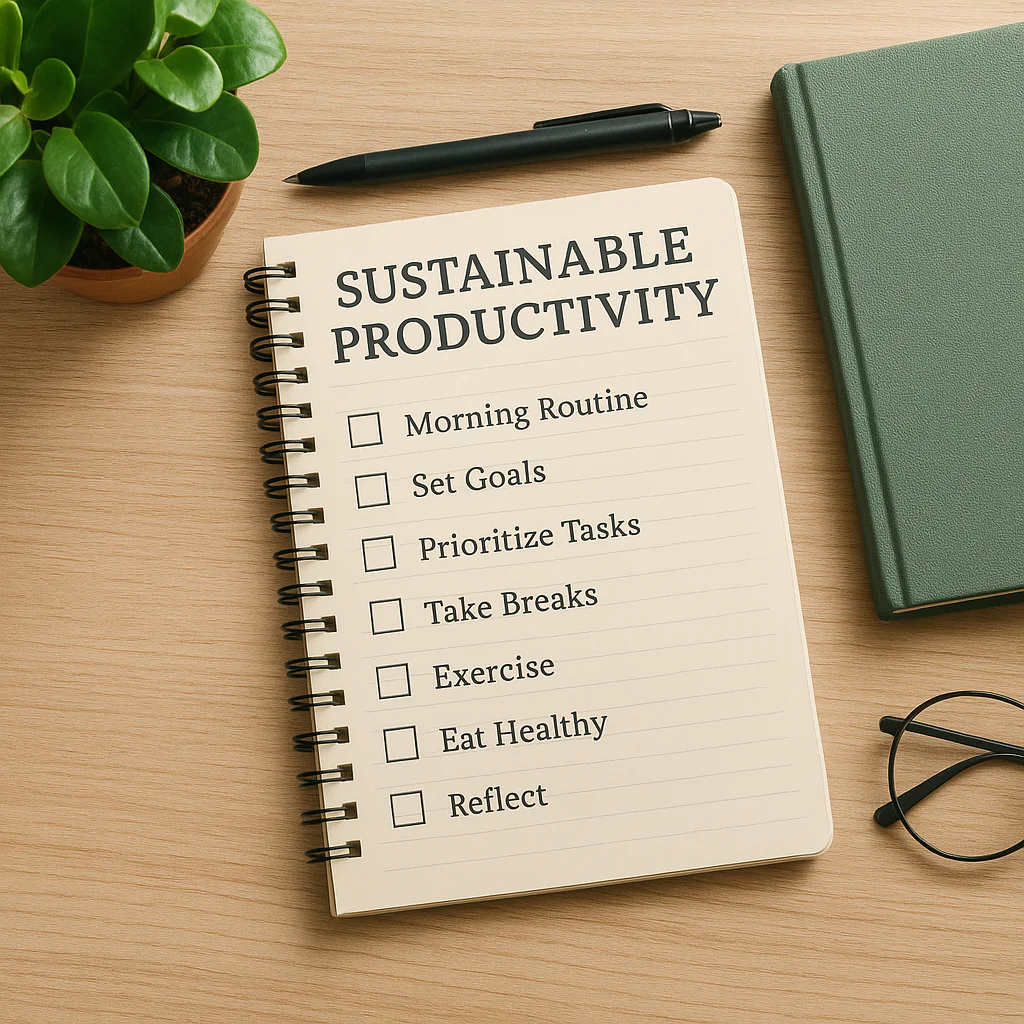
Sustainable productivity systems help you make meaningful progress without treating your time and energy as limitless. Start with clear priorities, a realistic daily checklist, and enough room for rest and interruptions; choose tools only after you know what your system needs to do.
At Daily Checklist™, we’ve seen how a beautifully organized planner can still set you up to fail if the day is overloaded. One of our planners once filled a weekly spread with tasks until there was barely room to breathe. The fix wasn’t a fancier app: it was a shorter list, realistic buffers, and a routine for reviewing what actually mattered.
A good system isn’t the one with the most features. It’s the one you can keep using when life gets busy—and adjust when it changes.
✅ Key Takeaways
- Plan for capacity, not an idealized day. Account for energy, attention, fixed commitments, breaks, and interruptions.
- Keep your daily checklist short. Choose a priority, a couple of supporting tasks, and essential maintenance; keep the full backlog elsewhere.
- Build a system before choosing tools. A calendar, task list, and simple review routine are often enough to start.
- Make rest and boundaries part of the plan. Sustainable progress depends on a pace you can maintain, not constant busyness.
- Use setbacks as information. If tasks repeatedly stall, find the friction—unclear priorities, oversized steps, or an unrealistic workload—and adjust the system.
Table of Contents
- ⚡ Quick Tips and Facts
- 🌱 What Are Sustainable Productivity Systems?
- 📚 Background: From Efficiency Culture to Sustainable Work
- 🧭 The Core Principles of Sustainable Productivity
- Protect Energy, Not Just Time
- Make Room for Rest and Recovery
- Choose Progress Over Constant Busyness
- Build for Real Life, Not Perfect Weeks
- 🛠️ 12 Building Blocks for a Sustainable Productivity System
- 1. Define What “Enough” Looks Like
- 2. Set Values-Based Goals and Priorities
- 3. Capture Tasks in One Trusted Place
- 4. Plan Around Capacity, Energy, and Attention
- 5. Protect Focus with Time Blocking
- 6. Create a Realistic Daily Checklist
- 7. Reduce Context Switching and Digital Distractions
- 8. Automate, Batch, or Eliminate Repetitive Work
- 9. Design Breaks and Boundaries into the Workday
- 10. Make Your Workspace Support Well-Being
- 11. Review Progress Without Self-Punishment
- 12. Keep the System Simple and Adaptable
- 🧩 Popular Productivity Methods and How to Use Them Sustainably
- Getting Things Done (GTD)
- Time Blocking and Calendar Planning
- The Pomodoro Technique and Focus Sprints
- Bullet Journaling and Analog Planning
- Kanban Boards and Workflow Limits
- 💻 Digital Tools, Paper Planners, and Low-Tech Workflows
- Choosing Tools Without Creating More Admin
- A Sustainable Productivity App Stack
- When a Paper Checklist Works Better
- 🗓️ How to Build a Sustainable Weekly and Daily Routine
- A 15-Minute Weekly Review
- A Calm Start-of-Day Planning Ritual
- A Shutdown Routine That Protects Personal Time
- 🏡 Sustainable Productivity at Work, at Home, and Remotely
- Healthy Team Workloads and Meeting Habits
- Remote Work Boundaries and Focus
- Household Tasks, Caregiving, and Invisible Work
- 🌍 Environmental Sustainability and the Digital Workplace
- Reducing Digital Clutter and Unecessary Consumption
- Energy-Aware Work Habits and Grener Workspaces
- ⚠️ Common Productivity Traps and How to Avoid Burnout
- Overplanning and Unrealistic To-Do Lists
- Hustle Culture, Perfectionism, and Guilt
- Why Productivity Systems Fail—and How to Reset
- 📊 How to Measure Sustainable Productivity
- Useful Measures Beyond Hours Worked
- Signs Your System Needs a Change
- 🚀 A 30-Day Plan to Build Your Sustainable Productivity System
- ✅ Conclusion
- 🔗 Recommended Links
- ❓ FAQ
- What is a sustainable productivity system?
- How can I be productive without burning out?
- What is the best productivity system for beginners?
- How do I plan a day when my energy is unpredictable?
- Can productivity systems support work-life balance?
- Are productivity apps necessary?
- How often should I review my productivity system?
- 📖 Reference Links
⚡ Quick Tips and Facts
A daily checklist can make priorities visible, but a checklist is only one part of a sustainable productivity system. The system also needs realistic workload limits, recovery time, and a simple way to decide what happens next.
| Quick fact | What it means for your system |
|---|---|
| Productivity is not the same as constant busyness | Measure useful progress and well-being, not just hours or tasks checked off. |
| Your available capacity changes | Plan around energy, attention, health, and obligations—not an imaginary “perfect day.” |
| A tool cannot fix an unclear workflow | Decide how work moves from capture to completion before adding another app. |
| Rest supports sustainable effort | Put breaks and a stopping point in the plan instead of treating them as rewards you must earn. |
| A checklist works best when it is short and actionable | Pick a few essential tasks; keep everything else in a separate task list. |
| Systems should be adjusted | If a routine repeatedly fails, investigate the friction rather than blaming yourself. |
Try this today
- Write down everything competing for your attention.
- Choose one must-do, one useful supporting task, and one small maintenance task.
- Give each task a realistic time estimate, then leave room for interruptions.
- Add breaks and a clear end-of-day stopping point.
- At the end of the day, ask: What made this easier or harder?
That last question matters. A planner we worked with once filled a beautiful weekly spread with more tasks than the week could hold. The layout was flawless; the plan was not. The fix wasn’t a better pen or a more powerful app. It was fewer commitments and a review that treated missed tasks as information, not evidence of personal failure. 📝
For more practical ideas, explore our guides on habit formation, life hacks, and digital detox.
🌱 What Are Sustainable Productivity Systems?
A sustainable productivity system is a repeatable way to choose, organize, and complete meaningful work without routinely sacrificing your health, relationships, or ability to keep working. It helps you make progress at a pace you can maintain—not squeeze maximum output from every hour.
The word sustainable has two useful meanings here:
- Personal sustainability: Your workload and routines support well-being, attention, and recovery over time.
- Environmental sustainability: Your choices consider resource use, waste, and the broader effects of work.
These dimensions connect. The Learn OmniFocus video on “Sustainability in Practice” argues that chronic overwhelm can leave people without the mental and emotional bandwidth to engage with larger environmental concerns. That is a perspective, not a universal formula, but it highlights an important relationship: personal capacity can shape what we are able to contribute beyond ourselves.
Sustainable productivity vs. conventional productivity
| Approach | Main question | Common risk |
|---|---|---|
| Output-at-any-cost productivity | “How much can I get done?” | Overwork, rushed decisions, and an unsustainable pace |
| Sustainable productivity | “What matters, what can I do well, and what can I keep doing?” | Requires honest choices about capacity and trade-offs |
| Tool-first productivity | “Which app should I use?” | Switching tools without fixing unclear priorities or workflows |
| System-first productivity | “How does work move from intention to completion?” | Needs periodic review and adjustment |
The SPG Coalition on Sustainable Productivity Growth for Food Security and Resource Conservation/en) uses a related idea in agriculture: productivity should “optimize agricultural sustainability across social, economic, and environmental dimensions.” That is a different field, so its measures do not transfer directly to personal planning. But its broader lesson does: more output is not automatically better if the costs are ignored.
📚 Background: From Efficiency Culture to Sustainable Work

For decades, productivity advice has often focused on speed: optimize the calendar, eliminate “wasted” minutes, and do more. Some efficiency methods can be useful. The trouble starts when efficiency becomes the only measure of success.
Work is not a factory line. It involves judgment, collaboration, caregiving, creative thinking, interruptions, and recovery. A system that looks efficient on paper may fail in real life if it assumes unlimited energy or uninterrupted focus.
Why the conversation is changing
A more sustainable approach asks not just whether a method works, but for whom, under what conditions, and at what cost.
- A rigid schedule may help someone with predictable work and create stress for someone managing frequent interruptions.
- A detailed digital workflow may suit a person who enjoys maintaining it and burden someone who needs fewer steps.
- A daily checklist may support task initiation, but it cannot make an overloaded workload reasonable.
Martine Ellis makes the tool-versus-system distinction plainly: “It’s not about the tools. It’s about the system.” Her point is that apps are helpful only when they support a workable method for deciding what needs doing, where information belongs, and how tasks move forward (Martine Ellis: Sustainable Productivity Starts with Systems, Not Tools).
A modern, more humane definition of “productive”
We recommend treating productivity as meaningful progress within realistic limits. That definition leaves room for:
- Doing fewer things because the priorities have changed.
- Resting before exhaustion forces a shutdown.
- Asking for help or renegotiating a deadline.
- Improving a process instead of working around the same problem every day.
- Accepting that a good system needs different settings in different seasons of life.
🧭 The Core Principles of Sustainable Productivity
Protect Energy, Not Just Time
A calendar tells you where time goes. It does not tell you how much attention a task will take, whether you have the energy for it, or what else is competing for that capacity.
Try matching work to your best available focus:
- Schedule demanding, concentration-heavy work when you are most alert, if your routine allows.
- Group small administrative tasks rather than scattering them through the day.
- Use low-energy periods for simpler work, breaks, or recovery—not for judging your entire productivity system.
Energy is personal and can vary with sleep, stress, disability, health, caregiving, and work demands. If your available capacity is persistently low or distressing, a planner is not a substitute for appropriate support from a qualified health professional.
Make Room for Rest and Recovery
Breaks are not a prize for finishing everything. There will always be another message, form, or “quick” task waiting to audition for the lead role.
Build recovery into your plan:
- Take short pauses between focused work periods.
- Step away from screens when practical.
- Set a stopping time that protects personal commitments.
- Use a lighter plan for unusually demanding days.
- Treat sleep as a basic part of well-being; the CDC’s sleep guidance explains the value of sufficient sleep for health.
A productive day that leaves you unable to function tomorrow is a poor long-term bargain.
Choose Progress Over Constant Busyness
A crowded schedule can create the feeling of movement without meaningful progress. Before adding a task, ask:
- Does this support a priority?
- Is it actually mine to do?
- Does it need to happen today?
- What would have to move if I accept it?
This is especially useful when new requests arrive. A sustainable “yes” often requires a clear “not now” or “what should I deprioritize?”
Build for Real Life, Not Perfect Weeks
Your system needs a way to handle disruptions. Otherwise, one sick day or urgent request can make the entire plan feel broken.
Use a flexible structure:
- Baseline: the minimum routine that keeps important work moving.
- Normal capacity: a realistic plan for an ordinary day.
- Low-capacity mode: essential tasks only, with a deliberate rescheduling step.
This idea is particularly helpful when attention, energy, or executive function fluctuates. One ADHD-focused podcast episode describes a “Plan, Act, Complete” framework and recommends identifying where a person gets stuck rather than relying on “white-knuckling it” (episode details on Apple Podcasts). It is one perspective, not a universal prescription; the practical takeaway is to match support to the actual bottleneck.
🛠️ 12 Building Blocks for a Sustainable Productivity System
1. Define What “Enough” Looks Like
Without a definition of enough, the task list can expand forever. Decide what a successful day or week means before the inbox decides for you.
For a workday, “enough” might mean:
- Completing one high-impact deliverable.
- Responding to a small set of time-sensitive messages.
- Making progress on a longer project.
- Ending at the agreed stopping time.
The definition will vary by role and circumstance. A parent caring for a sick child, a student in exam week, and a project manager near a deadline do not have identical capacity. The system should help each person make thoughtful trade-offs, not pretend those circumstances are interchangeable.
2. Set Values-Based Goals and Priorities
Goals give your tasks direction. Values help you decide which goals deserve space.
A simple priority test:
| Question | If the answer is “yes” |
|---|---|
| Does this support a meaningful goal? | Keep it on the active list. |
| Is there a real deadline or consequence? | Schedule it based on urgency and importance. |
| Could someone else own it? | Delegate or discuss responsibility. |
| Is it optional and low-value? | Remove it, defer it, or set a boundary. |
Choose a short list of active priorities. A project can be important without needing your attention every day.
3. Capture Tasks in One Trusted Place
Scattered reminders create mental clutter: a note on your phone, an email flag, a sticky note, and a task you’re trying not to forget during a meeting.
Use one primary capture point, such as:
- A paper planner.
- Apple Reminders.
- Todoist.
- Microsoft To Do.
- A simple notes document.
The specific choice matters less than having a reliable habit: capture now, clarify later. Calendar events belong on a calendar; tasks without a fixed time belong on a task list.
4. Plan Around Capacity, Energy, and Attention
A sustainable plan has breathing room. Avoid filling every available slot with focused work; real days contain transitions, questions, and tasks that take longer than expected.
Try this planning sequence:
- Mark fixed commitments on your calendar.
- Identify the time available for focused work.
- Choose one to three meaningful tasks for that capacity.
- Add breaks and transition time.
- Leave a buffer for the unexpected.
When your workload regularly exceeds your available time, the answer may be a conversation about scope, staffing, or deadlines—not a more aggressive time-blocking method.
5. Protect Focus with Time Blocking
Time blocking reserves a portion of your calendar for a type of work. It can reduce decision fatigue, but it should be a guide rather than a prison.
Useful blocks include:
- Focus time for complex work.
- Communication windows for email or messages.
- Admin batches for routine tasks.
- Breaks, meals, and shutdown time.
Avoid: scheduling every minute, ignoring meeting fatigue, or treating a moved block as a moral failure. If a task repeatedly will not fit, revisit its scope or priority.
6. Create a Realistic Daily Checklist
A daily checklist should help you see what matters at a glance. It should not become a transcript of every task you have ever considered doing.
A useful starting template:
- One priority: the task with the greatest meaningful impact.
- Two supporting tasks: important, but not all-consuming.
- One maintenance task: a small responsibility that prevents avoidable buildup.
- Breaks and basic needs: meals, movement, or a pause where appropriate.
- Shutdown cue: a clear point for closing work.
Keep the full backlog elsewhere. Your daily checklist is the day’s shortlist, not a referendum on your worth.
7. Reduce Context Switching and Digital Distractions
Every transition takes attention. Reduce unnecessary switching by:
- Keeping related documents and tools together.
- Grouping messages into planned check-in windows when your role permits.
- Closing tabs unrelated to the current task.
- Turning off nonessential notifications.
- Writing down the next action before leaving a project.
For people who want to reduce phone interruptions, our digital detox guides offer practical starting points. A digital detox does not need to mean throwing your phone into a lake; notification settings and clearer boundaries can be a more sustainable first move. 📵
8. Automate, Batch, or Eliminate Repetitive Work
For recurring tasks, ask whether the work can be simplified:
- Eliminate: Is this task still necessary?
- Automate: Can a safe, reliable tool handle it?
- Batch: Can similar tasks be done together?
- Standardize: Would a template or checklist reduce repeated decisions?
Automation is not free of maintenance. Confirm that the process works, protect sensitive information, and keep a human check for work where errors could matter.
9. Design Breaks and Boundaries into the Workday
A healthy routine does not depend on remembering to rest after the final task—which may never arrive.
Practical boundaries include:
- A defined work start and stop time.
- A lunch break away from work when possible.
- A routine for urgent after-hours messages.
- A clear signal that a workday is finished.
If your role has on-call duties or shift work, boundaries may need to be negotiated and shared across a team. A personal checklist cannot fix a workplace that consistently expects unpaid availability.
10. Make Your Workspace Support Well-Being
You do not need a designer office. Small adjustments can make work more comfortable and reduce friction:
- Keep frequently used items within easy reach.
- Use a setup that supports comfortable posture.
- Make room for water, notes, and task materials.
- Reduce visual clutter if it distracts you.
- Consider lighting, sound, and accessibility needs.
The best workspace is the one that supports your actual work and body—not the one that looks most like a productivity influencer’s desk.
11. Review Progress Without Self-Punishment
A review is a diagnostic tool. It helps you see what worked, what stalled, and what needs to change.
Ask:
- What moved forward?
- What was interrupted or delayed?
- Was the plan realistic?
- Where did I get stuck: planning, starting, or finishing?
- What is one adjustment for next week?
The “Plan, Act, Complete” framing from the ADHD productivity episode can be useful here: different stuck points call for different supports. If starting is the barrier, make the first step smaller. If finishing is difficult, define what “done” means before you begin.
12. Keep the System Simple and Adaptable
A system is not better because it has more dashboards. It is better when it consistently helps you make decisions and move work forward.
Use this rule: add a tool or step only when it solves a recurring problem. If your workflow requires constant maintenance, remove unnecessary complexity.
| Signal | Likely adjustment |
|---|---|
| You keep forgetting tasks | Improve capture and reminders. |
| You have too many priorities | Reduce active work or clarify trade-offs. |
| You cannot start | Define a smaller first action and reduce setup friction. |
| You leave tasks nearly finished | Identify the “last 5%” and schedule a completion step. |
| You ignore your planner | Make the review simpler or change the tool. |
| You finish exhausted most days | Reassess workload and recovery, not just time management. |
🧩 Popular Productivity Methods and How to Use Them Sustainably
No single method suits every job, brain, or season of life. Think of these approaches as ingredients, not a personality test.
| Method | Best for | Watch out for |
|---|---|---|
| Getting Things Done (GTD) | Capturing and clarifying many commitments | The review process can become elaborate |
| Time blocking | Protecting time for meaningful work | Rigid plans can break under interruptions |
| Pomodoro Technique | Starting focused work in manageable intervals | Fixed intervals may not fit every task |
| Bullet journaling | Flexible paper-based planning | Customization can become a project of its own |
| Kanban | Seeing work stages and limiting overload | A board does not set priorities by itself |
Getting Things Done (GTD)
David Allen’s Getting Things Done method organizes work around capturing commitments, clarifying next actions, organizing reminders, reviewing the system, and engaging with the work. Its strength is helping you stop carrying every open loop in your head.
To use GTD sustainably:
- Capture tasks in a trusted inbox.
- Clarify what each item means.
- Record the next action, not a vague project title.
- Review at a frequency you can maintain.
- Keep the project list useful rather than exhaustive.
Benefit: clarity for people managing many projects.
Drawback: overprocessing tasks can eat the time intended for doing them.
Time Blocking and Calendar Planning
Time blocking assigns work to calendar periods. It is especially useful when your day has some control over its structure.
Build blocks around:
- Fixed appointments.
- Focus work.
- Communication.
- Admin and transitions.
- Breaks and shutdown.
Leave open capacity. A calendar filled from edge to edge is a forecast with no weather allowance.
The Pomodoro Technique and Focus Sprints
The Pomodoro Technique uses focused work intervals separated by breaks. The classic format often uses 25-minute work periods, but you can adapt the length to your task and attention.
Try a sustainable version:
- Choose one specific task.
- Set a focus interval that feels manageable.
- Take a short break when it ends.
- After several rounds, take a longer pause.
- Stop or reassess if fatigue is building.
Best for: overcoming a difficult start or keeping a large task approachable.
Not ideal for everyone: some deep-work tasks or service roles do not pause neatly on a timer.
Bullet Journaling and Analog Planning
A bullet journal uses a notebook to capture tasks, events, and notes in a flexible format. The official Bullet Journal method emphasizes a structured approach that you can adapt.
A low-maintenance version needs only:
- A monthly overview.
- A short daily task list.
- A simple way to migrate unfinished tasks.
- A weekly review.
Decorative layouts are optional. If setting up the notebook takes longer than using it, simplify.
Kanban Boards and Workflow Limits
Kanban boards make work visible across stages such as To do, Doing, and Done. Tools such as Trello and Jira support digital boards; sticky notes can work just as well.
The sustainable trick is limiting work in progress. If everything is marked “doing,” nothing has a clear lane. A small “In progress” limit helps you finish before adding more.
💻 Digital Tools, Paper Planners, and Low-Tech Workflows
Choosing Tools Without Creating More Admin
Start with the job your tool must do:
- Capture tasks quickly.
- Show deadlines and appointments.
- Help you choose what to do today.
- Support collaboration, if required.
- Make reviews easy enough to repeat.
Martine Ellis’s systems-not-tools article offers a useful reminder: choose tools to support a dependable workflow, not to define one. We agree. A perfectly configured app cannot decide whether your workload is reasonable.
Comparing common options
| Tool | Strength | Limitation |
|---|---|---|
| Paper planner | Simple, tactile, works without notifications | Harder to search, share, or sync |
| Apple Reminders | Convenient for Apple users and simple lists | Collaboration and advanced workflows may not fit everyone |
| Todoist | Cross-platform task capture and recurring tasks | Requires care to prevent list sprawl |
| Microsoft To Do | Useful for Microsoft 365 workflows | Less suited to complex project visualization |
| Trello | Clear visual boards for shared workflows | Boards can become cluttered without ownership and limits |
| OmniFocus | Detailed task organization for Apple users | More features mean a learning and maintenance curve |
No product is universally “best.” Pick the lightest tool that meets your real needs, and test the workflow before moving years of information into it.
🛒 Explore the tools
- Task management: Todoist on Amazon | Todoist Official Website
- Project boards: Trello on Amazon | Trello Official Website
- Apple task workflows: OmniFocus on Amazon | OmniFocus Official Website
- Paper planning: Planner notebooks on Amazon | Bullet Journal Official Website
A Sustainable Productivity App Stack
For many people, a minimal setup is enough:
- Calendar: fixed commitments and time-specific events.
- Task list: next actions and due dates.
- Notes: reference information.
- One review routine: a weekly check to reconcile the pieces.
Use integrations only when they reduce duplication. If an app stack needs daily troubleshooting, the stack may be the work.
When a Paper Checklist Works Better
Paper can be especially helpful when you want fewer notifications, quick visibility, or a satisfying way to mark completion. It also makes it easy to keep a short daily plan separate from a large digital backlog.
A practical hybrid:
- Store recurring and future tasks digitally.
- Copy only today’s priorities to paper.
- Use the paper list to focus, not as a second permanent database.
- Move genuinely unfinished work back to the task system at day’s end.
🗓️ How to Build a Sustainable Weekly and Daily Routine
A 15-Minute Weekly Review
A weekly review helps you see what is coming before it arrives wearing a tiny emergency hat. ⏰
Step 1: Gather. Collect notes, loose tasks, messages, and reminders.
Step 2: Clear. Remove duplicates and tasks that no longer matter.
Step 3: Check commitments. Review your calendar, deadlines, and personal responsibilities.
Step 4: Choose priorities. Select a small number of outcomes for the coming week.
Step 5: Plan capacity. Put demanding work into realistic blocks, leaving buffers.
Step 6: Identify risks. Ask what might interrupt the plan and what can be adjusted.
Step 7: Stop. Do not turn a brief review into a second workday.
If 15 minutes is not enough for a complex role, take longer. The goal is not to worship the stopwatch; it is to keep the review bounded and useful.
A Calm Start-of-Day Planning Ritual
Before opening every communication channel, take a moment to orient:
- Check the calendar.
- Review your task list.
- Choose the day’s main priority.
- Identify one realistic supporting task.
- Decide what can wait.
- Begin with the next visible action.
If urgent messages are part of your job, adapt the order. Sustainable systems should fit the work, not force every person into the same morning ritual.
A Shutdown Routine That Protects Personal Time
A shutdown routine gives unfinished work a place to land so it does not have to follow you into dinner.
- Mark completed tasks.
- Record the next action for open work.
- Reschedule only what remains important.
- Check tomorrow’s calendar.
- Close work applications when appropriate.
- Use a clear end-of-day phrase or cue.
This does not erase urgent responsibilities or solve unreasonable workload expectations. It does help distinguish work that is unfinished from work that is forgotten.
🏡 Sustainable Productivity at Work, at Home, and Remotely
Healthy Team Workloads and Meeting Habits
Individual systems work best inside healthy team practices. Managers and teams can support sustainable productivity by:
- Making priorities and ownership clear.
- Reviewing workload before adding deadlines.
- Keeping meetings purposeful and accessible.
- Protecting focus time where the work allows.
- Avoiding the assumption that instant replies equal commitment.
- Making it safe to raise workload concerns.
A team checklist can help, but it should not become a surveillance scoreboard. Track what helps work move forward, not how many green ticks each person collects.
Remote Work Boundaries and Focus
Remote work can reduce commuting while blurring the line between work and home. Build a transition deliberately:
- Set a start and stop routine.
- Create a dedicated work area if possible.
- Agree on message-response expectations.
- Schedule breaks away from your screen.
- Keep work tools from taking over personal devices when practical.
Our digital detox category includes ideas for creating more intentional technology habits. The objective is not to ban useful technology; it is to make its demands visible and manageable.
Household Tasks, Caregiving, and Invisible Work
A personal productivity plan cannot assume that every hour outside paid work is free. Caregiving, household management, and community responsibilities take real time and attention.
Try making invisible work visible:
- List recurring tasks and who owns them.
- Share responsibility rather than relying one person’s memory.
- Use shared calendars or lists where they genuinely help.
- Build flexible buffers around appointments and care needs.
- Renegotiate expectations when capacity changes.
For more routines that support consistency without perfection, visit our habit formation resources.
🌍 Environmental Sustainability and the Digital Workplace
Reducing Digital Clutter and Unecessary Consumption
Digital work still depends on devices, infrastructure, and energy. The most practical place to start is avoiding wasteful habits that add complexity without helping:
- Keep devices longer when they remain safe and functional.
- Repair or recycle electronics through appropriate programs.
- Avoid duplicate software subscriptions and redundant storage.
- Delete obsolete files when it makes sense for privacy and organization.
- Choose digital tools based on need rather than novelty.
Environmental impacts vary by device, electricity source, and use. Avoid sweeping claims that one format is always greener: paper and digital work each have material and energy costs.
Energy-Aware Work Habits and Grener Workspaces
A sustainable work setup can consider both personal energy and environmental impact:
- Use natural light where practical.
- Turn off equipment that does not need to stay on.
- Share or reuse office supplies where appropriate.
- Reduce unnecessary printing.
- Make breaks and workload boundaries part of the operating routine.
The first video’s central idea is that “Sustainability in all its forms is worth focusing on.” It also connects personal overload with reduced capacity to engage in broader environmental concerns. That connection is persuasive as a reminder to care for the conditions that support meaningful work; it should not be interpreted as placing responsibility for systemic environmental problems on individuals alone.
⚠️ Common Productivity Traps and How to Avoid Burnout
Overplanning and Unrealistic To-Do Lists
A plan is useful only if it survives contact with the day.
Warning signs:
- Your daily list is longer than your available time.
- You move the same tasks forward repeatedly.
- You schedule no time for transitions or interruptions.
- You feel behind before beginning.
Reset: choose a smaller daily shortlist, move remaining tasks to a backlog, and decide which items are genuinely urgent.
Hustle Culture, Perfectionism, and Guilt
Constantly pushing harder can disguise structural problems such as unclear roles, low staffing, or conflicting deadlines. Perfectionism adds another twist: a task may be “almost finished” for hours because completion standards were never defined.
Try:
- Setting a clear “done” condition before starting.
- Sharing a draft sooner when feedback is part of the work.
- Asking what can be reduced, delegated, or delayed.
- Treating rest as part of a workable routine, not a character flaw.
Persistent exhaustion, distress, or loss of functioning deserves more than a new planning template. Consider seeking support from an appropriate health professional or workplace resource.
Why Productivity Systems Fail—and How to Reset
Systems often fail for practical reasons: too many steps, poor fit, unclear priorities, or a workload that exceeds capacity.
Use this reset:
- Find the friction: capture, planning, starting, doing, or finishing?
- Name one recurring example: avoid diagnosing your whole life at once.
- Choose one support: a reminder, smaller first step, checklist, or calendar block.
- Try it for a short period: notice whether it helps.
- Keep, change, or remove it: do not preserve a system just because you built it.
The ADHD-focused “Plan, Act, Complete” framework offers one helpful way to locate the snag. The podcast’s advice to identify your specific stuck point is more useful than assuming every productivity problem is a motivation problem (Apple Podcasts episode).
📊 How to Measure Sustainable Productivity
Useful Measures Beyond Hours Worked
Hours and task counts tell only part of the story. Consider tracking:
| Measure | What it can reveal |
|---|---|
| Priority progress | Whether important work is moving |
| Work-in-progress count | Whether too many tasks are open |
| Unplanned overtime | Whether workload or boundaries need review |
| Recovery and breaks | Whether the routine includes capacity-building time |
| Repeatedly deferred tasks | Whether priorities, scope, or task size need attention |
| Personal sense of strain | Whether the system feels maintainable |
Keep tracking lightweight. A measure that takes more effort than it saves is another task wearing a fake moustache.
Signs Your System Needs a Change
Review your approach if:
- You routinely work beyond your planned hours.
- You feel more anxious after checking your task list.
- Important tasks remain unfinished despite long workdays.
- The planning routine is harder to maintain than the work itself.
- You are using tools to avoid a difficult conversation about workload.
The best adjustment may better planning. It may also be fewer commitments, clearer ownership, organizational change.
🚀 A 30-Day Plan to Build Your Sustainable Productivity System
| Period | Focus | Action |
|---|---|---|
| Days 1–7 | Notice | Track where tasks live, what interrupts you, and when you feel most focused. Do not overhaul everything yet. |
| Days 8–14 | Simplify | Choose one capture point and create a short daily checklist. Remove duplicate lists. |
| Days 15–21 | Protect capacity | Add realistic focus blocks, breaks, and a shutdown routine. Leave calendar buffers. |
| Days 22–30 | Review and adjust | Identify one recurring friction point, test one solution, and keep only what helps. |
Your weekly check-in
At the end of each week, answer:
- What helped me make meaningful progress?
- What took more energy than expected?
- What did I keep postponing—and why?
- What should I stop, simplify, or ask for help with?
- Is my current pace one I can maintain?
A 30-day plan is a starting point, not a contract. Your first system should be simple enough to use and flexible enough to change. The real test is not whether it looks impressive. It is whether it helps you do meaningful work while leaving enough room to be a person.