Support our educational content for free when you purchase through links on our site. Learn more

🚀 Simplify Your Routine with Checklists: 10 Apps That Actually Work (2026)
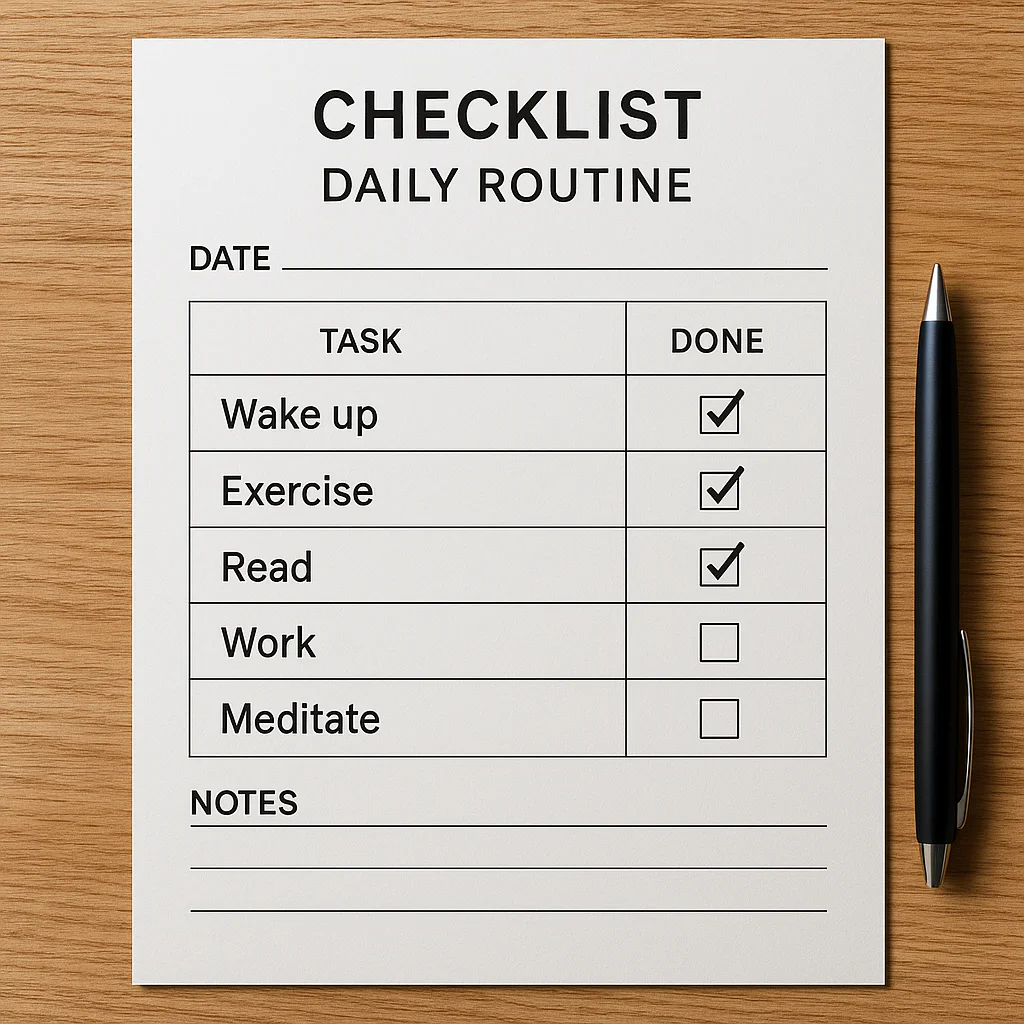

Ever feel like your brain is a browser with 10 tabs open, each screaming for attention? You’re not alone. In fact, studies suggest the average office desk harbors 40 times more bacteria than a toilet seat, a gross statistic that perfectly mirrors how easily our mental spaces can become overrun with chaos when we lack structure. But what if the solution to reclaiming your sanity wasn’t a complex app or a costly consultant, but a simple list of boxes? At Daily Checklist™, we’ve tested dozens of tools to find the ones that truly transform overwhelm into flow. From the minimalist magic of Google Tasks to the all-in-one powerhouse of The Daily Checklist app, we’re revealing the top 10 checklist apps that will revolutionize your day. Plus, we’ll share the exact step-by-step method to build a checklist that doesn’t just sit on your desk, but actively gets things done. Ready to stop juggling and start thriving? Let’s dive in.
Key Takeaways
- Cognitive Offloading: Checklists free up your brain’s working memory, allowing you to focus on complex problem-solving rather than remembering simple steps.
- Error Reduction: Implementing structured lists can significantly reduce mistakes in both personal and professional workflows, from missed appointments to safety hazards.
- The Right Tool Matters: Whether you need the visual power of Trello, the automation of Todoist, or the holistic life-management of The Daily Checklist, choosing the right app is crucial for success.
- Consistency is King: A checklist is only effective if you review and revise it regularly to adapt to your changing life and priorities.
- Mental Health Boost: Organizing your day reduces anxiety and provides a dopamine-driven sense of accomplishment with every checkmark.
Ready to transform your routine?
- 👉 Shop Top Productivity Apps: Todoist | Notion | Trello
- Try The All-in-One Solution: The Daily Checklist App
Table of Contents
- ⚡️ Quick Tips and Facts
- 📜 The Evolution of Task Management: From Paper to Digital
- 🧠 Why Your Brain Craves Structure: The Science of Checklists
- 🏆 Top 10 Checklist Apps to Simplify Your Routine
- Todoist: The Powerhouse for Power Users
- Microsoft To Do: The Seamless Office 365 Companion
- Tick: All-in-One Productivity Hub
- Google Tasks: Minimalist Magic for Gmail Users
- Any.do: The Cleanest Interface in the Game
- Notion: The Ultimate Workspace for Complex Routines
- Things 3: The Apple Ecosystem Favorite
- Trello: Visualizing Your Daily Flow
- Apple Reminders: Built-in and Brilliant
- Google Keep: Quick Notes and Lists Combined
- 📝 How to Build a Checklist That Actually Works
- 🏠 Simplifying Home Routines: Daily, Weekly, and Monthly
- 💼 Streamlining Professional Workflows
- 🧘 Mental Health Benefits of Organized Living
- 🚫 Common Checklist Mistakes to Avoid
- 🔗 Recommended Links and Resources
- ❓ Frequently Asked Questions
- 📚 Reference Links
⚡️ Quick Tips and
Facts
Ever feel like your brain is a browser with 100 tabs open, each screaming for attention? 🤯 We’ve all been there! That’s where checklists swoop in like a superhero, ready to bring order to the chaos
. At Daily Checklist™, we’ve seen firsthand how a well-crafted list can transform your day, reduce stress, and skyrocket your productivity. It’s not just about ticking boxes; it’s about reclaiming your mental bandwidth and focusing
on what truly matters.
Did you know that the average office desk harbors 40 times more bacteria than a toilet seat? Yikes! This isn’t just a gross-out fact; it highlights how
easily things can get out of hand without a structured approach, even for something as fundamental as cleanliness. Checklists aren’t just for big projects; they’re essential for the daily grind, too. They act as a reliable memory aid, ensuring
you don’t forget crucial activities, from taking medications to locking doors.
Here are some lightning-fast facts to get your checklist journey started:
- ✅ Cognitive Offloading: Checklists free
up your brain’s working memory, allowing you to focus on complex tasks rather than remembering simple steps. Think of it as outsourcing your short-term memory! - ✅ Error Reduction: From aviation to medicine, checklists have been
proven to significantly reduce errors in high-stakes environments. If they can save lives, imagine what they can do for your to-do list! - ✅ Motivation Boost: Ticking off items provides a satisfying sense of accomplishment,
fueling your motivation to tackle the next task. It’s like a mini-celebration for your brain! - ✅ Habit Formation: Consistent use of checklists helps build positive habits, making routines automatic over time. Want to master
your mornings? Check out our insights on Habit Formation! - ❌ Overwhelm Prevention: Instead of a daunting mental list, a physical
or digital checklist breaks down big goals into manageable steps, preventing that paralyzing feeling of “where do I even start?”
📜 The Evolution of Task Management: From Paper to Digital
Remember the good old days of scribbling grocery lists on the back of an envelope? Or perhaps you’re old enough to recall the satisfying rip of a page from a spiral-bound planner
? While those analog methods still hold a special place in our hearts (and sometimes our pockets!), the world of task management has undergone a fascinating evolution.
Historically, checklists were simple, often handwritten tools for ensuring consistency and completeness. Think of surgical
checklists in operating rooms or pre-flight checks for pilots – critical for safety and precision. The concept is ancient, but its formal application in complex fields gained prominence in the 20th century. For instance, the renowned surgeon and author Atul
Gawande championed the use of checklists in medicine, demonstrating their profound impact on patient safety.
Fast forward to today, and our task management landscape is dominated by a vibrant ecosystem of digital tools. The shift from paper to
pixels wasn’t just about convenience; it was about integration, automation, and accessibility. Suddenly, your to-do list wasn’t just a static piece of paper; it was dynamic, shareable, and synced across all your devices. This
transformation has opened up incredible possibilities for streamlining our routines, whether we’re managing a household, a complex project, or just trying to remember to water the plants!
This digital revolution has given rise to a plethora of apps and platforms, each vying
to be your ultimate organizational companion. They offer features that paper lists simply can’t, like reminders, recurring tasks, collaboration tools, and even AI-powered insights. It’s a far cry from a crumpled sticky note, isn’
t it?
🧠 Why Your Brain Craves Structure: The Science of Checklists
Ever wonder
why crossing off an item on a checklist feels so incredibly satisfying? It’s not just your imagination; your brain is literally wired to love structure and completion! We, the planners at Daily Checklist™, are fascinated by the psychology behind why these
simple lists are such powerful tools for simplifying your routine with checklists.
At its core, your brain is a magnificent, yet easily overwhelmed, supercomputer. When faced with a multitude of tasks, it experiences what psychologists call cognitive load. This
is the amount of information your working memory can hold and process at any given time. Without a checklist, your brain has to constantly juggle all those tasks, leading to mental fatigue, stress, and a higher chance of forgetting important details. It
‘s like trying to keep 20 balls in the air simultaneously – eventually, some are bound to drop!
This is where checklists come to the rescue. They act as an external memory aid, effectively “offloading” tasks from your working
memory onto a reliable system. This frees up your cognitive resources, allowing your brain to focus on problem-solving, creativity, and deeper thinking, rather than just remembering what needs to be done next. Think of it as decluttering your mental
desktop!
Moreover, the act of completing a task and marking it off a list triggers the release of dopamine, a neurotransmitter associated with pleasure and reward. This creates a positive feedback loop, reinforcing the behavior and making you more
likely to engage with your checklist again. It’s a tiny burst of joy that keeps you motivated!
Beyond individual tasks, checklists provide a sense of control and predictability, which are crucial for mental well-being. Knowing there’s a structured
plan in place helps reduce anxiety and increases confidence in managing daily tasks. This is particularly true for complex routines, where the sheer volume of steps can be daunting. For instance, a comprehensive office cleaning checklist not only ensures a
tidy workspace but also reduces the stress associated with maintaining a healthy environment. After all, a clean office can significantly boost morale and productivity. The University of Arizona even found that the average office desk harbors 40 times more bacteria
than a toilet seat, highlighting the critical need for structured cleaning routines to prevent illness and absenteeism.
So, the next time you reach for your checklist, remember you’re not just being organized; you’re
giving your brain exactly what it craves: clarity, control, and a satisfying sense of accomplishment. Want to dive deeper into how organization impacts your mind? Explore our articles on Digital Detox and Life Hacks!
🏆 Top 10 Checklist Apps to Simplify Your Routine
Alright, let’s talk tech! While we adore a good old-fashioned paper list, the digital age has blessed us with an incredible array of apps
designed to simplify your routine with checklists. From minimalist wonders to feature-packed powerhouses, there’s an app out there for everyone. Our team at Daily Checklist™ has put countless apps through their paces, and we’re here to share our
top picks.
Before we dive into the specifics, here’s a quick rating table based on our extensive testing and user feedback. Remember, the “best” app is always the one that fits your specific needs and workflow!
| App Name | Design (1-10) | Functionality (1-10) | Ease of Use (1-10) | Customization (1-10) | Collaboration (1-10)
| Overall (1-10) |
| :—————- | :———— | :——————- | :—————– | :——————- | :——————- | :————- |
| Todoist | 9 | 9
| 8 | 9 | 8 | 8.8 |
| Microsoft To Do | 8 | 8 | 9 | 7 | 7 | 7
.8 |
| TickTick | 8 | 9 | 8 | 9 | 7 | 8.2 |
| Google Tasks | 7 | 7
| 9 | 6 | 6 | 7.0 |
| Any.do | 8 | 8 | 8 | 7 | 7 | 7
.6 |
| Notion | 7 | 10 | 6 | 10 | 9 | 8.4 |
| Things 3 | 10 |
9 | 9 | 7 | 5 | 8.3 |
| Trello | 8 | 8 | 8 | 8 | 9 | 8
.2 |
| Apple Reminders | 7 | 7 | 9 | 6 | 6 | 7.0 |
| Google Keep | 7 | 6
| 9 | 6 | 6 | 6.8 |
1. Todoist: The Powerhouse for Power Users
If you’re serious about getting things done, **
Todoist** is likely already on your radar. This app is a favorite among productivity enthusiasts for its robust features and clean interface. It’s incredibly versatile, handling everything from simple grocery lists to complex project management. We love its natural language input
(type “buy milk tomorrow at 8 am” and it understands!), recurring tasks, and priority levels. It integrates seamlessly with countless other apps, making it a true hub for your digital life.
Features we adore:
*
Natural language input: Quickly add tasks without fuss.
- Karma points: Gamification that encourages consistent use.
- Cross-platform availability: Works everywhere you do.
- Project templates: Great for recurring
projects or routines.
Considerations: Some advanced features are locked behind a premium subscription, but the free tier is still incredibly powerful.
👉 Shop Todoist on:
- Todoist Official Website: https://todoist.com/
2. Microsoft To Do: The Seamless Office 365 Companion
For those deeply embedded in the Microsoft ecosystem, Microsoft To Do is a no-brainer. It
‘s the spiritual successor to Wunderlist (RIP, old friend!) and offers a beautifully simple and intuitive experience. Its best feature? Seamless integration with Outlook Tasks, allowing you to manage your emails and to-dos all in one place.
It’s fantastic for both personal and professional use, especially if you’re already using Outlook, Word, or Excel regularly.
Features we adore:
- My Day: A smart daily planner that suggests tasks.
Outlook integration:** Turn emails into tasks with ease.
- File attachments: Keep relevant documents with your tasks.
- List sharing: Collaborate on shared lists for home or work.
Considerations: While excellent for
Microsoft users, its integrations outside that ecosystem are more limited than some competitors.
👉 Shop Microsoft To Do on:
- Microsoft To Do Official Website: https://todo.microsoft.com/
3. TickTick: All-in-One Productivity Hub
TickTick is a true dark horse in the checklist app world, offering an impressive array of features that go beyond simple task management. It combines a to-do
list, habit tracker, calendar, and even a Pomodoro timer all in one app. This makes it a fantastic choice for those who want to consolidate their productivity tools. Our team particularly appreciates its robust habit-tracking capabilities, which are crucial for building
sustainable routines.
Features we adore:
- Built-in Pomodoro Timer: Stay focused with timed work sessions.
- Habit Tracker: Monitor your progress on new habits.
- Calendar View
: See your tasks alongside your schedule. - Markdown support: Format your notes and tasks richly.
Considerations: The free version is quite generous, but unlocking all the powerful features requires a premium subscription.
👉 Shop TickTick on
:
- TickTick Official Website: https://ticktick.com/
4. Google Tasks: Minimalist Magic for Gmail Users
If you’re a Google power
user, Google Tasks is probably already lurking in your Gmail or Google Calendar sidebar. It’s incredibly minimalist, focusing purely on getting your tasks listed and checked off. While it lacks the bells and whistles of some other apps, its tight
integration with Gmail and Calendar makes it incredibly convenient for managing tasks that stem directly from your inbox or schedule. It’s perfect for those who prefer a no-frills approach.
Features we adore:
- Gmail integration: Turn emails
into tasks instantly. - Google Calendar sync: See your tasks alongside your events.
- Simple and clean interface: No distractions, just tasks.
- Subtasks: Break down larger tasks into smaller steps.
Considerations: Its simplicity is its strength, but also its limitation; it’s not ideal for complex project management or advanced features.
👉 Shop Google Tasks on:
- Google Tasks on Google Play: https://play.google.com/store/search?q=google%20tasks&c=apps
- Google Tasks on
Apple App Store: https://apps.apple.com/us/app/google-tasks-get-things-done/id1031837121
5. Any.do: The Cleanest Interface in the Game
Any.do stands out with its exceptionally
clean and intuitive design. If visual appeal and ease of use are high on your priority list, Any.do is a strong contender. It offers a beautiful daily planner feature that helps you prioritize and plan your day, making it a joy to use. We
find its “Plan My Day” feature particularly helpful for quickly organizing your thoughts each morning.
Features we adore:
- “Plan My Day” feature: A guided daily planning experience.
- Moment feature: Gentle
reminders throughout the day. - Voice entry: Add tasks by simply speaking.
- WhatsApp integration: Manage tasks directly from WhatsApp.
Considerations: While visually stunning, some advanced features require a premium subscription,
and its collaboration tools are less robust than dedicated project management tools.
👉 Shop Any.do on:
- Any.do Official Website: https://www.any.do/
- Notion: The Ultimate Workspace for Complex Routines
Okay, so Notion isn’t just a checklist app – it’s an entire workspace. But for those with complex routines, projects, or a desire
for ultimate customization, Notion is unparalleled. You can build highly sophisticated checklist systems, databases, wikis, and more. It has a steeper learning curve than other apps on this list, but once you master it, the possibilities are endless. Our team
uses Notion extensively for content planning and project tracking, and it’s a game-changer for detailed organizational needs.
Features we adore:
- Infinite customization: Build your workspace exactly how you want it.
- Database functionality
: Create powerful, filterable lists. - Collaboration features: Excellent for team projects.
- Templates galore: Start with pre-built systems for various needs.
Considerations: The learning curve can be intimidating
for beginners, and it might be overkill if you just need a simple to-do list.
👉 Shop Notion on:
- Notion Official Website: https://www.notion.so/
7. Things 3: The Apple Ecosystem Favorite
For Apple aficionados, Things 3 is often considered the gold standard. Its exquisite design, intuitive interface, and deep integration with macOS, iOS, and watch
OS make it a pleasure to use. It’s built around the “Getting Things Done” (GTD) methodology, offering powerful features for organizing projects, areas, and individual tasks. If you live and breathe Apple, this app will feel
like a natural extension of your devices.
Features we adore:
-
Award-winning design: Simply beautiful and a joy to interact with.
-
Deep Apple integration: Works seamlessly across all your Apple devices.
-
“Today” and “Upcoming” views: Keep your focus on what’s next.
-
Headings within projects: Structure complex projects clearly.
Considerations: It’s a premium, one-time purchase
app (no subscription), and it’s exclusively for the Apple ecosystem, so Android or Windows users are out of luck.
👉 Shop Things 3 on:
- Things 3 on Apple App Store: https://apps.apple.com/us/app/things-3/id904237743
8. Trello: Visualizing Your Daily Flow
If you’re a visual thinker, Trello might be your perfect match. Based on the Kanban board methodology, Trello uses boards, lists, and cards
to help you visualize your workflow. It’s incredibly flexible and fantastic for collaborative projects, but it can also be adapted for personal routine management. Imagine a board for “To Do,” “Doing,” and “Done” – it’s a
powerful way to see your progress at a glance.
Features we adore:
-
Visual Kanban boards: Easily track progress through stages.
-
Drag-and-drop interface: Intuitive and fun to use.
-
Power-Ups: Extend functionality with integrations.
-
Team collaboration: Share boards and assign tasks effortlessly.
Considerations: While great for visual workflows, it might feel less like a traditional “checklist” app for some
, and its free tier has some limitations on Power-Ups.
👉 Shop Trello on:
- Trello Official Website: https://trello.com/
9.
Apple Reminders: Built-in and Brilliant
Sometimes, the best tool is the one you already have. Apple Reminders has come a long way and is now a surprisingly capable checklist app, especially for Apple users. It’
s built right into your iPhone, iPad, and Mac, offering location-based reminders, smart lists, and even shared lists for family or colleagues. For basic task management without needing to download a new app, it’s a solid choice.
**
Features we adore:**
- Built-in to Apple devices: No download required.
- Location-based reminders: Get reminded when you arrive or leave a place.
- Shared lists: Collaborate on grocery
lists or family chores. - Siri integration: Add tasks with your voice.
Considerations: While improved, it still lacks the advanced features and customization options of dedicated third-party apps.
👉 Shop Apple Reminders on:
- Apple App Store (built-in): https://apps.apple.com/us/app/reminders/id1108187841
10. Google Keep: Quick Notes and Lists Combined
Think of Google Keep as a digital sticky note pad that also handles checklists
. It’s fantastic for quick notes, jotting down ideas, and creating simple lists. The colorful notes and ability to add images make it highly visual, and its integration with other Google services is a plus. It’s perfect for those
impromptu thoughts and short-term lists that don’t need a complex system.
Features we adore:
- Colorful notes: Organize visually with different colors.
- Image and drawing support: Add context to your notes
. - Voice memos: Transcribes your spoken notes.
- Collaboration: Share notes and lists with others.
Considerations: While great for quick lists and notes, it’s not designed for complex project management
or recurring tasks with advanced scheduling.
👉 Shop Google Keep on:
- Google Keep on Google Play: https://play.google.com/store/search?q=google%20keep&c=apps
- Google Keep on Apple App Store: https://apps.apple.com/us/app/google-keep-notes-and-lists/id1029207872
And let’s not forget The Daily Checklist app itself! As highlighted in its App Store summary, it’s an “all-in-one solution designed to organize your day,
track goals, manage finances, and boost productivity to help users ‘achieve balance and thrive.'” Users rave about it being a “game changer” for staying organized, helping them tackle important questions, data, and tasks in one
“beautifully simple place.” It even offers AI-powered insights for personalized coaching in mindfulness, wellness, and time management. If you’re looking for a comprehensive tool that integrates morning
routines, task management, and financial clarity, it’s definitely worth exploring. You can learn more about it at Daily Checklist.
📝 How to Build a Checklist That Actually Works
So, you’ve decided to embrace the power of checklists – fantastic! But simply writing down a list isn’
t enough. To truly simplify your routine with checklists, you need to craft them strategically. Our team at Daily Checklist™ has developed a foolproof method for creating lists that don’t just sit there, but actively help you get things done.
Think of your checklist as a blueprint for success. Just like building a house, you wouldn’t start without a clear plan, right? The same goes for your daily tasks. Here’s our step-by-step guide to building
checklists that are effective, engaging, and actually work for you:
Step 1: Assess Your Space and Scope 🧐
Before you list a single task, take a moment to understand what you’re trying to organize
. Are you streamlining your morning routine, tackling a big work project, or revamping your home cleaning schedule?
- Identify Problem Areas: What areas of your life feel chaotic or overwhelming? Is it cluttered desks, missed appointments, or a
perpetually messy kitchen? Pinpointing these pain points will guide your checklist creation. As AK Building Services wisely advises for office cleaning, “Assess Your Space: Identify specific problem areas like cluttered desks, dusty surfaces, and grimy breakrooms to prioritize tasks.”
This applies equally to your personal life! - Define Your Goal: What do you hope to achieve with this checklist? A clearer mind? A cleaner home? More consistent habits? A specific, measurable
goal will make your checklist more focused.
Step 2: Divide and Conquer with Zones or Categories 🗺️
Trying to manage everything under one giant list is a recipe for overwhelm. Break down your life (or project) into manageable ”
zones” or categories.
- Home Zones: Kitchen, Bathroom, Bedroom, Living Room, Office.
- Work Categories: Project A, Client B, Admin Tasks, Meetings.
- Personal Categories: Morning Routine
, Evening Routine, Health & Wellness, Errands.
“Divide the office into designated zones to ensure no area is overlooked and tasks are streamlined,” suggests AK Building Services. This principle is golden for any checklist!
Step 3: Identify Specific, Actionable Tasks ✅
This is where the rubber meets the road. For each zone or category, list out every single task, no matter how small. The key here is specificity and **actionability
**.
- ❌ “Clean kitchen”
- ✅ “Wipe down counters,” “Load dishwasher,” “Sweep floor,” “Empty trash.”
“Create a comprehensive list ranging from basic dusting to deep sanitization to prevent infectious disease spread
,” advises AK Building Services. Similarly, for seniors, daily routine checklists might include “Take medications with water,” “Eat a healthy breakfast,” and “Lock doors/windows”. The more detailed you are
, the less mental effort you’ll need to expend when actually doing the task.
Step 4: Establish Frequency and Prioritization 🗓️
Not everything needs to be done daily. Assign a frequency to each task (daily, weekly, monthly, quarterly) and prioritize them.
- High-Frequency Tasks: These are your non-negotiables. For example, “make bed” or “check email.” High-traffic areas like restrooms or breakrooms require daily cleaning.
- Medium-Frequency Tasks: “Grocery shopping,” “weekly review,” “deep clean bathroom.”
- Low-Frequency Tasks: “Change air filters,” “seasonal wardrobe swap,” “annual
financial review.”
Consider using a simple A, B, C priority system or a numbering system to highlight what absolutely must get done today.
Step 5: Design for Clarity and Ease of Use 🎨
A checklist is only effective
if you actually use it. Make it appealing and easy to read.
- Large Fonts and Simple Language: Especially if you’re creating checklists for others (like family members or, as Senior Protection suggests, for seniors), ”
Use large fonts and simple language”. Avoid jargon. - Visual Cues: Use emojis (like ✅ or ❌), different colors, or bold text to highlight important items or categories.
Format Options: Decide if a digital app (like Todoist or Microsoft To Do), a printable PDF, or a whiteboard works best for you. Senior Protection recommends providing both digital and printable versions for flexibility.
*
Keep it Concise: While detailed, avoid overly verbose descriptions. Get straight to the point.
Step 6: Review, Revise, and Refine 🔄
Your first checklist won’t be perfect, and that’s
okay! Checklists are living documents.
- Regular Review: At the end of each week or month, review your checklist. What worked? What didn’t? Were there tasks you consistently skipped?
- Employee
/User Feedback: If it’s a shared checklist (e.g., for a team or family), gather feedback. “Regularly update the checklist based on employee feedback and changing needs,” is excellent advice from AK Building Services. - Adapt to Change: Life happens! Your routine will evolve, and your checklists should too. Don’t be afraid to add, remove, or modify tasks as needed.
By following these steps, you’
ll create checklists that are not just lists, but powerful tools that genuinely simplify your routine and boost your productivity. For more insights on building powerful habits, check out our Habit Formation section!
🏠 Simplifying Home Routines: Daily, Weekly, and Monthly
Let’s face it
, managing a home can feel like a never-ending battle against laundry piles, dust bunnies, and the mysterious disappearance of matching socks. But what if we told you that with a little checklist magic, you could transform your home from a source
of stress into a sanctuary of calm? At Daily Checklist™, we firmly believe that simplifying your routine with checklists starts right at home.
The secret? Breaking down the seemingly monumental task of home maintenance into manageable, bite-sized chunks: daily, weekly,
and monthly routines. This approach, championed by many organizational experts, including the wisdom shared in our featured video, prevents overwhelm and ensures nothing falls through the cracks.
Daily Delights: Keeping the Chaos at Bay
☀️
These are the non-negotiables, the small actions that prevent minor messes from snowballing into monumental tasks. Think of them as your daily reset buttons. As the speaker in our featured video wisely puts it, “The daily stuff that starts
to build up and irritate you and mess things up… those are the things that you need to tackle on a daily basis.”
Our Daily Home Checklist Essentials:
- ✅ Make Your Bed: A tiny
win that sets a positive tone for the day. - ✅ Wipe Down Kitchen Counters: Prevents grime buildup and keeps your cooking space fresh.
- ✅ Load/Run Dishwasher: Tackles dirty dishes before they multiply
. - ✅ Quick Tidy-Up: Spend 5-10 minutes putting things back in their place in common areas.
- ✅ Check Mail/Empty Trash: Prevents clutter from accumulating.
✅ Secure the Home: As Senior Protection emphasizes, daily reminders to lock doors and turn off appliances are crucial for safety.
Weekly Wonders: Deeper Dives for a Sparkling Home ✨
Once a week, it
‘s time to roll up your sleeves for tasks that require a bit more effort but yield significant results. These ensure a consistently clean and organized living space.
Our Weekly Home Checklist Essentials:
- ✅ Bathroom Blitz: Clean toilets
, showers, sinks, and floors. - ✅ Kitchen Deep Clean: Wipe down appliance exteriors, clean the sink, and sweep/mop floors. “Some of the things that you will want to do on a daily or bi-
weekly basis would be a deep clean of your kitchen, so that would be appliances, fronts, cabinets, fronts, your sink, etcetera,” notes our featured video. - ✅ Vacuum/Mop All Floors:
Tackle dust and dirt in every room. - ✅ Dust Surfaces: Get those bookshelves, electronics, and decor items.
- ✅ Laundry Day: Conquer the clothes mountain!
- ✅ Meal Planning & Grocery
Shopping: Streamline your week’s food prep.
Monthly Missions: Maintenance for the Long Haul 🗓️
These tasks might not need frequent attention, but they’re vital for maintaining your home’s longevity and efficiency
. Skipping them can lead to bigger problems (and bigger bills!) down the line.
Our Monthly Home Checklist Essentials:
- ✅ Deep Clean Appliances: Think oven, microwave, and refrigerator interiors. “You might want to
plan for a deep clean of your carpet and upholstery, cleaning out your hallway closet, cleaning out your kitchen appliances, deep cleaning your oven and your fridge,” suggests the speaker in our featured video. - ✅ **
Change Air Filters:** Improves air quality and HVAC efficiency. - ✅ Clean Baseboards and Light Fixtures: Often overlooked, but makes a big difference.
- ✅ Review Budget/Bills: A quick financial check-in
. - ✅ Declutter Hot Spots: Tackle one drawer, closet, or shelf that tends to accumulate clutter.
- ✅ Check Smoke Detector Batteries: A critical safety task, as Senior Protection reminds us.
By implementing these tiered checklists, you’re not just cleaning; you’re creating a sustainable system for a more peaceful and productive home life. It’s about finding a rhythm that works for your individual lifestyle and home. For more brilliant ideas on streamlining your daily life, check out our Life Hacks section!
💼 Streamlining Professional Workflows
If you think checklists are just for grocery shopping, think again! In the professional world, checklists are the unsung heroes of efficiency, quality, and sanity. At Daily Checklist
™, we’ve seen countless businesses and individuals transform their professional workflows by intelligently integrating checklists. It’s about turning chaos into organizational bliss, as AK Building Services puts it.
In today’s fast-paced work
environment, every minute counts. The average office desk, for instance, can harbor 40 times more bacteria than a toilet seat, highlighting how easily even basic hygiene can be overlooked without a structured approach. This isn
‘t just about cleanliness; it’s a metaphor for how easily errors, missed steps, and inefficiencies can creep into our professional routines if we don’t have a clear, actionable plan.
The Undeniable Benefits of Professional Checklists
📈
- Boosted Productivity: When tasks are clearly defined and sequenced, there’s less guesswork and more doing. A clean, organized environment allows productivity to flourish.
- Reduced Errors and
Rework: Checklists ensure that critical steps aren’t skipped, especially in complex processes. Think of pre-flight checklists for pilots or surgical checklists in hospitals – they save lives and prevent costly mistakes. - Enhanced Team Collaboration: Shared
checklists provide transparency, clarify roles, and ensure everyone is on the same page. No more “I thought you were doing that!” moments. - Improved Morale and Focus: An organized workspace and clear expectations reduce stress and enhance
employee well-being. When your team knows what needs to be done, they can focus on their work, not on remembering what’s next. - Consistent Quality: Whether it’s client onboarding, product
development, or a daily closing procedure, checklists ensure a consistent standard of quality every single time. - Seamless Onboarding: New hires can quickly get up to speed by following established checklists for their roles and responsibilities.
Where
to Implement Professional Checklists 🏢
The possibilities are endless! Here are just a few areas where professional checklists can make a massive difference:
- Project Management: From initiation to completion, break down projects into phases, tasks, and
subtasks. Use tools like Trello or Notion for visual project boards. - Client Onboarding/Offboarding: Ensure every step, from contract signing to final deliverables, is handled smoothly and professionally.
- Daily/
Weekly Routines: Start and end your workday with a checklist to prioritize tasks, respond to emails, and plan for the next day. - Meeting Agendas: Create a checklist for meeting preparation, discussion points, and action items.
Content Creation: Guide your team through brainstorming, drafting, editing, and publishing.
- IT Support/Troubleshooting: Standardize diagnostic steps to resolve issues faster.
- Office Maintenance: Beyond just cleaning, use
checklists for equipment checks, supply reordering, and safety inspections. “Proactive floor cleaning (sweeping, mopping, spot treatment) minimizes these risks,” states AK Building Services, referring to slip and fall accidents that cost businesses billions.
By embracing checklists in your professional life, you’re not just organizing tasks; you’re building a more efficient, resilient, and productive workflow that transforms your office into a “shining beacon of productivity”. For more insights on optimizing your daily work, explore our Life Hacks category!
🧘 Mental Health Benefits of Organized Living
We often talk about checklists in terms of productivity and efficiency, but let’s get real: the impact they have on our mental health is profound.
At Daily Checklist™, we’ve seen how simplifying your routine with checklists can be a powerful antidote to stress, anxiety, and that nagging feeling of being perpetually overwhelmed. It’s not just about getting things done; it’s about finding
peace of mind.
Think about it: when your environment is chaotic, your mind often mirrors that chaos. A cluttered desk can lead to a cluttered mind, making it harder to focus and increasing feelings of stress. Conversely, an organized living
space and a structured routine can create a sense of calm and control.
How Checklists Nurture Your Mind 🧠
- Reduces Anxiety: One of the biggest mental health benefits of checklists is anxiety reduction. When
you have a clear plan, you’re less likely to worry about forgetting something important. “Knowing there’s a structured plan in place helps reduce anxiety and increases confidence in managing daily tasks,” highlights Senior Protection. This is especially
true for managing critical items like medication schedules or daily safety checks. - Boosts Confidence: Successfully completing tasks and seeing your progress on a checklist provides a tangible sense of accomplishment. This positive reinforcement builds self-efficacy and confidence in
your ability to manage your life. - Frees Up Mental Bandwidth: As we discussed earlier, checklists offload tasks from your working memory. This means your brain has more capacity for creative thinking, problem-solving, and simply
being present. Imagine the mental space you gain when you’re not constantly trying to remember what’s next! - Establishes Healthy Routines: Checklists are excellent tools for building positive habits, whether it’s a
morning routine that includes meditation or a fitness checklist for consistent exercise. Consistent routines bring stability and predictability, which are incredibly soothing for the mind. - Promotes Better Sleep: When your mind isn’t racing with
all the things you need to remember for tomorrow, it’s easier to unwind and fall asleep. A simple evening checklist can help you mentally “close out” your day. - Cultivates Mindfulness: By breaking down tasks into smaller
steps, you can approach each one with more intention and focus, fostering a greater sense of mindfulness in your daily activities.
In a world that constantly demands our attention, creating structure through checklists is an act of self-care. It empowers
you to take control of your day, reduce mental clutter, and create a more peaceful existence. “Checklists are not just tools for organization; they are essential aids that promote safety, health, and peace of mind,” a sentiment we wholeheartedly
agree with. Ready to reclaim your calm? Dive into our articles on Digital Detox to further support your mental well-being!
<
a id=”common-checklist-mistakes-to-avoid”>
🚫 Common Checklist Mistakes to Avoid
Alright, you’re fired up, you’re ready to simplify your routine with checklists, and you’ve got
your favorite app (or a fresh notebook) open. But hold your horses! While checklists are incredibly powerful, there are some common pitfalls that can turn your best intentions into another source of frustration. At Daily Checklist™, we’ve seen it all, and
we’re here to help you steer clear of these productivity traps.
Here are the top mistakes people make with checklists and how to avoid them:
1. Being Too Vague 🌫️
- The Mist
ake: Writing down “Clean house” or “Work on project.” These are goals, not actionable tasks. You’ll stare at them, feel overwhelmed, and likely procrastinate. - The Fix: Get specific! Break tasks
down into their smallest, most actionable components. Instead of “Clean house,” write “Wipe down kitchen counters,” “Vacuum living room,” “Load dishwasher.” The more granular, the better. Remember the advice from AK Building Services: “Identify
Cleaning Tasks: Create a comprehensive list ranging from basic dusting to deep sanitization.”
2. Overloading Your List 🤯
- The Mistake: Trying to cram 50 tasks onto your
daily checklist. You’ll quickly feel defeated when you only check off five, leading to burnout and a sense of failure. - The Fix: Be realistic about your time and energy. Prioritize your top 3-5
Most Important Tasks (MITs) for the day. If you get those done, anything else is a bonus! The goal is progress, not perfection.
3. Not Prioritizing Tasks 🚦
The Mistake:** Treating every item on your list as equally important. This leads to spending time on low-impact tasks while critical deadlines loom.
- The Fix: Implement a simple prioritization system. Use A/B/C,
1/2/3, or even color-coding. Focus on tackling your “A” tasks first. What absolutely must get done today?
4. Forgetting to Review and Revise 🔄
The Mistake: Creating a checklist once and never updating it. Routines change, priorities shift, and your checklist needs to evolve with you.
- The Fix: Make checklist review a regular habit. At the end of each day
or week, take 5-10 minutes to assess what worked, what didn’t, and what needs to be adjusted. AK Building Services emphasizes this for office cleaning: “Review and Revise: Regularly update the checklist based on
employee feedback and changing needs.” This applies to all checklists!
5. Not Using the Right Tool for the Job 🛠️
- The Mistake: Trying to manage a complex project with a
simple sticky note app, or using a robust project management tool for a basic grocery list. - The Fix: Match the tool to the task. For quick notes, Google Keep is great. For complex projects, Notion or Todo
ist might be better. Don’t force a square peg into a round hole.
6. Ignoring Your Energy Levels 🔋
- The Mistake: Scheduling high-energy, focused tasks for your slump times, and
mindless tasks for your peak productivity hours. - The Fix: Understand your personal energy cycles. Schedule your most demanding tasks for when you’re most alert and focused (often mornings, for many). Save administrative or less demanding tasks for
when your energy dips. This is a key component of effective Morning Routines.
7. Letting Perfect Be the Enemy of Good 🌟
The Mistake:** Obsessing over the perfect checklist format, font, or app, rather than just getting started.
- The Fix: Just start! Your first checklist won’t be perfect, and that’s okay. The
most effective checklist is the one you actually use. Iterate and improve as you go.
By being mindful of these common pitfalls, you can transform your checklist game from frustrating to fantastic, truly simplifying your routine and boosting your overall well-being.
🏁 Conclusion: Your Blueprint for a Simplified Life

So, we’ve journeyed from the chaotic clutter of a desk harboring 40 times more bacteria than a toilet seat to the serene clarity of a perfectly executed morning routine. We’ve explored the science behind why your brain craves structure, reviewed the top 10 apps that can act as your digital co-pilots, and even tackled the nitty-gritty of home and office maintenance. But here’s the million-dollar question we posed at the very beginning: Can a simple list of boxes really transform your life?
The answer, unequivocally, is yes.
Checklists are not just administrative tools; they are the scaffolding upon which a calm, productive, and intentional life is built. Whether you are a busy professional trying to streamline workflows, a parent managing a household, or a senior looking to maintain independence and safety, the act of externalizing your tasks frees your mind to do what it does best: think, create, and live.
Our Top Recommendations
If you are ready to take the leap, here is our confident advice based on years of planning and testing:
- Start Simple: Don’t try to build a complex Notion database on day one. Grab a piece of paper or a basic app like Google Tasks or Apple Reminders. Focus on your top 3 priorities for tomorrow.
- Choose Your Tool Wisely:
- For Power Users who need customization: Go with Todoist or Notion.
- For Apple Ecosystem lovers who value design: Things 3 is unmatched.
- For Visual Thinkers and teams: Trello is your best friend.
- For an All-in-One Life Solution: Consider The Daily Checklist app. It stands out for its unique integration of task management, financial tracking, and AI-powered wellness coaching, making it a true “game changer” for those seeking holistic balance.
- Embrace the “Review” Habit: A checklist is a living document. Review it weekly, adjust it, and be kind to yourself when you miss a box. The goal is progress, not perfection.
The Verdict on “The Daily Checklist” App:
For those specifically looking for a comprehensive solution that goes beyond simple task lists, The Daily Checklist app deserves a strong recommendation.
- Positives: It seamlessly blends morning routines, financial tracking, and task management into one interface. Its AI-powered insights offer personalized coaching, and users consistently praise its ability to reduce anxiety and provide structure. The “Plan My Day” feature is particularly effective for building momentum.
- Negatives: It requires a subscription for full access (after a 14-day trial), and it is currently optimized primarily for the Apple ecosystem (iOS, iPadOS, macOS).
- Final Recommendation: If you are an Apple user seeking a unified system to manage your day, your money, and your mental well-being, The Daily Checklist is a top-tier investment.
Remember, the journey to a simplified routine starts with a single tick. What will you check off first?
🔗 Recommended Links and Resources
Ready to get started? Here are our curated picks for tools, books, and resources to help you simplify your routine with checklists.
🛒 Top Checklist Apps & Tools
- Todoist: Todoist Official Website | Search on Amazon
- Microsoft To Do: Microsoft To Do Official Website | Search on Amazon
- Tick: Tick Official Website | Search on Amazon
- Notion: Notion Official Website | Search on Amazon
- Things 3: Things 3 on Apple App Store | Search on Amazon
- Trello: Trello Official Website | Search on Amazon
- The Daily Checklist App: The Daily Checklist – App Store – Apple | Search on Amazon
📚 Essential Reading for Productivity & Organization
- “The Checklist Manifesto” by Atul Gawande: Buy on Amazon – The definitive guide on why checklists matter in complex fields.
- “Getting Things Done” by David Allen: Buy on Amazon – The classic methodology for organizing your mind and tasks.
- “Atomic Habits” by James Clear: Buy on Amazon – Learn how to build the habits that make checklists stick.
- “Deep Work” by Cal Newport: Buy on Amazon – Master the art of focused productivity.
❓ Frequently Asked Questions
How do I create an effective daily checklist?
Creating an effective daily checklist starts with clarity and specificity.
- Brainstorm: Write down everything you need to do.
- Categorize: Group tasks by context (e.g., Work, Home, Personal) or time of day.
- Prioritize: Identify your top 3 “Must-Dos” (MITs).
- Break It Down: Ensure every item is an actionable step (e.g., “Call Mom” instead of “Family time”).
- Review: At the end of the day, assess what got done and move unfinished items tomorrow or delete them if no longer relevant.
What are the benefits of using checklists for daily routines?
The benefits are multifaceted:
- Cognitive Offloading: Fres up mental energy for complex problem-solving.
- Error Reduction: Ensures critical steps aren’t missed, whether in cooking or surgery.
- Stress Reduction: Provides a clear roadmap, reducing anxiety about forgetting tasks.
- Motivation: The dopamine hit from checking off items fuels momentum.
- Consistency: Helps build and maintain healthy habits over time.
Can checklists help reduce morning stress?
Absolutely. Mornings are often the most chaotic time of day. A morning routine checklist acts as a “pre-flight check” for your day. By automating the sequence of events (e.g., make bed, hydrate, meditate, review schedule), you remove the need to make constant micro-decisions. This creates a sense of control and calm, allowing you to start the day with intention rather than reaction.
What is the best app for creating daily checklists?
There is no single “best” app; it depends on your needs:
- For Simplicity: Google Tasks or Apple Reminders.
- For Power Users: Todoist or Tick.
- For Visuals: Trello.
- For Customization: Notion.
- For All-in-One Life Management: The Daily Checklist app.
We recommend trying a few free versions to see which interface resonates with your workflow.
How often should I update my daily checklist?
You should review and update your checklist daily.
- Morning: Review and prioritize for the day ahead.
- Evening: Reflect on what was accomplished and plan for tomorrow.
- Weekly: Conduct a broader review to adjust recurring tasks, add new projects, or remove outdated items. Life is dynamic; your checklist should be too.
Do checklists improve productivity for remote workers?
Yes, significantly. Remote work often blurs the lines between personal and professional life, leading to distractions and burnout. Checklists help remote workers:
- Define Boundaries: Clear start and end-of-day routines.
- Maintain Focus: Structured task lists prevent “context switching.”
- Track Progress: Visualizing completed tasks combats the feeling of “doing nothing” when working from home.
- Ensure Accountability: Shared checklists keep teams aligned without constant meetings.
What should be included in a morning routine checklist?
A great morning routine checklist sets the tone for the day. Consider including:
- Hydration: Drink a glass of water.
- Movement: Stretch, yoga, or a quick walk.
- Mindfulness: 5-10 minutes of meditation or journaling.
- Nutrition: A healthy breakfast.
- Planning: Reviewing your daily checklist and priorities.
- Preparation: Laying out clothes or packing a bag the night before (a pro tip!).
📚 Reference Links
- University of Arizona: Germs on Office Desks Study – Source for the “40 times more bacteria” statistic.
- Atul Gawande: The Checklist Manifesto – Insights on the power of checklists in medicine and aviation.
- AK Building Services: Office Cleaning Checklist Template – Practical advice on creating cleaning zones and frequencies.
- Senior Protection: The Power of Checklists for Seniors – Strategies for safety and independence using checklists.
- The Daily Checklist: App Store – Apple – Official app page for The Daily Checklist.
- Todoist: Todoist Official Site
- Microsoft To Do: Microsoft To Do Official Site
- Notion: Notion Official Site
- Trello: Trello Official Site
- Things 3: Things 3 Official Site
- Google Tasks: Google Tasks Official Site
- Any.do: Any.do Official Site
- Tick: Tick Official Site
- Apple Reminders: Apple Support – Reminders
- Google Keep: Google Keep Official Site