Support our educational content for free when you purchase through links on our site. Learn more

Productivity To-Do List: 10 Methods to Get More Done ✅
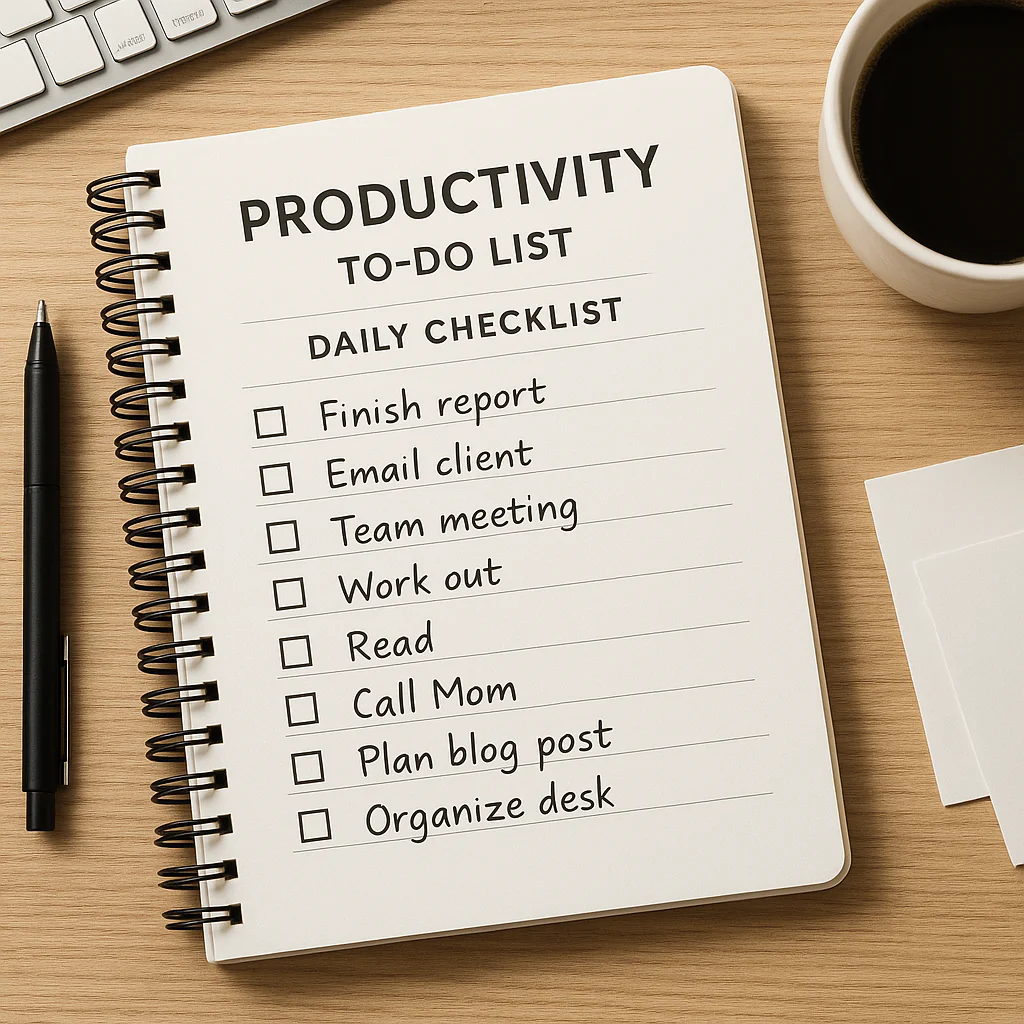
A Productivity To-Do List works best when it’s short, specific, and built around your real priorities—not every task you can think of. Choose one to three important outcomes, write down the next action for each, and give them time in your day.
We’ve seen lists go from helpful to haunting when “finish the report” sits beside “buy oat milk” and twelve other tasks, all competing for the same afternoon. The fix isn’t a fancier app: it’s a clearer plan, a realistic workload, and a quick review of what actually deserves your attention.
Key Takeaways
- Choose one to three priorities so important work doesn’t disappear beneath quick tasks.
- Write clear next actions instead of vague goals like “work on project.”
- Match tasks to time and energy, and use your calendar for deadlines and focused work blocks.
- Pick a method that fits your day: try the MIT Method, Eisenhower Matrix, time blocking, or Kanban.
- Review unfinished tasks deliberately—reschedule, break down, delegate, or delete them rather than copying them forward automatically.
- Keep your system simple. A notebook, calendar, or task app works when you can trust it and use it consistently.
Table of Contents
- ⚡ Quick Tips and Facts: Productivity To-Do Lists
- 🧭 What Is a Productivity To-Do List?
- 📜 How To-Do Lists Evolved into Modern Productivity Tools
- 🧠 Why To-Do Lists Help—and When They Can Hurt
- 📝 How to Build a Productivity To-Do List That Works
- Capture Every Task in One Trusted Place
- Turn Vague Goals into Specific Next Actions
- Prioritize Tasks by Importance, Urgency, and Effort
- Estimate Time and Add Realistic Deadlines
- Keep Your Daily List Short and Achievable
- 🔟 10 Productivity To-Do List Methods Worth Trying
- 1. The MIT Method: Choose Your Most Important Tasks
- 2. The Eisenhower Matrix: Sort by Urgency and Importance
- 3. Time Blocking: Give Tasks a Place on Your Calendar
- 4. The Ivy Lee Method: Plan Tomorrow Before You Finish Today
- 5. The 1–3–5 Rule: Balance Big and Small Tasks
- 6. Eat the Frog: Tackle the Toughest Task First
- 7. Kanban: Track Work as To Do, Doing, and Done
- 8. The Pomodoro Technique: Pair Tasks with Focus Sprints
- 9. Getting Things Done: Organize Tasks into a Trusted System
- 10. The Done List: Record What You Acomplished
- 📅 Daily, Weekly, and Monthly To-Do List Routines
- A Simple Morning Planning Routine
- An End-of-Day Review That Clears Your Head
- A Weekly Reset for Projects and Priorities
- 💼 Productivity To-Do Lists for Work, School, and Home
- Work and Project Management
- Study, Homework, and Exam Preparation
- Household Chores, Errands, and Personal Tasks
- Team To-Do Lists and Shared Responsibilities
- 📱 Digital vs. Paper To-Do Lists: Which Should You Choose?
- Best Digital To-Do List Apps and Task Managers
- Paper Planners, Notebooks, and Printable Lists
- A Hybrid System for Screen and Paper
- 🧰 Essential To-Do List Features and Templates
- Daily Productivity To-Do List Template
- Weekly Planner and Project Task Template
- Recurring Tasks, Reminders, and Checklists
- 🧩 How to Customize Your List for Your Work Style
- Managing ADHD, Low Energy, or Executive Dysfunction
- Planning Around Meetings, Shifts, and Changing Schedules
- Making Room for Breaks, Deep Work, and Personal Time
- 🚧 Common To-Do List Mistakes—and How to Fix Them
- 🔄 How to Review, Reprioritize, and Finish Unfinished Tasks
- ❓ Productivity To-Do List FAQs
- How many tasks should I put on my daily list?
- Should I plan my to-do list the night before or in the morning?
- What should I do with tasks I keep postponing?
- How do I prioritize tasks when everything feels urgent?
- Are to-do lists good for mental health and focus?
- ✅ Conclusion
- 🔗 Recommended Links
- 📚 Reference Links
Quick Tips and Facts: Productivity To-Do Lists
A daily checklist is most useful when it helps you decide what deserves your attention—not when it merely gives you more boxes to tick. At Daily Checklist™, we’ve found that a short, clear list paired with a realistic schedule beats an ambitious scroll of unfinished tasks.
| Quick fact | What it means for your list |
|---|---|
| A to-do list is a reminder system, not a complete productivity strategy. | Pair it with priorities, time estimates, and a calendar when needed. |
| Specific actions are easier to start than vague goals. | Write “Draft the project outline,” not “Work on project.” |
| A full list is not the same as a successful day. | Measure progress by meaningful work and commitments kept, not checkmarks alone. |
| Small tasks can crowd out important work. | Choose your key priorities before reacting to your inbox. |
| Your best planning system is one you’ll actually use. | A notebook, calendar, or app can all work; consistency matters more than features. |
Our quick-start formula: capture tasks in one trusted place, choose up to three priorities for today, make each task actionable, and leave room for breaks and surprises. If you want to strengthen the habit behind your list, browse our habit formation guides.
One question will keep coming up: should you aim to finish everything, or plan for less? The answer starts with understanding what a productivity to-do list can—and cannot—do.
What Is a Productivity To-Do List?
A productivity to-do list is a written or digital record of tasks that helps you remember commitments, identify next actions, and decide what to do first. It can be as simple as a notebook page or as structured as a project board in Todoist, Microsoft To Do, or Trello.
It’s not the same as a calendar. A list records what needs doing; a calendar helps show when you’ll do it. For deadlines, appointments, and time-specific work, using both can prevent a task from staying on the list until it becomes an emergency.
| Tool | Best for | Example |
|---|---|---|
| To-do list | Capturing tasks and next actions | “Send revised draft to Maya” |
| Calendar | Protecting time and tracking appointments | “Draft review, 10:00–10:45” |
| Project board | Seeing work stages and dependencies | “To do → In progress → Done” |
| Notes app | Keeping background information or reference material | Meeting notes, research links |
A list becomes more helpful when it connects to a broader routine. The University of North Carolina’s Learning Center recommends planning and prioritizing as part of effective time management—not simply writing down more tasks.
To-do list vs. checklist
A to-do list often includes one-off tasks and changing priorities. A checklist is a repeatable sequence, such as a morning routine, packing list, or project quality check. The two can work together: your to-do list holds what you need to accomplish; checklists make recurring work easier to do consistently.
A list is a tool, not a verdict
An unfinished item doesn’t automatically mean you failed. Priorities can change, a task can take longer than expected, or a better opportunity can appear. The point is to make those trade-offs visible and intentional.
That distinction matters because to-do lists have a history—and some of their most useful ideas are about reducing mental clutter, not cramming in more work.
How To-Do Lists Evolved into Modern Productivity Tools
People have recorded tasks for centuries, but modern task management is more than ink on a page. Over time, planners, workplace systems, and software have added reminders, deadlines, recurring tasks, collaboration, and links to calendars.
One influential approach is Getting Things Done (GTD), developed by productivity consultant David Allen. GTD emphasizes capturing commitments outside your head, clarifying what each item means, and reviewing the system regularly. Allen’s official Getting Things Done overview describes the method as a framework for organizing work and commitments.
Today’s tools put different spins on the same basic challenge:
| Approach | What it emphasizes | Useful when |
|---|---|---|
| Paper planner | Handwriting, visibility, and simple daily planning | You like a screen-free start or flexible notes |
| Digital task manager | Search, reminders, recurring tasks, and syncing | You manage many tasks across devices |
| Kanban board | Work stages and bottlenecks | You track projects with several steps |
| Calendar-first planning | Time commitments and protected focus | Your day is shaped by meetings or appointments |
| Hybrid system | Different tools for different jobs | One app or notebook isn’t enough by itself |
Digital tools can make capturing a task faster, but they can also make it easy to create a list so long it needs its own project manager. Paper has the opposite trade-off: it’s visible and distraction-free, but a page won’t send you a reminder when you’re away from it.
So why do lists help in the first place—and when do they turn into another source of stress?
Why To-Do Lists Help—and When They Can Hurt
A trusted list can reduce the effort of remembering every open loop. It can also help you turn an intention into a concrete next step. But lists don’t automatically create time, energy, or focus.
Research published in the Journal of Personality and Social Psychology found that making plans for unfinished goals helped participants set those goals aside and focus on another task. The study tested specific planning, not every kind of to-do list, so it’s best understood as evidence for making a clear plan—not as proof that more list-making always improves productivity. See the American Psychological Association’s record of the study.
Benefits of a well-designed list
- Less mental juggling: Capture reminders rather than trying to hold them in memory.
- Clearer starting points: Action-focused tasks reduce the “Where do I even begin?” pause.
- Better prioritization: A visible list makes competing commitments easier to compare.
- Progress you can see: Checking off completed work can help you notice what got done.
- More reliable routines: Repeatable checklists help prevent small steps from being forgotten.
Common downsides
- Overplanning: Making a list can feel productive while the actual work waits patiently in the corner.
- Unrealistic volume: A list that assumes uninterrupted time is usually a wish list in disguise.
- Busywork bias: Quick, easy tasks can crowd out work that matters more.
- Guilt from carryovers: Repeatedly copying unfinished tasks can make the system feel punishing.
- Too many tools: Tasks scattered across email, sticky notes, apps, and a planner are hard to trust.
A useful perspective comes from Beyond the To-Do List, hosted by Erik Fisher. Its central idea is that “Productivity isn’t the point. It’s the means to a whole life.” That’s a helpful counterweight to the temptation to treat a longer list as a better life. Explore the show through Apple Podcasts.
Likewise, a Wake Forest University article on tackling a to-do list warns that “simply having a list does not equate to productivity and time well spent on the job.” The practical takeaway: don’t work down the list just to check boxes. Choose work based on importance, deadlines, and who depends on it.
If your list feels more like a guilt inventory than a guide, it’s time to rebuild it from the ground up.
How to Build a Productivity To-Do List That Works
A useful list has three qualities: it’s easy to trust, clear enough to act on, and small enough to use. Here’s the planning routine we recommend.
Capture Every Task in One Trusted Place
When reminders are spread across texts, email flags, notebooks, and your memory, you spend energy looking for the task instead of doing it. Pick one main capture point: a paper planner, a task app, or a simple notes document.
- Choose your home base. Use the tool you can reach quickly and check consistently.
- Capture tasks as they arise. Don’t stop working on a priority every time a new thought appears; add it to your inbox or capture list.
- Include the relevant detail. Add a link, name, or reference note if you’ll need it to act.
- Review the capture list. Decide whether each item is actionable, scheduled, delegated, or no longer needed.
The point is not to collect every imaginable idea forever. It’s to trust that important commitments won’t vanish—and to make room to decide what deserves attention.
Turn Vague Goals into Specific Next Actions
Vague tasks create friction. “Taxes,” “presentation,” and “get organized” are topics, not clear next steps.
Turn each into a verb-led action:
| Vague task | Clear next action |
|---|---|
| Prepare presentation | Draft the three-slide project update |
| Deal with insurance | Call insurer to ask about the claim status |
| Clean kitchen | Clear counters and load the dishwasher |
| Study biology | Review chapter 4 notes and answer questions 1–5 |
If a task has several steps, create a project and list its next action. “Plan a team event” may involve choosing dates, checking availability, booking a venue, and sending invitations. You don’t need every step on your daily list; you need the next one.
Prioritize Tasks by Importance, Urgency, and Effort
Before deciding what to do first, ask:
- What has a real deadline?
- Who is waiting on this?
- Which task moves an important goal forward?
- What can be delegated, delayed, or dropped?
- What fits the time and energy I have today?
A simple ranking can help:
| Priority | Use it for | Example |
|---|---|---|
| High | Time-sensitive or high-impact work | Send a required report before the deadline |
| Medium | Important work without an immediate deadline | Draft next week’s project plan |
| Low | Optional, routine, or low-impact work | Reorganize a folder |
Avoid labeling everything “urgent.” If every task is a top priority, you’ve got a tie—and ties are terrible managers.
Estimate Time and Add Realistic Deadlines
Add a rough time estimate when it helps you plan a day. “Write report” is hard to fit; “draft report outline, 30 minutes” gives you a starting point. Estimates don’t need to be perfect. Their purpose is to reveal when you’ve planned a 12-hour day inside an 8-hour one.
Use a deadline only when something is genuinely due by a particular time. For other tasks, choose a target date or schedule a work block. This helps separate real obligations from self-imposed urgency.
Keep Your Daily List Short and Achievable
A daily list should account for fixed commitments, breaks, interruptions, and the fact that tasks sometimes take longer than planned. Try identifying one to three key outcomes and treating smaller tasks as secondary.
That doesn’t mean you can only do three things in a day. It means you’re naming what must not get buried under email and errands. The first video featured in this article, seven rules for effective task management, makes a similar case: focus on three important tasks, write clear next actions, and match demanding tasks to your energy.
Our planners use a quick test: If the day goes normally—not perfectly—can this list still work? If not, move some tasks to another day before the day starts moving them for you.
There isn’t one perfect method for every person or workplace. The next ten approaches give you options to test without adopting a new productivity religion.
10 Productivity To-Do List Methods Worth Trying
These systems solve different problems. You can borrow one rule from a method without using the entire framework. Try a simple approach for a week, then keep what helps.
| Method | Main idea | Best for | Watch out for |
|---|---|---|---|
| MIT | Pick the most important tasks | Overloaded days | Too many “most important” tasks |
| Eisenhower Matrix | Sort by urgency and importance | Competing requests | Treating “urgent” as automatically important |
| Time blocking | Reserve calendar time for tasks | Meeting-heavy schedules | Overpacking the calendar |
| Ivy Lee | Plan a short priority list for tomorrow | Simple daily focus | Not enough structure for complex projects |
| 1–3–5 Rule | Balance large, medium, and small tasks | Realistic daily planning | Task sizes vary |
| Eat the Frog | Start with a challenging task | Avoiding important work | Your hardest task may not be your highest priority |
| Kanban | Visualize work stages | Multi-step projects | Boards can become cluttered |
| Pomodoro | Work in timed focus intervals | Starting and sustaining attention | A timer isn’t right for every task |
| Getting Things Done | Capture, clarify, organize, review | Many moving commitments | Requires regular maintenance |
| Done List | Record completed work | Seeing progress and building perspective | Doesn’t replace planning |
1. The MIT Method: Choose Your Most Important Tasks
MIT means “most important tasks.” Choose one to three outcomes that would make the day feel meaningful, then work on them before letting small requests take over.
This method works well when your task list is long but your priorities are fuzzy. Define what “done” means for each MIT. “Work on proposal” is hard to finish; “send the first draft to the team” has a clear endpoint.
Try it: Write your MITs at the top of the day’s list, then schedule at least one before opening lower-priority tasks.
2. The Eisenhower Matrix: Sort by Urgency and Importance
The Eisenhower Matrix sorts tasks into four groups:
| Urgent | Not urgent | |
|---|---|---|
| Important | Do it | Schedule it |
| Not important | Delegate or limit it | Drop it or defer it |
It’s especially useful when your day is being driven by incoming requests. A task can be urgent without being important to your goals; another can be important without having a looming deadline.
The framework is named after Dwight D. Eisenhower and popularized in productivity contexts. The U.S. National Archives’ Eisenhower biography offers context on the former president, but the matrix itself is a modern productivity tool commonly attributed to his prioritization philosophy.
3. Time Blocking: Give Tasks a Place on Your Calendar
Time blocking means reserving calendar space for a task, much like an appointment. For example:
| Calendar block | Task |
|---|---|
| 9:00–9:30 | Review the project brief |
| 9:30–10:30 | Draft the report |
| 10:30–10:45 | Break |
| 10:45–11:15 | Send updates and reply to priority messages |
The Wake Forest guide recommends scheduling specific to-do items on the calendar and treating that work time like a meeting. This can help make a plan visible to colleagues and discourage overbooking.
Drawback: A calendar packed from morning to evening leaves no space for delays. Add buffers, and treat the schedule as a guide rather than a courtroom order.
4. The Ivy Lee Method: Plan Tomorrow Before You Finish Today
The Ivy Lee method is often described as writing a short list of priority tasks at the end of the day, ranking them, and starting with the first item the next morning. Its appeal is simplicity: the next day doesn’t begin with a decision-making scramble.
Use it when: You want a low-friction evening review and a clear first task tomorrow. Keep the list realistic; a short ranked plan is more useful than a page of unsorted tasks.
5. The 1–3–5 Rule: Balance Big and Small Tasks
The 1–3–5 Rule suggests choosing:
- 1 big task
- 3 medium tasks
- 5 small tasks
It can help you visualize a mix of work, but don’t treat those numbers as a productivity quota. One “big” task may take an hour; another may take all day.
A Medium headline mentions the 1–2–3 To-Do List, but the linked article was not accessible for verification, so we can’t responsibly attribute a specific method or quote to it. You can read “Redesigning My Productivity: The 1–2–3 To-Do List” on Medium. The useful general principle is to keep a daily plan bounded; the right number of tasks depends on their size and your available time.
6. Eat the Frog: Tackle the Toughest Task First
“Eat the frog” means beginning with a demanding or avoided task rather than postponing it all day. It can reduce the mental drag of knowing an important task is waiting.
But don’t automatically choose the task you dislike most. A difficult task may not be urgent or important. Choose the task that best combines impact, timing, and readiness. If you need information from someone else, your first action may be to request it.
7. Kanban: Track Work as To Do, Doing, and Done
Kanban makes work visible across stages. A basic board has three columns:
| To do | Doing | Done |
|---|---|---|
| Confirm project scope | Draft outline | Book meeting room |
| Review vendor options |
You can create a Kanban board with sticky notes or tools such as Trello, Asana, or Notion. For individual use, limit how many tasks can sit in “Doing.” If everything is in progress, nothing is really in progress.
8. The Pomodoro Technique: Pair Tasks with Focus Sprints
The Pomodoro Technique uses timed focus periods followed by short breaks. A common format is 25 minutes of work and a five-minute break, though you can adjust the interval to suit the task.
Use a timer for focused work, but don’t interrupt deep concentration just because a timer rings. For tasks that need a longer uninterrupted stretch, choose a longer work block and schedule a break afterward. The University of California, Berkeley’s Learning Center describes the technique as a way to structure study sessions and breaks.
9. Getting Things Done: Organize Tasks into a Trusted System
GTD is a broader workflow than a daily checklist. It asks you to capture commitments, clarify what each item means, organize tasks by context or project, review the system, and engage with the next action.
It can be helpful if you manage many projects or responsibilities. It can feel like too much process if you only need a simple daily list. Start with the official GTD introduction and adopt only the parts your workload calls for.
10. The Done List: Record What You Acomplished
A done list records completed tasks, not just planned ones. It can be useful on days when your work is hard to see: supporting a colleague, solving an unexpected issue, or completing several small but necessary steps.
At the end of the day, note three accomplishments. This doesn’t replace your task list; it adds perspective. Your plan shows what you intended to do. Your done list shows how the day actually unfolded.
Methods are only useful when they fit your schedule. Let’s put them into a routine that works across the day and week.
Daily, Weekly, and Monthly To-Do List Routines
A planning routine should be short enough to repeat and flexible enough to survive a busy day. You don’t need a 45-minute ceremony to decide what to do next.
A Simple Morning Planning Routine
Give yourself five to ten minutes to:
- Check your calendar for appointments and fixed commitments.
- Review your task inbox and identify anything time-sensitive.
- Choose one to three key outcomes for the day.
- Write the next action for each priority.
- Reserve time for demanding work and add buffers.
- Leave open space for breaks, messages, and surprises.
Match tasks to your energy where you can. Put concentration-heavy work in your best focus window; save routine admin for a lower-energy stretch. That’s not a moral judgment about mornings—some people do their best thinking later.
An End-of-Day Review That Clears Your Head
Before finishing, spend a few minutes to:
- Mark completed tasks.
- Decide what happens to unfinished items: reschedule, delegate, break down, or delete.
- Capture new commitments in your trusted system.
- Choose a starting task for tomorrow.
- Close work if you can, rather than carrying the whole list into the evening.
A task that moves tomorrow repeatedly needs attention. It may be too vague, too large, unimportant, blocked, or scheduled at the wrong time. Don’t copy it again without asking why it hasn’t moved.
A Weekly Reset for Projects and Priorities
Once a week, review projects and commitments:
| Review question | Action |
|---|---|
| What’s due soon? | Confirm the deadline and next step |
| What is waiting on someone else? | Send a follow-up or note the dependency |
| Which task has been carried over repeatedly? | Reduce, reschedule, delegate, or drop it |
| What matters next week? | Choose priority outcomes and reserve time |
| Is the system cluttered? | Archive completed work and clear stale reminders |
A weekly review can help you notice workload patterns—such as meetings consuming the focus time you thought you had. For more ideas on making routines stick, see our habit formation resources.
A routine isn’t one-size-fits-all. The best list for a student, project lead, and busy household may look very different.
Productivity To-Do Lists for Work, School, and Home
The underlying principles stay the same: capture commitments, define next actions, and set realistic priorities. The details change with your context.
Work and Project Management
For work, distinguish between individual tasks, team commitments, and project milestones. Add the owner and deadline when other people are involved.
- Write “Send the final brief to Jordan by Thursday,” not “Brief.”
- Track dependencies such as approvals or client feedback.
- Use a shared board when the team needs visibility.
- Protect focus time for work that requires concentration.
- Keep private reminders out of a public team board when appropriate.
For shared projects, tools such as Asana, Trello, and Microsoft Planner can make ownership and status visible. Choose based on your team’s needs, accessibility requirements, and existing workplace tools.
Study, Homework, and Exam Preparation
A study checklist should show what to study, not just how long to sit at a desk.
Instead of “Study chemistry,” write:
- Review lecture notes on reactions.
- Solve ten practice problems.
- Check answers and record difficult concepts.
- Review missed questions two days later.
For assignments, work backward from the due date. A paper due Friday might need separate tasks for choosing a topic, outlining, drafting, revising, and proofreading. The UNC Learning Center’s time-management resources offer guidance on planning study time and breaking down academic work.
Household Chores, Errands, and Personal Tasks
Household lists work best when recurring jobs have a schedule or checklist. Keep errands grouped by location when that reduces travel, and divide shared tasks by ownership rather than relying on someone to notice what needs doing.
Examples:
- “Start laundry” is not the same as “wash, dry, fold, and put away.”
- “Groceries” becomes “buy ingredients for Tuesday’s dinner.”
- A weekly reset can assign recurring chores without making every day a cleaning marathon.
For screen-free routines and practical organization ideas, browse our life hacks guides.
Team To-Do Lists and Shared Responsibilities
A shared task needs a clear owner, next action, and due date. “Everyone review” often means nobody knows who is responsible.
Before adding a team task, ask:
- Who owns it?
- What does completion look like?
- Who needs to be consulted or informed?
- Is the due date real or just a planning target?
- Does the task belong in a shared tool or a private reminder?
Shared lists support coordination, but they can also create noise. Keep updates concise and avoid turning every thought into a team notification.
Now for a familiar debate: paper or digital? There isn’t a universal winner, but there is a sensible way to choose.
Digital vs. Paper To-Do Lists: Which Should You Choose?
Choose the format that fits how you capture, review, and act on tasks. If you often forget your notebook, paper may not be reliable for you. If app notifications pull you into distractions, digital may need firmer boundaries.
| Format | Strengths | Drawbacks | Good fit for |
|---|---|---|---|
| Paper planner | Visible, simple, tactile, screen-free | Harder to search, sync, or remind | People who like handwriting and daily overview |
| Digital app | Searchable, portable, recurring reminders | Notifications, setup time, device dependence | People managing many tasks across devices |
| Whiteboard | Easy to see and update | Not portable or private | Household or team planning |
| Hybrid | Flexible; uses each tool for its strength | Can fragment information if roles are unclear | People who need both calendar and task capture |
Best Digital To-Do List Apps and Task Managers
Real tools worth comparing include:
- Todoist: A dedicated task manager with projects, labels, recurring tasks, and reminders. See Todoist features.
- Microsoft To Do: A task app that integrates with Microsoft’s ecosystem. See Microsoft To Do.
- Apple Reminders: Useful for Apple users who want lists, reminders, and system integration. See Apple Reminders.
- Trello: A visual board suited to workflows and project stages. See Trello.
- Notion: A flexible workspace that can combine databases, notes, and task views. See Notion’s project-management features.
Drawbacks to consider: A tool may have features you never use, require team approval, or keep your personal tasks locked to a work account. Check privacy, accessibility, data export, and notification controls before committing to a system.
Paper Planners, Notebooks, and Printable Lists
Paper is a strong option if you like seeing the day at a glance and prefer fewer digital interruptions. A notebook also lets you customize the layout without learning a new app.
Try a simple page with:
- Today’s top priorities
- Appointments or time blocks
- Quick tasks
- Notes and waiting items
- A brief end-of-day review
A drawback: if your tasks change often, rewriting them can become busywork. Keep the paper system simple, and use a digital calendar for appointments or reminders that must follow you.
A Hybrid System for Screen and Paper
A hybrid system works when each tool has a defined job:
- Task manager: all actionable tasks and reminders.
- Calendar: appointments and protected work blocks.
- Notebook: meeting notes, brainstorming, or today’s handwritten focus.
- Read-later app: articles and media you may want to explore.
The rule is simple: don’t create two competing sources of truth. If you write a task in a notebook, transfer it to the main system or clearly mark the notebook as your daily view.
If screens are a source of distraction, our digital detox resources can help you set practical boundaries.
The right tool is only half the setup. You also need a list structure that makes the next action obvious.
Essential To-Do List Features and Templates

You don’t need fancy formatting. A reliable task entry usually includes:
| Element | Why it helps | Example |
|---|---|---|
| Action verb | Clarifies what to do | “Send,” “draft,” “book” |
| Task detail | Makes the task understandable later | “Send revised agenda to Lee” |
| Deadline or target date | Supports planning | “Due Thursday” |
| Priority | Shows what matters most | “High: client approval” |
| Estimate | Helps fit work into the day | “About 30 minutes” |
| Context or link | Prevents searching | “Project brief: [link]” |
| Owner | Clarifies responsibility | “Assigned to Sam” |
Only add fields that help you act. A task can become harder to maintain when every item requires six labels and a small paperwork ceremony.
Daily Productivity To-Do List Template
Copy this structure into a notebook or task app:
DATE:

Appointments and fixed commitments:
-

Top priorities:
1.
2.
3.

Small tasks:
-

Waiting on:
-

Notes / capture:
-

End-of-day review:
Completed:
Move, delegate, or delete:
First task for tomorrow:
``

Keep “top priorities” separate from small tasks so a stack of quick errands doesn’t hide the work that needs focus.

### Weekly Planner and Project Task Template

```text
WEEK OF:

Important outcomes:
1.
2.
3.

Deadlines and appointments:
-

Projects:
Project:
Next action:
Owner:
Due date:
Blocked by:

Recurring responsibilities:
-

Review:
What moved forward?
What needs rescheduling or dropping?
What needs protected time next week?
``

### Recurring Tasks, Reminders, and Checklists

Use recurring reminders for tasks that happen regularly, such as paying a bill, preparing a weekly report, or taking out recycling. Use a checklist when the order or completeness of steps matters, such as onboarding a new colleague or preparing for travel.

For digital reminders, set them at a time when you can act. A reminder that appears during a meeting may be easy to dismiss and forget. For repeatable routines and behavior cues, explore [habit formation](https://www.dailychecklist.org/category/habit-formation/).

A list template shouldn’t force you to work like someone else. Let’s adjust it for energy, attention, and schedule realities.

## How to Customize Your List for Your Work Style

Your routine should fit your actual life—not an imaginary version with zero interruptions, perfect sleep, and a mysteriously empty inbox.

### Managing ADHD, Low Energy, or Executive Dysfunction

A task list can support memory and task initiation, but a long or poorly structured list can add overwhelm. Practical adjustments include:

- **Make the next step very small.** “Open the document and write one heading” may be easier to start than “finish report.”
- **Use visible cues.** Keep the current priority on a sticky note or pinned app view.
- **Add context.** Include the file, person, location, or materials needed.
- **Use short work periods.** Try a timer or a brief body-doubling session if that suits you.
- **Keep an “if I have energy” list separate.** Optional tasks shouldn’t compete with essential commitments.
- **Seek individualized support when needed.** A productivity method is not a replacement for professional assessment or care.

People vary widely in what helps attention and planning. Adapt the system to your needs rather than assuming one method works for everyone.

### Planning Around Meetings, Shifts, and Changing Schedules

If your schedule changes often, avoid attaching every task to a rigid time. Use **time windows** or priority tiers instead:

- Morning shift: one priority before work, one small task after.
- Meeting-heavy day: protect a short focus block and plan admin between meetings.
- Variable schedule: select tasks based on available time—15 minutes, 30 minutes, or a full focus block.

For shift work, plan around sleep, commute, and recovery—not only work hours. A “free afternoon” after a night shift may not be usable focus time.

### Making Room for Breaks, Deep Work, and Personal Time

A good plan includes breaks and boundaries, not just output. Schedule demanding work when you can focus, group small tasks when convenient, and give yourself a realistic stopping point.

At Wake Forest, the practical advice includes focusing one task at a time and reducing distractions, such as silencing a phone or finding a quiet workspace. Research also supports caution about multitasking: the [American Psychological Association’s overview of multitasking research](https://www.apa.org/topics/research/multitasking) explains why shifting between tasks can carry costs.

The system should help you protect a life outside the list, too. If your checklist routinely consumes your evenings, that may be a workload problem—not a planning failure.

Even a well-designed list can go sideways. Here are the mistakes we see most often, plus the fixes that actually help.

## Common To-Do List Mistakes—and How to Fix Them

| Mistake | Why it causes trouble | Better approach |
|---|---|---|
| Writing vague tasks | You must figure out what to do before you can start | Use a clear action verb and next step |
| Putting everything on today’s list | The day becomes unrealistic before it begins | Keep a master list; select today’s priorities |
| Treating every task as urgent | Priority loses meaning | Separate actual deadlines from preferences |
| Ignoring the calendar | Appointments and work blocks compete | Check your schedule before planning |
| Carrying tasks forward indefinitely | The list accumulates guilt and clutter | Rescope, schedule, delegate, or delete |
| Overcomplicating the app | Maintaining the system becomes work | Use only the features you need |
| Multitasking through priorities | Switching disrupts concentration | Work one task at a time where possible |
| Forgeting recovery time | A packed plan is fragile | Add breaks and buffer time |

The Wake Forest guide’s warning is worth repeating: a list alone doesn’t guarantee productive time. Its recommendations—to prioritize important work, schedule tasks, avoid multitasking, and recognize accomplishments—are strongest when used together, not as isolated tricks.

For another perspective, the featured [task-management video](#featured-video) recommends writing tasks down immediately, clarifying the next physical action, and treating the “today” list as a selective commitment rather than a promise to finish everything. That’s sensible advice, with one caveat: the two-minute rule works best for genuinely quick tasks that won’t derail a priority. If tiny requests arrive all day, batch them instead.

An unfinished task needs a decision, not an automatic copy-paste. Here’s how to review it without letting your list become a museum of good intentions.

## How to Review, Reprioritize, and Finish Unfinished Tasks

When a task remains unfinished, first ask **why**. The reason points to the fix.

1. **Is it still important?** If not, delete it.
2. **Is it too vague?** Rewrite it as a concrete next action.
3. **Is it too large?** Break it into smaller steps.
4. **Is it blocked?** Record who or what you’re waiting on.
5. **Does it need a real deadline?** Add one only if it genuinely exists.
6. **Does it need protected time?** Schedule a work block.
7. **Is it not yours to do?** Delegate or clarify ownership.

Then review the workload, not just the individual task. If several important tasks can’t fit, the correct move may be to renegotiate deadlines or reduce scope—not to plan harder.

The same principle applies to task capture. The first video’s advice to write tasks down immediately is helpful for protecting reminders from being forgotten. But captured tasks belong in an **inbox for review**, not automatically on today’s list. Capture everything; commit to less.

## Productivity To-Do List FAQs

The best checklist is one that helps you act without adding unnecessary pressure. These answers cover common questions about choosing tools, setting priorities, and building a routine that lasts.

### What are the best apps for creating daily productivity checklists?

Good options include **Todoist** for dedicated task management, **Microsoft To Do** for Microsoft users, **Apple Reminders** for Apple devices, **Trello** for visual boards, and **Notion** for flexible workspaces. Explore the tools on their official sites: [Todoist](https://todoist.com/), [Microsoft To Do](https://www.microsoft.com/en-us/microsoft-365/microsoft-to-do-list-app), [Apple Reminders](https://www.apple.com/ios/reminders/), [Trello](https://trello.com/), and [Notion](https://www.notion.so/).

Choose based on the features you need:

- For recurring personal tasks: try a dedicated task app.
- For team projects: look for owners, shared views, and comments.
- For simple daily planning: a notes app or paper list may be enough.
- For meeting-heavy days: pair your task app with a calendar.

Before moving your whole life into an app, check how easily you can set reminders, control notifications, and export or access your information.

### How can I stick to my daily to-do list without feeling overwhelmed?

Start with a **small daily commitment**: one to three priorities, plus a short secondary list. Write each priority as a specific action, and leave room for breaks and interruptions.

If the list still feels overwhelming:

- Move nonessential tasks off today’s list.
- Break intimidating tasks into smaller steps.
- Add time estimates to reveal overload.
- Set a stopping point for the day.
- Review unfinished tasks instead of carrying them forward unchanged.

A checklist should give you a next step, not demand that you perform at maximum capacity every hour.

### How many tasks should I put on my daily checklist?

There is no scientifically perfect number for everyone. As a starting point, choose **one to three major outcomes** and add a manageable number of smaller tasks based on your schedule.

The number depends on task size. “Reply to a message” and “prepare a funding proposal” are both one task, but they require very different amounts of time. Estimate effort, account for fixed commitments, and plan for a normal day—not an interruption-free fantasy day.

### What is the best way to organize a productivity to-do list?

Keep a trusted capture place, then organize tasks by a small number of useful categories, such as:

- Today
- Upcoming
- Waiting on
- Projects
- Recurring

Use priorities sparingly and write tasks as clear next actions. If your tasks have deadlines, appointments, or reserved work time, put those on a calendar too. A task manager answers “what”; your calendar answers “when.”

### What should I include in a daily productivity to-do list?

Include tasks you genuinely intend to act on that day:

- One to three priority outcomes
- Necessary smaller tasks
- Time-sensitive commitments
- A brief reminder of materials or links needed
- A realistic estimate or time block for demanding work
- Breaks or transition time when you’re planning a tightly scheduled day

Keep optional reading, entertainment, and someday ideas in a separate list so they don’t crowd out current responsibilities.

### What are simple tips for maintaining a consistent daily checklist habit?

Attach a short planning session to a routine you already have, such as reviewing your calendar after breakfast or setting tomorrow’s priorities before shutting down work.

Then:

- Use the same capture place each day.
- Keep the format simple.
- Review what worked once a week.
- Allow a missed day without abandoning the system.
- Set reminders only when they help, not as a stream of alarms.

Our [habit formation category](https://www.dailychecklist.org/category/habit-formation/) has more ideas for making a routine repeatable without relying on motivation alone.

### How often should I update my productivity to-do list?

Capture new tasks when they arise, review priorities at the start of the day, and do a brief cleanup at day’s end. A weekly review is useful for projects, deadlines, and tasks that keep getting postponed.

You don’t need to rearrange your list every time a new email arrives. Capture it, then decide whether it deserves attention now, later, or not at all.

### Can using a daily checklist reduce stress and increase efficiency?

A checklist may reduce the burden of remembering small commitments and help clarify what to do next. Specific plans for unfinished goals have also been studied as a way to set those goals aside temporarily and focus on another task; see the [APA record for the research](https://psycnet.apa.org/record/201-21893-001).

That doesn’t mean a checklist cures stress or guarantees efficiency. A list that is too long or unrealistic can increase pressure. Keep it selective, include recovery time, and address workload problems directly rather than trying to solve everything with better formatting.

### What are the key elements of a productive to-do list?

A practical list usually has:

- **Actionable wording**
- **A clear next step**
- **A small number of priorities**
- **Real deadlines where relevant**
- **Context or links needed to begin**
- **A review routine**
- **A place for tasks that are not for today**

Avoid adding labels and categories that don’t help you make decisions.

### How do daily checklists improve time management and focus?

Checklists can make tasks visible and reduce the need to keep reminders in your head. When combined with a calendar, priorities, and focused work blocks, they can also help you reserve time for important tasks and reduce reactive switching.

They don’t create more hours. They help you make choices about the hours available—and show when the workload needs to change.

### What are the best tools for creating an effective daily checklist?

The best tool depends on how you work:

- **Paper notebook:** simple and distraction-free.
- **Apple Reminders:** convenient for people using Apple devices.
- **Microsoft To Do:** useful within Microsoft’s ecosystem.
- **Todoist:** dedicated personal and project task management.
- **Trello:** visual work stages and collaboration.
- **Notion:** customizable task and knowledge workspace.

Start with the simplest tool that meets your needs. A tool with fewer features can be more effective if you’ll use it consistently.

### How do I prioritize tasks on my daily checklist?

Consider **importance, urgency, dependencies, and effort**. Identify true deadlines, note who is waiting on you, and choose work that moves meaningful goals forward. If two tasks compete, decide whether either can be delegated, delayed, reduced, or dropped.

The Eisenhower Matrix can help sort tasks by urgency and importance, but don’t let urgency alone dictate the day. Important, non-urgent work often needs to be scheduled before it becomes urgent.

### What should I do when I don’t finish my checklist?

Review each unfinished item and decide whether to reschedule, break it down, delegate it, wait for something, or delete it. Don’t automatically copy every item tomorrow.

If the same task keeps moving, the system is giving you information: the task may be unclear, too big, poorly timed, or less important than it looked. Adjust the task or the commitment—not just the date.