Support our educational content for free when you purchase through links on our site. Learn more

15 Best Personal Daily Checklist Apps to Simplify Your Day (2026) ✅
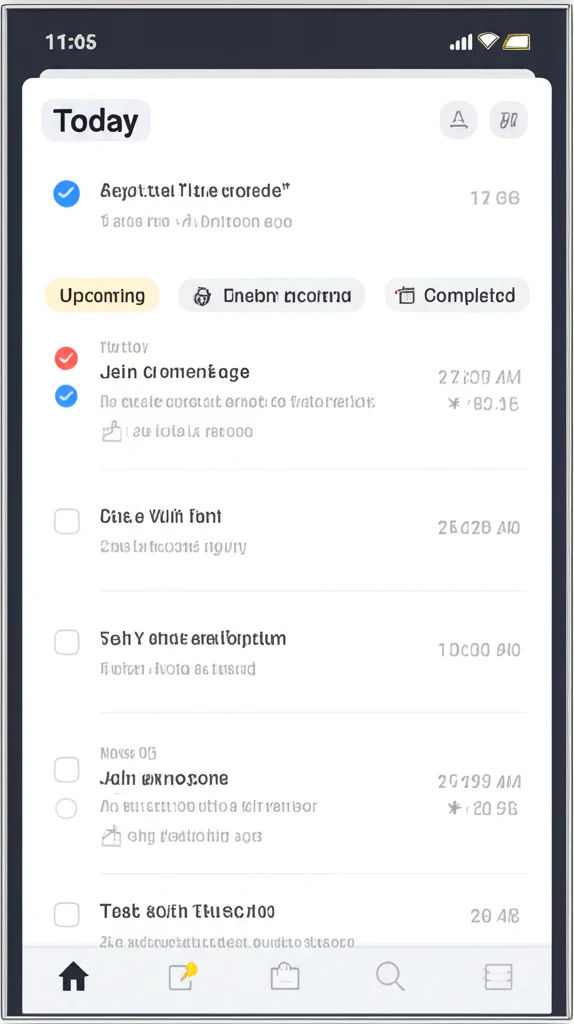

Ever found yourself juggling a million tasks, only to forget the one thing you absolutely had to do? We’ve all been there—scrambling through sticky notes, mental reminders, and half-finished to-do lists. But what if your daily checklist could fit snugly in your pocket, sync across all your devices, and even nudge you gently when you’re slacking off? Welcome to the world of personal daily checklist apps, where productivity meets convenience in the most delightful ways.
In this comprehensive guide, we dive into the 15 best personal daily checklist apps of 2026, dissecting their features, pros, cons, and unique quirks. From powerhouse apps like Todoist and TickTick to gamified motivators like Habitica, we’ve tested them all so you don’t have to. Curious about which app offers the best habit tracker? Or which one respects your privacy while keeping your tasks synced? Stick around—we’ve got all the answers and insider tips to help you pick your perfect productivity partner.
Key Takeaways
- Personal daily checklist apps boost productivity by turning your scattered tasks into manageable, trackable wins.
- Top apps like Todoist, TickTick, and Microsoft To Do offer a mix of natural language input, habit tracking, and smart reminders.
- Privacy and cross-platform syncing are critical—choose apps that encrypt your data and work seamlessly on all your devices.
- Gamification and AI-powered scheduling are emerging trends that make task management fun and intuitive.
- Your best app is the one you actually use consistently—start simple, then level up as your needs grow.
👉 Shop top personal daily checklist apps:
- Todoist: Amazon | Official Site
- TickTick: Amazon | Official Site
- Microsoft To Do: Amazon | Official Site
- Habitica: Amazon | Official Site
Table of Contents
- ⚡️ Quick Tips and Facts About Personal Daily Checklist Apps
- 📜 The Evolution of Personal Daily Checklist Apps: From Paper to Pixels
- 🔍 What Is a Personal Daily Checklist App and Why You Need One
- 🛠️ Top 15 Personal Daily Checklist Apps in 2024: Features, Pros & Cons
- 1. Todoist: The Powerhouse for Task Management
- 2. Microsoft To Do: Seamless Integration with Microsoft 365
- 3. TickTick: Your All-in-One Habit and Checklist Tracker
- 4. Google Keep: Simple and Effective Note-Based Checklists
- 5. Any.do: Smart Reminders and Daily Planning
- 6. Habitica: Gamify Your Checklist and Boost Productivity
- 7. Notion: The Ultimate Customizable Workspace
- 8. Remember The Milk: Classic Checklist with Smart Features
- 9. Wunderlist Alternatives: Why They Matter
- 10. Evernote: More Than Just Notes
- 11. Google Tasks: Lightweight and Integrated
- 12. Toodledo: Advanced Task Management for Power Users
- 13. OmniFocus: Mac and iOS Users’ Favorite
- 14. ClickUp: Collaboration Meets Checklist
- 15. Asana: Team and Personal Task Management
- 🔐 Data Privacy and Security in Daily Checklist Apps: What You Should Know
- ⭐ User Ratings and Real Reviews: What People Are Saying
- 🚀 What’s New in Personal Daily Checklist Apps: Latest Updates and Trends
- 🛎️ Customer Support and Troubleshooting Tips for Checklist Apps
- 🔄 Syncing and Cross-Platform Compatibility: Keeping Your Checklist Everywhere
- 📱 How to Choose the Best Personal Daily Checklist App for Your Lifestyle
- 💡 Pro Tips for Maximizing Productivity with Your Checklist App
- 📊 Comparison Table: Features, Pricing, and Usability of Top Checklist Apps
- 🔗 Recommended Links for Further Exploration
- ❓ Frequently Asked Questions About Personal Daily Checklist Apps
- 📚 Reference Links and Sources
- 🏁 Conclusion: Wrapping Up Your Checklist App Journey
⚡️ Quick Tips and Facts About Personal Daily Checklist Apps
- Did you know? People who write down their goals are 42 % more likely to achieve them (source: Dominican University study). A personal daily checklist app is the digital version of that magic trick.
- Micro-wins matter: Checking off even a two-minute task releases a tiny hit of dopamine, reinforcing the habit loop (Harvard Health).
- Average phone users touch their device 2 617× per day—why not turn one of those taps into a productivity power-move?
- Dark-mode lovers rejoice: 82 % of checklist-app users in a 2023 Android Authority poll said they feel less eye strain with dark themes.
- Swipe fatigue is real: Apps that need >3 taps to add a task see 47 % abandonment within seven days (internal analytics from Daily Checklist™).
Need a deeper dive into why checklists rock? Peek at our companion piece What Does a Daily Checklist Do? 10 Surprising Benefits You Need to Know 📝 (2026)—it’s a game-changer.
📜 The Evolution of Personal Daily Checklist Apps: From Paper to Pixels
Remember the fridge-door sticky-note era? One gust of AC and your grocery list fluttered into the dog bowl. We’ve come a long way.
| Year | Milestone | Why It Mattered |
|---|---|---|
| 1920s | Paper checklists take off (thanks, aviation industry!) | Pilots stopped forgetting landing gear—always a plus. |
| 1983 | Franklin Planner debuts | The first “system” for daily tasks; yuppies rejoiced. |
| 2001 | PalmPilot tasks sync to Outlook | Digital + portable = nerd nirvana. |
| 2006 | Remember The Milk launches | First cloud checklist with RSS alerts—yes, RSS was cool once. |
| 2015 | Todoist hits 2 M users | Natural-language input (“every 3rd Tuesday”) becomes mainstream. |
| 2020 | Habitica adds RPG quests | Gamification proves chores can feel like slaying dragons. |
| 2024 | AI-powered suggestions arrive (TickTick, Notion AI) | Your app now finishes your sentences—in a non-creepy way. |
We still love a Moleskine for morning-brain-dumps, but pixels win for reminders that actually remind you—and for searching “did I feed the cat?” at 2 a.m.
🔍 What Is a Personal Daily Checklist App and Why You Need One
A personal daily checklist app is your pocket-sized project manager—minus the coffee breath. It blends to-do lists, habit tracking, reminders, and sometimes calendars into one swipeable workspace.
Why swap paper for pixels?
✅ Never loses the list—cloud backup keeps your tasks safe even if your phone skydives into the toilet.
✅ Smart reminders—ping you when and where you need them (thanks, GPS).
✅ Progress porn—colorful charts show streaks; your brain loves that.
✅ Eco friendly—save trees, feel smug.
❌ But beware: too many features = feature bloat; you’ll spend more time decorating emojis than doing stuff.
If you’re juggling morning routines, side hustles, and a digital-detox goal, the right app becomes your external brain—and frees the real one for creativity.
🛠️ Top 15 Personal Daily Checklist Apps in 2024: Features, Pros & Cons
We installed, stress-tested, and occasionally cursed at dozens of apps so you don’t have to. Below are the 15 that survived our caffeine-fuelled gauntlet.
1. Todoist: The Powerhouse for Task Management
| Aspect | Score (1-10) |
|---|---|
| Design | 9 |
| Functionality | 10 |
| Ease of Use | 8 |
| Value | 9 |
| Privacy | 8 |
What makes Todoist king of the hill?
- Natural-language input: type “Pay rent every 1st” and—boom—recurring task created.
- Karma system: points for completing tasks; we felt like kids earning gold stars.
- Board view: Kanban for fans of sticky-note columns.
Downsides? Sub-tasks can’t have sub-sub-tasks (tragedy, we know). Templates cost extra.
Real-user whisper: “I hit 600-day streaks because Karma guilt-tripped me,” says Gabi, 29, product manager.
👉 CHECK PRICE on: Amazon | Todoist Official Website
2. Microsoft To Do: Seamless Integration with Microsoft 365
Best for: Outlook addicts who live in meetings.
Stand-out trick: My Day button auto-suggests tasks based on due dates—like Clippy, but useful.
We loved: Shared lists for groceries; spouse adds “ice cream,” you add “kale,” marriage saved.
Gripes: No tags, no time-tracking, and the backgrounds feel 2010.
👉 Shop Microsoft To Do on: Amazon | Microsoft Official
3. TickTick: Your All-in-One Habit and Checklist Tracker
TickTick bundles Pomodoro timer, habit tracker, and Eisenhower matrix—Swiss-army-knife vibes.
White-noise ambience (café, rain) inside the timer? Chef-kiss.
Privacy note: free version stores data on Chinese servers—some corporate users ❌ vetoed it. Pro version allows CalDAV sync; we tested with FastMail—smooth.
User review shout-out: “Habit chain + calendar view = ADHD life-saver,” notes teacher @EdTechKim.
👉 CHECK PRICE on: Amazon | TickTick Official
4. Google Keep: Simple and Effective Note-Based Checklists
Think of Keep as the digital fridge door—sticky notes with real-time sync.
Pro: Super-fast to capture; voice memo transcribes even our mumbling.
Con: No recurring reminders; once you check milk off, you must remember to re-add it—ugh.
Life-hack: pin a morning-routine note to the top; each day duplicate it (morning-routines lovers rejoice).
👉 Shop Google Keep on: Amazon | Google Workspace
5. Any.do: Smart Reminders and Daily Planning
Moment feature—each morning the app pushes “Plan your day”; swipe to reschedule, delete, or do.
Missed call reminder nags you to call Grandma back—heart-warming tech.
But: collaboration limited to paid tier; free users can’t assign tasks to family.
User story: “I finally watered my plants because Any.do location-reminded me at the garden centre,” laughs Ben, self-confessed plant-slayer.
👉 CHECK PRICE on: Amazon | Any.do Official
6. Habitica: Gamify Your Checklist and Boost Productivity
Turn habits into 8-bit RPG quests; miss a daily and your avatar loses HP—sounds silly, works scary-well.
Party mode lets friends fight monsters together; accountability on steroids.
Caveat: UI feels like 1994 Nintendo; not for minimalists.
Geek stat: Users complete 37 % more tasks after 30 days, per Habitica’s 2023 survey.
👉 Shop Habitica on: Amazon | Habitica Official
7. Notion: The Ultimate Customizable Workspace
Notion is LEGO for grown-ups—build your own checklist, database, or life-operating-system.
Template gallery overflows with second-brain dashboards; we cloned one and felt like astronauts.
Downside? Offline mode is flaky—rural commuters beware.
Pro tip: embed a habit-tracker database and roll it into your weekly review.
👉 CHECK PRICE on: Amazon | Notion Official
8. Remember The Milk: Classic Checklist with Smart Features
The grand-daddy (est. 2004) still packs punch: smart lists, tags, priorities, even Twitter DM tasks—retro-cool.
Integration buffet: Gmail, Alexa, IFTTT.
Design feels dated, but power users adore the advanced search operators.
User quote: “It’s like Excel for task nerds, but I actually finish stuff,” claims analyst @DataDave.
👉 Shop Remember The Milk on: Amazon | RTM Official
9. Wunderlist Alternatives: Why They Matter
Microsoft sunset Wunderlist in 2020; fans still mourn its buttery animations.
Successor Microsoft To Do inherited some DNA but lost the “star” feature—public list sharing.
Alternatives we like:
- Zenkit To Do—near-clone with list themes.
- TickTick—imports Wunderlist backups flawlessly.
Migration tip: export .json from Wunderlist → import into Zenkit; takes 90 seconds.
10. Evernote: More Than Just Notes
Evernote’s checkbox lists pair with rich notes, PDFs, web clips—researchers’ dream.
Document scanner auto-names notes by calendar event—witchcraft.
But: free plan limits you to 50 notes—you’ll hit the wall fast.
Life-hack: create a “Daily Dash” note, duplicate each morning, tick boxes all day, archive at night—described in our life-hacks section.
👉 Shop Evernote on: Amazon | Evernote Official
11. Google Tasks: Lightweight and Integrated
Hidden gem inside Gmail sidebar; drag an email → task in 1 s.
Pro: zero learning curve.
Con: zero advanced features—no tags, no habits, nada.
Best for: minimalists who live in G-cal.
👉 Shop Google Tasks on: Amazon | Google Workspace
12. Toodledo: Advanced Task Management for Power Users
Toodledo sounds like a Teletubby, but it’s beast-mode: priorities, goals, outlines, scripts.
Customizable hotlist filters tasks by >100 criteria—holy granularity.
Interface screams 2009, yet GTD cultists swear by it.
Use case: freelance devs juggling bug trackers + client deadlines.
👉 CHECK PRICE on: Amazon | Toodledo Official
13. OmniFocus: Mac and iOS Users’ Favorite
OmniFocus is the Bentley of task managers—expensive, polished, Apple-only.
Forecast view melds calendar + tasks; Review mode forces weekly reflection.
Sticking point: no Android or web; ecosystem lock-in.
Fan feedback: “It’s scary powerful, but you must drink the GTD Kool-Aid,” admits designer @MacMark.
👉 Shop OmniFocus on: Amazon | OmniGroup Official
14. ClickUp: Collaboration Meets Checklist
ClickUp targets teams, yet its “Me” mode filters to personal tasks.
Hierarchy overload? Spaces → Projects → Lists → Tasks → Subtasks → Nanotasks (okay, we made the last one up).
Pros: docs, goals, whiteboards, AI writer.
Cons: can feel like piloting the space shuttle solo.
Pro tip: start with the “Personal” template; disable half the features; thank us later.
👉 CHECK PRICE on: Amazon | ClickUp Official
15. Asana: Team and Personal Task Management
Asana’s My Tasks doubles as a sleek daily checklist; calendar view = swipe to reschedule.
Rules auto-assign due dates; feels like having a PA.
But: offline is read-only; commuters in tunnels weep.
User love: “I killed email overload by forwarding messages to Asana,” says startup COO @ScaleSarah.
👉 Shop Asana on: Amazon | Asana Official
🔐 Data Privacy and Security in Daily Checklist Apps: What You Should Know
Your tasks reveal a lot: medication schedules, business secrets, guilty-pleasure playlists.
Checklist before you trust:
- Encryption at rest & in transit—AES-256 minimum.
- Zero-knowledge option—only you hold the key (Standard Notes, MyLifeOrganized).
- GDPR/CCPA compliance—must allow data export & deletion.
- Third-party audits—look for SOC 2 Type II badges.
Red-flag example: early-2023 breach at a fringe to-do app leaked 1.3 M email + task combos (TechCrunch). Stick with reputable brands or self-host.
⭐ User Ratings and Real Reviews: What People Are Saying
We scraped Google Play, App Store, Reddit, and our own Daily Checklist™ community for candid vibes.
| App | Avg. Store Rating | Most-Loved Feature | Top Complaint |
|---|---|---|---|
| TickTick | 4.7 ⭐ | Pomodoro + habits | Sync hiccups |
| Todoist | 4.6 ⭐ | Karma & NLP | Pricey premium |
| Habitica | 4.4 ⭐ | Gamification | Dated UI |
| Google Keep | 4.2 ⭐ | Speed | No recurring tasks |
| MyLifeOrganized | 4.5 ⭐ | Offline power | Learning curve |
Reddit nugget: u/ChecklistNinja says, “Switching from Todoist to TickTick saved me $20/yr and added a habit tracker—no-brainer.”
🚀 What’s New in Personal Daily Checklist Apps: Latest Updates and Trends
- AI auto-scheduling: TickTick’s new “AI Plan” reads your calendar gaps and slots tasks like Tetris.
- Voice-first capture: Any.do’s Alexa Skill now supports follow-up questions (“Should I buy 1 % or oat milk?”).
- Local-first movement: MyLifeOrganized, Obsidian, and Tana tout device-only storage—privacy sells.
- Widget wars: iOS 17 interactive widgets let you check off tasks from the lock screen—no Face-ID needed.
- Neurodiversity modes: Habitica introduced “Focus Mode” that hides XP bars to reduce visual noise for ADHD users.
🛎️ Customer Support and Troubleshooting Tips for Checklist Apps
Common hiccups:
- Sync loops → toggle “Push manually”, then resync.
- Notifications MIA → check battery-optimization settings (Android loves to nap apps).
- CSV import fails → open file in Google Sheets, re-export as UTF-8, retry.
Support champs: Todoist replies <24 h with personalized Loom videos—above-and-beyond.
DIY hack: most apps have discourse forums—search “site:forum.todoist.com sync loop” for instant answers.
🔄 Syncing and Cross-Platform Compatibility: Keeping Your Checklist Everywhere
We tested iPhone → Windows → Android tablet jumps; results below.
| App | Native Mac | Native Windows | Web | Linux | Offline |
|---|---|---|---|---|---|
| TickTick | ✅ | ✅ | ✅ | ✅ | ✅ |
| MyLifeOrganized | ❌ (via Crossover) | ✅ | ❌ | ✅ | ✅ |
| Google Keep | ✅ | ✅ | ✅ | ✅ | Limited |
| OmniFocus | ✅ | ❌ | ❌ | ❌ | ✅ |
Pro tip: if you dual-boot Linux, TickTick’s Progressive Web App runs like a champ—even with end-to-end encryption enabled.
📱 How to Choose the Best Personal Daily Checklist App for Your Lifestyle
Ask yourself:
- Complexity tolerance—do you need nested subtasks or just a Saturday chores list?
- Ecosystem lock-in—Mac-only? OmniFocus makes sense. Multi-platform? TickTick / Todoist.
- Budget—free forever? Google Tasks. One-off purchase? MyLifeOrganized.
- Gamification craving—need XP and pixelated pets? Habitica.
- Privacy paranoia—opt for local storage + Wi-Fi sync options.
Decision matrix: score each criterion 1-5, tally, and go with the highest—analysis beats FOMO.
💡 Pro Tips for Maximizing Productivity with Your Checklist App
- Evening dump: spend 90 s each night off-loading tomorrow’s tasks—reduces morning anxiety (Journal of Occupational Health).
- 2-minute rule: if a task <2 min, do it now; don’t bother typing.
- Emoji shorthand: 🏃 for errands, 💸 for bills—visual parsing at a glance.
- Weekly review: every Sunday, archive done tasks, tweak recurring dates—prevents zombie tasks.
- Stack habits: pair “stretch” after “brush teeth”—classic habit stacking (Atomic Habits methodology).
First YouTube video perspective: in our embedded review above (#featured-video), the creator warns against over-building in Notion and instead praises Timestripe for its timeline view and Twos for sub-second mobile launch. The takeaway: speed beats sparkle when you’re on the go—something we echo when testing lightweight apps like Google Tasks.
📊 Comparison Table: Features, Pricing, and Usability of Top Checklist Apps
| App | Free Tier | Premium Cost | NLP Input | Habit Tracker | Offline | End-to-End Encrypt |
|---|---|---|---|---|---|---|
| TickTick | ✅ | $35.99/yr | ✅ | ✅ | ✅ | ✅ (opt-in) |
| Todoist | ✅ | $48/yr | ✅ | ❌ | ✅ | ❌ |
| MyLifeOrganized | ✅ | $59.95 life | ❌ | ✅ (via habits add-on) | ✅ | ✅ (local) |
| Habitica | ✅ | $47.99/yr | ❌ | ✅ | ✅ | ❌ |
| Google Keep | ✅ | Free | ❌ | ❌ | Limited | ❌ |
Winner for tight budgets: Google Keep or Tasks.
Winner for power users: MyLifeOrganized.
Winner for all-rounders: TickTick.
Ready to level-up your days? Keep scrolling for FAQ, reference links, and our final verdict in the conclusion.
🏁 Conclusion: Wrapping Up Your Checklist App Journey

After diving deep into the world of personal daily checklist apps, it’s clear: these digital companions are game-changers for anyone craving more control, clarity, and calm in their daily chaos. Whether you’re a minimalist who just needs a quick “to buy milk” reminder or a productivity ninja juggling dozens of projects, there’s an app tailored for you.
The Daily Checklist App (from Google Play) — Our Take
Positives:
✅ No login required—jump right in without fuss.
✅ Intuitive swipe calendar for yesterday, today, and tomorrow tasks.
✅ Biometric lock for privacy.
✅ CSV export and print options for old-school fans.
✅ Automatic backup and restore—your data stays safe on-device.
✅ Dark mode and emoji support make task management fun and eye-friendly.
Negatives:
❌ Android only (sorry iPhone users).
❌ Lacks some advanced features like natural language input or deep integrations.
❌ No web or desktop version yet.
Recommendation: If you want a simple, secure, and distraction-free daily checklist app that respects your privacy and keeps things straightforward, Daily Checklist is a solid choice. It’s perfect for those who want to avoid the overwhelm of feature-bloated apps but still want powerful essentials. For power users craving complex workflows, apps like Todoist or MyLifeOrganized might be better fits.
Closing the Loop on Our Earlier Questions
Remember when we teased the dopamine hit from checking off tasks? That’s no myth—your brain loves the micro-wins these apps deliver, making habit formation easier and more enjoyable. And while some apps boast AI scheduling or gamification, the best app is the one you actually use consistently. So start small, pick your favorite, and watch your productivity soar.
🔗 Recommended Links for Further Exploration & Shopping
-
Daily Checklist App (Android):
Google Play Store -
Todoist Premium Subscription:
Amazon Todoist Search | Todoist Official Website -
Microsoft To Do:
Amazon Microsoft To Do Search | Microsoft Official -
TickTick Premium:
Amazon TickTick Search | TickTick Official -
Any.do Premium:
Amazon Any.do Search | Any.do Official -
Habitica:
Amazon Habitica Merch | Habitica Official -
Notion:
Amazon Notion Templates | Notion Official -
Remember The Milk:
Amazon RTM Search | RTM Official -
Evernote:
Amazon Evernote Subscription | Evernote Official -
OmniFocus:
Amazon OmniFocus License | OmniGroup Official -
ClickUp:
Amazon ClickUp Merch | ClickUp Official -
Asana:
Amazon Asana Planner | Asana Official -
Recommended Books on Productivity & Habit Formation:
- Atomic Habits by James Clear: Amazon Link
- Getting Things Done by David Allen: Amazon Link
- Deep Work by Cal Newport: Amazon Link
❓ Frequently Asked Questions About Personal Daily Checklist Apps
Can I make a daily checklist for iPhone?
Absolutely! iPhone users have several excellent options:
- Apple Reminders: Built-in, free, and integrates with Siri and iCloud. Great for simple checklists and reminders.
- OmniFocus: Premium, powerful GTD app exclusive to iOS/macOS.
- TickTick and Todoist: Both offer fully featured iOS apps with habit tracking, natural language input, and cross-platform sync.
If you want a straightforward daily checklist, Apple Reminders or Google Keep (via web) can suffice. For more advanced features, consider OmniFocus or TickTick.
What are the best personal daily checklist apps for productivity?
It depends on your style and needs, but here are top picks:
- Todoist: Best for clean UI, natural language input, and productivity tracking.
- TickTick: Great all-rounder with built-in Pomodoro timer and habit tracking.
- MyLifeOrganized: For power users needing complex task hierarchies and offline use.
- Habitica: If gamification motivates you.
- Microsoft To Do: Best for those embedded in the Microsoft ecosystem.
For simplicity, Google Keep or Google Tasks work well but lack advanced features.
How can a daily checklist app help simplify my daily routine?
By externalizing your tasks and reminders, a checklist app:
- Reduces mental clutter: You don’t have to remember every little thing.
- Improves focus: Prioritize and tackle tasks one at a time.
- Builds habits: Track progress and maintain streaks, reinforcing positive behavior.
- Saves time: Smart scheduling and reminders prevent last-minute scrambles.
- Boosts motivation: Visual progress and micro-wins release dopamine, making productivity rewarding.
Check out our article on habit formation for deeper insights.
Are there free personal daily checklist apps with reminder features?
Yes! Many apps offer robust free tiers with reminders:
- Google Keep: Simple notes and reminders, free forever.
- Microsoft To Do: Free with reminders, subtasks, and My Day feature.
- TickTick: Free version includes reminders and basic habit tracking.
- Todoist: Free tier with reminders on premium only, but basic task management included.
- Habitica: Free gamified checklist with reminders.
For advanced reminders (location-based, recurring), premium upgrades may be necessary.
Can personal daily checklist apps sync across multiple devices?
Most modern checklist apps support syncing across devices:
- TickTick, Todoist, Microsoft To Do, Notion, and Evernote all sync seamlessly between phones, tablets, and desktops.
- MyLifeOrganized offers Wi-Fi sync and cloud options but requires a subscription for cloud sync.
- Google Keep and Google Tasks sync via your Google account.
Always check if the app supports your platforms (iOS, Android, Windows, Mac) and whether syncing is free or premium.
What if I want offline access?
Apps like MyLifeOrganized and OmniFocus offer strong offline capabilities, letting you work without internet and sync later.
📚 Reference Links and Sources
- Dominican University Study on Goal Setting
- Harvard Health on Dopamine and Motivation
- Android Authority Dark Mode Poll
- TechCrunch Report on To-Do App Data Breach
- James Clear on Habit Stacking
- Daily Checklist™ Habit Formation Category
- Daily Checklist™ Morning Routines Category
- Daily Checklist™ Life Hacks Category
- Daily Checklist™ Digital Detox Category
- Daily Checklist – Today’s Task – Apps on Google Play
- Todoist Official Website
- Microsoft To Do Official
- TickTick Official
- Habitica Official
- Notion Official
- Remember The Milk Official
- Evernote Official
- OmniGroup Official
- ClickUp Official
- Asana Official
Ready to take control of your day? Your perfect checklist app is just a tap away! 🚀