Support our educational content for free when you purchase through links on our site. Learn more

Daily Task List: 15 Ways to Plan a Better Day ✅
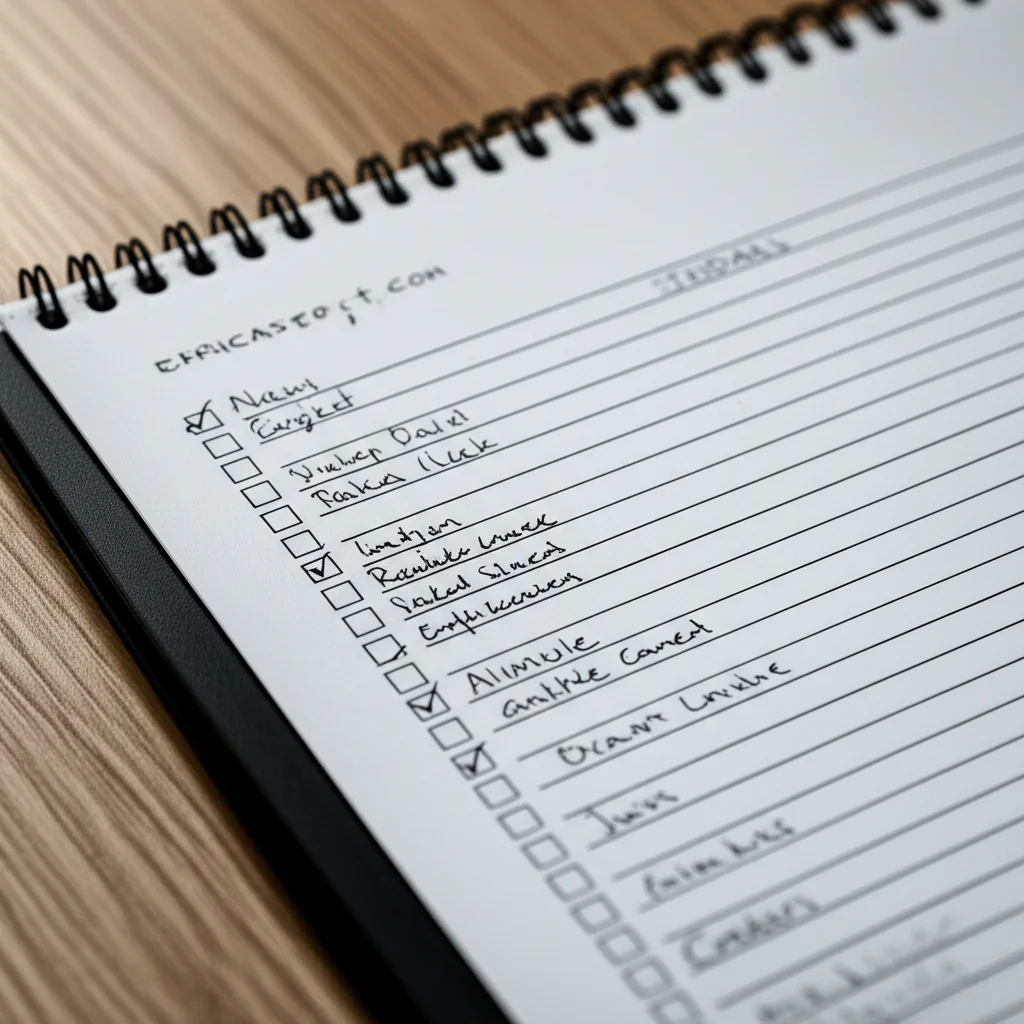
A Daily Task List works best when it’s short, specific, and realistic: choose a few meaningful priorities, write down the next actions, and leave room for the day to change. You don’t need a complicated productivity system. You need a plan you’ll actually look at.
We’ve seen the same small snag derail otherwise lovely plans: writing down every task you can remember, then watching the list loom over breakfast like an unpaid intern demanding supervision. Start with three key outcomes instead, keep future tasks on a separate master list, and review unfinished items rather than copying them forward on autopilot.
Key Takeaways
- Choose a few priorities: Three important outcomes are a useful starting point, not a rigid rule.
- Make tasks actionable: “Email the venue about dates” beats “Plan event.”
- Match tasks to your real day: Account for appointments, breaks, energy, and unexpected interruptions.
- Pick a format you’ll maintain: Paper, a calendar, or an app can all work; avoid duplicate systems.
- Review unfinished tasks deliberately: Reschedule, break down, delegate, or delete them instead of carrying everything forward.
- Include personal time: A helpful daily plan makes room for life, not just obligations.
Table of Contents
- ⚡ Quick Tips and Facts for Your Daily Task List
- 🧭 What Is a Daily Task List?
- 📜 The History and Evolution of Daily To-Do Lists
- 🌟 Benefits of Using a Daily Task List
- 📝 How to Make a Daily Task List That Works
- Choose Your Planning Tool
- Capture Tasks and Set Clear Priorities
- Estimate Time and Plan Around Your Energy
- Add Breaks, Buffers, and Flexible Time
- Review and Adjust Your List
- 🔢 15 Daily Task List Methods and Formats to Try
- 1. The Simple Three-Task List
- 2. The Must-Should-Could List
- 3. The Eisenhower Matrix
- 4. The Time-Blocked Daily Schedule
- 5. The Bullet Journal Task List
- 6. The Getting Things Done Next-Actions List
- 7. The Habit-Stacking Checklist
- 8. The Workday Task List
- 9. The Home and Chores Checklist
- 10. The Student Daily Study List
- 11. The Family and Shared Household List
- 12. The ADHD-Friendly Daily Task List
- 13. The Digital Daily Checklist
- 14. The Printable Daily Planner
- 15. The Minimalist “Done List”
- 📱 Paper, Digital, or App? Choosing a Task List Format
- Popular To-Do List Apps and Planning Tools
- When a Paper Planner Works Best
- 🧠 Prioritization Strategies for a More Productive Day
- Urgent vs. Important Tasks
- The ABCDE Method and MITs
- Breaking Big Tasks Into Next Actions
- ⏰ Time Management, Focus, and Daily Planning
- Time Blocking and Calendar Planning
- Pomodoro Sessions and Focus Sprints
- Managing Interruptions and Context Switching
- 🌅 Morning Planning and Evening Review Routines
- 🏠 Daily Task List Examples for Work, Home, and School
- Sample Daily Work Task List
- Sample Home and Personal Task List
- Sample Student Task List
- 🧩 Daily Task Lists for Different Needs and Life Stages
- Remote Workers and Busy Professionals
- Parents, Caregivers, and Families
- Students and Lifelong Learners
- People Managing ADHD, Stress, or Low Energy
- 🚧 Common Daily To-Do List Mistakes and How to Fix Them
- 🔄 How to Keep Your Daily Checklist Sustainable
- 🔐 Privacy, Sharing, and Syncing Digital Task Lists
- ✅ Conclusion
- 🔗 Recommended Links
- ❓ FAQ
- How many tasks should I put on my daily task list?
- What is the best way to prioritize daily tasks?
- Should I write my task list the night before or in the morning?
- What is the best daily task list app?
- How do I make a daily task list when everything feels urgent?
- How can I stick to my daily task list?
- Are daily task lists helpful for ADHD?
- What should I do with unfinished tasks?
- 📚 Reference Links
⚡ Quick Tips and Facts for Your Daily Task List
A daily checklist is less about squeezing every possible task into your day and more about choosing what deserves your attention. At Daily Checklist™, we’ve found that a short, realistic list is easier to use than a grand plan that needs its own project manager.
| Quick fact | What it means for your list |
|---|---|
| Choose three priority tasks | Pick three meaningful outcomes, then add smaller tasks only if your day has room. |
| Write tasks as actions | “Send the project update” is clearer than “Project.” |
| Give tasks a home | Use a calendar for time-specific commitments and a task list for actions you need to complete. |
| Plan for interruptions | Leave open space. A plan without breathing room is a wish wearing a tie. |
| Review daily | Move unfinished tasks deliberately instead of copying everything forward automatically. |
| Include personal tasks | Rest, exercise, errands, and enjoyable activities count too. |
The first video’s advice to write tasks down, clarify the next physical action, choose three important tasks, and work with your energy offers a useful starting point (watch the featured video). We’d add one caveat: three is a planning limit, not a scientific law. A delivery driver, caregiver, and researcher may have very different kinds of days.
A simple rule to try today: choose one must-do, one worthwhile supporting task, and one small task you can finish quickly. If your list already feels heavy, remove something before adding anything else. For more routine-building ideas, visit our Habit Formation guides.
🧭 What Is a Daily Task List?
A daily task list is a short, day-specific record of actions you intend to complete. It may be handwritten, printed, or managed in an app. Unlike a calendar, which shows when something happens, a task list tracks what needs doing.
A daily list might include:
- A work deliverable: “Draft the first three slides.”
- A household task: “Start one load of laundry.”
- A personal commitment: “Walk after lunch.”
- A follow-up: “Email Jordan the revised schedule.”
- A habit: “Take medication,” if that reminder is useful and appropriate.
The list is not a contract to complete every item at any cost. It is a decision-making aid: a way to get tasks out of your head, make priorities visible, and decide what deserves a place in the day.
Daily task list vs. to-do list vs. calendar
| Tool | Best for | Example |
|---|---|---|
| Daily task list | Today’s selected actions | Submit the report; buy groceries |
| Master to-do list | All open commitments, including future tasks | Renew passport; plan annual review |
| Calendar | Time-specific events and appointments | 10 a.m. dentist appointment |
| Notes app | Information you may need later | Meeting notes; reading ideas |
| Read-later app | Articles or media to consume when you choose | A saved research article |
Confusing these tools can turn one small task into a scavenger hunt. A practical setup keeps the calendar for appointments, the task manager for actionable work, and notes for reference material. The video’s “Pillars of Productivity” framework makes a similar distinction among a calendar, task manager, notes app, and read-later app (featured video).
For a broader overview of checklist formats and uses, start with our Daily Checklist guide.
📜 The History and Evolution of Daily To-Do Lists

People have long used written records to track work, obligations, and supplies. The modern personal task list, though, is not one fixed method. It has borrowed from office planning, project management, paper diaries, time management systems, and digital reminders.
One influential approach is Getting Things Done (GTD), developed by David Allen. GTD emphasizes capturing commitments, clarifying the next action, organizing tasks, and reviewing the system. John August describes borrowing from the projects-and-“next actions” idea, while also finding that long-running lists can accumulate unfinished tasks until he stops checking them (John August’s Daily Plan).
His alternative is deliberately day-sized: a paper plan that includes obligations, habits, personal activities, and space for notes. As August puts it, “The Daily Plan is basically my Flight Plan for ordinary life.” The metaphor makes sense: an unstructured day can feel like a long flight with no itinerary, while a small plan gives you landmarks without scripting every minute.
Why daily planning still works in an app-filled era
Digital tools make recurring reminders, search, sharing, and syncing easier. Paper can be quieter and more visible. Neither format guarantees follow-through. The useful question is which format helps you see, trust, and update your commitments.
A daily task list also works best as one layer of a larger system:
- Capture tasks when they occur to you.
- Organize them in a trusted place.
- Choose a realistic set for today.
- Review what changed.
- Carry forward only what still matters.
That rhythm is more durable than chasing a perfect productivity app. If you want to reduce tool-driven distraction, our Digital Detox articles offer practical ways to keep your planning setup focused.
🌟 Benefits of Using a Daily Task List
A useful list can reduce the mental juggling involved in remembering every errand, deadline, and small promise. It can also make a busy day easier to assess: you can see what is essential, what can wait, and what needs more time.
| Benefit | How it helps | Watch out for |
|---|---|---|
| Less mental clutter | You can record a task instead of repeatedly rehearsing it in your head. | A list that is not reviewed can become another place to worry. |
| Clearer priorities | Important work is easier to spot when it is written down. | Urgent requests can crowd out meaningful work. |
| Better task definition | Specific action verbs make starting easier. | Vague items still need clarification. |
| More realistic planning | A daily view exposes overload before the day begins. | Underestimating task duration can still derail the plan. |
| Visible progress | Checkmarks or a done list show what you accomplished. | Treating every unchecked item as failure can create needless guilt. |
| Support for routines | Repeated tasks can be remembered and grouped. | Too many recurring reminders become background noise. |
A to-do list is not a substitute for rest, fair workloads, or professional support when stress is persistent. It can help organize responsibilities, but it cannot make an impossible workload possible. For everyday planning ideas beyond task management, browse our Life Hacks collection.
📝 How to Make a Daily Task List That Works
Build your list from the day you actually have—not the imaginary version with no meetings, no travel time, and a magical extra six hours.
Choose Your Planning Tool
Use the simplest tool you will reliably check.
- Paper notebook or planner: Good if handwriting helps you focus or you want a visible, low-distraction list.
- Digital task manager: Useful for recurring tasks, reminders, search, and syncing across devices.
- Calendar: Best for appointments, deadlines with a specific time, and time blocks.
- Shared list: Handy for household or team responsibilities when ownership and updates need to be visible.
Avoid keeping the same task in several places without a clear rule for which version is current. Duplicate lists create uncertainty: “Did I check that off in the app or on the fridge?”
Capture Tasks and Set Clear Priorities
Start with an inbox: one trusted place to collect tasks before deciding when to do them. Then review the list and select the work that belongs today.
Try this sequence:
- Write tasks down promptly. Capture first; prioritize later.
- Clarify each item. Turn “presentation” into “Draft the opening three slides.”
- Check dates and dependencies. Identify what is due today and what depends on someone else.
- Choose three key outcomes. Treat these as priorities, not the full inventory of your day.
- Add small supporting tasks only if you have room.
The featured video recommends doing tasks that take less than two minutes immediately. This can build momentum, but use judgment: if you are focused on an important task, repeatedly switching to tiny requests may cost more attention than it saves. A two-minute rule is a useful filter, not a command to interrupt yourself (featured video).
Estimate Time and Plan Around Your Energy
Write a rough duration beside tasks that are easy to underestimate. Then compare the total with your actual available work time, after meetings, meals, travel, caregiving, and breaks.
| Task | Rough estimate | Planning note |
|---|---|---|
| Reply to routine email | 15 minutes | Batch with similar messages |
| Draft a project outline | 45 minutes | Reserve a quieter focus block |
| Call the clinic | 10 minutes | Check opening hours first |
| Grocery stop | 30 minutes | Add travel time |
Use energy as well as clock time. If you tend to concentrate more easily in the morning, consider scheduling demanding work then and lighter admin later. That is a personal planning cue, not a universal biological rule: your workload, sleep, health, and preferences all matter.
Add Breaks, Buffers, and Flexible Time
Leave open space for overruns, interruptions, and the ordinary surprises that make real life real. A packed list can look efficient on paper and collapse by 10:17 a.m.
- Put appointments and fixed commitments on the calendar first.
- Estimate transition time between tasks.
- Group similar errands when convenient.
- Protect a break or meal instead of treating it as leftover time.
- Keep a short “if time allows” section for optional tasks.
Review and Adjust Your List
At the end of the day, decide what happens to unfinished items:
- Reschedule it if it still matters and has a realistic place.
- Break it down if it stayed unfinished because it was too vague or large.
- Delegate it if another person owns the next step.
- Delete it if it no longer matters.
- Park it on a later list if it is worthwhile but not timely.
John August’s paper Daily Plan carries forward relevant tasks but includes only items he chooses to add to the new day. That is a useful distinction: carry forward with intention, not by reflex (Daily Plan).
🔢 15 Daily Task List Methods and Formats to Try
There is no single best checklist style. Choose a method that solves your actual problem: too many tasks, unclear priorities, forgotten routines, scattered work, or a day with no shape.
1. The Simple Three-Task List
Choose three outcomes that would make today feel meaningfully productive. Add routine tasks separately if needed.
Example
- Finish the draft introduction.
- Confirm the appointment.
- Take a 20-minute walk.
Best for: Busy days and people overwhelmed by long lists.
Trade-off: Three priorities do not capture every responsibility, so keep a separate master list for future tasks.
2. The Must-Should-Could List
Sort tasks by consequence and preference:
- Must: Necessary today.
- Should: Valuable if time allows.
- Could: Optional or movable.
This format makes trade-offs visible. If the “must” column alone exceeds your available time, you have a workload problem to solve—not a reason to write smaller handwriting.
3. The Eisenhower Matrix
Classify tasks by urgency and importance.
| Important | Not important | |
|---|---|---|
| Urgent | Do promptly | Delegate or reduce where possible |
| Not urgent | Schedule intentionally | Limit, defer, or remove |
The matrix can help distinguish a genuine deadline from a noisy notification. It works best when you define “important” by your responsibilities and longer-term goals, not by how loudly a task asks for attention.
4. The Time-Blocked Daily Schedule
Assign tasks to broad periods instead of writing a sequence with no time context.
Example
- 9:00–10:00: Draft report
- 10:00–10:30: Messages and follow-ups
- 10:30–11:00: Break and reset
- Afternoon: Meetings, errands, and flexible work
Use time blocks as estimates, not handcuffs. For a related paper approach, August writes the day’s schedule on the back of his folded Daily Plan sheet (his template and explanation).
5. The Bullet Journal Task List
A bullet journal uses short entries and symbols to distinguish tasks, events, and notes. The advantage is flexibility: one notebook can hold daily logs, plans, and collections. The drawback is that creating an elaborate setup can become a hobby that competes with doing the work.
Keep it simple: use a clear task mark, a completed mark, and a migration mark for items moved to another day.
6. The Getting Things Done Next-Actions List
GTD separates broad projects from the next physical action. “Plan conference” is a project; “Email the venue for room capacity” is an action.
This approach is useful when work has multiple steps or dependencies. Its main risk is list maintenance: as John August notes, ongoing GTD lists can gather unfinished tasks and become easy to ignore (his experience). Pair a master system with a small daily selection.
7. The Habit-Stacking Checklist
Attach a desired routine to an existing cue:
- After breakfast, review today’s calendar.
- After shutting down work, write tomorrow’s top three tasks.
- After brushing your teeth, prepare items for the morning.
A checklist can remind you of a routine, but habit formation also depends on context, repetition, and practical fit. For more on building routines, explore Habit Formation.
8. The Workday Task List
Separate focused work, administrative tasks, and communication so email does not quietly eat the whole day.
| Priority | Example |
|---|---|
| Focus work | Write a proposal |
| Collaboration | Review a teammate’s draft |
| Admin | Submit an expense form |
| Communication | Reply to a client |
| Personal maintenance | Take lunch away from your desk |
9. The Home and Chores Checklist
Group chores by room, frequency, or person responsible. A daily household list should be short enough to coexist with everyone’s real life.
- Daily: clear the kitchen counter.
- Weekly: change bed linens.
- As needed: schedule appliance repair.
Shared lists work best when tasks have clear owners and everyone knows where completed work is recorded.
10. The Student Daily Study List
Write study tasks as specific sessions:
- Review lecture notes for 25 minutes.
- Solve five practice problems.
- Draft one paragraph of the assignment.
- Pack materials for tomorrow’s class.
Break large assignments into stages and place fixed class times on the calendar. Avoid putting “study everything” on a list; it is both vague and mildly villainous.
11. The Family and Shared Household List
Use a shared list for errands and recurring household tasks, but agree on a simple system:
- Who adds tasks?
- Who claims or owns them?
- How are urgent items marked?
- What belongs on the calendar instead?
- How often do you review the list together?
Digital tools such as Todoist, Microsoft To Do, and Apple Reminders can support shared task workflows; check each service’s current features and privacy details before choosing.
12. The ADHD-Friendly Daily Task List
Different people with ADHD have different needs, so no checklist style is universally ADHD-friendly. Many find visible cues, short action steps, external reminders, and reduced clutter helpful.
Ideas to test:
- Keep the daily list to a few priority items.
- Write the first physical action, not the entire project.
- Use reminders selectively, with labels that say what to do.
- Add a “done” section to make completed work visible.
- Put transition time between activities.
If planning difficulty is affecting work, study, or daily life, a checklist is not a substitute for individualized clinical advice. Consider discussing practical supports with a qualified health professional.
13. The Digital Daily Checklist
A digital checklist can be useful for recurring tasks, notifications, syncing, and search. Todoist offers task organization and recurring task features; Microsoft To Do integrates with Microsoft’s ecosystem; Apple Reminders is convenient for Apple-device users; Google Tasks connects with Google’s productivity tools.
Advantages
- Easy to edit, duplicate, and search.
- Useful for recurring routines and reminders.
- Can sync across supported devices.
Drawbacks
- Notifications can interrupt focus.
- Features and sharing vary by platform.
- Syncing, subscriptions, and data practices deserve a quick review.
14. The Printable Daily Planner
A printed sheet can put your plan in view without requiring you to unlock a phone. John August’s folded Daily Plan includes daily tasks, habits, notes, overflow space, projects, and a schedule; he shares templates in PDF, Pages, Word, and Google Docs formats (Daily Plan templates).
A paper template is especially handy if you like crossing off completed tasks or want to keep your planning routine away from notifications. The trade-off is that paper is harder to search, share, and sync.
15. The Minimalist “Done List”
Instead of focusing only on what remains, record what you completed. A done list can reveal progress that a crowded to-do list hides.
Use it alongside a short forward-looking list:
- To do: Prepare agenda.
- Done: Confirmed attendees; reviewed last meeting’s notes.
This format is especially helpful on days shaped by interruptions or caregiving, when important work may not look like a neat series of checkboxes.
📱 Paper, Digital, or App? Choosing a Task List Format
The best format is the one you can maintain without creating more friction than it removes.
| Format | Strengths | Limitations | Best fit |
|---|---|---|---|
| Paper | Visible, tactile, low-distraction | Not searchable or automatically synced | People who like handwriting |
| Spreadsheet | Flexible columns, easy sorting | Can feel cumbersome on mobile | Tracking structured projects |
| Task app | Reminders, recurring tasks, search | Notifications and feature overload | Multi-device planning |
| Calendar | Excellent for time-specific commitments | Not ideal for every flexible action | Appointments and time blocks |
| Whiteboard | Shared and easy to see | Limited privacy and history | Household or team overview |
Popular To-Do List Apps and Planning Tools
These are established options, but the “best” app depends on your device, workflow, accessibility needs, and comfort with its data practices.
- Todoist: Cross-platform task management and recurring tasks. Review its official features.
- Microsoft To Do: Task lists with Microsoft account integration. See Microsoft To Do.
- Apple Reminders: Built into Apple devices, with lists and reminders. See Apple Reminders.
- Google Tasks: Tasks connected to Google services. Visit Google Tasks.
- Asana: Useful for project-based work and teams. Its forum discussion on viewing tasks due today points users toward My Tasks and sorting or filtering by due date, but the thread does not verify an automatic daily email containing every due-today task (Asana discussion). Check the product’s current documentation before relying on a notification workflow.
Our recommendation: start with a built-in tool you already use. Move to a dedicated app only when you can name the specific problem it needs to solve.
When a Paper Planner Works Best
Paper is a good choice when you want one visible page, a tactile planning ritual, or fewer digital distractions. August fills his Daily Plan around morning coffee and keeps printed sheets near his phone charger, making the list physically easy to reach (his paper-planning routine).
Paper is less convenient for shared household planning, searchable archives, and changes across devices. A hybrid setup can work well: calendar and shared tasks digitally, daily priorities on paper.
🧠 Prioritization Strategies for a More Productive Day
A daily task list is only as helpful as the choices behind it. Prioritizing means deciding what to do now, what to schedule, what to delegate, and what to drop.
Urgent vs. Important Tasks
Urgent tasks have time pressure. Important tasks contribute to an outcome that matters. Some tasks are both; others are neither.
Before promoting a task to “today,” ask:
- Does it have a real deadline?
- What happens if I wait?
- Is this my responsibility?
- Is there a smaller next action?
- Does it support a current goal or obligation?
A due-today task view can help surface deadlines, but it does not decide which tasks are realistic or important. In the Asana community discussion, a participant recommends using My Tasks and due-date sorting or filtering to find tasks due today; the thread does not confirm that the complete list can be sent automatically each day (Asana forum discussion).
The ABCDE Method and MITs
A simple priority label can help:
- A: Must be done, with meaningful consequences if missed.
- B: Should be done, but has less immediate consequence.
- C: Nice to do.
- D: Delegate, if appropriate.
- E: Eliminate.
Your MITs—most important tasks—are the small number of outcomes you want to protect. Three is a practical starting point suggested in the featured video, not a universal maximum (featured video).
Breaking Big Tasks Into Next Actions
If a task feels hard to begin, it may be a project hiding inside one line.
| Vague task | Clear next action |
|---|---|
| Plan the event | Email the venue about available dates |
| Update the website | List the pages that need new copy |
| Find a job | Choose three roles to research |
| Get healthier | Book an appointment with a clinician |
Use an action verb and include useful information, such as a relevant link, phone number, or document location. The featured video recommends adding those details so you do not need to search for them at the moment you are ready to act (featured video).
⏰ Time Management, Focus, and Daily Planning
A list records commitments; time management asks how those commitments fit into the day. Use your calendar for fixed events and the task list for actions, then compare both before deciding how much work fits.
Time Blocking and Calendar Planning
- Add appointments and immovable commitments.
- Mark realistic work windows.
- Place demanding tasks where you are most likely to focus.
- Group short administrative tasks where convenient.
- Leave a buffer for transitions and delays.
A time block is an estimate, not a moral test. If the plan changes, revise it rather than pretending the original schedule is still happening.
Pomodoro Sessions and Focus Sprints
A focus sprint is a bounded period of work followed by a break. The familiar Pomodoro technique uses timed work-and-break intervals, but you can adjust the length to suit the task and your needs.
Try one sprint:
- Choose one specific action.
- Silence or move distracting notifications if practical.
- Work until the timer ends or the action is complete.
- Take a brief break.
- Decide whether to continue, switch, or stop.
The point is not to worship the timer. It is to make starting easier and create a clear pause point.
Managing Interruptions and Context Switching
Group similar small tasks when possible, and record interruptions that need follow-up instead of letting each one take over the list. If an interruption is urgent, adjust the plan openly: move a task, shorten its scope, or ask for help.
The featured video advises keeping passive “read,” “watch,” and “listen” items out of the main action list and placing them in a separate read-later system. That separation can help when browsing repeatedly distracts you from tasks that require action (featured video). If your phone is the source of frequent interruptions, our Digital Detox resources can help you set practical boundaries.
🌅 Morning Planning and Evening Review Routines
You do not need a long ritual. A few minutes can be enough to make the day legible.
A short morning planning routine
- Check today’s calendar.
- Review tasks due or awaiting action.
- Choose your top three priorities.
- Add one or two routine or personal tasks.
- Make sure there is room for breaks and surprises.
A short evening review
- Mark completed items.
- Decide what to do with unfinished tasks.
- Note anything you need to remember tomorrow.
- Choose a first action for the next work period.
- Close the list and let the day be done.
John August describes filling out his paper plan over morning coffee, carrying forward relevant tasks, and including both must-dos and enjoyable activities (Daily Plan). That last part matters: a life plan made entirely of obligations is a rather grim little spreadsheet.
🏠 Daily Task List Examples for Work, Home, and School
These examples are starting points, not templates you need to copy line by line. Adjust tasks to your time, responsibilities, and energy.
Sample Daily Work Task List
Top priorities
- Draft the project brief.
- Send the client an updated timeline.
- Review the team’s open questions.
If time allows
- File meeting notes.
- Clear two time-sensitive messages.
Calendar
- 9:30 a.m. project meeting
- 1:00 p.m. appointment
- 3:00 p.m. review call
Sample Home and Personal Task List
- Start one load of laundry.
- Pick up groceries after work.
- Call the pharmacy.
- Take a walk.
- Prepare tomorrow’s lunch.
- Choose one optional activity to look forward to.
Sample Student Task List
- Attend biology lecture.
- Review notes from today’s class.
- Complete five chemistry practice problems.
- Write a rough thesis statement for the history paper.
- Pack materials for tomorrow.
- Take a break before starting the evening study block.
Notice what is missing: “finish my entire degree by dinner.” Specific actions make better daily tasks than enormous life goals.
🧩 Daily Task Lists for Different Needs and Life Stages
A useful list reflects the person using it. Different schedules, access needs, workloads, and household responsibilities call for different levels of structure.
Remote Workers and Busy Professionals
Keep meetings, focus blocks, and follow-ups visible in one daily view. Make an explicit shutdown task, such as “Write tomorrow’s first action,” so work does not stay mentally open after hours.
Parents, Caregivers, and Families
Care work includes many tasks that arrive unpredictably. Build a flexible list with essentials, handoffs, and “if time allows” items. Shared checklists can reduce repeated reminders, but they work only when responsibilities are agreed upon—not silently assigned to one person.
Students and Lifelong Learners
Separate fixed class times from flexible study tasks. Break assignments into smaller actions, and leave time for rest. “Read chapter four and write three questions” is easier to begin than “study biology.”
People Managing ADHD, Stress, or Low Energy
Make the list visible, brief, and forgiving. Use a clear first action, optional reminders, and a done section. On low-energy days, choose the smallest safe and meaningful step rather than treating a reduced plan as a failed plan.
If concentration, memory, or stress concerns are substantially affecting daily life, consider seeking personalized support from a qualified professional. Productivity systems can assist with organization; they are not a diagnosis or treatment.
🚧 Common Daily To-Do List Mistakes and How to Fix Them
| Common mistake | Why it backfires | Better approach |
|---|---|---|
| Listing everything as due today | Makes the day look impossible | Keep future tasks on a master list |
| Writing vague labels | Makes it hard to start | Name the next action |
| Scheduling every minute | Leaves no room for reality | Add buffers and flexible space |
| Copying unfinished tasks forever | Creates stale clutter | Reassess, reschedule, delegate, or delete |
| Treating optional tasks as obligations | Adds unnecessary pressure | Label them “if time allows” |
| Adding every reminder | Creates notification fatigue | Reserve reminders for useful cues |
| Mixing tasks and reading queues | Encourages distraction | Separate actionable work from content to consume |
| Choosing an app before defining the need | Adds setup without solving the problem | Start with a simple tool you already trust |
One practical perspective from John August is that a fresh daily sheet can feel more manageable than an ever-growing list because he chooses what to add each day (his planning method). The lesson is not that everyone should use paper; it is that a list needs regular pruning.
🔄 How to Keep Your Daily Checklist Sustainable
A sustainable checklist is easy to review, flexible enough for real life, and small enough that you do not dread opening it.
Use a weekly reset for future commitments
Once a week, review upcoming deadlines, recurring tasks, waiting-for items, and projects. Then select only what belongs on today’s list. This keeps a daily plan from becoming a storage bin for every intention you have ever had.
Make recurring tasks earn their place
Keep recurring tasks that support genuine responsibilities or routines. Remove reminders that no longer help. In Daily Planner — Task Checklist, the App Store listing describes recurring activities, subtasks, a calendar, logbook, and reminders; it also notes that some premium features are subscription-based. Check the current App Store listing for current functionality, compatibility, subscription terms, and privacy disclosures before deciding whether it suits you.
Keep personal time on the plan
John August includes both must-dos and want-to-dos in his Daily Plan, including leisure activities, and uses recurring lines for habits and routines (Daily Plan). We agree with the principle: enjoyment does not have to be earned by finishing every task.
Measure usefulness, not checkbox count
At the end of a week, ask:
- Did the list help me remember important work?
- Were my top priorities realistic?
- Which tasks repeatedly moved forward?
- Did reminders help or annoy me?
- What can I simplify?
If the system itself takes more effort than it saves, shrink it.
🔐 Privacy, Sharing, and Syncing Digital Task Lists
A digital list may contain names, appointments, work projects, health reminders, or household information. Before choosing an app, check:
- What data it collects and how it is used.
- Whether tasks sync across your devices.
- How sharing works and who can see a list.
- Whether reminders require notifications or location access.
- How to export or delete your data.
- Whether paid features or recurring subscriptions apply.
For example, the App Store privacy disclosure for Daily Planner — Task Checklist says certain data categories may be used for tracking and that data may also be collected without being linked to a user’s identity. These disclosures can change, so check the live listing and the developer’s privacy policy before storing sensitive information. Do not put passwords or highly sensitive personal details in a task list unless the service is designed and configured for that purpose.
When an app offers sharing, confirm who owns the task and whether updates appear for everyone. A shared checklist can coordinate a household or team; it can also create confusion if two people think the other person has handled the same item.