Support our educational content for free when you purchase through links on our site. Learn more

15 Daily Goals Templates to Make Today Count ✅
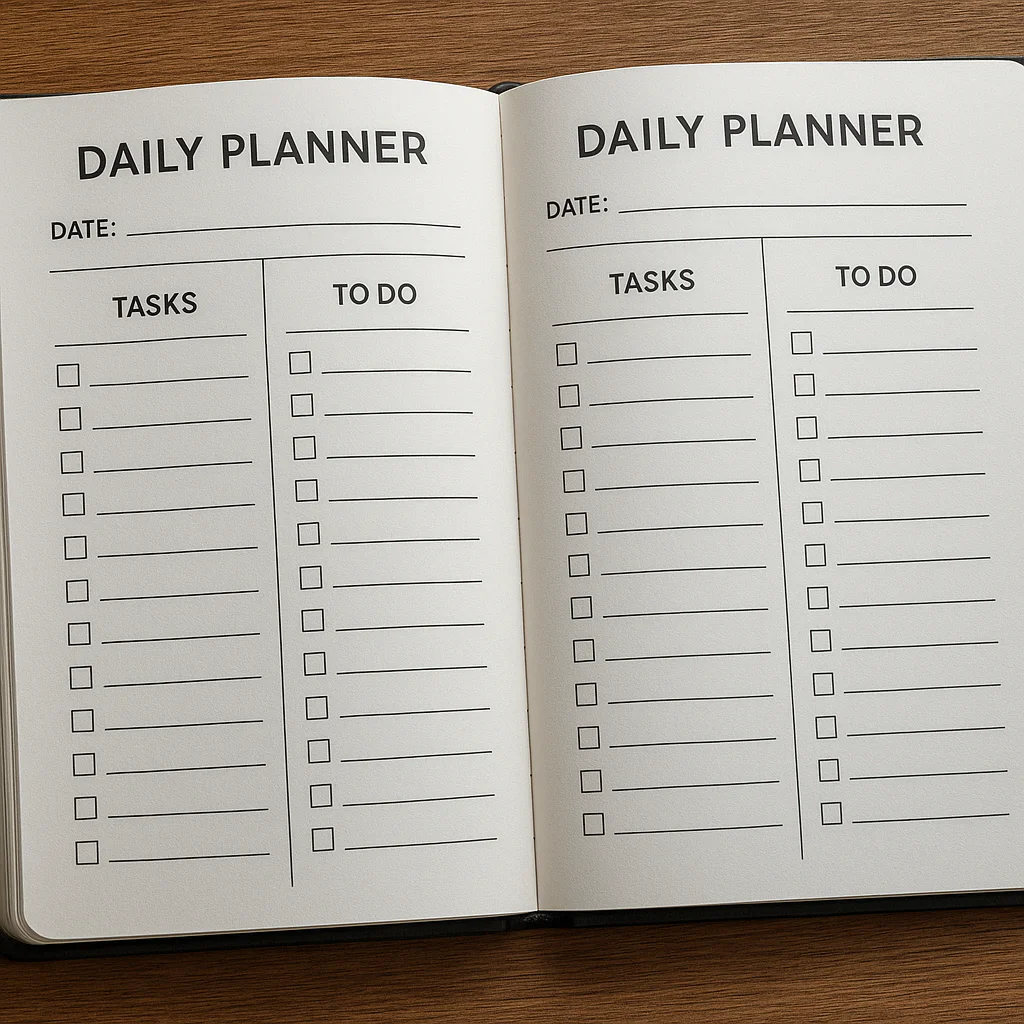

The best Daily Goals Template is a simple one you’ll actually use: choose one to three priorities, write the next action for each, and leave room for real life. A useful template should make your day clearer—not give you another project to manage.
One of our planners once wrote “finish the whole course” as a daily goal. After a day of moving it from one list to another, they changed it to “watch one lesson and write down three takeaways.” That smaller goal had a clear finish line—and was done before lunch.
Start with a simple checklist or time-block planner, then adapt it for work, study, health, habits, or home life. Whether you prefer a printable page, Google Sheets, or Notion, the best format is the one that helps you act without making planning feel like a second job.
Key Takeaways
- Choose one to three priority goals so your daily plan stays focused and realistic.
- Write goals as specific actions with a clear next step and finish line.
- Build flexibility into your template with minimum versions for busy or low-energy days.
- Pick a format you’ll use: paper, Notion, Google Sheets, or another task app.
- Review missed goals without self-criticism. Revise, reschedule, delegate, or remove them—and make the next step easier.
Table of Contents
- ⚡️ Quick Tips and Facts
- 🧭 Daily Goals: What They Are and Why They Work
- 📋 15 Daily Goals Template Ideas for Work, Life, and Everything Between
- 1. Simple Daily Goals Checklist
- 2. Daily Goals Planner With Time Blocks
- 3. Top Three Priorities Template
- 4. Work and Productivity Goals Template
- 5. Student Daily Goals Template
- 6. Health and Fitness Goals Tracker
- 7. Personal Development Goals Template
- 8. Habit-Building Daily Tracker
- 9. Morning Routine Goals Template
- 10. Evening Reflection and Review Template
- 11. Daily Goals and Mood Tracker
- 12. Family and Household Goals Checklist
- 13. ADHD-Friendly Daily Goals Template
- 14. Digital Daily Goals Template for Notion or Google Sheets
- 15. Printable Daily Goals Template for a Planner or Journal
- 🎯 How to Set Realistic and Achievable Daily Goals
- Turn Long-Term Goals Into Small Daily Actions
- Choose the Right Number of Goals
- Use SMART Goals Without Making Them Complicated
- Build in Flexibility for Busy or Low-Energy Days
- 🖊️ How to Use a Daily Goals Planner
- Capture Tasks, Ideas, and Priorities
- Find Your Most Important Goals
- Schedule Goals Around Your Day
- Track Progress and Reflect
- ⚙️ Create a Daily Goals System in Notion, Google Sheets, or a Paper Planner
- A Simple Notion Setup for Daily Goals and Habits
- Build a Daily Goals Tracker in Google Sheets or Excel
- Make a Printable Goal-Setting Worksheet
- Automate Reminders and Recurring Goals
- 📈 Daily Goals Examples for Different Areas of Life
- Work and Career Goal Examples
- Health, Fitness, and Well-Being Goal Examples
- Learning and Personal Growth Goal Examples
- Home, Relationships, and Money Goal Examples
- 🔍 Common Daily Goal-Setting Mistakes and How to Fix Them
- 🌱 How to Stay Consistent When You Miss a Goal
- 🧰 Recommended Daily Goal-Setting Tools and Resources
- ✅ Conclusion
- 🔗 Recommended Links
- ❓ FAQ
- What should I write in a daily goals template?
- How many daily goals should I set?
- What is the difference between daily goals and a to-do list?
- How do I make daily goals achievable?
- Are paper or digital daily goal trackers better?
- How can I track daily goals without feeling overwhelmed?
- 📚 Reference Links
⚡️ Quick Tips and Facts
Our planners at Daily Checklist™ have learned that the best daily goals template is not the prettiest page or the most elaborate dashboard. It’s the one you’ll actually use on a Tuesday when your coffee is cold and your inbox has opinions. If you’re building a broader routine, our guide to a daily checklist can help you connect goals to repeatable actions.
| Quick fact | What to do with it |
|---|---|
| A daily goal should describe an action you can take today. | Replace “get fit” with “take a 20-minute walk.” |
| A to-do list tracks tasks; a goals template helps you choose what matters. | Give each goal a clear outcome or reason. |
| A long list can make planning feel heavier, not better. | Start with one to three priority goals, then add routine tasks. |
| Goals need room for real life. | Add a “must do,” “could do,” and “if I have time” tier. |
| Tracking progress is more useful than demanding perfection. | Use Not started / In progress / Done, plus a short note about blockers. |
| A digital template is easy to search and adapt; paper is easy to see and mark up. | Pick the format that creates the least friction for you. |
Smartsheet’s daily goal tracking template uses goals, schedules, checkboxes, and notes to make progress visible. Notion’s Daily Goals template takes a more customizable, category-based approach. Both can work; your actual day gets the deciding vote.
✅ Our starter rule: Write down the outcome, the next action, and when you’ll try it. That’s enough structure to begin without turning planning into its own full-time job.
🧭 Daily Goals: What They Are and Why They Work
A daily goal is a meaningful result or behavior you intend to move forward today. It might be finishing a report, practicing a language, stretching after lunch, or calling your sister before another week disappears into calendar fog.
A useful daily goals template makes three things visible:
- What matters today
- What action will move it forward
- How you’ll know you made progress
That’s different from simply collecting tasks. “Reply to email” is a task. “Send the project update so the team can make a decision” gives the task purpose and an outcome.
Daily goals versus tasks, habits, and long-term goals
| Planning term | What it describes | Example |
|---|---|---|
| Long-term goal | A result you want over time | Earn a professional certification |
| Milestone | A meaningful checkpoint toward that result | Complete the first course module |
| Daily goal | A manageable step you can take today | Study for 25 minutes and take notes |
| Task | A specific action, sometimes routine | Open course notes |
| Habit | A repeated behavior supported by a cue or routine | Review vocabulary after breakfast |
These categories overlap, and that’s fine. A daily goal can become a habit if you repeat it consistently; a task can be one step inside a larger goal. The useful question is not “Which label is technically correct?” but “What should I do next?”
Why a daily goal tracker can help
Goals are easier to act on when they are specific and supported by a plan. The American Psychological Association’s overview of goal-setting research discusses how goals can direct attention and effort. For practical planning, that means converting a vague intention into a concrete action you can see and schedule.
A daily goals checklist can also:
- Reduce decision fatigue: You’ve already chosen what deserves attention.
- Make progress visible: A checked item is a small but satisfying receipt for your effort.
- Reveal overload: If the same goal keeps getting pushed, the plan may need editing.
- Support reflection: A notes field can uncover what helped or got in the way.
A checklist is a support tool, not a character test. Missing a goal may mean you misjudged the time, hit an unexpected interruption, or chose a goal that wasn’t actually yours. It doesn’t mean you’ve failed at being a person.
The Daily Checklist™ perspective
We like goals that fit inside a real day. One of our planners once wrote “finish the whole course” as a daily goal, then spent the morning moving it from one box to another. The next day, the goal became “watch one lesson and write down three takeaways.” That smaller action was clear, schedulable, and done before lunch.
The point isn’t to shrink your ambitions. It’s to build a bridge between ambition and action. If you want more ideas for repeating those actions, explore our Habit Formation resources.
📋 15 Daily Goals Template Ideas for Work, Life, and Everything Between
There isn’t one universal “best” daily goal tracker. A student with three classes, a parent juggling school pickup, and a remote worker protecting focus time need different layouts. Here are 15 daily goals template formats to choose from—or combine, if you keep the result simple.
| Template type | Best for | Useful fields | Watch out for |
|---|---|---|---|
| Simple checklist | Getting started | Goal, checkbox, note | Too many items |
| Time-block planner | Scheduling focused work | Time, goal, break | Overfilling the calendar |
| Top-three priorities | Busy days | Priority, next action | Ignoring essential routines |
| Work planner | Projects and deliverables | Project, deadline, status | Treating every email as a goal |
| Student planner | Study and assignments | Course, task, due date | Forgeting recovery time |
| Fitness tracker | Movement and wellness | Activity, duration, completion | Making health goals all-or-nothing |
| Personal development planner | Learning and growth | Skill, practice, reflection | Choosing vague goals |
| Habit tracker | Repeated behaviors | Habit, cue, check-in | Tracking too many habits at once |
| Morning routine planner | Starting the day intentionally | Routine, time, priority | Assuming every morning is identical |
| Evening review | Closing the day | Wins, unfinished items, next step | Turning reflection into self-criticism |
| Mood and goals tracker | Connecting plans with energy | Mood, goal, context | Treating one day as a diagnosis |
| Household checklist | Shared chores and errands | Task, person, frequency | Making one person the default manager |
| ADHD-friendly planner | Lower-friction planning | Tiny next action, time estimate | Overcomplicating the system |
| Digital dashboard | Searchable, reusable planning | Status, category, date | Spending more time decorating than planning |
| Printable planner | Screen-free planning | Priorities, schedule, notes | Losing the page when you need it |
1. Simple Daily Goals Checklist
This is the easiest format to maintain: a short list, checkboxes, and one notes area. It’s ideal if you want a printable daily goals template or a simple digital note.
Copy-and-use layout:
| Today’s goal | Next action | Done? |
|---|---|---|
| ☐ | ||
| ☐ | ||
| ☐ |
Add a line for “One thing that may get in the way” if you often underestimate your day. That one small prompt can turn a hopeful list into a realistic plan.
2. Daily Goals Planner With Time Blocks
A time-block planner gives goals a place on the calendar. It helps when “I’ll do it later” has become a recurring fictional character.
| Time | Goal or task | Status / note |
|---|---|---|
| Morning focus block | Draft project outline | ☐ |
| Miday | Walk outside | ☐ |
| Afternoon | Review and send draft | ☐ |
How to use it: Estimate how long a task might take, reserve a block, and leave gaps between blocks. A schedule with no transition time is less a plan and more an ambitious work of fantasy.
The U.S. Office of Personnel Management’s time-management guidance recommends organizing work and priorities deliberately. We’d add one practical caveat: plan for interruptions, not just the ideal version of your day.
3. Top Three Priorities Template
Use this format when everything seems important. List:
- One must-do: The outcome with the biggest consequence if missed.
- One should-do: A worthwhile action that advances a goal.
- One could-do: A bonus if time and energy allow.
For example:
| Priority | Today’s action | Why it matters |
|---|---|---|
| Must | Send final draft to client | Keeps approval on schedule |
| Should | Review two lesson notes | Supports certification goal |
| Could | Sort desk paperwork for 10 minutes | Makes tomorrow easier |
This template is especially helpful when your task list is longer than your day—which, frankly, is most days.
4. Work and Productivity Goals Template
A work-focused daily planner should distinguish outcomes from activity. “Attend three meetings” describes a packed calendar; “agree on the launch owner and next steps” describes progress.
| Work goal | Next action | Deadline | Status | Blocker |
|---|---|---|---|---|
| Not started / In progress / Done |
Try grouping goals by project or by impact. If your workplace uses tools such as Asana or Microsoft Planner, use the daily template as a short personal view rather than creating a competing task universe.
5. Student Daily Goals Template
Students can organize goals around courses, assignments, and focused study sessions.
| Course | Daily goal | Study block | Completion |
|---|---|---|---|
| Biology | Review lecture notes and make five questions | 25 minutes | ☐ |
| History | Draft one paragraph | 30 minutes | ☐ |
| Spanish | Practice flashcards | 15 minutes | ☐ |
Include breaks and a realistic end time. The National Institute of Mental Health’s stress-management resources emphasize caring for mental well-being alongside daily responsibilities. Study plans should support learning, not turn every waking hour into a tiny exam.
6. Health and Fitness Goals Tracker
Health goals work best when they are specific, adaptable, and focused on behaviors you can influence.
| Health goal | Small action | Flexible version |
|---|---|---|
| Move more | Walk for 20 minutes | Walk for 5 minutes or stretch |
| Drink water regularly | Refill bottle at lunch | Take a few sips during a break |
| Wind down | Put phone away before bed | Use a screen-free 10-minute buffer |
For general physical activity guidance, see the CDC’s recommendations for adults. Adjust activity to your needs and follow advice from a qualified healthcare professional when appropriate. A goal tracker can prompt a healthy choice; it cannot assess your individual medical situation.
7. Personal Development Goals Template
Use this format for reading, learning, creativity, or career growth.
| Skill or interest | Today’s practice | Evidence of progress |
|---|---|---|
| Writing | Draft 150 words | A saved draft |
| Public speaking | Rehearse opening twice | Notes one improvement |
| Language learning | Review ten words | Correct recall in practice |
“Become more confident” is a meaningful aspiration but a difficult checkbox. “Practice the opening of my presentation twice” is a daily action you can complete and assess.
8. Habit-Building Daily Tracker
A habit tracker logs repeated behaviors, not every task you might do. Start with one to three habits, such as stretching, reading, or preparing tomorrow’s lunch.
| Habit | Cue | Today |
|---|---|---|
| Stretch | After closing laptop | ☐ |
| Read | Before bed | ☐ |
| Pack lunch | After dinner | ☐ |
The National Institutes of Health’s overview of behavior change explains that repetition and context can support habit formation. Your own routine may take more or less time to settle; don’t treat a popular “21-day” claim as a universal deadline. For more practical ideas, visit our Habit Formation category.
9. Morning Routine Goals Template
Morning routines should fit your life, not an influencer’s sunrise montage.
| Routine action | Minimum version | Done? |
|---|---|---|
| Review today’s priorities | Read the top three | ☐ |
| Prepare for the day | Pack essentials | ☐ |
| Get a little movement | Stretch for two minutes | ☐ |
If mornings are unpredictable, place a minimum version beside each routine. That keeps the plan useful on a rushed day instead of turning it into an all-or-nothing ritual.
10. Evening Reflection and Review Template
A brief evening review helps close open loops and prepare tomorrow’s first step.
- What went well today?
- Which goal moved forward?
- What interrupted or delayed me?
- What is the next action for tomorrow?
- What can I leave unfinished without guilt?
A planner on our team uses a “tomorrow starter” line: one task, already written, that makes the next morning less fogy. It might be “open the spreadsheet and check the latest figures,” not “solve the entire project before breakfast.”
11. Daily Goals and Mood Tracker
Mood tracking can help you notice patterns between your schedule, energy, and routines. It is not a diagnostic tool.
| Date | Mood / energy | Goals completed | Context note |
|---|---|---|---|
| Low / medium / high | Sleep, workload, or other context |
Keep entries brief and nonjudgmental. If tracking emotions increases distress, stop and seek appropriate support. The National Institute of Mental Health provides information on finding mental health help in the United States.
12. Family and Household Goals Checklist
Shared household goals need clear ownership. “Clean the kitchen” is vague; “Alex loads the dishwasher after dinner” is actionable.
| Household goal | Owner | When | Done? |
|---|---|---|---|
| Pack school bags | Evening | ☐ | |
| Start laundry | Before work | ☐ | |
| Check grocery list | After dinner | ☐ |
Try a shared checklist on paper or in a tool such as Google Keep or Todoist. Agree on what “done” means, and revisit the division of work so the checklist supports everyone rather than silently assigning one person the role of household air-traffic controller.
13. ADHD-Friendly Daily Goals Template
A daily plan may be more usable when it reduces friction and makes the next action obvious. Individual needs vary, so think of these as design options rather than treatment advice.
- Write one visible next action, not a paragraph of instructions.
- Use short time estimates and optional timers.
- Keep the daily list separate from a large backlog.
- Add a “restart here” line for returning after interruptions.
- Make completion forgiving: partial progress counts as useful information.
- Put supplies or links beside the task where possible.
The CDC’s information on ADHD describes ADHD and its effects; a planner is not a substitute for evaluation or treatment. If planning difficulties are causing significant problems, consider seeking advice from a qualified clinician.
14. Digital Daily Goals Template for Notion or Google Sheets
Digital templates suit people who want searchable records, recurring entries, or multiple views.
Notion: The Notion Daily Goals template organizes goals with categories and statuses such as Not started, In progress, and Done. Its creator, Focus Whale, describes adding goals or categories quickly: “No friction. Just add new goals or categories in a click.” That’s the promise; your mileage depends on whether you enjoy maintaining a workspace.
Google Sheets: A spreadsheet is useful if you want flexible columns, filtering, or a daily log. Smartsheet’s daily goal-tracking files offer formats including Excel, Word, PDF, and Google Sheets. Its “straightforward” checkbox-style approach suits people who prefer practical tracking over a highly customized dashboard.
| Feature | Notion | Google Sheets / Excel | Paper |
|---|---|---|---|
| Easy to customize | High | High | Medium |
| Quick to scan | High with a simple view | High in a clean sheet | High |
| Repeating entries | Strong | Strong | Manual |
| Offline / screen-free use | Limited by setup | Varies by app and device | Excellent |
| Risk | Overbuilding the dashboard | Formula clutter | Lost or forgotten page |
Our advice: Start with a plain table. Add categories, formulas, and dashboards only when you can name a real problem they solve. For screen boundaries and notification habits, our Digital Detox resources may help you keep the planning tool from becoming another reason to check your phone.
15. Printable Daily Goals Template for a Planner or Journal
A printable daily goal planner is tactile, quick to mark, and wonderfully indifferent to Wi-Fi.
Printable layout to copy:
DATE: __________________

TODAY’S MAIN OUTCOME:
________________________________

TOP THREE GOALS
1. __________________ ☐
2. __________________ ☐
3. __________________ ☐

SCHEDULE / TIME BLOCKS
Morning: __________________________________
Afternoon: __________________
Evening: __________________________________

SMALL ROUTINE OR HABIT:
________________________________

WHAT COULD GET IN THE WAY?
________________________________

END-OF-DAY NOTE:
Win: __________________________________
Next step: __________________
``

Print one page per day, or write the same fields in a notebook such as a [Leuchtturm1917 notebook](https://www.leuchtturm1917.us/collections/notebooks-1) or [Moleskine planner](https://www.moleskine.com/). Paper’s advantage is visibility; its drawback is that edits and searching are manual. Choose it if the screen is already crowded with things asking for your attention.

## 🎯 How to Set Realistic and Achievable Daily Goals

A strong daily goal is **specific enough to start, small enough to finish, and important enough to matter**. It should also make room for the day you actually have, not the day your calendar claims you have.

### Turn Long-Term Goals Into Small Daily Actions

Start with the larger outcome, then work backward.

1. **Name the long-term goal:** “Complete a data analytics certificate.”
2. **Choose a milestone:** “Finish the first course.”
3. **Define a weekly step:** “Complete two lessons.”
4. **Write today’s action:** “Watch lesson three and answer the quiz.”
5. **Make the starting point obvious:** “Open the course page at 9:00.”

Smartsheet recommends breaking larger goals into smaller, manageable tasks and keeping them visible in its [goal-tracking guidance](https://www.smartsheet.com/goal-tracking-setting-templates). We agree with the practical principle: a big goal becomes less intimidating when today’s first step is concrete.

A helpful test: **Could someone else understand what “done” looks like?** If not, sharpen the wording.

### Choose the Right Number of Goals

There is no scientifically mandated magic number that suits every person and every day. As a practical starting point, choose **one to three priority goals**, then list essential routines or appointments separately.

| Day type | Priority goal suggestion | Why |
|---|---:|---|
| Meeting-heavy workday | 1–2 | Protects focus around fixed commitments |
| Flexible workday | 2–3 | Leaves room for deeper tasks and breaks |
| Rest or recovery day | 1 small goal | Keeps the plan supportive |
| Unpredictable caregiving day | 1 anchor goal | Avoids pretending interruptions won’t happen |

A video about yearly planning takes a stricter view, recommending **one or two main objectives for the year**, then breaking those objectives into tasks and habits. That advice is about annual focus, not a daily quota. The distinction matters: **fewer big yearly goals can coexist with several modest daily actions**. See the video’s perspective at [#featured-video](#featured-video).

### Use SMART Goals Without Making Them Complicated

SMART goals are commonly framed as **Specific, Measurable, Achievable, Relevant, and Time-bound**. The [University of California, Berkeley’s guide to SMART goals](https://uhs.berkeley.edu/sites/default/files/set_a_goal_handout.pdf) offers a useful reference for applying the framework.

| Vague intention | More actionable daily goal |
|---|---|
| Be more organized | Spend 10 minutes sorting tomorrow’s work materials |
| Exercise more | Walk for 20 minutes after lunch, if health and schedule allow |
| Learn Spanish | Practice 10 vocabulary words before dinner |
| Work on my portfolio | Draft one project description and save it |

Don’t force every small task through a five-part audit. “Put recycling outside tonight” does not need a committee. Use SMART thinking when a goal is vague, important, or repeatedly missed.

### Build in Flexibility for Busy or Low-Energy Days

Plans are more resilient when they include a **full version** and a **minimum version**.

| Goal | Full version | Minimum version |
|---|---|---|
| Exercise | 30-minute workout | Five minutes of stretching |
| Study | Complete one lesson | Review notes for 10 minutes |
| Tidy home | Clear the kitchen | Put away five items |
| Write | Draft 500 words | Write one rough paragraph |

This is not lowering your standards; it’s designing a plan that can survive changing conditions. If a goal consistently needs the minimum version, revisit the time estimate or scope. The template is there to help you notice that pattern.

## 🖊️ How to Use a Daily Goals Planner

The routine can take five minutes in the morning and a few minutes at the end of the day. The key is to use the template as a **decision aid**, not a second job.

### Capture Tasks, Ideas, and Priorities

First, collect open loops in one place. Don’t sort every idea while you’re trying to remember it.

Use a quick capture list for:

- Tasks you must do
- Ideas you don’t want to forget
- Requests from other people
- Personal errands
- Follow-ups and deadlines

Then separate today’s commitments from the larger backlog. If your daily template becomes a parking lot for every thought since 2019, it is no longer helping you plan.

### Find Your Most Important Goals

Ask:

1. **What has a real deadline today?**
2. **What will make the biggest difference if I complete it?**
3. **What can only I do—or what needs my attention first?**
4. **What can be postponed, delegated, or removed?**

Write goals as outcomes, then add a next action. For example:

- **Outcome:** Prepare for the client meeting.
- **Next action:** Read the brief and write three questions.
- **Time estimate:** 20 minutes.
- **Status:** Not started.

Smartsheet’s template guidance also recommends keeping important goals visible and using accountability where it helps. An accountability partner can be useful, but the first person you need to convince is often your future self: make the next step clear enough that you can start without a pep talk.

### Schedule Goals Around Your Day

Place demanding work during the time you’re most likely to have attention for it, while respecting appointments, caregiving, meals, and breaks.

A simple schedule might look like this:

| Time window | Plan |
|---|---|
| Morning | One focused work block |
| Miday | Lunch, movement, or errands |
| Afternoon | Meetings and lighter tasks |
| End of day | Review and choose tomorrow’s first step |

Treat estimates as estimates. If a 20-minute task regularly takes an hour, change the template’s assumptions rather than blaming yourself for having a human-sized day.

### Track Progress and Reflect

At the end of the day, mark what happened and add a short note:

- ✅ **Done:** What helped?
- 🔄 **In progress:** What is the next step?
- ⏸️ **Not started:** Is it still relevant, or should it move?
- ⚠️ **Blocked:** What information, decision, or help is missing?

This is where a daily goal tracker becomes more than a checklist. It gives you evidence for improving tomorrow’s plan. If you keep rescheduling the same task, the answer may be to shrink it, book a specific time, ask for help, or remove it.

## ⚙️ Create a Daily Goals System in Notion, Google Sheets, or a Paper Planner

Your system needs only enough structure to answer: **What matters today? What happens next? What did I learn?**

### A Simple Notion Setup for Daily Goals and Habits

The [Notion Daily Goals template](https://www.notion.com/templates/daily-goals) is a ready-made option for prioritizing tasks and tracking status. Notion templates can also be customized with databases and different views, according to its [personal-goals template directory](https://www.notion.com/templates/category/personal-goals).

To build a simple setup:

1. Create a database called **Daily Goals**.
2. Add properties for **Date, Goal, Category, Priority, Status,** and **Next action**.
3. Use a short list or board view for today’s goals.
4. Add a recurring template for each new day.
5. Keep the daily view limited to current priorities.
6. Review old entries weekly rather than endlessly expanding the dashboard.

**Benefit:** Searchable records and flexible views.
**Drawback:** It’s possible to spend more time designing a workspace than using it. Start plain; decorate later if decoration improves use.

### Build a Daily Goals Tracker in Google Sheets or Excel

A spreadsheet works well if you like rows, filters, and printable views.

| Date | Goal | Category | Priority | Next action | Status | Notes |
|---|---|---|---|---|---|---|
| | | Work / Health / Learning | High / Medium / Low | | Not started | |

**Step-by-step:**

1. Create one row per goal.
2. Add a date column so you can filter by day.
3. Use a dropdown for status.
4. Freeze the header row so labels stay visible.
5. Add a notes column for blockers or lessons.
6. Keep formulas optional; a manual checkbox may be all you need.

Smartsheet provides a [daily goal tracking template](https://www.smartsheet.com/goal-tracking-setting-templates) in several formats, including [Excel](https://www.smartsheet.com/sites/default/files/2025-07/IC-Daily-Goal-Tracking-Template-9237.xlsx), [Word](https://www.smartsheet.com/sites/default/files/2025-07/IC-Daily-Goal-Tracking-Template-9237_WORD.docx), [PDF](https://www.smartsheet.com/sites/default/files/2025-07/IC-Daily-Goal-Tracking-Template-9237_PDF.pdf), and [Google Sheets](https://docs.google.com/spreadsheets/d/1kwry6x_w-FWQnNTm3pxNfbMyEXFozm3t5s29jWwoXu4/edit?usp=sharing). Its checkbox system encourages consistent tracking; that’s a practical benefit, though the template still depends on choosing goals you can realistically act on.

### Make a Printable Goal-Setting Worksheet

For a paper version, print the starter layout above or draw five sections in a notebook:

1. **Date and appointments**
2. **Top priorities**
3. **Time blocks**
4. **Routine or habit**
5. **End-of-day note**

Keep the page visible where you plan, not tucked beneath a stack of receipts and mysterious cables. If handwriting helps you think, paper may be your best tool. If you need sharing, search, or recurring records, digital is likely more convenient.

### Automate Reminders and Recurring Goals

Automation helps with reminders and repetition, but it should reduce friction—not create notification confetti.

- Use Google Calendar for scheduled actions and appointments.
- Set recurring reminders in [Todoist](https://todoist.com/) or [Microsoft To Do](https://www.microsoft.com/en-us/microsoft-365/microsoft-to-do-list-app).
- Use a habit app such as [Streaks](https://streaksapp.com/) if you want a dedicated habit view.
- Turn off notifications that do not lead to a useful action.

Automate **when to remember**, not every decision about what matters. A reminder can say “review today’s goals at 8:30”; it cannot know whether your priorities have changed since yesterday. For better notification boundaries, check our [Digital Detox](https://www.dailychecklist.org/category/digital-detox/) category.

## 📈 Daily Goals Examples for Different Areas of Life

The examples below are starting points, not rules. Adapt them to your abilities, schedule, responsibilities, and professional advice where relevant.

### Work and Career Goal Examples

| Long-term direction | Daily goal example |
|---|---|
| Improve project communication | Send one clear status update before noon |
| Build a portfolio | Draft a 100-word description of one project |
| Prepare for a promotion | Document one measurable contribution |
| Develop a skill | Complete one practice exercise |
| Reduce administrative backlog | Process five priority messages |

Try to state the result, not just the motion. “Work on presentation” can expand until dinner; “draft the opening slide and outline three key points” has a visible finish line.

### Health, Fitness, and Well-Being Goal Examples

| Area | Daily goal example |
|---|---|
| Movement | Take a walk during a break |
| Sleep routine | Begin a wind-down routine at a chosen time |
| Food planning | Prepare one snack or meal component |
| Stress management | Take a few minutes for calm breathing |
| Connection | Check in with someone you care about |

The [CDC’s physical activity guidance](https://www.cdc.gov/physical-activity-basics/guidelines/adults.html) provides general recommendations for adults; individual capacity and health conditions differ. Choose an activity that suits you and get professional guidance when needed.

### Learning and Personal Growth Goal Examples

- Read one chapter or five pages.
- Practice a musical instrument for 10 minutes.
- Review a set of flashcards.
- Write one paragraph in a journal.
- Ask one informed question in a meeting.
- Save one idea for a future project.

Learning goals benefit from a clear finish line. “Learn coding” is a vast landscape; “complete one short exercise and explain what the code does” is a step with shoes on.

### Home, Relationships, and Money Goal Examples

| Area | Daily action |
|---|---|
| Home | Clear one surface for five minutes |
| Relationships | Send a thoughtful message or make a call |
| Finances | Review one transaction or update a spending note |
| Errands | Put one necessary item on the shared list |
| Family | Confirm one detail for tomorrow |

For financial decisions, use reliable, situation-specific information. The [Consumer Financial Protection Bureau](https://www.consumerfinance.gov/consumer-tools/) offers consumer tools and educational resources; a daily goal template can prompt a review, but it isn’t financial advice.

## 🔍 Common Daily Goal-Setting Mistakes and How to Fix Them

| Common mistake | Why it causes trouble | Better approach |
|---|---|---|
| Listing every task as a priority | Everything competes for attention | Mark one to three true priorities |
| Writing vague goals | You may not know where to start | Add a verb, outcome, and next action |
| Planning every minute | One delay breaks the whole schedule | Leave buffers and flexible blocks |
| Setting goals based on an ideal day | Real interruptions become “failures” | Include a minimum version |
| Tracking too many habits | The tracker becomes another workload | Begin with one to three behaviors |
| Repeatedly moving unfinished goals | The list hides a planning problem | Shrink, reschedule, delegate, or delete |
| Treating a missed checkbox as a verdict | It discourages honest review | Use it as information about scope or timing |
| Overbuilding a digital dashboard | Setup takes time away from action | Start with a simple list and add only needed features |

A common tension in advice is “be ambitious” versus “keep goals realistic.” Both are reasonable, but they address different levels. **Ambition belongs in the long-term direction; realism belongs in today’s next action.** You can aim high without scheduling an entire mountain climb between breakfast and a meeting.

## 🌱 How to Stay Consistent When You Miss a Goal

You will miss a goal sometimes. The useful response is not to pretend otherwise; it’s to make restarting easy.

### The reset routine

1. **Pause the self-criticism.** A missed box is information, not a personality review.
2. **Identify the cause.** Was the goal unclear, too large, poorly timed, or blocked?
3. **Choose a next step.** Reduce the goal to the smallest meaningful action.
4. **Decide what to do with the old item.** Reschedule it, delegate it, revise it, or remove it.
5. **Return to the template.** Plan the next useful action rather than “making up” every missed task.

The [National Institutes of Health’s habit guidance](https://newsinhealth.nih.gov/2018/03/creating-healthy-habits) supports the value of repetition and context in building habits. Consistency does not require an unbroken streak. It requires a routine you can return to.

### Use accountability without turning it into pressure

Accountability can mean sharing a weekly goal with a friend, checking in with a colleague, or using a visible tracker. Smartsheet also suggests deadlines and accountability as ways to support follow-through in its [goal-planning guidance](https://www.smartsheet.com/goal-tracking-setting-templates).

Choose a format that feels supportive. A weekly “What moved forward?” conversation is often more useful than a daily interrogation of why every box isn’t checked. Need help making repeated actions stick? Our [Habit Formation](https://www.dailychecklist.org/category/habit-formation/) articles offer more practical ideas.

## 🧰 Recommended Daily Goal-Setting Tools and Resources

Here’s how the main options compare:

| Tool | Best for | Strength | Limitation |
|---|---|---|---|
| [Notion](https://www.notion.com/templates/daily-goals) | Custom dashboards and linked notes | Flexible categories and views | Easy to overbuild |
| [Google Sheets](https://www.google.com/sheets/about/) | Simple digital logs | Easy to edit and filter | Needs manual setup |
| [Microsoft Excel](https://www.microsoft.com/en-us/microsoft-365/excel) | Spreadsheet planning | Strong table and formula tools | Can feel heavy for a short daily list |
| [Todoist](https://todoist.com/) | Task reminders and recurring items | Quick capture and scheduling | A task manager is not automatically a goal-setting system |
| [Google Calendar](https://calendar.google.com/) | Time-blocking and appointments | Goals get a time slot | Overbooking is still possible |
| Paper planner or notebook | Screen-free daily planning | Visible, fast, personal | Manual edits and no search |

A video about Notion-based yearly planning offers another perspective: limit the year to one or two major objectives, reflect on past successes and obstacles, break goals into actionable tasks, and use a habit tracker and visual inspiration to stay connected to the bigger picture. Its emphasis on a focused annual dashboard complements daily templates rather than replacing them. You can revisit that perspective at [#featured-video](#featured-video).

Our practical recommendation? **Use the simplest tool that fits your life right now.** If you plan best on paper, use paper. If you need shared updates, try a digital system. If the setup is more entertaining than the actual goals, simplify it.