Support our educational content for free when you purchase through links on our site. Learn more

Cognitive Load Reduction Checklists: 15 Ways to Clear Your Head 🧠
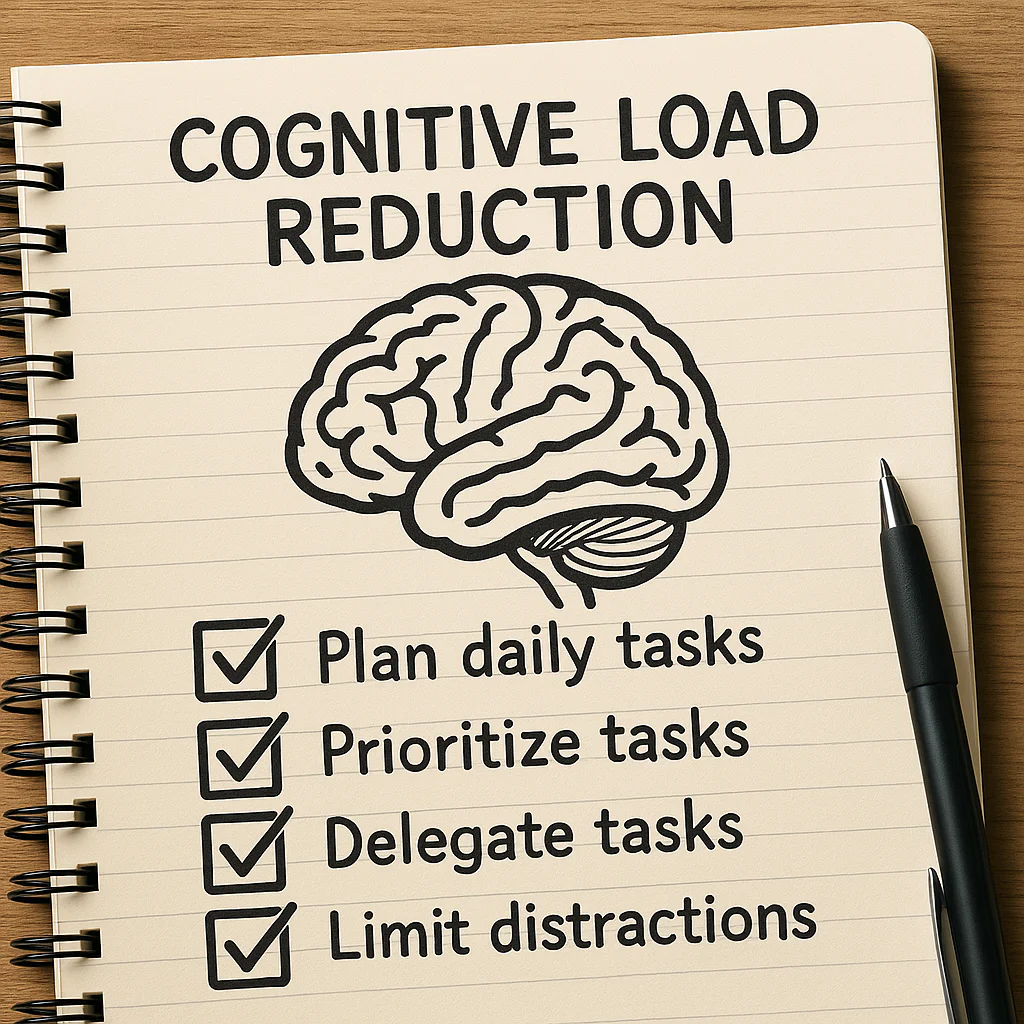
Cognitive load reduction checklists help you get routine steps out of your head and onto a clear, usable list—so you can spend more attention on decisions that actually need your judgment. The best ones stay short, fit the moment, and make the next action obvious.
At Daily Checklist™, we’ve found that “work on the project” is a remarkably efficient way to feel busy without knowing where to start. Turning it into “draft the first section” gives your brain a handle to grab—and the task suddenly feels less like a fog bank.
That doesn’t mean every thought needs a checkbox. A checklist should reduce avoidable mental clutter, not become another sprawling project to manage.
Key Takeaways
- Use checklists to offload repeatable steps and reminders, not to replace expertise or judgment.
- Break complex tasks into clear phases and make each item specific, actionable, and easy to scan.
- Keep the main list focused. Move rare exceptions and extra explanations into a separate reference.
- Adapt checklists to the person and situation: newcomers may need more guidance; experienced users may need concise prompts.
- Review and revise regularly. A checklist works when it helps people act—not merely when every box gets ticked.
Table of Contents
- ⚡ Quick Tips and Facts
- 🧠 Cognitive Load Reduction Checklists: What They Are and Why They Work
- 📚 Background: Cognitive Load Theory and the Rise of Checklists
- 🔍 The Three Types of Cognitive Load
- Intrinsic Load: The Complexity of the Task
- Extraneous Load: The Friction We Can Remove
- Germane Load: Making Space for Learning
- ✅ 15 Cognitive Load Reduction Checklists for Work, Learning, and Everyday Life
- 1. Daily Planning and Prioritization Checklist
- 2. Task Breakdown and Next-Step Checklist
- 3. Meeting Preparation and Follow-Up Checklist
- 4. Decision-Making Checklist
- 5. Email and Communication Checklist
- 6. Digital Workspace and Notification Checklist
- 7. Study and Learning Checklist
- 8. Reading and Research Checklist
- 9. Writing and Creative Work Checklist
- 10. Memory and Note-Taking Checklist
- 11. Routine and Habit Checklist
- 12. Team Handoff and Standard Operating Procedure Checklist
- 13. Incident Response and High-Stakes Work Checklist
- 14. Stressful Moments and Emotional Overload Checklist
- 15. End-of-Day Reset Checklist
- 🛠️ How to Design an Effective Cognitive Offloading Checklist
- Choose the Right Tasks to Externalize
- Write Clear, Actionable Checklist Items
- Keep Checklists Short, Scannable, and Usable
- Make Checklists Adaptive to Context and Experience
- Balance Fixed Steps with Judgment and Flexibility
- 🧾 Paper, Digital, and Printable Checklists: Choosing a Format
- 👥 Cognitive Load Reduction for Teams and Organizations
- Shared Checklists, Roles, and Handoffs
- Reducing Information Overload and Task Switching
- Psychological Safety and Checklist Adoption
- 📊 How to Measure Whether a Checklist Is Working
- ⚠️ Common Checklist Mistakes and How to Fix Them
- ♿ Accessibility, Neurodiversity, and Different Working Styles
- ❓ Frequently Asked Questions About Cognitive Load Reduction Checklists
- 🏁 Conclusion
- 🔗 Recommended Links
- 📖 Reference Links
⚡️ Quick Tips and Facts
A well-made cognitive load reduction checklist is less “one more thing to manage” and more “one less thing to keep in your head.” At Daily Checklist™, we build practical daily checklists around that idea: externalize repeatable steps, make the next action obvious, and leave room for human judgment.
| Quick fact | What it means for your checklist |
|---|---|
| Working memory has limited capacity. | Put reminders and routine steps somewhere you can see them instead of relying on recall. |
| Not all mental effort is bad. | Keep the thinking required by the task; remove confusing instructions, clutter, and unnecessary choices. |
| Checklists can serve more than one purpose. | A checklist may support task completion and act as a place to capture key information. |
| A longer checklist is not automatically a safer checklist. | Divide complex processes into short, situational phases rather than one sprawling list. |
| Checklists support judgment; they don’t replace it. | Include prompts to pause, assess, or escalate when conditions are unusual. |
A fast checklist for reducing cognitive load
- ✅ Write down recurring steps you often forget or repeatedly reconsider.
- ✅ Start items with clear actions or questions, such as “Confirm the meeting goal” or “What changed?”
- ✅ Group items by phase or context so you only scan what applies now.
- ✅ Keep optional details out of the main flow until they’re useful.
- ✅ Review the checklist after using it and remove anything that adds friction without helping.
- ❌ Don’t turn every possible exception into a permanent checkbox.
- ❌ Don’t use a checklist as a substitute for training, expertise, or an appropriate decision-maker.
For related ideas, see our guides to life hacks, habit formation, and digital detox. The organizing principle is simple: make the routine easier to remember without making the page harder to use.
🧠 Cognitive Load Reduction Checklists: What They Are and Why They Work
A cognitive load reduction checklist is a short, usable aid that moves reminders, sequence, or decision prompts out of working memory and into the environment. It might be a paper list by the door, a meeting template in Notion, a preflight checklist, or a few prompts in a team’s incident channel.
The purpose is not to make every task mechanical. It’s to save mental effort for the parts that actually require attention.
What a checklist can offload
A useful checklist can help you remember:
- What comes next in a repeatable process.
- What information to gather before making a decision.
- Which routine checks are easy to skip when you’re rushed.
- What to communicate during a handoff.
- Where to record changing details, such as task status or measurements.
In a study of trauma resuscitation checklists, researchers found that leaders used the tool for both protocol checks and note-taking. They described it as having “evolved into a dual function tool, serving as both the compliance and memory aid.” That distinction matters: a checklist can be more than a row of boxes; it can also support shared awareness and retain useful information.
What a checklist cannot do
A checklist cannot decide what matters in a novel situation, guarantee that every step will be followed, or make an unclear process clear by itself. The World Health Organization’s Surgical Safety Checklist is designed to support communication and safety checks in a defined clinical setting—not to replace professional expertise.
For everyday work, the same boundary applies:
Use a checklist to support recall and coordination. Use judgment to respond to what the checklist could not predict.
That’s why a short prompt such as “Is the situation improving?” may be more useful than a lengthy script telling someone exactly what to do in every possible scenario.
📚 Background: Cognitive Load Theory and the Rise of Checklists

From mental effort to practical support
Cognitive Load Theory is associated with psychologist John Sweller’s research on how people learn and process complex information. In broad terms, theory distinguishes between the challenge inherent in the subject matter and mental effort added by the way information is presented. The Education Endowment Foundation’s review of cognitive science approaches offers practical context on managing task demands and supporting learning.
A checklist is one kind of cognitive aid: an external support that can reduce the need to remember every step internally. The first video in this article makes a related point: working memory is limited, and learning can become harder when new material competes with distractions or too much information at once. It also emphasizes building on existing knowledge and using scaffolded practice. In a checklist, that might mean putting prerequisite steps first and adding optional guidance only where people tend to get stuck.
Why checklists moved beyond factories and hospitals
Checklists are often associated with aviation, healthcare, and other safety-critical fields because those settings involve complex procedures, teamwork, and costly omissions. But the same basic problem appears in everyday life: when there are many moving parts, remembering every routine step is an unreliable system.
A checklist helps when it:
- Makes an important step visible.
- Supports a shared understanding among people doing the work.
- Fits the moment when someone needs to use it.
- Leaves space for adaptation when circumstances change.
That last point is where many checklists stumble. A list that grows to include every unusual case may become harder to scan than the task itself. As the StatusCake incident checklist article puts it, checklists are “decision support, not documentation.” That is a useful standard for routine planning, too.
🔍 The Three Types of Cognitive Load
Cognitive Load Theory is often explained through three kinds of mental effort. The categories are useful as a design lens, not a diagnostic label for every frustrating afternoon.
| Type of load | Plain-language meaning | Checklist design response |
|---|---|---|
| Intrinsic | The complexity built into the task or subject | Break complex work into manageable stages; don’t pretend the hard part isn’t hard. |
| Extraneous | Unecessary difficulty caused by confusing presentation or distractions | Remove clutter, unclear wording, duplicate steps, and irrelevant prompts. |
| Germane | Mental effort used to understand, connect, and learn | Add reflection, practice, or explanations when learning is part of the goal. |
Intrinsic Load: The Complexity of the Task
Some work is genuinely complex. Learning a new software system, planning a conference, or responding to a service outage requires understanding several interacting parts. A checklist should structure that complexity, not flatten it into “just follow these 47 steps.”
Try:
- Breaking a process into phases.
- Listing prerequisites before dependent tasks.
- Highlighting decisions that require expertise or approval.
- Providing a separate reference for deeper instructions.
Extraneous Load: The Friction We Can Remove
Extraneous load is effort caused by avoidable friction: searching across multiple documents, decoding vague instructions, or scanning a screen full of items that do not apply. The eLearning Coach recommends maximizing the signal-to-noise ratio and making irrelevant material less prominent. Its plain-language takeaway is to keep what serves the learning or task and reduce what distracts from it.
For checklist design, that means:
- Replace “Handle the thing” with a specific action.
- Keep explanatory text brief and close to the item it explains.
- Hide or separate rare exceptions from the routine path.
- Avoid decorative clutter that competes with the task.
Germane Load: Making Space for Learning
A checklist used for learning should not do all the thinking for the learner. Once someone understands a process, gradually reducing prompts can help them act more independently.
Useful learning prompts include:
- “Explain the reason for this step in your own words.”
- “What evidence would tell you this is complete?”
- “Which part of this process is easy to confuse with another step?”
That balance—support without over-instruction—helps explain why a novice may need a detailed checklist while an experienced user prefers a concise prompt. The right amount of guidance depends on the person, task, and moment.
✅ 15 Cognitive Load Reduction Checklists for Work, Learning, and Everyday Life
These examples are starting points, not commandments. Choose the items that solve a real memory or coordination problem, then adapt them. The StatusCake incident checklist recommends organizing prompts around stages and keeping them short enough to use under pressure. The same principle works for a busy day.
1. Daily Planning and Prioritization Checklist
Use this to replace the familiar morning ritual of staring at twelve tasks and feeling personally attacked by your calendar.
- What are the one to three outcomes that would make today productive?
- Which tasks have a real deadline today?
- What is the first physical action for each priority?
- What can be deferred, delegated, or declined?
- Where do I need a break or transition buffer?
- What information or materials should be ready before I start?
Why it helps: You make a few choices upfront rather than repeatedly renegotiating your priorities throughout the day. Keep the full task inventory elsewhere; let the daily list show only what deserves attention now.
2. Task Breakdown and Next-Step Checklist
When a task feels fogy, don’t write “work on project.” Translate it into observable actions:
- State the desired outcome.
- Identify what “done” looks like.
- List the next two or three steps.
- Flag dependencies and decisions.
- Start with the smallest useful action.
- Review and add steps only when the work reveals a need.
Example: “Prepare onboarding guide” becomes “List the five questions new hires ask most,” then “Draft the answer to the first question.” The task hasn’t become smaller in importance, but the next move is no longer hiding behind a vague noun.
3. Meeting Preparation and Follow-Up Checklist
Before:
- What is the meeting’s purpose?
- What decision or outcome is needed?
- Who needs to attend?
- What should participants read or bring?
- Is an email or shared document enough instead?
During:
- Capture decisions, owners, and due dates.
- Mark unresolved questions separately.
- Confirm whether assumptions or risks changed.
After:
- Send a concise summary.
- Assign each action to one owner.
- Add deadlines and check-in points.
- Close or schedule follow-up for unresolved decisions.
The Atlassian guide to effective meetings is one useful reference for structuring team conversations. The main benefit of a meeting checklist is not more paperwork; it’s reducing the number of “Wait, who was doing that?” messages afterward.
4. Decision-Making Checklist
For decisions that matter but do not require a full committee and a ceremonial spreadsheet:
- What decision must be made?
- By when?
- What evidence would change my mind?
- Which options are genuinely viable?
- What is reversible, and what is difficult to undo?
- Who is affected or needs to be consulted?
- What is the cost of waiting?
- What is the smallest safe test?
This does not eliminate uncertainty. It helps make uncertainty visible so you can distinguish “I need more evidence” from “I’m reopening the same decision because choosing feels uncomfortable.”
5. Email and Communication Checklist
Before sending a message, ask:
- Is email the right channel?
- Is the ask clear in the first few lines?
- Does the recipient know what action is expected?
- Have I included a deadline, if there is one?
- Can I remove context the recipient does not need?
- Does the subject line help someone find the message later?
- Have I checked the recipient list and attachments?
For sensitive topics, add: Would a brief conversation be kinder and clearer? A checklist can improve message quality, but it cannot make every issue suitable for email.
6. Digital Workspace and Notification Checklist
- Close tabs unrelated to the current task.
- Silence non-urgent notifications for a planned focus block.
- Put frequently used files in one predictable location.
- Choose one place to capture incoming tasks.
- Check messages at intentional intervals rather than between every small action.
- End the block by recording the next step before switching tasks.
This pairs naturally with a modest digital detox: the goal isn’t to reject technology, but to make the useful signal easier to notice. The American Psychological Association’s guidance on stress also supports paying attention to stressors and finding practical ways to manage them; notification habits are one adjustable part of the environment.
7. Study and Learning Checklist
- Write down what you should be able to explain or do.
- Review the foundational concept you’ll build on.
- Divide new material into short sections.
- After each section, explain the idea in your own words.
- Practice retrieval without looking at the notes.
- Check errors and revisit only the parts you missed.
- End by listing one question to resolve next time.
Learning science guidance from the Institute of Education Sciences highlights strategies such as spacing learning over time and using practice to strengthen retention. A checklist can remind you to use those strategies, but it shouldn’t replace the actual thinking and practice.
8. Reading and Research Checklist
- What question am I trying to answer?
- Is this source credible and relevant?
- What are the author’s main claim and evidence?
- What limitations, assumptions, or competing explanations are mentioned?
- What should I record: quotation, paraphrase, or citation?
- What will I do with this source?
For a research task, keep notes short and distinguish your interpretation from the source’s claim. This reduces the later puzzle of trying to remember which sentence came from where.
9. Writing and Creative Work Checklist
Before drafting:
- Who is the reader?
- What should they understand, feel, or do?
- What is the central point?
- What evidence or examples support it?
During drafting:
- Write a rough version before polishing sentences.
- Use a temporary note for questions that would derail the current paragraph.
- Mark missing evidence clearly so you can return to it.
During revision:
- Check structure before line edits.
- Remove repetition.
- Verify claims and links.
- Read aloud for awkward transitions.
Separating drafting from polishing can reduce the temptation to judge every sentence before the idea has had a chance to exist.
10. Memory and Note-Taking Checklist
When taking notes, capture what will help you act or think later:
- What happened or was decided?
- What are the key facts or values?
- What remains uncertain?
- Who owns the next action?
- When should it be revisited?
- Which details need to stay together to make sense?
In the trauma checklist study, researchers found notes included patient values, physical findings, pre-hospital information, and care plans. They also observed that recording changing values without timestamps could make trends difficult to interpret. The everyday lesson is straightforward: when a detail changes over time, record when it changed.
11. Routine and Habit Checklist
A habit checklist should cue action, not create a second job called “maintaining the habit tracker.”
- Attach the new action to an existing cue: “After I make coffee, I review today’s top task.”
- Make the first step small enough to start.
- Define a minimum version for difficult days.
- Track completion consistently, not obsessively.
- Review weekly: Is the cue working? Is the routine realistic?
- Remove tracking fields you never use.
Explore more practical ideas in our habit formation section. A checked box can offer feedback, but a missed box is information—not a verdict on your character.
12. Team Handoff and Standard Operating Procedure Checklist
A useful handoff answers the questions the next person would otherwise need to chase:
- What is the current status?
- What has already been done?
- What is still open?
- Who owns the next step?
- What are the deadline and escalation path?
- What risks or assumptions should the next person know?
- Where is the source of truth?
For a standard operating procedure, distinguish between required steps, conditional steps, and helpful reference material. Mixing them into one long stream forces the reader to work out which rules apply.
13. Incident Response and High-Stakes Work Checklist
In high-pressure situations, a checklist should orient the team and surface important questions—not bury responders in documentation.
Initial orientation
- What is happening, and who is affected?
- What evidence supports that assessment?
- What changed recently?
- Who is coordinating?
- What is the immediate safety or service concern?
During response
- What is the safest reversible action?
- What signals will show whether it helped?
- Are we introducing new risks?
- Do we still agree on what success means?
Before standing down
- What evidence confirms conditions have returned to normal?
- What uncertainty remains?
- Who needs an update?
- What follow-up should happen after the immediate response?
The StatusCake article cautions, “Speed without control compounds failure.” This isn’t an argument for moving slowly; it’s a reminder to use evidence and shared coordination so speed doesn’t become guesswork. In healthcare and other safety-critical fields, local protocols and qualified leadership take precedence over a generic template.
14. Stressful Moments and Emotional Overload Checklist
When your mind feels crowded, try a brief reset rather than demanding instant clarity:
- Pause and identify the immediate concern.
- Write down every open loop competing for attention.
- Circle what must happen now.
- Identify what can wait, be delegated, or be dropped.
- Choose one next action.
- Reassess after completing it.
If distress is intense, persistent, or affecting daily functioning, a checklist is not a substitute for support from a qualified health professional. The National Institute of Mental Health provides guidance on finding mental health help.
15. End-of-Day Reset Checklist
- Record unfinished tasks in their proper home.
- Write the next action for any task you’ll resume tomorrow.
- Check tomorrow’s calendar for preparation needs.
- Close organize the materials you used.
- Note one unresolved question for later.
- Decide when you are finished for the day.
A good shutdown routine tells your brain, “Nothing useful is being lost; it’s written down.” That doesn’t mean you’ll never think about work after hours—but it gives your attention a place to return to the next morning.
🛠️ How to Design an Effective Cognitive Offloading Checklist
Choose the Right Tasks to Externalize
Start with tasks that are repeatable, easy to forget, sequence-dependent, or shared across people. A checklist is less helpful for a one-off task whose steps are already obvious than for a recurring process with costly omissions.
A quick audit:
- Notice where you pause to remember what comes next.
- Look for repeated “Did I…?” checks.
- Ask colleagues what they routinely have to clarify.
- Identify omissions, handoff gaps, and duplicated work.
- Draft prompts only for the friction you can verify.
Write Clear, Actionable Checklist Items
Use wording a tired, hurried, or unfamiliar user can understand.
| Less helpful | More useful |
|---|---|
| “Project readiness” | “Confirm the approval and launch date.” |
| “Check status” | “Is the service reachable from an external connection?” |
| “Follow up” | “Send the decision and owner to the project channel.” |
| “Ensure alignment” | “Do the teams agree on the next action and who owns it?” |
Questions can be especially useful when the task calls for judgment: “What changed?” or “What evidence supports this?” Commands are often better for stable, mandatory actions. Choose the form that fits the work.
Keep Checklists Short, Scannable, and Usable
There is no universally validated maximum length for every checklist. The StatusCake article suggests that more than roughly 15–20 items for one incident phase may be too many for use under pressure; treat that as practical guidance for incident response, not a rule for every checklist.
To make a longer process easier to use:
- Split it into phases or checkpoints.
- Keep the current phase prominent.
- Move explanations and rare exceptions into linked references.
- Use consistent wording and visual hierarchy.
- Test the checklist with someone who did not write it.
The test is not “Does the checklist contain everything?” It is “Can the intended person find the next relevant prompt when they need it?”
Make Checklists Adaptive to Context and Experience
A checklist that shows irrelevant items can slow people down. A trauma-resuscitation study found routine survey items were checked much more often than optional or context-dependent items. The authors argued that digital aids should show only items relevant to the current patient scenario where possible.
That does not mean hiding safety-critical steps without safeguards. It means using clear conditional logic, optional sections, or expandable details so the main flow stays focused while less common requirements remain accessible.
Experience matters, too. In the same study, more than 70% of leaders in each experience group wrote notes, but the kinds of notes differed. A useful tool should support different information needs without assuming that one user’s workflow fits everyone.
Balance Fixed Steps with Judgment and Flexibility
Use a fixed checklist for stable, high-value steps. Add space to record exceptions, observations, or reasons an item does not apply. In dynamic settings, provide clear options such as Not applicable, Deferred, or In progress—with a place to explain when the reason matters.
The checklist should make deviations visible without implying every deviation is a mistake. That distinction supports better learning and less checkbox theater.
🧾 Paper, Digital, and Printable Checklists: Choosing a Format
| Format | Strengths | Drawbacks | Best fit |
|---|---|---|---|
| Paper | Quick to scan, works offline, easy to annotate | Hard to share, update, or search; handwriting can be unclear | Personal routines, quick reference, low-tech settings |
| Digital document | Easy to edit, duplicate, and share | Can be buried among files or become a long document | Team procedures, meeting preparation, recurring project tasks |
| Task app | Reminders, assignment, recurring tasks, status visibility | Notifications and features can create more noise | Personal planning or coordinated projects |
| Form or workflow tool | Structured data, required fields, consistent reporting | Can feel rigid; setup and maintenance take effort | Repeatable processes with reporting or handoffs |
Brands such as Todoist, Microsoft To Do, Notion, and Trello offer different ways to organize tasks and shared work. Their features change, so choose based on the job rather than the logo: Can the user find the list quickly, understand the next step, and update it without unnecessary effort?
For a printable checklist, leave enough space to mark completion and add a short note. For a digital checklist, think carefully before turning every item into a notification. A reminder that arrives at the wrong time is not support; it’s a tiny office gremlin.
👥 Cognitive Load Reduction for Teams and Organizations
Shared Checklists, Roles, and Handoffs
A team checklist should make ownership obvious. For each important action, clarify:
- Who is responsible?
- What does completion look like?
- Who needs to know?
- What happens if the task is blocked?
Use one shared source of truth where possible. Multiple competing versions create extra effort and can leave people uncertain about which instructions are current.
Reducing Information Overload and Task Switching
Every interruption has a context cost: people need to regain their place, retrieve information, and decide what to do next. Checklists can help by capturing incoming tasks and marking where work paused. They cannot eliminate all interruptions, but they can reduce the amount of reorientation required afterward.
Practical team habits:
- Establish clear channels for urgent and non-urgent requests.
- Batch routine updates when the work allows.
- Keep action items near the meeting or project where they belong.
- Record the next step before handing work off.
- Remove duplicate reporting where a shared system already provides the information.
Psychological Safety and Checklist Adoption
A checklist can feel like a tool for support—or a tool for surveillance. Introduce it as a way to improve the process, invite people to test it, and ask what is missing or confusing. The Agency for Healthcare Research and Quality’s TeamSTEPS resources offer evidence-based tools for teamwork and communication in healthcare; the broader lesson is that tools work best when teams understand their purpose and can speak up about problems.
When a person skips a step, ask what made the step hard to use before jumping to blame. Maybe the instruction was unclear, the workflow changed, or the item did not apply. A checklist is only as good as the system around it.
📊 How to Measure Whether a Checklist Is Working
Measure the result, not the number of boxes checked. Start with one or two indicators that connect to the problem the checklist was designed to solve.
| Question | Possible measure |
|---|---|
| Are fewer steps being missed? | Omission or rework rate |
| Are handoffs clearer? | Follow-up clarification requests |
| Is it faster to get oriented? | Time to identify status and next action |
| Is the list easy to use? | User feedback, completion time, observed confusion |
| Does it add unnecessary burden? | Abandonment, skipped items, duplicate documentation |
A simple evaluation cycle
- Record the problem the checklist should address.
- Collect a baseline before introducing it, if feasible.
- Test a small version with the people who will use it.
- Observe actual use, not just what users say they would do.
- Ask what felt helpful, confusing, or redundant.
- Revise one or two things at a time.
- Review after a meaningful period and retire prompts that no longer help.
A checklist can improve consistency while adding time or irritation. That is a real trade-off, not a reason to hide the data. If users consistently skip an item, find out whether the problem is the wording, placement, timing, or relevance.
⚠️ Common Checklist Mistakes and How to Fix Them
| Mistake | Why it backfires | Better approach |
|---|---|---|
| Making one list cover every possible scenario | Relevant steps become harder to find | Split by phase; move rare exceptions to a reference |
| Writing vague prompts | Users must interpret what completion means | Use observable actions or specific questions |
| Adding items without review | The list grows while old friction remains | Set a review date and remove low-value prompts |
| Treating every deviation as failure | Users may hide necessary adaptation | Capture why an item was skipped or changed |
| Duplicating the same information in several tools | People cannot tell which record is current | Define a source of truth |
| Using alerts for everything | Important notifications blend into the noise | Reserve alerts for genuinely time-sensitive actions |
| Assuming checklists replace training | People may follow steps without understanding them | Pair the checklist with practice and explanation |
| Measuring success by completion alone | A checked box does not prove useful work happened | Measure outcomes and user experience |
The StatusCake article puts it crisply: “The goal isn’t perfect coverage. It’s to provide clarity when clarity is hardest to come by.” We’d add: clarity includes knowing when to stop following the normal path and ask for help.
♿ Accessibility, Neurodiversity, and Different Working Styles
A checklist should be usable by the people who need it. Preferences vary, so offer flexible formats where practical:
- Use plain language and explain unfamiliar abbreviations.
- Don’t rely on color alone to distinguish status.
- Use readable text, consistent labels, and uncluttered layouts.
- Provide keyboard-friendly digital versions when possible.
- Offer a printable option for people who work better on paper.
- Avoid assuming everyone benefits from the same reminders or level of detail.
- Make customization possible without removing critical safeguards.
The W3C Web Accessibility Initiative’s guidance on cognitive accessibility offers practical principles for making digital content easier to understand and use. A person may prefer a detailed checklist for a new process and a brief one for a familiar routine. Another may need fewer notifications, larger visual groupings, or a clear “what next?” prompt.
Ask users what supports them rather than guessing from a label or diagnosis. Accessibility is not an optional polish step; it often makes instructions clearer for everyone.
❓ Frequently Asked Questions About Cognitive Load Reduction Checklists
How do daily checklists reduce cognitive load?
Daily checklists externalize reminders and repeatable steps, reducing the need to keep each one in working memory. That can make it easier to focus on prioritizing, problem-solving, and adapting when something changes. A checklist reduces avoidable mental effort; it does not remove the real complexity of your work.
What should a daily checklist include to simplify your day?
Include the few items that help you choose priorities, prepare for important commitments, take the next step, and capture unfinished work. A practical daily list might contain:
- One to three priority outcomes.
- Time-sensitive appointments or deadlines.
- The next action for a task you might otherwise avoid.
- A reminder for an essential routine.
- A brief end-of-day reset.
Keep a larger task inventory separate so your daily checklist remains scannable.
How can I create a checklist that is easy to follow?
Start with a real recurring problem, write short action-based items, group related steps, and test the list during actual use. Ask someone unfamiliar with the process to try it. If they have to guess what an item means, revise it. Remove prompts that do not help users act, remember, communicate, or make a decision.
Can checklists help reduce decision fatigue?
They can reduce repeated low-value decisions by setting a default sequence or prompting you to decide once at the right time. For example, a morning planning checklist can help you identify priorities before email starts making suggestions on your behalf. But a checklist can also create extra decisions if it offers too many options, so keep choices limited to what matters.
How many tasks should I include on a daily checklist?
There is no evidence-based number that fits everyone. As a practical starting point, keep the visible list small enough that you can scan it quickly and make a realistic plan for the day. If your list routinely rolls over unfinished, distinguish must-do, should-do, and could-do tasks instead of pretending every item has equal priority.
What is the best way to organize a daily checklist?
Organize it around how you use it: by priority, time of day, or task phase. Put the most important and time-sensitive items where you’ll see them first. Group routine reminders separately from deep-work tasks, and keep reference notes out of the action list unless they are needed at that moment.
How can I use checklists to stay focused and less overwhelmed?
Choose one task, write its next visible action, and reduce competing distractions for a defined work period. If new tasks arrive, capture them in one place rather than switching immediately. At the end of the period, record where you stopped and what comes next. For broader strategies, explore our life hacks and digital detox resources.
Should a checklist use questions or commands?
Use commands for stable actions that should reliably happen, such as “Confirm the attendee list.” Use questions when people need to assess conditions, such as “What evidence shows the issue is resolved?” A well-designed checklist may use both.
When should I update or retire a checklist?
Review it after a process changes, after an error or near miss, or when users repeatedly hesitate or skip items. Also review it periodically to remove obsolete steps. Retire a checklist when the task or system no longer exists, but preserve required records and follow local policies where applicable.
Can a checklist replace training or professional judgment?
No. A checklist can support recall, communication, and consistency, but it cannot provide all the context required for a skilled decision. In regulated or safety-critical work, use approved local procedures and trained professionals. The checklist should make good work easier—not imply that expertise is optional.