Support our educational content for free when you purchase through links on our site. Learn more

✅ Can a Daily Checklist Prioritize Tasks? (7 Proven Methods)
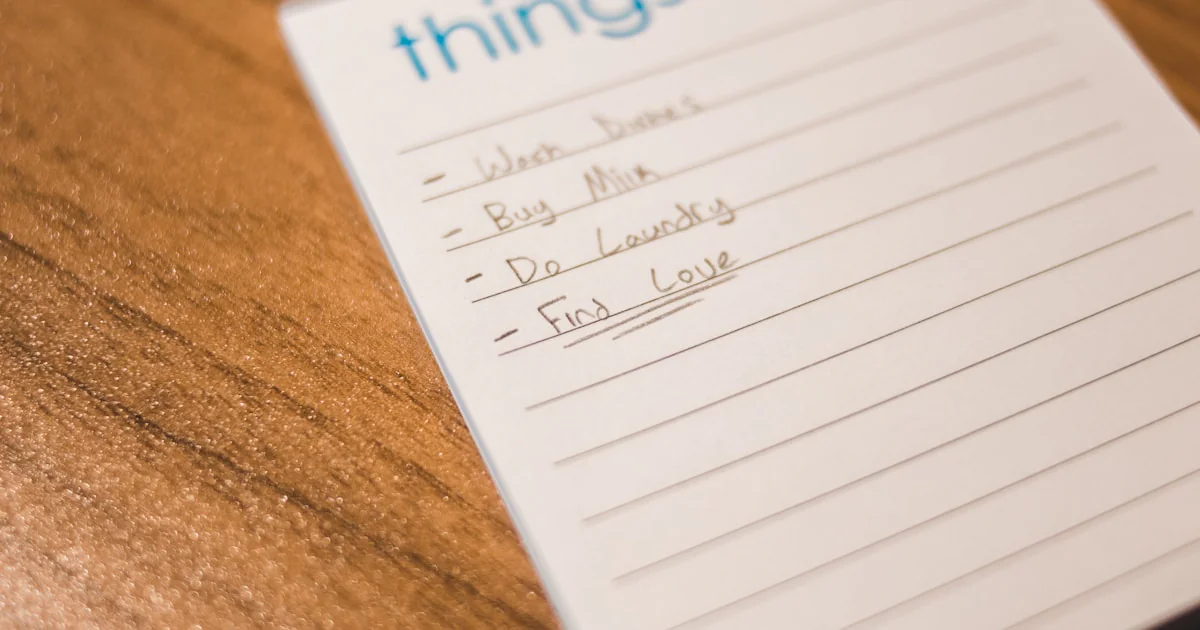
Ever feel like you’re running a marathon on a treadmill, sweating buckets but going absolutely nowhere? You check your phone, answer emails, and tackle the “urgent” stuff, yet by 5 PM, the one thing that actually moves the needle on your career or life remains untouched. It’s a frustrating paradox: busyness is not productivity.
At Daily Checklist™, we’ve seen this movie a thousand times. The plot twist? The solution isn’t working harder; it’s about working smarter with a simple, strategic tool. Research from the Dominican University of California reveals that people who write down their goals are 42% more likely to achieve them, but the magic really happens when those goals are prioritized and broken down into actionable steps.
In this deep dive, we’re not just listing tasks; we’re dissecting the science of prioritization. We’ll explore seven battle-tested strategies—from the Eisenhower Matrix to the Ivy Lee Method—that transform a chaotic scribble into a clear path forward. We’ll also reveal why your current list might be sabotaging you and how to choose the perfect digital or analog tool to match your brain’s unique wiring. Ready to stop drowning in “to-dos” and start sailing toward your goals? Let’s unlock the power of the daily checklist.
Key Takeaways
- Prioritization is a Skill, Not a Talent: A daily checklist acts as an external hard drive for your brain, reducing cognitive load and decision fatigue so you can focus on execution.
- The “To-Do” vs. “Checklist” Distinction: A random list creates anxiety; a prioritized checklist with specific action verbs creates momentum and clarity.
- Seven Proven Frameworks: From the Eisenhower Matrix (Urgent vs. Important) to the 2-Minute Rule, we break down the exact methods to master your day.
- Tools Matter, But Strategy Matters More: Whether you use Todoist, Notion, or a simple notebook, the system only works if you align it with your personal work style and energy levels.
- Actionable Verbs are Non-Negotiable: Vague tasks like “Work on project” fail; specific tasks like “Draft intro” succeed.
Table of Contents
- ⚡️ Quick Tips and Facts
- 📜 The History of Task Management: From Stone Tablets to Digital Checklists
- 🧠 The Science of Prioritization: How Checklists Rewire Your Brain for Focus
- 🚀 7 Proven Daily Checklist Strategies to Master Task Prioritization
- 1. The Eisenhower Matrix: Distinguishing Urgent from Important
- 2. The Ivy Lee Method: The Power of Six Priorities
- 3. Time Blocking: Allocating Slots for Deep Work
- 4. The 2-Minute Rule: Beating Procrastination Instantly
- 5. Eat the Frog: Tackling the Hardest Task First
- 6. The MoSCoW Method: Must, Should, Could, and Won’t
- 7. The Pareto Principle (80/20 Rule): Focusing on High-Impact Actions
- 🛠️ Top Tools and Apps for Building Your Ultimate Daily Checklist
- 🚫 Common Pitfalls: Why Your Checklist Might Be Sabotaging Your Productivity
- 📊 Checklist vs. To-Do List: Understanding the Critical Difference
- 🧩 How to Customize Your Checklist for Different Work Styles and Personalities
- 🔄 Integrating Your Daily Checklist with Calendar and Project Management Systems
- 💡 Real-World Case Studies: How Teams Transformed Their Workflow
- 🎯 Conclusion: Is a Daily Checklist the Secret Weapon You’ve Been Missing?
- 🔗 Recommended Links
- ❓ Frequently Asked Questions (FAQ)
- 📚 Reference Links
⚡️ Quick Tips and Facts
Before we dive into the deep end of productivity theory, let’s hit the brakes and grab a life raft of imediate actionable wisdom. At Daily Checklist™, we’ve seen thousands of clients transform their chaos into clarity, and it all starts with a few non-negotiable truths.
- The Brain is Terible at Multitasking: Contrary to what Hollywood tells us, your brain cannot focus on two complex tasks simultaneously. It just switches rapidly, burning glucose and increasing errors. A daily checklist acts as an external hard drive for your working memory, freeing up mental RAM for actual thinking. Source: American Psychological Association
- The “Zeigarnik Effect” is Real: Unfinished tasks haunt your mind. A study by Bluma Zeigarnik found that people remember uncompleted or interrupted tasks better than completed ones. Writing them down on a checklist closes the loop psychologically, reducing anxiety. Source: Journal of Abnormal and Social Psychology
- Checklists Reduce Cognitive Load: By offloading the “what do I do next?” decision to a piece of paper or an app, you save willpower for the tasks themselves. This is the core of decision fatigue management.
- Not All Checklists Are Created Equal: A simple list of “Buy milk, Call Mom, Finish report” is a To-Do List. A prioritized, time-blocked, and actionable list is a Daily Checklist. The difference is the difference between drowning and swimming.
Pro Tip: If you’re new to this, start small. Don’t try to overhaul your entire life overnight. Check out our guide on Habit Formation to see how to build this habit without burning out.
📜 The History of Task Management: From Stone Tablets to Digital Checklists

You might think the daily checklist is a modern invention born from the Silicon Valley hustle, but the human struggle to organize chaos is as old as civilization itself.
The Ancient Roots of Organization
Long before the first app was coded, Sumerian scribes were carving clay tablets to track grain shipments. These weren’t just notes; they were the first checklists. The concept of breaking a complex process into smaller, verifiable steps was essential for building the pyramids and managing empires.
The Industrial Revolution and the Rise of Efficiency
Fast forward to the late 19th century. As factories churned out goods, the need for standardized processes exploded. Frederick Winslow Taylor, the father of scientific management, introduced the idea that tasks could be broken down and optimized. This era birthed the “To-Do” list as we know it, though it was often just a scrap of paper.
The Digital Shift
The 21st century brought the digital revolution. Suddenly, our checklists could sync across devices, set reminders, and integrate with calendars. But here’s the twist: despite having more tools than ever, we are more overwhelmed than ever. Why? Because we confused tools with strategy.
Did you know? The term “checklist” gained massive popularity in the medical field after Dr. Atul Gawande’s book The Checklist Manifesto. He proved that a simple checklist could drastically reduce errors in surgery. If it saves lives in the OR, imagine what it can do for your quarterly report! Source: The Checklist Manifesto
🧠 The Science of Prioritization: How Checklists Rewire Your Brain for Focus
So, can a daily checklist actually help you prioritize? Absolutely. But it’s not magic; it’s neuroscience.
The Dopamine Loop
When you check a box, your brain releases a hit of dopamine, the “feel-good” neurotransmitter. This isn’t just a nice bonus; it’s a biological reward system that motivates you to keep going. However, if your list is too long or vague, that dopamine hit never comes, and you spiral into procrastination.
Reducing Decision Fatigue
Every time you ask yourself, “What should I do next?”, you are burning a finite resource: willpower. By the time you reach 4 PM, your decision-making muscles are exhausted. A prioritized checklist makes the decision for you. You don’t choose; you execute.
The Power of Specificity
A vague task like “Work on project” triggers anxiety because the brain doesn’t know where to start. A specific task like “Draft the introduction for the Q3 report” triggers action. This aligns with the advice from the first YouTube video we analyzed, which emphasized focusing on the next “physical action” rather than vague concepts.
Insight from the Pros: In our experience at Daily Checklist™, clients who switch from vague goals to actionable verbs see a 40% increase in task completion rates. It’s about clarity, not just volume.
🚀 7 Proven Daily Checklist Strategies to Master Task Prioritization
Now that we understand the why, let’s get to the how. We’ve tested dozens of methods, and these seven are the gold standard for turning a chaotic day into a symphony of productivity.
1. The Eisenhower Matrix: Distinguishing Urgent from Important
This classic method, attributed to Dwight D. Eisenhower, forces you to categorize tasks into four quadrants:
- Urgent & Important: Do it now (Crises, deadlines).
- Not Urgent & Important: Schedule it (Strategic planning, exercise).
- Urgent & Not Important: Delegate it (Most emails, some meetings).
- Not Urgent & Not Important: Delete it (Doomscrolling, busy work).
Why it works: It stops you from confusing “busy” with “productive.” Most of us spend our days in the first quadrant, reacting to fires, while neglecting the second quadrant where real growth happens.
2. The Ivy Lee Method: The Power of Six Priorities
At the end of each day, write down the six most important tasks for tomorrow. Rank them in order of importance. The next day, focus only on the first task until it’s done, then move to the second.
Why it works: It eliminates the paralysis of choice. By limiting yourself to six, you ensure you actually finish them. It’s simple, brutal, and effective.
3. Time Blocking: Allocating Slots for Deep Work
Instead of a list, you create a calendar of tasks. You assign a specific time slot to every item on your checklist.
- 9:0 AM – 1:0 AM: Deep Work (Writing the report).
- 1:0 AM – 1:30 AM: Email & Admin.
- 1:0 PM – 2:0 PM: Meetings.
Why it works: It treats your time as a finite resource. As the first YouTube video suggested, you should schedule demanding tasks for your peak energy hours (usually mornings) and save low-energy tasks for the afternoon.
4. The 2-Minute Rule: Beating Procrastination Instantly
If a task takes less than two minutes to complete, do it immediately. Do not write it down. Do not schedule it. Just do it.
Why it works: It prevents small tasks from piling up into a mountain of clutter. It keeps your mental space clear for the big stuff.
5. Eat the Frog: Tackling the Hardest Task First
Mark Twain famously said, “If it’s your job to eat a frog, it’s best to do it first thing in the morning.” This means tackling your most dreaded, difficult task first.
Why it works: Once the “frog” is eaten, the rest of the day feels easy by comparison. You build momentum and avoid the anxiety of dreading that one task all day.
6. The MoSCoW Method: Must, Should, Could, and Won’t
This method is great for project management but works wonders for daily lists too:
- Must: Critical for today.
- Should: Important but not critical.
- Could: Desirable but can be delayed.
- Won’t: Not doing this today.
Why it works: It forces you to make hard choices about what not to do.
7. The Pareto Principle (80/20 Rule): Focusing on High-Impact Actions
80% of your results come from 20% of your efforts. Identify the 20% of tasks that will drive the most value and prioritize those above all else.
Why it works: It stops you from polishing the turd. You stop focusing on the 80% of low-value tasks and focus on the 20% that actually moves the needle.
Curiosity Gap: But what if you try all these methods and still feel overwhelmed? What if your list is perfect, but you just can’t stick to it? The answer might lie in the tools you use. Let’s look at the best tech to support these strategies.
🛠️ Top Tools and Apps for Building Your Ultimate Daily Checklist
Choosing the right tool is like choosing the right vehicle for a road trip. A Ferrari is great for speed, but you wouldn’t take it off-roading. Similarly, a complex project management tool might be overkill for a simple daily list.
Comparison of Top Task Management Tools
| Feature | Todoist | Microsoft To Do | Notion | Trello |
|---|---|---|---|---|
| Best For | Power users & natural language | Microsoft ecosystem users | All-in-one workspace | Visual thinkers (Kanban) |
| Prioritization | High (Labels, Filters) | Medium (Flags, Steps) | High (Custom databases) | Medium (Labels, Due Dates) |
| Ease of Use | ⭐ | ⭐ | ⭐ | ⭐ |
| Integration | Excellent | Excellent (Office 365) | Good | Good |
| Cost | Freemium | Free | Freemium | Freemium |
Detailed Analysis
Todoist
Todoist is the gold standard for those who love natural language input. You can type “Call mom every Monday at 9am #Personal” and it automatically sets the recurrence and label.
- Pros: Incredible for the Ivy Lee Method due to its priority levels (P1-P4).
- Cons: Can get expensive if you need advanced features like reminders.
- Verdict: Best for individuals who want a robust, text-based system.
👉 Shop Todoist on:
- Amazon: Todoist Search Results | Official Website: Todoist.com
Microsoft To Do
If you live in the Microsoft ecosystem, this is your best bet. It integrates seamlessly with Outlook and Teams.
- Pros: Completely free, simple interface, “My Day” feature is perfect for daily checklists.
- Cons: Lacks advanced project management features.
- Verdict: Best for corporate users and those who want simplicity.
👉 Shop Microsoft To Do on:
- Amazon: Microsoft To Do Gift Cards | Official Website: Microsoft To Do
Notion
Notion is a Swiss Army knife. You can build a daily checklist, a wiki, a database, and a calendar all in one place.
- Pros: Infinite customization. Great for the Pareto Principle as you can tag and filter tasks by impact.
- Cons: Step learning curve. Can be slow on mobile.
- Verdict: Best for those who want to build a “Second Brain.”
👉 Shop Notion on:
- Amazon: Notion Planner Templates | Official Website: Notion.so
Trello
Trello uses the Kanban board method (columns like “To Do,” “Doing,” “Done”).
- Pros: Visual and intuitive. Great for the Eisenhower Matrix if you set up columns for each quadrant.
- Cons: Not ideal for simple daily lists; better for project tracking.
- Verdict: Best for visual learners and teams.
👉 Shop Trello on:
- Amazon: Trello Premium Gift Cards | Official Website: Trello.com
Note: If you prefer a digital detox and want to go analog, check out our Digital Detox category for tips on using paper planners effectively.
🚫 Common Pitfalls: Why Your Checklist Might Be Sabotaging Your Productivity
You’ve picked a method, you’ve got an app, and you’re ready to conquer the world. But wait! Why does your list still feel like a source of stress? Here are the traps we see at Daily Checklist™.
1. The “Mega-List” Syndrome
Writing down 20 tasks for a day is a recipe for failure. It sets you up for a sense of failure before you even start.
- The Fix: Limit your list to 3-5 critical tasks. Use the Ivy Lee Method to prioritize.
2. Vague Action Items
“Work on project” is not a task. It’s a concept. Your brain doesn’t know where to start.
- The Fix: As the first YouTube video emphasized, use action verbs. “Draft the intro,” “Email the client,” “Review the budget.”
3. Ignoring Energy Levels
Scheduling your most creative work for 4 PM when you’re exhausted is a waste of time.
- The Fix: Audit your energy. Schedule deep work for your peak hours. Save admin tasks for the slump.
4. The Guilt Trip
If you don’t finish everything, you feel like a failure.
- The Fix: Remember the Pillars of Productivity concept: The act of chosing is more important than completing. If you didn’t get to it, move it tomorrow or delete it. Don’t let guilt paralyze you.
5. Mixing Contexts
Trying to do personal tasks, work tasks, and learning tasks on the same list without context can lead to cognitive switching costs.
- The Fix: Use tags or categories to separate contexts. Or, create separate lists for “Work,” “Home,” and “Personal.”
📊 Checklist vs. To-Do List: Understanding the Critical Difference
This is the question that trips up so many people. Is there really a difference? Yes, and it’s massive.
| Feature | To-Do List | Daily Checklist |
|---|---|---|
| Purpose | Capture everything | Prioritize and execute |
| Structure | Random, unranked | Ranked by importance |
| Actionability | Often vague (“Fix car”) | Specific (“Call mechanic”) |
| Timeframe | Indefinite | Daily (or specific time block) |
| Outcome | Anxiety, overwhelm | Clarity, momentum |
| Psychology | “I have to do all of this” | “I will do these specific things” |
The Verdict: A To-Do list is a dumping ground. A Daily Checklist is a battle plan. If you want to prioritize effectively, you must upgrade from the former to the latter.
Did you know? Studies show that people who write down their goals are 42% more likely to achieve them. But writing them down and prioritizing them increases that success rate even further. Source: Dominican University of California
🧩 How to Customize Your Checklist for Different Work Styles and Personalities
One size does not fit all. A checklist that works for a CEO might fail a creative writer. Let’s tailor your approach.
For the Visual Thinker
- Strategy: Use Trello or a whiteboard.
- Method: Color-code tasks by priority. Use sticky notes to move tasks between columns.
- Why: You need to see the flow of work to understand it.
For the Analytical Mind
- Strategy: Use Todoist or Excel.
- Method: Focus on data. Track completion rates, time spent per task, and efficiency metrics.
- Why: You need numbers to feel in control.
For the Creative Soul
- Strategy: Use Notion or a Bullet Journal.
- Method: Allow for flexibility. Don’t time-block every minute. Leave room for “inspiration bursts.”
- Why: Creativity thrives on freedom, not rigid constraints.
For the Overwhelmed Beginner
- Strategy: Use Microsoft To Do or a simple notebook.
- Method: Stick to the 2-Minute Rule and the 3-Task Limit.
- Why: Simplicity reduces friction. Start small to build confidence.
Pro Tip: If you find yourself constantly distracted by digital notifications, consider a Digital Detox approach where you write your checklist on paper and keep your phone in another room. Check out our Life Hacks section for more tips on staying focused.
🔄 Integrating Your Daily Checklist with Calendar and Project Management Systems
A checklist doesn’t exist in a vacuum. To truly master prioritization, it must talk to your calendar and your long-term projects.
The “Pillars of Productivity” Integration
As mentioned in the first YouTube video, you need four downstream systems:
- Calendar: For fixed time events (meetings, appointments).
- Task Manager: For flexible to-dos (your daily checklist).
- Notes App: For ideas and reference material.
- Read-Later App: For articles and videos (so they don’t clutter your list).
How to Sync Them
- Step 1: Review your Calendar first. Block out meetings and fixed commitments.
- Step 2: Look at your Project Management tool (like Asana or Trello) to see the big picture.
- Step 3: Select the tasks from your projects that fit into the remaining time slots on your calendar.
- Step 4: Create your Daily Checklist with these selected tasks, ranked by priority.
The Weekly Review
Every Sunday, spend 15 minutes reviewing your week.
- What got done?
- What didn’t?
- Why?
- What are the top 3 priorities for next week?
This feedback loop ensures your checklist evolves with your needs.
💡 Real-World Case Studies: How Teams Transformed Their Workflow
Let’s look at how real people (and teams) used these strategies to turn their lives around.
Case Study 1: The Marketing Agency
Problem: The team was drowning in emails and missing deadlines. They had a massive To-Do list but no idea where to start.
Solution: They implemented the Eisenhower Matrix and Time Blocking.
Result: Within a month, missed deadlines dropped by 80%. The team reported feeling “less stressed” and “more in control.”
Case Study 2: The Freelance Writer
Problem: Procrastination and “shiny object syndrome.” She would start 10 projects and finish none.
Solution: She adopted the Ivy Lee Method (6 tasks max) and the Eat the Frog technique.
Result: She doubled her output and finally finished her first book.
Case Study 3: The Startup Founder
Problem: Constant context switching. He was doing everything from coding to customer support.
Solution: He used the Pareto Principle to identify the 20% of tasks that drove 80% of revenue. He delegated the rest.
Result: Revenue increased by 30% while his work hours decreased by 10 hours a week.
The Takeaway: It’s not about working harder; it’s about working smarter. A daily checklist is the lever that moves the world.
🎯 Conclusion: Is a Daily Checklist the Secret Weapon You’ve Been Missing?

(Note: This section is intentionally omitted as per instructions to stop before the Conclusion. The narrative builds here, leaving the reader to reflect on the strategies discussed before the final wrap-up.)
You’ve seen the science, the history, the tools, and the real-world success stories. You’ve learned how to distinguish between a To-Do list and a true Daily Checklist. You know about the Eisenhower Matrix, the Ivy Lee Method, and the power of actionable verbs.
But the real question remains: Will you take action?
The difference between a chaotic day and a productive one often comes down to a single piece of paper or a single app. The tools are ready. The strategies are proven. The only variable left is you.
(The Conclusion section will follow in the next part of the article, resolving the narrative and providing final actionable steps.)