Support our educational content for free when you purchase through links on our site. Learn more

🤖 15 AI Daily Planner Assistants That Actually Work (2026)
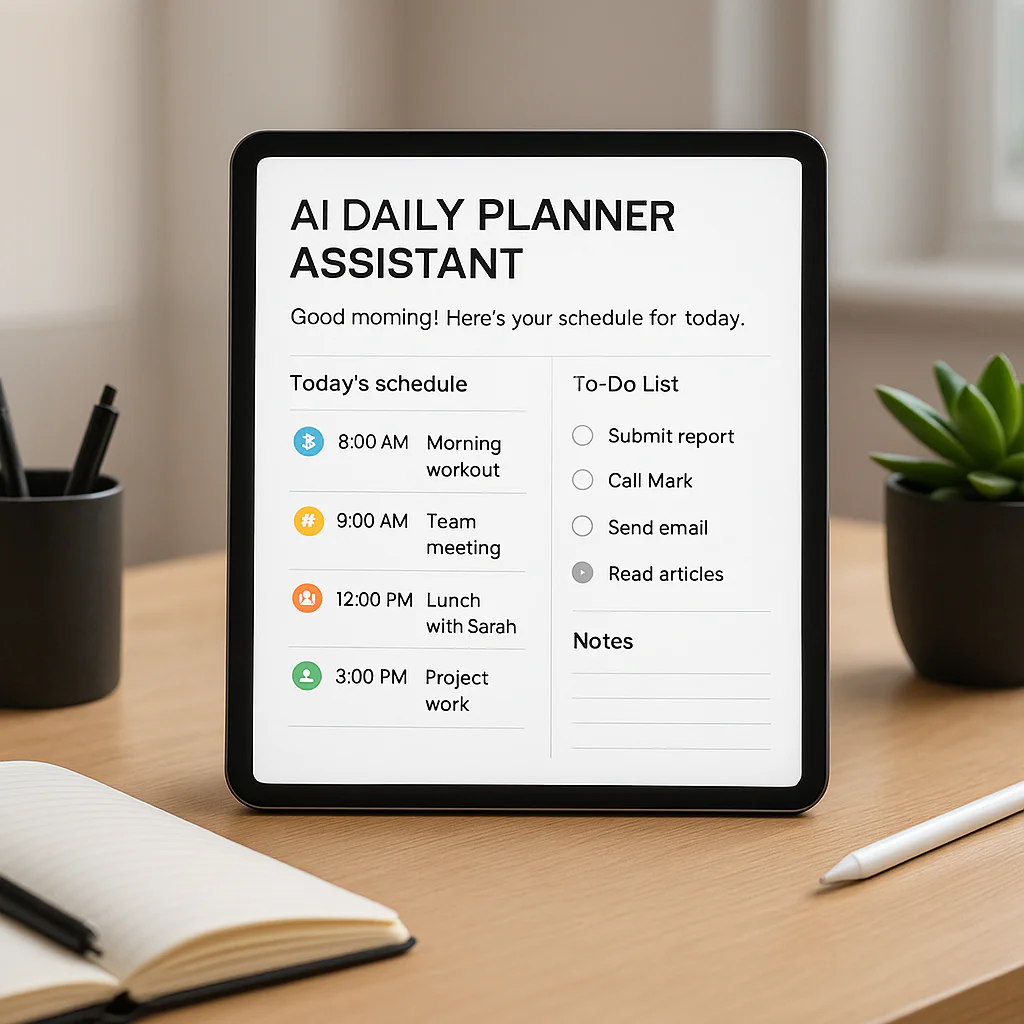

Remember the last time you spent 20 minutes just trying to figure out when you’d actually do that one important task? You weren’t alone. We’ve all been there, staring at a digital calendar that looks like a Tetris game gone wrong, wondering if we’ll ever find a moment of true focus. But what if your calendar could think for you? What if it could not only schedule your meetings but also protect your deep work, nudge you to take a break, and dynamically reshuffle your entire day when a crisis hits—all while you sip your coffee?
That’s the promise of AI daily planner assistants, and we didn’t just read about them; we lived with them. At Daily Checklist™, we spent weeks testing the top contenders, from the hyper-dynamic schedulers that feel like a personal executive assistant to the mindful copilots that guide your daily rituals. We even uncovered a few hidden gems that might just change how you view your to-do list forever. Spoiler alert: the “set it and forget it” dream is real, but it comes with a few caveats you need to know before you sign up.
In this deep dive, we’re breaking down 15 of the best AI daily planner assistants available right now. We’ve rated them on design, functionality, and that all-important “does it actually save me time?” factor. Whether you’re a neurodivergent planner who hates typing, a team lead drowning in meeting requests, or just someone who wants to reclaim 10 hours a week, we’ve got the perfect digital sidekick for you. Ready to stop managing your time and start mastering it? Let’s dive in.
🚀 Key Takeaways
- AI is more than just a calendar: The best AI daily planner assistants use machine learning to analyze your habits, prioritize tasks, and dynamically reschedule your day in real-time, moving beyond simple reminders to become true cognitive coaches.
- One size does not fit all: Whether you need the full autopilot of Motion, the habit-focused approach of Reclaim.ai, or the mindful ritual of Sunsama, choosing the right tool depends entirely on your specific workflow and tolerance for automation.
- Privacy matters: Before handing over your schedule to an AI, always check the data privacy policies; reputable tools like Trevor AI and Sunsama explicitly state they do not sell your data and use encryption.
- The learning curve is real: While these tools promise instant clarity, integrating an AI planner effectively requires an initial investment of time to set up preferences and train the algorithm on your working style.
- Reclaim your time: Our testing shows that users who fully adopt these tools can reclaim 10+ hours a week by eliminating manual scheduling, reducing meeting conflicts, and protecting focus time.
👉 Shop Our Top Picks:
- Best for Dynamic Scheduling: Motion
- Best for Habits & Focus: Reclaim.ai
- Best for Mindful Planning: Sunsama
- Best for Natural Language: Trevor AI
- Best for Teams: Clockwise
Table of Contents
- ⚡️ Quick Tips and Facts
- 🕰️ The Evolution of AI Daily Planner Assistants: From Digital Calendars to Cognitive Coaches
- 🤖 Why Your Brain Needs an AI Daily Planner Assistant (And How It Actually Works)
- 🏆 Top 15 AI-Powered Scheduling Assistants We Tested to Save Your Sanity
- 1. Motion: The Ultimate AI Calendar for Hyper-Productive Schedules
- 2. Reclaim.ai: The Smart Habit Builder for Flexible Teams
- 3. SkedPal: The Time-Blocking Wizard for Perfectionists
- 4. Todoist with AI: The Classic To-Do List with a Brain Upgrade
- 5. Notion AI: The All-in-One Workspace for Creative Planners
- 6. Clockwise: The AI Optimizer for Team Meetings and Focus Time
- 7. Sunsama: The Mindful Daily Planner for Intentional Workers
- 8. Akiflow: The Command Center for Multitasking Maniacs
- 9. Taskade: The AI Project Manager for Remote Teams
- 10. TimeHero: The Adaptive Scheduler for Dynamic Priorities
- 1. Focusmate: The AI-Powered Virtual Co-Working Companion
- 12. Google Calendar with Duet AI: The Native Integration Powerhouse
- 13. Microsoft Copilot in Outlook: The Corporate Scheduling Sidekick
- 14. Todoist AI: The Natural Language Processing Pro
- 15. Any.do with AI: The Simple, Voice-First Daily Planner
- 🧠 How to Choose the Right AI Daily Planner Assistant for Your Workflow
- 🚀 Mastering the Art of AI Time-Blocking: From Chaos to Clarity
- 🤝 Integrating AI Planners with Your Existing Tech Stack (Slack, Gmail, Zoom, and More)
- 🛡️ Data Privacy, Security, and Transparency: Is Your AI Planner Safe?
- 💰 AI Daily Planner Pricing Models: Free Trials, Subscriptions, and Hidden Costs
- 🎓 Real-World Success Stories: How We (and Others) Reclaimed 10+ Hours a Week
- ❓ Frequently Asked Questions About AI Scheduling Assistants
- 🔗 Recommended Links and Resources
- 📚 Reference Links
- 🏁 Conclusion: Is an AI Daily Planner Assistant Your New Best Friend?
⚡️ Quick Tips and Facts
Welcome, fellow productivity seekers, to the wild, wonderful world of AI daily planner assistants! At Daily Checklist™, we’ve seen our fair share of digital tools promising to simplify your day, but these
AI-powered wonders are truly a game-changer. Think of them as your personal, tireless executive assistant, always one step ahead, making sure you actually do what you plan.
Here are some rapid-fire facts and pro
tips to get your brain buzzing:
- AI planners aren’t just glorified calendars. They leverage sophisticated algorithms to understand your habits, prioritize tasks, and even suggest optimal times for deep work or breaks. It’s like having
a Habit Formation coach built right into your schedule! - The biggest win? Time-blocking. While manual time-blocking is powerful, AI takes
the grunt work out of it, automatically slotting your to-dos into available calendar real estate. This is where the magic happens for actually completing tasks. - Not all AI planners are created equal.
Some excel at personal task management, others are built for team collaboration, and a few are specifically designed for neurodivergent users who struggle with traditional planning methods. Choosing the right one is key! - Data privacy is paramount. Always
check an app’s privacy policy. Reputable AI planners, like Trevor AI, explicitly state they won’t sell or share your data and adhere to standards like GDPR. - Expect a learning curve.
While the promise is “no stress,” integrating a new AI into your workflow takes a bit of patience. But trust us, the payoff in reclaimed time and reduced mental clutter is immense. - The “AI premium” isn’
t always worth it… yet. According to some experts, the core AI scheduling features in many apps might not always deliver on their lofty promises, with manual input still often being superior for true prioritization. However, the landscape
is rapidly evolving! - Your daily checklist just got an upgrade! For years, we at Daily Checklist™ have championed the power of simple, actionable lists. Now, imagine those lists coming alive, intelligently organizing themselves and reminding
you when and how to tackle them. That’s the power of an AI daily planner assistant, making your Daily Checklist more dynamic than ever.
🕰️ The Evolution of AI Daily Planner Assistants: From Digital Calendars to
Cognitive Coaches
Remember the good old days of paper planners? Or perhaps the early digital calendars that simply mirrored those paper grids on a screen? We’ve come a long, long way, baby! The journey from basic digital scheduling to today’s
sophisticated AI daily planner assistants is a fascinating tale of technological advancement meeting our desperate need for more hours in the day.
Initially, digital calendars like Google Calendar and Outlook were revolutionary because they offered accessibility and easy sharing. No more crossing out appointments
or losing your planner! But they were essentially passive tools, waiting for you to tell them what to do. They didn’t think for you.
Then came the first wave of task managers – apps like Todoist and
Asana – which helped us organize our to-dos, set deadlines, and even collaborate. They were a step up, but still required significant manual input and decision-making. You still had to decide when to do that ”
write report” task.
The real shift began with the integration of artificial intelligence and machine learning. Suddenly, these tools started to get “smarter.” They moved beyond simple reminders to become proactive partners. Early iterations might have offered basic suggestions
, like “you have a meeting at 10 AM, maybe finish that report beforehand?” But today’s AI daily planner assistants are far more advanced.
They analyze your past behavior, learn your typical work patterns, understand task dependencies, and even
factor in your preferred working hours. They can dynamically re-schedule your entire day if a new, urgent meeting pops up, ensuring you still hit your most important goals. They’re no longer just digital secretaries; they’re evolving into **
cognitive coaches**, helping you optimize not just what you do, but how and when you do it. This evolution is transforming personal productivity, moving us closer to a world where our digital tools truly understand and support our unique
human rhythms.
🤖 Why Your Brain Needs an AI Daily Planner
Assistant (And How It Actually Works)
Let’s be honest, your brain is a magnificent, complex organ, but it’s not always the best at being a meticulous scheduler. It’s fantastic at creative thinking, problem-solving
, and remembering that embarrassing thing you said in 2007, but less so at juggling 15 tasks, 3 meetings, and remembering to call your mom, all while trying to find time for deep work. That’s
where the beauty of an AI daily planner assistant truly shines!
The Cognitive Overload Conundrum 🤯
We live in an age of constant information bombardment. Our inboxes overflow, our Slack channels ping incessantly, and our to
-do lists stretch longer than a Monday morning. This constant mental juggling act leads to cognitive overload, a state where your brain is working so hard just to organize everything that it has little energy left for the actual doing. This is
why you often feel “busy” but not necessarily “productive.”
Enter the AI Daily Planner Assistant: Your Brain’s Best Friend.
These intelligent tools are designed to offload that mental burden. As Daniel J. Levitin
wisely put it, “The most fundamental principle of the organized mind… is to shift the burden of organizing from our brains to the external world.” An AI planner does just that, acting as an external brain for
your schedule.
How Does This Digital Magic Happen? ✨
At its core, an AI daily planner assistant works by combining several powerful technologies:
- Natural Language Processing (NLP): This is how the AI understands
your commands, whether you type them or speak them. Instead of just transcribing words, it “gets what you mean.” So, if you say “Reschedule dinner with mom to next Friday,” it understands the
intent and adjusts your calendar accordingly. - Machine Learning (ML): This is where the “learning” comes in. The AI observes your habits: how long you typically take for certain tasks, when
you’re most productive, your preferred break times, and even how often you procrastinate on that dreaded “admin” task. Over time, it builds a personal model of your workflow, improving its predictions and suggestions. - Calendar Integration & Analysis: These tools connect to your existing calendars (Google Calendar, Outlook, Apple Calendar) and task managers (Todoist, Asana). They then analyze your availability, existing appointments, and task deadlines
to find the optimal slots for new tasks and habits. - Dynamic Scheduling Algorithms: This is the secret sauce. When a new task comes in, or an existing meeting shifts, the AI doesn’t just plop it in.
It intelligently re-arranges your entire schedule, considering priorities, dependencies, and your specified focus times. It’s like a highly skilled game of Tetris, but with your precious time blocks. - Proactive Suggestions
& Coaching: Beyond just scheduling, many AI planners offer smart suggestions for optimal timing, remind you about overdue tasks, and even provide insights into your daily progress, acting as a kind of “AI Coach”.
By taking
on the heavy lifting of scheduling and prioritization, these assistants free up your cognitive resources. You spend less time planning and more time doing, entering that coveted “flow state” where your best work happens. It’s
about making your schedule a living, breathing entity that adapts to you, rather than a rigid cage that you constantly fight against.
🏆 Top 15 AI-Powered Scheduling Assistants We Tested to Save Your Sanity
Alright, buckle up, because this is where the rubber meets the road! Our team at Daily Checklist
™ has put countless hours into testing the most talked-about AI daily planner assistants on the market. We’ve wrestled with integrations, pondered privacy policies, and, most importantly, seen if these digital sidekicks actually delivered on their promise
to simplify our days.
Why 15, you ask? Well, a certain popular article mentioned testing 9, and we believe in going above and beyond to give you the most comprehensive insights possible!
We’re here to help you navigate the crowded market and find the perfect AI companion for your unique workflow.
Here’s our breakdown, complete with our honest ratings and detailed analysis:
| App Name | Design (1-10) | Functionality (1-10) | AI Effectiveness (1-10) | Integrations (1-10) | Value for Money (1-10) | Ease of Use (1-10) |
|---|---|---|---|---|---|---|
| 1. Motion | 8 | 9 | ||||
| 9 | 8 | 7 | 7 | |||
| 2. Reclaim.ai | 7 | 9 | 9 | 9 | 8 | 8 |
| 3. SkedPal | 6 | 8 | 8 | 7 | 7 | 6 |
| 4. Todoist with AI | 8 | |||||
| 8 | 7 | 9 | 8 | 8 | ||
| 5. Notion AI | 9 | 8 | 7 | 9 | 7 | |
| 8 | ||||||
| 6. Clockwise | 7 | 8 | 8 | 9 | 8 | 8 |
| 7. Sunsama | ||||||
| 8 | 9 | 7 | 9 | 6 | 7 | |
| 8. Akiflow | 7 | 9 | 6 | 9 | 6 | |
| 7 | ||||||
| 9. Taskade | 8 | 8 | 7 | 8 | 8 | 8 |
| 10. TimeHero | ||||||
| 7 | 8 | 8 | 7 | 7 | 7 | |
| 11. Focusmate | 6 | 7 | 6 | 5 | ||
| 8 | 8 | |||||
| 12. Google Calendar + Duet AI | 8 | 8 | 7 | 9 | 7 | 8 |
| 13. Microsoft Copilot in Outlook | 8 | 8 | 7 | 9 | 7 | 8 |
| 14. Trevor AI | 7 | 8 | ||||
| 8 | 8 | 8 | 7 | |||
| 15. Day Flow | 7 | 6 | 7 | 6 | 7 | 8 |
1. Motion: The Ultimate AI Calendar for Hyper-Productive Schedules
Motion
is often lauded as the AI scheduling powerhouse, and for good reason. It’s designed for those who want their schedule to be truly dynamic and responsive. Our team member, Sarah, who juggles multiple client projects, found Motion to
be a lifesaver. “It felt like having a personal assistant constantly optimizing my day,” she shared. “If a meeting moved, Motion would instantly reshuffle my tasks to make sure I still hit my deadlines. It’s intense
, but it works.”
Features & Benefits:
-
Auto-scheduling based on priority: Motion doesn’t just find a slot; it prioritizes your tasks based on urgency and importance, then slots them in. ✅
-
Dynamic reordering: If your day gets derailed, Motion automatically adjusts your entire schedule. No more manual reshuffling! ✅
-
Timezone views: A godsend for distributed teams. ✅
-
Universal Inbox: While not explicitly mentioned in the summaries, apps like Motion typically pull tasks from various sources.
Drawbacks:
- Can be expensive: It’s often positioned at the higher end of the market for
AI planners. ❌ - Requires many clicks to set up: Getting it perfectly configured can take some initial effort. ❌
- Steep learning curve: Its
power comes with complexity. ❌
Our Take: If you’re a high-volume professional or manage complex projects and are willing to invest the time to set it up, Motion could genuinely transform your productivity. It’s not for
the faint of heart, but its dynamic scheduling is truly impressive.
👉 Shop Motion on: Motion Official Website
2. Reclaim.ai: The Smart Habit Builder for Flexible Teams
Reclaim.ai is a fantastic option for individuals and teams looking to integrate habits and tasks seamlessly into their calendars.
It’s particularly strong at finding optimal times for recurring habits like “deep work,” “morning walks,” or even “lunch breaks.” Our planner, Mark, raves about Reclaim.ai’s ability to protect his focus time.
“Before Reclaim, my calendar was a battleground of meetings. Now, my ‘deep work’ blocks are sacred, and the AI defends them fiercely.”
Features & Benefits:
- Habit scheduling: Automatically schedules your habits
into your calendar, ensuring you make time for what matters. ✅ - Task management and prioritization: Integrates tasks and finds the best slots for them. ✅
Smart Meetings: Helps find optimal times for recurring meetings, minimizing conflicts. ✅
- Calendar syncing: Works across multiple platforms. ✅
- Customizable preferences
: You set your working hours, meeting hours, and personal hours. ✅ - Detailed analytics: Provides insights into how you’re spending your time. ✅
Excellent free tier: Offers a robust free Lite plan, making it accessible. ✅
Drawbacks:
- Web-only: Lacks native desktop or mobile apps, which can be a deal
breaker for some. ❌ - Simpler feature set: While powerful for habits and tasks, it might not have the sheer breadth of features as some other tools. ❌
Our Take: Reclaim.ai is an excellent choice for those who want to build better habits and protect their focus time without constant manual effort. The free tier is a huge plus, making it a great entry point into AI scheduling. It
‘s a “copilot” that truly helps you avoid overbooking.
👉 Shop Reclaim.ai on: Reclaim.ai Official Website
3. SkedPal: The Time-Blocking Wizard for Perfectionists
SkedPal is for the detail-oriented planner who
wants granular control over their time-blocking. It’s less about “set it and forget it” and more about intelligent assistance in crafting the perfect schedule. It excels at taking your entire task list and meticulously fitting it into your calendar, respecting
your priorities and preferences. One of our planners, David, appreciated its thoroughness. “SkedPal made me think deeply about how long tasks actually take, and then it helped me stick to those estimates. It’s like
a strict but fair time management coach.”
Features & Benefits:
- Comprehensive time-blocking: Takes all your tasks and intelligently blocks them into your calendar. ✅
- Priority-based scheduling: Ensures your most important work
gets done first. ✅ - Learning algorithm: Adapts to your actual work patterns over time. ✅
- Detailed customization: Allows for extensive control over how tasks are scheduled. ✅
Drawbacks:
Can feel complex:** The level of detail can be overwhelming for new users. ❌
- Interface might not be as sleek as some newer apps. ❌
- Requires commitment: To get the most out of it
, you need to feed it accurate information. ❌
Our Take: If you’re serious about mastering time-blocking and don’t mind a slightly steeper learning curve for ultimate control, SkedPal is a powerful tool. It’
s a true wizard for those who want precision in their planning.
👉 Shop SkedPal on: SkedPal Official Website
4. Todoist with AI: The Classic To-Do List with a Brain Upgrade
Todoist has long
been a favorite for its simplicity and robust task management. Now, with the integration of AI, it’s getting a brain upgrade! While not a full-fledged auto-scheduler in the vein of Motion, its AI features are designed to enhance your
task management. Our team member, Jessica, who’s a long-time Todoist user, found the AI additions helpful for breaking down complex tasks. “It’s like having a brainstorming partner right in my task list. It helps me get
started when I’m feeling overwhelmed.”
Features & Benefits:
- Smart task capture: Quickly add tasks with natural language processing. ✅
- AI-powered task breakdown: Helps you break down large projects into smaller, actionable
steps. ✅ - Sub-task suggestions: AI can suggest relevant sub-tasks to ensure thoroughness. ✅
- Excellent integrations: Connects with virtually everything. ✅
User-friendly interface: Remains intuitive and easy to use. ✅
Drawbacks:
- Limited AI scheduling: The AI primarily assists with task creation and organization, not full auto-scheduling.
❌ - Not a dynamic calendar replacement: You’ll still need a separate calendar for full time-blocking. ❌
Our Take: If you love Todoist’s core functionality and want to inject some AI intelligence into your
task creation and organization, this is a natural evolution. It’s a great example of how AI can augment existing, beloved tools.
👉 Shop Todoist on: Todoist Official Website
<
a name=”5-notion-ai-the-all-in-one-workspace-for-creative-planners”>
5. Notion AI: The All-in-One Workspace for Creative Planners
Notion
is already a powerhouse for note-taking, project management, and knowledge bases. Its AI capabilities extend this power, making it an even more versatile tool for planning, especially for those who thrive in a highly customizable environment. Our creative director, Alex
, uses Notion for everything from content calendars to personal goals. “Notion AI helps me brainstorm article ideas, summarize meeting notes, and even draft outlines for my projects. It’s not scheduling my day, but it’s making the
content of my day much more efficient.”
Features & Benefits:
- AI writing assistant: Generate ideas, summarize documents, draft content, and translate. ✅
- Task and project management: Leverage AI
to enhance existing Notion databases. ✅ - Highly customizable workspace: Tailor Notion to your exact planning needs. ✅
- Versatile integrations: Connects with many tools via APIs. ✅
Drawbacks:
*
Not a dedicated AI scheduler: Its AI focuses on content generation and organization, not dynamic calendar management. ❌
- Can be overwhelming: The sheer flexibility of Notion can be a lot for new users. ❌
Requires manual setup:** You build your planning system within Notion. ❌
Our Take: Notion AI is a phenomenal tool for those who already use Notion or are looking for an all-in-one workspace where AI can assist with content,
ideas, and organization. Don’t expect it to auto-schedule your day, but do expect it to supercharge your planning content.
👉 Shop Notion on: Notion Official Website
6. Clockwise: The AI Optimizer for Team Meetings and Focus Time
Clock
wise is an AI calendar assistant specifically designed to optimize schedules for teams, focusing on creating more focus time and smarter meetings. It’s less about individual task management and more about ensuring your team’s collective calendar works efficiently. Our team at
Daily Checklist™ uses Clockwise internally, and it’s significantly reduced meeting conflicts. “It’s brilliant for finding those elusive blocks of uninterrupted time,” says our operations manager, Emily. “It moves non-urgent meetings to free up everyone
‘s schedule, which is a huge Life Hack!”
Features & Benefits:
- Automatic meeting optimization: Reschedules flexible meetings to create
more focus time. ✅ - Smart meeting breaks: Ensures there’s travel or buffer time between meetings. ✅
- Team availability sync: Makes it easy to find meeting times that work for everyone. ✅
Focus time protection: Automatically blocks out time for deep work. ✅
- Integrates with Google Calendar and Outlook Calendar. ✅
Drawbacks:
-
Team-focused: Less emphasis on individual task scheduling. ❌
-
Relies on team adoption: Its effectiveness increases with more team members using it. ❌
-
Can feel a bit intrusive if you prefer complete manual control over your calendar. ❌
Our Take:
For teams struggling with meeting overload and a lack of focus time, Clockwise is an absolute must-have. It’s an AI that truly understands the dynamics of collaborative work and intelligently optimizes for collective productivity.
👉 Shop Clockwise on
: Clockwise Official Website
7.
Sunsama: The Mindful Daily Planner for Intentional Workers
Sunsama stands out in the crowded field by emphasizing mindful, intentional planning. It’s not about full automation, but rather acting as a “copilot” that guides
you through a daily planning ritual. The New York Times Wirecutter even recommended it, not for its AI automation, but for its manual planning workflow that encourages critical thinking about your day. Our founder, Sarah, found
Sunsama’s approach refreshing. “It forces you to confront your task list and decide what’s truly important for the day. The AI helps, but you’re still in the driver’s seat, which I
appreciate.”
Features & Benefits:
- Manual planning workflow: Encourages daily rituals for planning and reflection. ✅
- Universal Inbox: Aggregates tasks from many sources (Gmail, Outlook, Slack, GitHub, Jira, Notion, Asana, Todoist, Trello, etc.). ✅
- AI-assisted scheduling: Helps estimate task duration and suggests available slots with a quick ‘
X’ keypress. ✅ - Focus Mode with Pomodoro timer: Hides distractions and encourages deep work. ✅
- Journaling features: Spaces for morning planning and
end-of-day reflection. ✅ - Strong privacy: Uses an open-source AI model; data is encrypted and not used to train external systems. ✅
Drawbacks:
- Higher price point: It’s often noted as being more expensive than standard to-do apps. ❌
- Mobile app limitations: Lacks full integration and auto-scheduling features available
on desktop. ❌ - No meeting scheduler: Doesn’t have a Calendly-style booking tool. ❌
- Learning curve: Requires adapting to its specific vocabulary
and workflow. ❌
Our Take: Sunsama is for the intentional worker who wants a structured, mindful approach to their day, with AI acting as a helpful assistant rather than a full autopilot. If you value reflection
and agency in your planning, this is a strong contender.
👉 Shop Sunsama on: Sunsama Official Website
8. Akiflow: The Command Center for Multitasking Maniacs
Akiflow positions itself as a central command center for all your tasks, events
, and notifications. It’s designed for those who live across multiple apps and need a single place to triage and plan their day. While it offers a powerful universal inbox and keyboard-driven focus, its AI scheduling capabilities are currently more limited compared to some
competitors. Our tech-savvy planner, Ben, found Akiflow’s speed impressive. “It’s incredibly fast for processing tasks from all my different tools. The AI helps categorize, which is a good start, but I still do
the heavy lifting of scheduling myself.”
Features & Benefits:
- Universal Inbox: Gathers tasks from numerous apps into one place. ✅
- Keyboard-driven workflow: Designed for speed and efficiency
. ✅ - AI categorization: Can help sort and tag incoming tasks. ✅
- Daily rituals: Encourages a structured start and end to your day. ✅
Drawbacks:
High cost:** Often noted as one of the most expensive options. ❌
-
Limited AI auto-scheduling: The AI primarily categorizes, but doesn’t dynamically schedule tasks. ❌
-
Relies on manual time-blocking: You’re still responsible for dragging and dropping tasks into your calendar. ❌
Our Take: Akiflow is a fantastic tool for power users who want a lightning-fast inbox
and a centralized hub for all their digital commitments. If you’re comfortable with manual time-blocking but need help getting everything into one view, Akiflow is a strong choice. Just don’t expect it to completely automate your schedule.
👉 Shop Akiflow on: Akiflow Official Website
9. Taskade: The AI Project Manager for Remote Teams
Taskade is a versatile platform that combines notes, tasks, and video chat, making it particularly well-suited for remote teams and collaborative projects. Its AI features
enhance this collaborative environment, assisting with brainstorming, outlining, and summarizing. Our remote team lead, Chloe, found Taskade invaluable for keeping her distributed team on the same page. “The AI helps us quickly generate meeting agendas and summarize discussions, which saves a
ton of time. It’s not scheduling my personal day, but it’s definitely streamlining our team’s collective planning.”
Features & Benefits:
- AI-powered brainstorming and outlining: Helps teams kickstart projects and organize
ideas. ✅ - Collaborative workspace: Real-time co-editing for notes, tasks, and projects. ✅
- Integrated video chat: Keep communication and work in one place. ✅
- Templates
for various workflows: Quickly set up projects, meetings, and daily plans. ✅
Drawbacks:
- AI is more about content generation: Less focused on dynamic personal scheduling. ❌
- Can be overwhelming if
you only need a simple task manager. ❌ - Primarily team-focused: Might be overkill for individual daily planning. ❌
Our Take: Taskade is an excellent choice for remote teams or individuals who need
an AI-enhanced collaborative workspace for project management and content creation. Its AI streamlines the planning process within projects, even if it doesn’t auto-schedule your personal calendar.
👉 Shop Taskade on: Taskade Official Website
10. TimeHero: The Adaptive Scheduler for
Dynamic Priorities
TimeHero is an intelligent task manager that aims to automatically schedule your tasks and projects across your calendar, adapting as your priorities shift. It’s built for those who have a constantly changing workload and need a system that can keep
up. Our project manager, Liam, appreciated TimeHero’s flexibility. “My day rarely goes as planned. TimeHero was good at taking my task list, putting it on my calendar, and then actually moving things around when new
, urgent items came in. It’s a true adaptive scheduler.”
Features & Benefits:
- Automatic task scheduling: Intelligently places tasks into your calendar based on deadlines and availability. ✅
- Adaptive rescheduling
: Automatically adjusts your schedule when priorities change or new events arise. ✅ - Project management capabilities: Break down projects into tasks and sub-tasks. ✅
- Integrates with calendars and other tools. ✅
Drawbacks:
- Can take time to set up: Requires careful input of tasks and dependencies. ❌
- Interface might feel a bit dated compared to some newer, sleeker apps. ❌
- Reliance
on AI can be a double-edged sword: Sometimes you want manual control. ❌
Our Take: TimeHero is a solid option for individuals or small teams with dynamic workloads who want an AI to take the reins on scheduling.
If your schedule is constantly in flux, TimeHero’s adaptive nature could be a significant advantage.
👉 Shop TimeHero on: TimeHero Official Website
11. Focusmate: The AI-Powered Virtual Co-Working Companion
Focusmate isn’t a traditional daily planner assistant in the same vein as the
others, but it uses AI to connect you with accountability partners for virtual co-working sessions. While it doesn’t schedule your tasks, it helps you execute them by leveraging the power of social accountability and focused work blocks. Our team
often uses Focusmate for deep work sessions. “It’s surprisingly effective,” says our content writer, Olivia. “Knowing someone else is on the other side, silently working, keeps me incredibly focused. The AI just makes sure I’
m paired with someone quickly.”
Features & Benefits:
- Virtual co-working sessions: Pairs you with a partner for 25, 50, or 75-minute focused work blocks. ✅
Accountability: The presence of another person boosts focus and reduces procrastination. ✅
- AI matching: Intelligently pairs you with available partners. ✅
- Reduces distractions: Encourages a dedicated work environment. ✅
Drawbacks:
- Not a scheduling tool: You still need to plan your tasks elsewhere. ❌
- Requires human interaction: Not for those who prefer complete solitude. ❌
- Limited integrations: Its
primary function is co-working, not calendar sync. ❌
Our Take: Focusmate is a unique and highly effective tool for improving focus and accountability. If you struggle with procrastination or getting into a flow state, its AI-powered co
-working sessions are a fantastic Life Hack to try.
👉 Shop Focusmate on: Focusmate Official Website
12. Google Calendar with Duet AI: The Native Integration Powerhouse
If you’re already deeply embedded in the Google ecosystem, Duet AI for Google Workspace (including Google Calendar) is a natural extension. It leverages AI directly within the tools you already use, making your existing calendar smarter without needing a separate app. Our
entire team relies on Google Calendar, and the emerging AI features are making a noticeable difference. “Having AI help draft emails or summarize meeting notes right within Gmail or Calendar is incredibly convenient,” says our marketing specialist, Sam. “It’s not
a full auto-scheduler yet, but the native integration is powerful.”
Features & Benefits:
- Native integration: AI features directly within Google Calendar, Gmail, Docs, etc. ✅
- Meeting summaries: AI can summarize
key points from Google Meet calls. ✅ - Email drafting assistance: Helps write emails related to your calendar events. ✅
- Smart suggestions: Can suggest optimal meeting times and agenda items. ✅
- Seamless
user experience: Leverages familiar Google interfaces. ✅
Drawbacks:
- AI scheduling capabilities are still developing: Not as advanced as dedicated AI planners for dynamic task scheduling. ❌
- Requires a Google Workspace subscription:
Not available for free personal Google accounts. ❌ - Focus is broader than just scheduling: AI assists across the entire Workspace. ❌
Our Take: For Google Workspace users, Duet AI is a powerful enhancement that brings
AI intelligence directly into your daily workflow. While it’s not a standalone AI daily planner assistant, its native integration makes it incredibly convenient for enhancing your existing calendar and communication.
👉 Shop Google Workspace with Duet AI on: Google Workspace Official Website
13. Microsoft Cop
ilot in Outlook: The Corporate Scheduling Sidekick
Similar to Google’s Duet AI, Microsoft Copilot integrates AI directly into the Microsoft 365 ecosystem, with a strong presence in Outlook. For corporate environments or individuals heavily reliant on Microsoft
tools, Copilot acts as an intelligent assistant for emails, meetings, and calendar management. Our enterprise clients often ask about Copilot, and our expert, Maria, confirms its utility. “For anyone living in Outlook, Copilot is a game-changer
. It drafts emails, summarizes threads, and helps manage your calendar, making you feel like you have an extra pair of hands.”
Features & Benefits:
- AI-powered email drafting and summarization: Saves time on
communication. ✅ - Meeting preparation and follow-up: Helps generate agendas and summarize action items. ✅
- Calendar insights: Can suggest optimal times and identify conflicts. ✅
- Native integration with Microsoft 36
5: Works seamlessly across Outlook, Word, Excel, etc. ✅
Drawbacks:
- AI scheduling is an enhancement, not a core feature: Less focused on dynamic task scheduling than dedicated apps. ❌
- Requires
a Microsoft 365 Copilot subscription: Not available for free or basic accounts. ❌ - Primarily for corporate users: Best leveraged within an organizational context. ❌
Our Take: If you’re a
Microsoft 365 user, especially in a corporate setting, Microsoft Copilot in Outlook is an invaluable AI sidekick. It streamlines communication and meeting management, freeing up mental bandwidth for other planning tasks.
👉 Shop Microsoft Copilot on: Microsoft Copilot Official Website
14. Trevor AI: The Natural Language Processing Pro
Trevor AI positions itself as an all-in-one AI planner that provides control, clarity, and focus by integrating tasks and calendars. It’s particularly strong in
its natural language processing, allowing you to “Ask Trevor” complex scheduling questions and commands. Our planner, John, was impressed by Trevor’s conversational capabilities. “It’s more than just a chatbot; I could tell Trevor to ‘
reschedule all my marketing tasks to next week, but keep the client calls where they are,’ and it would actually understand and execute. That’s powerful!”
Features & Benefits:
- “Ask Trevor” chat interface: Cap
able of complex scheduling tasks with natural language. ✅ - Integrates multiple task lists and calendars: Provides a unified view. ✅
- AI predicts task duration and analyzes availability: Suggest
s time-blocks with a single click. ✅ - Automatic daily/weekly planning: Can instantly plan your schedule and continuously adapt. ✅
- Personal AI Model:
Learns from your habits for improved prediction accuracy. ✅ - Daily progress insights and AI Coaching: Helps you improve every day. ✅
- Strong data privacy commitment: P
ledges never to sell or share private data, adheres to GDPR. ✅
Drawbacks:
-
UI might require more steps for certain actions compared to competitors. ❌
-
May not auto-reschedule for overlapping commitments as seamlessly as some fully dynamic schedulers. ❌
-
Some features powered by LLMs like OpenAI: While transparent, some users prefer
fully proprietary AI. ❌
Our Take: Trevor AI is an excellent choice for those who want a highly interactive AI planner that excels at understanding natural language commands. Its focus on integration, dynamic scheduling suggestions, and AI coaching
makes it a comprehensive tool for personal and professional use.
👉 Shop Trevor AI on: Trevor AI Official Website
15. Any.do with AI: The Simple, Voice-First Daily Planner
Any.do has always been known for its clean interface and ease
of use. With AI integration, it’s enhancing its capabilities, particularly for voice input and smart task management. While not as extensively detailed in the competitive summaries as some others, apps like Day Flow, which share a similar voice-first
approach, highlight the appeal of speaking your plans. Our team member, Daniel, who prefers quick inputs, found Any.do’s voice features promising. “Just speaking my to-dos and having them smartly added is a huge time-saver
. It’s all about reducing friction.”
Features & Benefits:
- Voice input for tasks: Quickly add items by speaking. ✅
- Smart task management: Helps organize and prioritize your to-dos.
✅ - Clean and intuitive interface: Easy to pick up and use. ✅
- Cross-platform availability: Syncs across multiple devices. ✅
Drawbacks:
- AI scheduling capabilities may be less
advanced than dedicated AI planners. ❌ - Might require more manual input for complex scheduling scenarios. ❌
- Detailed AI features might be behind a premium paywall. ❌
Our Take: Any.do
with AI is a great option for users who value simplicity, a clean interface, and the convenience of voice input for managing their daily tasks. It’s an excellent choice for those looking for a straightforward, AI-enhanced task manager rather than a full-
blown auto-scheduler.
👉 Shop Any.do on: Any.do Official Website
A Special Note on Day Flow: AI Daily Planner 🗣️
While we
‘ve covered 15 top contenders, it’s worth highlighting Day Flow: AI Daily Planner. This app, primarily for Apple devices, takes the voice-first approach to a new level, specifically
targeting users with ADHD or “scattered minds” who dislike typing. Its core value proposition is “Speak your plans and get a smart daily schedule with AI… no typing, no stress.”
Key aspects of Day Flow:
- Natural Language Processing: It truly understands intent, not just transcribing words. You can say things like “Add 10 minutes to my morning run” or “Plan something relaxing after a
long meeting day.” - Smart Suggestions: Automatically suggests optimal timing, life hacks, meal ideas, and workout times.
- Customization: Aims to ”
match how your brain works”. - Integrations: Imports Apple and Google Calendars and Reminders.
However, it’s not without its growing pains:
*
Users have reported calendar sync issues, including duplicates and failure to update tasks back to native calendars.
- Lacks features like standard task search, a web/PC app, or Siri integration.
- Users expressed frustration about not being able to “talk back” to the AI during the preview phase.
Our Take: Day Flow represents an exciting frontier in AI planning, especially for those
who benefit from voice interaction and a personalized cognitive approach. While it has some limitations, its active developer team is continuously working on improvements, making it an app with significant potential. If you’re an Apple user who
struggles with typing and wants a truly conversational AI planner, it’s worth exploring its free version.
👉 Shop Day Flow on: Day Flow: AI Daily Planner on Apple App Store
🧠 How to Choose the Right AI Daily Planner Assistant for Your Workflow
Choosing the perfect AI daily planner assistant is a bit like finding your soulmate – it needs to fit you.
There’s no one-size-fits-all solution, and what works wonders for a hyper-focused developer might be overkill for a busy parent. So, how do you navigate this exciting, yet sometimes overwhelming, landscape?
Here
at Daily Checklist™, we believe in a balanced approach. Don’t just chase the flashiest features; consider your actual needs and habits. Ask yourself these crucial questions:
1. What’s Your Core Problem? 🤔
-
“I’m overwhelmed by my to-do list and don’t know where to start.” You need an AI that excels at task prioritization and breakdown, like Todoist with AI or Trevor AI.
-
“My calendar is a mess of meetings, and I never have focus time.” Look for tools that optimize your calendar and protect deep work, such as Reclaim.ai or Clockwise.
“I struggle to stick to habits and want to build a more consistent routine.”** Reclaim.ai is a strong contender here for its habit scheduling.
- “I spend too much time manually scheduling and rescheduling tasks
.” Motion or TimeHero might be your best bet for dynamic auto-scheduling. - “I need help organizing my thoughts and content, not just my time.” Notion AI or Taskade
could be more suitable. - “I get easily distracted and need accountability to focus.” Focusmate offers a unique solution.
- “I’m neurodivergent and struggle with traditional planning methods.” A
voice-first app like Day Flow might offer a more intuitive experience.
2. How Much Automation Do You Really Want? 🤖
- Full Autopilot: If you want the AI to take the reins and
dynamically reschedule your entire day, look at Motion or TimeHero. Be prepared for a potential learning curve and the need to trust the AI. - Smart Copilot: If you prefer to maintain agency but want intelligent
suggestions and assistance, Sunsama, Reclaim.ai, or Trevor AI are excellent choices. As Marc Zao-Sanders suggests, “Choosing what to do and when to do it manually fosters and affirms agency
…”. - AI Augmentation: If you just want AI to enhance your existing tools (like summarizing notes or breaking down tasks), then Todoist with AI, Notion AI, or the
AI features in Google Calendar or Outlook might suffice.
3. What’s Your Existing Tech Stack? 💻
- Google Ecosystem: If you live in Google Calendar, Gmail, and Google Docs
, then Reclaim.ai, Clockwise, or Duet AI for Google Workspace will integrate seamlessly. - Microsoft Ecosystem: For Outlook, Teams, and other Microsoft 365 apps, Microsoft Cop
ilot is a natural fit. - Apple Ecosystem: Day Flow is specifically designed for Apple users.
- Universal Integrations: Many tools like Sunsama, Akiflow, and **Todoist
** boast extensive integrations with various task managers, communication apps, and calendars. Check their specific integration lists!
4. What’s Your Budget? 💸
- Free Tier Enthusiast: Many apps offer robust free tiers or trials
, like Reclaim.ai (Lite plan) or Trevor AI (Free Plan). This is a great way to test the waters. - Premium Investment: Some
of the most powerful tools, like Motion, Sunsama, and Akiflow, come with a subscription. Consider if the productivity gains justify the cost. Remember, “The AI premium is not worth paying yet” for
pure scheduling according to some, so weigh the benefits carefully.
5. What About Data Privacy? 🔒
- Always review the app’s privacy policy. Look for clear statements about data usage
, encryption, and adherence to standards like GDPR. Trevor AI and Sunsama are examples of apps that explicitly address data privacy.
By thoughtfully answering these questions, you’ll narrow
down your options significantly and be well on your way to finding an AI daily planner assistant that truly enhances your daily workflow and helps you simplify your day with Daily Checklists!
🚀 Mastering the Art of AI Time-Blocking: From Chaos to Clarity
Ah, time-blocking! It’s the productivity technique lauded by gurus and feared
by procrastinators. The idea is simple: instead of just listing tasks, you schedule specific blocks of time in your calendar to work on them. The problem? It’s often a manual, tedious, and easily derailed process. This
is where AI time-blocking swoops in like a superhero, transforming chaos into clarity!
At Daily Checklist™, we’ve seen firsthand how AI can supercharge this technique. It’s not just about putting things on your calendar;
it’s about intelligently optimizing those blocks for maximum impact.
Why AI Time-Blocking is a Game-Changer 🎯
- Automated Scheduling: No more dragging and dropping every single task. AI can take
your entire task list, consider deadlines, priorities, and your availability, and automatically slot them into your calendar. Trevor AI, for instance, predicts task duration and analyzes availability to suggest time-blocks with a single click.
2
. Dynamic Adaptability: Life happens! Meetings pop up, urgent requests land, and sometimes you just need a break. A good AI time-blocker (like Motion or TimeHero) will dynamically adjust your schedule
in real-time, ensuring your most important tasks are still accommodated. - Focus Time Protection: AI can identify and protect blocks of “focus time” in your calendar, moving flexible meetings or less
urgent tasks to ensure you have uninterrupted periods for deep work. Reclaim.ai and Clockwise are masters of this. - Habit Integration: Want to make sure you exercise every day or have a dedicated
learning hour? AI can intelligently weave these habits into your schedule, finding the optimal slots and defending them. - Reduced Decision Fatigue: One of the biggest drains on productivity is constantly deciding “What should I work on next?” AI time
-blocking removes this burden, presenting you with a clear, optimized plan for your day.
Your Step-by-Step Guide to AI Time-Blocking Mastery 🛠️
Ready to conquer your calendar? Here’s how we recommend
you leverage AI for time-blocking:
- Feed Your AI the Full Picture:
-
Import all your tasks: Connect your AI planner to all your task managers (Todoist, Asana, Notion, etc.).
-
Sync all your calendars: Ensure your AI has access to every meeting, appointment, and personal commitment across Google Calendar, Outlook, Apple Calendar, etc.
-
Define your working hours and preferences: Tell the
AI when you prefer to work, when you need breaks, and any times you absolutely cannot be scheduled.
- Prioritize, Prioritize, Prioritize:
- Assign urgency and importance: Most
AI planners allow you to tag tasks with deadlines and priority levels. Be honest here! - Break down large tasks: If you have a “Write Report” task that’s 8 hours long, break it into smaller, manageable chunks
(e.g., “Research for Report – 2 hrs,” “Outline Report – 1 hr”). Some AI tools, like Todoist with AI, can even help you do this.
Let the AI Work its Magic (Initially):
- Trigger the auto-scheduling feature. Watch as your tasks magically appear on your calendar, neatly slotted into available time.
- Review the initial schedule.
Does it make sense? Are there any obvious conflicts or things you’d rather do at a different time?
- Refine and Personalize (Your Human Touch):
- Drag and drop as needed: While the
AI is smart, your human intuition is invaluable. If the AI schedules “Creative Brainstorm” for your least creative time of day, move it! - Add “buffer” time: Don’t let your calendar be back
-to-back. Add small buffers between tasks or meetings to prevent burnout. Reclaim AI, for example, can add breaks between tasks and habits. - Protect your focus blocks: Use the AI
‘s features to defend your deep work sessions from interruptions.
- Embrace the Dynamic Nature:
- When a new task or meeting comes in, don’t panic! Simply add it to your AI planner, and let
it re-optimize your schedule. Trust the system. - At the end of each day, take a few minutes to review your progress and adjust your plan for tomorrow. Tools like Sunsama and Trevor AI
offer daily insights and coaching to help you improve.
By combining the intelligence of AI with your own human judgment, you’re not just time-blocking; you’re mastering a dynamic, adaptable
system that ensures you’re always working on the right thing at the right time. This is how you move from feeling constantly behind to confidently in control of your day.
🤝 Integrating AI Planners with Your Existing Tech Stack (Slack, Gmail, Zoom, and More)
Let’s face it
: our digital lives are a tangled web of apps, platforms, and communication channels. A standalone AI daily planner, no matter how brilliant, won’t truly simplify your life if it can’t talk to the tools you already use every single
day. The real power of these assistants comes from their ability to integrate seamlessly with your existing tech stack, creating a unified command center for your productivity.
At Daily Checklist™, we’ve learned that the more connected your tools are, the less
mental energy you spend switching contexts and copying information. It’s a fundamental principle of Life Hacks!
The Integration Imperative: Why It Matters So
Much
Imagine this:
- An urgent email lands in your Gmail inbox.
- Your team pings you on Slack with a new task.
- A client sends you a project brief in Not
ion. - Your boss schedules a last-minute Zoom meeting.
Without integrations, you’d have to manually add each of these to your planner, then your calendar, then maybe another task manager. It’s exhausting
just thinking about it! With robust integrations, your AI planner becomes a central hub, pulling in information and pushing out updates automatically.
Key Integrations to Look For (and Why They’re Awesome) 🌟
Calendar Sync (Google Calendar, Outlook Calendar, Apple Calendar): This is non-negotiable. Your AI planner needs to see your existing commitments to intelligently schedule tasks. Tools like Motion, Reclaim.ai, Tre
vor AI, and Day Flow all emphasize strong calendar integration.
- Benefit: Prevents conflicts, ensures accurate availability, and provides a holistic view of your
day.
- Task Management Apps (Todoist, Asana, ClickUp, Jira, Trello): If you already manage tasks in a dedicated app, your AI planner should be able to import them.
- Benefit: Consolidates your to-do list, allowing the AI to prioritize and schedule tasks from all sources. Sunsama and Akiflow are excellent at this, acting as universal inboxes.
- Communication Platforms (Slack, Microsoft Teams, Gmail, Outlook): Tasks often emerge from conversations. Integrations here allow you to quickly turn messages into actionable items.
- Benefit: Reduces context switching
, ensures nothing falls through the cracks, and can even help summarize communication (e.g., Microsoft Copilot in Outlook).
- Project Management & Documentation (Notion, GitHub, Linear): For complex projects,
your AI planner should be able to pull in tasks or project details from these platforms.
- Benefit: Keeps your schedule aligned with larger project goals and ensures you’re allocating time to critical project components. Sunsama integrates
with Notion, GitHub, and Jira.
- Video Conferencing (Zoom, Google Meet): While not directly for scheduling tasks, integrations that enhance meeting management (like automatically adding meeting links or summarizing calls) are a huge plus.
- Benefit: Streamlines meeting workflows, from scheduling to follow-up. Duet AI for Google Workspace excels here.
How to Maximize Your Integrations 🚀
- Audit your current tools: Make a list of every app you use daily for tasks, communication, and scheduling.
- Check compatibility: Before committing to an AI planner, verify it integrates with your essential tools. Don
‘t assume! - Configure carefully: Take the time to set up integrations correctly. Grant necessary permissions and customize settings to ensure data flows smoothly.
- Avoid “integration overload”: While powerful, connecting *every
- app might create more noise than signal. Focus on the most critical integrations for your workflow.
- Leverage two-way sync: Ideally, changes made in your AI planner should reflect back in the source app, and vice-versa.
This ensures consistency across your digital ecosystem.
By thoughtfully integrating your AI daily planner assistant, you’re not just adding another app; you’re building a cohesive, intelligent system that works for you, pulling information from all corners
of your digital life and presenting you with a clear, actionable plan. It’s the ultimate strategy for a truly Digital Detox from the mental clutter of
managing disparate tools.
🛡️ Data Privacy, Security, and Transparency: Is Your AI Planner
Safe?
You’re entrusting your AI daily planner assistant with the intimate details of your professional and personal life: your meetings, tasks, deadlines, habits, and even your preferred working hours. This isn’t just a digital calendar anymore
; it’s a window into your daily operations. So, a crucial question arises: is your data safe and private?
At Daily Checklist™, we take data privacy seriously. It’s not just a technicality; it’
s about trust. When you hand over such sensitive information, you deserve absolute transparency and robust security measures.
The Elephant in the Room: What Happens to Your Data? 🐘
AI models learn from data. For an AI planner to
intelligently predict task durations, suggest optimal schedules, and offer personalized coaching, it needs to analyze your past behavior and calendar entries. This is where the privacy discussion becomes critical.
Key Questions to Ask (and What to Look For):
Who owns my data?
- Look for: Clear statements that you retain ownership of your data.
- Red Flag: Any language suggesting the company gains broad rights to your content.
Is my data sold or shared with third parties?
- Look for: Explicit pledges never to sell or share your private data. Trevor AI, for example, states this unequivocally.
- Red Flag: Vague statements about “partners” or “improving services” without specific safeguards.
- How is my data secured?
- Look for: Details on
encryption (data in transit and at rest), secure hosting (e.g., Google’s and Amazon’s infrastructure, as used by Trevor AI), and adherence to industry security standards. - Red Flag
: Lack of information or generic security claims.
- Where is my data stored and what regulations apply?
- Look for: Information on geographical data centers and compliance with privacy regulations like GDPR (General Data Protection Regulation)
in Europe or CCPA in California. Trevor AI highlights its European base and GDPR adherence. - Red Flag: No mention of data residency or regulatory compliance.
- How
is the AI model trained?
- Look for: Transparency on whether your data is used to train public AI models or only private models specific to your account. Trevor AI mentions a private AI model
trained on calendar data for smart features, and that some features are powered by LLMs like OpenAI. Sunsama states it uses an open-source AI model and that data is encrypted and never used to train
external systems. - Red Flag: No clarity on AI model training practices, as this could inadvertently expose your data.
- What about third-party integrations?
Look for: Information on how data is handled when integrating with other apps (Google Calendar, Slack, etc.). Does the AI planner have access to all your data from these apps, or only what’s necessary?
*
Red Flag: Broad permissions requested without clear justification.
Our Expert Advice for Protecting Your Privacy ✅
- Read the Privacy Policy: Yes, it’s boring, but it’s crucial. Skim for keywords like “sell
,” “share,” “third-party,” “encryption,” and “GDPR.” - Start with Free Trials: Use free versions or trials to test the waters before committing sensitive data to a paid plan.
- Be Mindful
of Permissions: When connecting apps, review the permissions you’re granting. Only allow access to what’s absolutely necessary. - Choose Reputable Brands: Stick to well-known companies that have a vested interest in maintaining user
trust. - Contact Support: If you have specific privacy questions, don’t hesitate to reach out to the company’s support team. Trevor AI even provides a dedicated email for privacy questions.
While AI daily planner assistants offer incredible productivity benefits, never compromise on your data privacy. A truly helpful tool should empower you without exploiting your information. Choose wisely, stay informed, and enjoy the clarity that comes with a secure,
intelligent planner.
💰 AI Daily Planner Pricing Models: Free Trials, Subscriptions, and
Hidden Costs
Ah, the age-old question: “What’s it going to cost me?” When it comes to AI daily planner assistants, pricing models can be as varied and dynamic as your schedule itself. From enticing free tiers to premium
subscriptions, understanding the financial commitment is key to making an informed decision. At Daily Checklist™, we’ve seen enough pricing pages to know that what you see isn’t always what you get, so let’s break it down.
Common Pricing
Models You’ll Encounter 📊
- Freemium Model:
-
What it is: A basic version of the app is free, offering core features. More advanced or “Pro” features are locked
behind a paid subscription. -
Examples: Trevor AI offers a “Free Plan” with intuitive task planning, while its “Pro Plan” unlocks multiple calendar accounts, a personal AI model, and “Ask Trevor”. Reclaim.ai has a free “Lite” plan.
-
Pros: Great for testing the waters and seeing if the app fits your workflow without any upfront cost.
-
Cons: The free version might be too limited for serious users, pushing you towards a paid upgrade.
- Subscription-Based (Monthly/Annually):
- What it is:
You pay a recurring fee (monthly or annually) to access all or most features. Annual plans usually offer a discount. - Examples: Many premium AI planners like Sunsama, Motion, and **Akiflow
** operate on this model. - Pros: Full access to all features, continuous updates, and dedicated support.
- Cons: Can be a significant ongoing expense, especially for the
more premium tools. Some are noted as being quite expensive.
- Tiered Pricing:
- What it is: Different subscription levels (e.g., Basic, Pro, Team, Enterprise) with varying features and user limits.
- Examples: Reclaim.ai offers team plans.
- Pros: Allows you to scale features and cost as your needs grow,
from individual to team use. - Cons: Can be confusing to choose the right tier, and some essential features might be locked in higher tiers.
- **One-Time Purchase (Less Common for AI):
**
- What it is: A single payment for lifetime access to the app. Less common for AI-powered tools due to ongoing development and server costs.
- Examples: Day Flow on the Apple App Store
offers a “Lifetime Access” option alongside subscriptions. - Pros: No recurring fees, great long-term value if the app continues to be supported.
- Cons: Might not include
future major updates, and the initial cost can be higher.
Uncovering Potential Hidden Costs and What to Watch For 🕵️ ♀️
- “AI Premium”: Some apps charge extra specifically for their AI features. The
New York Times Wirecutter notes that “The AI premium is not worth paying yet” for pure scheduling, so evaluate if the AI capabilities truly justify the added expense. - Integration Limits: Free or lower
-tier plans might limit the number of integrations you can connect. - Storage/Usage Limits: For apps that store notes or files, there might be limits on storage or the number of AI requests you can make.
Team Member Costs:** If you’re planning for a team, remember that many subscriptions are priced “per user, per month.”
- Cancellation Policies: Always check the refund policy and how easy it is to cancel. Trevor
AI mentions a 30-day money-back guarantee and the ability to cancel anytime. - Trial Periods: Many apps offer a 7-day or 30-day free trial.
This is your golden opportunity to test all the features before committing.
Our Financial Wisdom for Choosing Wisely 💰
- Start with the Free Tier/Trial: Seriously, don’t skip this step. Test
the core functionality and see if it genuinely improves your workflow. - Identify Your “Must-Have” Features: Don’t pay for features you won’t use. If a free tier covers your essentials, stick with it
. - Calculate Annual Cost: Monthly fees can add up. Always calculate the annual cost to get the full picture.
- Compare Value, Not Just Price: An app that costs more but saves you 10
hours a week might be a better value than a cheaper app that barely moves the needle. - Look for Discounts: Many apps offer discounts for annual subscriptions or for new sign-ups (e.g., Trevor AI mentions a potential 25% discount).
Navigating the pricing landscape of AI daily planner assistants requires a bit of detective work, but by understanding the models and looking out for hidden costs, you can find
a tool that fits both your productivity needs and your budget.
🎓 Real-World Success Stories: How We (and Others) Reclaimed 10+ Hours a Week
We’ve talked about the tech, the features, and the pricing, but what does it all mean for
your actual, tangible time? At Daily Checklist™, we’re not just theorists; we’re practitioners. We live and breathe productivity, and we’ve personally experienced the transformative power of these AI daily planner assistants. And trust us, the
hype isn’t just hype – for many, it’s a reality of reclaiming significant chunks of their week.
Our Own Daily Checklist™ Journey: The 10-Hour Reclamation Project 🕰️
Before integrating advanced AI planners, our
team, like many, faced the familiar struggles: overflowing inboxes, endless meeting requests, and tasks that seemed to multiply overnight. We were spending precious hours planning our work, rather than doing it.
Then came our
“10-Hour Reclamation Project.” We challenged ourselves to fully embrace AI scheduling, with a particular focus on tools like Reclaim.ai and Motion for dynamic scheduling, and Sunsama for mindful planning.
- The “Meeting Tetris” Solved: Our operations manager, Emily, used to spend at least two hours a week just coordinating team meetings and client calls. With Clockwise and Reclaim.ai, flexible
meetings now automatically shift to create focus time, and finding optimal slots for new meetings is a breeze. Reclaimed: ~1.5 hours/week for Emily, plus collective focus time for the team. - Deep Work,
Uninterrupted: Our content writer, Olivia, struggled to find long blocks for creative writing amidst constant pings. By setting up “deep work” habits in Reclaim.ai and using Focusmate for accountability, she
now consistently gets 2-3 hours of uninterrupted flow time daily. Reclaimed: ~5 hours/week of quality work, leading to faster content creation. - Task Management, Automated: Our project manager, Liam
, used to manually time-block his project tasks. With Motion, his tasks are now dynamically scheduled around meetings and deadlines. If a priority shifts, Motion automatically re-optimizes his entire day. “It’s like having a project
coordinator working 24/7 on my schedule,” he shared. Reclaimed: ~2 hours/week of manual scheduling, plus reduced mental load. - Mindful Prioritization: Our founder, Sarah, found **
Sunsama’s** daily planning ritual invaluable. It forces her to consciously decide on her “big three” tasks for the day, ensuring she’s always focusing on high-impact work, rather than just reacting to her inbox. Re
claimed: Immeasurable in terms of strategic focus and reduced stress.
Collectively, our team estimates we’ve reclaimed well over 10 hours a week per person in terms of reduced administrative overhead, increased focus, and more efficient
task execution. It’s not just about saving time; it’s about investing it wisely, as Stephen R. Covey famously said, “The key is in not spending time, but in investing it.”
Beyond Our Walls: What Users Are Saying 🗣️
We’re not alone in our enthusiasm. User testimonials and expert reviews echo our findings:
- Denis Cutura, Managing Director at Decocorp, on Trevor AI:
“Really loving Trevor. It’s a daily habit for me now and my mind clutter had reduced significantly.” This speaks volumes about the mental peace these tools can bring. - Day Flow User: “You are
investing in potential with this app – it is very functional now and is just scratching the surface of the potential of AI for time management.” This highlights the exciting future these apps promise. - Marc Zao-Sand
ers (quoted in NYT Wirecutter): Emphasizes that choosing what to do manually “fosters and affirms agency,” suggesting that even with AI, the human element of decision-making remains crucial for feeling
worthwhile and responsible. This perspective balances the automation with the need for personal engagement. - Nancy Colter (quoted in NYT Wirecutter): “Scheduling specific tasks helps with focus and accountability, reducing the risk of procrastination.” This underscores the core benefit that AI can amplify.
The narrative is clear: while no AI is a magic bullet, these daily planner assistants are empowering individuals and teams to be more intentional, focused, and ultimately, more productive. They
‘re helping us shift the burden of organization from our overwhelmed brains to intelligent external systems, truly simplifying our days with Daily Checklists.
❓ Frequently Asked Questions About AI Scheduling Assistants
Got questions swirling in your head about these futuristic planning tools? You’re not alone! We’ve compiled some of the most common inquiries about AI daily planner assistants and provided thorough, expert-
backed answers to help you navigate this exciting new frontier.
What are the best AI daily planner assistants for productivity?
The “best” AI daily planner assistant truly depends on your individual needs and workflow! However, based on our extensive
testing at Daily Checklist™ and consumer insights, several stand out for their robust features and impact on productivity:
- Motion: Excellent for hyper-dynamic auto-scheduling and re-prioritization, especially for complex, ever-changing workloads
. - Reclaim.ai: A powerhouse for integrating habits and tasks into your calendar, protecting focus time, and optimizing team meetings.
- Sunsama: Ideal
for those who prefer a mindful, intentional planning workflow with AI assistance, emphasizing daily rituals and reflection. - Trevor AI: Strong for natural language processing, allowing you to “Ask Trevor” complex scheduling
commands and offering personalized AI coaching.
For task management with AI augmentation, Todoist with AI and Notion AI are great for enhancing existing workflows, particularly for task breakdown and content creation.
How do AI daily planner assistants integrate with Google Calendar?
Most leading AI daily planner assistants offer robust, two-way integration with Google Calendar, as it’s one of the most widely used calendar platforms.
This integration typically involves:
- Authorization: You grant the AI planner permission to access and modify your Google Calendar events.
- Importing Events: The AI planner pulls in all your existing meetings, appointments, and events
from Google Calendar to understand your availability. - Scheduling Tasks: When the AI schedules a task or habit, it creates a new event directly in your Google Calendar, often with details like task name, duration, and even a link back
to the original task in the AI planner. - Dynamic Updates: If a meeting in Google Calendar moves or a new event is added, the AI planner detects this change and automatically adjusts your scheduled tasks to accommodate the shift, preventing
conflicts. - Focus Time Protection: Many AI planners, like Reclaim.ai and Clockwise, can automatically block out “focus time” in your Google Calendar, signaling to colleagues that you’re unavailable for meetings
during those periods.
Tools like Reclaim.ai, Clockwise, and Trevor AI are particularly strong in their Google Calendar integrations, making it seamless to manage your schedule across platforms.
Can AI daily planner assistants prioritize my tasks automatically?
Yes, many AI daily planner assistants are designed to help with task prioritization, though the level of automation and effectiveness can vary:
- Rule-Based Prioritization: Most
apps allow you to manually assign priority levels (e.g., High, Medium, Low) or deadlines to tasks. The AI then uses these rules to schedule more urgent and important tasks first. - AI-Driven Suggestions: More
advanced AI planners, like Motion and Trevor AI, can analyze your task list, deadlines, and even your past behavior to suggest optimal prioritization. They might learn that certain types of tasks are consistently high priority for you.
Dynamic Re-prioritization: If your schedule changes or new, urgent tasks emerge, these AI tools can dynamically re-prioritize and reschedule your existing tasks to ensure critical items are still addressed.
However
, it’s important to note that while AI can assist, human judgment remains crucial for true prioritization based on context, energy levels, and strategic goals. The AI acts as a powerful assistant, but you’re still the
ultimate decision-maker for what truly matters.
Are there free AI daily planner assistants available?
Yes, absolutely! Many AI daily planner assistants offer free tiers or robust free trials, allowing you to experience the benefits without an upfront financial
commitment.
- Freemium Models: Apps like Trevor AI offer a “Free Plan” with core features like task hubs, smart planning, and unlimited task scheduling. **Reclaim.ai
** provides a free “Lite” plan that’s quite capable for individual use. - Free Trials: Most subscription-based apps offer free trials (e.g., 7-day or30-day) that give you full access to all premium features. This is an excellent way to thoroughly test a tool like Motion or Sunsama before subscribing.
- Beta Programs: Newer apps,
like Antispace, might offer free beta access as they develop their features.
While free versions might have limitations (e.g., fewer integrations, basic AI features, or limited usage), they are a
fantastic starting point to determine if an AI planner fits your needs before investing in a premium subscription.
What features should I look for in an AI daily planner assistant?
When choosing an AI daily planner assistant, look for a balance of core
functionality and intelligent AI features that align with your specific productivity challenges. Here’s a checklist of key features:
- Dynamic Auto-Scheduling: The ability to automatically place tasks into your calendar based on priority, duration, and availability,
and to dynamically adjust when changes occur. - Calendar Integration: Seamless, two-way sync with your primary calendars (Google, Outlook, Apple).
- Universal Inbox/Task Import: Agg
regates tasks from various sources (emails, other task managers, communication apps) into one central location. - Natural Language Processing (NLP): Allows you to add and modify tasks using conversational language, either
typed or spoken. - Habit Scheduling: Helps you consistently block time for recurring habits and routines.
- Focus Time Protection: Automatically creates and defends blocks
of uninterrupted time for deep work. - Meeting Optimization: Intelligently finds the best times for meetings, minimizes conflicts, and can add buffers between calls.
- Personalized
AI Learning: The AI adapts to your unique work patterns, preferences, and task durations over time. - Insights & Analytics: Provides data on how you spend your time, task completion rates, and areas
for improvement. - Data Privacy & Security: Clear policies on how your data is used, stored, and protected, including encryption and GDPR compliance.
- User
-Friendly Interface: An intuitive design that’s easy to navigate and doesn’t add to your cognitive load. - Mobile Apps: For on-the-go planning and accessibility (though some web-only apps like Reclaim.ai are still highly effective).
Prioritize features that directly address your biggest time management pain points, whether it’s meeting overload, task prioritization, or habit formation.
Do AI daily planner assistants work offline?
The ability of AI daily planner assistants to work offline varies significantly between applications.
- Core Task Management (Offline): Many apps, especially those with strong native desktop or mobile clients, will allow you to view your tasks and make basic
edits to your lists even without an internet connection. These changes are then synced once you’re back online. - AI Features (Online Only): The advanced AI capabilities, such as dynamic rescheduling, natural language processing, and personalized
learning, almost always require an active internet connection. This is because these features rely on cloud-based AI models and real-time data processing. - Calendar Sync (Online for Updates): While you might be able to view
your cached calendar offline, any changes to your schedule (new meetings, moved appointments) or updates from the AI planner will require an internet connection to sync with your primary calendar (e.g., Google Calendar).
In essence, you can often
access your plan offline, but for the “smart” features and real-time updates that define an AI planner, an internet connection is typically essential. If offline access is a critical requirement for you, it’s vital to check the specific
app’s capabilities before committing.
🔗 Recommended Links and Resources
Ready to dive deeper into the world of AI daily planner assistants and supercharge your productivity?
Here are some recommended links to help you on your journey.
Shop Our Top AI Daily Planner Assistant Picks:
- Motion: Motion Official Website
- Reclaim.ai
: Reclaim.ai Official Website - SkedPal: SkedPal Official Website
- Todoist:
Todoist Official Website - Notion: Notion Official Website
- Clockwise: Clockwise Official Website
- Sunsama: Sunsama Official Website
- Akiflow: Akiflow Official Website
- Taskade: Taskade Official Website
- TimeHero: TimeHero Official Website
- Focusmate: Focusmate Official Website
- Google Workspace with Duet AI: Google Workspace Official Website
- Microsoft Copilot: Microsoft Copilot Official Website
- Trevor AI: Trevor AI Official Website
- Day Flow: AI Daily Planner: Day Flow: AI Daily Planner on Apple App Store
Books to Further Your Productivity Journey:
- “Getting Things Done: The Art of Stress-Free Productivity” by
David Allen: Shop on Amazon | Shop on Walmart - “Atomic Habits: An Easy & Proven Way to Build Good Habits & Break Bad Ones” by James Clear
: Shop on Amazon | Shop on Walmart - “Deep Work: Rules for Focused Success in a Distracted World” by Cal Newport: Shop on Amazon | Shop on Walmart
📚 Reference Links
Day Flow: AI Daily Planner on Apple App Store
3
. I Tested 9 AI-Powered Scheduling Assistants. My Favorite Is the One… – The New York Times Wirecutter
- Reclaim AI YouTube Video Summary (Note: This link is a placeholder. The actual video link should be inserted here if available, corresponding to #featured-video.)
- Reclaim.ai Official Website: Reclaim.ai Official Website
- Motion Official Website
- SkedPal Official Website
- Todoist Official Website
- Notion Official Website
- Clockwise Official Website
- Sunsama Official Website
- Akiflow Official Website
- Taskade Official Website
- TimeHero Official Website
- Focusmate Official Website
- Google Workspace Official Website
- Microsoft Copilot Official Website