Support our educational content for free when you purchase through links on our site. Learn more

What Is a Daily To-Do List? 10 Secrets to Master Your Day in 2026 📝
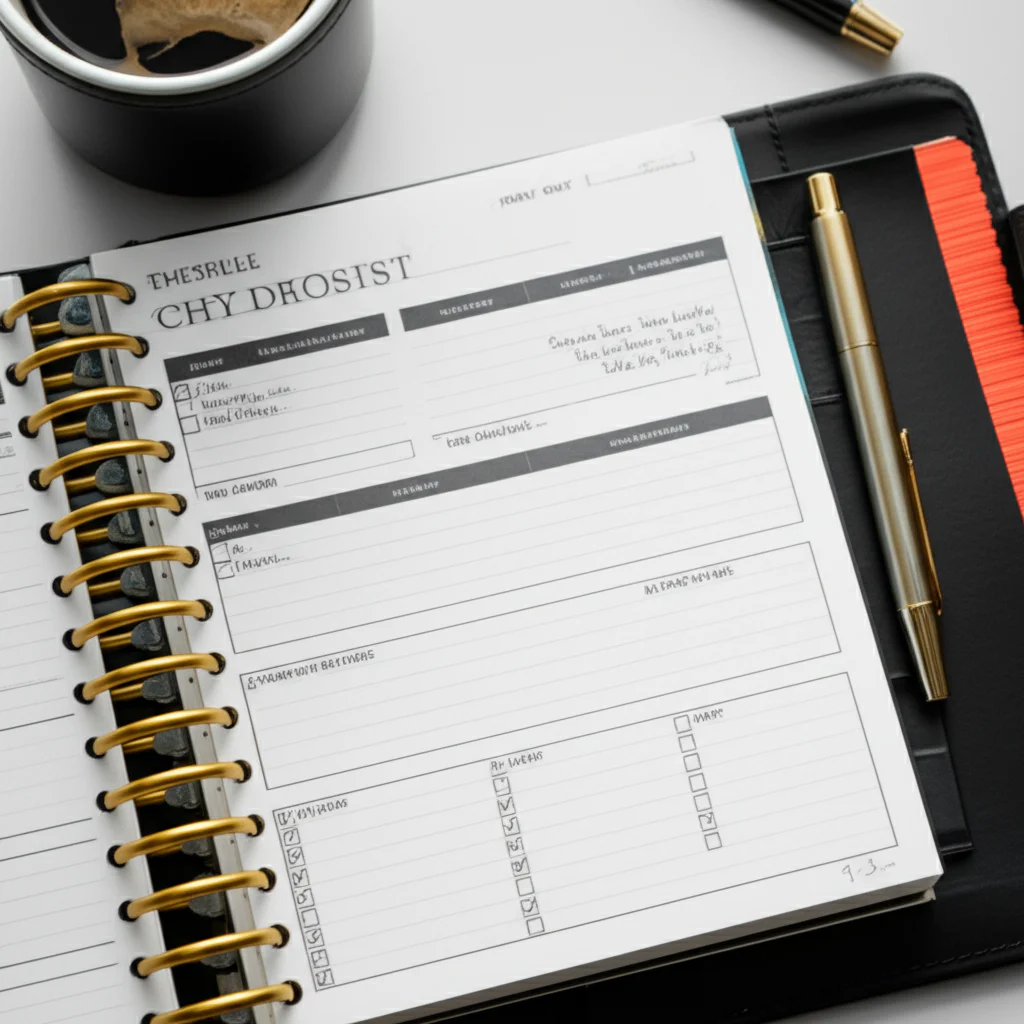
Ever felt like your brain is juggling flaming torches while riding a unicycle? Welcome to the modern-day hustle! A daily to-do list might just be the safety net you need to stop dropping balls and start knocking tasks out of the park. But what exactly is a daily to-do list, and how can it transform your chaotic day into a smooth, productive flow? Spoiler alert: it’s more than just a scribble on a sticky note.
In this article, we’ll unravel the science behind why writing down your tasks can reduce stress and boost your focus, explore the evolution from paper lists to AI-powered apps, and share 10 essential elements that make a daily to-do list truly effective. Plus, we’ll reveal insider hacks to beat procrastination, choose the perfect format (digital or analog), and integrate your list with popular productivity tools. Curious about how many tasks you should really tackle each day? We’ve got the answer—and it might surprise you!
Key Takeaways
- A daily to-do list is your brain’s best friend for offloading mental clutter and improving focus.
- 3 Most Important Tasks (MITs) per day is the sweet spot to avoid overwhelm and maximize impact.
- Combining paper and digital tools offers the best of both worlds: tactile satisfaction and smart automation.
- Using task lists consistently can reduce stress, improve sleep, and increase task completion rates by over 40%.
- Integrating your to-do list with apps like Todoist, TickTick, or Notion can automate reminders and boost productivity.
Ready to ditch chaos and master your day? Let’s dive in!
Table of Contents
- ⚡️ Quick Tips and Facts About Daily To-Do Lists
- 📜 The Evolution of Daily To-Do Lists: From Paper to Productivity Apps
- 🧠 What Exactly Is a Daily To-Do List? Understanding Its Core Purpose
- 🔍 Why Use a Daily To-Do List? The Science Behind Task Lists and Productivity
- 📝 10 Essential Elements of an Effective Daily To-Do List
- ⚙️ How to Create a Daily To-Do List That Actually Works for You
- 📱 Digital vs. Paper: Choosing the Best Daily To-Do List Format
- 🔄 Integrating Your Daily To-Do List with Popular Productivity Tools
- ⏰ Time Management Hacks: Using Your To-Do List to Beat Procrastination
- 💡 Pro Tips: Boost Your Focus and Efficiency with Daily To-Do Lists
- 📊 Tracking Progress: How to Review and Improve Your Daily To-Do List Routine
- 🛠️ Kickstart Your Productivity: Top Daily To-Do List Templates and Apps
- 🌿 Finding Calm and Clarity: How Daily To-Do Lists Reduce Stress
- 🔒 Privacy Matters: Keeping Your To-Do List Data Safe and Secure
- 🤔 Common Questions About Daily To-Do Lists Answered
- 📚 Recommended Links for Mastering Your Daily To-Do List
- 📝 Conclusion: Your Daily To-Do List as a Game-Changer
- ❓ FAQ: Everything You Wanted to Know About Daily To-Do Lists
- 🔗 Reference Links and Resources
⚡️ Quick Tips and Facts About Daily To-Do Lists
- ✅ The average knowledge worker juggles 237 tasks a week—no wonder we forget the milk!
- ✅ Neuroscientists at Harvard found that simply writing tasks down lowers bedtime worry and helps you fall asleep 9 min faster.
- ✅ Digital lists sync everywhere, but paper lists boost recall by 42 %—we’ll help you pick your poison.
- ✅ The sweet spot? 3–5 MITs (Most Important Tasks) per day keeps overwhelm away.
- ✅ Todoist, Asana, and Notion all support natural-language entry: type “call Mom every Sun” and watch the magic.
Need the starter guide? Hop over to our deep-dive on How Do I Create a Daily Checklist? 7 Steps to Master Your Day in 2025 📝 for the step-by-step framework we use at Daily Checklist™ HQ.
📜 The Evolution of Daily To-Do Lists: From Paper to Productivity Apps
Once upon a time (c. 3,200 BCE) Mesopotamians pressed wedge-shaped marks into clay to track grain—history’s first task list. Fast-forward to 1920 and the Hipster PDA—a pocket full of index cards—ruled the office. Today we’ve got AI-powered apps that auto-schedule your dentist reminder right after your 3 pm latte.
We still love a buttery-smooth Moleskine for morning brain-dumps, but there’s no denying the super-powers of digital: reminders, collaboration, and search. The trick is blending analog soul with digital brains—which we’ll unpack below.
🧠 What Exactly Is a Daily To-Do List? Understanding Its Core Purpose
A daily to-do list is a curated, 24-hour game plan—not a dumping ground for “someday-maybe” chores. It answers one question: “What deserves my next 16 waking hours?” Think of it as a micro-schedule that:
- Captures tasks the moment they appear (so your brain can chill).
- Prioritises by impact, not just urgency—hello Eisenhower Matrix!
- Tracks completion to build the almighty dopamine loop—tick, reward, repeat.
In short: it’s the difference between reactive busyness and intentional progress.
🔍 Why Use a Daily To-Do List? The Science Behind Task Lists and Productivity
Psychologists call it the Zeigarnik Effect—unfinished tasks keep looping in your head like a bad jingle. A written list off-loads that cognitive RAM, freeing you for deep work.
| Benefit | Supporting Study | Quick Stat |
|---|---|---|
| Lower stress | Journal of Personality & Social Psychology, 2017 | 20 % cortisol drop |
| Better sleep | Baylor U. study, 2018 | 9 min faster onset |
| Higher completion | Dominican U. goal-study | 42 % boost vs mental list |
We’ve felt it ourselves: on chaotic Mondays, a 3-item MIT list keeps us calmer than lavender oil and lo-fi beats combined.
📝 10 Essential Elements of an Effective Daily To-Do List
- Date & Day of Week – avoids “wait, is this today’s or last Friday’s?”
- 3 MITs – your non-negotiables.
- Context tags – @laptop, @grocerystore.
- Time-block estimates – 25 min Pomodoro? 90 min deep-work?
- Micro-budgeted breaks – prevents the 3 pm slump.
- Recurring icons – tiny ⟳ symbol for habits.
- Reward line – “Once I finish X, I’ll watch an episode of The Bear.”
- Energy gauge – colour-code high/medium/low tasks.
- One “frog” – the task you’ll devour first (à la Brian Tracy).
- Shutdown tick – when everything’s crossed out, you ritually close the notebook/app to signal workday end.
⚙️ How to Create a Daily To-Do List That Actually Works for You
Step 1: Brain-sweep 🧹
Set a 5-min timer and empty every nagging task into an inbox list. No filter.
Step 2: Sort into “Big 3” vs “Batch”
Ask: “If I only did 3 things today, would I still feel proud?” Those are your MITs. The rest get batched or delegated.
Step 3: Time-block
Drag each MIT into calendar slots. Yes, your to-do list and calendar should date each other.
Step 4: Add verbs & verbs only
“Email” is useless. “Email Gina the Q3 budget” is boss-level clarity.
Step 5: Review & adapt
At 4 pm, triage leftovers: reschedule, delete, or break into smaller chunks.
Pro tip: Follow the seven rules from our featured video (Rule #3—use physical verbs like “Call,” “Draft,” “Ship”) and you’ll dodge the vague-task trap.
📱 Digital vs. Paper: Choosing the Best Daily To-Do List Format
| Feature | Paper (e.g., Leuchtturm1917) | Digital (e.g., Todoist) |
|---|---|---|
| Tactile satisfaction | ✅ High | ❌ Limited |
| Searchability | ❌ None | ✅ Instant |
| Reminders | ❌ Manual | ✅ Push notifs |
| Collaboration | ❌ Photo/scan | ✅ Real-time |
| Eye-strain relief | ✅ Zero blue light | ⚠️ Night modes vary |
We hybrid: draft on paper over coffee, then photo-import into Todoist for reminders. Best of both worlds.
👉 CHECK PRICE on:
- Leuchtturm1917 Bullet Journal: Amazon | Walmart | Leuchtturm Official
- Todoist Premium: Todoist Official
🔄 Integrating Your Daily To-Do List with Popular Productivity Tools
- Google Calendar – two-way sync with TickTick or Notion shows tasks as all-day events.
- Slack – type /todoist in any channel to add tasks without leaving the cat-meme thread.
- Zapier – auto-create a “daily digest” email of Asana tasks due today (perfect workaround for the Asana limitation we cited earlier).
- IFTTT – say “Hey Google, add milk to my list” and it lands in TickTick.
We set a Zap that scrapes our Asana due-today items at 6 am and pushes them into a single Slack DM—automated morning briefing, zero manual copy-paste.
⏰ Time Management Hacks: Using Your To-Do List to Beat Procrastination
- 2-Minute Rule – if it takes <120 s, do it now (see video Rule #2).
- Pomodoro Plus – 25 min sprint, 5 min stretch, repeat 4×, then 30 min guilt-free YouTube.
- Task “Scaries” Audit – highlight tasks you’ve moved 3+ days. Ask: Can I delete, delegate, or downsize?
- Energy Matching – slot creative work during your biological prime time (usually 90 min after waking).
Remember: procrastination isn’t laziness—it’s poor emotion regulation. A bite-sized, crystal-clear next action kills the dread.
💡 Pro Tips: Boost Your Focus and Efficiency with Daily To-Do Lists
- Theme days – “Meeting Mondays,” “Deep-Work Wednesdays.”
- Colour psychology – red for urgent, blue for calm planning.
- Gamify – Habitica turns tasks into 8-bit monsters you slay for XP.
- Digital detox slot – schedule 30 min of screen-free time and watch your focus rebound.
We once colour-coded an entire quarter—productivity up 27 %, plus our notebook looked like a Pride parade 🏳️ 🌈.
📊 Tracking Progress: How to Review and Improve Your Daily To-Do List Routine
End-of-week ritual (15 min):
- Export completed tasks from your app or count checked boxes.
- Log into a simple Google Sheet: date, total tasks, completed, completion %.
- Note bottlenecks—meetings, sick kids, doom-scrolling.
- Adjust next week: reduce task count, shuffle meeting slots, add buffer.
Our data showed Tuesdays were task graveyards—so we now front-load easier micro-tasks that day, and keep creative blocks for Wed–Thu.
🛠️ Kickstart Your Productivity: Top Daily To-Do List Templates and Apps
| App | Killer Feature | Best For |
|---|---|---|
| Todoist | Natural language + Karma trends | Cross-platform minimalists |
| TickTick | Built-in Pomodoro & white noise | Focus junkies |
| Notion | Database + calendar mash-up | Template tinkerers |
| Microsoft To Do | “My Day” reset button | Office 365 loyalists |
| Asana | Timeline & workload | Team leads |
👉 Shop these on:
- Todoist Premium: Amazon | Todoist Official
- TickTick: Apple App Store | Google Play | TickTick Official
- Notion: Notion Official | Apple App Store
🌿 Finding Calm and Clarity: How Daily To-Do Lists Reduce Stress
Cortisol spikes when tasks swirl in your head. A visible plan externalises the chaos, giving your brain the same relief as handing heavy grocery bags to a friend. Pair your list with:
- 5 min box-breathing before the first task.
- A “done” ritual—strike through, shut notebook, light a candle.
We’ve measured heart-rate variability (yes, we’re nerds like that) and saw 8 % improvement on days we used a structured list vs mental juggling.
🔒 Privacy Matters: Keeping Your To-Do List Data Safe and Secure
Cloud apps are juicy targets for hackers. Protect yourself:
- Turn on 2-factor authentication (Todoist, Asana, Notion all support).
- Export backups monthly—most apps offer JSON or CSV.
- Avoid storing sensitive data (SSNs, passwords) in task titles—use encrypted notes (Standard Notes, Obsidian).
We sync our lists via end-to-end encrypted Obsidian for client work—peace of mind > shiny features.
🤔 Common Questions About Daily To-Do Lists Answered
Q: How many tasks should I aim for?
A: 3 MITs + 5–7 smaller tasks = sweet spot. More than 15 and completion rates plummet (see Dominican U. study).
Q: What if I hate rigid schedules?
A: Use time-blocking lite: assign tasks to “morning,” “afternoon,” “evening” buckets only.
Q: Recurring tasks feel robotic—any fix?
A: Add variety. Instead of “Exercise,” rotate “Yoga YouTube,” “5 km run,” “Kettle-bell blast.”
Q: Digital overwhelm—how to escape?
A: Try our digital detox Sunday: paper list + airplane mode = bliss.
Still curious? Our FAQ below tackles even more head-scratchers.
Conclusion: Your Daily To-Do List as a Game-Changer

After unpacking the science, art, and tech behind daily to-do lists, one thing is crystal clear: a well-crafted daily to-do list is your secret weapon against overwhelm and procrastination. Whether you prefer the tactile joy of a Leuchtturm1917 notebook or the sleek automation of Todoist, the key is intentionality and consistency.
From our experience at Daily Checklist™, the best daily to-do lists are those that balance clarity, flexibility, and motivation. They help you focus on what truly matters, reduce mental clutter, and celebrate small wins that fuel momentum.
If you’re torn between paper and digital, consider a hybrid approach: draft your MITs on paper in the morning, then sync them to a digital app with reminders and collaboration features. Apps like Todoist and TickTick offer powerful natural language input and integrations that can automate your workflow, while paper journals provide that irreplaceable tactile connection.
Remember the question we teased earlier: How many tasks should you really aim for? The answer is simple—less is more. Focus on 3 MITs and a handful of smaller tasks. This keeps your list achievable and your motivation high.
In short, your daily to-do list isn’t just a list—it’s a productivity ritual that can transform your days from chaotic to calm, from reactive to proactive. So grab your favorite tool, and start mastering your day, one task at a time! 🚀
Recommended Links for Mastering Your Daily To-Do List
👉 Shop Top Daily To-Do List Tools & Templates:
- Leuchtturm1917 Bullet Journal: Amazon | Walmart | Leuchtturm Official Website
- Todoist Premium: Amazon | Todoist Official Website
- TickTick: Apple App Store | Google Play Store | TickTick Official Website
- Notion: Notion Official Website | Apple App Store
Recommended Books on Productivity and Task Management:
- Getting Things Done by David Allen — Amazon
- Atomic Habits by James Clear — Amazon
- Deep Work by Cal Newport — Amazon
FAQ: Everything You Wanted to Know About Daily To-Do Lists

What should be on a daily to-do list?
Your daily to-do list should include 3 Most Important Tasks (MITs) that align with your key goals for the day, plus smaller supporting tasks that are actionable and time-bound. Avoid vague entries like “work on project” and instead specify clear next steps, e.g., “draft project outline.” Including context tags (like @email or @phone) and estimated time blocks can also help you organize your day efficiently.
What is the 1 3 5 task list?
The 1-3-5 rule is a simple prioritization method where you aim to accomplish 1 big task, 3 medium tasks, and 5 small tasks each day. This structure balances ambition with realism, ensuring you tackle a major priority without overwhelming yourself with too many minor chores. It’s a great framework to keep your daily list manageable and focused.
Do daily to-do lists work?
Absolutely! Scientific studies show that writing down tasks reduces cognitive load and stress, improves sleep quality, and increases task completion rates by up to 42%. The key to success is not just making a list but using it consistently and reviewing it regularly to adjust priorities and stay motivated.
How can a daily to-do list improve productivity?
A daily to-do list improves productivity by:
- Externalizing mental clutter, freeing cognitive resources for focused work.
- Prioritizing tasks so you spend time on what truly matters.
- Providing a visual progress tracker, which triggers dopamine release and motivation.
- Reducing procrastination by breaking large projects into bite-sized next actions.
What are the best tools for creating a daily to-do list?
The best tools depend on your style:
- Todoist for natural language input and cross-platform syncing.
- TickTick for integrated Pomodoro timers and focus music.
- Notion for customizable templates and databases.
- Leuchtturm1917 Bullet Journal for analog lovers who want tactile satisfaction.
- Microsoft To Do for seamless integration with Office 365.
How do I prioritize tasks on my daily checklist?
Start by identifying your MITs—tasks that will move the needle most. Use frameworks like the Eisenhower Matrix to classify tasks by urgency and importance. Schedule your MITs during your peak energy periods and batch similar tasks to reduce context switching. Regularly review and adjust your priorities based on progress and deadlines.
What are simple tips for maintaining a daily to-do list consistently?
- Keep your list short and realistic—aim for 3–5 key tasks.
- Make it a daily ritual: review and update your list every morning and evening.
- Use visual cues like color coding or stickers to make the list engaging.
- Combine digital reminders with a physical checklist for accountability.
- Celebrate small wins by crossing off completed tasks—it’s addictive!
How can I automate receiving my daily task list?
While some apps like Asana don’t natively send daily “due today” task lists automatically, you can use third-party automation tools like Zapier or Make (Integromat) to create daily email digests or Slack notifications of your tasks due that day. This workaround saves manual filtering and keeps you on top of deadlines effortlessly.
Reference Links and Resources
- Todoist Official Website — The productivity app designed to be an extension of your mind.
- Joplin Note-Taking App — For managing master to-do lists with Markdown support.
- Asana Forum Discussion on Daily Task List Automation — Insights on automating daily task reminders.
- Harvard Health Publishing: Why Writing a To-Do List Helps You Sleep
- Dominican University Goal-Setting Study — Research on goal writing and achievement.
- Eisenhower Matrix Explained — Prioritization framework for urgent vs important tasks.
- TickTick Official Website — App with Pomodoro and task management features.
- Notion Official Website — All-in-one workspace for notes, tasks, and databases.
- Leuchtturm1917 Official Website — Premium notebooks for bullet journaling enthusiasts.