Support our educational content for free when you purchase through links on our site. Learn more

15 Game-Changing Productivity To-Do List Hacks You Need in 2026 🚀
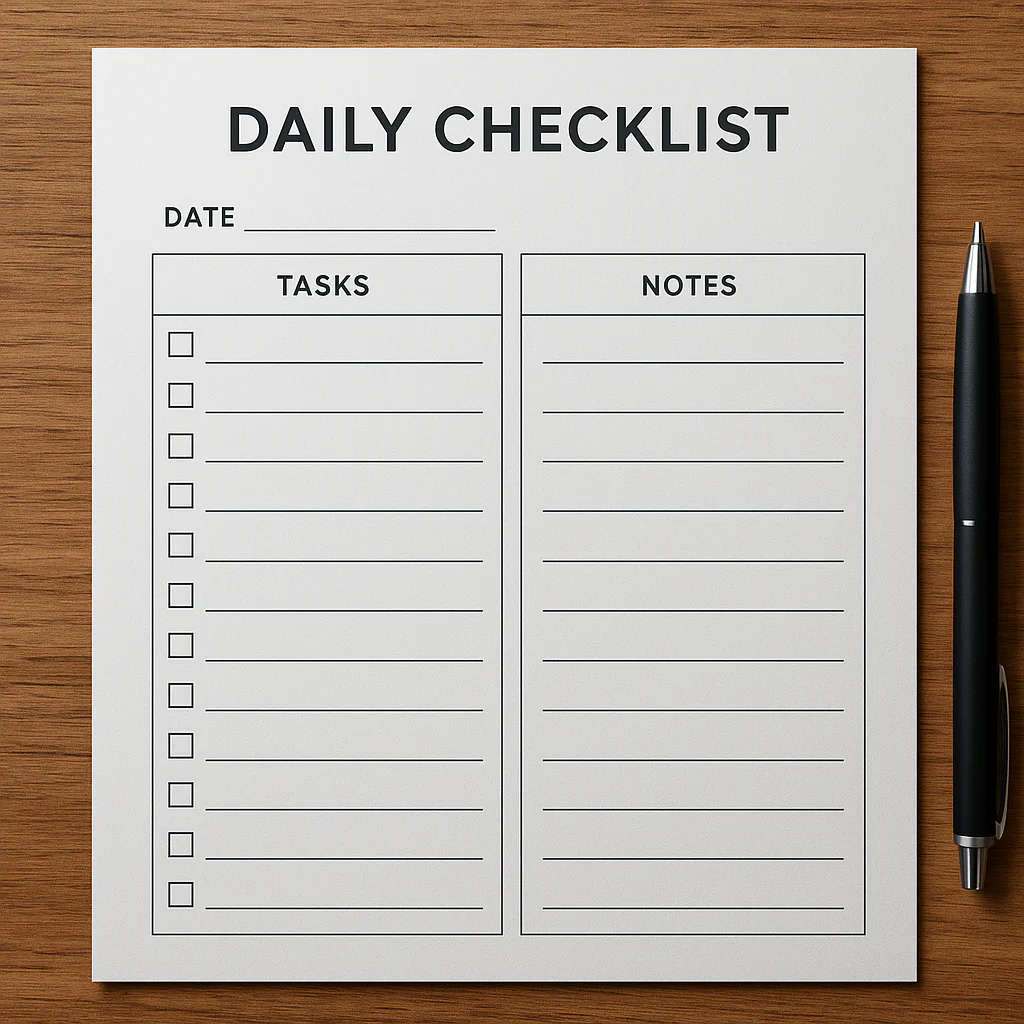
Ever feel like your to-do list is a never-ending monster that just keeps growing, no matter how many tasks you cross off? You’re not alone. At Daily Checklist™, we’ve wrestled with that beast too—and cracked the code on turning chaotic lists into powerful productivity machines. From the ancient wisdom of Ivy Lee’s six-task method to the futuristic AI integrations that automate your reminders, this guide covers everything you need to know about mastering your productivity to-do list in 2026.
Curious how a simple text file kept one productivity guru on track for 14 years? Or which apps combine Pomodoro timers, habit tracking, and calendar syncing all in one? We’ll reveal the top 15 tools, share expert customization tips, and unpack the psychology behind why to-do lists work (and sometimes don’t). Ready to transform your daily chaos into laser-focused action? Let’s dive in.
Key Takeaways
- Effective to-do lists focus on actionable, prioritized tasks that reduce overwhelm and boost motivation.
- Top productivity apps like Todoist, TickTick, and Notion offer unique features tailored to different work styles.
- Combining your to-do list with time management techniques like Pomodoro and time blocking supercharges focus.
- Customization is key: from minimalist text files to fully integrated digital workspaces, find what fits your workflow.
- Avoid common pitfalls like vague tasks and overloading your list by applying proven strategies like the 1-3-5 rule.
- Using AI and automation tools can save time and keep your list updated hands-free.
- Understanding the psychology of motivation helps you design lists that your brain loves to complete.
Ready to get started? Check out our expert reviews and tips to build your ultimate productivity to-do list today!
Table of Contents
- ⚡️ Quick Tips and Facts About Productivity To-Do Lists
- 📜 The Evolution and Psychology Behind To-Do Lists for Productivity
- 🔍 What Makes a Productivity To-Do List Effective? Key Features and Benefits
- 🛠️ Top 15 Productivity To-Do List Apps and Tools Reviewed
- 1. Todoist: The Powerhouse of Task Management
- 2. Microsoft To Do: Seamless Integration with Office 365
- 3. TickTick: The All-Rounder with Pomodoro Timer
- 4. Any.do: Your Daily Planner with Reminders
- 5. Google Keep: Simple and Visual Sticky Notes
- 6. Notion: The Ultimate Customizable Workspace
- 7. Remember The Milk: Classic Yet Powerful
- 8. Asana: Team Collaboration Meets Task Lists
- 9. Trello: Visual Kanban Boards for To-Do Lists
- 10. Habitica: Gamify Your To-Do List
- 11. OmniFocus: Mac and iOS Power Users’ Favorite
- 12. ClickUp: All-in-One Productivity Platform
- 13. Wunderlist Alternatives: What to Use Now
- 14. Evernote Tasks: Combining Notes and To-Dos
- 15. Google Tasks: Lightweight and Integrated
- 🧩 How to Customize Your To-Do List for Maximum Productivity
- ⏰ Time Management Techniques to Pair with Your To-Do List
- 🎯 Prioritization Strategies: Getting the Important Stuff Done First
- 📅 Integrating Your To-Do List with Calendars and Reminders
- 🤖 Using AI and Automation to Supercharge Your To-Do List
- 📱 Mobile vs Desktop To-Do List Apps: Pros and Cons
- 💡 Creative and Unconventional To-Do List Ideas That Actually Work
- 🧠 The Science of Motivation and To-Do Lists: Why They Work
- ⚠️ Common To-Do List Mistakes and How to Avoid Them
- 📈 Measuring Productivity: How to Track Your To-Do List Success
- 🌍 Global Perspectives: How Different Cultures Use To-Do Lists
- 🛒 Recommended Productivity To-Do List Accessories and Gadgets
- 🔗 Recommended Links for Productivity To-Do Lists
- ❓ Frequently Asked Questions About Productivity To-Do Lists
- 📚 Reference Links and Further Reading
- 🏁 Conclusion: Mastering Your Productivity To-Do List Journey
⚡️ Quick Tips and Facts About Productivity To-Do Lists
Before we dive into the nitty-gritty of mastering your workflow, let’s look at some fast facts that might just change how you view that scribbled note on your desk. At Daily Checklist™, we believe that a Daily Checklist is the ultimate weapon against chaos.
- The Zeigarnik Effect: Did you know your brain is hardwired to remember uncompleted tasks better than completed ones? This creates “cognitive itch” that only checking a box can scratch!
- The 41% Rule: According to a LinkedIn study, 41% of to-do list items are never actually completed. Yikes! 😱
- The 1-3-5 Rule: To avoid overwhelm, aim for 1 big task, 3 medium tasks, and 5 small tasks per day.
- Eat the Frog: Mark Twain famously said if you eat a live frog first thing in the morning, nothing worse will happen to you the rest of the day. In productivity terms? Do your hardest task first. ✅
- Handwriting vs. Digital: Research suggests that writing tasks by hand can improve memory retention, but digital lists offer better searchability and reminders. 📝 vs 📱
📜 The Evolution and Psychology Behind To-Do Lists for Productivity
We’ve been trying to organize our lives since the dawn of time, or at least since Benjamin Franklin famously tracked his 13 virtues in a small notebook. The history of the Productivity To-Do List isn’t just about paper; it’s about the evolution of the human psyche.
In the early 20th century, efficiency experts like Ivy Lee were paid handsomely (legend says $25,000!) to tell executives to simply list their six most important tasks and work through them in order. Fast forward to today, and we have complex algorithms doing the heavy lifting.
But why do we love them? It’s all about the dopamine hit. When you check off a task, your brain releases a burst of feel-good chemicals. However, there’s a dark side: the “planning fallacy.” We often underestimate how long a task will take, leading to a list that grows longer than a CVS receipt. To combat this, we recommend exploring Habit Formation to turn those one-off tasks into effortless routines.
🔍 What Makes a Productivity To-Do List Effective? Key Features and Benefits
Not all lists are created equal. Have you ever written “Work on Project” and then stared at it for three hours? That’s a “vague-list” trap! ❌
According to the featured video on effective task management, an elite list must focus on the “Next Physical Action.” Instead of “Plan Vacation,” try “Search for flights to Tokyo on Expedia.”
Key Features of a Winning List:
- Actionability: Every item must start with a verb (Call, Write, Buy).
- Context: Where do you need to be? (At Home, At Computer, At Grocery Store).
- Time Estimation: How long will it take?
- Prioritization: What must happen today?
By using these features, you reduce the “friction” of starting. We’ve found that the best Life Hacks often involve simplifying the decision-making process before you even sit down to work.
🛠️ Top 15 Productivity To-Do List Apps and Tools Reviewed
We’ve tested the heavy hitters so you don’t have to. Here is how the top contenders stack up in our Daily Checklist™ Expert Rating Table:
| App Name | Design (1-10) | Functionality (1-10) | Ease of Use (1-10) | Integration (1-10) | Overall Score |
|---|---|---|---|---|---|
| Todoist | 9 | 10 | 9 | 10 | 9.5 |
| TickTick | 8 | 10 | 8 | 9 | 8.8 |
| Notion | 10 | 9 | 6 | 8 | 8.3 |
| Microsoft To Do | 8 | 7 | 10 | 9 | 8.5 |
| Any.do | 9 | 8 | 8 | 7 | 8.0 |
1. Todoist: The Powerhouse of Task Management
Todoist is the gold standard for a reason. Its “Natural Language Processing” allows you to type “Gym at 6pm every Monday” and it automatically schedules it.
- Pros: Incredible cross-platform support; “Karma” points gamify your productivity.
- Cons: Some power features (like reminders) require a subscription.
2. Microsoft To Do: Seamless Integration with Office 365
Born from the acquisition of the beloved Wunderlist, Microsoft To Do is perfect for the corporate warrior.
- Pros: “My Day” feature resets every morning, giving you a fresh start.
- Cons: Can feel a bit basic for power users.
3. TickTick: The All-Rounder with Pomodoro Timer
If you want a to-do list, a calendar, and a Pomodoro timer in one app, TickTick is your best friend.
- Pros: Built-in habit tracker and white noise generator.
- Cons: The interface can feel slightly cluttered.
6. Notion: The Ultimate Customizable Workspace
Notion isn’t just a list; it’s a database. You can turn a simple task into a full-blown project page.
- Pros: Infinite flexibility.
- Cons: A steep learning curve that might lead to “procrastivity” (procrastinating by organizing).
👉 Shop Productivity Tools on:
- Todoist Premium: Todoist Official Website
- Microsoft Office 365: Amazon | Microsoft Official
- Notion Templates: Etsy
🧩 How to Customize Your To-Do List for Maximum Productivity
Are you a “digital minimalist” or a “data hoarder”? Your personality dictates your system.
The Jeff Huang Method:
Computer scientist Jeff Huang swears by a simple .txt file. He’s kept one for over 14 years! It’s searchable, lightweight, and never goes out of style. He appends his calendar items to the file every night, ensuring he knows exactly what his workload looks like before the sun comes up.
Interstitial Journaling:
As suggested by Better Humans, you can replace static lists with Interstitial Journaling. Instead of just checking a box, you write a sentence about what you just did and what you’re about to do. This acts as a “mental reset button” and prevents the exhaustion of task-switching.
If you find yourself constantly distracted by notifications while trying to manage your list, it might be time for a Digital Detox.
⏰ Time Management Techniques to Pair with Your To-Do List
A list without a plan is just a wish. To actually get things done, we recommend pairing your list with these heavy-hitting techniques:
- Time Blocking: Assign every task a specific slot on your calendar. If it doesn’t have a time, it doesn’t exist!
- The Pomodoro Technique: Work for 25 minutes, break for 5. Use TickTick or a physical Forest timer to stay on track.
- The 2-Minute Rule: As mentioned in the featured video, if a task takes less than two minutes, do it now. Don’t even let it touch your list.
For those struggling to get out of bed and start their list, our guide on Morning Routines is a game-changer. ☀️
🎯 Prioritization Strategies: Getting the Important Stuff Done First
We’ve all been there: you complete 10 small tasks but ignore the one giant project that’s actually due. Stop it! 🛑
The Eisenhower Matrix:
Categorize tasks into four quadrants:
- Urgent & Important: Do it now.
- Important but Not Urgent: Schedule it.
- Urgent but Not Important: Delegate it.
- Neither: Delete it.
The ABCDE Method:
Assign a letter to each task. “A” tasks are life-or-death (okay, maybe just job-or-no-job), while “E” tasks are things you can eliminate entirely.
📅 Integrating Your To-Do List with Calendars and Reminders
Your to-do list and your calendar should be in a committed relationship. 💍
Why integrate?
- Avoid Overcommitment: You can’t do 8 hours of deep work if you have 6 hours of meetings.
- Visual Cues: Seeing a task on a timeline makes it “real.”
Most modern apps like Any.do and Google Tasks sync directly with Google Calendar or Outlook. This ensures that your “errands” don’t clash with your “appointments.”
🤖 Using AI and Automation to Supercharge Your To-Do List
Welcome to the future! 🤖 We are no longer limited to manual entry.
- Zapier & IFTTT: You can set up “recipes” where an email starred in Gmail automatically becomes a task in Todoist.
- AI Assistants: Use Siri, Alexa, or Google Assistant to add tasks hands-free while you’re driving or cooking. “Hey Siri, add ‘Buy milk’ to my grocery list.”
👉 CHECK PRICE on:
- Amazon Echo (Alexa): Amazon
- Apple HomePod: Amazon | Apple Official
📱 Mobile vs Desktop To-Do List Apps: Pros and Cons
Where you manage your list matters. We often find ourselves caught between the convenience of a phone and the focus of a laptop.
| Feature | Mobile Apps 📱 | Desktop Apps 💻 |
|---|---|---|
| Speed | Fast for quick capture. | Slower to open. |
| Focus | High distraction (notifications). | Better for “Deep Work.” |
| Input | Voice & Thumb typing. | Full keyboard (faster for details). |
| Visibility | Always in your pocket. | Requires being at a desk. |
Our Recommendation: Use mobile for capturing ideas on the go (Rule 1 of the featured video) and desktop for planning and executing.
💡 Creative and Unconventional To-Do List Ideas That Actually Work
Sometimes, the standard “1. Do this” format is just boring. Why not spice it up?
- The “Done” List: Instead of looking at what’s left, keep a list of everything you did today. It’s an incredible motivator!
- The “Anti-To-Do” List: List the habits you want to avoid (e.g., “Don’t check Instagram before 10 AM”).
- The “Might-Do” List: Keep a separate list for “someday/maybe” ideas so they don’t clutter your daily focus.
🧠 The Science of Motivation and To-Do Lists: Why They Work
Why does the simple act of crossing something out feel so good? It’s science, baby! 🧪
When you complete a task, your brain’s reward system fires off dopamine. This creates a positive feedback loop. However, if your list is too long, you experience “choice paralysis.” This is why we emphasize Habit Formation—it moves tasks from the “effortful” part of your brain (prefrontal cortex) to the “automatic” part (basal ganglia).
Erik Fisher, host of the Beyond The To-Do List Podcast, often discusses how productivity isn’t just about doing more; it’s about intentional decision-making and managing your energy, not just your time.
⚠️ Common To-Do List Mistakes and How to Avoid Them
Are you failing your list, or is your list failing you? ❌
- The “Kitchen Sink” Error: Putting every single dream and errand on one list. Solution: Use folders or tags.
- Vague Verbs: “Research” is a trap. Solution: Use “Read 3 articles on SEO.”
- Ignoring Energy Levels: Trying to do taxes at 4 PM when you’re crashing. Solution: Follow Rule 7 from the featured video and “Go with your energy.”
📈 Measuring Productivity: How to Track Your To-Do List Success
How do you know if you’re actually getting better?
- Weekly Reviews: Spend 20 minutes every Sunday reviewing what you finished and what you moved.
- Completion Ratio: If you consistently only finish 20% of your list, your list is too long!
- App Analytics: Apps like Todoist show you productivity trends over time.
🌍 Global Perspectives: How Different Cultures Use To-Do Lists
Productivity isn’t a one-size-fits-all concept.
- Monochronic Cultures (USA, Germany): Tend to view time as linear and love strict, sequential to-do lists.
- Polychronic Cultures (Italy, Latin America): Often prioritize relationships over tasks, leading to more fluid, “suggestion-based” lists.
Understanding these perspectives can help you be more patient with yourself and your international colleagues!
🛒 Recommended Productivity To-Do List Accessories and Gadgets
Sometimes, the right “toy” makes the work feel like play. Here are our top picks for the physical planners among us:
- The Analog King: Moleskine Classic Notebook. There is nothing like the feel of a high-quality pen on cream-colored paper.
- The Smart Pen: Rocketbook Smart Reusable Notebook. Write by hand, then blast your notes to the cloud!
- The Timer: Time Timer MOD. A visual countdown that helps you “see” time disappearing.
👉 Shop Productivity Accessories on:
- Moleskine Notebooks: Amazon | Walmart
- Rocketbook: Amazon | Rocketbook Official
- Leuchtturm1917 Planners: Amazon | Etsy
🔗 Recommended Links for Productivity To-Do Lists
- Getting Things Done (GTD): The Official David Allen Site
- The Pomodoro Technique: Official Website
- Atomic Habits by James Clear: Amazon Search
❓ Frequently Asked Questions About Productivity To-Do Lists
Q: Is it better to use paper or an app?
A: It depends! Paper is great for focus and memory, while apps are better for recurring tasks and reminders. Many experts use a hybrid system.
Q: How many items should be on my daily list?
A: Aim for the 1-3-5 rule. Anything more than 9 items usually leads to “list fatigue.”
Q: What do I do with tasks I didn’t finish?
A: Be like Jeff Huang—reschedule them for tomorrow or move them back to a “Master List.” Don’t let them haunt you!
📚 Reference Links and Further Reading
- The Zeigarnik Effect – Psychology Today
- Ivy Lee Method – Harvard Business Review
- Beyond the To-Do List Podcast
- Jeff Huang’s Productivity System
🏁 Conclusion: Mastering Your Productivity To-Do List Journey
Phew! We’ve traveled through the fascinating world of productivity to-do lists—from ancient wisdom to cutting-edge AI-powered apps, from handwritten notes to the legendary Jeff Huang’s 14-year text file system. What’s the takeaway? There is no one-size-fits-all, but there is a perfect system for you.
If you want power, flexibility, and seamless integration, Todoist and TickTick are stellar choices. For those craving ultimate customization, Notion is a playground for productivity architects. And if simplicity and control are your jam, Jeff Huang’s minimalist text file approach is a masterclass in focus and clarity.
Remember the unresolved question we posed early on: How do you keep your list from becoming a never-ending source of stress? The answer lies in intentional design—actionable tasks, realistic daily goals, and regular reviews. Pair your list with smart time management techniques like Pomodoro or Time Blocking, and you’ll turn your to-do list from a nagging chore into your productivity best friend.
So, whether you’re a digital devotee or an analog enthusiast, the key is to make your to-do list work for you—not the other way around. Now, go forth and conquer your day, one checked box at a time! ✅
🔗 Recommended Links for Productivity To-Do Lists & Shopping
-
Todoist Premium:
Amazon | Todoist Official Website -
Microsoft Office 365 (includes Microsoft To Do):
Amazon | Microsoft Official -
TickTick:
Amazon | TickTick Official Website -
Notion:
Amazon | Notion Official Website -
Rocketbook Smart Reusable Notebook:
Amazon | Rocketbook Official -
Forest Pomodoro Timer App:
Apple App Store | Google Play Store -
Recommended Books:
❓ Frequently Asked Questions About Productivity To-Do Lists
How can a productivity to-do list simplify my daily tasks?
A well-crafted to-do list acts as your external brain, freeing mental space by capturing tasks and deadlines. This reduces cognitive overload and helps you focus on doing rather than remembering. By breaking down large projects into actionable steps, you avoid procrastination and maintain momentum throughout the day.
What are the best tools for creating an effective daily checklist?
The best tools depend on your style:
- Todoist and TickTick offer powerful automation and reminders.
- Microsoft To Do integrates smoothly with Office 365 for corporate users.
- Notion is ideal for those who want to customize workflows extensively.
- For minimalists, a simple text file system like Jeff Huang’s method (learn more) is surprisingly effective.
How do daily checklists improve time management and focus?
Daily checklists provide clarity and structure, allowing you to prioritize tasks and allocate time efficiently. When combined with techniques like time blocking or the Pomodoro Technique, they help maintain sustained focus and reduce the temptation to multitask, which can fragment attention and reduce productivity.
What are the key elements of a productive to-do list?
- Actionable tasks: Start with verbs to clarify what needs to be done.
- Prioritization: Identify urgent vs. important tasks.
- Context: Note where or how the task should be done.
- Time estimates: Helps with realistic scheduling.
- Review and update: Keep the list dynamic, not static.
Can using a daily checklist reduce stress and increase efficiency?
Absolutely! By externalizing your tasks, you reduce the mental clutter that causes stress. Knowing exactly what to do next eliminates decision fatigue and helps you maintain a steady workflow. This leads to higher efficiency and a greater sense of accomplishment.
How often should I update my productivity to-do list?
Ideally, update your list daily—preferably the night before or first thing in the morning. This habit ensures your priorities are clear and your workload is manageable. Weekly reviews help you adjust for longer-term goals and prevent tasks from slipping through the cracks.
What are simple tips for maintaining a consistent daily checklist habit?
- Keep it simple: Don’t overload your list; use the 1-3-5 rule.
- Set reminders: Use app notifications or alarms.
- Make it visible: Keep your list where you can see it often.
- Celebrate wins: Check off completed tasks to trigger dopamine rewards.
- Pair with routines: Link list updates with existing habits like morning coffee or evening wind-down.
How can I integrate my to-do list with other productivity systems?
Many apps integrate with calendars, email, and project management tools. For example, Todoist syncs with Google Calendar, while Microsoft To Do works seamlessly with Outlook. Automation platforms like Zapier can connect your to-do list with hundreds of other apps, streamlining your workflow.
📚 Reference Links and Further Reading
- The Zeigarnik Effect – Psychology Today
- Ivy Lee Method – Harvard Business Review
- Beyond the To-Do List Podcast by Erik Fisher
- Interstitial Journaling for Productivity – Better Humans
- Jeff Huang’s Productivity Text File System
- Getting Things Done by David Allen
- Pomodoro Technique Official Site
- Todoist Official Website
- Microsoft To Do Official Site
- TickTick Official Website
- Notion Official Website
Ready to transform your productivity? Dive into the tools and techniques above, and remember: your perfect to-do list is just a checklist away! 🚀