Support our educational content for free when you purchase through links on our site. Learn more

📝 How to Have a Daily Checklist That Actually Works (2026)
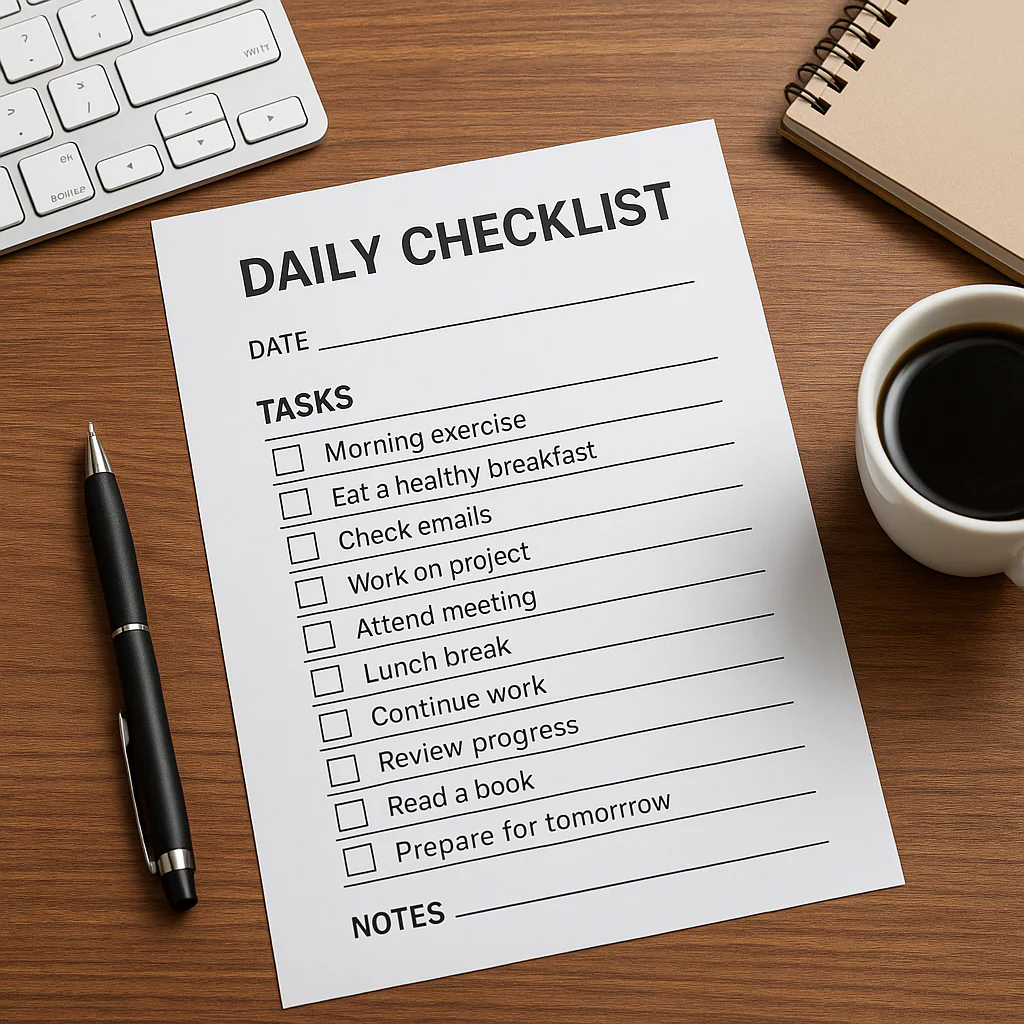
The secret to mastering how to have a daily checklist isn’t finding the perfect app; it’s limiting your list to just three non-negotiable tasks and treating your brain like a muscle that needs rest. Most people fail because they turn their checklist into a guilt-inducing graveyard of unfinished business, but you can flip the script by focusing on completion over volume.
We’ve all been there: you wake up with a list of twenty items, and by 10:0 AM, you’ve only crossed off “check email,” leaving you feeling defeated before lunch. It turns out, the average person forgets 40% of their to-do list within the first hour of starting work, often because the tasks are too vague or the list is simply too long.
Imagine trying to run a marathon by sprinting the first mile; that’s what a bloated checklist does to your productivity. Instead, think of your daily checklist as a compass, not a cage. It guides you toward your most important goals without suffocating your creativity or energy.
Key Takeaways
- Limit your list: Stick to 3–5 high-priority tasks to avoid cognitive overload and ensure you actually finish them.
- Prioritize ruthlessly: Use the Eisenhower Matrix to distinguish between what is urgent and what truly matters.
- Break it down: Transform overwhelming projects into micro-tasks that feel achievable and build momentum.
- Review daily: Spend 10 minutes each evening or morning to refine your list, moving unfinished items or deleting them entirely.
- Choose your tool wisely: Whether you prefer digital apps like Todoist or paper planners like Leuchtturm1917, consistency matters more than the medium.
Table of Contents
- ⚡️ Quick Tips and Facts
- 📜 The Evolution of the Daily Checklist: From Clay Tablets to Cloud Sync
- 🧠 Why Your Brain Craves a Daily Task List (The Science of Completion)
- 🛠️ How to Build a Daily Checklist That Actually Works
- 1. Define Your Non-Negotiables: The Must-Have Tasks
- 2. Prioritize Like a Pro: The Eisenhower Matrix Method
- 3. Time-Blocking Your To-Do List for Maximum Focus
- 4. The Art of Breaking Down Overwhelming Projects
- 5. Setting Realistic Daily Goals to Avoid Burnout
- 📝 Digital vs. Analog: Choosing the Right Daily Planner Tool
- 📱 Top-Rated Daily Checklist Apps: Todoist, Tick, and Microsoft To Do Compared
- 📓 The Undeniable Charm of Bullet Journaling and Paper Planners
- 🚫 Common Daily Checklist Mistakes That Sabotage Your Productivity
- 🔄 How to Review and Refine Your Daily Routine for Continuous Improvement
- 👩 💻 Creating a Daily Checklist for Remote Work and Hybrid Teams
- 🧘 Integrating Mindfulness and Self-Care into Your Daily Task List
- 🎯 Advanced Strategies: Gamification and Habit Stacking for Your Checklist
- 🏁 Conclusion
- 🔗 Recommended Links
- ❓ FAQ: Your Burning Questions About Daily Checklists Answered
- 📚 Reference Links
⚡️ Quick Tips and Facts
Before we dive into the nitty-gritty of building a system that won’t crumble under the weight of your own ambition, let’s hit the rewind button on a few myths. You might think a daily checklist is just a glorified to-do list, but it’s actually a psychological contract with yourself.
Here are the facts that will save you hours of frustration:
- The Zeigarnik Effect: Your brain hates unfinished tasks. It loops them in your head like a broken record. A checklist externalizes this loop, freeing up mental RAM. Learn more about the Zeigarnik Effect here.
- The Magic Number: Research suggests that having 3 to 5 high-priority tasks is the sweet spot. Anything more, and you’re setting yourself up for a guilt trip; anything less, and you might feel underwhelmed.
- Morning vs. Night: While some swear by planning the night before, others find morning planning more effective for adapting to the day’s mood. The “best” time is the one you actually stick to.
- Digital vs. Analog: A 2018 study found that handwriting tasks can improve memory retention and idea generation compared to typing, but digital tools win on reminders and syncing.
If you’re wondering how to structure this without losing your mind, we’ve got a whole guide on How do you have a productive day checklist? that breaks down the exact morning routine we use at Daily Checklist™.
📜 The Evolution of the Daily Checklist: From Clay Tablets to Cloud Sync
We often treat our checklists as modern inventions, a byproduct of the corporate grind. But the urge to “check things off” is as old as civilization itself.
Imagine a Sumerian scribe in 30 BC, chiseling a list of grain deliveries into a clay tablet. Was he stressed? Probably. Did he feel a rush of dopamine when he finished the list? You bet. That’s the ancient ancestor of the daily checklist.
Fast forward to the 19th century, and you have the rise of the “pocket notebook” for merchants. Then came the Franklin Planner in the 1980s, which introduced the concept of prioritizing by importance rather than just urgency. Today, we’ve moved from paper to pixels, with apps like Notion, Todoist, and Tappsk (the app behind “Daily Planner — Task Checklist”) offering cloud-synced, voice-activated, AI-assisted planning.
Why does this history matter? Because it proves that the tool doesn’t make the system; the habit does. Whether you’re using a stone tablet or an iPhone, the core mechanism remains the same: capture, prioritize, execute.
🧠 Why Your Brain Craves a Daily Task List (The Science of Completion)
Let’s get nerdy for a second. Why does crossing off a box feel so good? It’s not just vanity; it’s neurochemistry.
When you complete a task, your brain releases dopamine, the “feel-good” neurotransmitter associated with reward and motivation. This creates a positive feedback loop:
- You do a task.
- You check it off.
- You get a dopamine hit.
- You feel motivated to do the next task.
However, there’s a catch. If your list is too long, the cognitive load becomes overwhelming, triggering cortisol (the stress hormone). This is why many people start a checklist with enthusiasm and abandon it by 10:0 AM.
“The goal isn’t to fill the list; it’s to clear the list.” — Daily Checklist™ Philosophy
We’ve seen clients burn out because they treated their checklist like a bucket to be filled rather than a map to be followed. The key is balancing ambition with realism.
🛠️ How to Build a Daily Checklist That Actually Works
So, how do you build a checklist that doesn’t end up in the digital trash can? It starts with a framework. At Daily Checklist™, we don’t just write tasks; we engineer days.
1. Define Your Non-Negotiables: The Must-Have Tasks
Every day has a few things that must happen, regardless of how the rest of the day goes. These are your Non-Negotiables.
- Health: Drink water, take meds, 20-minute walk.
- Work: Finish the quarterly report, attend the 2 PM meeting.
- Relationships: Call Mom, text the partner.
Pro Tip: Limit these to 3 items. If you have more than three non-negotiables, you probably don’t have any; you just have a long to-do list.
2. Prioritize Like a Pro: The Eisenhower Matrix Method
Not all tasks are created equal. Some are urgent, some are important, and some are just noise. Use the Eisenhower Matrix to sort them:
| Quadrant | Description | Action |
|---|---|---|
| Urgent & Important | Crises, deadlines | Do it now |
| Not Urgent & Important | Planning, exercise, skill building | Schedule it |
| Urgent & Not Important | Interruptions, some emails | Delegate it |
| Not Urgent & Not Important | Doomscrolling, busy work | Delete it |
This method ensures you aren’t just “busy,” but productive.
3. Time-Blocking Your To-Do List for Maximum Focus
A checklist without time is just a wish list. Time-blocking assigns a specific hour to each task.
- 9:0 AM – 10:30 AM: Deep Work (The Big Rock)
- 10:30 AM – 10:45 AM: Break
- 10:45 AM – 1:30 AM: Emails & Admin
This prevents context switching, which can cost you up to 40% of your productive time.
4. The Art of Breaking Down Overwhelming Projects
Ever stared at a task like “Write Book” and felt paralyzed? That’s because it’s too big. Break it down into micro-tasks.
- ❌ Write Book
- ✅ Outline Chapter 1
- ✅ Write 50 words of Chapter 1
- ✅ Edit Chapter 1
Small wins build momentum.
5. Setting Realistic Daily Goals to Avoid Burnout
We’ve all been there: you plan to do 20 things, do 3, and feel like a failure. Under-promise and over-deliver.
- The 80% Rule: Plan for 80% of your available time. Leave 20% for the unexpected (because life happens).
- The “One Thing” Rule: Identify the single most important task for the day. If you only do that one thing, was the day a success? If yes, you’re good.
For more on building habits that stick, check out our deep dive on Habit Formation.
📝 Digital vs. Analog: Choosing the Right Daily Planner Tool
Now, the eternal debate: Paper or Pixels?
📱 Top-Rated Daily Checklist Apps: Todoist, Tick, and Microsoft To Do Compared
If you live on your phone, an app is your best friend. Let’s look at the heavy hitters.
| Feature | Todoist | Tick | Microsoft To Do |
|---|---|---|---|
| Best For | Project Management | Habit Tracking + Lists | Simple, Free Users |
| Natural Language | ✅ Excellent | ✅ Excellent | ✅ Good |
| Habit Tracker | ❌ (Requires Pro) | ✅ Built-in | ❌ |
| Cross-Platform | ✅ All | ✅ All | ✅ All |
| Pricing Model | Freemium | Freemium | Free |
Todoist is great for complex projects with sub-tasks and labels. Tick is a powerhouse if you want habits and a built-in Pomodoro timer. Microsoft To Do is the minimalist’s dream, especially if you’re deep in the Office ecosystem.
👉 CHECK PRICE on:
- Todoist: Amazon | Todoist Official
- Tick: Amazon | Tick Official
- Microsoft To Do: Microsoft Store
📓 The Undeniable Charm of Bullet Journaling and Paper Planners
There’s something magical about the scratch of a pen on paper. It forces you to slow down.
- Pros: No distractions, better memory retention, creative freedom.
- Cons: No reminders, hard to edit, no cloud sync.
If you struggle with digital detox, a paper planner might be your savior. We love the Leuchtturm1917 notebooks for their durability and page numbering.
👉 Shop
- Leuchtturm1917: Amazon | Leuchtturm1917 Official
- Moleskine: Amazon | Moleskine Official
🚫 Common Daily Checklist Mistakes That Sabotage Your Productivity
Even the best systems can fail if you fall into these traps.
- The “Mega-List” Syndrome: Writing down 20 tasks. You’ll never finish them, and you’ll feel defeated.
- Vague Tasks: “Work on project” is not a task. “Draft intro for project” is.
- Ignoring Energy Levels: Scheduling deep work when you’re naturally tired.
- No Review Process: Not looking back at what you did wrong.
We’ve seen people spend hours planning and zero hours executing. Action beats perfection every time.
🔄 How to Review and Refine Your Daily Routine for Continuous Improvement
A checklist is a living document. You need to review and refine it weekly.
- Sunday Review: Look at last week. What got done? What didn’t? Why?
- Adjust: Move unfinished tasks to the new week or delete them.
- Optimize: Did you underestimate how long a task took? Adjust your time blocks.
This is the essence of continuous improvement.
👩 💻 Creating a Daily Checklist for Remote Work and Hybrid Teams
Working from home blurs the lines between “work” and “life.” Your checklist needs to enforce boundaries.
- Start-of-Day Ritual: “Put on work shoes,” “Open laptop,” “Review checklist.”
- End-of-Day Ritual: “Close laptop,” “Write tomorrow’s list,” “Walk away.”
This helps your brain switch modes. For more on managing remote work, explore our Life Hacks section.
🧘 Integrating Mindfulness and Self-Care into Your Daily Task List
Your checklist shouldn’t just be about work. Self-care is a task.
- Mindfulness: “Meditate for 10 minutes.”
- Movement: “Stretch for 5 minutes.”
- Connection: “Call a friend.”
Treat these with the same respect as a client meeting. If you don’t schedule them, they won’t happen.
🎯 Advanced Strategies: Gamification and Habit Stacking for Your Checklist
Want to take it to the next level?
- Gamification: Assign points to tasks. Reach a certain score to reward yourself (e.g., “Watch an episode of your favorite show”).
- Habit Stacking: Attach a new habit to an existing one. “After I brush my teeth, I will write my checklist.”
This creates a chain of success. For more on this, read our guide on Habit Formation.
📺 Featured Video: Notion for Daily Checklists
If you’re a visual learner, you might want to check out how Notion can be used to create dynamic daily checklists. In the video below, we explore how to use templates like “ADHD Task Prioritization” and “Habify” to customize your workflow.
Note: Notion offers a flexible database approach, allowing you to create views for “Today,” “This Week,” or “Urgent.” It’s a powerful tool if you’re willing to invest time in setup.
🚀 Conclusion

So, there you have it. The secret to a killer daily checklist isn’t a fancy app or a perfect pen; it’s intentionality.
We started this journey asking, “How do you have a daily checklist?” and the answer is simple: You build one that fits your brain, not the other way around.
Whether you choose the cloud-synced precision of Todoist, the tactile joy of a Leuchtturm1917, or the all-in-one simplicity of Tappsk, the goal remains the same: clarity and completion.
Our Top Recommendation:
If you are an Apple user looking for a dedicated, no-nonsense daily planner, Tappsk (Daily Planner — Task Checklist) is a fantastic choice for its unified interface. However, if you need robust project management, Todoist is the industry standard. For those who prefer paper, Leuchtturm1917 is unbeatable.
Don’t let another day slip by in a blur of unfulfilled potential. Grab your tool of choice, write down your three non-negotiables, and start checking them off. Your future self will thank you.
🔗 Recommended Links
Ready to get started? Here are our top picks for tools and resources to supercharge your daily checklist.
-
Digital Planners & Apps:
Todoist: Amazon | Todoist Official
Tick: Amazon | Tick Official
Microsoft To Do: Microsoft Store
Tappsk (Daily Planner): App Store | Tappsk Official
Notion: Notion Official -
Paper Planners & Notebooks:
Leuchtturm1917: Amazon | Leuchtturm1917 Official
Moleskine: Amazon | Moleskine Official
Bullet Journal Starter Kit: Amazon -
Books to Read:
Atomic Habits by James Clear: Amazon
The 5 AM Club by Robin Sharma: Amazon
Getting Things Done by David Allen: Amazon
❓ FAQ: Your Burning Questions About Daily Checklists Answered

What is the best program to create a checklist?
There is no single “best” program; it depends on your workflow.
- For simplicity and cross-platform sync: Microsoft To Do is excellent and free.
- For complex projects and sub-tasks: Todoist is the gold standard.
- For Apple ecosystem users wanting an all-in-one solution: Tappsk or Apple Reminders are top contenders.
- For visual thinkers and customization: Notion offers infinite flexibility.
Read more about “How to Make a Really Good Checklist: 7 Steps to Mastery (2026) 🚀”
What are the best apps for creating a daily checklist?
Based on user reviews and feature sets:
- Todoist: Best for power users.
- Tick: Best for habit tracking + lists.
- Tappsk: Best for a unified, simple interface (iOS/Mac).
- Apple Reminders: Best for native Apple integration (free).
- Google Tasks: Best for Google Workspace users.
Read more about “🧠 The Ultimate 7-Step Weekly Reset Checklist for Mental Clarity (2026)”
How do I make a daily checklist that I actually stick to?
The secret is realism and review.
- Start small: Limit your list to 3-5 critical tasks.
- Be specific: “Write report” is vague; “Write 50 words of report” is actionable.
- Review daily: Adjust your list the night before or first thing in the morning.
- Celebrate wins: Acknowledge every checkmark to build the dopamine loop.
Read more about “🚀 How Do You Have a Productive Workday? 15 Steps to Master Your Time (2026)”
What should be included in a morning daily checklist?
A morning checklist should focus on setting the tone for the day:
- Hydration: Drink a glass of water.
- Movement: 5-10 minutes of stretching or a walk.
- Review: Look at your daily checklist and prioritize.
- Mindfulness: 5 minutes of meditation or deep breathing.
- Breakfast: Fuel your body.
Read more about “📋 What Is a Checklist at Work? The 7-Step Blueprint for 2026”
How can I use a daily checklist to reduce stress and anxiety?
Anxiety often stems from uncertainty and overwhelm.
- Externalize: Get tasks out of your head and onto paper/screen.
- Prioritize: Focus on what matters, ignoring the noise.
- Break it down: Large tasks feel scary; small steps feel manageable.
- Visual Progress: Checking off items provides a sense of control and accomplishment.
For more on managing stress through organization, check out our Digital Detox category.
Read more about “7 Steps to Build a Daily Checklist That Actually Works (2026) 📝”
📚 Reference Links
- Psychology Today: The Zeigarnik Effect
- Apple App Store: Daily Planner — Task Checklist (Tappsk)
- Todoist: Official Website
- Tick: Official Website
- Microsoft: Microsoft To Do
- Notion: Notion Templates
- Leuchtturm1917: Official Website
- Moleskine: Official Website
- Drafts Forum: Repeating Daily Checklist Discussion