Support our educational content for free when you purchase through links on our site. Learn more

15-Minute Digital Declutter Daily Checklist 🧹
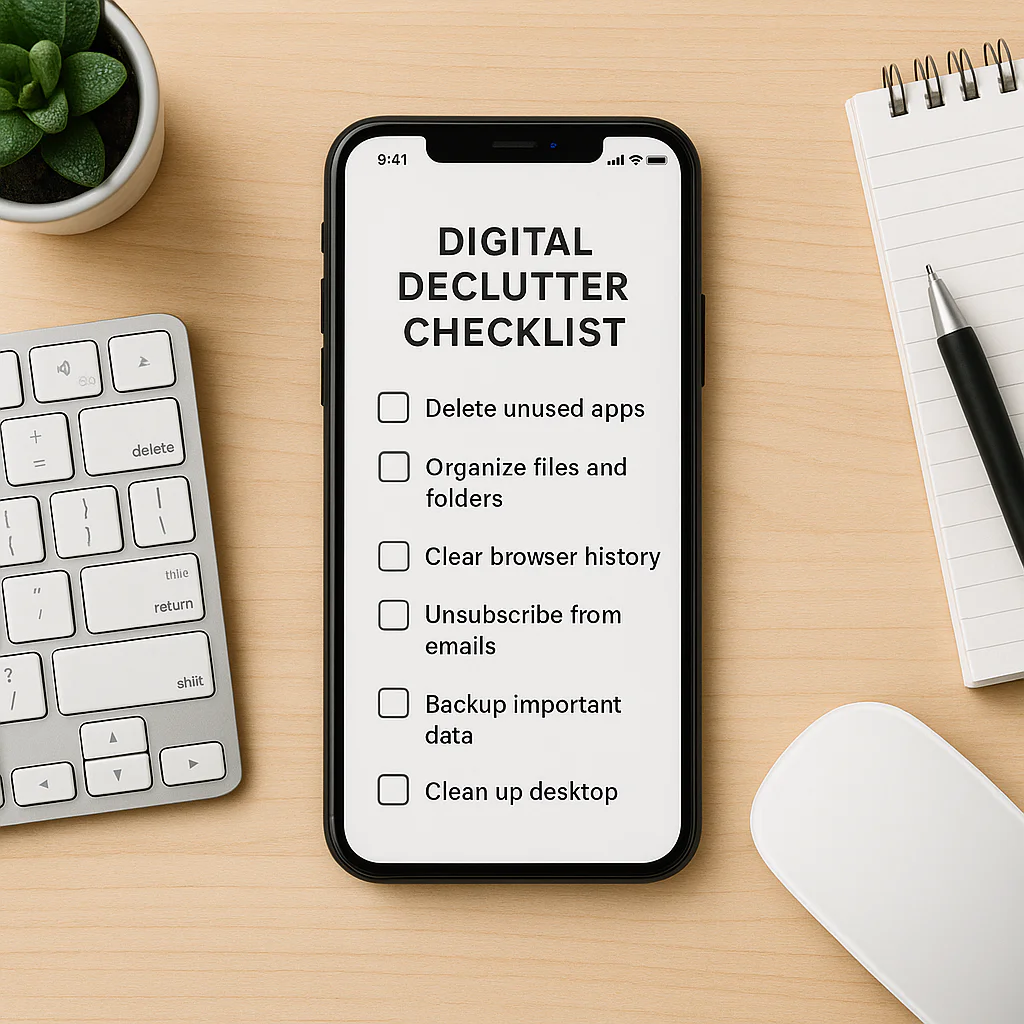

A Digital declutter daily checklist works best when it’s short: spend 10–15 minutes clearing the digital mess that’s costing you the most attention, then use a simple system to keep it from piling up again. Start with your inbox, downloads, photos, or notifications—not all four at once.
We’ve found that the biggest win often comes from one tiny habit: pausing before saving another file, opening another tab, or letting one more notification through. Think of your phone and computer like a kitchen counter; a quick evening reset beats waiting until the whole place is buried under digital crumbs.
You don’t need to delete your entire online life or buy a new app. With a few repeatable steps, you can make important files easier to find, reduce distractions, and keep your devices feeling calmer.
Key Takeaways
- Start with the digital clutter causing the most stress. A focused 10-minute cleanup is easier to sustain than a massive one-off purge.
- Use a small daily reset: review email, remove unwanted downloads, close unnecessary tabs, and clear distracting notifications.
- Organize before deleting. Back up important files and photos, then remove duplicates and items you’re sure you no longer need.
- Make the routine repeatable. A daily checklist plus a weekly or monthly review helps digital organization stick.
- Protect your attention and accounts. Reduce nonessential notifications and use strong, unique passwords.
Table of Contents
- ⚡ Quick Tips and Facts for a Daily Digital Declutter
- 🧭 Why Digital Clutter Builds Up—and How a Daily Routine Helps
- 😵 When Digital Clutter Starts to Feel Overwhelming
- 🧹 How to Declutter Your Digital Space: A Step-by-Step Plan
- Start With the Digital Mess Causing the Most Stress
- Create a Simple Digital Organization System
- Make the Process Enjoyable and Sustainable
- ✅ Your Daily Digital Declutter Checklist
- 📧 Email: Archive, Delete, and Unsubscribe
- 📱 Apps: Uninstall What You Don’t Use
- 📸 Photos and Videos: Sort, Back Up, and Remove Duplicates
- 📁 Files and Downloads: Keep What Matters
- 🔔 Notifications and Home Screens: Reduce Digital Noise
- 🔐 Passwords, Accounts, and Online Security
- ☁️ Cloud Storage and Device Backups
- 🌐 Browser Tabs, Bookmarks, and Search History
- 💬 Messages and Social Media
- 🗓️ Build a Weekly, Monthly, and Seasonal Digital Cleanup Routine
- Weekly Digital Maintenance
- Monthly Device and Account Review
- Seasonal Deep Clean and Digital Audit
- 🧠 Digital Minimalism, Screen-Time Boundaries, and Healthy Breaks
- 🛠️ Tools and Settings for Easier Digital Organization
- ♻️ Delete Mindfully: Privacy, Backups, and Permanent Removal
- 🖨️ Save, Print, and Share Your Digital Declutter Checklist
- 📘 Digital Declutter Quick-Start Guide and Helpful Resources
- 🎯 Conclusion
- 🔗 Recommended Links
- ❓ FAQ
- What is a digital declutter?
- How often should you declutter your digital life?
- What should you delete first when decluttering your phone?
- How do you organize digital files and photos?
- Is it safe to delete files from cloud storage?
- How can you declutter without losing important data?
- 📚 Reference Links
Table of Contents
- ⚡ Quick Tips and Facts for a Daily Digital Declutter
- 🧭 Why Digital Clutter Builds Up—and How a Daily Routine Helps
- 😵 When Digital Clutter Starts to Feel Overwhelming
- 🧹 How to Declutter Your Digital Space: A Step-by-Step Plan
- Start With the Digital Mess Causing the Most Stress
- Create a Simple Digital Organization System
- Make the Process Enjoyable and Sustainable
- ✅ Your Daily Digital Declutter Checklist
- 📧 Email: Archive, Delete, and Unsubscribe
- 📱 Apps: Uninstall What You Don’t Use
- 📸 Photos and Videos: Sort, Back Up, and Remove Duplicates
- 📁 Files and Downloads: Keep What Matters
- 🔔 Notifications and Home Screens: Reduce Digital Noise
- 🔐 Passwords, Accounts, and Online Security
- ☁️ Cloud Storage and Device Backups
- 🌐 Browser Tabs, Bookmarks, and Search History
- 💬 Messages and Social Media
- 🗓️ Build a Weekly, Monthly, and Seasonal Digital Cleanup Routine
- Weekly Digital Maintenance
- Monthly Device and Account Review
- Seasonal Deep Clean and Digital Audit
- 🧠 Digital Minimalism, Screen-Time Boundaries, and Healthy Breaks
- 🛠️ Tools and Settings for Easier Digital Organization
- ♻️ Delete Mindfully: Privacy, Backups, and Permanent Removal
- 🖨️ Save, Print, and Share Your Digital Declutter Checklist
- 📘 Digital Declutter Quick-Start Guide and Helpful Resources
- 🎯 Conclusion
- 🔗 Recommended Links
- ❓ FAQ
- What is a digital declutter?
- How often should you declutter your digital life?
- What should you delete first when decluttering your phone?
- How do you organize digital files and photos?
- Is it safe to delete files from cloud storage?
- How can you declutter without losing important data?
- 📚 Reference Links