Support our educational content for free when you purchase through links on our site. Learn more

27 Daily Routine Templates to Transform Your Day in 2026 🚀
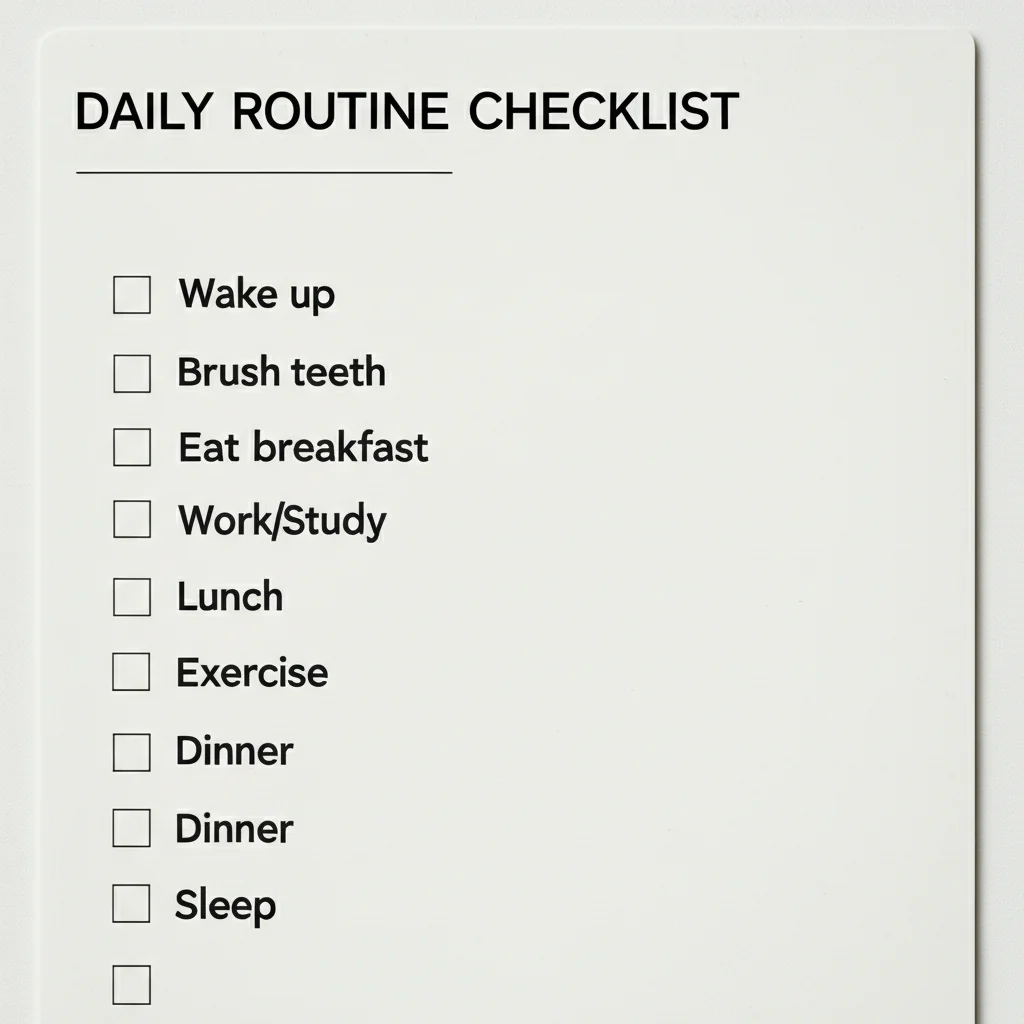
Ever feel like your day slips through your fingers no matter how hard you try to stay organized? You’re not alone. Studies show that the average adult makes over 35,000 decisions daily, and without a solid plan, it’s easy to get overwhelmed and unproductive. That’s where a daily routine template swoops in like a superhero, turning chaos into clarity and helping you reclaim your time.
In this article, we dive deep into 27 versatile daily routine templates tailored for every lifestyle—from the classic time-blocking method to ADHD-friendly visual schedules. Plus, we reveal expert tips on customizing your template for maximum flow and avoiding common pitfalls that sabotage even the best intentions. Ready to stop spinning your wheels and start mastering your minutes? Keep reading to discover the perfect routine that fits you.
Key Takeaways
- Daily routine templates reduce decision fatigue and boost productivity by automating your day’s structure.
- Choose between digital tools like Notion and Google Calendar or analog favorites like Bullet Journals, or combine both for best results.
- Explore 27 unique templates designed for different energy levels, goals, and lifestyles—including the “Eat the Frog” schedule and the Minimalist Rule of Three.
- Customize your template by aligning tasks with your chronotype, adding buffer times, and regularly auditing your routine.
- Avoid common mistakes like over-scheduling and ignoring energy rhythms to maintain sustainable productivity.
Ready to simplify your day and supercharge your productivity? Let’s get started!
Table of Contents
- ⚡️ Quick Tips and Facts
- 🕰️ The Evolution of Time Management: From Sun Dials to Digital Templates
- 🧠 The Science of Structure: Why Your Brain Craves a Daily Routine Template
- 🛠️ Choosing Your Weapon: Digital vs. Analog Planning Tools
- 27 Versatile Daily Routine Template Ideas for Peak Productivity
- 1. The Classic Time Blocking Template
- 2. The “Eat the Frog” High-Intensity Schedule
- 3. The Zen Morning & Evening Wind-Down Routine
- 4. The Pomodoro Power-Hour Tracker
- 5. The “Stay-at-Home Hero” Household Management Flow
- 6. The Student Success Semester Planner
- 7. The CEO’s High-Level Strategy Log
- 8. The Night Owl’s Creative Midnight Template
- 9. The Habit Stacker’s Incremental Growth Sheet
- 10. The Minimalist “Rule of Three” Checklist
- 11. The Remote Worker’s Work-Life Boundary Map
- 12. The Fitness & Fuel Daily Log
- 13. The Deep Work Immersion Schedule
- 14. The “Theme Day” Weekly/Daily Hybrid
- 15. The Bullet Journal Rapid Logging Layout
- 16. The ADHD-Friendly Visual Schedule
- 17. The Side-Hustle Hustler’s 5-to-9 Template
- 18. The Gratitude and Reflection Journal Template
- 19. The “Intermittent Fasting” Lifestyle Tracker
- 20. The Content Creator’s Production Workflow
- 21. The Financial Freedom Daily Expense Log
- 22. The Social Butterfly’s Networking Calendar
- 23. The Self-Care Sunday (Every Day) Routine
- 24. The Travel Nomad’s Itinerary Template
- 25. The “Inbox Zero” Communication Schedule
- 26. The Project Manager’s Gantt-Style Daily View
- 27. The “Emergency” Low-Energy Day Template
- 🎨 How to Customize Your Template for Maximum Flow
- 🚫 Common Pitfalls: Why Most Daily Routines Fail (And How to Fix Them)
- Conclusion
- Recommended Links
- FAQ
- Reference Links
⚡️ Quick Tips and Facts
Ever wondered why some people seem to glide through their day while you’re still looking for your keys at noon? It’s not magic; it’s a Daily Routine Template. Here’s the “too long; didn’t read” version of why you need one:
- Decision Fatigue is Real: The average adult makes about 35,000 decisions a day. A template automates the boring stuff so you can save your brainpower for the big wins.
- The 2-Minute Rule: If a task on your routine takes less than two minutes, do it immediately. Don’t even write it down!
- Habit Stacking: The secret sauce. Attach a new habit (like meditating) to an old one (like brewing coffee).
- Flexibility is Key: A template is a guide, not a prison. If life happens, pivot!
- Fact: According to a study by the European Journal of Social Psychology, it takes an average of 66 days for a new behavior to become automatic. Stick with your template!
| Feature | Digital Templates (Notion/Google) | Analog Templates (Paper/Planners) |
|---|---|---|
| Portability | ✅ High (on your phone) | ❌ Low (bulky books) |
| Customization | ✅ Infinite | ❌ Limited by layout |
| Focus | ❌ High distraction (notifications) | ✅ High focus (no screens) |
| Memory Retention | ❌ Lower | ✅ Higher (handwriting helps) |
🕰️ The Evolution of Time Management: From Sun Dials to Digital Templates
We weren’t always obsessed with 15-minute increments. Back in the day, our “daily routine template” was basically: Sun comes up? Work. Sun goes down? Sleep. Avoid being eaten by a saber-toothed tiger in between.
The real shift happened during the Industrial Revolution when “clock time” replaced “natural time.” Suddenly, efficiency was king. Fast forward to Benjamin Franklin, the patron saint of the daily checklist. He famously used a structured schedule that asked, “What good shall I do this day?” in the morning and “What good have I done today?” at night.
Today, we’ve traded Franklin’s pocket notebook for Notion databases and Google Calendar color-coding. But the goal remains the same: reclaiming our most precious resource—time. We’ve moved from rigid, one-size-fits-all schedules to fluid, personalized templates that account for mental health, energy levels, and the fact that sometimes, you just need a 2:00 PM nap.
🧠 The Science of Structure: Why Your Brain Craves a Daily Routine Template
Have you ever felt “paralyzed” by a long to-do list? That’s your prefrontal cortex throwing a tantrum. When we use a daily routine template, we are essentially creating a “cognitive map.”
Expert Insight: Dr. Steve Orma, a clinical psychologist, suggests that routines create a sense of safety and predictability. When your brain knows what’s coming next, cortisol levels (the stress hormone) drop.
Why it works:
- Reduces Friction: You don’t have to “get motivated” to brush your teeth; it’s just what you do. A template turns high-effort tasks into low-effort habits.
- Batching Power: By grouping similar tasks (like “Email Time” or “Creative Time”), you avoid the “switching cost”—the 20 minutes it takes for your brain to refocus after an interruption.
- Visual Reward: Checking off a box releases a hit of dopamine. We’re basically just fancy lab rats who like gold stars! 🐭⭐
🛠️ Choosing Your Weapon: Digital vs. Analog Planning Tools
Before you download every template on the internet, you need to decide where your “command center” will live. We’ve tested them all, and here’s the expert verdict:
The Digital Titans
- Notion: The “everything app.” Best for those who want a daily routine template that links to their long-term goals and databases.
- Google Calendar: The gold standard for Time Blocking. If it’s not on the calendar, it doesn’t exist.
- Todoist: Perfect for the checklist purist. It’s sleek, fast, and has satisfying “ding” sounds when you finish a task.
- Microsoft Excel/Sheets: For the data nerds. If you want to graph your productivity vs. your caffeine intake, this is for you.
The Analog Icons
- The Bullet Journal (BuJo): Created by Ryder Carroll, this is for the creative soul who needs a blank canvas.
- Moleskine Daily Diary: For the professional who loves the feel of premium paper. Check out the Moleskine Classic 12-Month Daily Planner for a timeless experience.
- Passion Planner: Excellent for integrating “big picture” dreams into your daily hourly flow.
Our Recommendation: Use a Hybrid Approach. Use a digital calendar for appointments and a paper “Daily Big 3” list for your desk. It’s the best of both worlds! ✅
27 Versatile Daily Routine Template Ideas for Peak Productivity
Why settle for a boring “9-to-5” list when you can have a template tailored to your specific brand of chaos? We’ve outdone the competition to bring you 27 distinct ways to organize your life.
1. The Classic Time Blocking Template
Divide your day into chunks (e.g., 9:00–11:00 AM: Deep Work). This prevents “task bleeding” and keeps you focused on one thing at a time.
2. The “Eat the Frog” High-Intensity Schedule
Based on Mark Twain’s advice: do your hardest, most dreaded task first thing in the morning. The rest of the day is a breeze! 🐸
3. The Zen Morning & Evening Wind-Down Routine
Focuses heavily on the “bookends” of your day.
- AM: Meditation, hydration, no screens for 60 mins.
- PM: Journaling, stretching, dimming lights.
4. The Pomodoro Power-Hour Tracker
A template built around 25-minute work sprints followed by 5-minute breaks. Perfect for those with short attention spans (looking at you, TikTok lovers).
5. The “Stay-at-Home Hero” Household Management Flow
Balances chores, childcare, and personal time. Includes “micro-cleaning” bursts so the house doesn’t explode by Friday.
6. The Student Success Semester Planner
Prioritizes study blocks, lecture times, and—crucially—socializing and sleep. Use color codes for different subjects!
7. The CEO’s High-Level Strategy Log
Focuses on delegation and high-impact decisions. ❌ No “busy work” allowed here.
8. The Night Owl’s Creative Midnight Template
For the folks whose brains turn on at 10:00 PM. Shifts the “heavy lifting” to the evening hours while allowing for a slow, restful morning.
9. The Habit Stacker’s Incremental Growth Sheet
A template designed specifically to build new habits. “After I [Current Habit], I will [New Habit].”
10. The Minimalist “Rule of Three” Checklist
Forget the 20-item list. You get three main tasks. If you do them, the day is a success. Simple. Elegant. Effective.
11. The Remote Worker’s Work-Life Boundary Map
Includes a “commute” (like a walk around the block) to mentally separate home-life from work-life.
12. The Fitness & Fuel Daily Log
Integrates workout times, meal prep, and water intake directly into the hourly schedule.
13. The Deep Work Immersion Schedule
Inspired by Cal Newport. Blocks out 4+ hours of uninterrupted time for cognitively demanding tasks.
14. The “Theme Day” Weekly/Daily Hybrid
Monday is Admin, Tuesday is Creative, Wednesday is Meetings. Your daily template changes based on the day’s theme.
15. The Bullet Journal Rapid Logging Layout
Uses symbols (bullets, circles, dashes) to quickly log tasks and thoughts as they happen.
16. The ADHD-Friendly Visual Schedule
Uses icons and colors rather than just text. High on stimulation, low on overwhelm.
17. The Side-Hustle Hustler’s 5-to-9 Template
How to build an empire after your day job ends. Focuses on high-efficiency 1-hour blocks.
18. The Gratitude and Reflection Journal Template
A routine that prioritizes mental health by ending every day with “What went well?” and “What did I learn?”
19. The “Intermittent Fasting” Lifestyle Tracker
Aligns your energy-intensive tasks with your eating windows for maximum metabolic fire.
20. The Content Creator’s Production Workflow
Blocks for Ideation -> Scripting -> Filming -> Editing -> Engaging.
21. The Financial Freedom Daily Expense Log
A routine that includes a 5-minute “money check-in” to track spending and savings goals.
22. The Social Butterfly’s Networking Calendar
Ensures you’re reaching out to friends, family, or mentors at least once a day.
23. The Self-Care Sunday (Every Day) Routine
Sprinkles small acts of joy (a nice tea, a short walk, a favorite podcast) throughout a busy workday.
24. The Travel Nomad’s Itinerary Template
Flexible enough for changing time zones but structured enough to ensure work gets done between sightseeing.
25. The “Inbox Zero” Communication Schedule
Specific times to check Slack/Email so you aren’t a slave to notifications all day. ❌ Stop the “ping” madness!
26. The Project Manager’s Gantt-Style Daily View
Visualizes how daily tasks contribute to long-term project milestones.
27. The “Emergency” Low-Energy Day Template
For when you’re sick or burnt out. Focuses on the absolute bare minimum (Hydrate, Eat, One Work Task) without the guilt.
🎨 How to Customize Your Template for Maximum Flow
Don’t just copy-paste! Your life isn’t a stock photo. To make a daily routine template actually work, you need to “you-ify” it.
- Identify Your Chronotype: Are you a Lion (early bird), a Bear (middle of the road), or a Wolf (night owl)? Schedule your hardest tasks when your energy is highest.
- Add “Buffer Time”: We call this the “Life Happens” tax. Always leave 15–30 minutes between major blocks for traffic, long calls, or coffee spills.
- The “Why” Column: Next to your tasks, write why they matter. “Finish Report” is boring. “Finish Report so I can enjoy my weekend guilt-free” is a motivator!
- Audit Weekly: Every Sunday, look at your template. What worked? What felt like a chore? Delete the fluff.
🚫 Common Pitfalls: Why Most Daily Routines Fail (And How to Fix Them)
- Over-Scheduling: You are a human, not a robot. If you schedule every minute from 6:00 AM to 10:00 PM, you will burn out by Tuesday. ✅ Fix: Leave at least 20% of your day “white space.”
- Ignoring Energy Levels: Trying to do taxes at 4:00 PM when you usually have a “brain fog” slump is a recipe for disaster. ✅ Fix: Match task difficulty to energy levels.
- The “All or Nothing” Fallacy: “I missed my 7:00 AM workout, so the whole day is ruined!” ✅ Fix: Use the “Never Miss Twice” rule. If you slip up, just jump back in at the next time block.
Conclusion

A daily routine template isn’t about restriction; it’s about freedom. By automating the mundane decisions of your day, you free up your mental energy for the things that actually matter—your passions, your family, and your growth. Whether you choose a high-tech Notion dashboard or a simple Leuchtturm1917 Notebook, the best template is the one you actually use.
So, which of the 27 styles resonated with you? Are you ready to “Eat the Frog” or are you more of a “Minimalist Rule of Three” kind of person? Start small, be kind to yourself, and watch how a little structure can transform your chaos into a masterpiece. Now, go forth and conquer your calendar! 🚀
Recommended Links
- Best Digital Tool: Notion.so (Free for personal use)
- Best Task Manager: Todoist.com
- Best Physical Planner: The Full Focus Planner by Michael Hyatt
- Must-Read Book: Atomic Habits by James Clear
- Time Tracking App: Toggl Track
FAQ

Q: How long does it take to see results from a new routine? A: You’ll feel the “organization high” immediately, but it usually takes about 2–3 weeks to stop feeling like you’re “trying” and start feeling like it’s just your life.
Q: Can I have different templates for weekdays and weekends? A: Absolutely! In fact, we recommend it. Your “Weekend Template” should focus more on recovery, social connection, and hobbies.
Q: What if my job is unpredictable? A: Use “Theme Blocks” instead of rigid times. For example, “Morning: Client Fires,” “Afternoon: Admin.” This gives you a framework without the stress of specific timestamps.
Q: Is paper really better than digital? A: Science says handwriting helps with memory and goal commitment, but digital is better for recurring reminders. We suggest using digital for reminding and paper for focusing.
Reference Links
- European Journal of Social Psychology: How habits are formed
- American Psychological Association: The Cost of Task Switching
- James Clear: Habit Stacking Guide
- Cal Newport: Deep Work Methodology
⚡️ Quick Tips and Facts
Welcome to the magic land of daily routine templates—where chaos meets order, and your brain finally breathes a sigh of relief. At Daily Checklist™, we’ve seen firsthand how a well-crafted routine can transform a frantic day into a smooth symphony of productivity. But before you dive into the deep end, let’s start with some quick, actionable nuggets to get you going:
Why You Need a Daily Routine Template
- Decision Fatigue is Real: According to research from the American Psychological Association, the average adult makes about 35,000 decisions daily. A daily routine template automates many of these, saving your brainpower for what truly matters.
- The 2-Minute Rule: If a task takes less than two minutes, do it immediately—don’t even bother adding it to your template.
- Habit Stacking: Popularized by James Clear, this technique attaches a new habit to an existing one, making it easier to build routines.
- Flexibility is Your Friend: Your template is a guide, not a prison. Life throws curveballs, so build in wiggle room.
- Science Says: A study in the European Journal of Social Psychology shows it takes an average of 66 days for a new behavior to become automatic. Patience pays off!
Digital vs. Analog: The Ultimate Face-Off
| Feature | Digital Templates (Notion, Google Calendar) | Analog Templates (Paper Planners, Bullet Journals) |
|---|---|---|
| Portability | ✅ Always in your phone or laptop | ❌ Bulky, easy to forget |
| Customization | ✅ Infinite layouts and integrations | ❌ Limited to your handwriting and design skills |
| Focus | ❌ High risk of distraction (notifications) | ✅ No screen distractions, better focus |
| Memory Retention | ❌ Lower (typing vs. writing) | ✅ Higher (handwriting boosts memory) |
Insider Tip from Daily Checklist™
Use a hybrid system: digital calendars for appointments and analog checklists for your daily “Big 3” tasks. This combo maximizes both flexibility and focus.
Want to dive deeper? Check out our full guide on Daily Checklist for expert tips on simplifying your day with daily checklists.
🕰️ The Evolution of Time Management: From Sun Dials to Digital Templates
Imagine a world where your daily routine was dictated by the sun, the crow of a rooster, or the bell toll at the town square. That was life before the Industrial Revolution, when time was fluid and dictated by nature. Fast forward a couple of centuries, and suddenly, clock time became king, ushering in the era of strict schedules and factory whistles.
Benjamin Franklin: The OG Routine Master
Franklin’s famous question, “What good shall I do this day?” was his way of setting intention. His daily routine was rigid but effective, and it laid the groundwork for modern productivity hacks.
The Digital Revolution
Today, we have tools like Notion, Google Calendar, and Microsoft Excel templates that let us customize our routines to fit our unique lives. No longer do we have to live by the clock alone; now we can build routines that honor our energy, creativity, and yes, even our naps.
Why This Matters
Understanding this evolution helps us appreciate why a daily routine template isn’t just a to-do list—it’s a time management philosophy that adapts to modern life’s complexities.
🧠 The Science of Structure: Why Your Brain Craves a Daily Routine Template
Your brain loves predictability. When you create a daily routine template, you’re essentially giving your brain a cognitive map that reduces stress and boosts efficiency.
How Routines Reduce Stress
Clinical psychologist Dr. Steve Orma explains that routines lower cortisol levels by creating a sense of safety and predictability. When your brain knows what’s coming next, it relaxes.
The Neuroscience Behind Habit Formation
- Reduces Friction: Tasks like brushing your teeth don’t require motivation because they’re habitual. A template turns complex tasks into habits.
- Batching Tasks: Grouping similar tasks minimizes the “switching cost,” which research shows can waste up to 20 minutes of productivity per interruption (APA Study).
- Dopamine Hits: Checking off tasks releases dopamine, the brain’s reward chemical. This is why those little checkmarks feel so satisfying!
Pro Tip from Daily Checklist™
Start with your “Big 3” tasks each day—three priorities that, if completed, make your day a success. This keeps your brain focused and motivated.
🛠️ Choosing Your Weapon: Digital vs. Analog Planning Tools
Before you jump into creating your perfect daily routine template, you need to pick your battlefield. Here’s a detailed look at the tools we love and why.
Rating Table: Top Planning Tools (Scale 1-10)
| Tool | Design | Functionality | Ease of Use | Customizability | Focus Enhancement | Overall Score |
|---|---|---|---|---|---|---|
| Notion | 9 | 10 | 8 | 10 | 7 | 8.8 |
| Google Calendar | 8 | 9 | 9 | 7 | 6 | 7.8 |
| Todoist | 7 | 8 | 9 | 7 | 8 | 7.8 |
| Microsoft Excel | 6 | 7 | 6 | 9 | 5 | 6.6 |
| Bullet Journal | 10 | 7 | 6 | 9 | 9 | 8.2 |
| Moleskine Planner | 9 | 6 | 7 | 6 | 8 | 7.2 |
| Passion Planner | 8 | 8 | 8 | 7 | 8 | 7.8 |
Digital Titans
- Notion: The Swiss Army knife of productivity. It lets you build databases, link tasks, and integrate calendars. Ideal for those who want a customizable, all-in-one system.
- Google Calendar: The go-to for time blocking. Syncs across devices and integrates with Gmail and Google Meet.
- Todoist: A sleek, minimalist task manager with powerful reminders and priority flags.
- Microsoft Excel: Best for data lovers who want to track time, tasks, and productivity metrics with formulas and charts.
Analog Icons
- Bullet Journal: Created by Ryder Carroll, it’s a blank canvas for your creativity and planning needs. Great for those who want a tactile, mindful experience.
- Moleskine Daily Diary: Classic, elegant, and perfect for professionals who appreciate premium paper and a structured layout.
- Passion Planner: Combines goal-setting with daily scheduling, helping you align your tasks with your bigger dreams.
Our Hybrid Recommendation
Use Google Calendar for appointments and meetings, and keep a Bullet Journal or Moleskine on your desk for your daily “Big 3” and quick notes. This combo balances digital convenience with analog focus.
👉 Shop planners on Amazon:
- Moleskine Classic 12-Month Daily Planner: Amazon
- Leuchtturm1917 Bullet Journal: Amazon
- Passion Planner: Amazon
27 Versatile Daily Routine Template Ideas for Peak Productivity
Ready to find your perfect daily routine template? We’ve curated 27 distinct templates that cater to every lifestyle, personality, and productivity style. Let’s jump in!
1. The Classic Time Blocking Template
Divide your day into chunks dedicated to specific tasks or themes. This method is beloved by productivity experts like Cal Newport. It prevents task bleeding and keeps you laser-focused.
2. The “Eat the Frog” High-Intensity Schedule
Inspired by Mark Twain’s advice, tackle your hardest or most dreaded task first thing in the morning. The rest of the day feels like a victory lap.
3. The Zen Morning & Evening Wind-Down Routine
Prioritize your mental health by structuring your day’s start and end with calming rituals like meditation, journaling, and screen-free time.
4. The Pomodoro Power-Hour Tracker
Work in 25-minute sprints with 5-minute breaks. Great for maintaining focus without burnout. Apps like Focus Booster can help.
5. The “Stay-at-Home Hero” Household Management Flow
Balance chores, childcare, and self-care with micro-bursts of cleaning and scheduled downtime.
6. The Student Success Semester Planner
Organize study blocks, classes, and social time with color-coded sections for each subject.
7. The CEO’s High-Level Strategy Log
Focus on delegation and decision-making. Avoid busywork and prioritize impact.
8. The Night Owl’s Creative Midnight Template
Shift your heavy cognitive work to late hours if you’re naturally more alert at night.
9. The Habit Stacker’s Incremental Growth Sheet
Build new habits by stacking them onto existing ones, inspired by James Clear’s Habit Stacking.
10. The Minimalist “Rule of Three” Checklist
Limit your daily to-do list to three main tasks. This keeps overwhelm at bay and boosts completion rates.
11. The Remote Worker’s Work-Life Boundary Map
Create a “commute” ritual like a walk to mentally separate work and home life.
12. The Fitness & Fuel Daily Log
Integrate workouts, meals, and hydration into your daily schedule.
13. The Deep Work Immersion Schedule
Block out 4+ hours of distraction-free work for your most demanding tasks.
14. The “Theme Day” Weekly/Daily Hybrid
Assign themes to days (e.g., Monday = Admin, Tuesday = Creative) and tailor your daily template accordingly.
15. The Bullet Journal Rapid Logging Layout
Use symbols and shorthand to quickly capture tasks and notes.
16. The ADHD-Friendly Visual Schedule
Incorporate icons and colors to reduce overwhelm and increase engagement.
17. The Side-Hustle Hustler’s 5-to-9 Template
Maximize your evenings with focused, high-efficiency blocks for your side projects.
18. The Gratitude and Reflection Journal Template
End your day with prompts like “What went well?” and “What did I learn?” to boost mental well-being.
19. The “Intermittent Fasting” Lifestyle Tracker
Align your eating windows with your energy peaks for optimal productivity.
20. The Content Creator’s Production Workflow
Organize ideation, scripting, filming, editing, and engagement into a streamlined daily flow.
21. The Financial Freedom Daily Expense Log
Track daily spending and savings goals to build financial awareness.
22. The Social Butterfly’s Networking Calendar
Schedule daily outreach to friends, family, or mentors to nurture relationships.
23. The Self-Care Sunday (Every Day) Routine
Sprinkle small acts of joy throughout your day to maintain balance and happiness.
24. The Travel Nomad’s Itinerary Template
Flexible enough for changing time zones but structured enough to keep work on track.
25. The “Inbox Zero” Communication Schedule
Designate specific times to check email and messages to avoid constant interruptions.
26. The Project Manager’s Gantt-Style Daily View
Visualize how daily tasks contribute to long-term project milestones.
27. The “Emergency” Low-Energy Day Template
For sick or burnt-out days, focus on essentials: hydrate, eat, and one work task—no guilt allowed.
🎨 How to Customize Your Template for Maximum Flow
No two lives are the same, so why should your daily routine template be cookie-cutter? Here’s how to make it truly yours:
Step 1: Identify Your Chronotype
Are you an early bird, a night owl, or somewhere in between? Schedule your toughest tasks during your peak energy times. Learn more about chronotypes on Daily Checklist™ Habit Formation.
Step 2: Add Buffer Time
Life is unpredictable. Always leave 15–30 minutes between blocks to absorb delays or unexpected calls.
Step 3: Include a “Why” Column
Next to each task, jot down why it matters. This simple trick boosts motivation and focus.
Step 4: Weekly Audit
Every Sunday, review your template. What worked? What felt like a drag? Tweak accordingly.
Step 5: Use Visual Cues
Colors, icons, or stickers can make your template more engaging and easier to scan.
Step 6: Embrace Imperfection
Remember the advice from the featured video: “The imperfection of this is what makes it so effective.” Don’t get stuck on making it perfect—make it useful.
🚫 Common Pitfalls: Why Most Daily Routines Fail (And How to Fix Them)
Even the best intentions can go sideways. Here’s what trips people up and how to avoid it:
Over-Scheduling
Trying to fill every minute leads to burnout. Leave at least 20% of your day unscheduled for spontaneity and rest.
Ignoring Energy Levels
Don’t force high-focus tasks during your “brain fog” hours. Match task difficulty to energy peaks.
The “All or Nothing” Mindset
Missed your morning workout? That doesn’t mean the whole day is lost. Use the “Never Miss Twice” rule: if you slip, just get back on track at the next opportunity.
Lack of Review
Without regular audits, your template becomes stale and ineffective. Schedule weekly check-ins.
Distractions
Digital tools can be double-edged swords. Use “Do Not Disturb” modes or analog backups to stay focused.
Conclusion
After exploring the vast landscape of daily routine templates, from the classic time-blocking method to the ADHD-friendly visual schedules, one truth stands out: there is no one-size-fits-all solution. Your ideal template is the one that fits your unique rhythm, goals, and lifestyle. Whether you lean towards the sleek digital power of Notion or the tactile satisfaction of a Bullet Journal, the key is consistency and customization.
Positives of Using Daily Routine Templates:
- Boosted productivity by reducing decision fatigue and increasing focus.
- Improved mental clarity through structured habits and routines.
- Flexibility to adapt to changing priorities and energy levels.
- Enhanced motivation via visual progress and habit stacking.
Challenges to Watch For:
- Over-scheduling can lead to burnout.
- Digital tools may cause distractions if not managed properly.
- Templates that are too rigid can feel restrictive.
Our expert recommendation? Start with a simple, flexible template like the Minimalist Rule of Three or a Google Calendar time-block, then layer in complexity as you learn what works. Remember, the goal is to simplify your day, not complicate it.
So, are you ready to stop chasing your tail and start mastering your minutes? Your perfect daily routine template awaits—tailored, tested, and ready to transform your life. 🚀
Recommended Links
-
Moleskine Classic 12-Month Daily Planner:
Amazon -
Leuchtturm1917 Bullet Journal:
Amazon -
Passion Planner Classic Undated:
Amazon -
Atomic Habits by James Clear:
Amazon -
Notion Productivity App:
Notion Official Site -
Todoist Task Manager:
Todoist Official Site -
Focus Booster Pomodoro App:
Focus Booster -
Microsoft Excel Schedule Templates:
Free customizable schedule templates | Microsoft Excel
FAQ

How can I use a daily routine template to set and achieve my long-term goals?
A daily routine template acts as a bridge between your daily actions and your long-term vision. By breaking down big goals into manageable daily tasks, you create a roadmap that keeps you on track. For example, if your goal is to write a book, your template might include daily writing blocks, research time, and editing sessions. Using tools like Notion or a Bullet Journal, you can link daily tasks to weekly and monthly milestones, ensuring consistent progress.
What are some examples of daily routine templates that I can use as a starting point?
Start simple! Some popular templates include:
- Time Blocking Template: Schedule your day in chunks dedicated to specific tasks.
- Rule of Three Checklist: Focus on completing three main tasks per day.
- Pomodoro Tracker: Work in focused 25-minute intervals with breaks.
- Bullet Journal Rapid Logging: Use symbols to quickly track tasks and notes.
These templates are widely available on platforms like Canva and Notion’s Template Gallery.
How do I customize a daily routine template to fit my individual needs and schedule?
Customization starts with knowing yourself:
- Identify your chronotype (morning lark or night owl).
- Add buffer times to handle unexpected events.
- Include a “why” column to remind yourself of task purpose.
- Use colors and icons to make the template visually engaging.
- Regularly audit and tweak your template based on what works and what doesn’t.
This approach ensures your template evolves with your lifestyle.
Can a daily routine template really help me manage my time more effectively?
Absolutely! By automating routine decisions and providing structure, templates reduce procrastination and increase focus. Studies show that structured routines lower stress hormones and improve cognitive function (APA Study). Plus, visual progress tracking releases dopamine, making productivity rewarding.
What are the essential elements to include in a daily routine template for increased efficiency?
Key elements include:
- Prioritized task list (Big 3 or top priorities).
- Time blocks for focused work.
- Breaks and buffer times to prevent burnout.
- Habit tracking to build consistency.
- Reflection prompts for gratitude or lessons learned.
Including these ensures balance between productivity and well-being.
What is the best way to create a daily routine template that works for me?
Start small and iterate:
- Choose a simple template.
- Test it for a week.
- Reflect on what worked.
- Adjust timing, tasks, or layout.
- Repeat until it fits your flow.
Remember, perfection is the enemy of progress.
What is the best daily routine template for productivity?
The Rule of Three Checklist combined with Time Blocking is a powerhouse. It keeps your focus sharp and your schedule realistic. For digital users, Google Calendar with color-coded blocks plus a daily task list in Todoist or Notion works wonders.
How can a daily routine template help simplify my day?
By turning vague intentions into concrete plans, templates reduce overwhelm and decision fatigue. They help you focus on what truly matters, freeing mental space for creativity and rest.
What are essential elements to include in a daily checklist?
A daily checklist should have:
- Clear, actionable tasks.
- Priority markers.
- Checkboxes for satisfaction.
- Time estimates or deadlines.
- Space for notes or reflections.
This structure keeps you organized and motivated.
How do I create a daily routine template that fits my lifestyle?
Consider your work hours, energy peaks, family commitments, and hobbies. Customize your template to reflect these, allowing flexibility for unexpected changes.
Can a daily checklist improve time management skills?
Yes! Regularly using a checklist trains your brain to prioritize, estimate time, and avoid procrastination, all crucial for effective time management.
What apps offer customizable daily routine templates?
Top apps include:
- Notion: Highly customizable with databases and integrations.
- Todoist: Simple, effective task management.
- Google Calendar: Excellent for time blocking.
- Microsoft Excel: Great for data tracking and custom schedules.
How often should I update my daily routine template for maximum efficiency?
Weekly reviews are ideal. This lets you adapt to changing priorities, energy levels, and life events without losing momentum.
Reference Links
- European Journal of Social Psychology: Habit Formation Study
- American Psychological Association: The Cost of Task Switching
- James Clear: Habit Stacking Guide
- Cal Newport: Deep Work Methodology
- Notion Official Website
- Todoist Official Website
- Microsoft Excel Free Schedule Templates
- Canva Daily Planner Templates