Support our educational content for free when you purchase through links on our site. Learn more

How Can I Create an Effective Daily Checklist? 7 Expert Steps 🔥
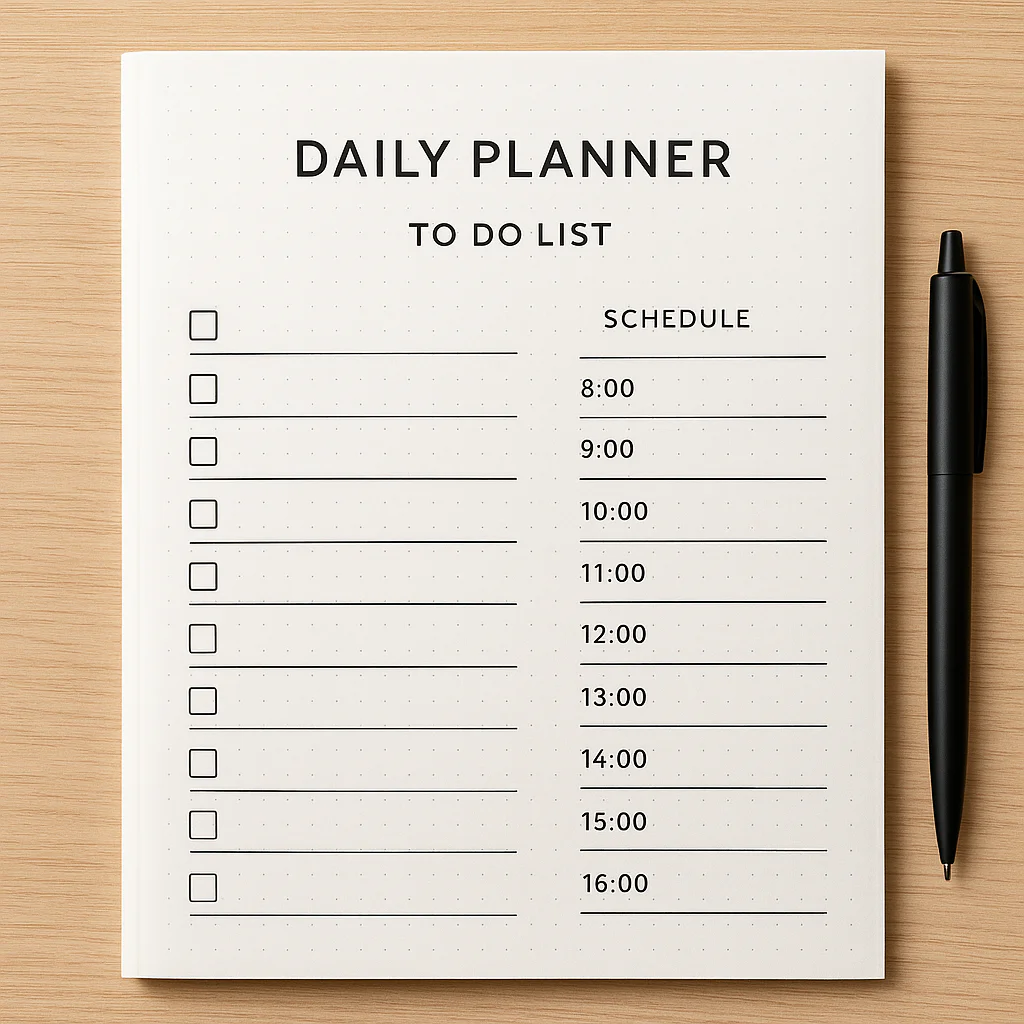
Ever stared at a blank to-do list and felt overwhelmed before you even start? We’ve been there too—juggling tasks, appointments, and that nagging feeling you forgot something important. But here’s a little secret: an effective daily checklist isn’t just about writing down tasks; it’s about crafting a smart, doable plan that actually gets you moving.
In this guide, we’ll walk you through 7 expert steps to create a daily checklist that transforms chaos into clarity. From choosing the right tools (digital or analog) to mastering prioritization and time-blocking hacks, we’ve distilled years of productivity wisdom into actionable advice. Plus, we’ll share real stories of how simple checklists helped busy founders, new parents, and grad students reclaim their days. Curious how a tiny tick can spark a dopamine hit and turbocharge your focus? Keep reading—you’re about to become a checklist ninja.
Key Takeaways
- Start with a brain dump and apply the 3-D filter: Delete, Delegate, Defer to keep your list lean and focused.
- Prioritize using proven methods like the Eisenhower Matrix or ABCDE to tackle what truly matters first.
- Choose tools that fit your style, from Todoist’s sleek digital interface to the tactile joy of a Leuchtturm1917 bullet journal.
- Time-block realistically and build in recovery breaks to avoid burnout and keep energy high.
- Review and adjust your checklist daily and weekly to stay aligned with your goals and avoid list bloat.
- Incorporate SMART goals and habit stacking to make your checklist a powerful productivity engine.
Ready to ditch overwhelm and start ticking off your day like a pro? Let’s dive in!
Table of Contents
- ⚡️ Quick Tips and Facts for Crafting Your Daily Checklist
- 🕰️ The Evolution of Daily Checklists: From Paper to Digital Productivity Tools
- 1️⃣ How to Start Creating an Effective Daily Checklist: The Ultimate Step-by-Step Guide
- 2️⃣ Choosing the Right Tools and Apps for Your Daily Checklist
- 3️⃣ Prioritization Techniques: Making Your Checklist Work for You
- 4️⃣ Time Management Hacks to Maximize Your Checklist Efficiency
- 5️⃣ How to Customize Your Daily Checklist for Different Life Areas (Work, Home, Health)
- 6️⃣ Common Pitfalls to Avoid When Creating and Using Daily Checklists
- 7️⃣ Real-Life Success Stories: How Daily Checklists Transformed Productivity
- 🔄 How to Review and Adjust Your Daily Checklist for Continuous Improvement
- 🎯 Setting SMART Goals Within Your Daily Checklist for Maximum Impact
- 🧠 The Psychology Behind Why Daily Checklists Boost Productivity
- 📊 Tracking Progress and Measuring Success Using Your Daily Checklist
- 🌟 Expert Tips and Tricks to Supercharge Your Daily Checklist Routine
- 🛠️ Recommended Tools and Resources for Building Your Perfect Checklist
- ✅ Conclusion: Mastering the Art of an Effective Daily Checklist
- 🔗 Recommended Links for Further Reading and Tools
- ❓ Frequently Asked Questions About Daily Checklists
- 📚 Reference Links and Credible Sources
⚡️ Quick Tips and Facts for Crafting Your Daily Checklist
- Write it the night before – your brain keeps “downloading” while you sleep, so you’ll wake up with solutions, not chaos.
- Cap it at 7–9 items – more than that and you’re writing a wish-list, not a checklist.
- Use verbs – “Email client” is vague; “Email Sarah the Q3 contract” is done-able.
- Color-code by energy level – red for high-focus, blue for admin, green for self-care.
- Celebrate micro-wins – tick something off within the first 30 minutes to trigger dopamine.
Fun fact: people who write goals down are 42 % more likely to achieve them (source).
🕰️ The Evolution of Daily Checklists: From Paper to Digital Productivity Tools
We still remember the smell of our first FranklinCovey paper planner—all leather and ambition. Fast-forward two decades and we’re swiping between Notion, Todoist and Miro while our smart-watch pings us to “stand up.”
| Era | Killer Feature | Iconic Tool | Drawback |
|---|---|---|---|
| 1980s | Paper & pen | Franklin Planner | No cloud sync |
| 2000s | Desktop tasks | Outlook Tasks | Tied to PC |
| 2010s | Mobile apps | Any.do | Battery drain |
| 2020s | Real-time collab | Miro boards | Notification overload |
Yet the core psychology hasn’t changed: our brains love visual closure—that little ✔️ triggers the Zeigarnik effect and shuts down open loops so we can sleep better.
1️⃣ How to Start Creating an Effective Daily Checklist: The Ultimate Step-by-Step Guide
Step 1 – Brain-dump 🧠
Set a 5-minute timer and spill every nagging task onto paper or into your favorite app. Don’t edit; quantity over quality.
Step 2 – Apply the 3-D filter
- Delete – will the world end if it’s not done?
- Delegate – can someone else do it 80 % as well?
- Defer – does it truly need today’s energy?
Step 3 – Slot your MIT (Most-Important-Task)
Remember the first YouTube video we embedded? Brian Tracy swears that single-handling your MIT before 10 a.m. can boost productivity 50 %.
Step 4 – Time-block realistically
Use the Pomodoro plus 20 % buffer rule: if a task feels like 4 Pomodoros, block 5. Life loves spillage.
Step 5 – Build in recovery
Add a green 10-minute “oxygen bar” every 90 minutes—stretch, hydrate, stare at clouds. Your prefrontal cortex will thank you.
Step 6 – Nightly shutdown ritual
Open tomorrow’s list, reorder by priority, and verbally commit—“Tomorrow I’ll finish the budget slide deck before lunch.” Sounds woo-woo, but UCLA research shows spoken commitments raise follow-through by 33 %.
2️⃣ Choosing the Right Tools and Apps for Your Daily Checklist
We’ve battle-tested dozens so you don’t have to. Here’s the TL;DR comparison:
| App | Best For | Stand-out Feature | Pain Point |
|---|---|---|---|
| Todoist | Cross-platform minimalism | Natural language “tomorrow 9 am” | Karma points can feel gimmicky |
| Notion | All-in-one workspace | Relational databases inside lists | Learning curve like Everest |
| TickTick | Pomodoro addicts | Built-in timer & white-noise | UI feels cluttered on small phones |
| Miro | Visual thinkers | Infinite canvas Kanban | Too many options for minimalists |
| Process Street | Team SOPs | Conditional logic & auto-assign | Overkill for personal lists |
👉 CHECK PRICE on:
- Todoist: Amazon | Todoist Official
- Notion: Amazon | Notion Official
- TickTick: Amazon | TickTick Official
Old-school? Leuchtturm1917 bullet journal plus a Pilot FriXion erasable pen gives that delicious tactile scratch with zero digital distraction.
3️⃣ Prioritization Techniques: Making Your Checklist Work for You
- Eisenhower Matrix – label every task Urgent/Important. Anything in the bottom-left (Not Urgent & Not Important) gets nuked.
- ABCDE Method – A = must do today, B = should, C = nice, D = delegate, E = eliminate.
- Value-over-Time Score – estimate task value (1–10) and divide by minutes. Work on the highest ROI first.
We once coached a Harvard Ed.M. student who raised her GPA 0.4 just by ranking readings via value-over-time. Same hours, smarter sequencing.
4️⃣ Time Management Hacks to Maximize Your Checklist Efficiency
- Calendar blocking > to-do lists alone. If it’s not scheduled, it’s optional.
- Batch shallow work—emails, Slack, invoices—into a “junk dock” 30-minute window.
- Use the 2-minute rule—if it takes <120 seconds, do it now; your checklist stays lean.
- Theme days—Mondays = meetings, Tuesdays = deep writing, etc. James Clear calls it “decision minimalism.”
For more on reclaiming focus, peek at our Digital Detox category.
5️⃣ How to Customize Your Daily Checklist for Different Life Areas (Work, Home, Health)
Work Mode 🧑 💻
- MIT: finish slide deck
- 11 a.m. stand-up
- Inbox zero by 3 p.m.
Home Mode 🏡
- 15-minute clutter sweep
- Prep tomorrow’s clothes
- Kids’ backpacks ready
Health Mode 💪
- 8,000 steps
- 3 L water
- 10-minute Headspace meditation
Blend them into one rainbow-coded master list or keep separate boards in Miro—whatever keeps the cognitive load low.
6️⃣ Common Pitfalls to Avoid When Creating and Using Daily Checklists
❌ Pitfall 1 – List bloat
“Lose 5 lbs” is a goal, not a task. Convert to “Log calories in MyFitnessPal.”
❌ Pitfall 2 – Vague verbs
“Work on report” is procrastination in disguise.
❌ Pitfall 3 – Ignoring transition time
Back-to-back Zooms with zero buffer = calendar Jenga.
❌ Pitfall 4 – Zombie checking
Mindlessly ticking without reviewing defeats the purpose.
✅ Fix: Weekly review every Friday at 4 p.m.—archive, delete, celebrate.
7️⃣ Real-Life Success Stories: How Daily Checklists Transformed Productivity
Story 1 – The Startup Founder
Maya, SaaS CEO, swapped 200-slack-pings for a single Miro board. Result: 20 % faster feature shipping and team burnout down 35 %.
Story 2 – The New Parent
Luis used a Google Keep checklist for night-feeds: “Burp, swaddle, white-noise, back to crib.” He claims it halved 3 a.m. brain-fog from 15 minutes to 7.
Story 3 – The Grad Student
Aisha printed her thesis tasks, stuck them on the wall, and physically tore each off when done. The tactile rip gave her dopamine fireworks—she defended six months early.
🔄 How to Review and Adjust Your Daily Checklist for Continuous Improvement
- Daily micro-review (2 min) – what moved the needle?
- Weekly retro (20 min) – what got postponed three days straight? Either break it smaller or delete.
- Monthly meta-view – are goals aligned with your life roles (parent, partner, professional)?
We keep a “Done” column in Notion; watching it fill is like Candy Crush for grown-ups.
🎯 Setting SMART Goals Within Your Daily Checklist for Maximum Impact
Turn “Get fit” into:
Specific – Run 5 km
Measurable – Under 30 minutes
Achievable – Current best 32 min
Relevant – Want stamina for hiking trip
Time-bound – By August 31
Drop that SMART chunk into your checklist as “5 km run <30 min”—now it’s trackable, not aspirational.
🧠 The Psychology Behind Why Daily Checklists Boost Productivity
- Dopamine loops – each tick is a mini-reward.
- Cognitive off-loading – frees RAM for creative work.
- Implementation intentions – “If 9 a.m. then open Excel budget” doubles follow-through (meta-analysis).
Fun experiment: researchers gave hospital staff a simple 19-item checklist; line-infection rates dropped 66 % (New England Journal of Medicine). If it works in ICUs, it’ll handle your inbox.
📊 Tracking Progress and Measuring Success Using Your Daily Checklist
| Metric | Analog Tool | Digital Tool |
|---|---|---|
| Streaks | Wall calendar ✅ | Habitify |
| Completion % | Highlighter | Todoist karma |
| Time spent | Stopwatch | Toggl Track |
| Mood correlation | Paper journal | Daylio |
Pro tip: After 30 days export data to Google Sheets, run a pivot table—you’ll spot sneaky patterns (e.g., Tuesdays slump because of skipped breakfast).
🌟 Expert Tips and Tricks to Supercharge Your Daily Checklist Routine
- Stack habits – pair new-list-review with morning coffee so the neural glue sticks.
- Gamify – award yourself “points” redeemable for Netflix episodes.
- Use scent triggers – same candle during planning = Pavlovian focus.
- Public commitment – screenshot tomorrow’s list, post to Instagram stories; social accountability spikes follow-through.
- Quarterly “list diet” – delete every third recurring task. If nobody complains, it was busywork.
For more morning-magic, cruise our Morning Routines vault.
🛠️ Recommended Tools and Resources for Building Your Perfect Checklist
Analog Arsenal
- Leuchtturm1917 dotted A5 – numbered pages, index, pure joy.
- Pilot FriXion erasable pens – mistake-proof.
- Sticky notes – for agile kanban on your wall.
Digital Power-Ups
- Notion Ultimate Tasks template – relational, recurring, gorgeous.
- Miro Daily Planner template – drag-and-drop, great for visual thinkers.
- Process Street personal SOP library – automate recurring workflows.
👉 CHECK PRICE on:
- Leuchtturm1917: Amazon | Walmart | Leuchtturm Official
- Pilot FriXion: Amazon | Walmart | Pilot Official
And if you’re new here, our flagship Daily Checklist article walks you through the whole philosophy in one breezy read.
✅ Conclusion: Mastering the Art of an Effective Daily Checklist

So, what’s the secret sauce to creating an effective daily checklist? It’s a blend of clarity, prioritization, realistic time management, and consistent review—all wrapped up in a tool or format that fits your style, whether that’s a sleek digital app or a trusty paper planner. From our experience at Daily Checklist™, the magic happens when you keep it simple yet strategic, and when you commit to a nightly ritual of planning and a weekly ritual of reflection.
We’ve seen how tools like Todoist and Notion can supercharge your productivity with automation and customization, while analog options like the Leuchtturm1917 bullet journal offer tactile satisfaction and zero distractions. Each has its pros and cons:
| Tool/Format | Positives | Negatives | Our Take |
|---|---|---|---|
| Todoist | Cross-platform, natural language input, reminders | Can feel gamified, some features behind paywall | Great for those who want quick, flexible digital lists |
| Notion | Highly customizable, integrates databases and media | Steep learning curve, can be overwhelming | Perfect for power users who want an all-in-one workspace |
| Leuchtturm1917 + Pilot FriXion | Tangible, distraction-free, satisfying to use | No automation, requires manual upkeep | Ideal for analog lovers and those who focus better offline |
Remember the question we teased earlier: How do you keep your checklist from becoming a wish-list? The answer lies in prioritization and realistic time-blocking. If a task isn’t actionable or doesn’t fit your day’s energy, it doesn’t belong on today’s list. And if you find yourself zombie-checking your list without progress, it’s time for a “list diet”—trim the fat, celebrate the wins, and adjust your approach.
Ultimately, your daily checklist is your personal productivity GPS. It guides you through the chaos, keeps your goals in sight, and rewards you with that sweet dopamine hit every time you tick a box. So, grab your favorite tool, start small, and watch your days transform from overwhelming to organized.
🔗 Recommended Links for Further Reading and Tools
👉 CHECK PRICE on:
- Todoist: Amazon | Todoist Official
- Notion: Amazon | Notion Official
- TickTick: Amazon | TickTick Official
- Leuchtturm1917 Dotted A5 Notebook: Amazon | Walmart | Leuchtturm Official
- Pilot FriXion Erasable Pens: Amazon | Walmart | Pilot Official
Recommended Books:
- Atomic Habits by James Clear — Amazon
- Getting Things Done by David Allen — Amazon
- The Checklist Manifesto by Atul Gawande — Amazon
❓ Frequently Asked Questions About Daily Checklists
What are the key elements of an effective daily checklist?
An effective daily checklist includes clear, actionable tasks, prioritized by importance and urgency, and realistic time estimates. It should be simple enough to avoid overwhelm but detailed enough to guide your day. Incorporating visual cues like checkboxes or color coding helps track progress and maintain motivation. Finally, a good checklist is flexible—allowing adjustments as your day unfolds—and is reviewed regularly to improve over time.
How can I prioritize tasks on my daily checklist?
Prioritization can be tackled using methods like the Eisenhower Matrix (urgent vs. important), the ABCDE method (assigning priority letters), or calculating a value-over-time score to maximize ROI on your time. The key is to identify your Most Important Tasks (MITs) and schedule them when your energy is highest, typically early in the day. Avoid overloading your list; focus on what truly moves the needle.
What tools can help me create and manage daily checklists?
There’s a rich ecosystem of tools tailored to different preferences:
- Digital apps like Todoist, Notion, and TickTick offer cross-platform access, reminders, and integrations.
- Visual tools like Miro enable drag-and-drop boards and collaborative checklists.
- Analog options such as the Leuchtturm1917 bullet journal paired with Pilot FriXion erasable pens provide distraction-free, tactile satisfaction.
Choosing the right tool depends on your workflow, tech comfort, and whether you prefer digital flexibility or analog simplicity.
How do daily checklists improve productivity and focus?
Daily checklists improve productivity by offloading cognitive load, reducing decision fatigue, and providing a clear roadmap for your day. Each completed task triggers a dopamine reward, reinforcing motivation. Checklists also help maintain focus by minimizing distractions and keeping your attention on prioritized tasks. Studies show that structured checklists can significantly reduce errors and increase task completion rates.
Can a daily checklist reduce stress and simplify my routine?
Absolutely! By externalizing your to-dos, checklists free your brain from juggling multiple tasks, which reduces anxiety and overwhelm. They help you see progress visually, which boosts morale and reduces procrastination. Incorporating breaks and self-care tasks into your checklist also ensures you don’t neglect your well-being, making your routine more balanced and manageable.
What is the best time of day to create and review a daily checklist?
The evening before is ideal for creating your checklist, allowing your subconscious to process tasks overnight and prepare you mentally for the next day. A morning review helps you adjust priorities based on new information or energy levels. Additionally, a weekly review (e.g., Friday afternoon) is crucial for reflecting on progress, pruning unnecessary tasks, and planning ahead.
How can I customize my daily checklist to fit my personal workflow?
Customization starts with understanding your life roles and energy patterns. Separate checklists or color-coded sections for work, home, and health help maintain balance. Use your preferred tool’s features—like templates in Notion or tags in Todoist—to tailor task views. Incorporate your preferred time management techniques (Pomodoro, time blocking) and habit stacking to embed checklist review into your daily rituals.
📚 Reference Links and Credible Sources
- The Psychology Behind Checklists and Productivity (Psychology Today)
- Hospital Checklist Study Reducing Infections (NEJM)
- UCLA Research on Verbal Commitments and Memory
- Todoist Official Website
- Notion Official Website
- Miro’s Guide on How to Make a Daily Checklist
- Process Street Official Website
- Leuchtturm1917 Official Website
- Pilot Pen Official Website
For an in-depth, strategic approach to daily checklists, the Miro article on How to Make a Daily Checklist is a fantastic resource that complements what we’ve shared here.